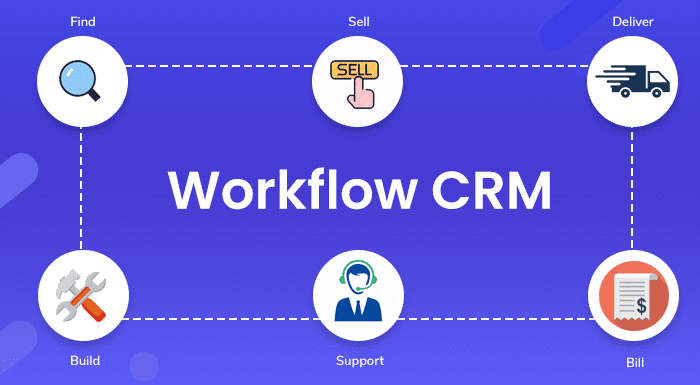






A business may end up eating your mind when you don’t look for realistic ways of improving the business relationship with customers. The identity of a successful business is that it keeps a closer eye on improving relationships with everyone. Therefore, CRM (Customer Relationship Management) is a one-stop shop that is embedded with thousands of solutions. This software offers “CRM Workflows” to cater to the needs of your organization and increase efficiency. Get the right solution for your business via the Workflow platform, as we are going to provide a comprehensive overview of it.
What is CRM Workflow?
The Workflow in CRM software means that a sequence of tasks should be followed and there is a requirement to lead progressive steps to run a business. In short, workflows share the actual meaning or the way how to reach your objectives to run the organization. It is always at the fingertips of businesses because the platform is “Automated”.
Can we do time-saving activities from here?
We highlighted the word Automation above and this means the platform is profitable for every diverse type of business that is looking to grow. You can reap advantages like assigning tasks to your team, sending alert notifications to your Sales employees, analyze your work, and much more. For many, Workflow sounds like a bugbear but the reality is it is a great example of saving your business and keeping your business alive.
Key Components of a CRM Workflow
A CRM workflow consists of several elements that work together to automate business activities and keep processes organized. Understanding these components makes it easier to create workflows that match your business requirements.
Here are the key components of a CRM workflow:
1. Triggers
Triggers are specific events that start a workflow. For example, when a new lead fills out a contact form, the CRM can automatically initiate a follow-up process.
2. Conditions
Conditions define the rules that determine whether a particular action should take place. For instance, a CRM can check whether a lead meets specific qualification criteria before assigning it to a sales representative.
3. Actions
Actions are the tasks performed automatically when the defined conditions are met. These may include sending emails, creating follow-up tasks, updating customer records, or notifying team members.
4. Notifications and Alerts
Notifications keep employees informed about important activities. A CRM can send alerts when a new lead arrives, a deal changes its stage, or a customer requires immediate attention.
5. Workflow Monitoring
Monitoring helps businesses track whether automated processes are working correctly. Managers can review workflow activity, identify delays, and make improvements whenever necessary.
Together, these components create a structured process that reduces manual work and helps teams manage customer relationships more efficiently.
Top Workflow Automation Applications that are most Common
Do you think that workflows in CRM software are bringing you good results? Well, we researched some common applications of workflows. Please read the points given below:
- Sales Process Automation
No Sales Manager of every business wants to meet the salesperson of your team all the time and it’s quite complex to update the crucial leads in the system every time. Using this workflow automation is a remarkable option. How? Whenever someone changes anything, you will always receive a notification alert. Best for security purposes. Follow-up reminders are automatically generated for the Salesperson.
- Account Management Automation
Retain the customers who are in your leads earlier. There is a need to use a Time-Based Trigger that works automatically for you. It plays a vital role in sending the alert-type notification to the manager or specialist for a high-value account.
Furthermore, if the expiration date of your contracts with customers is near, then automatically sending emails to clients can be done. It will help them to know their expiration date and you can share the option of renewal.
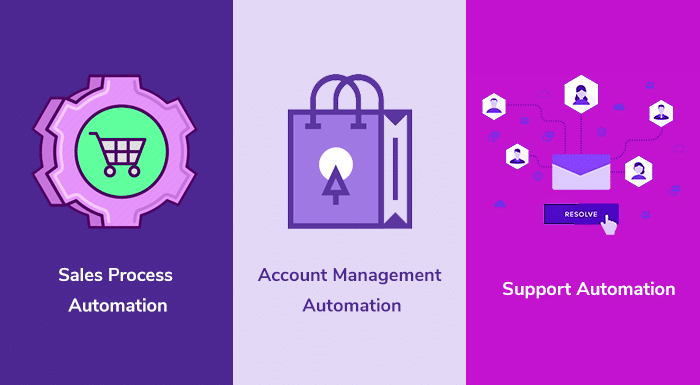
- Support Automation
Your business is alive today just because you have customers. So, there is a need to respond to their support queries and their tricky questions on time. When a user uses Conditional Trigger from here then they get the functionality of changing the client status and noting it as “Contact Immediately” in the CRM system.
We have one more superfine advantage to share. Want to know? Using this automation, you can generate an email of apology to clients and reassure them that you are working on this so don’t stay fret.
Steps to Use CRM Workflows Management easily
Now you have an answer in your bucket about “What is Workflow”. Let’s dig a little deeper to know how to use it for your CRM business. Whether you run your IT industry easily or work in the Telecom Industry, it’s important to know the process of Workflows.
- Set Clear Objectives/Goals of Workflow
You don’t want to lose your set leads that are most valuable and don’t want your strategy of Sales and Marketing to get ruined. Setting a clear goal for your CRM Workflows management is important because you can work on the steps that are required in the right way only.
The right steps open the doors of Objectives/Goals and it will be easier for the user to enter. Just craft the steps and assign them to your team wherever required.
- Find out the areas of manual effort that need Automation
The term Automation is durable with some splendid benefits for the business, as you can read about Automation with more details in our previous blog on CRM and Marketing Automation. Let’s go back to the steps again and your second step is to figure out the areas where you need to put the manual efforts and check where the repetitive tasks are going on.

Repetitive tasks are really irksome, so there is a need to apply automation. It will play an instrumental role by improving/speed your essential tasks. Without a doubt, business efficiency will improve.
- Discussion with your Sales/Marketing Team
Research shows that your CRM Workflow automation is used by the Sales and Marketing team. They need this platform to handle every task fluently.

So your step is to discuss with the teams and try to figure out where they need assistance quickly, what the most daunting tasks are for them, what tasks are pending, etc. While getting such bundles of information, you can customize the CRM Workflow automation later on. The easiest way for your team to handle business activity smoothly.
Related blog: CRM Project Management: How to Align Sales and Delivery Teams in 2026
- Start your Daily Business Task
From start to end, you gather all the important information that is a requirement for this platform. Are you pondering what to do? After completing the above steps, now just start adding the task, plan on that, and later on execute it for better results.
There is a need to set leads, set actions, set KPIs, etc. Don’t forget to automate everything to save yourself countless hours. Another big advantage for you is it will be simpler for the team in your business to track and measure progress. Like your Sales Pipeline, Lead generation, and much more.
Best Practices for Creating and Managing CRM Workflows
Creating a CRM workflow is only the first step. Businesses also need to manage and optimize their workflows to ensure that automation continues to support their objectives.
Here are some best practices to consider:
1. Keep Workflows Simple
Avoid creating unnecessarily complicated workflows. Start with essential business activities and add conditions or actions only when they provide real value.
2. Define Clear Workflow Rules
Establish specific triggers, conditions, and actions before activating a workflow. Clear rules help prevent incorrect task assignments, duplicate notifications, and unnecessary automation.
3. Test Workflows Before Implementation
Test every workflow with sample records before making it available to the entire team. This helps identify errors and ensures that automated actions happen as expected.
4. Review Workflow Performance Regularly
Monitor workflow completion rates, response times, pending tasks, and automation errors. Regular reviews help identify processes that need improvement.
5. Maintain Accurate CRM Data
Workflow automation depends on the quality of the information stored in your CRM. Keep customer records, contact details, deal stages, and other important information updated.
6. Update Workflows as Business Needs Change
Business processes evolve. Review existing workflows whenever your sales strategy, customer requirements, or internal processes change.
Following these practices helps businesses maintain reliable CRM workflows, improve team productivity, and deliver a consistent customer experience.
What are the Benefits of Workflow Automation CRM?
If the Workflow Automation CRM started bouncing around your head then read out the jotted points given below.
- Burn the Overflow and confusion
Have you faced the situation of finding more than one similar file in your CRM system and you get trouble with which one to keep or which one is right to share with the leads? On a daily basis, you find plenty of files or other documents that have duplicates in the same platform. Many of you keep them and decide to delete them later on and this is the problem.
- Assign everything to your Sales Team from here
The biggest advantage for businesses when they strive for CRM Workflows is that they can set the skills according to the employees of different departments. Mostly, employees want to get engaged with the help of advanced platforms and this automation workflow CRM is superlative for this.
If you are a manager of your CRM Call Center business or running some other type of business, then you are free to assign tasks from this platform easily. Simple! A better way to boost productivity while keeping your employees engaged. What’s more? Assign now according to their strengths and skill set.
- Can I Pull a Real-Time Report from here?
Earlier what the situation was our business was not able to find out how much time we have given on important meetings with the leads. Everyone wanted to get each person’s workflow so that we could figure out everything from the beginning till the end. Well, if you dovetail your business with the concept of the CRM tool that we are talking about in this article, then it will share a real-time report.
If you find physical standup meetings boring all the time, then why don’t you go for virtual meetings around this tool? Workflow Automation CRM helps you to wear the right shoe to run a business in this technologically driven world. Make sure not to step back and go for any old-fashioned method.
- Save Time and Money while communicating
We are watching this since the epoch when all of us manually communicated with our clients to solve their problems or any big hurdle. Giving an immaculate experience all the time is your first aim for customers but everyone must find the right way to save time and money. We want to introduce you to your CRM software world where you are not required to go manually communicating with customers.
Like if you want to give perfect CRM Customer support service then you can respond to your customers via auto-triggered responses and send notification updates. The CRM Workflow unlocked the opportunity you have to save time and boost up productivity. Also, monitoring customers' interactions is possible here.
- New hires get fully trained with Automation help
Your Sales manager hires a few new employees who are looking to get trained on the prospects/leads information and micromanagement. This is the point where the company drops the ball by not going with the automation concept. What’s the job of the Sales Manager here?
We will tell you briefly that the manager should automate every business activity to get the prospects/leads information. Also with the scripts and instructions to save their precious time. The newly hired one gets a clear roadmap for the Sales reps.
If sharing such outstanding processes to close more deals in business then they will surely give you a good fruit of investment all time. Hope they will start focusing on this and sell your products and Brands from day one.
- Get to know how your team is performing
Suppose you are running your Insurance industry and daily your team talks with plenty of clients regarding the policy or for other purposes. But who is keeping an eye on their performance? Is no one there? The status of the team is transparent only if you use a workflow CRM software platform. We will tell you what to do.
Just use Public Dashboards in CRM and get a complete insight into how they perform every month or every day. This broad view of your team performance unhides the revenue goals and how they are curious about the sale of policies.
Decision-making can be done later on, but let us be aware of the fact that this concept can improve the profits in your business. Think about it!
Best CRM Workflow Tools that grow your Business management
For this activity, you all must insist that others choose compelling software because no one should be left wondering what they are paying for. Hold your breath and read out the CRM Workflow tools below.
- Salesforce CRM software
If you like to know the CRM industries where the software gains popularity then this software is important to understand. Introducing Salesforce CRM, which has numerous solutions for workflow automation in CRM, such as contact management, lead management, etc.
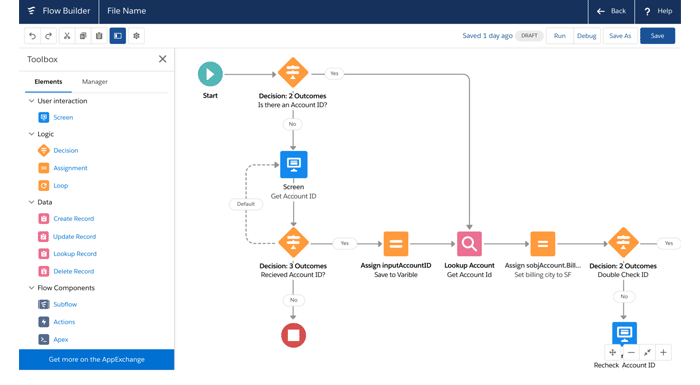
The Email marketing activity can be done within a few clicks, and yes, managing social media here is quite easy for any user. It’s not like an amateur can’t use this software to run their business. Get aware of Salesforce Pricing 2021 from our blog and select the pricing plan according to your requirements.
- Hubspot
Are you curious to work under scalable and secure software of Customer Relationship Management? We are going to put a spotlight on one of the essential ones here called HubSpot CRM. The software provides a visual dashboard to check out real-time reports, including the sales funnel.
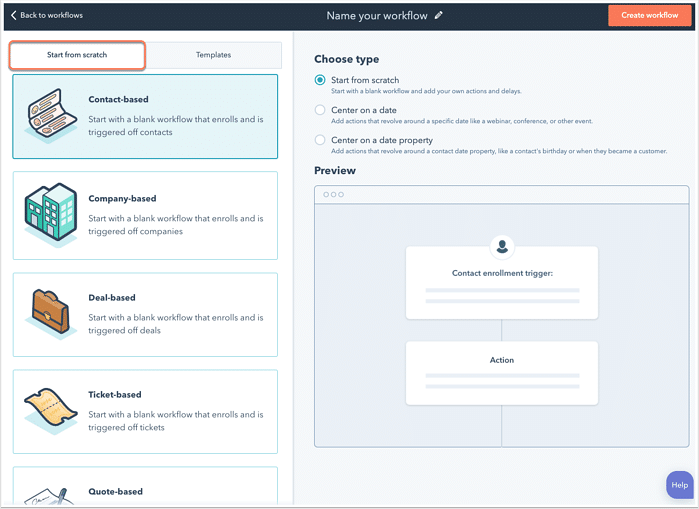
Adding the task and removing the task is possible and more importantly, scheduling the appointment meeting in HubSpot is valid. If you track your employee activity daily, then HubSpot is just one click away to get entered into your business world. Learn in-depth while visiting HubSpot's main website separately.
- Insightly
Let’s jump into the pool to get aware of the next underrated software of CRM, which is not only popular in the market but also has some magnetic functions to boost your sales. The name of this CRM Workflow tool is Insightly, which can manage the workflow and share easy-to-use steps all the time.
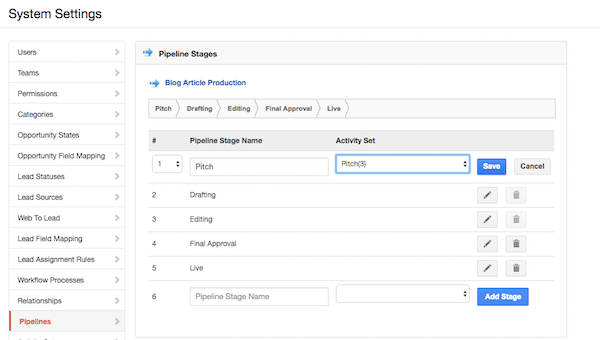
If you want to purchase it, then allow us to tell you about its features: custom reports, API Access, ample storage capabilities, and many more to enrich your experience. To save your quality of time, you can sync this software with other third-party platforms and to fetch new customers you can select the Email Marketing activity here.
- Zoho CRM Software
The all-in-one solution of CRM is known as Zoho, which is a complete example of growing your business at every crucial step you face. Is there a big reason behind the popularity of this vigorous software in the market? Yes, it's a cloud-hosted CRM that is filled with exceptional advantages to save your time.
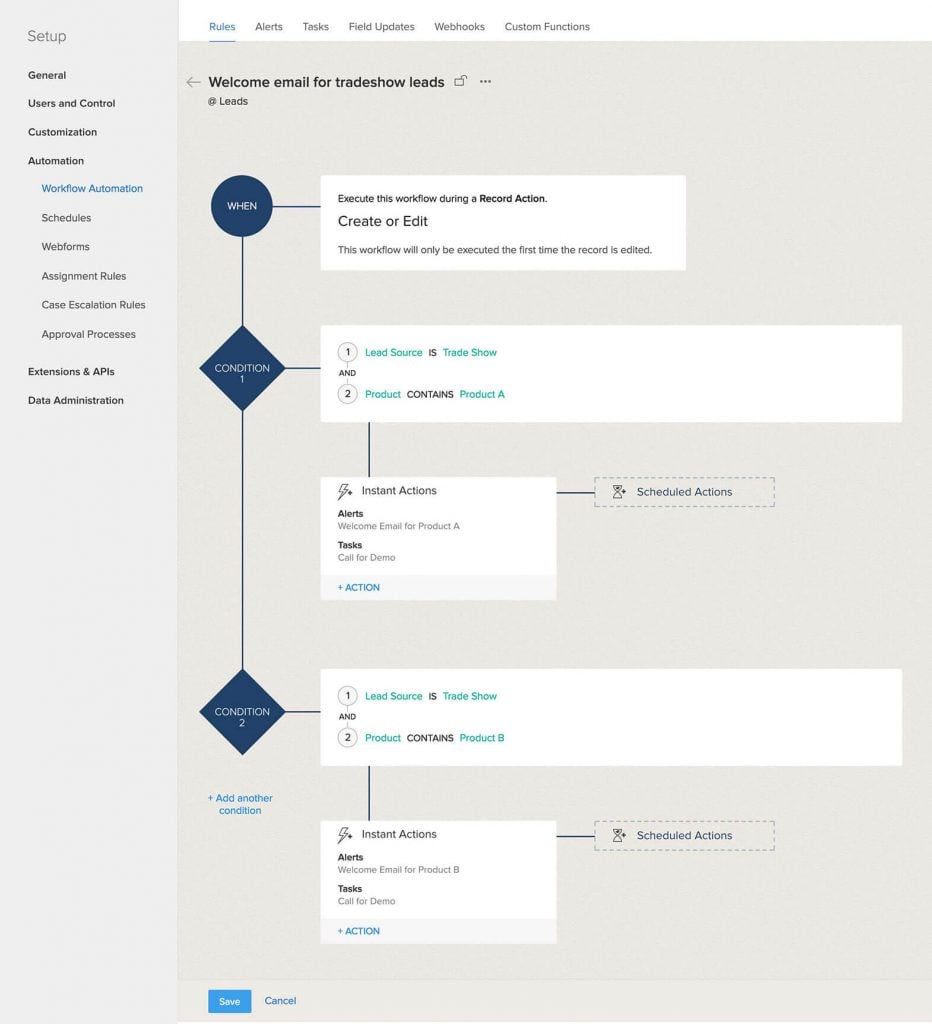
The software like Zoho say pay extra attention on multiple channels to fetch an audience and you can get aware of real-time analytics and can improve it to streamline your goals. There are various applications available in this tool that you can integrate with other business platforms.
- Pipedrive
Sales businesses are reading out this article and understood every concept of Workflow for their business handling. Why not use an eminent tool to smoothen your work today? We are talking about the software that is specially made for the sales organisation called Pipedrive, where a user can categorise their leads according to the stages set for a funnel.
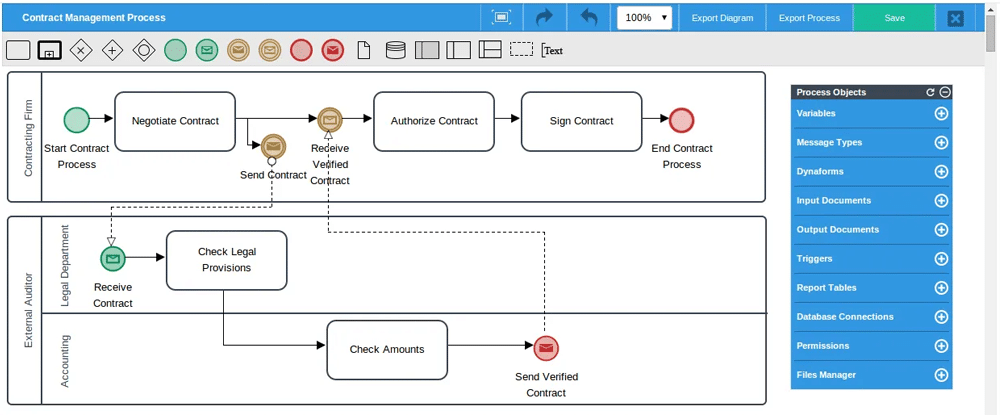
Businesses of every size can measure their performance separately in CRM when going to use this software for life. Features like syncing with other applications can be done. Also, Email integration is achievable for everyone.
- Freshsales
Guess what, we have one more to share. A software that is versatile enough to support the sales business. The software is none other than Freshsales which offers you the features such as lead management, contact management, account management, and much more to help you. How great would it be when the software of CRM shares the functionality of SMS integration?
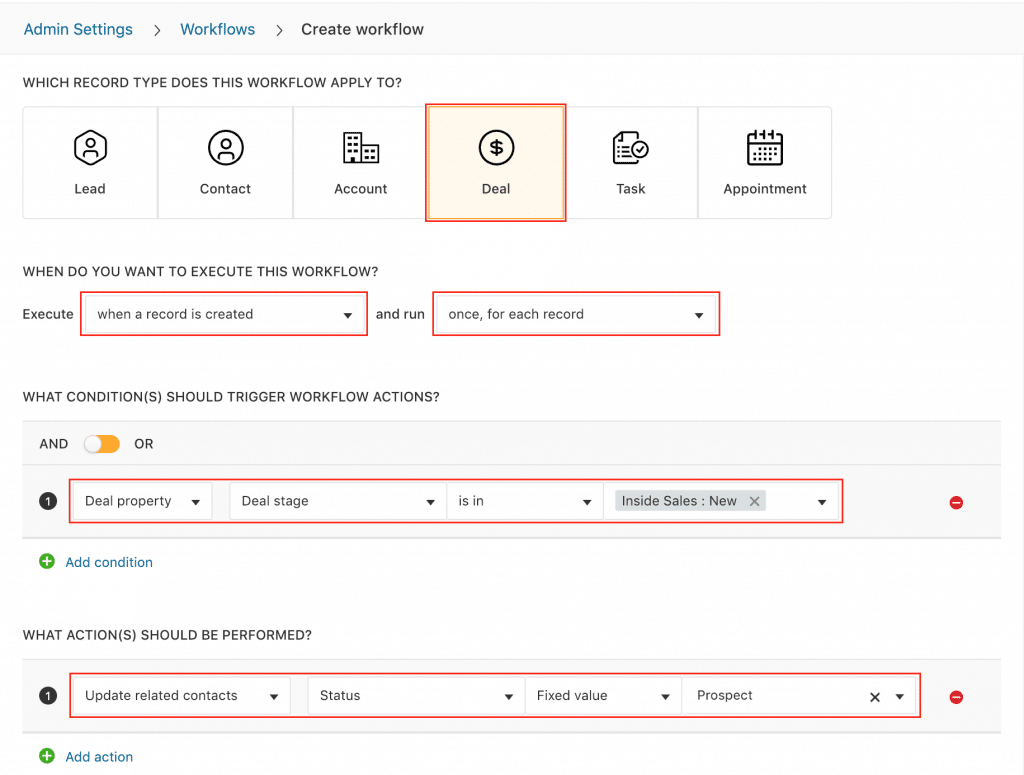
Thanks to Freshsales for proving that the software of CRM is still alive to upsurge every crucial activity. Moreover, assigning the task is possible, and measuring your performance can be done with zero percent difficulty.
Businesses looking for a customizable solution to manage customer relationships and automate their business processes can also explore OutrightCRM. It provides CRM capabilities for managing sales, marketing, customer interactions, and automated workflows in one platform.
Deal with Outright Store to get SuiteCRM Workflow service
To get the robust Advanced Workflow service, get in touch with us. We are experienced in providing you with the actual way to follow the work in workflows. Every user will get a 360-degree view of every business process from the start to the end. Outright Store is experienced in providing this service to every client globally. It halts your repetitive tasks and boosts your organization's efficiency.
Our Projects where we have given our hundred percent
We worked on numerous projects and always delivered stupendous achievements to the businesses who trust us and deal with us. Want to know our work?
- Drip Campaigning
- Transferring Data to records via SMS or through Email
- Automate email flows in different modules of SuiteCRM
- Integrating important data with third-party software
- Automatic conversion of Records
- Notification generated via Email when there is Data duplication
To get the SuiteCRM Workflow service from us, why don’t you learn how to configure workflow modules in this software? Below, we are going to present a video related to this, so make sure not to skip that video and watch till the end. A great way to learn every concept in the easiest form.
Conclusion
CRM workflows play an important role in helping businesses organize their daily operations, automate repetitive tasks, and manage customer relationships more effectively. From lead assignment and sales follow-ups to customer support and marketing automation, these workflows help teams save time and maintain consistent business processes.
Choosing the right CRM workflow solution depends on your business goals, team requirements, and automation needs. Before selecting a platform, compare its features, customization options, integrations, and ease of use.
A well-designed CRM workflow can improve team productivity, reduce manual errors, and create a smoother customer experience. Therefore, evaluate your business requirements carefully and choose a CRM solution that supports your long-term growth.
Author’s BIO

With 15 years of experience in CRM, I specialize in developing plugins for SuiteCRM and SugarCRM. My notable creations include SuiteCRM Email to Lead, SuiteCRM BCC Archiver, and SugarCRM Mailchimp. My expertise lies in enhancing CRM functionalities to drive business efficiency and growth.
Additionally, I create content on YouTube, sharing insights and tutorials on CRM solutions to help businesses enhance their efficiency and growth.
Frequently Asked Questions
CRM is a software system that helps businesses manage customer relationships, interactions, and sales activities. A CRM workflow is a sequence of automated tasks and actions within that system that helps teams complete business processes efficiently.
Yes. CRM workflows can be customized according to business requirements, departments, and operational processes. Businesses can define specific triggers, conditions, and actions for sales, marketing, customer support, and account management activities.
CRM workflows can automate several repetitive tasks, including lead assignments, follow-up reminders, email notifications, customer onboarding, task scheduling, sales updates, and support ticket management.
Businesses can measure CRM workflow performance using metrics such as task completion rates, lead response time, conversion rates, workflow error rates, and time saved through automation. Regularly monitoring these metrics helps identify inefficiencies and improve workflow performance.