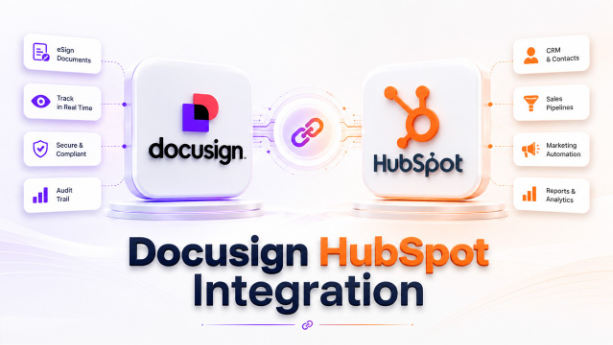






The article offers a deep dive into Docusign HubSpot integration, along with its benefits, a step-by-step guide, key considerations, and challenges.
In the current ever-evolving digital landscape, sales teams are under constant pressure to close deals faster while also maintaining a seamless customer experience. The most effective way to streamline contract management and sales operations is through DocuSign HubSpot integration.
The integration connects the industry-leading eSignature platform with the powerful CRM and marketing automation tools of HubSpot. With this, businesses can automate document workflows, eliminate manual data entry, and accelerate deal closures.
What is Docusign HubSpot Integration?
Docusign HubSpot integration helps in creating a seamless connection between the customer relationship management (CRM) platform of HubSpot and the electronic signature solution of Docusign. The integration enables businesses to efficiently create, send, sign, track, and manage documents directly within the centralized dashboard of HubSpot.
The integration automatically updates contact records, deal stages, and related CRM data once the documents are signed. This integration further enhances the value of key HubSpot features such as contact management, deal tracking, workflow automation, and customer relationship management by keeping sales and document processes connected within a single platform.
This ensures that the sales pipeline remains accurate and up to date. In simple terms, organizations can automate document workflows and maintain customer records synchronized throughout the sales cycle.
Key Features of DocuSign HubSpot Integration
Docusing HubSpot integration helps organizations in simplifying document management, automating sales workflows, and improving collaboration between teams. By integrating Docusing with the CRM, businesses can significantly reduce manual work and create a more efficient customer journey.
Some of the key features of the Docusign HubSpot integration are as follows:
- Document Generation: The integration offers the ability to generate documents directly from HubSpot records. This eliminates the need for manual data entry and helps ensure higher document accuracy.
- Electronic Signature Requests: With the integration, users can send legally binding signatures directly from HubSpot. This eliminates the need to export files or switch between platforms to initiate the signing process.
- Real-Time Document Tracking: The integration also provides complete visibility into the document lifecycle. It also offers real-time tracking of the document, helping sales teams to initiate follow-ups at the right time.
- Automated CRM Updates: Once a document is completed, Docusign automatically updates all the relevant records in HubSpot, ensuring that CRM data remains accurate and up to date.
Benefits of Docusign HubSpot Integration
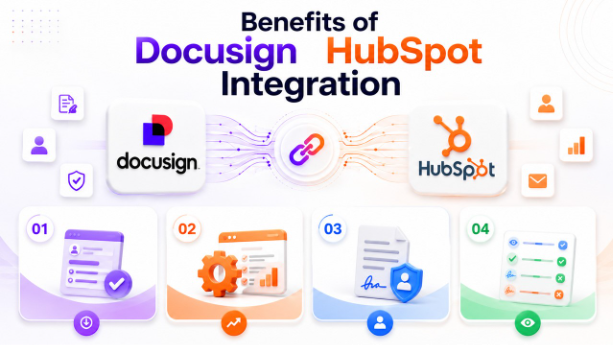
The Docusign HubSpot integration offers multiple benefits to businesses. It helps create connected workflows that enable sales, marketing, customer success, and operations teams in efficient managing documents and customer data. The integration also eliminates manual processes and automates key tasks, through which businesses can improve productivity, accelerate revenue generation, and improve customer experience.
As one of the most widely used HubSpot integrations, Docusign helps organizations connect their CRM with essential business processes, reducing operational bottlenecks and improving data consistency across teams.
Some of the key benefits of the DocuSign HubSpot integration include:
Reduced Manual Data Entry
The Docusign HubSpot integration automatically populates data from the CRM platform to respected fields, like contracts, proposals, and agreements. This automation significantly reduces tasks, minimizes mistakes, and allows employees to focus more on higher-value activity.
Improves Productivity
The integration also automates tasks like document preparation, requesting signatures, and updating CRM records, enabling representatives to focus on prospecting, nurturing leads, and closing deals. It also ensures that the team handles more opportunities without increasing their workload.
Enhanced Customer Experience
The integration allows businesses to offer a smooth signing experience, in which the recipient can easily access and sign documents anytime. Through this, the customer no longer needs to print, scan, or mail paperwork, ensuring a convenient process.
Organizations that also leverage HubSpot Mailchimp Integration can create a seamless customer journey by combining automated email marketing campaigns with contract management and customer onboarding workflows.
Real-Time Document Status Visibility
The integration offers instant visibility into every stage of the document lifecycle. Through the integration, users can track when the document has been sent, opened, viewed, signed, or declined.
How to Set Up Docusign HubSpot Integration?
The process of setting up Docusign HubSpot integration is a simple and straightforward process that allows teams to efficiently manage electronic signatures, contracts, and customer data from a single platform. With the integration, users can automate document workflows, track signature activity, and automatically update CRM records.
The process to set up the Docusign HubSpot integration is as follows:
- Step 1: Access HubSpot App Marketplace
Log in to HubSpot and Navigate to App Marketplace. In the Marketplace, search Docusign, and click on Install App.
- Step 2: Connect Docusign Account
Sign in to the Docusign account. Review the requested permissions and click on Allow Access.
- Step 3: Configure Integration Settings
Once the integration is connected, customize it according to business needs.
- Step 4: Create or Import Docusign Templates
Create templates directly in Docusign and configure fields that automatically pull data from HubSpot records.
- Step 5: Set Up Automated Workflows
Workflow automation is among the most powerful aspects of integration. The automation reduces manual work and keeps processes moving efficiently.
- Step 6: Configure Notifications and Alerts
Enabling notifications and alerts helps the team monitor document activity in real time.
Businesses that use HubSpot Slack Integration can further streamline collaboration by receiving real-time document status updates and signature notifications directly within Slack channels, ensuring faster internal communication.
Key Considerations Before Docusign HubSpot Integration
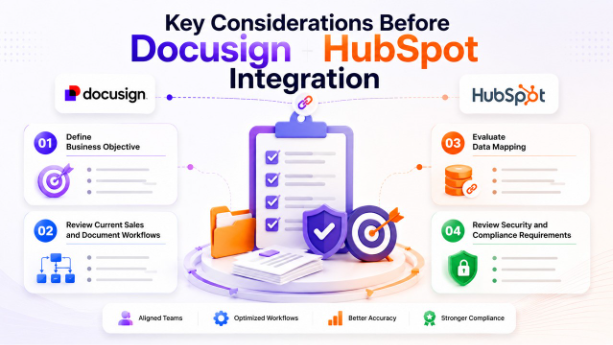
Before integrating DocuSign with HubSpot, it is essential to evaluate key aspects like business requirements, technical setup, and workflow processes.
Some of the key considerations before Docusign HubSpot integration are as follows:
- Define Business Objective
Identifying the main objective is essential before integrating DocuSign with HubSpot. Docusign HubSpot integration offers different purposes to different organizations, like automating sales contracts, managing customer onboarding documents, streamlining service agreements, and improving CRM data accuracy.
Organizations should also evaluate their current HubSpot pricing plan to ensure it supports the workflows, automation features, and third-party integrations required for a successful DocuSign implementation.
- Review Current Sales and Document Workflows
Analyze how documents are currently moving through different teams in the organization. Understanding the existing workflow helps in identifying automation opportunities and potential improvements.
- Evaluate Data Mapping
Data mapping determines how information flows between Docusign and HubSpot. Incorrect mapping can result in inaccurate documents, workflow errors, and customer confusion.
- Review Security and Compliance Requirements
Before integrating Docusign with HubSpot, users need to evaluate security and compliance obligations. It is essential, especially for industries such as healthcare, finance, legal services, and insurance.
Common Challenges with Docusign HubSpot Integration
Docusign HubSpot integration offers various benefits to the organization, like workflow automation, faster contract approvals, and improved CRM management. However, it also includes key challenges, especially during implementation and day-to-day usage.
Some of the major challenges of Docusign HubSpot integration are as follows:
- Data Mapping Errors
Data mapping errors are among the most common integration challenges, which involve incorrect field mapping between HubSpot and Docusign. It generally occurs when fields are not mapped correctly during the setup.
- Duplicate Contact and Company Records
Duplicate records can create confusion and affect document accuracy. If the customer information is duplicated in HubSpot, it can generate contacts using outdated or incorrect data.
- Incomplete or Inaccurate CRM Data
The integration also depends heavily on data stored in HubSpot. If any records are incomplete, the generated document may contain missing fields or incorrect information.
Conclusion
Docusign HubSpot integration acts as a strategic tool for modern organizations looking to improve efficiency, accelerate the sales cycle, and deliver a better customer experience. By combining the powerful CRM capability of HubSpot with the e-signature platform of DocuSign, organizations can eliminate manual processes and reduce administrative burdens.
Docusign HubSpot integration can help create a more connected and productive workflow that is customer centric. While HubSpot remains one of the most popular CRM platforms for document automation and customer relationship management, businesses evaluating HubSpot alternatives should prioritize solutions that offer strong integration capabilities, workflow automation, and seamless document management functionality.
From automated document generation and real-time tracking to seamless CRM updates and workflow automation, the integration empowers teams to work more efficiently, while also maintaining higher data accuracy.
Frequently Asked Questions About Docusign HubSpot Integration
Yes, the integration itself is free, but both Docusign and HubSpot may require subscription plans for different features.
Yes, you can send or generate contracts directly from HubSpot using Docusign templates.
Generally, the synced data includes contact details, company information, deal value, and contract status updates.
Yes, you can automate contact generation, approvals, notifications, and CRM updates using Docusign HubSpot integration.