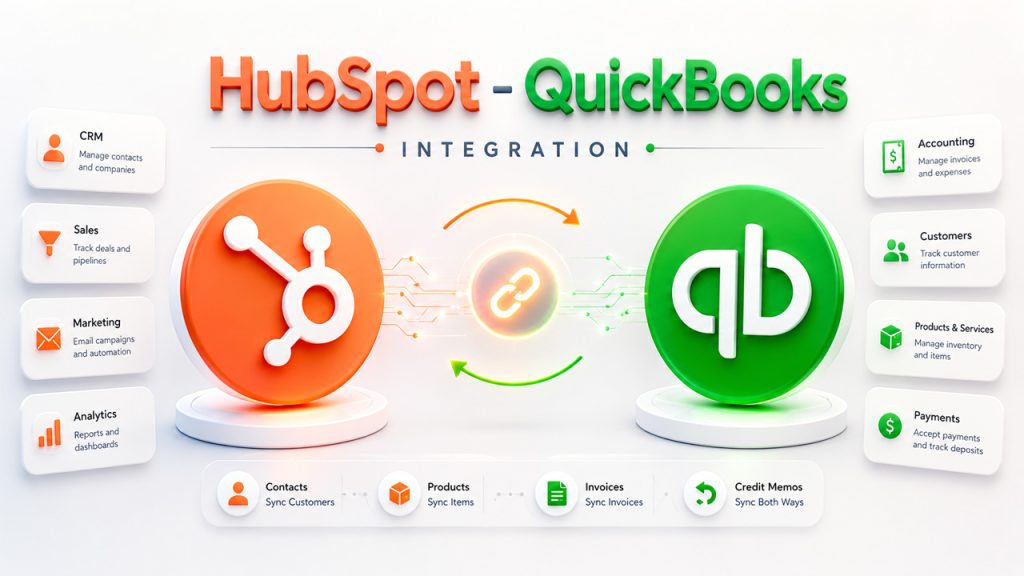






You have invested in HubSpot, and your team is using it. But somewhere between the CRM, the phone system, the helpdesk, and the email tool; things still slip through the cracks. Reps have to copy data manually, support tickets aren’t showing up in the right place, someone has to dig through multiple platforms just to find a single contact history. HubSpot itself is not a problem. The HubSpot features available across its hubs are robust enough to handle most of what your team needs. The problem is that HubSpot isn’t connected to everything else yet. That's exactly what HubSpot integrations fix for you.
This comprehensive blog walks you through top 10 HubSpot integrations to connect in 2026 with their features and pricing structure so that you can choose the right one for your business.
What Are HubSpot Integrations?
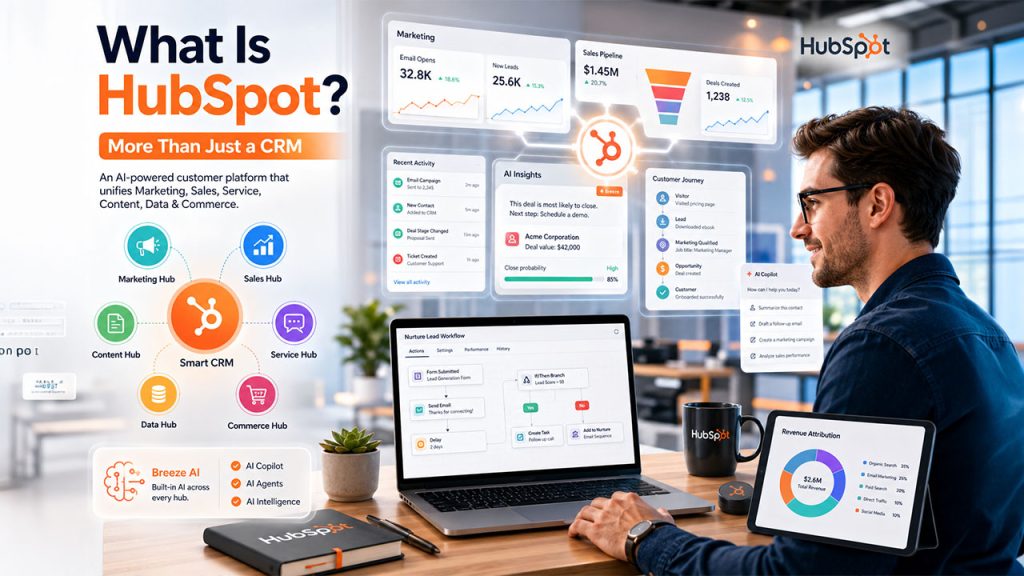
Before diving into integrations, it helps to understand what is HubSpot at its core. It's a CRM platform built to manage your marketing, sales, and customer service in one place. A HubSpot integration extends that by connecting it with other business tools your team uses. This is done to enhance functionality as this connection allows two systems to share data with each other. When that connection is made, records move automatically between two systems.
These integrations perform functions like syncing data, keeping activity history consistent, triggering automated actions such as sending emails, scheduling tasks, or updating fields based on what happens in a connected tool. Some integrations are native. They are available from HubSpot’s App Marketplace. While others connect through an automation platform or even HubSpot API when the setup is more complex. This makes HubSpot stop being just a database and starts working as your team’s actual operating system.
9 Best HubSpot Integrations to Boost Productivity in 2026
Here’s a quick overview before we dive in:
| Integration | Best For | Starting Price |
| Zapier | No-code automation across 5,000+ apps | Free / $19.99/month |
| Salesforce | Syncing sales and marketing data | $7.50/user/month |
| Zoho CRM | Flexible CRM syncing across teams | $20/user/month |
| Pipedrive | Visual pipeline + sales alignment | $14/seat/month |
| ActiveCampaign | Email automation triggered by CRM actions | $15/month |
| Zendesk | Support tickets aligned with CRM | $19/agent/month |
| Freshdesk Omni | Ticket creation from HubSpot activity | $23/agent/month |
| LiveAgent | Multi-channel helpdesk synced with HubSpot | $15/agent/month |
| Kustomer | Unified customer service CRM | Custom pricing |
| Gorgias | Ecommerce-focused support ticketing | From $10/month |
The comparison table gives you a snapshot of each integration, but the details below will help you determine which one best fits your business needs.
Zapier
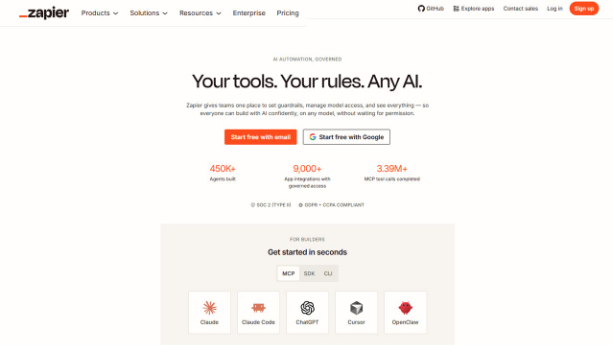
Zapier is an automation platform that doesn’t need any code. It is one of the most versatile tools that you can connect to HubSpot. Since not every tool in your stack has a native HubSpot integration, Zapier comes forward to fill that gap. It connects HubSpot with over 5,000 applications, from Google Sheets and Slack to Trello and Notion, using simple trigger-and-action workflows called Zaps.
The setup is not complex, so you won’t be needing any developer for that. Just practical automation that runs quietly in the background.
Key Features:
- Connect HubSpot with 5,000+ apps using automated Zaps
- Trigger actions across platforms based on HubSpot events
- Auto-update CRMs, spreadsheets, or project boards without manual effort
- Eliminate repetitive data entry across your entire stack
Pricing:
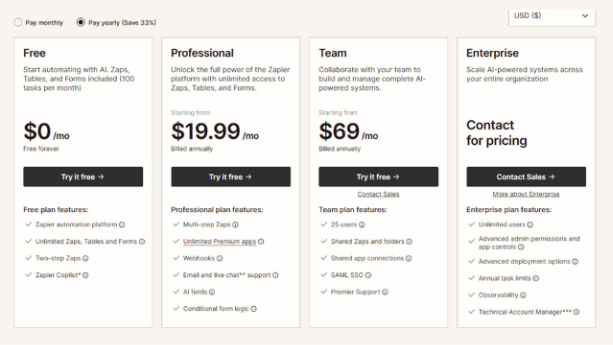
- Free: $0/month
- Professional: $19.99/month (billed annually)
- Team: $69/month (billed annually)
- Enterprise: Quote-based
Salesforce
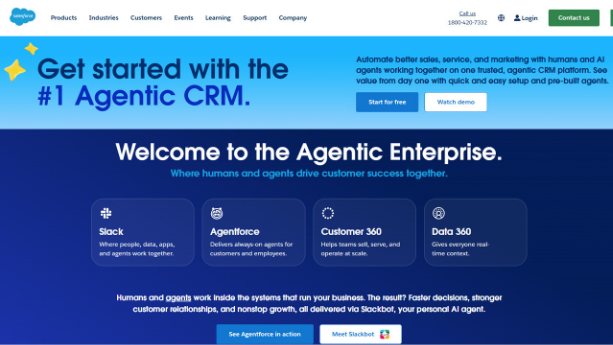
If your business runs Salesforce alongside HubSpot, keeping them in sync matters a lot. The HubSpot integration with Salesforce creates a two-way connection between the two platforms. This keeps leads, contacts, deal stages, and campaign activity aligned automatically. Marketing teams can see what happens to their leads after they enter the sales pipeline. Sales reps get full campaign context right inside Salesforce. It removes the friction that typically builds up between these two functions and supports the workflow. if you're still deciding between the two, HubSpot vs Salesforce lays out where each platform wins.
Also Read - HubSpot Salesforce Integration Made Easy
Key Features:
- Two-way sync between Salesforce and HubSpot
- Map custom fields and pipeline stages across both platforms
- Keep contact, deal, and campaign data consistent in real time
- Connect marketing activity directly to sales outcomes
Pricing:
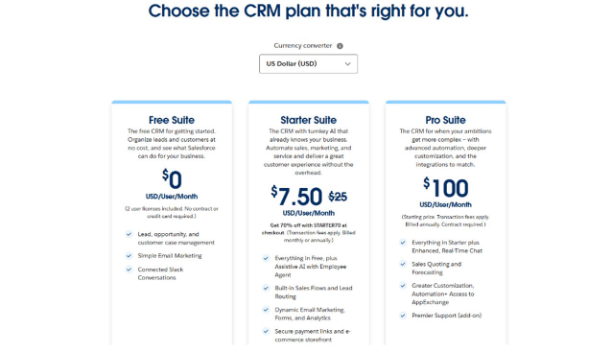
- Free Suite: $0/user/month
- Starter Suite: $7.50/user/month
- Pro Suite: $100/user/month
Zoho CRM
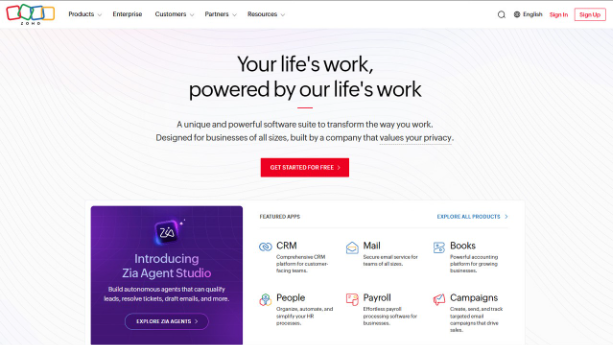
Teams that run both platforms simultaneously and those evaluating HubSpot alternatives without wanting to leave their existing CRM setup can benefit a lot from HubSpot integration with Zoho. This connection automatically syncs contact data, deal updates, and engagement history between the two systems. Result? HubSpot campaign and form activity flows into Zoho CRM records, lead status updates depending on the changes in lifecycle stage, and Zoho workflows can be triggered directly from HubSpot activity.
Key Features:
- Sync HubSpot data with Zoho contacts and deals automatically
- Auto-update lead status based on lifecycle stage
- Trigger CRM workflows and follow-up tasks from HubSpot activity
- Capture campaign and form activity inside Zoho CRM records
Pricing:
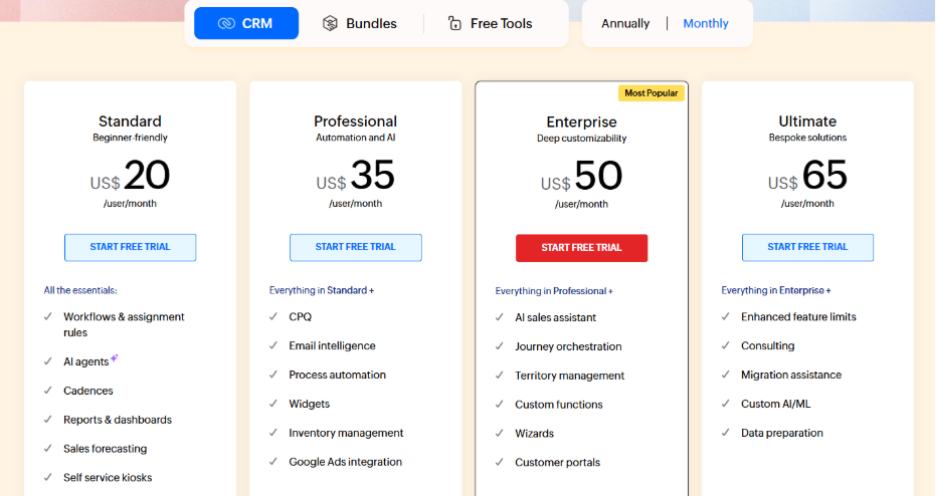
- Standard: $20/user/month
- Professional: $35/user/month
- Enterprise: $50/user/month
- Ultimate: $65/user/month
Pipedrive
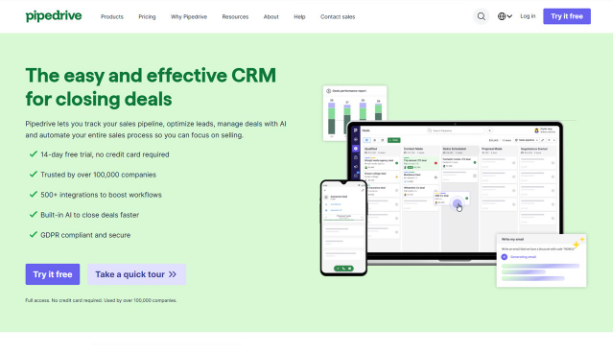
Pipedrive is built around a visual sales pipeline. Its HubSpot integration is designed for teams that rely on that pipeline for daily deal management while running their marketing and lead nurturing through HubSpot. The two platforms sync contact data, deal status, and lead activity, so both teams are always working from the same information. This eliminates any version-control issues between marketing and sales along with manual reconciliation.
Key Features:
- Sync contacts, deals, and lead status between HubSpot and Pipedrive
- Log HubSpot form submissions and activity into Pipedrive automatically
- Trigger Pipedrive automations based on HubSpot actions
- Align marketing and sales workflows around a shared data set
Pricing:
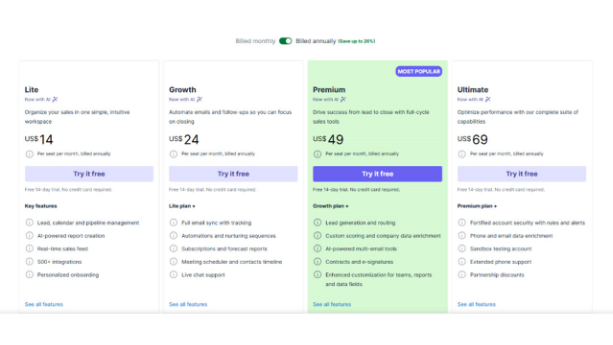
- Lite: $14/seat/month
- Growth: $24/seat/month
- Premium: $49/seat/month
- Ultimate: $69/seat/month
ActiveCampaign
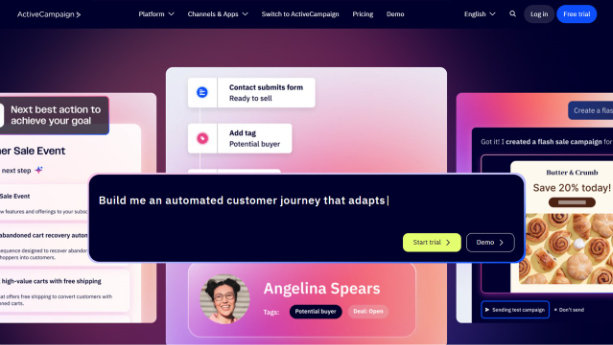
ActiveCampaign brings automation, email marketing, and CRM together on one platform. Its HubSpot integration focuses on alignment. You ask, how? It makes sure that any activity that happens in HubSpot triggers the right response in your marketing workflows. You can easily setup automations like syncing contact data, and custom fields between both platforms, and entering campaign engagement value back into HubSpot contact profiles.
This gives sales reps a complete view of how a prospect is interacting with your brand. for a side-by-side look at how they stack up, HubSpot vs ActiveCampaign covers the key differences.
Key Features:
- Trigger email automations based on HubSpot actions and lifecycle stages
- Sync HubSpot contacts and custom fields into ActiveCampaign
- Track campaign engagement such as opens, clicks, replies inside HubSpot profiles
- Align sales and marketing workflows around shared contact data
Pricing:
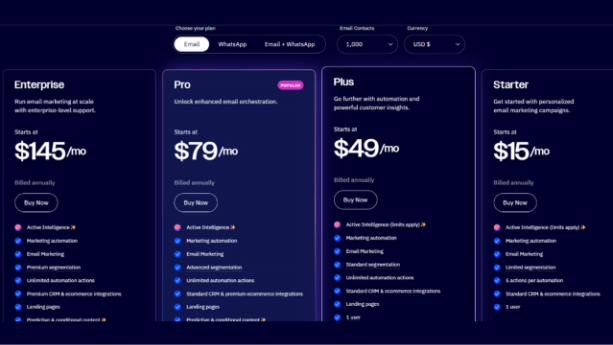
- Starter: $15/month
- Plus: $49/month
- Pro: $79/month
- Enterprise: $145/month
Zendesk

When two pillars of any business, sales and support teams work in completely separate systems; cracks start to show. However, HubSpot integration with Zendesk is built to change that dynamic. It directly connects ticketing and CRM data. Why is this helpful?
When a customer contacts you with an issue or query, the assigned support agent has full context from their HubSpot contact record. Additionally, when a ticket is resolved, it automatically reflects back on HubSpot.
Key Features:
- Auto-generate Zendesk tickets from HubSpot interactions
- See real-time ticket status updates inside HubSpot
- Link Zendesk records directly to HubSpot contacts or deals
- Improve resolution speed with unified customer context
Pricing:
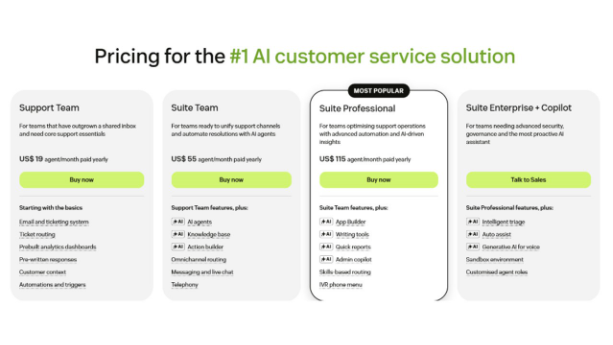
- Support Team: $19/agent/month
- Suite Team: $55/agent/month
- Suite Professional: $115/agent/month
- Suite Enterprise: Talk to sales
Freshdesk Omni
Freshdesk is a helpdesk platform which is widely used by businesses all over the world. Why is this a good HubSpot integration? Because it automatically links CRM activity and ticket management. For instance, when a customer interaction turns into a formal support case, this integration escalates it automatically, eliminating any manual involvement. Built for growing mid-size teams, its AI-powered automation lets you resolve tickets faster with AI with suggested replies and smart prioritization. This reduces coordination overhead, and fewer things slip through cracks.
Key Features:
- Create Freshdesk tickets directly from HubSpot activity or triggers
- Sync notes, timelines, and caller info into Freshdesk ticket history
- SLA tracking and breach alerts visible inside HubSpot
- Centralize support tasks across CRM, chat, and helpdesk
Pricing:
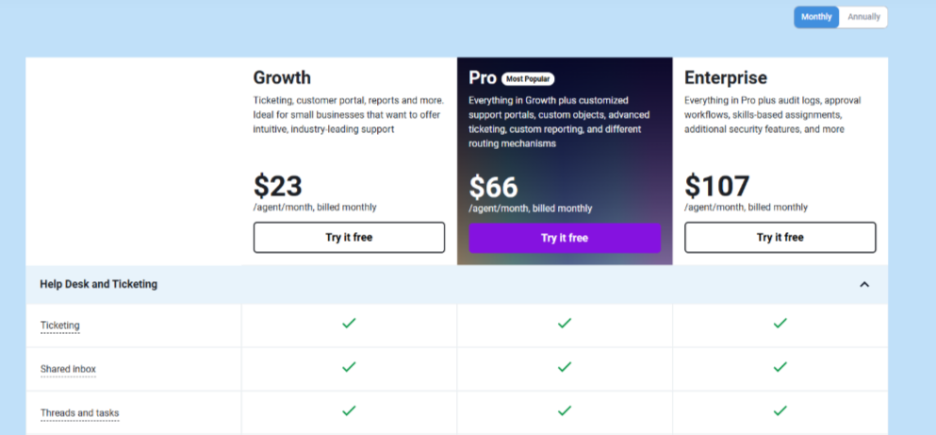
- Growth: $23/agent/month
- Professional: $66/agent/month
- Enterprise: $107/agent/month
LiveAgent
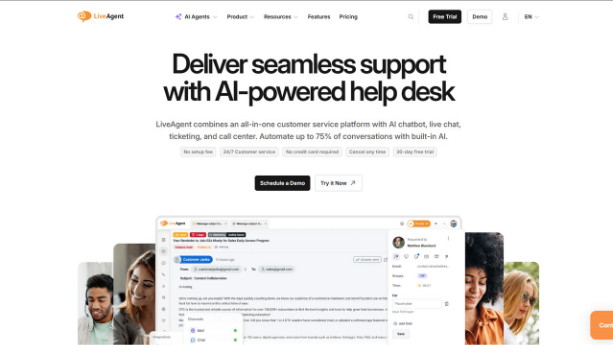
LiveAgent is popular as a multi-channel helpdesk platform. It provides chat, email, and call support under one roof. Its integration with HubSpot has several benefits, such as it bridges CRM data with ticketing, keeps support teams informed, and centralizes workflow. This connection converts HubSpot activity into LiveAgent tickets, link ticket history and recordings to HubSpot contact records, and SLA breach alerts keep the right people updated. This way, no one has to monitor two dashboards separately.
Key Features:
- Convert HubSpot events into LiveAgent tickets automatically
- Get SLA breach alerts and internal replies surfaced in HubSpot
- Link ticket history and call recordings to HubSpot contacts
- Centralize support across CRM and multi-channel helpdesk
Pricing:
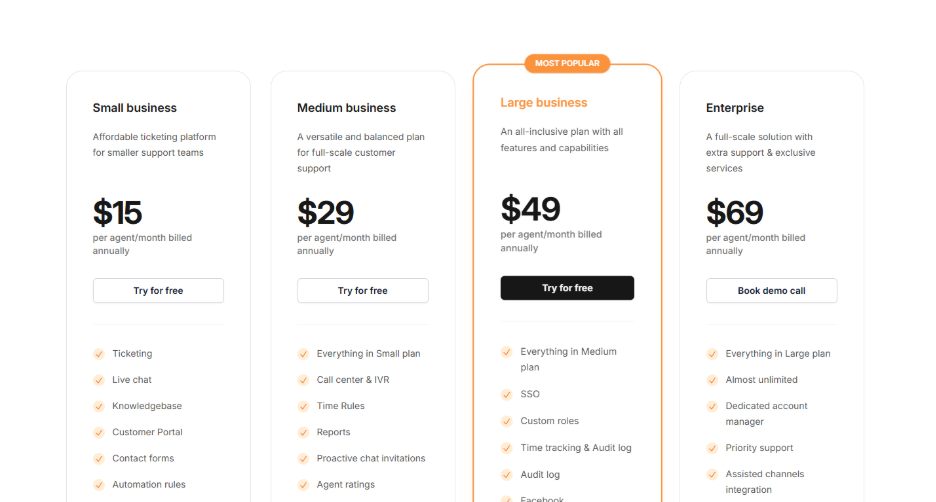
- Small Business: $15/agent/month
- Medium Business: $29/agent/month
- Large Business: $49/agent/month
- Enterprise: $69/agent/month
Kustomer
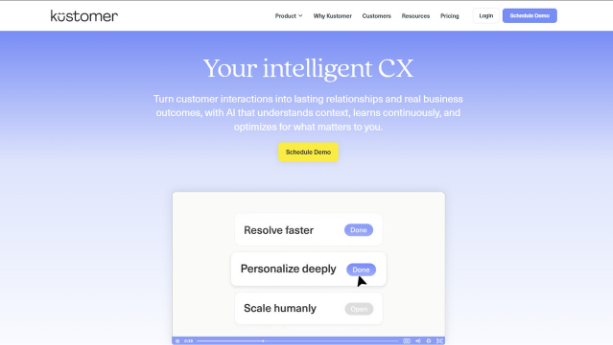
When it is integrated with HubSpot, it connects CRM data with case management. This helps teams escalate issues, track cases that are on priority, and maintain full conversation history across both tools. Smart routing, tag-based workflows, and auto-alerts for SLA breaches keep support operations running without constant manual oversight.
Key Features:
- Convert HubSpot threads and activity into Kustomer tickets
- Auto-alerts for SLA breaches and unresolved escalations
- Smart routing with tags and workflow triggers
- Maintain full conversation history across HubSpot and Kustomer
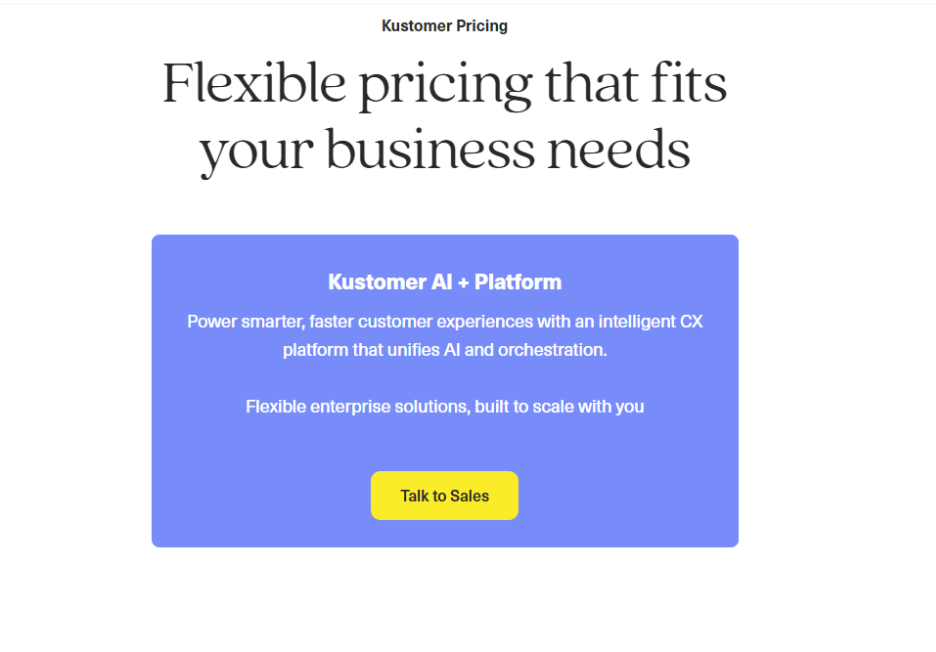
Pricing: Quote-based
Gorgias

Gorgias is also a helpdesk platform. It is designed specifically for ecommerce support teams. HubSpot integration with Gorgias makes sure that customer tickets can be tracked, escalated, and resolved with full CRM context in the background. Interactions with HubSpot are converted into Gorgias tickets automatically, SLA alerts immediately notify the right team members, and internal notes and context is transferred easily between the two tools, so agents don’t have to start from scratch every time a customer reaches out.
Key Features:
- Auto-convert HubSpot interactions into Gorgias support tickets
- SLA alerts and ticket activity synced between platforms
- Route tickets to the right agent with full CRM context
- Pass internal notes and customer history between HubSpot and Gorgias
Pricing:
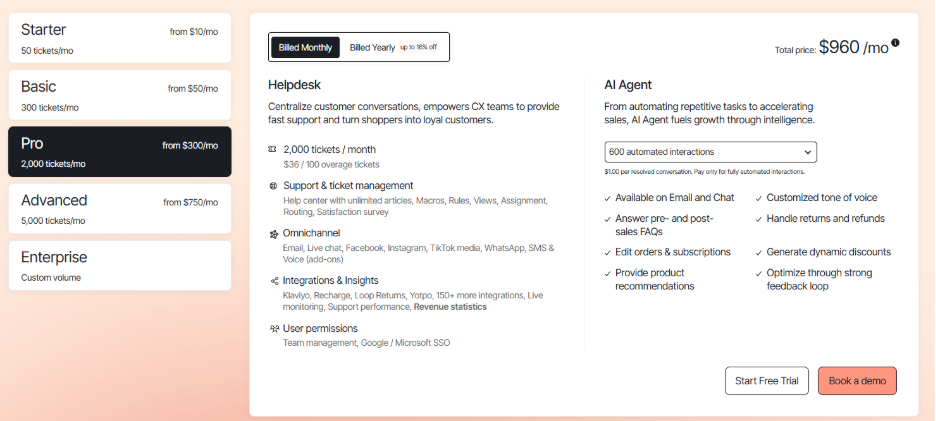
- Starter: from $10/50 tickets/month
- Basic: from $50/300 tickets/month
- Pro: from $300/2,000 tickets/month
- Advanced: from $750/5,000 tickets/month
- Enterprise: custom volume
Key Benefits of HubSpot Integrations
Connecting HubSpot to other stacks doesn’t just save time; it changes the way your team operates. Here are some benefits of integrating your HubSpot with other software solutions:
Unified View Across Every Team: Sales, support, and marketing teams don’t have to work separately. Email, chat, call, and campaign data all live in one timeline, so no rep ever has to guess what happened last with a customer.
Smarter Automation: These integrations allow you to trigger emails, tasks, and follow-ups automatically based on real behavior such as when stage of pipeline changes, someone fills out a form, or support ticket escalates. This stops you from being just reactive and makes you start running proactively.
Eliminates Manual Data Entry: Integration syncs contacts, deals, and tickets in real-time across platforms. There is no need for you to copy-paste anything. This reduces the chance of creating duplicate entries and saves time which is spent on re-entering information that already exists somewhere else.
Personalization That Actually Scales: When live activity from voice, email, and chat tools is stored directly into HubSpot, reps can immediately tailor conversations in the moment. They won’t have to dig through three systems to piece together context.
A CRM That Teams Actually Use: HubSpot integrations with tools like Salesforce, Zoho, and Pipedrive CRM means the platform works where your team is already working. This does not add another tab which is bound to be ignored by teams.
Conclusion
There is no doubt that HubSpot is powerful on its own. But the improved versions of HubSpot where nothing falls through the cracks, every customer interaction comes with full context, team isn’t doing most of the work manually only exists when it’s properly connected. The HubSpot integrations that are covered here are not extras or optional. They are the very infrastructure that makes HubSpot work as a real operating system for your business.
Whether you want to sync data between HubSpot and Salesforce, automate workflows through Zapier, manage contacts with Pipedrive, or bring calling and AI intelligence in through Freshdesk; each connection closes a gap that was quietly costing your team time and accuracy. Pick the ones that match your biggest bottlenecks. Start building from there.
Frequently Asked Questions (FAQs) About HubSpot Integrations
Yes. HubSpot has a free tier with basic CRM features, though advanced HubSpot features and most deep integrations require a paid plan.
HubSpot pricing starts at $15/month for the Starter plan, scaling up based on hubs, features, and contact volume.
Yes. HubSpot alternatives like Zoho CRM, Salesforce, and Pipedrive offer competitive feature sets depending on team size and budget.
The HubSpot integration with Pipedrive syncs contacts, deals, and lead activity between both platforms automatically, keeping sales and marketing aligned.
Yes. HubSpot integration with Monday CRM allows teams to sync tasks, contacts, and project data between the two platforms through native or Zapier-based connections.