





It is understandable to be frustrating while making a decision on which CRM to choose, especially when you are not sure how it will be beneficial to your business. And this gets worse when the CRM you choose does not go with your inbound marketing strategies. In the modern world of technology and automation, it has become important for businesses to adopt inbound marketing software. Inbound marketing software is a market-leading platform that helps businesses attract visitors, close deals, and convert leads.
For instance, HubSpot CRM is a market-leading inbound marketing software that improves inbound marketing processes and aids in creating strategies that give you a competitive edge. It allows you to create top-quality leads, ensures lasting relationships with customers, and helps prospects at every touchpoint. It leads to a more effective customer-centric approach and improved productivity. This blog is dedicated to explaining HubSpot features from the basics.
Understanding HubSpot CRM
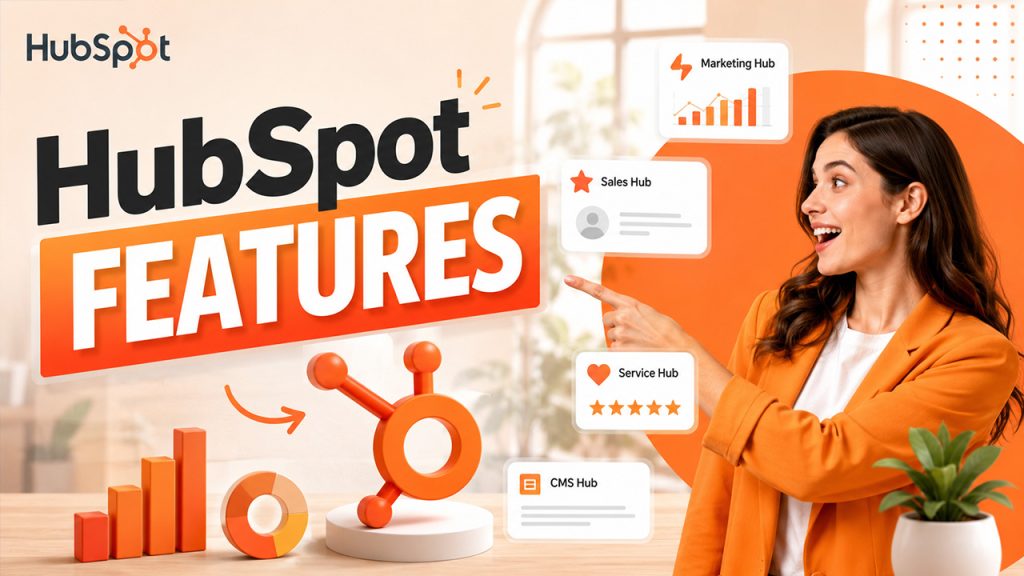
HubSpot CRM is a cloud-centric platform that has the tools and integrations that perform numerous tasks for business growth. It helps sales, marketing, content management, and customer service at each touchpoint by giving them better resources and strategy. It provides a host of tools such as Marketing Hub, CMS Hub, Services Hub, Sales Hub, and Operations Hub. You can either utilize individual hubs or integrate multiple hubs as it suits your workflow. In this way, business flow becomes much more seamless with the help of extraordinary HubSpot features, HubSpot integrations, and powerful tools,
HubSpot CRM was launched as a free platform in 2014. It has now turned out to be one of the most effective inbound marketing software. Around 30,000+ countries have adopted in close to 90 countries. HubSpot CRM features have made it a market leading solution in the CRM landscape. It consistently helps startups, small as well as large organizations to evolve at scale.
HubSpot Features
The free CRM of HubSpot is a feature-rich platform loaded with in-demand functionality in itself. The top features of HubSpot involve automatic activity logs, pipeline management, live chat options, etc. There are a wide variety of features that make it more effective than others.
1. CRM Database:
It allows for storage of prospects and customers’ data all in a central place, which is referred to as the CRM database. You can store close to 1,000,000 contacts with no expiration data or time limits. This makes sure that you do not have to struggle to search for contact information with no expiration data or time limit. You will not have to enter the customer data again and again manually. Furthermore, you do not have to waste crucial time on messy spreadsheets. In this way, you can easily handle your customers.
The CRM database stores the below-mentioned types of data:
- Customer title, name, and email address.
- Prior interactions that you must have had with them.
- The medium via which leads come and their score.
- A number of orders customers have made and the money that they have spent.
- Any other personal data from customers.
2. Personalized Dashboard:
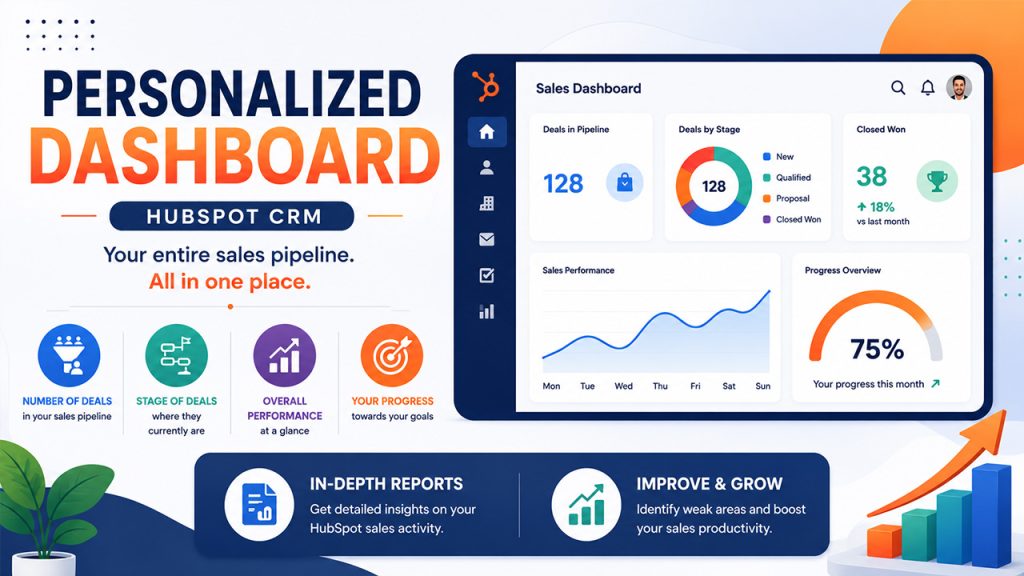
HubSpot CRM makes it easy to check your entire sales pipeline all in one place. This HubSpot CRM features aids in assessing numerous factors-
- The number of deals you have in your sales pipeline. The stage in which they currently are.
- Your overall performance.
- Your progress.
The dashboard gives adequate data needed to achieve success in sales. You will get an in-depth report regarding your HubSpot sales activity. This facilitates improvement in your weak areas. You can also improve your sales productivity.
3. Task Management:
HubSpot CRM aids in effortlessly handling your tasks. You can also seamlessly create and sort deals in the CRM. Each time you can track your deal pipeline. Then, you can create task deadlines’ reminders. This keeps you up to date with tasks you need to accomplish.
Its ability of task management provides you the capability to:
- Schedule your tasks
- Align your tasks
- Monitor tasks
- Send emails, call, and schedule meetings with customers
- Create notes
Such factors simplify the sales process and strengthen customer relationships.
4. Gmail and Outlook Integrations:
One of the most valuable HubSpot CRM features is Gmail and Outlook integrations. The free Outlook and Gmail integrations help in connecting all tools of sales productivity. Sales teams can centralize meetings, templates, sequences, etc.
Via the sidebar of HubSpot, you can check the complete CRM details regarding your contacts without ever leaving your inbox. You can log emails sent from Outlook or Gmail into HubSpot CRM. The emails that you send from HubSpot will naturally appear in your sent folder. Whenever a lead clicks on the email, you will be notified. You can also check its opening and click in real-time.
5. Email Marketing:
Email marketing is a vital HubSpot CRM feature. You can connect with your target audience by sending emails to them. You can create tailored emails in the drag-and-drop editor of HubSpot. You can also utilize available pre-built templates to ensure that your emails are more customized.
6. In-built Analytics:
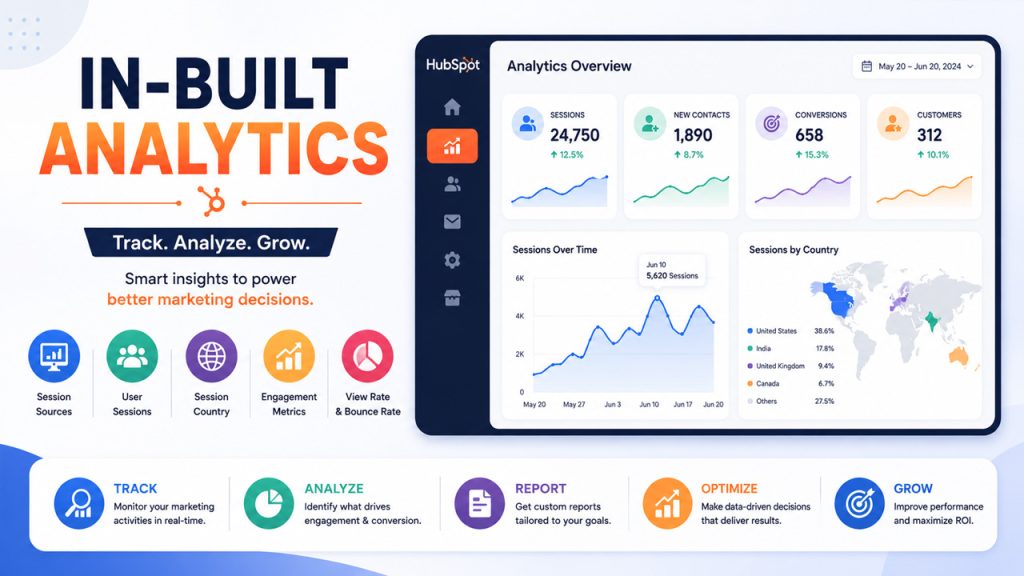
The in-built analytics of HubSpot CRM aids in keeping track of your marketing activities. It aids in assessing the most driving factors for conversion and delivering custom reports. It provides data about session sources, user sessions, session country, engagement metrics, view rate, bounce rate, etc.
7. ROI Analytics:
A lot of organizations and enterprises generally struggle to track their performance, assess improvement, and monitor activity consistently. This happens since they leverage numerous tools which can create data collection complexities and inconsistencies. This HubSpot feature to track how successful your business strategy is, allowing you to assess Return on Investment, marketing trends, etc.
8. Tools to Capture Leads:
HubSpot CRM gives you forms to capture leads, free tools for managing advertisements, and landing pages to transform visitors into highly qualified leads. It also empowers chatbots to connect with your visitors in real-time. Thus, with the help of chatbots, it becomes simple to provide support to customers and interact with them at each stage.
9. Top-level Automation Tools and Workflows:
HubSpot CRM automation workflows and tools not only help you save time but also makes the process a lot seamless. This automation works continuously, addressing and engaging leads and customers. For example, if someone performs a particular activity on your website, then it will go through one of the workflows and provide you with relevant content and confirmation notification. Thus, it is an efficiency enabler that reduces manual workload. Workflow automation HubSpot feature helps users to interact with follow-up emails, notifications, and nurturing leads.
10. Segmentation:
In this CRM, you can group your audiences as per the needs to create similar behavior, responses, and demographic data. Providing the right information to the right people at the right time is extremely important. There are a lot of ways through you can group your contacts as per the location, gender, interests, profession-specific metrics, industry-specific metrics, etc.
11. Reporting and Analytics:
HubSpot CRM allows for storage of data through reporting. You can create detailed reports in a short amount of time. You can also generate ad-hoc as well. With the help of HubSpot CRM, you can predict your sales revenue as per historical sales data, marketing trends, etc.
12. API:
API integration is another highly rated HubSpot feature. HubSpot CRM easily becomes compatible with other platforms. HubSpot CRM allows systematic integration of logic, objects, and data with other software apps.
13. Social Media Integration:
HubSpot CRM enables users to publish content manually from websites to social media platforms including Instagram, Facebook, Twitter, etc. HubSpot CRM empowers you to:
- Connect social media accounts to website blogs. As you publish the new blog, you can send it to social platforms directly.
- Instantly respond to post comments from HubSpot.
- With the help of social media reports, you can assess campaign performance.
So, it helps to ensure consistency on social media platforms. It improves social media marketing strategy. You can make your social media presence a lot more distinguishable and ensure social media promotion. You can personalize the chat widget to match the look and feel of your brand.
14. Meeting Live Chat and Scheduling:
HubSpot gives you a meeting tool with which you can synchronize Office 365 or Google calendar. This allows you to share your presence with your leads and prospects. Furthermore, HubSpot gives you Live Chat tools to connect with visitors on your website.
15. Mobile Accessibility:
HubSpot features also include mobile accessibility. Users get a mobile app that empowers them to gain access to their CRM at any time. You can send your emails, update your contacts, set reminders, get notifications in real-time, and much more. You can leverage this app across different devices, including iOS and Android devices.
16. Customer Support Portal:
HubSpot CRM gives you a customer support portal so that you can strengthen your relationship with your customers. You can answer as well as fix the post-service issues of customers. Also, with the help of this portal, you can also quite easily view their order history, place their orders, and explore customer knowledge.
17. Ticketing Platform:
HubSpot believes in being committed toward its customers. With the help of tickets, you can collect and organize customer queries in a centralized place. You can fix such queries and personally respond to them. There are different ways to create tickets. You can create ticket:
- From the ticket index page
- From the company or contact record
- With your workflow
- In your conversation box
Why Platforms Like HubSpot CRM Is Crucial to Your Business Success?
Business services are always criticized and praised due to customer expectations. Businesses that are money-minded and have short-term goals generally find hindrances since they do not fulfil customer expectations. As a result, they can fail to achieve overall customer satisfaction. Being mindful of the fact that customer issues are your problems and you have the best interests of the customers in your mind should be the way to go.
As far as CRM is concerned, it is the core of any business. It is a short form for customer relationship management. It is extremely important for you to utilize the right CRM software. This is because CRM aids in strengthening the relationships with the customers, streamlines customers and prospects’ details, and many more. Thus, if you have the right CRM software, you can examine your business processes more and enhance your growth.
CRM is a market with the fastest growth rate. The global market of CRM software is valued approximately between $80-$100 billion. As per industry estimates, the market will surpass between $160-$260 billion, based on the strong annual compound growth rate of 12-15%.
HubSpot operates on a customer-based approach. It makes sure that interaction is smooth and efficient with your customers. It collects customer data from numerous sources. It also stores valuable data about customers including personal info, social media information, past interactions, overall purchase history, and their behavior pattern.
HubSpot Pricing
HubSpot pricing plans come in different tiers to suit businesses of all sizes, beginning with a few CRM that involves key features such as contact management, deal tracking, and email marketing. Paid plans, including Starter, Professional, and Enterprise, give you sophisticated capabilities like custom reporting, automation, and priority support, with prices scaling as per the hubs selected and the number of users. Irrespective of whether you are a large enterprise or a startup, flexible pricing of HubSpot makes sure that you are only paying for the characteristics that your business requires. The different pricing tiers in HubSpot’s marketing hub is as follows:
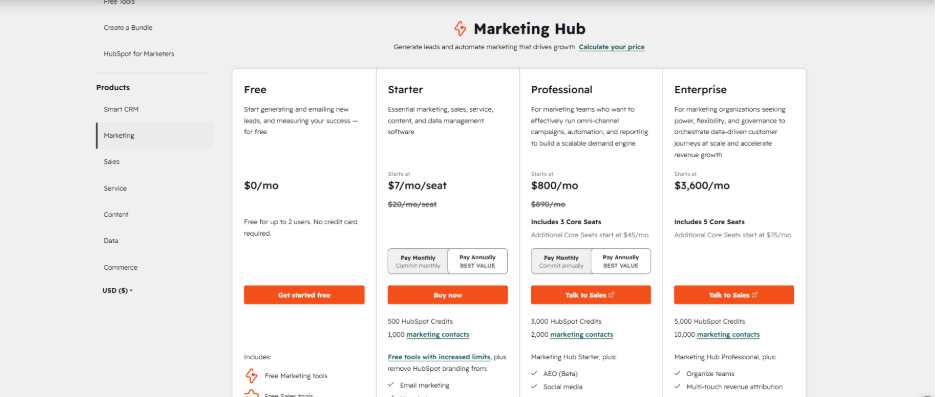
Pro Tip: HubSpot is widely considered to be an expensive tool. That is why users consistently search for HubSpot alternatives such as Pipedrive, Zoho CRM, ActiveCampaign, EngageBay, etc.
Conclusion
HubSpot CRM stands apart as an effective all-in-one solution that simplifies marketing, sales, and customer service operations. Its powerful characteristics, ranging from pipeline management and automation workflows to sophisticated analytics and social media integration, make it an ideal choice for businesses of all sizes. Irrespective of whether you are an SME or a multinational corporation, the flexible pricing plan of HubSpot and scalable tool aid in strengthening relationships with customers and ensuring measurable growth.
Frequently Asked Questions : HubSpot Features
HubSpot is a comprehensive customer platform that centralizes sales, marketing, customer service, CMS, and operations into a single CRM database.
HubSpot forms are created with JavaScript, not standard HTML. You can adjust minor styling in the form builder, but complex customization requires a developer working with forms API and JavaScript.
You can display HubSpot smart Call-to-Actions (CTA) on external web pages by installing the tracking code of HubSpot. However, sophisticated personalized elements such as Smart Forms can only be utilized natively.
The five Hubs of CRM include Marketing Hub, Service Hub, Sales Hub, Operations, Content Hub.