



★
(1 Review)
SugarCRM BCC Archive (Lite)
$299.00
Product Description
SugarCRM BCC Archive (Lite)
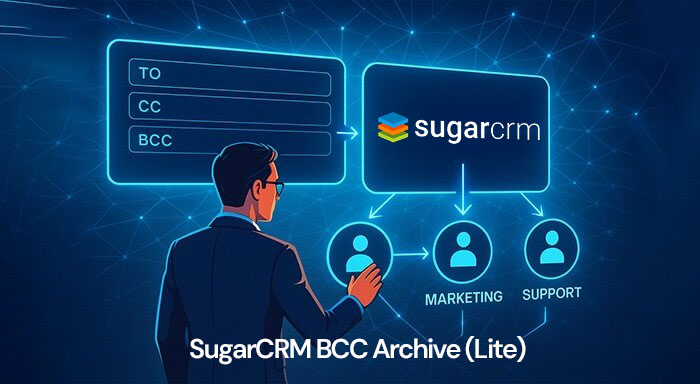
The BCC Archive extension is the best way to centralize customer’s email conversations in SugarCRM. Its extensive capabilities to parse information directly from different email fields like BCC, CC, Subject, and even email body are unparalleled. Apart from data centralization, the SugarCRM BCC Archive Lite Version assists users in providing the optimal customer experience and interaction. Furthermore, you’ll get a bunch of more functionalities along with this extension.
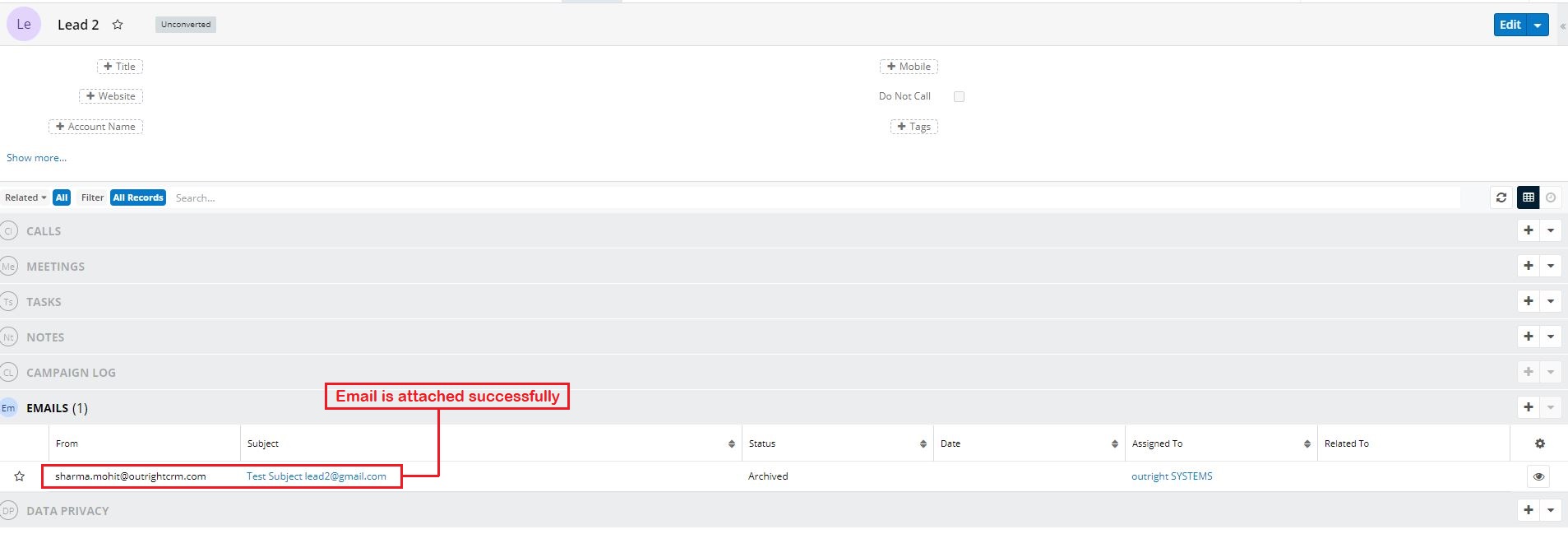
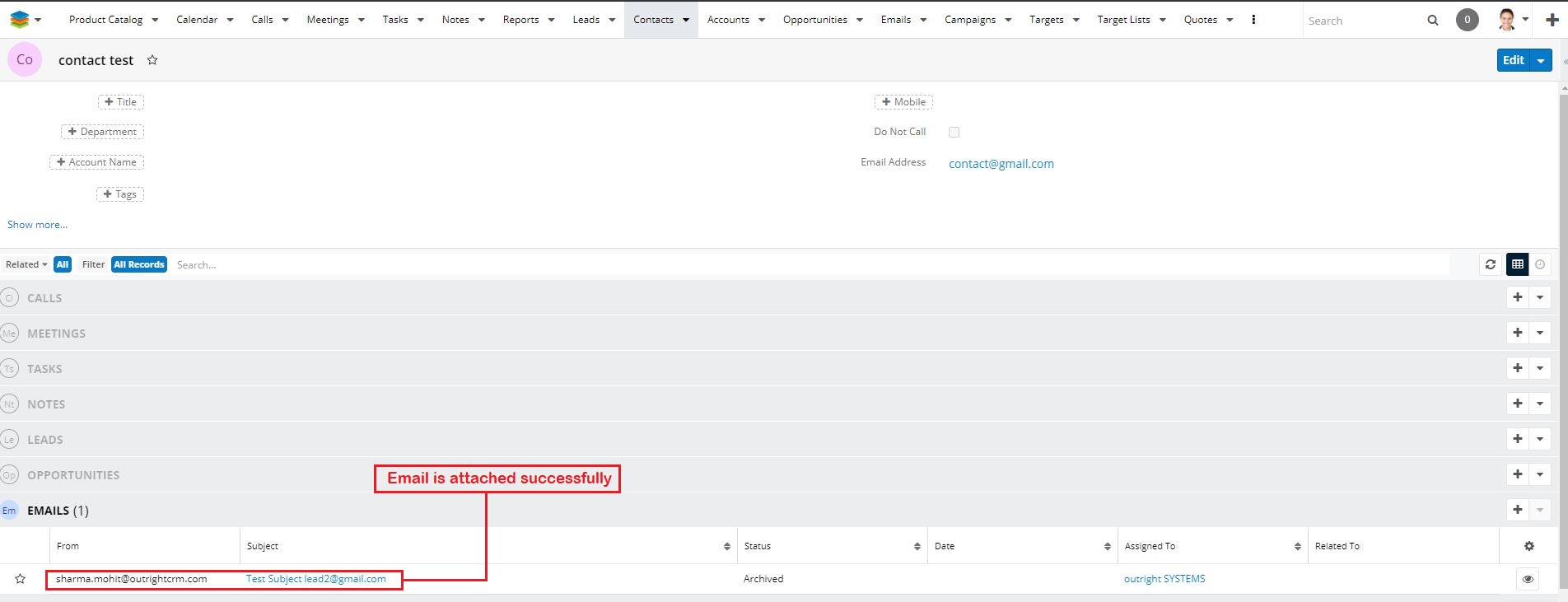
Real-life Scenario: Within an organization, inconsistent conversations between different departments like sales, marketing, and customer service is a very common issue. Usually, sales reps don’t have the slightest idea of email exchanges occurring between marketing personnel and customers. Our plugin can bridge this gap quite easily by centralizing the information through an inbound BCC Archive email e.g. (bcc-archive@yourdomain.com).
Key Benefits:
- Centralized Email Communication: Automatically archives BCC emails, consolidating all customer communications in one place within SugarCRM.
- Improved Collaboration: Enables seamless sharing of email conversations between sales, marketing, and customer service teams, preventing miscommunication and missed opportunities.
- Enhanced Customer Experience: Provides a complete, unified view of customer interactions to all relevant departments, enabling personalized and timely responses.
- Easy Email Parsing: Extracts key information from multiple email fields including BCC, CC, Subject, and email body for accurate record-keeping.
- Time-Saving Automation: Eliminates the manual effort of logging emails and improves data accuracy by automatically syncing communications to SugarCRM.
- Scalable and Lightweight: The Lite version offers essential features with minimal system overhead, making it suitable for businesses of all sizes.
Key Features
Discover what makes this product stand out
Features of SugarCRM BCC Archive (Lite)
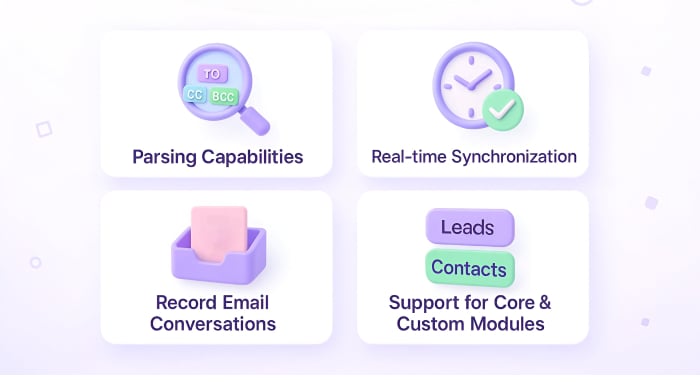
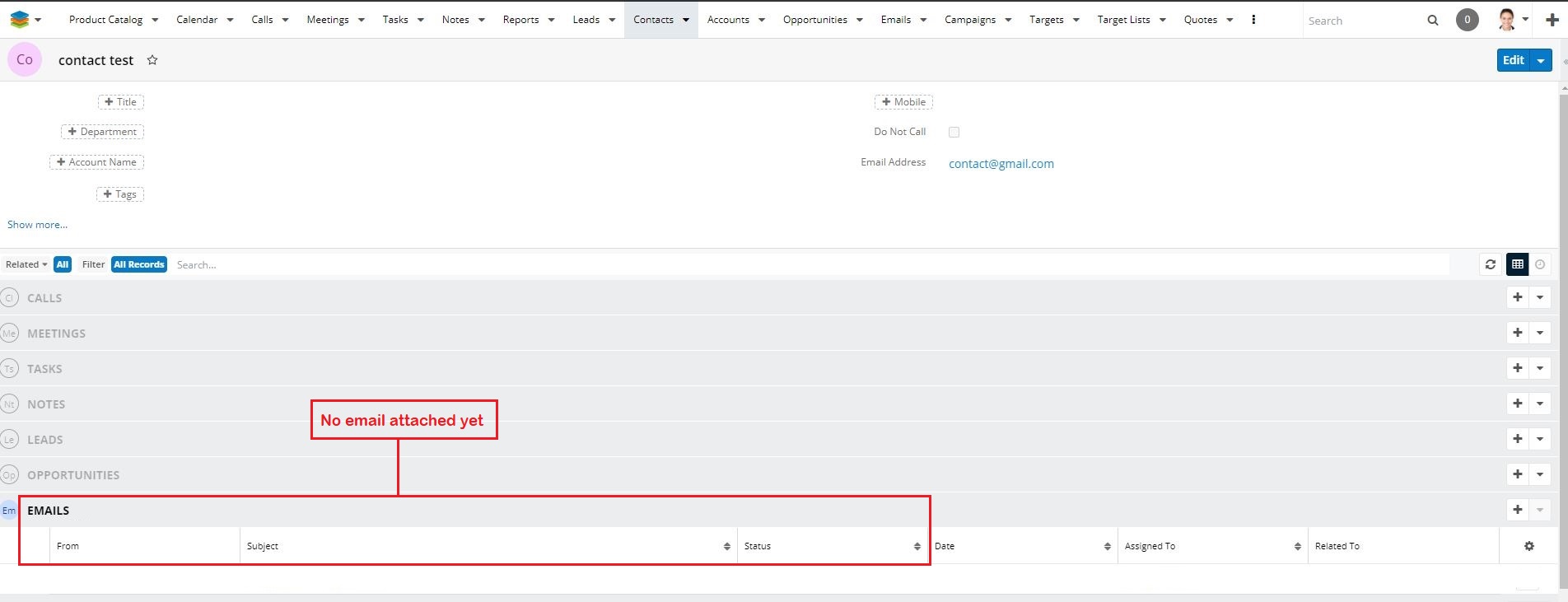
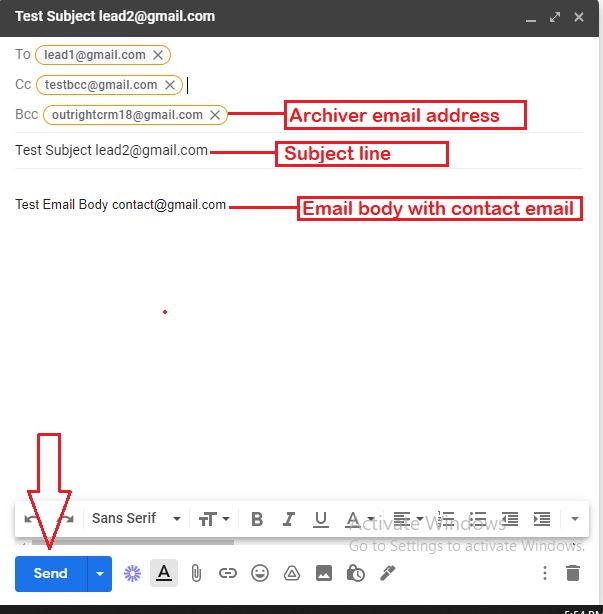
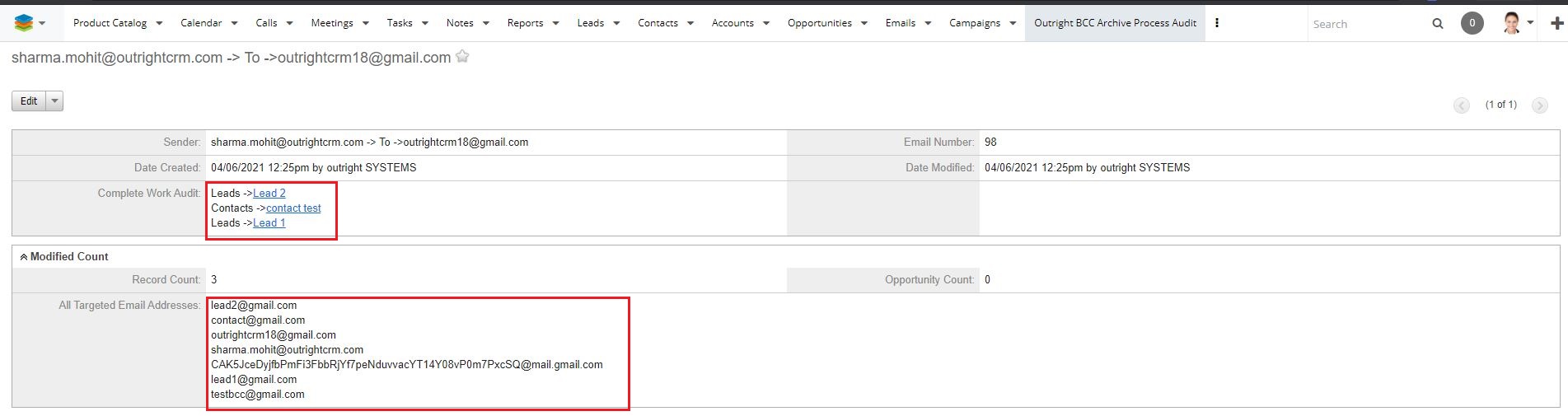
- Comprehensive Email Field Scanning: Our extension scans all email fields including “TO”, “CC”, “BCC”, Subject, and even the email body to ensure no information is missed.
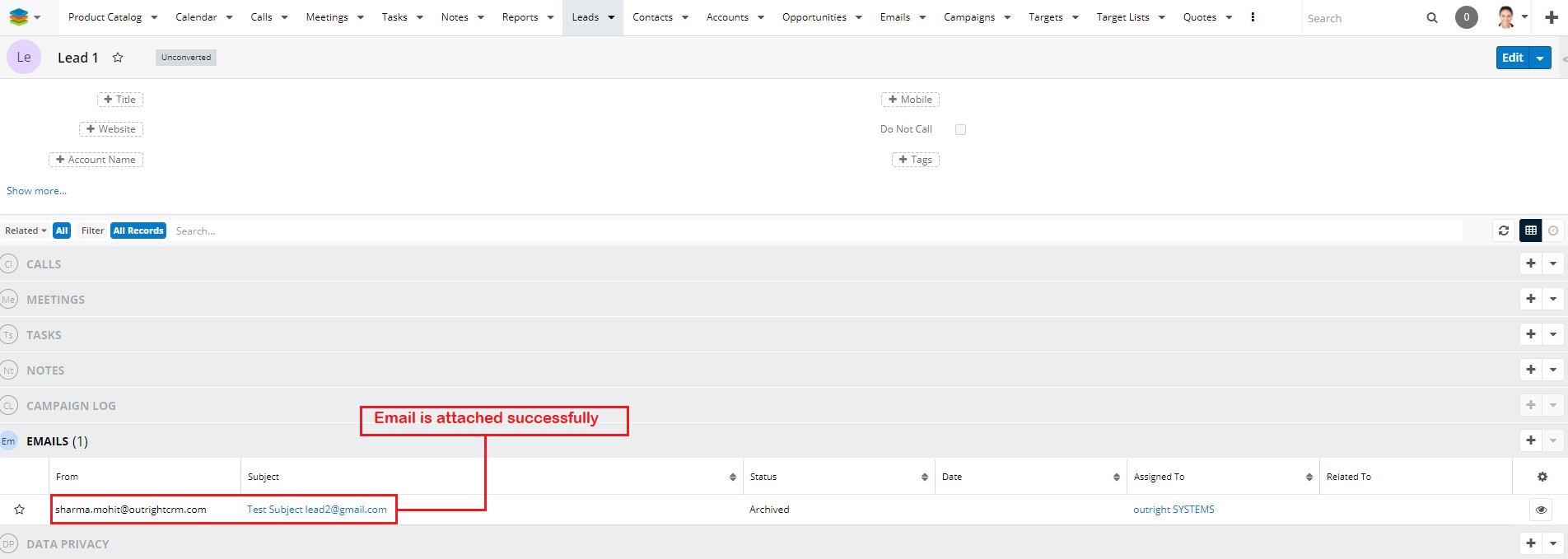
- Real-Time Synchronization: Automatically syncs all email data to SugarCRM in real-time, eliminating delays or discrepancies between your inbox and CRM.
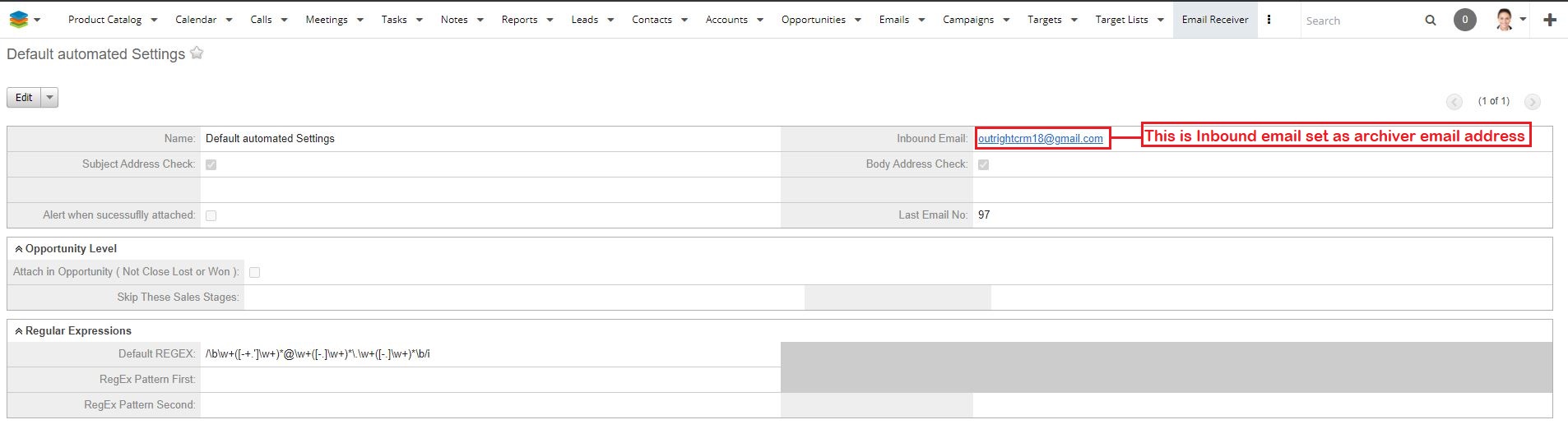
- Universal Email Provider Support: Compatible with all email providers and custom domains. Default IMAP settings are pre-configured for Gmail, with manual setup options for others.
- Supports Core & Custom Modules: Works seamlessly with both SugarCRM’s core modules and any custom modules in your CRM system.
- Centralizes Customer Email Conversations: Unifies all email exchanges within SugarCRM to enhance communication and collaboration across departments.
- Improves Customer Experience: By providing full visibility into all customer communications, it enables better interaction and service.
- Bridges Departmental Communication Gaps: Prevents silos by capturing all inbound BCC emails (e.g., bcc-archive@yourdomain.com) so every team has access to the latest conversations.
- Easy Configuration and Setup: Simple setup process with clear documentation to quickly integrate the plugin into your existing SugarCRM environment.
- Secure Data Handling: Ensures all email data is securely transmitted and stored within SugarCRM, maintaining compliance with data protection standards.
- Automated Email Archiving: Automatically archives relevant emails without manual intervention, saving time and reducing errors.
- Customizable Sync Settings: Allows you to configure sync frequency and filters to suit your organizational needs.
- Supports Multiple Users: Efficiently handles email archiving for multiple users across your organization without conflicts.
- Detailed Email Logs: Provides detailed logs and reports for audit and tracking purposes.
- Improves Sales and Support Collaboration: Keeps sales, marketing, and support teams on the same page with unified email records.
Visual Showcase
See the product in action through screenshots





1
2
3
4
5
6
7
8
9
10
11
12
13
Product Videos
Watch our product in action
User Guide
Learn how to use and configure the system step by step


FAQs
Question? Look here.
Why is my BCC Archive Product Licence Validation taking so long?
After clicking on the Validate now button, you will be required to reload the page. Otherwise, the message “Please wait while we process your request” will keep showing on the screen.
While setting up an inbound email, I keep getting an error. What should I do next?
To fix this issue, you need to disable the 2-factor authentication for your email address. You also need to allow access to the less secure apps.
Do I need to configure the inbound email settings manually?
If your email service provider is Gmail then inbound email settings will be configured automatically. However, if you are using Outlook, Yahoo, or any other email then you need to manually configure the settings.
How does custom date work in BCC Archive?
You need to select a custom date of one day earlier in order to have a seamless operation.
Do I manually need to create the email archiving settings?
No, the email archiving settings will be configured by default. There is no need to create other settings.
Can you create multiple inbound settings in the BCC Archive Lite plugin?
In the Lite version, you are allowed to create only one inbound setting. However, you can upgrade to the BCC Archive Premium if you want multiple inbound settings.