





Every day, people and organizations around the world produce vast quantities of data. Companies, schools, hospitals, and people themselves produce massive amounts of information every single day. But raw data in and of itself can be fairly unhelpful, and if you want to actually do something with the data you collect, you need a tried-and-true method for gathering, organizing, and analyzing your information. It's called data processing, and it helps businesses and organizations accomplish everything from tracking customer behavior to recording employee information to making smart, data-driven decisions. Understanding the definition, its types and benefits can help individuals make the most of their data efficiently, accurately, and securely.
What Is Data Processing?
Data processing is a term used for collecting raw data and converting it into valuable, organized, and digestible information. When it comes to the processing of data, a number of activities are generally covered, such as collection, validation, sorting, classification, calculation, analysis, and storage of data. Raw data may be in the form of customer details, sales figures, survey responses, or images. Raw data is generally hard to interpret. Businesses can also use CRM data management practices to organize customer records, remove duplicate entries, and maintain accurate information across their systems.
How Does Data Processing Work?
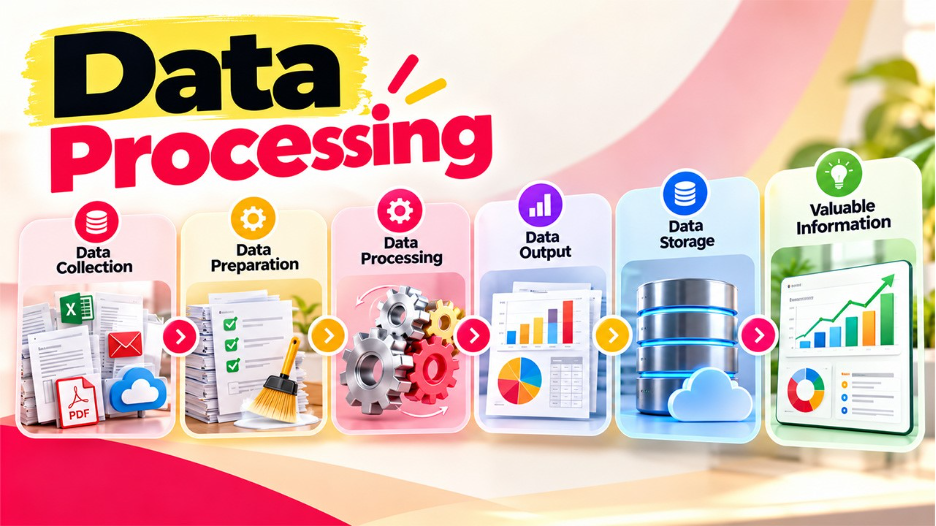
It generally follows a series of steps that convert raw information into useful output. The exact steps depend on the type of data, the organization's goals, and the technology it uses.
- Data Collection: The process begins with gathering information from sources such as forms, databases, websites, sensors, and business applications.
- Data Preparation: The collected information undergoes cleaning to remove duplicate entries, correct errors, and handle missing values.
- Data Input: The prepared data enters a computer system or processing application.
- Data Processing: The system organizes, calculates, classifies, or analyzes the information according to specific requirements.
- Data Output: The processed information appears in reports, charts, dashboards, spreadsheets, or other useful formats.
- Data Storage: The results remain in databases or other storage systems for future access and analysis.
For instance, an online store processes customer orders by checking product availability, calculating the total price, applying relevant discounts, and updating inventory records.
What Are Types of Data Processing?
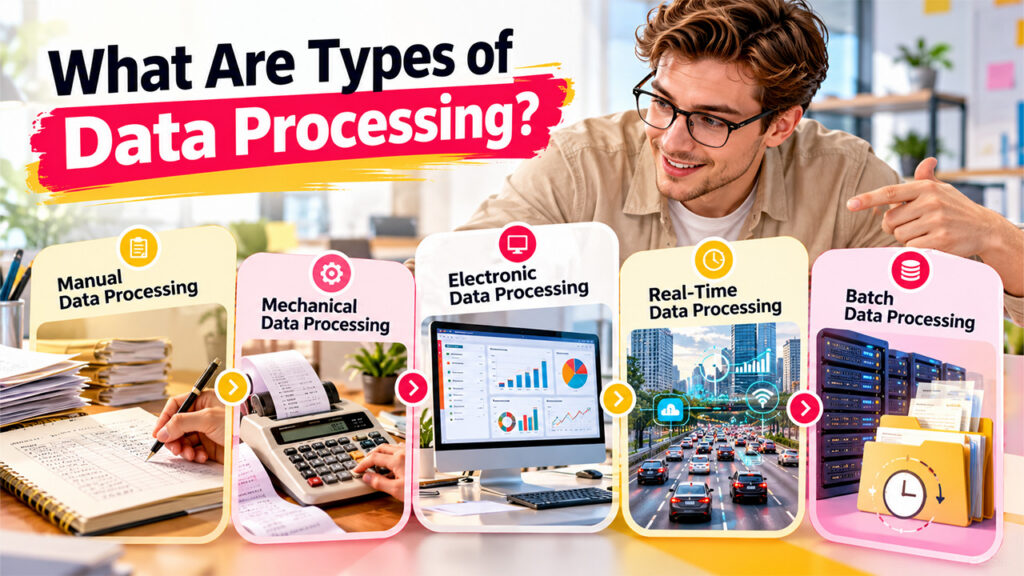
Businesses employ multiple data processing methods based on the quantity of data, the speed at which data is processed, available resources, and other business needs. Here are the types covering several popular methods.
Manual Data Processing
Manual processing is a method where people gather, collate, compute, and record data manually, without the help of any automatic processing. They may do this by using pen and paper or registers, or simply a calculator or eye and hand. It can be used without much technology and is suitable for straightforward tasks that don't involve much data, but it is time-consuming and error-prone.
Mechanical Data Processing
Mechanical processing is performed using devices or machines that perform certain operations. It is designed to lessen the burden of repetitive calculations and recording. Mechanical processing is quicker than most manual methods of doing things, but the speed depends on the apparatus used and the task to be done.
Electronic Data Processing
It involves the use of computers and software to process data. It is also used to carry out activities like calculations, recording and reporting, updating a database, or doing statistical analysis. Electronic data processing can process a great deal of data quickly and accurately when the system and data input are set up correctly.
Real-Time Data Processing
It processes data while it is still coming in or as a live event happens. It offers near-instant results, which enable on-the-spot action. It can be critical when timing is such that delays start to negatively impact your business, customer satisfaction, or safety. Real-time processing, though, can be a demanding system to maintain.
Batch Data Processing
It accumulates data over time and processes it at a specific time, such as when an application is scheduled to run. Rather than operating on all the individual records right away, batching processes them all at once. Batch processing is useful for repetitive operations that don't need to happen in real time, and it also minimizes the amount of work the system has to perform continually, but users may have to wait until the batch cycle concludes before data is updated.
What Are the Benefits of Data Processing?
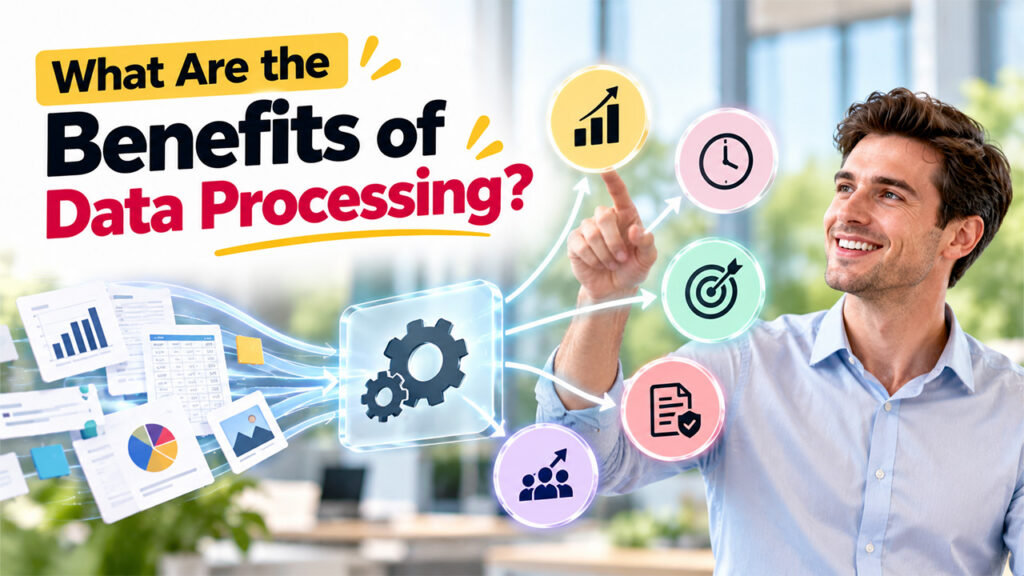
Data processing enables businesses to convert data into usable and beneficial resources. It has benefits in virtually every industry, including retail, education, financial services, and healthcare.
- Improves Decision-Making
Data-processing information can provide managers with an understanding of performance, a focus on problems, and a basis for comparing alternatives. Rather than relying entirely on guessing, decision makers can rely on neatly organized records and results that are based on data. For example, a marketing group can evaluate data concerning different advertising campaigns.
- Saves Time and Makes Things More Efficient
Automation takes over mundane tasks far more quickly than humans. Automated systems can do maths, amend records, create reports, and sort huge collections of information without the need for huge amounts of human input. That lets employees get on with the stuff only people can do.
- Enhances Precision and Consistency
Information processing systems follow predefined rules for calculation and other programmed processes. Although automation eliminates most human errors when the input data and rules are correct, source data errors, errors in the application of formulas, and computer software bugs can all lead to inaccuracies. Validity and other controls are necessary.
- Assists in Detecting Trends and Opportunities
Processed data assists in longitudinal comparisons. Departments identify flows in seasonal demand; note changes in the way customers behave; observe costs that are consistent over the long term; and evaluate weaknesses in the systems that support the organization.
- Enhances Reporting & Compliance
Requirements for many organizations to produce accurate records for internal reporting and audit purposes and to comply with regulations. Data processing enables transactions to be kept in order, records to be maintained, and reports to be produced in a standard format. The demands of this vary according to the industry, area, and nature of the data.
Businesses can use CRM data analytics to turn processed customer records into actionable insights, identify sales trends, and make better decisions about marketing and customer engagement.
Conclusion
Processing of data is significant in today’s organizations as it enables the conversion of raw data into a useful and organized format. There are a number of processes that can take place, i.e. manual bookkeeping, online processing, etc. One proper flow of data consists of collecting, cleaning, processing, analyzing, outputting, and storing the data. All these activities lead to efficient operation and help organizations make informed decisions and discover trends. For example, automated systems allow reducing repetitive work and making daily processes easier to perform. Nonetheless, proper data processing requires the right type of data, the right technology and security system, and regular quality controls.
FAQs
It turns raw information into an organized, useful format through cleaning, sorting, calculating, analyzing, and storing.
The stages are collection, preparation, input and processing, analysis, and output with storage. Some workflows add more steps.
They include manual, mechanical, electronic, real-time, and batch processing. The best choice depends on data volume, technology, and timing needs.
It uses computers and software to handle tasks with little manual effort, such as payroll, invoicing, and scheduled reporting. For example, users may need to complete the automatic data processing login to access their accounts, review records, or manage data processing tasks through the relevant platform.