



★
(1 Review)
Smart Dropdown Importer from CSV & XLS
$99.00
Product Description
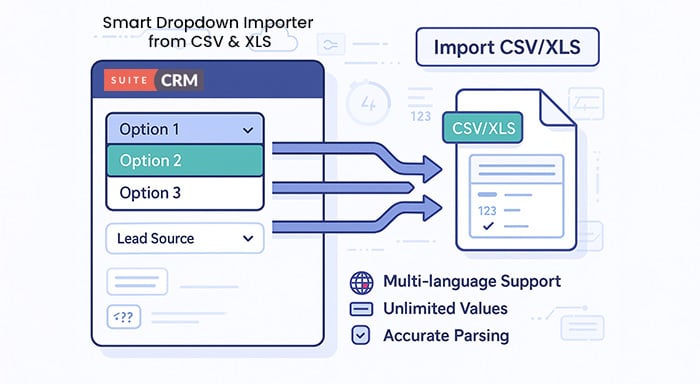
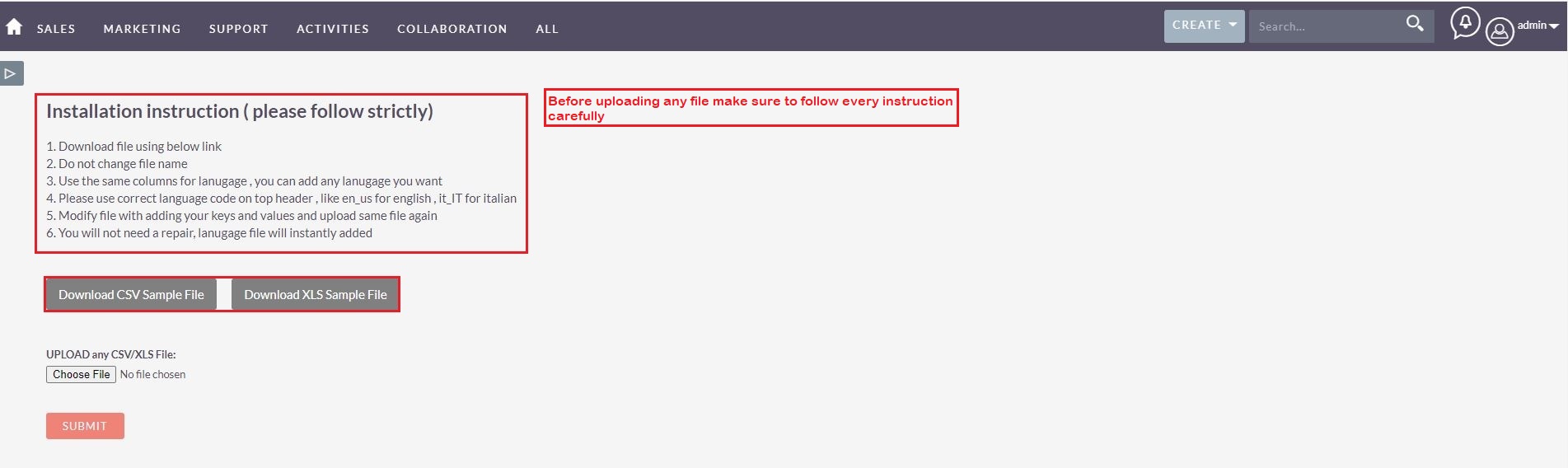
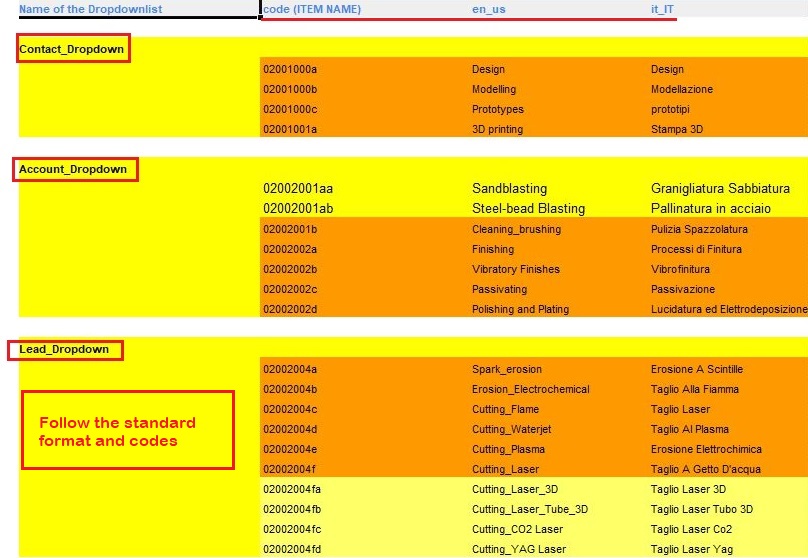
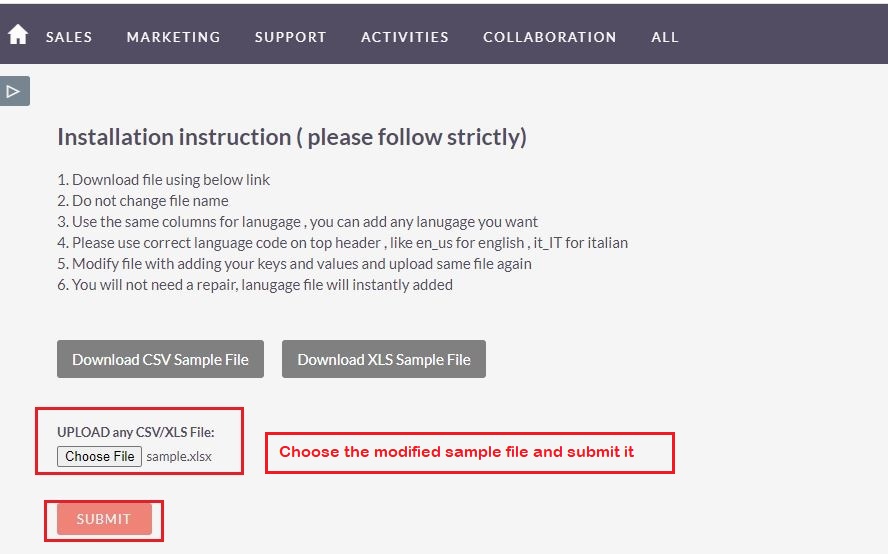
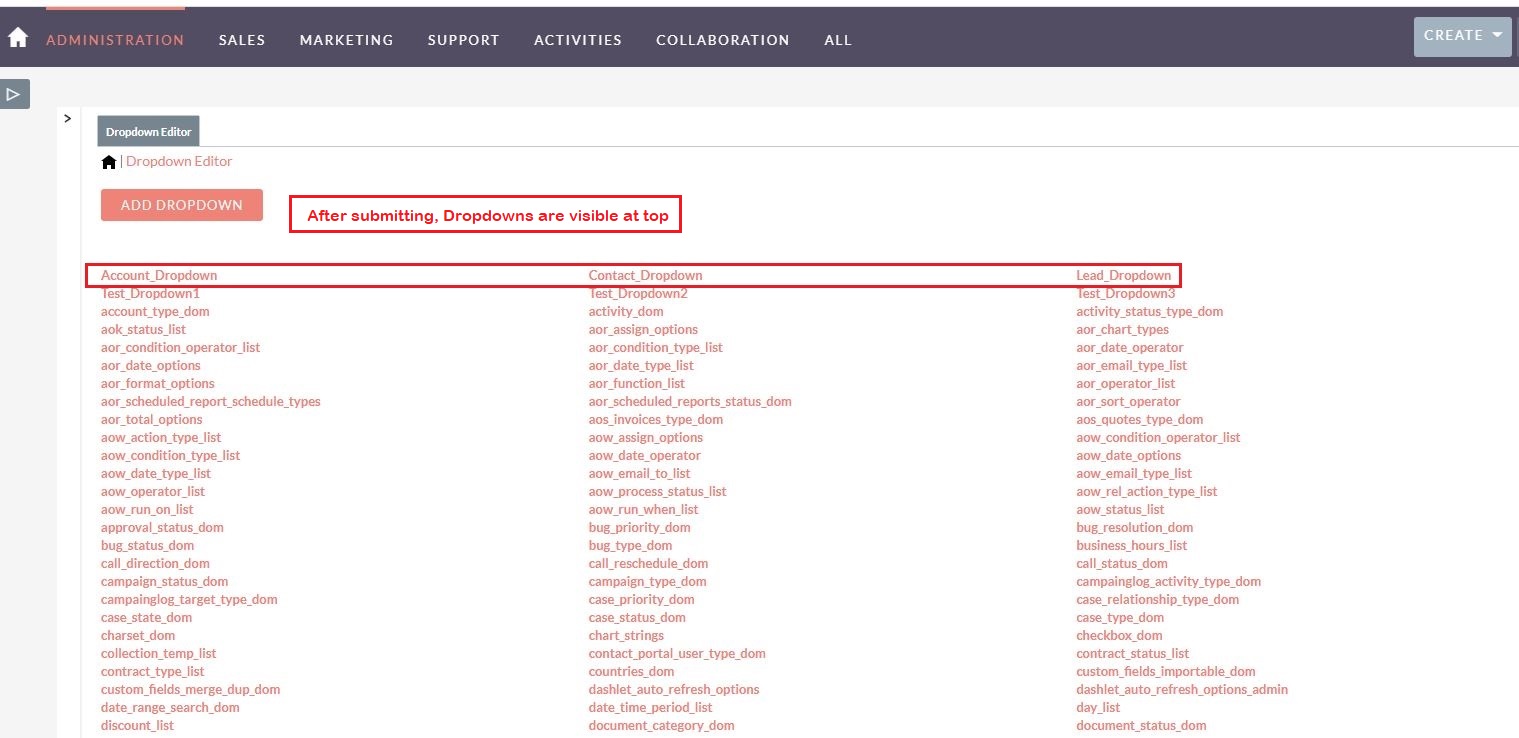
The SuiteCRM CSV/XLS to Dropdown importer plugin helps users in managing large sets of dropdown data within a matter of seconds. On top of that, you can easily import dropdown values in multiple languages as well. In this way, users will be able to access the information in their own language. The plugin’s ability to import large lists of dropdown values just by uploading CSV or XLS files into SuiteCRM is unparalleled.
Real-life Example: Suppose you need to import a long list of dropdown values like an entire inventory, what is the best way to do it? And what if dropdowns need to be in multiple languages? You can either do it manually which will be time-consuming and could involve errors or you can automate the process by importing data using the SuiteCRM dropdown importer plugin.
Key Features
Discover what makes this product stand out
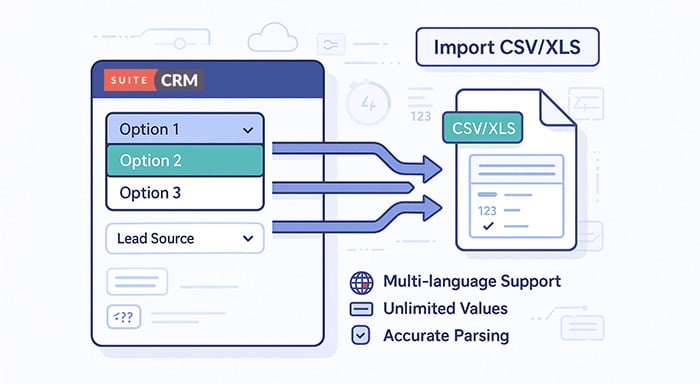
Key Features of SuiteCRM CSV/XLS to Dropdown Importer
- Bulk import: Create multiple dropdown fields by importing a single CSV or XLS file.
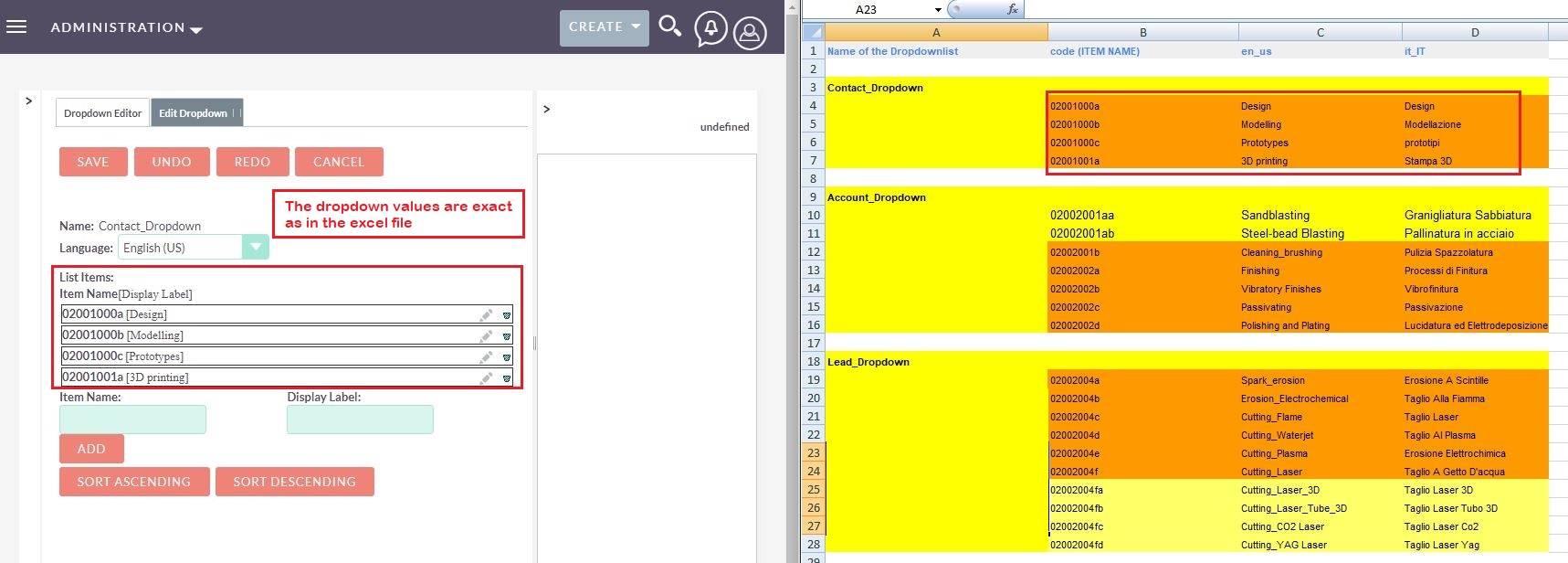
- Multi-language support: Import dropdowns in any language to suit global teams.
- Unlimited entries: Add an unlimited number of dropdown values in one go.
- Supports all formats: Compatible with alphanumeric, special characters, and symbols.
- No manual input needed: Avoid time-consuming manual dropdown creation.
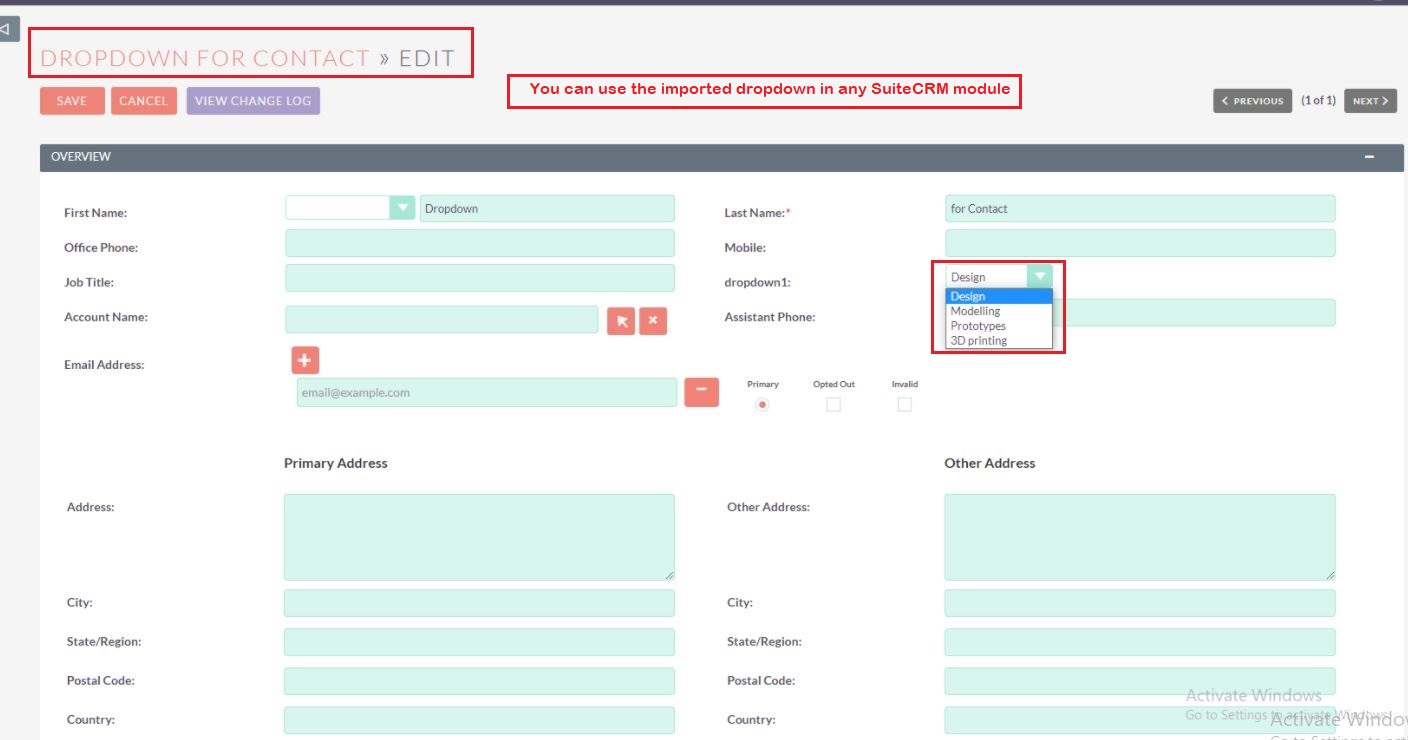
- Cross-module usage: Apply created dropdowns to any module across SuiteCRM.
- Smart parsing: Ensures accurate conversion of CSV content to SuiteCRM format.
- Auto-detect columns: Automatically maps columns for smoother import.
- File format flexibility: Supports both .CSV and .XLS file types.
- Error handling: Alerts you in case of malformed or unsupported input data.
- Safe import process: Ensures no existing fields or dropdowns are affected.
- User-friendly interface: Simple layout designed for non-technical users.

Visual Showcase
See the product in action through screenshots

1
2
3
4
5
6
7
Product Videos
Watch our product in action
User Guide
Learn how to use and configure the system step by step


FAQs
Question? Look here.
What is the purpose of the SuiteCRM CSV/XLS to Dropdown Importer plugin?
This plugin allows you to bulk import dropdown values into SuiteCRM using CSV or XLS files. It simplifies the process of creating or updating dropdown fields, especially when handling large data sets or multi-language entries.
Can I use this plugin to import dropdowns in multiple languages?
Yes! The plugin supports multi-language dropdown imports, making it ideal for global teams. You can upload values in any language, and the plugin will handle them accurately.
Does the plugin support both CSV and Excel (XLS) files?
Absolutely. The plugin supports .CSV and .XLS formats and automatically detects columns during the import process for a smooth experience.
Will my existing fields or dropdowns be affected?
No, the import process is completely safe and non-destructive. The plugin ensures that existing fields and dropdowns remain unaffected while adding new entries.
Can I import dropdowns for custom modules and fields?
Yes, the plugin supports cross-module usage, allowing you to create and assign dropdowns to both default and custom modules/fields within SuiteCRM.