



★
(0 Reviews)
Outright Premium PDF Template for SuiteCRM
$0.00
Product Description
Outright Premium PDF Template for SuiteCRM
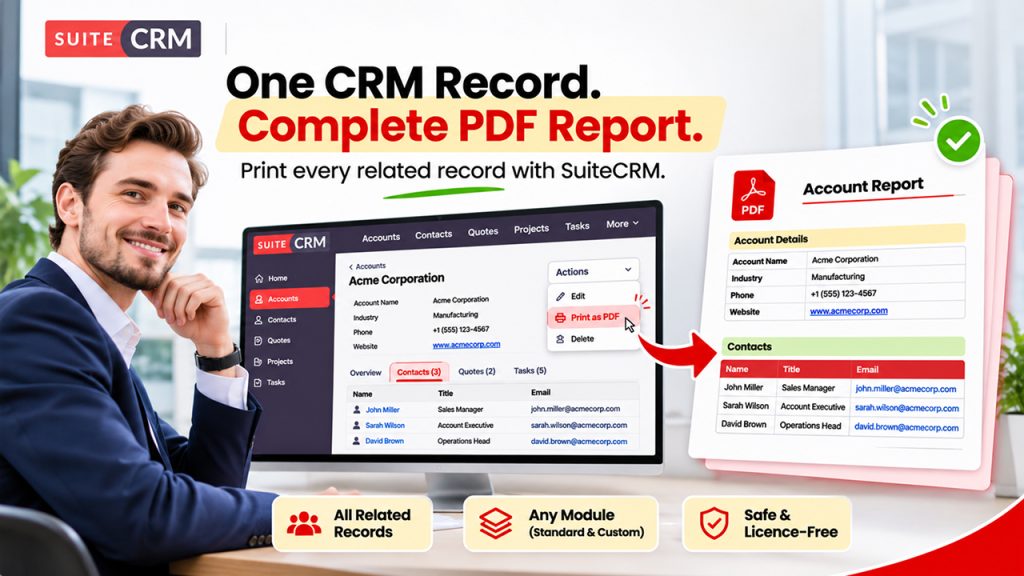
Outright Premium PDF Template extends SuiteCRM’s own PDF templates so that any module — including custom modules — can be printed as PDF, with rows of related records inside the document: every contact of an account, every task of a project, every line of a custom module. Set up a module once, add its related modules, and put one short variable such as $contacts_first_name|last_name|title into a normal PDF template.
It works the SuiteCRM way and leaves SuiteCRM intact: no core file is replaced — everything runs through logic hooks, so SuiteCRM upgrades stay safe. In SuiteCRM 8 the record and list views get a “Print as PDF” action named with your own button label, the template picker shows only templates of the record’s module, and several records print into one combined PDF with the right header on every page.
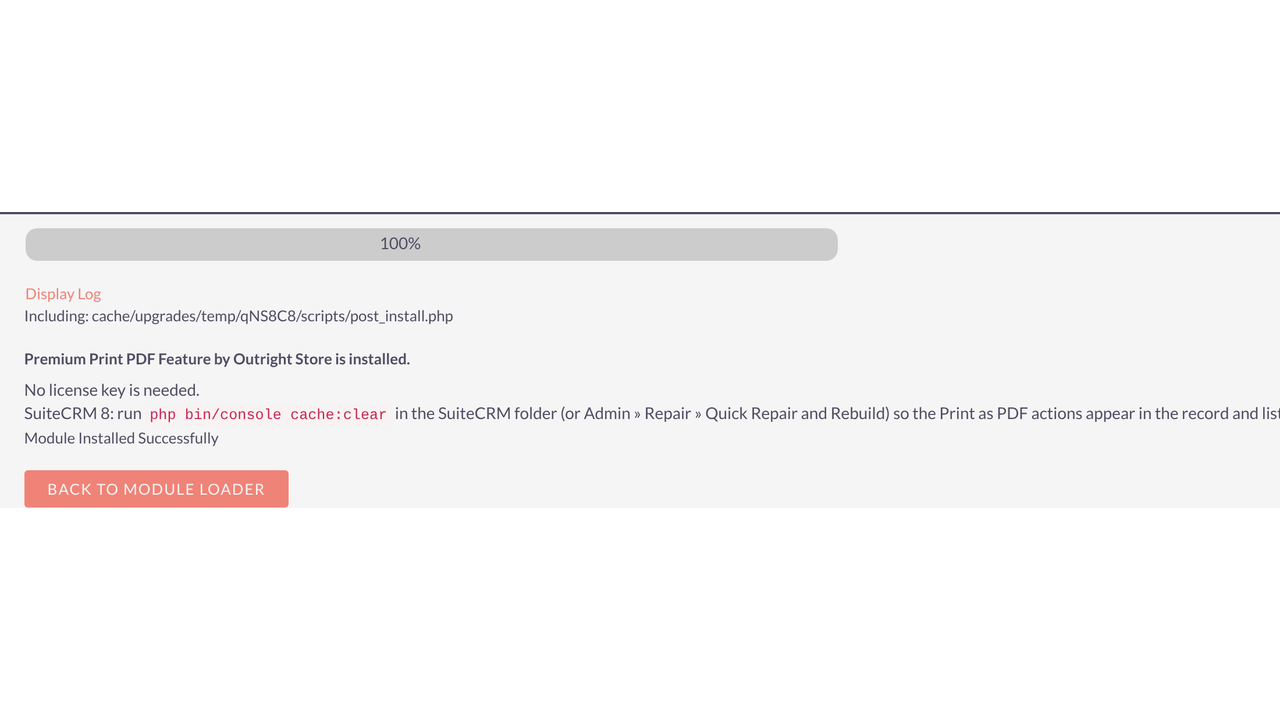
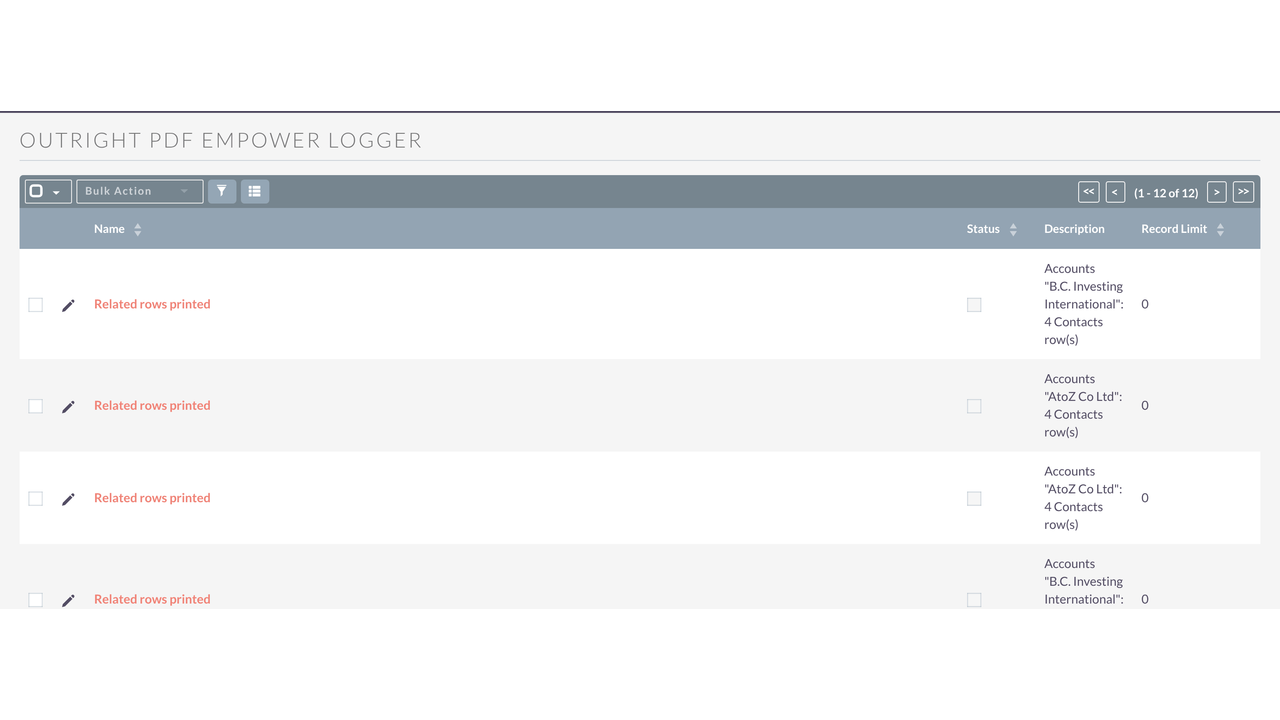
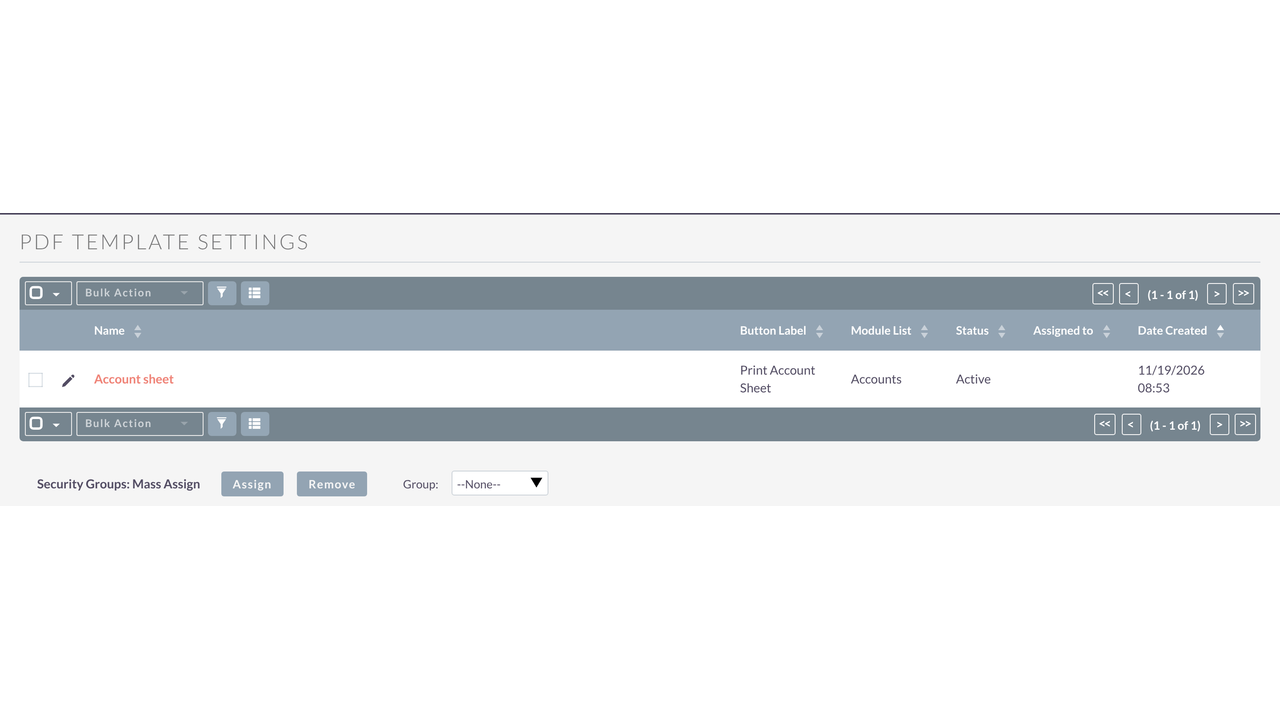
Admins get a simple setup form, a list of all settings, active/inactive switches, and a built-in log of printed PDFs, unknown template fields, setting changes and errors. No licence key is needed: install it and start printing.
Compatibility: SuiteCRM 7.13, 7.14, 7.15 and 8.x (tested on 8.10.2), PHP 7.4 – 8.4. No SuiteCRM core files replaced. Upgrades 26.11.x, 25.8.0 and older in place and restores stock SuiteCRM PDF files that older versions had replaced. No licence key.
Real-World Use Cases
✅ Sales
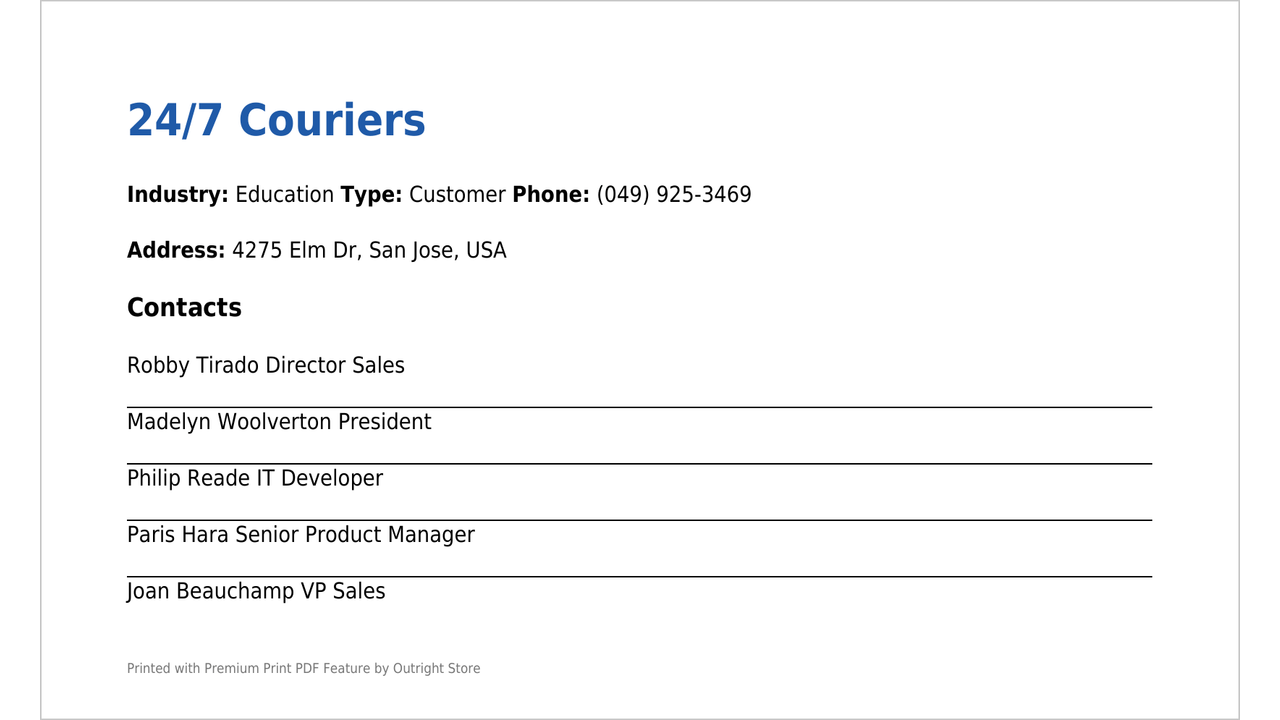
Problem: Account managers need a one-page account sheet with all contacts before a meeting.
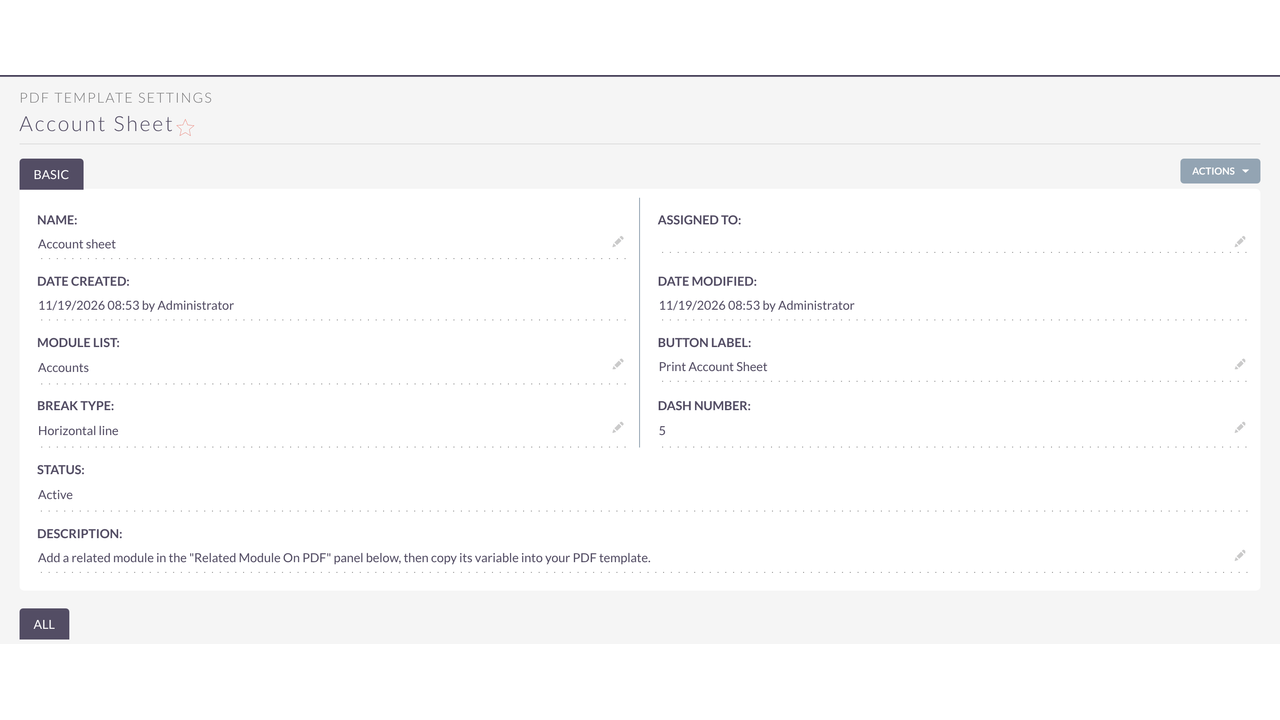
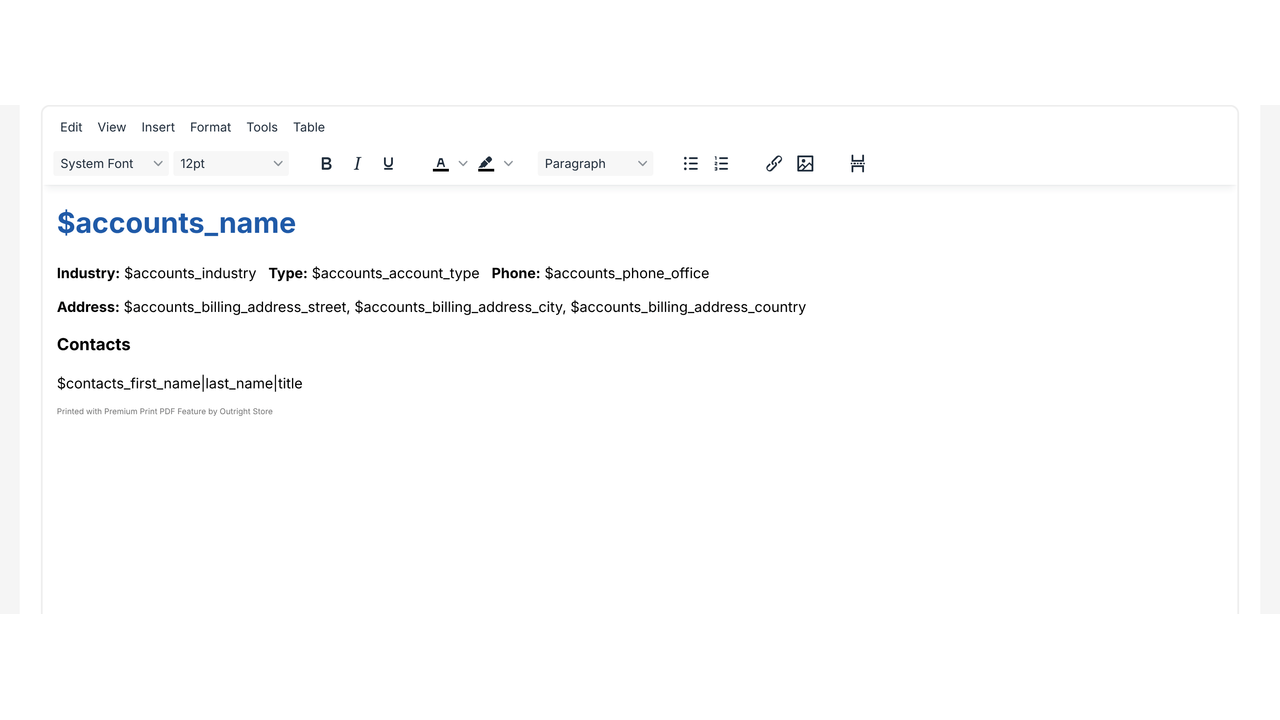
Premium PDF Template setup: Setting for Accounts, related module Contacts, template with $contacts_first_name|last_name|title.
✅ Quotes and Orders
Problem: Quotes must list every line item from a custom line-item module.
Premium PDF Template setup: Setting for the quote module, related custom module, one row per item with name, quantity and price.
✅ Projects
Problem: Weekly status PDFs should list every open task.
Premium PDF Template setup: Setting for Projects, related module Tasks, $tasks_name|status|date_due.
✅ Events
Problem: Attendee lists for each event, printed for the front desk.
Premium PDF Template setup: Setting for Events, related Contacts or Leads, a line per attendee.
✅ Custom Modules
Problem: A custom Property or Vehicle module needs printable data sheets with related records.
Premium PDF Template setup: Setting for the custom module and its relationships; works without code.
✅ Support
Problem: Case summaries must include all related notes or calls.
Premium PDF Template setup: Setting for Cases, related Notes or Calls, dashes between entries.
✅ Management
Problem: Print many records at once for a review meeting.
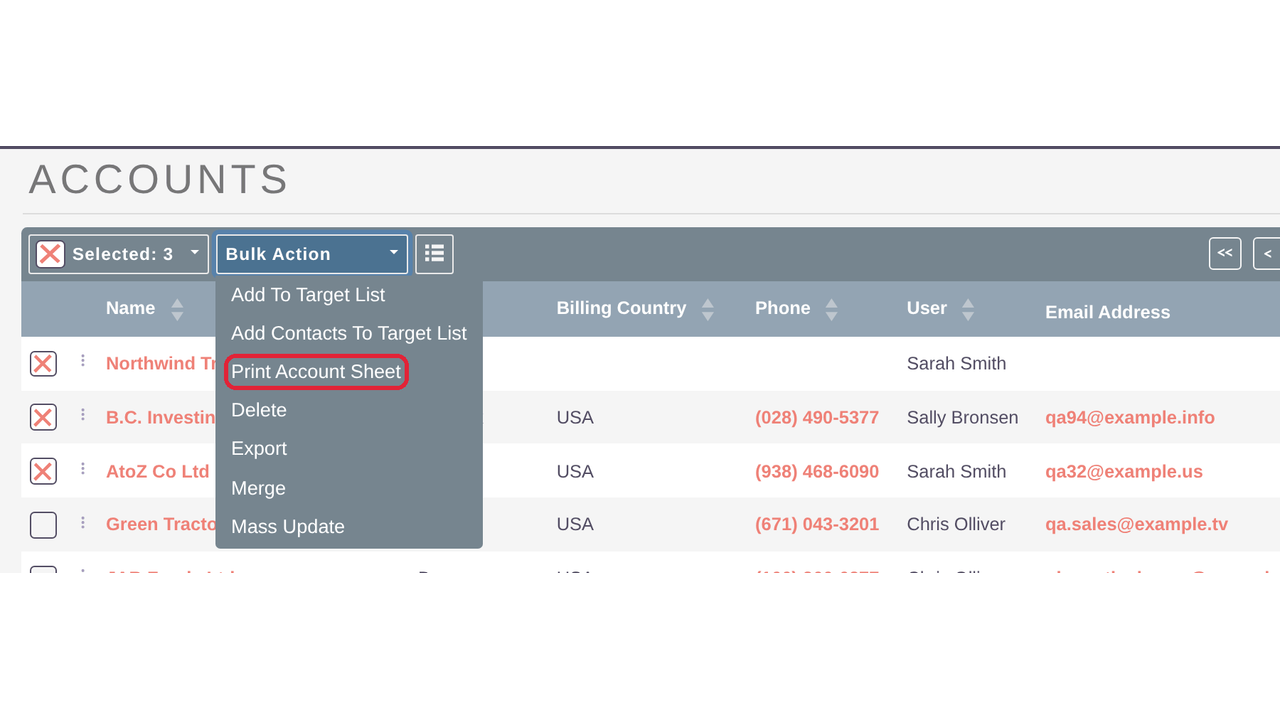
Premium PDF Template setup: Bulk action in the list view: one combined PDF, every record on its own page with the right header.
✅ Upgrading from 25.8.0
Problem: The old version replaced SuiteCRM PDF files.
Premium PDF Template setup: Install 26.11.5 over it: stock files are restored and settings kept.
Key Highlights
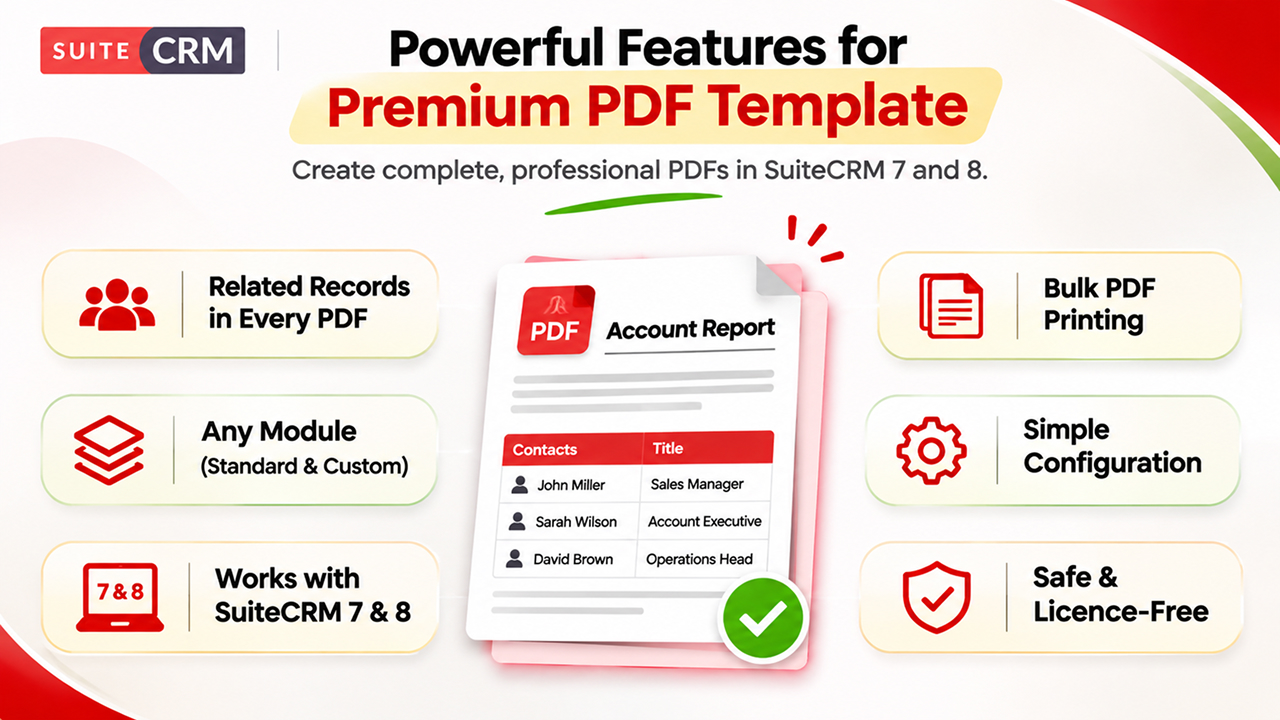
✅ Related Records Inside Every PDF
Print every contact of an account, every product of a quote or every row of a custom module — one line per related record, with the fields you choose and a line or dashes between them.
✅ Any Module, SuiteCRM 7 and 8
Works for standard and custom modules. In SuiteCRM 8 the record and list views get a Print action with your own label, the picker shows only matching templates, and bulk printing creates one combined PDF.
✅ Safe, Simple and Licence-Free
No core files replaced, so SuiteCRM upgrades are safe. A setup form, Active/Inactive switch and a built-in log make it easy to run — and no licence key is needed.
Most Popular
Check out these related extensions

Key Features
Discover what makes this product stand out
✅ Module Setup
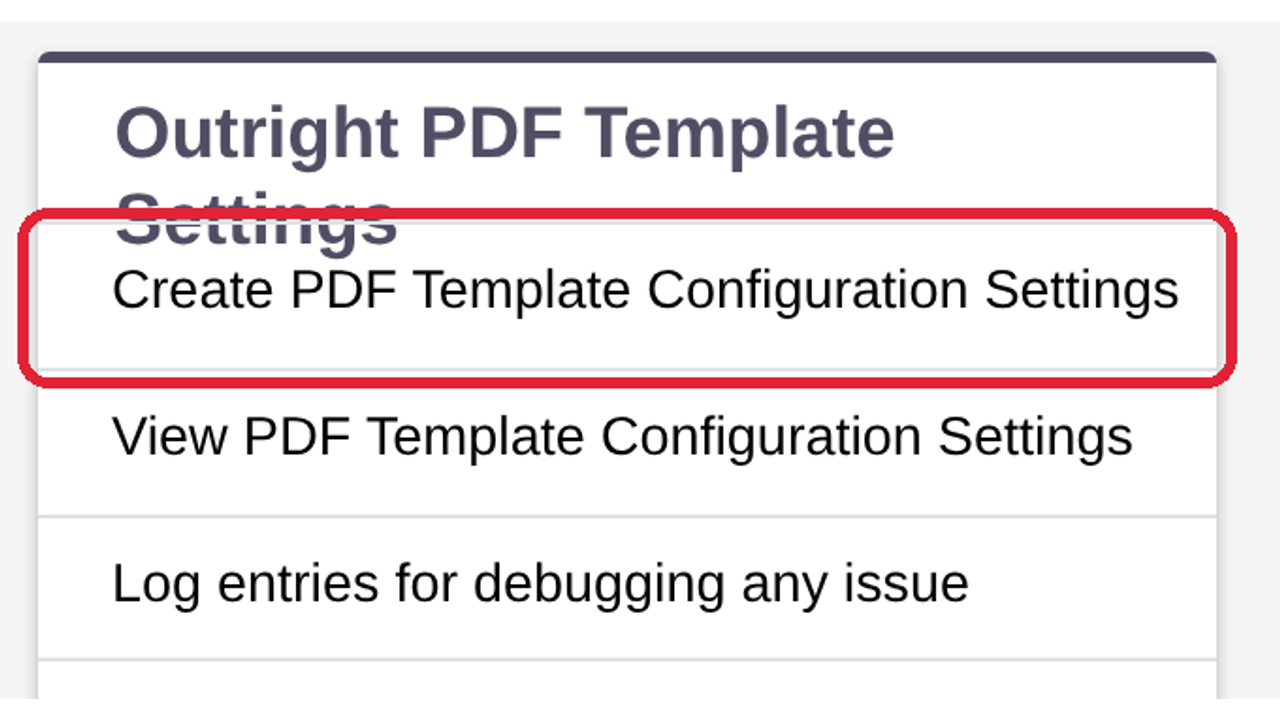
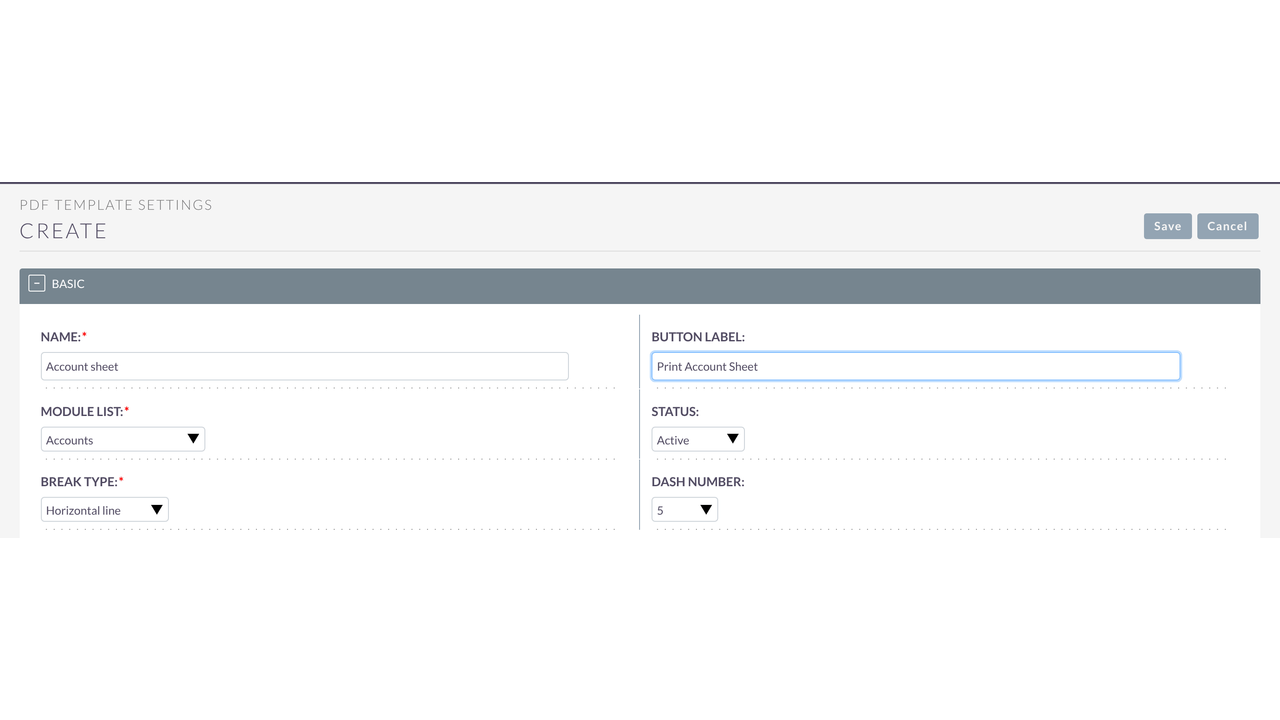
- Create a PDF Template Configuration Setting for any CRM or custom module (system modules are not listed).
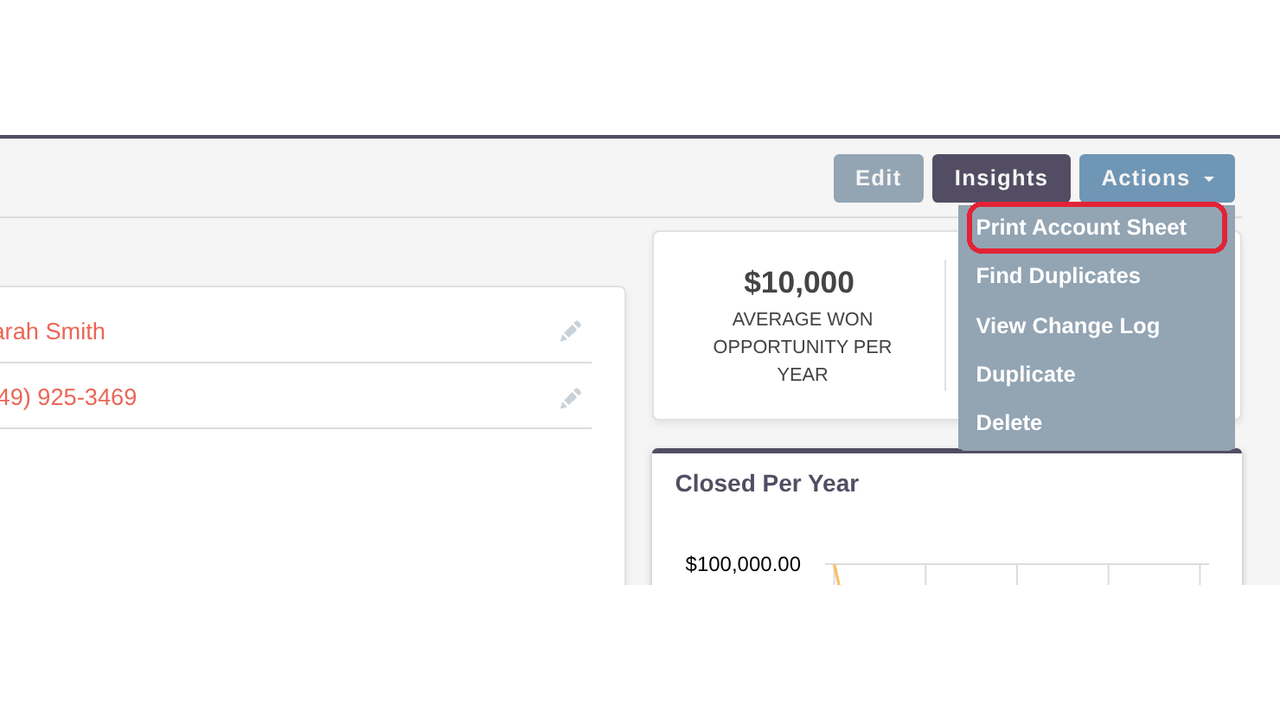
- Button Label replaces "Print as PDF" on the record's Actions menu and in the list view bulk actions.
- Status Active / Inactive; inactive settings are ignored and their related-row variables print nothing.
- Break type between related rows: a horizontal line, or a row of 5, 10 or 15 dashes.
✅ Related Modules
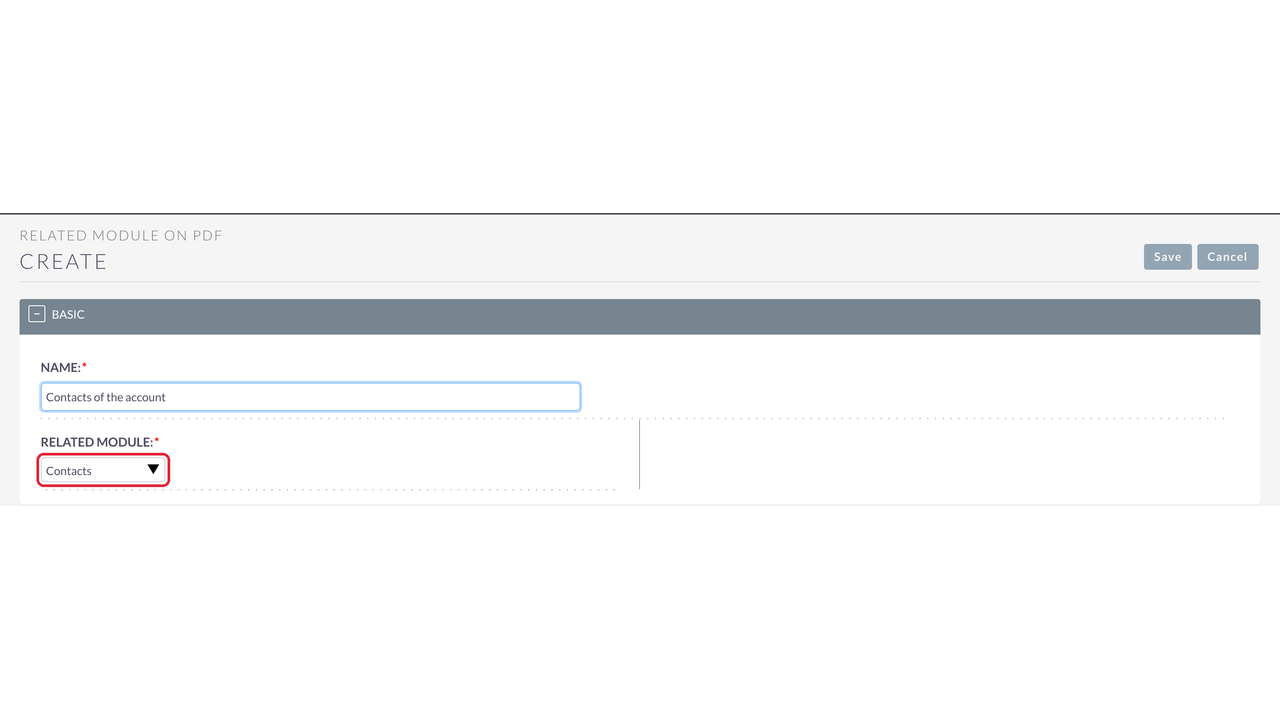
- Add related modules in the Related Module On PDF panel; only modules related to the setting's module are offered.
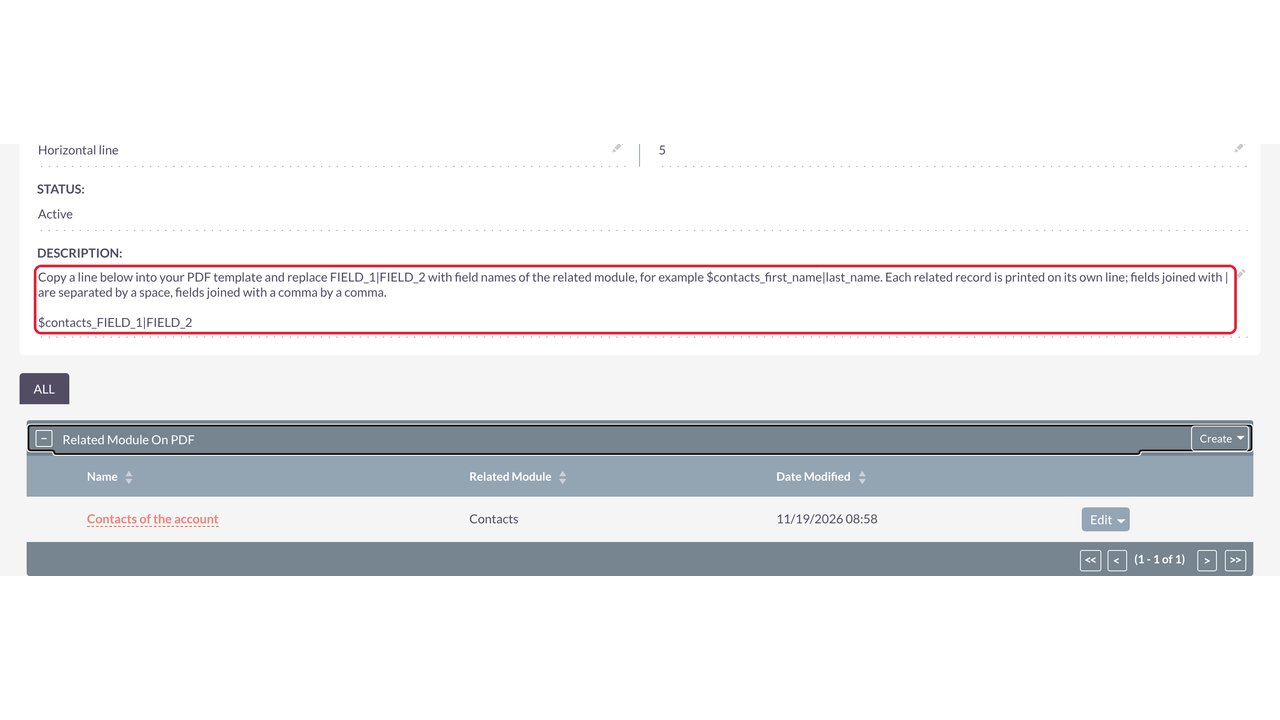
- Each related module shows the variable to copy, e.g. $contacts_FIELD_1|FIELD_2.
- Add several related modules to one setting; several related-rows variables can be used in one template.
✅ Template Variables
- Related rows: $contacts_first_name|last_name|title — one line per related record, fields separated by a space.
- Fields joined with a comma are separated by a comma: $contacts_last_name, first_name → Alpha, Ann.
- Case-insensitive variables: $Accounts_Name works like $accounts_name.
- Text after a variable is kept; names that are not fields print nothing and are logged.
✅ PDF Template Editor
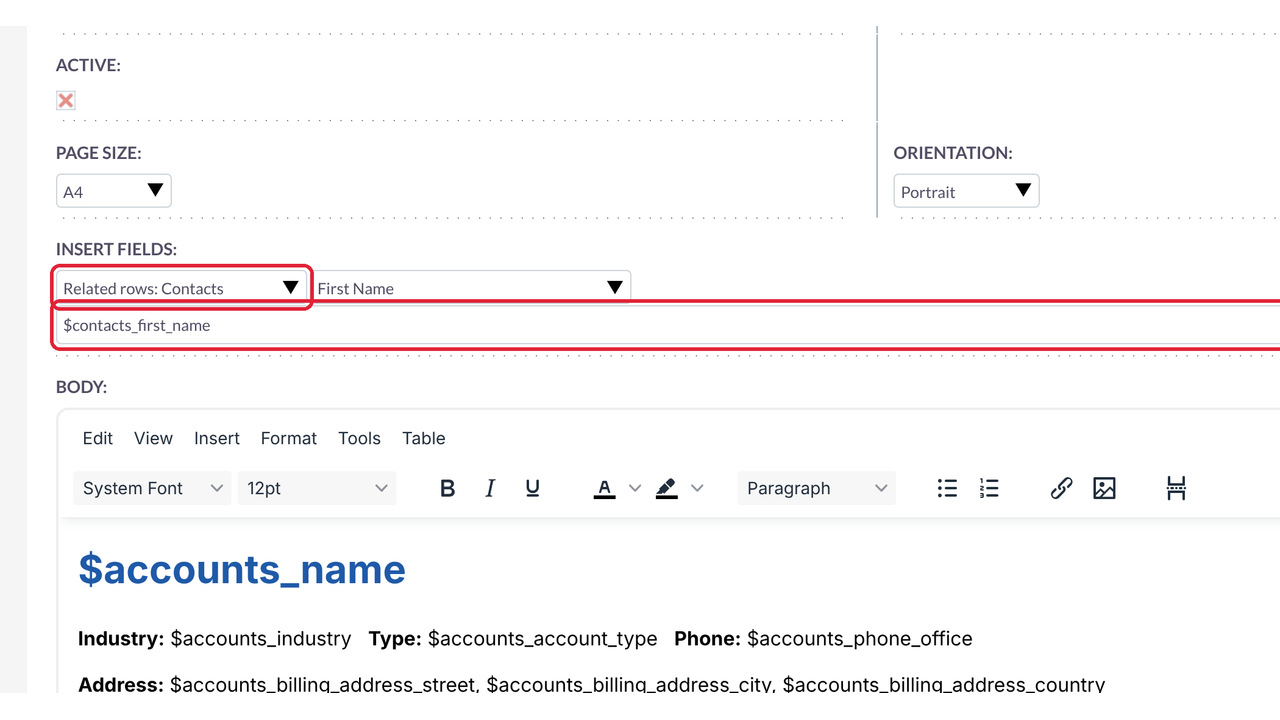
- Template Type lists every module of the Module List (CRM and custom modules).
- Insert Fields offers "Related rows: <module>" with the related module's fields.
✅ Printing
- Record action in SuiteCRM 7, the SuiteCRM 8 classic view and the new SuiteCRM 8 record view.
- Bulk printing from the list view: one combined PDF (each record on a new page with its own header) or one PDF per record in SuiteCRM 7 (Bulk Template Download).
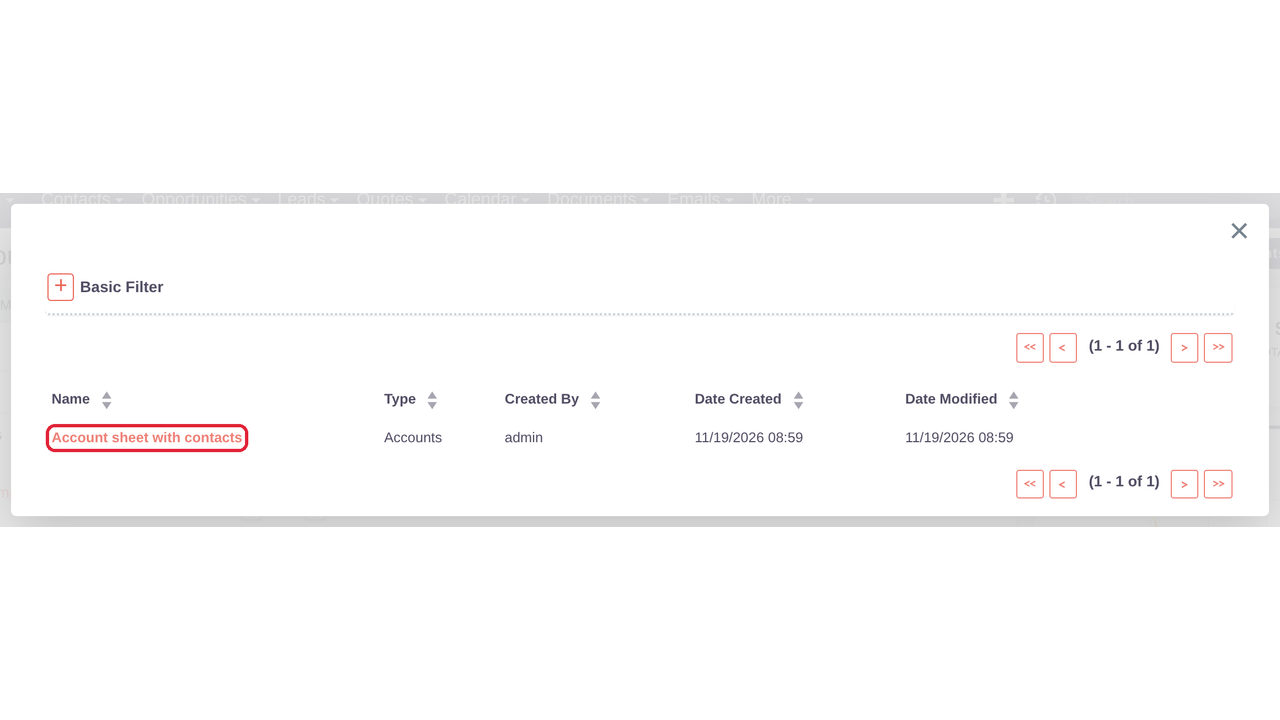
- Template picker shows only templates whose Type is the record's module.
- File name "<template> - <record>.pdf" or "... and N more", with a Note in the record's History.
- Uses SuiteCRM's own PDF engine (TCPDF), including the SuiteCRM 8.10 backend.
✅ Administration
- List of all settings with label, module and status.
- Log of PDFs printed, unknown template fields, setting changes, template/record mismatches and errors; on by default, newest 100 kept, configurable.
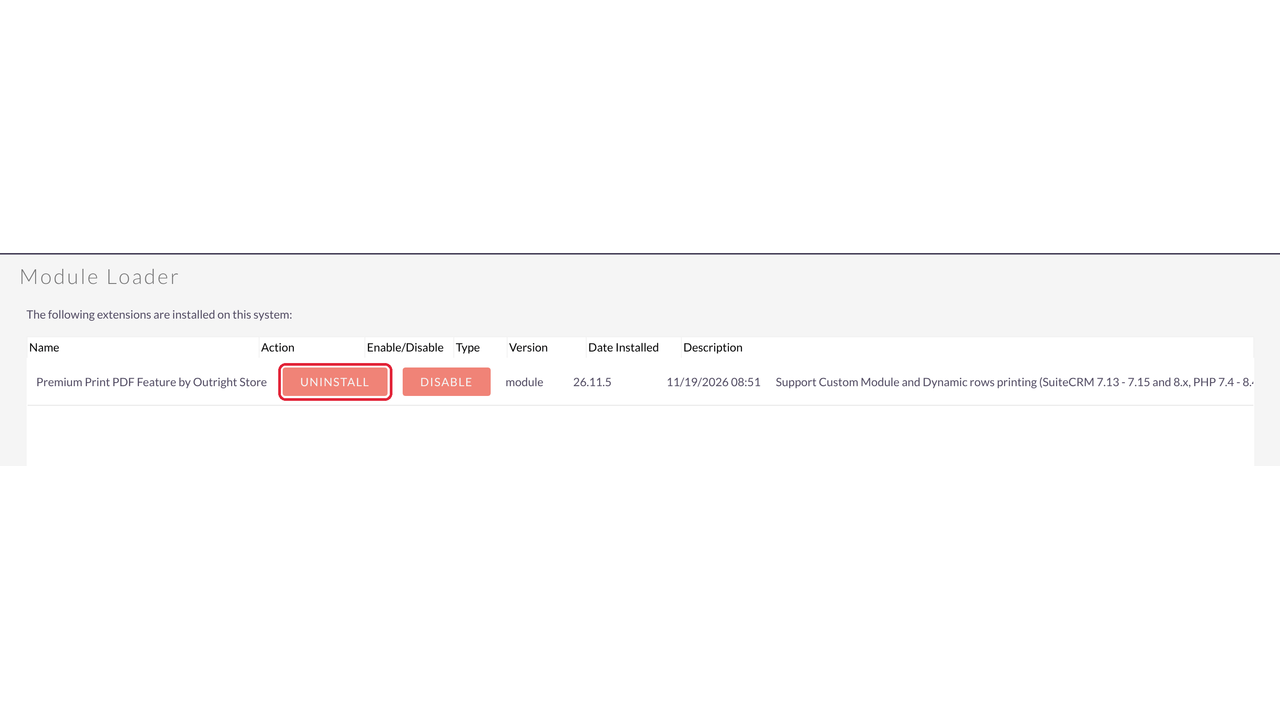
- Clean uninstall with the option to keep settings for a later reinstall.
✅ Safety and Compatibility
- No SuiteCRM core file replaced: logic hooks and extension files only.
- Upgrade restores stock SuiteCRM PDF files that older versions replaced (exact copies) and lists any file to restore manually.
- PHP 7.4 – 8.4; no licence key and no calls to a licence server.

Visual Showcase
See the product in action through screenshots

1
2
3
4
5
6
7
8
9
10
11
12
13
14
15
16
17
18
19
20
Product Videos
Watch our product in action
Coming Soon
User Guide
Learn how to use and configure the system step by step


FAQs
Question? Look here.
Which SuiteCRM versions are supported?
SuiteCRM 7.13, 7.14, 7.15 and 8.x (tested on 8.10.2), with PHP 7.4 – 8.4 as supported by your SuiteCRM version.
Do I need a licence key?
No. The package works without a licence key and makes no calls to a licence server.
Does it replace SuiteCRM core files?
No. It works through logic hooks and extension files, so SuiteCRM upgrades are safe. Upgrading from older versions restores the stock SuiteCRM PDF files they had replaced.
Can I print custom modules?
Yes. Any CRM or custom module can get a setting, and the template Type lists every module of the Module List.
How are related records printed?
With a variable such as $contacts_first_name|last_name|title: one line per related record, separated by a horizontal line or dashes.
Does it work in the new SuiteCRM 8 interface?
Yes. The record and list views get a Print action with your Button Label, and the template picker shows only templates of the record's module.
Can I print many records at once?
Yes. Use the bulk action in the list view: one combined PDF with each record on its own page and its own header (SuiteCRM 7 can also create one PDF per record).
How is the PDF named?
"<template> - <record>.pdf", or "<template> - <record> and N more.pdf" for several records. A Note is saved in the record's History.
Where do I see problems?
Administration → Log entries for debugging any issue: PDFs printed, unknown fields, setting changes and errors.
What happens when I uninstall?
The Print button, bulk action and template type options are removed. Choose "Do Not Remove Tables" to keep your settings; your PDF templates stay in SuiteCRM.