





In today’s fast-moving business environment, keeping customer data perfectly synchronized between systems is essential. SuiteCRM helps teams manage leads, contacts, and customer interactions, while Mailchimp powers email campaigns and audience engagement. But when these two platforms operate separately, data gaps quickly appear; contacts fall out of sync, engagement activity remains hidden from CRM, and duplicate records begin to build up.
That’s where the SuiteCRM AI-Powered Mailchimp Integration (Lite) comes in. It is primarily built for SuiteCRM 8, while also offering full compatibility with all major SuiteCRM 7 versions, including SuiteCRM 7.11, 7.12, 7.13, and 7.14. This ensures seamless, real-time, two-way synchronization between SuiteCRM and Mailchimp; keeping contact data, subscriber activity, and campaign engagement perfectly aligned at all times.
What Is SuiteCRM AI-Powered Mailchimp Integration (Lite)?
SuiteCRM AI-Powered Mailchimp Integration (Lite) is a smart, lightweight extension that keeps your SuiteCRM and Mailchimp accounts in sync in real time. Here’s what it does:
- It keeps customer records updated across both platforms.
- Subscriber lists and tags stay consistent.
- Email engagement data flows straight into SuiteCRM.
- Duplicate records are automatically prevented.
Once configured, the integration runs smoothly in the background. Any updates in Mailchimp instantly reflect in SuiteCRM, and vice versa, enabling seamless two-way synchronization through smart automation.
Instead of switching between platforms or handling CSV files, teams benefit from an accurate, real-time automated data flow between both systems.
Key Features of SuiteCRM AI-Powered Mailchimp Integration (Lite)
SuiteCRM's AI-Powered Mailchimp Integration (Lite) is designed with practical, impactful features that tackle everyday business challenges head-on:
1. Real-Time Bi-Directional Data Sync
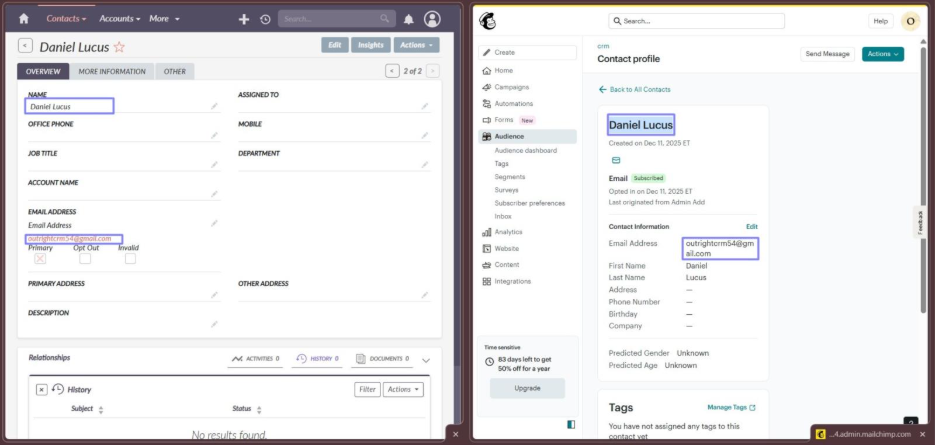
The core strength of this integration lies in its true two-way synchronization, ensuring SuiteCRM and Mailchimp always remain perfectly aligned. This is achieved through a combination of API-based syncing and Webhook-based syncing, enabling updates to flow instantly between both platforms.
How the Sync Works:
A) CRM → Mailchimp Sync (Powered by Mailchimp API Key)
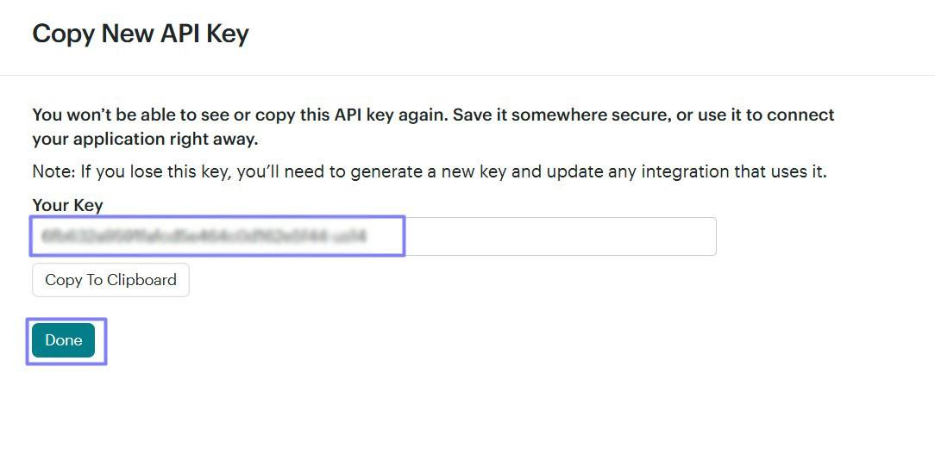
When you configure the integration, you paste your Mailchimp API key into SuiteCRM. This API key creates a secure connection that allows SuiteCRM to send data directly to Mailchimp.
Although the integration supports syncing for all CRM modules, the real-time API-based synchronization has been demonstrated using Leads, Contacts, and Accounts.
Here’s what happens through the API:
When a user creates or updates a record in SuiteCRM, the integration immediately pushes this information to Mailchimp using the API.
This includes changes such as:
- Name updates
- Email address edits
- Phone number updates
- Tag changes
- Subscription status changes
The API ensures reliable, structured outbound syncing from CRM to Mailchimp without any delay.
B) Mailchimp → CRM Sync (Powered by Mailchimp Webhooks)
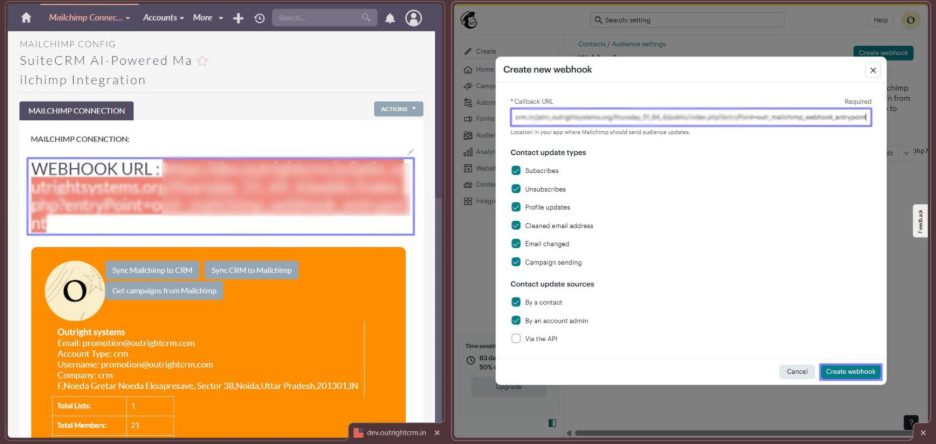
To bring updates from Mailchimp back into SuiteCRM, the integration uses a dedicated Webhook URL generated inside SuiteCRM. When this Webhook URL is pasted in Mailchimp account, it enables real-time two-way sync between SuiteCRM and Mailchimp.
How Two-Way Sync Ensures Unified Data: By combining the strengths of:
- API-based outbound sync (CRM → Mailchimp)
- Webhook-based inbound sync (Mailchimp → CRM)
The integration forms a fully automated, closed-loop sync mechanism. This means:
- Any update made in SuiteCRM appears in Mailchimp within seconds.
- Any update made in Mailchimp appears in SuiteCRM instantly.
- Both platforms share one unified, always-current data layer.
- No outdated entries, mismatched fields, or delayed updates.
2. Email Usage Statistics Inside Mailchimp
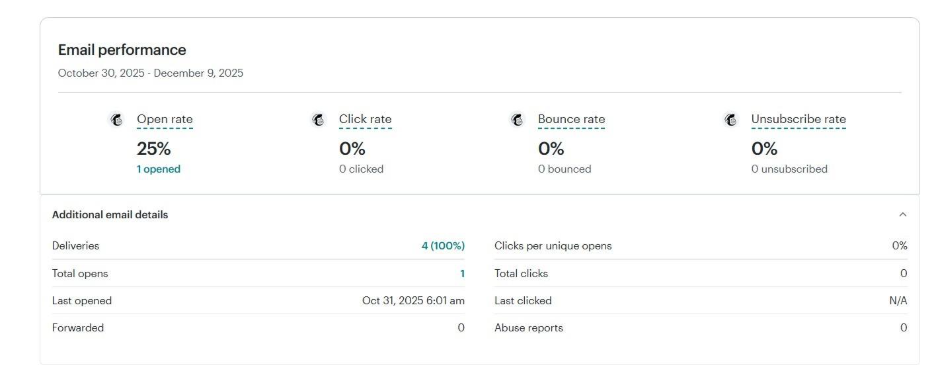
This feature brings Mailchimp engagement analytics directly into Mailchimp records, allowing users to see how each contact interacted with marketing emails.
What data is synced:
- Email Sent: Shows if the contact was included in the campaign.
- Opens (percentage): Indicates whether they opened the email and how many times in %.
- Clicks (Percentage): Shows interaction with links, highlighting interest or intent
- Bounces (Percentage): Identifies invalid or unreachable email addresses.
- Unsubscribes (Percentage): Immediately updates CRM status if a contact opts out.
These metrics are displayed inside Mailchimp exactly as shown in the demonstration video, giving teams real-time visibility into how contacts behave during campaigns.
Most importantly, campaign history appears under the contacts module in record History sub-panel, allowing users to see past campaign runs, email results, and engagement logs without opening Mailchimp. This makes follow-ups more informed, faster, and more accurate.
3. No Duplicate Records (Smart Deduplication Engine)
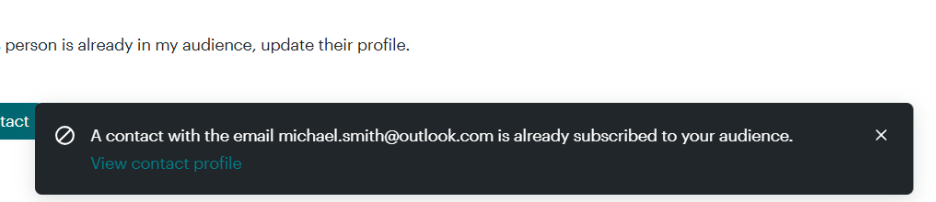
Duplicate contacts are a huge issue in CRM systems. The Lite integration includes a built-in duplication-avoidance mechanism.
What it does:
- Before syncing a new record from Mailchimp → SuiteCRM or SuiteCRM → Mailchimp, the system checks:
- Email address
- Unique identifiers
- Existing associated records
- If a record already exists, the integration does not create a duplicate. Instead, it displays a message indicating the match and allows the system to merge the information and update the existing record.
- Only new contacts are added.
4. Complete Mailchimp Data Sync (Lists, CRM Modules & Bulk Import)
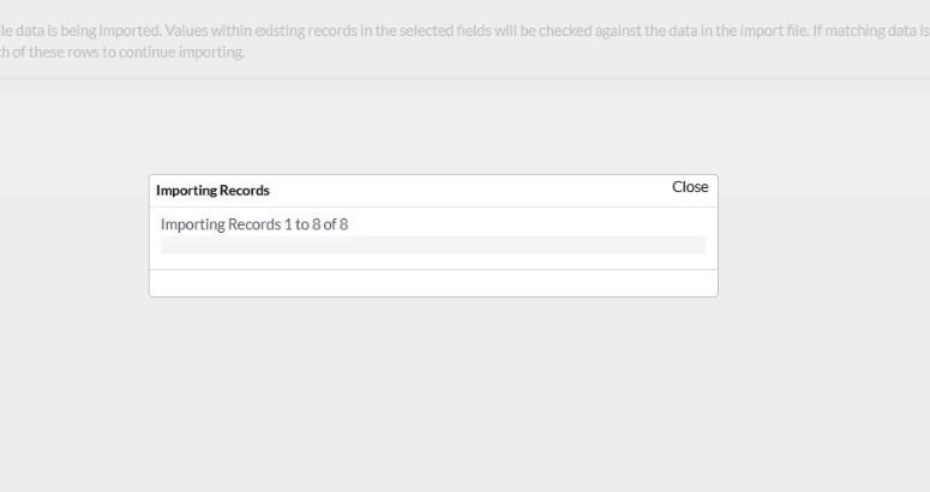
The Lite version supports syncing of all essential Mailchimp data, ensuring CRM and Mailchimp stay perfectly aligned.
What gets synced:
Mailchimp → SuiteCRM
- Subscriber Lists
- Membership status (Subscribed, Unsubscribed, Cleaned, Pending)
SuiteCRM → Mailchimp
- Leads
- Contacts
- Accounts
- Supported custom modules
In addition to real-time sync, the integration also supports bulk import of CRM records into Mailchimp. Using SuiteCRM’s CSV import tool, users can import hundreds of Contacts at once, and the integration immediately syncs them to Mailchimp through the API.
This bulk import ability makes it effortless to migrate large datasets, onboard new subscriber lists, or quickly populate Mailchimp audiences without manual entry.
Whether you add 1 record or 100, the integration ensures all contacts appear in Mailchimp instantly—fully tagged, mapped, and ready for campaigns.
5. Subscriber Dashboard (Central Activity View Inside Mailchimp)
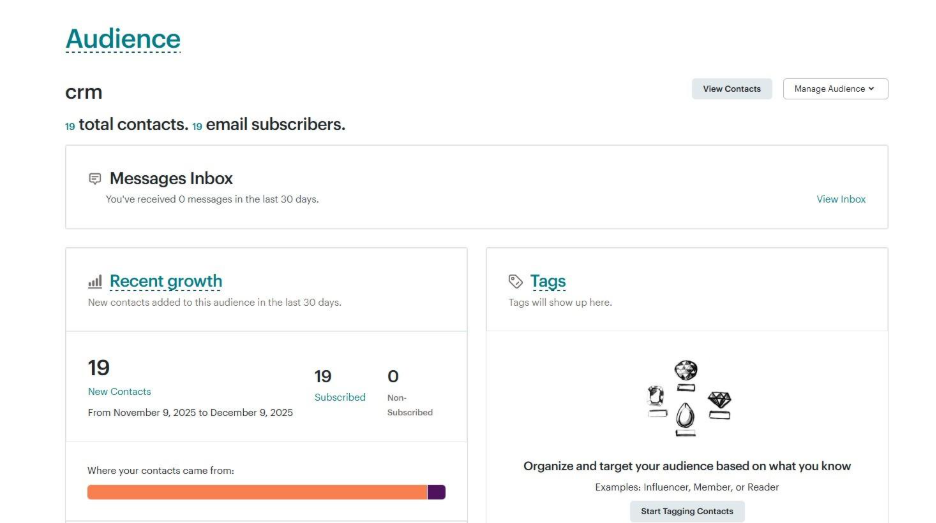
The integration includes a ready-made dashboard that serves as a control center for all Mailchimp subscriber activities.
What information the dashboard displays:
- Subscriber’s IP address: Helps identify geographic regions or security anomalies.
- Last Action: Shows the subscriber’s most recent interaction (e.g., email opened, link clicked).
- Mailchimp ID: Unique identifier for the subscriber inside Mailchimp.
- Web ID: Helps navigate directly to the subscriber’s Mailchimp profile.
- Linked CRM Record: Displays the associated SuiteCRM record and module.
The dashboard creates a centralized analytical hub right inside Mailchimp. With these features, teams enjoy instant visibility, cleaner data, and quicker follow-ups without the hassle of manual work.
Advantages & Business Impact
Integrating SuiteCRM with AI-Powered Mailchimp Integration (Lite) creates immediate, measurable business benefits for your business:
- Single Source of Truth: Sales and marketing teams can always rely on accurate, unified data.
- Faster Lead Follow-ups: Reps instantly see who opened or clicked emails allowing them to act at the right moment.
- Clean CRM Database: Intelligent duplicate prevention ensures long-term data accuracy.
- Higher Campaign Effectiveness: Up-to-date lists enhance targeting and boost engagement rates.
- Reduced Administrative Work: No manual syncing, imports, or exports required.
- Improved Team Alignment: Marketing and sales teams operate from the same insight pool, eliminating communication gaps.
Application of SuiteCRM AI-Powered Mailchimp Integration (Lite): A Real-Life Scenario
Imagine a company that maintains a large volume of customer and subscriber data across SuiteCRM and Mailchimp. Information is frequently updated, new contacts are added, and changes happen on both platforms throughout the day.
1. Manual Syncing of Contacts → Instant Two-Way Sync
Before Integration:
- Every time a new Lead or Contact was created in SuiteCRM, users had to export it as a CSV file and manually upload it to Mailchimp.
- This repetitive manual process caused delays, inconsistencies, and incomplete subscriber lists.
After Integration:
- Updates from SuiteCRM automatically push to Mailchimp via API, and Mailchimp updates sync back via webhooks.
- All new or updated records sync instantly, eliminating manual CSV uploads entirely.
2. Campaign Activity Not Reflected in CRM → Real-Time Campaign Sync
Before Integration:
- Email engagement (opens, clicks, bounces, unsubscribes) was visible only in Mailchimp.
- SuiteCRM users had to switch platforms to see campaign interactions.
After Integration:
- Campaign performance data from Mailchimp syncs automatically to SuiteCRM in real time.
- Under Contacts module, the record’s History sub-panel displays full campaign history, including:
- Past campaigns
- Sent status
- Contact Information
- Date Modified
- Date Created
Users can track engagement history without leaving SuiteCRM.
3. Frequent Duplicate Records → Smart Deduplication
Before Integration:
- Repeated CSV uploads or overlapping records between SuiteCRM and Mailchimp created duplicates.
- No mechanism existed to detect or merge matching entries.
After Integration:
- The integration checks email addresses and unique identifiers before creating new records.
- If a match is found, SuiteCRM prompts to merge the record, keeping both systems clean and duplicate-free.
4. Bulk Imports Didn’t Sync → Bulk Imports Instantly Synced
Before Integration:
- Large data imports into SuiteCRM did not automatically reach Mailchimp.
- Teams had to manually export and upload CSV files, causing delays and incomplete subscriber lists.
After Integration:
- Bulk imports through SuiteCRM’s CSV Import Wizard automatically sync to Mailchimp via API.
- Whether adding a single contact or hundreds, all records reach Mailchimp immediately—properly mapped, tagged, and ready for campaigns.
Conclusion
Real-time synchronization between SuiteCRM and Mailchimp is essential to keep data accurate and consistent across both platforms. The SuiteCRM AI-Powered Mailchimp Integration (Lite) solves this by enabling a reliable, two-way sync that updates record instantly, prevents duplicates, and keeps all changes aligned automatically. With everything synced in real time inside your CRM, teams get clean data, faster visibility, and seamless automation without any manual effort.