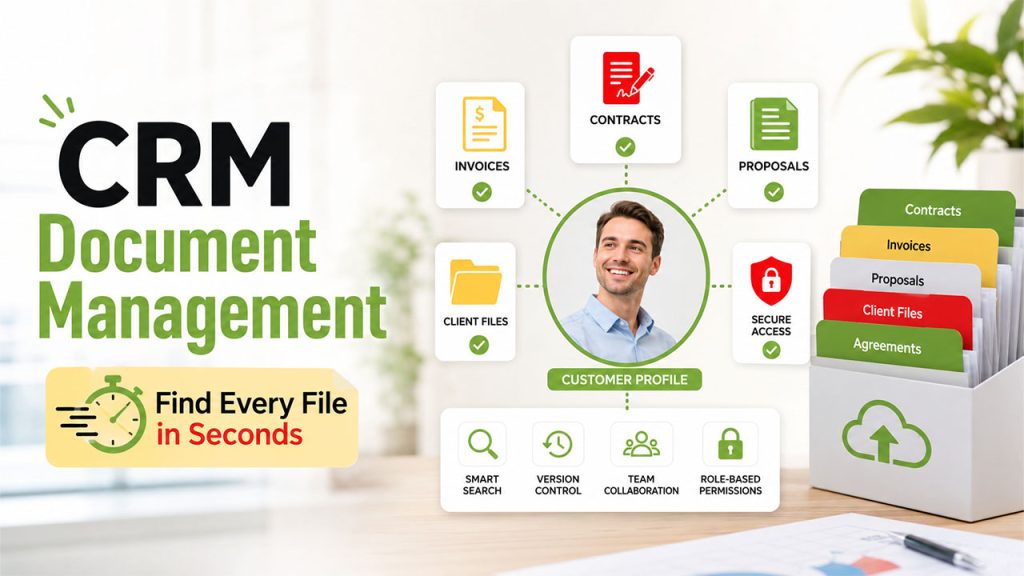






If your team’s contracts, proposals, and client files are scattered across email attachments, shared drives, and someone’s desktop folder named “final_final_v3”, you already know why CRM document management has become such a big deal for growing businesses. It’s the difference between spending ten minutes hunting for a signed contract and finding it in ten seconds because it’s sitting right next to the deal it belongs to.
CRM document management simply means that all your documents will be stored, organised, and managed through your CRM system rather than separately from it in various other places. All your contracts, invoices, proposals, etc. will be located alongside your customer accounts, so your team won’t have to switch tabs to find the necessary documents in the middle of client communication.
This blog will tell you more about CRM document management itself, its features, the benefits of implementation, and how to make the right choice.
What is CRM Document Management?
CRM document Management is the act of putting your documents inside the CRM where they should belong. It means that all contracts, invoices, proposals, and client files get stored in the appropriate customer record, meaning that anyone from your company could simply open it whenever it becomes necessary.
It’s a shift from treating documents and customer data as two separate things to treating them as one connected picture. Instead of searching through a shared drive to find which folder has a client’s signed agreement, you open their profile in the CRM, and it’s already sitting right there.
And the thing is, it is not just about storing your documents. Most CRMs with proper document management have version control, access management, and search capabilities, making sure that your files remain orderly even as your company grows and acquires more clients.
CRM Document Management Features
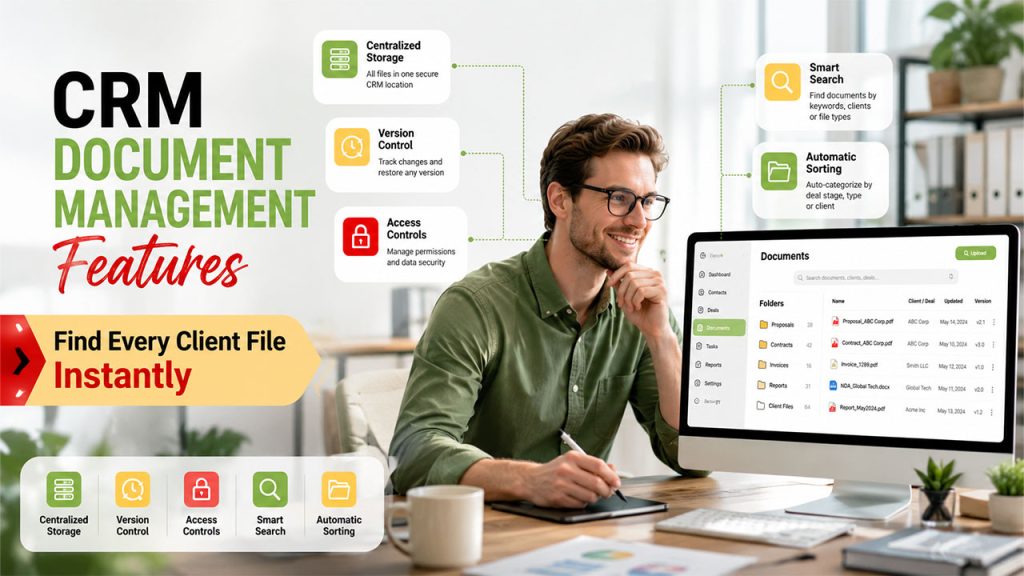
All CRM systems manage documents differently, but the distinction between their capabilities is best revealed when your team encounters the need to locate any necessary document fast enough:
- Centralized storage: Every file is stored inside the CRM and connected directly to a particular contact, deal, or account rather than kept separately.
- Versioning: Automatic tracking of any changes to keep you free from questioning which version of the contract is the latest one.
- Access Controls: Control access to view, edit, and share certain documents, as it becomes crucial when managing client data.
- Search: Search for files using keywords, client names, or document types without looking into particular folders.
- Automatic sorting: Some CRMs will automatically sort your documents into folders according to deal stages, document types, or clients.
This list of features helps to transform document management into an asset rather than just another process in your daily workflow. Document management functions as one of the essential CRM modules that allows teams to store, organize, and retrieve customer-related files from a centralized location.
Benefits of CRM Document Management
Once documents live inside the CRM instead of scattered across separate tools, the day-to-day impact adds up fast:
- Faster access to files: No more digging through email threads or shared drives to find a contract mid-call with a client.
- Fewer version mix-ups: With built-in version control, your team isn’t accidentally working off an outdated proposal or contract.
- Better collaboration: Everyone on the team sees the same file in the same place, so nothing gets lost between handoffs or team changes.
- Stronger security: Centralized permissions mean sensitive documents aren’t sitting in someone’s personal downloads folder or an unsecured shared link.
- Cleaner client history: Every document tied to a client builds a full picture over time, useful for onboarding new team members or reviewing account history.
- Less manual admin work: Automated filing and organization free up time that would otherwise go into managing folders and file names.
For growing teams, especially, this is where CRM document management stops being a nice-to-have and starts being the thing that keeps deals from stalling out over something as simple as a missing file.
Use Cases: Whom Does It Serve?
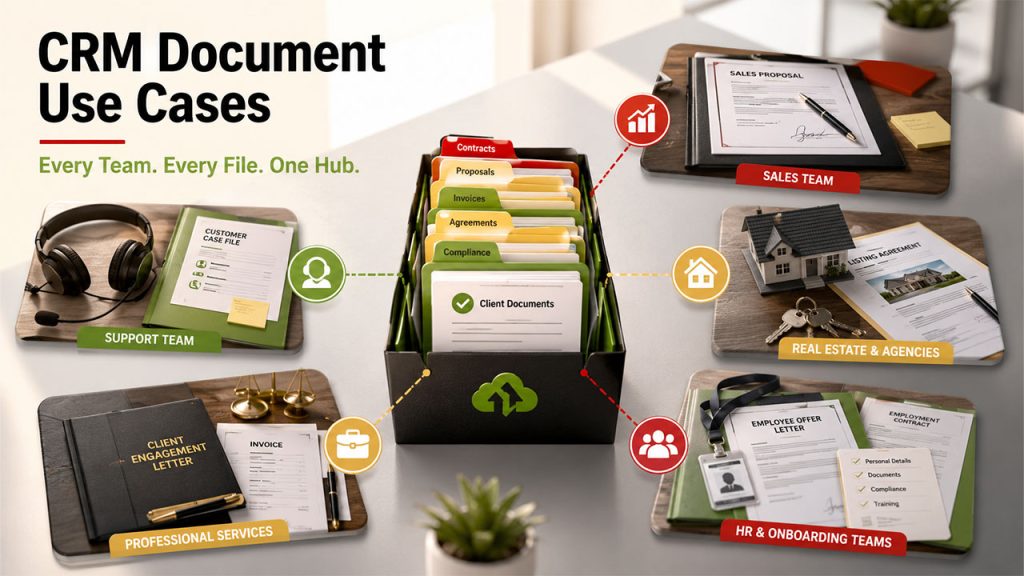
There are many different ways document management may manifest within a CRM, and it all depends on the specifics of your company’s activity:
- Sales teams: Managing contracts, proposals, and pricing sheets linked directly to deals, preventing any information loss from the proposal stage to the signed contract.
- Support teams: Storing case files, agreements, and communication history connected to the client's record for quick access during the call.
- Real estate and agencies: Managing listing agreements, contracts, and compliance documents related to particular properties or accounts.
- Professional services: Firms of lawyers, consultants, and agencies that store engagement letters, invoices, and deliverables for each client separately.
- HR and onboarding teams: Connecting offers, contracts and compliance documents to employees’ or candidates’ records.
Whether it’s a five-person sales team or a larger operation juggling hundreds of client accounts, the core need stays the same: keeping documents exactly where the people working with them actually are.
Challenges and Limitations of CRM Document Management
It’s a genuinely useful setup, but it’s worth knowing where the friction shows up before you build your whole workflow around it.
Migration is usually the first hurdle. Moving years of files from scattered drives, email attachments, and old systems into a CRM takes real time and planning, and it’s easy to underestimate how long that cleanup actually takes.
There are also chances that the document storage limits will surprise the user. Indeed, many CRM solutions offer limited amounts of storage for free and then require you to pay additional fees for further document storage. Thus, a team with extensive document storage requirements is likely to run into some issues when using the CRM solution for storing their documents.
Another challenge associated with a CRM solution is related to security and compliance. Storing all your documents in one place is usually more secure than using different solutions; however, this will require you to make sure that the necessary permissions and other security features are properly implemented.
It is also important to note that not every CRM solution supports document management and, thus, requires special attention when selecting the right product. Some CRM solutions provide extensive document management capabilities (versioning, search), while others include only limited options for working with files.
All this does not mean that document management in CRM is bad, but you should have a proper migration strategy in place.
Conclusion
Ultimately, the document management in CRM is not about another app; it is about getting rid of the hassle of having customer documents and customer data located on completely different sides of the office. Once the contract, the proposal, or the file is placed side-by-side with the customer, your employees will spend much less time searching for the needed documents and more time using them.
Of course, to achieve it, some amount of work needs to be done beforehand. Migrating all the documents and setting up the necessary permissions will not take five minutes, but will be worth every minute spent on it since it will be done once, but used every time someone finds the needed document instantly.
No matter whether you are a small sales team that wants to stop losing track of signed contracts or an organization that manages hundreds of client accounts, the idea works in exactly the same way: documents work best when located where they are meant to be.
FAQs About CRM Document Management
CRM document management is the practice of storing, organizing, and managing files like contracts, invoices, and proposals directly inside your CRM, attached to the customer record they belong to.
No. Some CRMs include robust document management with version control and search, while others offer only basic file attachment options, so it's worth checking before assuming a CRM covers this well.
It can be more secure than scattered storage, since permissions and access controls are centralized. That said, security depends on setting those permissions up correctly from the start.
This varies by provider. Many CRMs include basic document storage in standard plans, but heavier storage needs or advanced features like e-signature integration often require a higher-tier plan.
It can take real time and planning, especially if files are scattered across email, shared drives, and old systems. Most teams find it worthwhile once everything is consolidated in one place.