



★
(0 Reviews)
Outright List View Color for SuiteCRM
$0.00
Product Description
Outright List View Color for SuiteCRM
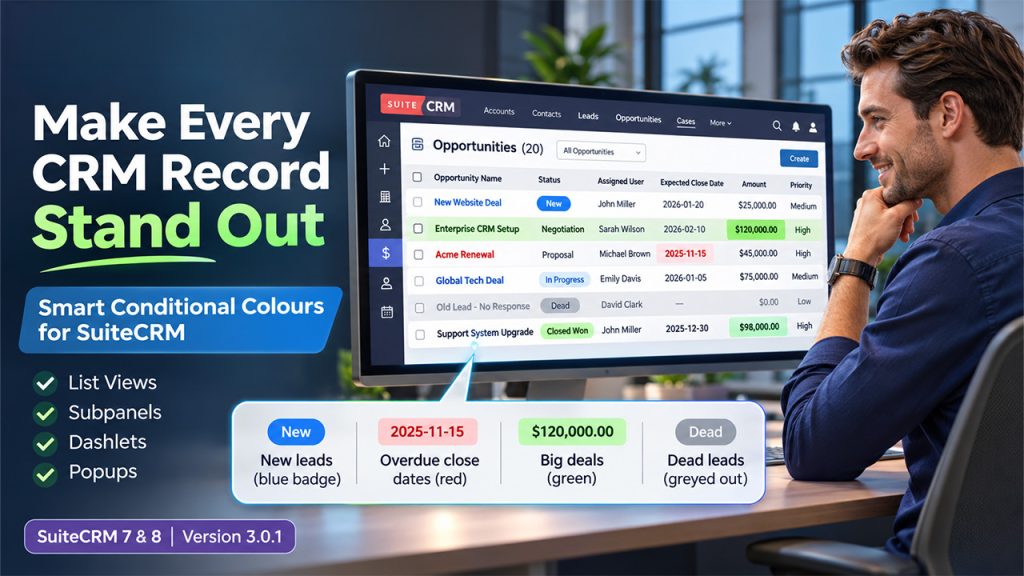
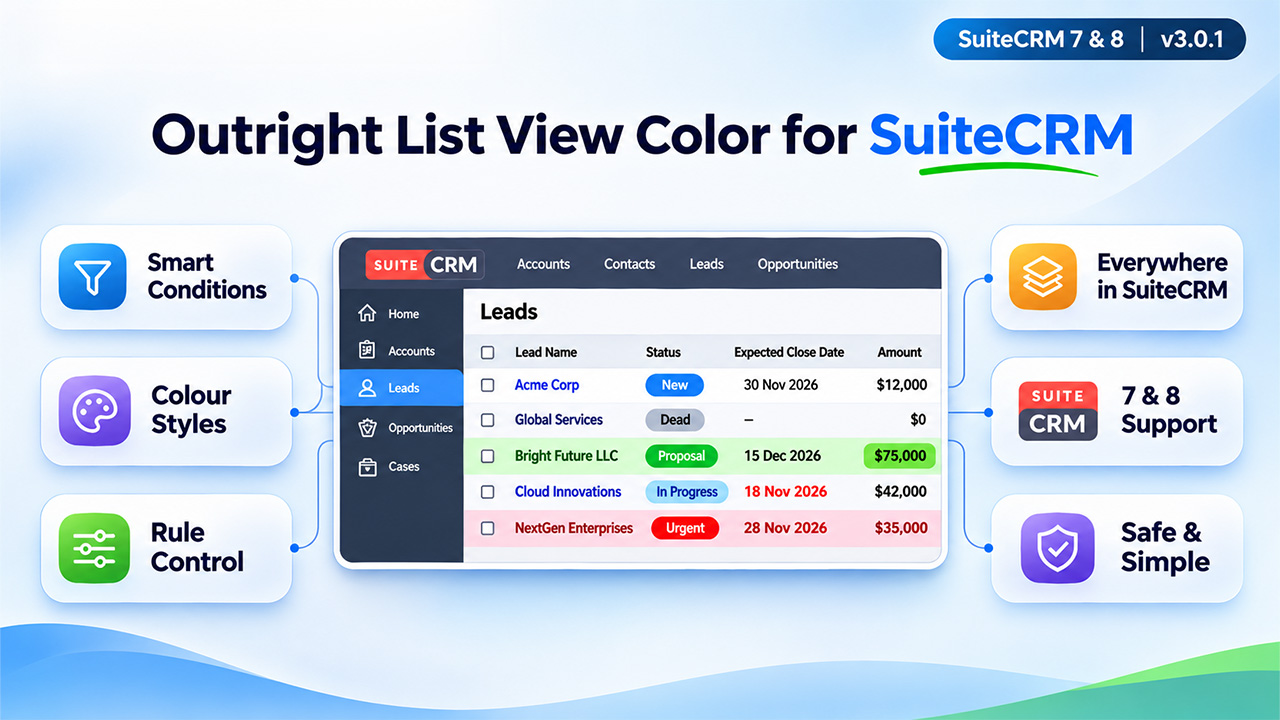
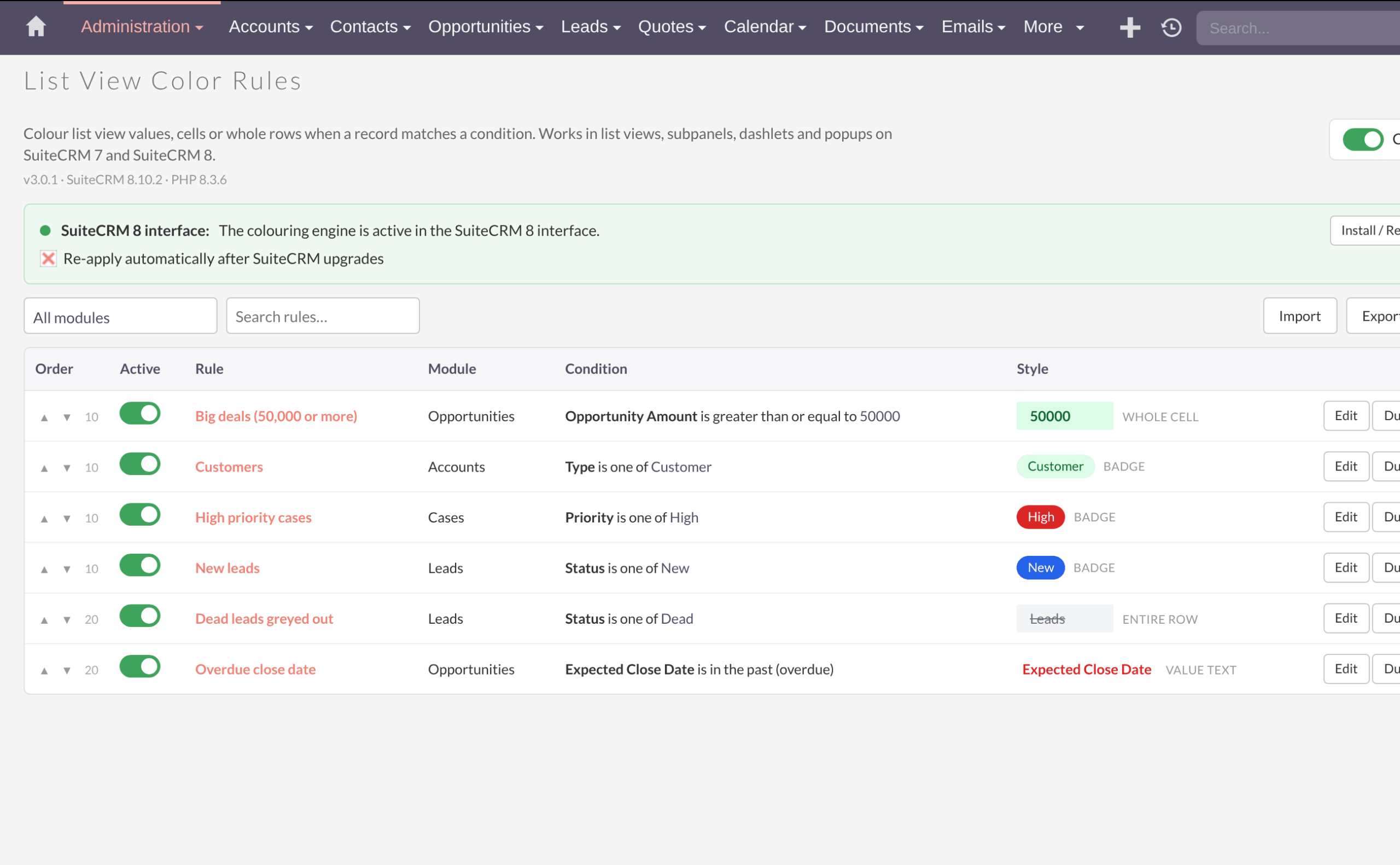
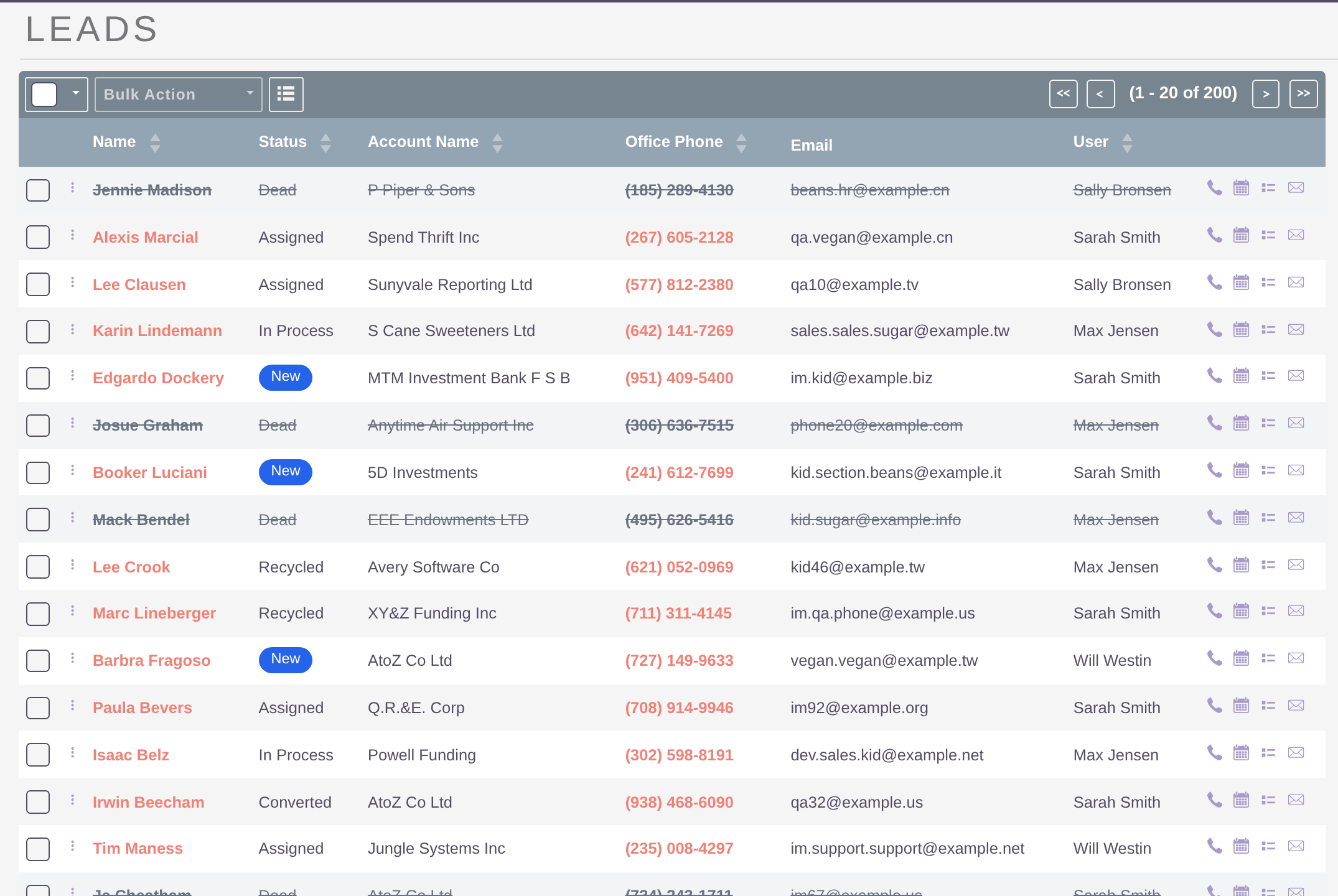
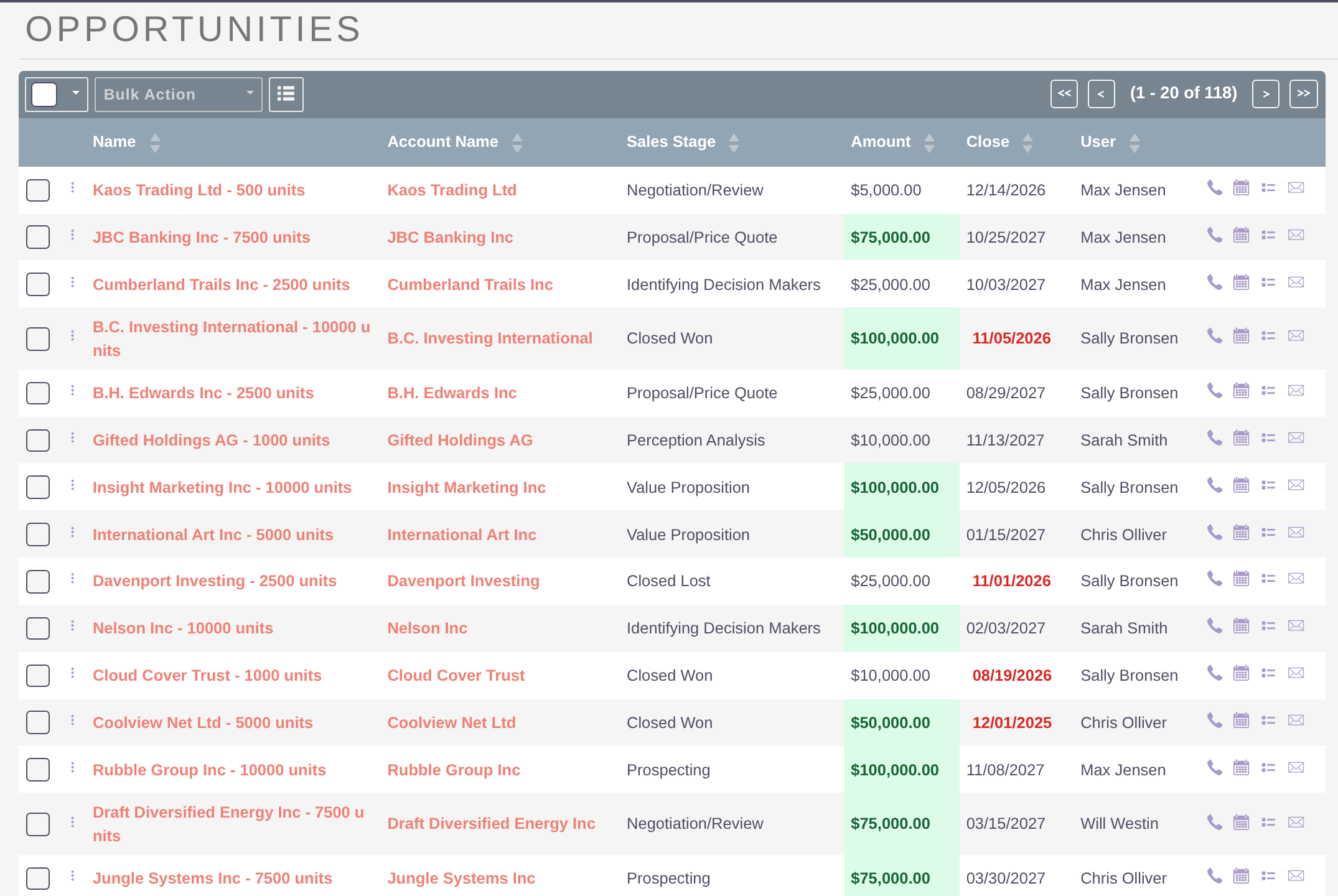
Outright List View Color brings conditional formatting to SuiteCRM. Define a rule — module, field and condition — and every matching record stands out: the value in colour, a badge, a filled cell or the entire row. New leads as blue badges, dead leads greyed out, overdue close dates in red, big deals in green.
Rules work for every field type: text, dropdowns, numbers and currency, dates (today, overdue, within the next N days …), checkboxes and user fields (“is the current user”). A rule can test one field and colour another column, priorities decide which rule wins, and colours also appear in subpanels, Home dashlets and popups.
It runs in SuiteCRM 7 and in both the Angular UI and the classic views of SuiteCRM 8. Rules are evaluated on the server with each user’s access rights; the record data is never changed. A live preview, quick presets, duplicate, reorder and JSON export / import make managing rules easy.
Compatibility: SuiteCRM 7.10 – 7.15 and SuiteCRM 8.0 – 8.10 (tested on 8.10.2), PHP 7.1 – 8.4, MySQL / MariaDB. Upgrades version 2.x in place; rules are kept and converted.
Real-World Use Cases
✅ Sales
Problem: New leads get lost in long lists.
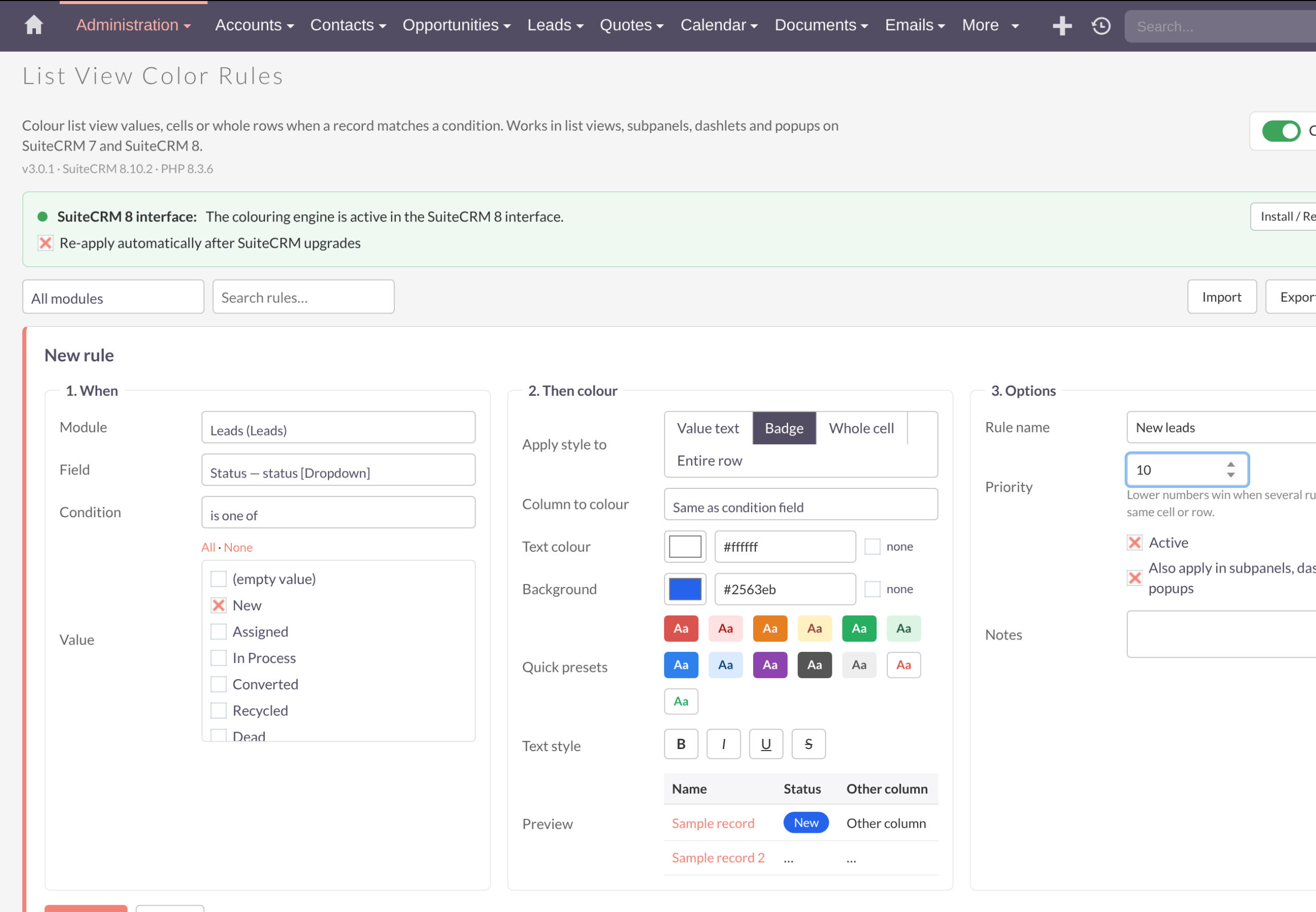
Outright List View Color setup: Leads – Status is one of New – blue badge.
✅ Sales Management
Problem: Deals past their close date go unnoticed.
Outright List View Color setup: Opportunities – Expected Close Date overdue – red bold.
✅ Key Account
Problem: Big deals should stand out.
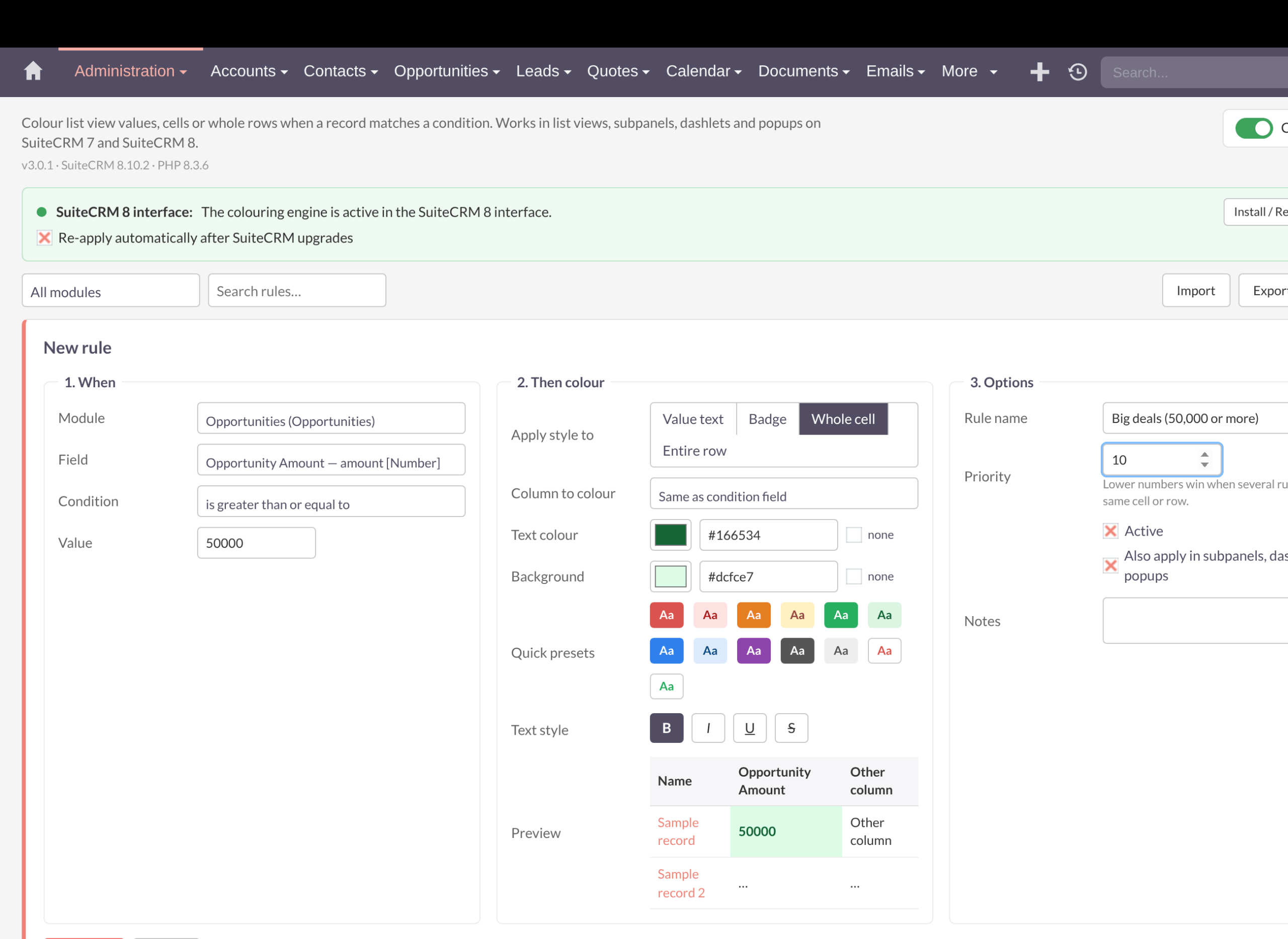
Outright List View Color setup: Opportunities – Amount ≥ 50,000 – green cell.
✅ Support
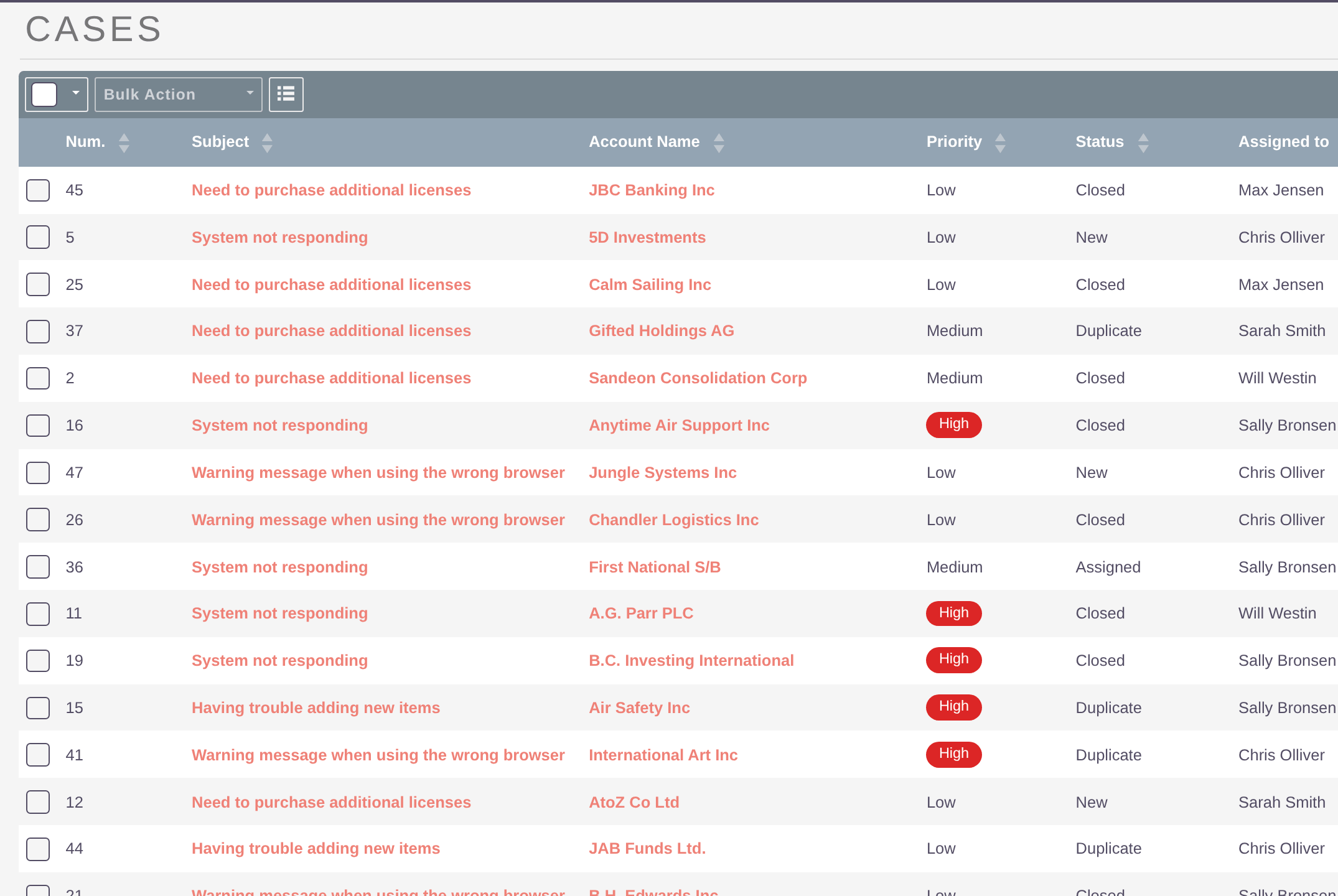
Problem: Urgent cases look like all others.
Outright List View Color setup: Cases – Priority is one of High – red badge.
✅ Customer Success
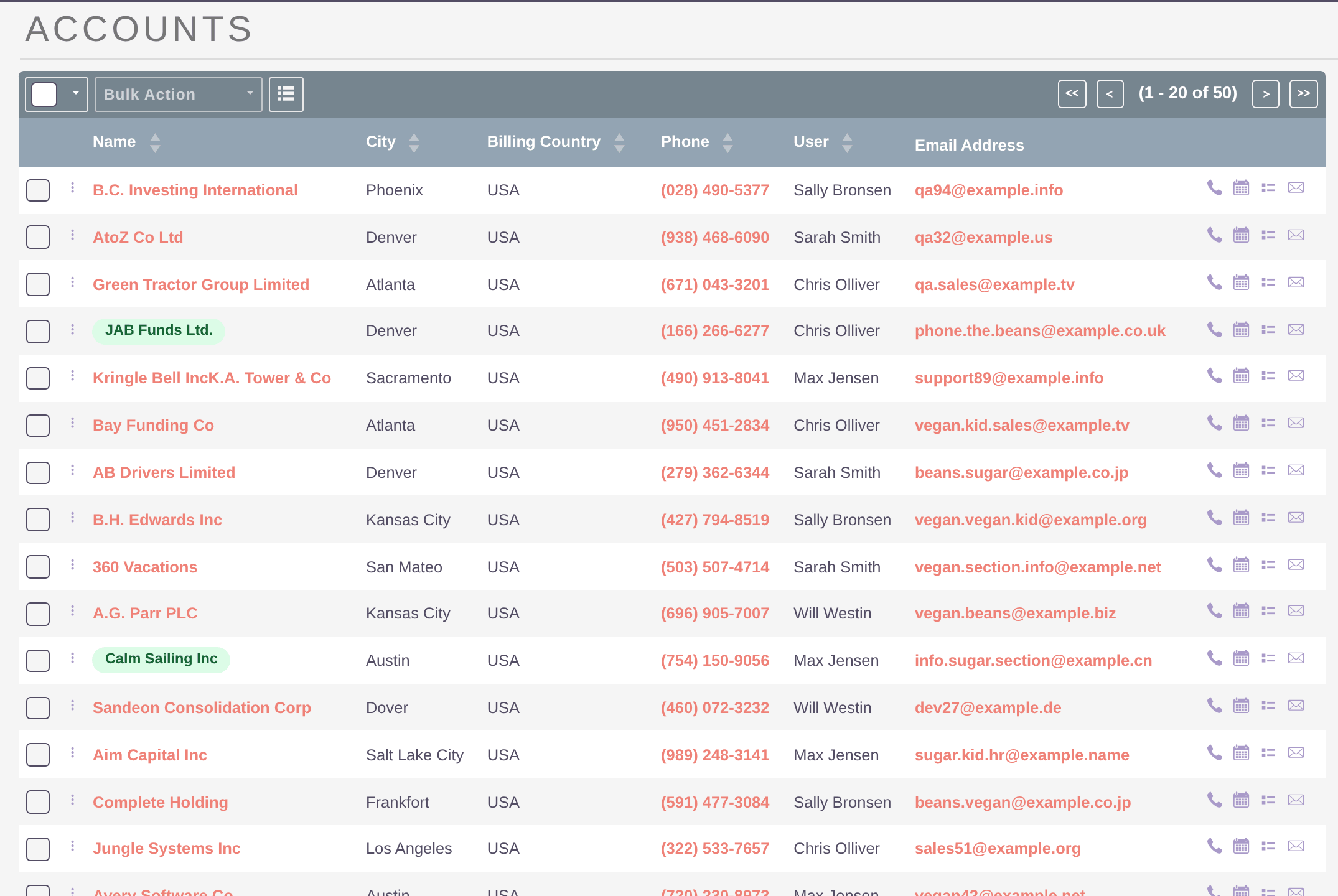
Problem: Customers and prospects look the same.
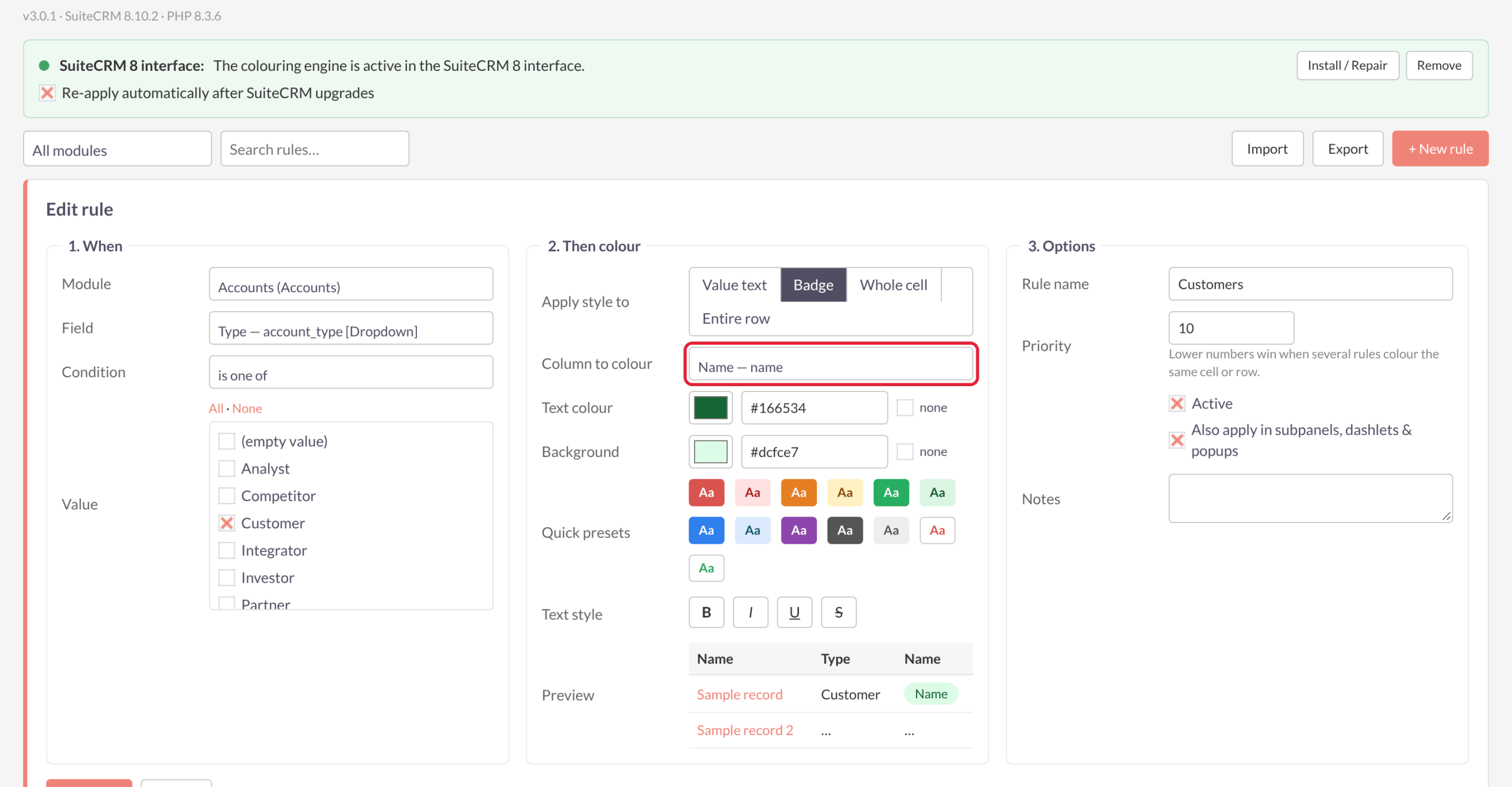
Outright List View Color setup: Accounts – Type Customer – name as green badge.
✅ Data Quality
Problem: Records without e-mail are missed.
Outright List View Color setup: E-mail is empty – amber cell.
✅ Team Leads
Problem: Users want to see their own records.
Outright List View Color setup: Assigned user – is the current user – badge.
✅ Multiple Instances
Problem: Rules must be the same on test and live.
Outright List View Color setup: Export / Import rules as JSON.
Key Highlights
✅ See What Matters at a Glance
Value text, badges, whole cells or entire rows coloured by your rules — with bold, italic, underline and strikethrough.
✅ Rules for Every Field Type
Text, dropdowns, numbers, dates (overdue, within N days …), checkboxes and “is the current user”; colour another column; priorities.
✅ Everywhere in SuiteCRM 7 and 8
List views, subpanels, dashlets and popups, in the SuiteCRM 8 Angular UI and classic views — evaluated on the server with access rights, data never changed.
Most Popular
Check out these related extensions


Key Features
Discover what makes this product stand out
✅ Conditions
- Module + field + condition for every field type.
- Text: is, is not, contains, starts / ends with, one of, none of, empty.
- Dropdowns: tick values from the list; numbers: =, ≠, >, ≥, <, ≤, between.
- Dates: today, overdue, in the future, within the next / last N days, older than N days, on, before, after, between.
- Checkbox and user fields (is / is not the current user).
✅ Styles
- Value text, badge, whole cell or entire row.
- Text and background colours, quick presets, bold / italic / underline / strikethrough.
- Colour another column than the condition field.
✅ Options
- Priority (lower number wins), active switch per rule, apply in subpanels / dashlets / popups.
- Live preview in the editor.
✅ Managing Rules
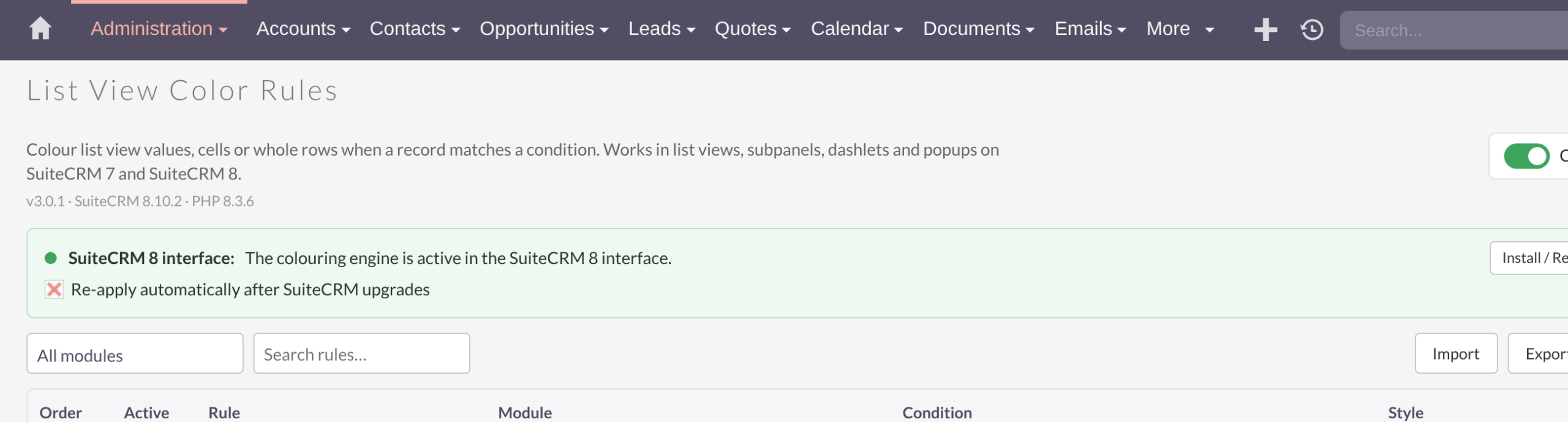
- Rule list with filter and search; edit, duplicate, delete, reorder.
- Enable / disable all; export and import rules as JSON.
✅ SuiteCRM 8
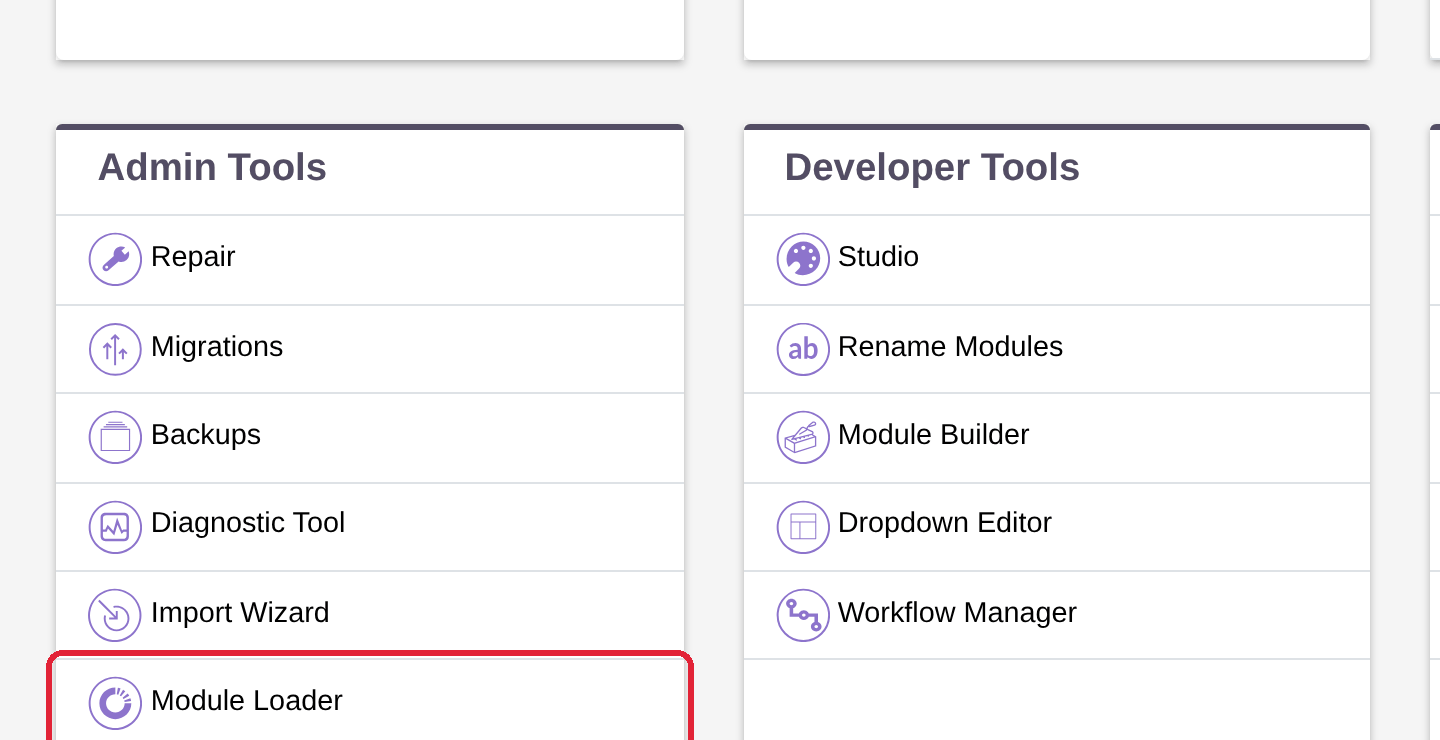
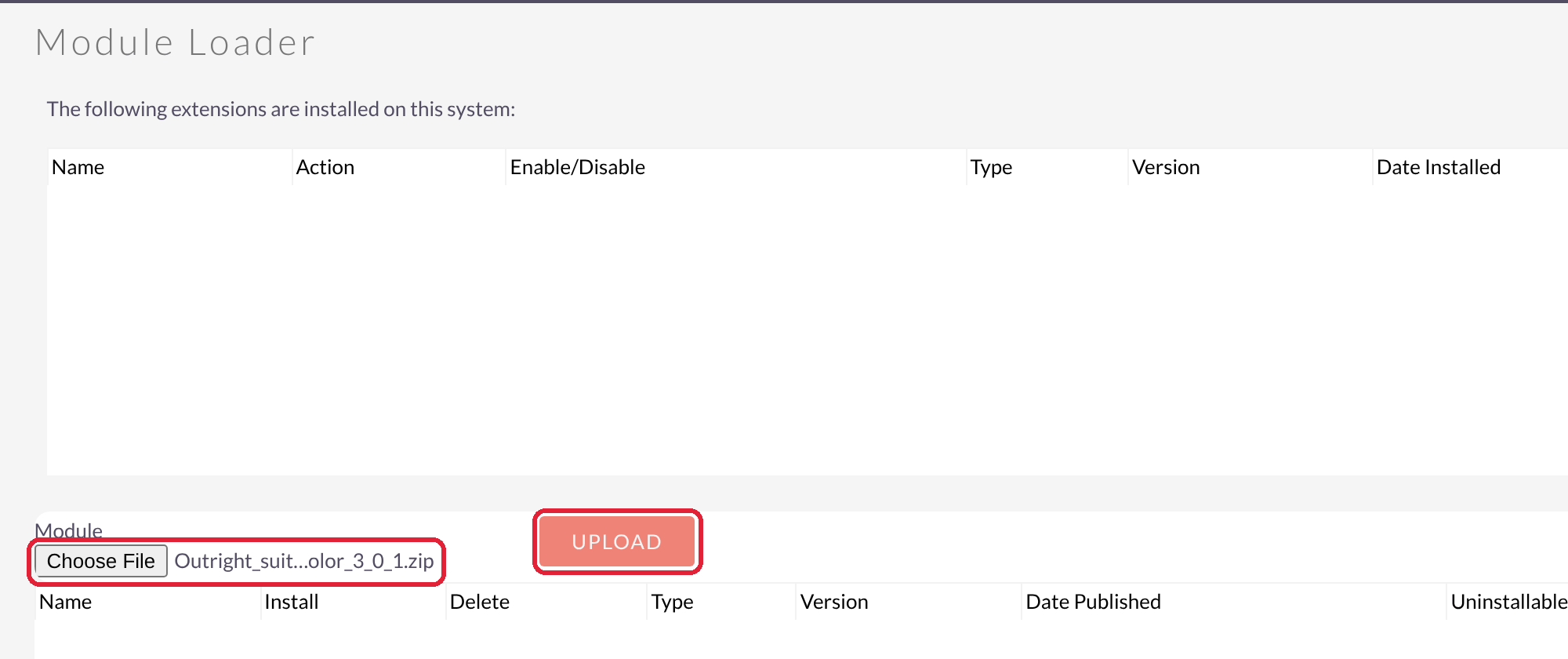
- Colouring engine in the Angular UI via one loader line; Install / Repair and automatic re-apply after SuiteCRM upgrades.
- Rule changes picked up on the next navigation.
✅ Safe and Fast
- Rules evaluated on the server against raw values, respecting role and security-group access.
- Record data never modified; colours update after paging, filtering, sorting and inline editing.


Visual Showcase
See the product in action through screenshots


1
2
3
4
5
6
7
8
9
10
11
12
13
14
15
Product Videos
Watch our product in action
Coming Soon
User Guide
Learn how to use and configure the system step by step


FAQs
Question? Look here.
Which SuiteCRM versions are supported?
SuiteCRM 7.10 – 7.15 and 8.0 – 8.10, with PHP 7.1 – 8.4.
Does it work in the SuiteCRM 8 Angular interface?
Yes, in the Angular UI and the classic views. The installer adds one loader line to public/dist/index.html.
Where do the colours appear?
List views, subpanels, Home dashlets and popups.
What can be coloured?
The value text, a badge, the whole cell or the entire row, with text and background colours and text styles.
Which conditions are available?
For text, dropdowns, numbers, currency, dates, checkboxes and user fields, including overdue and within the next N days.
Can a rule colour a different column?
Yes. Use "Column to colour" – useful when the condition field is not shown in the list.
What if several rules match?
The rule with the lower priority number wins for the same cell or row.
Does it change my data?
No. Rules are evaluated on the server; the browser only applies colours.
Can I copy rules to another system?
Yes, with Export / Import as JSON.
Will my 2.x rules be kept?
Yes. Install 3.0.1 over 2.x; rules are converted and old files removed.