





In today's business environment, verifying customer identities is more important than ever. Financial institutions, insurance companies, fintech businesses, and other organizations must ensure that they are not unknowingly dealing with individuals or organizations involved in financial crimes, money laundering, or other suspicious activities. However, performing these checks manually can consume valuable time and increase the chances of human error.
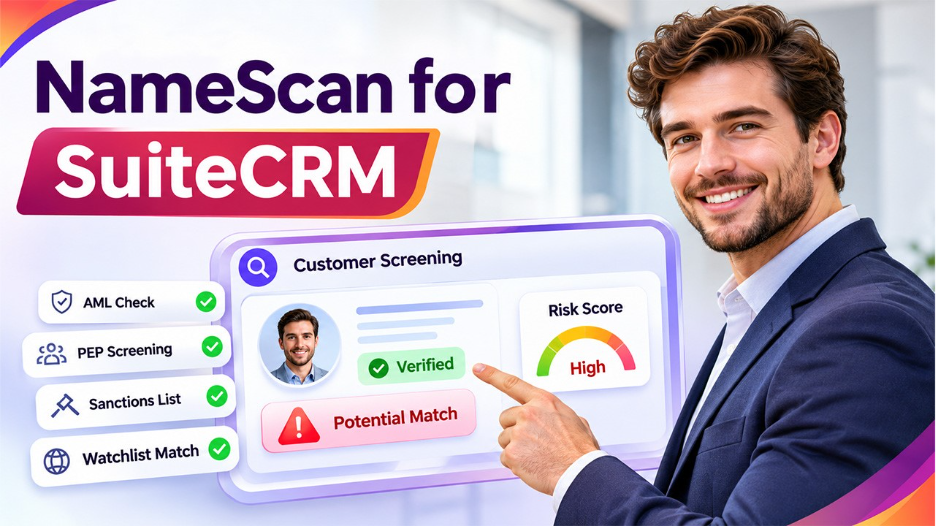
This is where Outright NameScan for SuiteCRM 8 comes into the picture. It brings customer screening capabilities directly into SuiteCRM, allowing businesses to perform identity checks, identify potential risks, and simplify compliance-related activities without constantly switching between different applications.
With automated screening and access to global watchlists, businesses can make more informed decisions while keeping their customer verification process organized.
What Is Outright NameScan for SuiteCRM 8?
Outright NameScan for SuiteCRM 8 is an integration designed to help businesses perform Anti-Money Laundering (AML) and Politically Exposed Person (PEP) screening directly from their CRM environment.
It connects SuiteCRM with NameScan through an API-based integration, allowing users to check individuals and organizations against global sanctions lists, financial crime databases, watchlists, and adverse media sources.
Instead of manually searching through multiple external platforms, employees can initiate screening from their CRM records. This makes customer verification more convenient and helps compliance teams manage their responsibilities efficiently.
The integration is particularly useful for businesses that handle sensitive customer information and need a more structured approach to Know Your Customer (KYC) and AML procedures.
Why Do Businesses Need Name Screening?
Customer onboarding is not simply about collecting names, email addresses, and contact numbers. Businesses must also understand who they are working with and whether a potential customer presents any compliance-related risks.
Manual verification often creates several challenges:
- Time-consuming processes: Employees may need to check multiple databases before completing a single customer verification.
- Human errors: Similar names, incomplete information, or overlooked records can affect screening accuracy.
- Disconnected systems: Switching between CRM platforms and external screening tools interrupts regular workflows.
- Compliance risks: Missing important information about a high-risk individual or organization can expose businesses to regulatory and financial consequences.
- Limited visibility: Without centralized screening records, tracking previous checks and their outcomes becomes difficult.
Outright NameScan for SuiteCRM 8 helps address these challenges by bringing screening functionality closer to the customer information businesses already manage.
Key Features of Outright NameScan for SuiteCRM 8
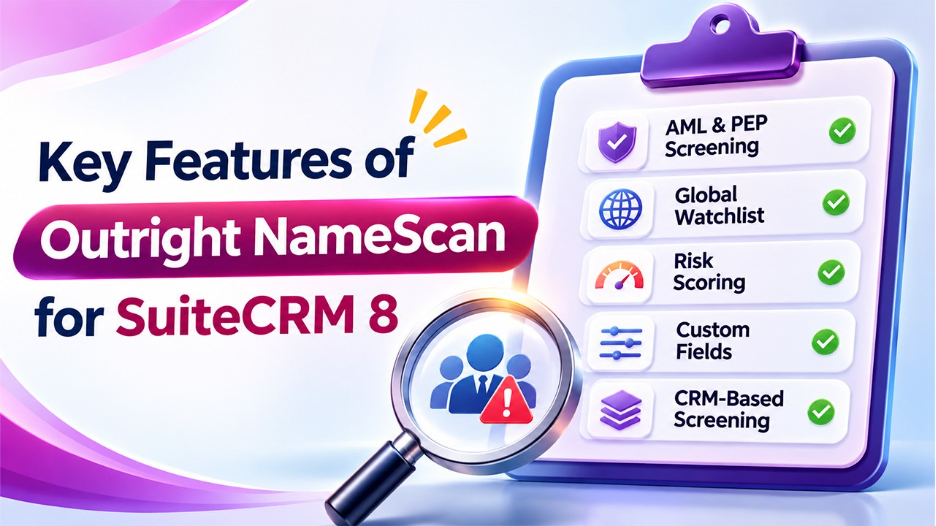
Let's explore the features that make this integration useful for organizations looking to improve their customer screening processes.
1. Real-Time AML and PEP Screening
One of the most important capabilities is the ability to screen contacts and accounts against relevant AML and PEP databases.
Users can initiate checks from their CRM records and review potential matches. This helps compliance teams identify individuals who may require additional verification before proceeding with a business relationship.
By making screening accessible within SuiteCRM, the integration reduces the need for employees to manage every check through separate platforms.
2. Global Watchlist Matching
Businesses operating across different countries must consider international compliance requirements. Checking only local records may not provide sufficient visibility into potential customer risks.
The integration supports screening against global watchlists, sanctions databases, financial crime information, and adverse media sources.
This broader screening capability helps organizations identify potentially concerning connections and determine whether further investigation is necessary.
3. Risk Scoring and Categorization
Not every screening match represents an actual compliance issue. A customer may share a name with someone appearing on a sanctions list, even when the two individuals are completely different.
The integration provides match confidence levels and risk categorization to help users evaluate potential matches.
These insights make it easier for compliance professionals to prioritize cases that require additional attention. However, final decisions should always involve appropriate human verification rather than relying exclusively on automated match scores.
4. Customizable Screening Fields
Accurate customer information plays an important role in effective identity screening.
Outright NameScan for SuiteCRM 8 allows administrators to configure relevant CRM fields, including:
- Unique identification number.
- Country.
- Date of birth.
Administrators can map these fields to the corresponding information available in their SuiteCRM modules.
Providing accurate details helps improve the quality of screening results and makes it easier to distinguish between individuals with similar names.
5. Convenient CRM-Based Screening
Employees do not need to leave their regular CRM environment to initiate a screening request.
After configuring the integration, users can open a relevant contact or account record and select the Search on NameScan option.
The system then uses the available customer information to perform the screening and present the results for review.
This straightforward process helps teams incorporate verification into their existing customer management activities.
How Does Outright NameScan for SuiteCRM 8 Work?
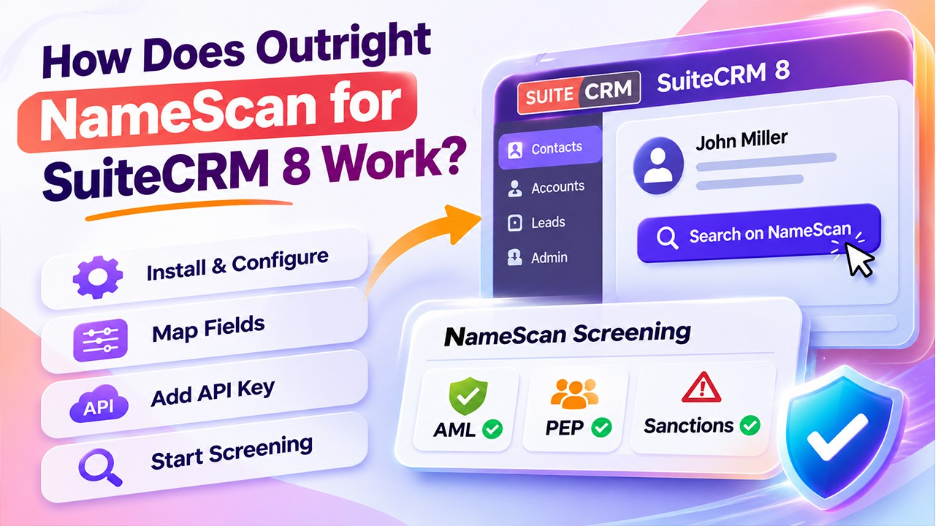
Getting started with the integration involves a few important steps.
Step 1: Install the Integration
First, install the NameScan extension in your SuiteCRM environment using the appropriate installation package and supported installation procedure.
Step 2: Open NameScan Configuration
Log in to SuiteCRM with administrator access. Navigate to your profile, select Admin, and locate NameScan by Outright Store.
Open the NameScan Configuration section to manage the integration settings.
Step 3: Configure the Required Fields
Select the CRM fields corresponding to the customer's unique identification number, country, and date of birth.
These mappings help the integration collect the appropriate information from customer records.
Step 4: Add Your NameScan API Key
Enter the required NameScan API key in the configuration settings. This allows SuiteCRM to communicate with the NameScan service.
Step 5: Start Screening
Open the relevant contact or account record and click Search on NameScan.
The integration will initiate the screening process and display the available results for review.
Following these steps allows businesses to introduce screening functionality into their existing CRM workflows.
Business Benefits of SuiteCRM NameScan Integration
Implementing a reliable screening process can make a noticeable difference in how businesses manage customer onboarding and compliance activities.
Here are some important benefits of the SuiteCRM NameScan Integration.
Faster Customer Onboarding
Manual screening can delay customer onboarding, particularly when employees need to consult several external databases.
Automated screening helps reduce these repetitive activities, allowing teams to review potential matches more efficiently and move forward with suitable customers.
Better Risk Identification
Access to global watchlists and adverse media information provides additional visibility into potential customer risks.
Compliance professionals can investigate flagged matches and gather relevant information before making onboarding decisions.
Improved Operational Efficiency
Keeping screening activities within SuiteCRM reduces unnecessary application switching. Employees can access customer information and initiate verification through a familiar interface.
This creates a more organized workflow and allows compliance teams to spend more time investigating important cases.
Centralized Customer Information
Since screening starts from existing CRM records, employees can work with customer information in one familiar environment.
This helps businesses maintain a more consistent approach to customer verification and relationship management.
More Informed Business Decisions
Risk categorization and match confidence information help compliance professionals understand which cases need closer attention.
Rather than treating every potential match equally, teams can prioritize investigations based on available screening information.
Who Should Use Outright NameScan for SuiteCRM 8?
This integration can be particularly beneficial for organizations where customer identity verification is an important part of daily operations.
Some suitable industries include:
- Banking and financial services: Screen prospective customers and identify potential connections with financial crime or sanctions databases.
- Fintech companies: Strengthen customer onboarding procedures and support KYC and AML workflows.
- Insurance companies: Introduce additional screening checks when establishing customer relationships.
- Investment firms: Identify potentially high-risk individuals and organizations before entering business relationships.
- Compliance service providers: Organize screening activities and make customer verification more accessible.
Any organization using SuiteCRM that needs additional customer screening capabilities can explore this integration based on its compliance requirements.
Why Choose Outright NameScan for SuiteCRM 8?
A useful CRM integration should make everyday operations simpler rather than introduce another complicated process.
Outright NameScan for SuiteCRM 8 brings screening capabilities into the existing SuiteCRM environment through an API-based connection. Its configurable fields, global watchlist matching, risk categorization, and CRM-based search functionality help businesses establish a more convenient screening workflow.
The integration is also designed to work with SuiteCRM 7 and SuiteCRM 8 versions, making it relevant for organizations using different supported CRM environments.
However, businesses should remember that screening software supports compliance activities rather than guaranteeing regulatory compliance. Organizations must still follow applicable regulations, maintain appropriate verification procedures, and review potential matches carefully.
If your organization wants to improve customer verification without making its CRM workflow unnecessarily complicated, this integration is worth exploring.
Conclusion
Customer verification is an important part of building trustworthy business relationships. As compliance requirements become more demanding, relying entirely on manual screening can make everyday operations unnecessarily difficult.
Outright NameScan for SuiteCRM 8 provides a practical way to bring AML and PEP screening into an existing CRM environment. With global watchlist matching, customizable screening fields, risk categorization, and convenient record-based searches, it helps businesses organize their customer verification activities more effectively.
For organizations looking to strengthen their screening workflows and make better-informed customer onboarding decisions, integrating NameScan with SuiteCRM can be a valuable step forward.
Frequently Asked Questions (FAQs)
It is an API-based integration that allows SuiteCRM users to screen contacts and accounts against global watchlists, sanctions databases, AML and PEP sources, and adverse media information.
Yes. According to OutRight Store, the integration supports SuiteCRM 7 and SuiteCRM 8, including supported versions such as SuiteCRM 7.10, 7.11, and 7.12 and later.
Users should configure the relevant customer information, including first name, last name, unique identification number, date of birth, and country. Accurate information helps improve screening results.
Administrators can navigate to Profile > Admin > NameScan by Outright Store > NameScan Configuration. They can then map the required CRM fields and enter their NameScan API key.
Yes. The integration supports screening against relevant global watchlists and provides match confidence levels and risk categorization. Compliance teams can use these results to identify potential concerns and conduct further investigations.