





Choosing the right CRM platform is only the first step toward improving customer relationships and business operations. The real difference comes from how effectively the platform is introduced, configured, and adopted by your team. A well-planned SuiteCRM implementation can help businesses centralize customer information, streamline sales activities, automate repetitive tasks, and improve collaboration across departments.
However, every organization has different operational requirements. A small business may need a straightforward CRM environment, while a growing enterprise might require advanced workflows, custom modules, integrations, and data migration. Selecting the right implementation strategy ensures that the CRM supports current business objectives without creating unnecessary complexity.
This guide explains the key factors to consider when planning a successful SuiteCRM implementation and how to select an approach that fits your organization's needs.
1. Understand Your Business Requirements First
Before selecting an implementation approach, identify what your organization expects from SuiteCRM. Installing software without understanding existing business processes can lead to unnecessary customization and poor user adoption.
Start by discussing requirements with sales, marketing, customer support, and management teams. Understand their daily responsibilities, existing challenges, and expectations from the CRM.
Consider questions such as:
- Do you need centralized customer and lead management?
- Should the CRM automate follow-up emails and sales activities?
- Do different departments require separate access permissions?
- Are you planning to connect the CRM with accounting, email, or marketing platforms?
- Do you need custom reports and dashboards?
Documenting these requirements helps define the project scope. It also makes SuiteCRM implementation more structured because every technical decision can be connected to an actual business objective.
2. Choose Between In-House and Professional Implementation
One of the most important decisions is determining who will manage the project. Businesses generally have two options: implementing SuiteCRM internally or working with experienced implementation professionals.
In-House Implementation
An in-house approach may work well for organizations with experienced developers, CRM administrators, and sufficient technical resources. Your internal team can manage installation, configuration, customization, and ongoing maintenance.
This option provides greater direct control over development decisions. However, it requires technical knowledge, project management capabilities, and enough time to handle unexpected challenges.
Professional Implementation Services
Businesses with complex requirements may benefit from professional SuiteCRM implementation services. Experienced specialists can evaluate existing workflows, recommend suitable configurations, manage data migration, and develop custom functionality.
Professional assistance can also reduce the burden on internal employees, allowing them to focus on their regular responsibilities.
The right choice depends on your budget, internal expertise, project complexity, and long-term support requirements.
3. Decide Between a Standard and Customized Approach
Not every organization needs a heavily customized CRM. Before developing additional functionality, evaluate whether the standard platform already supports your requirements.
A standard approach uses existing modules and features with limited modifications. It is generally suitable for businesses that need contact management, account tracking, opportunity management, and basic reporting.
A customized approach is more appropriate when standard functionality cannot support specific operational processes. For example, businesses may require industry-specific modules, advanced approval workflows, custom dashboards, or specialized integrations.
The objective of SuiteCRM setup should be to create a practical environment rather than adding features simply because they are available.
Start with essential functionality and identify customization opportunities based on measurable business needs. This approach helps control development costs while keeping the CRM manageable.
4. Evaluate Your Data Migration Requirements
Data migration is an important part of any CRM project, especially when an organization is moving from spreadsheets, legacy CRM software, or multiple disconnected applications.
Before beginning migration, review the existing database and identify which information needs to be transferred. This may include customer profiles, contact details, sales opportunities, communication history, and support records.
A reliable migration plan should include:
- Data collection and inventory assessment.
- Identification of duplicate and outdated records.
- Field mapping between the old and new systems.
- Data cleaning and validation.
- Test migration before final transfer.
- Post-migration verification.
Poor data quality can reduce employee confidence in the new system. Therefore, businesses should validate important records before moving them into the CRM.
A structured SuiteCRM configuration process also ensures that migrated information is stored in the correct fields and remains accessible to authorized users.
5. Plan Customization and Integration Carefully
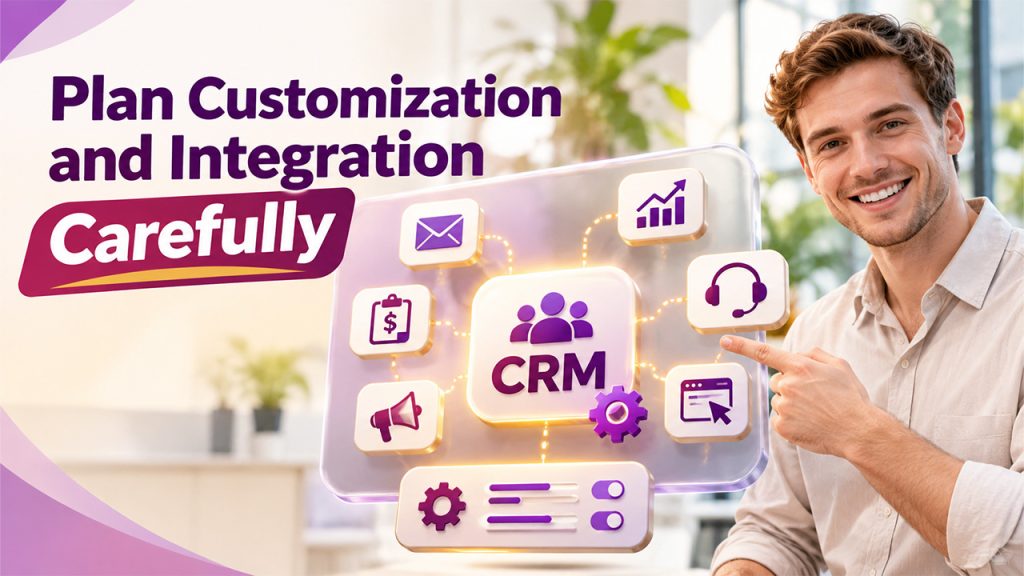
Most organizations use several business applications to manage different activities. Your CRM may need to exchange information with email platforms, accounting systems, marketing applications, websites, or customer support tools.
Before selecting integrations, identify where manual data entry creates delays or increases the possibility of errors.
For example, connecting email functionality can help employees manage customer conversations more efficiently. Integrating marketing tools can improve lead visibility, while accounting integrations may provide better access to customer billing information.
Customization should also be planned carefully. Excessive modifications can increase maintenance requirements and make future upgrades more complicated.
Following CRM implementation best practices means prioritizing necessary integrations, maintaining proper documentation, and testing custom functionality before deploying it.
6. Select the Right Hosting and Technical Environment
Your hosting environment affects CRM performance, accessibility, security, and maintenance.
Depending on business requirements, organizations can consider self-hosted infrastructure or a managed hosting arrangement.
Self-hosting provides greater control over infrastructure and technical decisions. However, your organization becomes responsible for server maintenance, security updates, backups, and performance monitoring.
Managed hosting can reduce infrastructure responsibilities by providing professional assistance with server management and maintenance.
Before making a decision, evaluate:
- Expected number of CRM users.
- Database size and anticipated growth.
- Server and software compatibility.
- Security and backup requirements.
- System availability and performance.
- Technical support availability.
Your SuiteCRM setup should be tested against the official compatibility requirements of the selected SuiteCRM version. Proper server configuration is equally important for reliable day-to-day operations.
7. Focus on Security and User Permissions
Customer information is valuable business data, so access control should be considered from the beginning of the project.
Not every employee needs access to every CRM record. Sales representatives, managers, administrators, and support employees may require different permissions.
Establish role-based access controls according to job responsibilities. Review password policies, administrative privileges, secure connections, and backup procedures.
It is also important to establish a process for managing employee access when someone joins, changes departments, or leaves the organization.
A properly planned SuiteCRM implementation should balance accessibility with data protection. Regular security reviews help identify unnecessary permissions and potential vulnerabilities.
8. Test the CRM Before Launching
Moving directly from development to production without sufficient testing can create operational problems. A testing phase allows the team to identify issues before they affect everyday business activities.
Start by testing essential workflows, including lead creation, contact updates, opportunity tracking, email communication, reporting, and user permissions.
User Acceptance Testing (UAT) is particularly useful because actual employees can evaluate whether the CRM supports their responsibilities.
Ask selected users to complete common tasks and report any difficulties. Check whether information is displayed correctly, workflows operate as expected, and integrations exchange data successfully.
These activities support CRM implementation best practices by reducing deployment risks and improving the overall user experience.
9. Train Employees and Encourage Adoption
Even a technically successful CRM project can fail if employees do not use the system consistently.
Training should be relevant to different user groups. Sales teams may need guidance on managing leads and opportunities, while customer support employees may require training on cases and customer communication history.
Provide practical demonstrations, user guides, and access to support resources. Encourage employees to share feedback during the initial rollout.
Consider appointing internal CRM champions who can help colleagues understand the system and communicate common issues to administrators.
Successful SuiteCRM configuration is not only about technical settings. It should also make everyday activities easier for the people using the platform.
10. Choose a Phased or Full-Scale Deployment Strategy
The final decision is how to introduce the CRM across your organization.
A full-scale deployment launches the configured CRM across departments within a planned timeframe. It may suit organizations with clearly defined requirements, adequate testing resources, and experienced implementation teams.
A phased deployment introduces functionality gradually. For example, the business may begin with contact and lead management, followed by sales automation, reporting, and third-party integrations.
Phased deployment can make it easier to collect feedback, resolve issues, and manage organizational changes.
For many growing businesses, this approach provides flexibility while reducing the pressure associated with changing multiple processes simultaneously.
A successful SuiteCRM implementation should follow a realistic timeline with clear responsibilities, milestones, and measurable outcomes.
Conclusion
Choosing the right SuiteCRM strategy requires more than selecting installation options or deciding which features to activate. Businesses must understand their operational requirements, evaluate technical resources, plan data migration, prioritize security, and prepare employees for the transition.
Whether you choose an in-house approach, professional assistance, or phased deployment, the strategy should support your business goals without introducing unnecessary complexity.
A carefully planned SuiteCRM implementation creates a foundation for better customer management, streamlined workflows, and informed business decisions. Regular monitoring and continuous improvements will help ensure that the CRM remains useful as your organization grows.
Frequently Asked Questions (FAQs)
SuiteCRM implementation is the process of installing, configuring, customizing, and deploying SuiteCRM according to an organization's business requirements. It may also include data migration, integrations, testing, employee training, and ongoing maintenance.
The timeline depends on project complexity, data migration requirements, customization, integrations, and the number of users. A basic deployment may take less time than a complex enterprise project requiring extensive development and testing.
In-house implementation can work when your organization has experienced technical resources. Professional assistance may be more suitable when you need complex customization, integrations, migration, or dedicated technical support.
Yes. SuiteCRM supports customization through its development and administration capabilities. Businesses can adapt modules, fields, workflows, layouts, and integrations according to their operational needs.
After deployment, businesses should monitor system performance, collect employee feedback, review security permissions, maintain backups, provide ongoing training, and update the CRM as business requirements change.