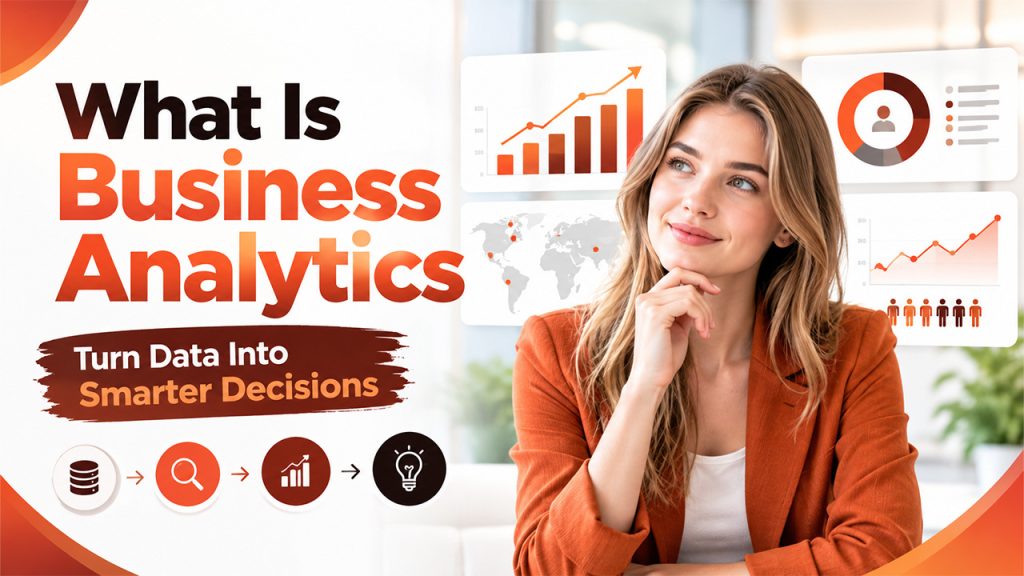






Businesses collect data from sales, customer interactions, marketing campaigns, and daily operations. However, collecting data alone does not help a business make better decisions. Teams need to understand what the numbers mean and how they affect business performance. This is where business analytics helps. It turns raw data into useful insights that support planning, problem-solving, and growth. From tracking sales trends to predicting customer behavior, businesses use analytics to understand their current position and plan their next steps. Understanding "What Is Business Analytics" helps organizations choose the right methods and tools to make informed decisions.
What Is Business Analytics?
So, what is Business Analytics? It is the process of collecting, analyzing, and interpreting business data to support better decisions. It helps companies understand past performance, identify current problems, and estimate future outcomes. Businesses generate data through sales transactions, customer feedback, website traffic, financial reports, and marketing activities. Analytics turns this information into meaningful insights that managers can use to improve their strategies.
This generally includes four types:
- Descriptive Analytics: Explains what happened by summarizing historical data.
- Diagnostic Analytics: Examines why something happened by identifying patterns and possible causes.
- Predictive Analytics: Uses historical data and statistical models to estimate future outcomes.
- Prescriptive Analytics: Recommends actions based on data, business goals, and possible outcomes.
These methods help businesses move from reviewing past results to making decisions about future activities. Cleaning and organizing records are one stage of data processing, which also covers how raw data is sorted and prepared for analysis.
How Does Business Analytics Work?
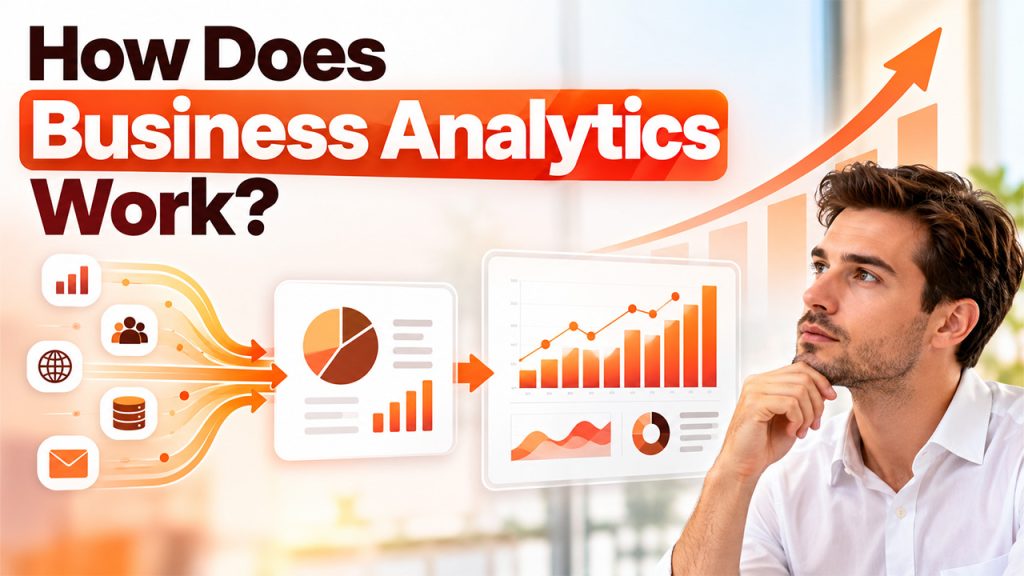
There are several steps in the business analytics process. Each step helps teams turn raw information into insights they can use.
- Collect Data
This step collects data from various sources, including CRM, sales, websites, financial data, and customer surveys. This data can be collected quickly, which can affect the outcome. Businesses that pull data from many systems often keep it in a data lake, a central store that holds raw data until teams are ready to analyze it.
- Clean and Organize Data
At this point, the data is cleaned and ready to use. Teams remove any duplicates, correct errors, fill in any gaps, and ensure the data is uniform. This helps avoid incorrect findings.
- Analyze Data
Business analysts use techniques such as statistical analysis. Using tools such as business analytics software, spreadsheets, and visualizations to find patterns, compare how they are performing and track trends.
- Interpret Data
The group links the findings to the business question they are looking at. For example, whilst having more people visit the site may be a good thing, they need to ensure that those visits are leading to sales or enquiries.
- Select Options and Track Progress
Managers use the findings to change the way they carry out their business by changing techniques, redistributing funds, and changing processes. Specific metrics are tracked to see the effect of these changes.
This is most effective if businesses have an aim to achieve before analyzing the data. If they have a specific question to answer, e.g., Why are we losing customer retention? Then they stay focused.
Data Analytics vs. Business Analytics: What's the Difference?
So, what is Business Analytics next to Data Analytics? Data Analytics and Business Analytics have some common tools and techniques, but a different end goal. Data analytics is used to analyze data and find trends. Business analytics uses data analysis to answer business questions and support business decisions.
| Comparison Factor | Data Analytics | Business Analytics |
| Main Purpose | Find patterns and insights in data | Improve business decisions and outcomes |
| Scope | Covers business and non-business data | Focuses on business performance and goals |
| Key Activities | Data cleaning, statistical analysis, and modeling | Performance analysis, forecasting, and decision support |
| Common Tools | Python, SQL, and statistical tools | Power BI, Tableau, and Qlik Sense |
| Example | Finding patterns in website visitor behavior | Using visitor data to improve conversions |
There is also a lot of overlap between them. Companies often apply data analytics methods within their business analytics process to address targeted problems and make business decisions.
Best Business Analytics Software in 2027
When considering which is the best tool to use, you should take into account your data sources, reporting requirements, team expertise, and current technology available. The following are all great options when looking to implement analytics into your business. Depending on your current tools and features, each could be the best option.
- Microsoft Power BI
This is a great tool for businesses to integrate their data sources, create interactive dashboards, and make reports visible across the team. If you are using Microsoft products already, this is a great tool to make regular reports. It can help track sales, KPIs, and compare performance across departments. It also has a useful data modelling feature to help users view their data.
- Tableau
Tableau is an excellent option for visualizing data. The software helps you integrate data from multiple sources and create charts, dashboards, and visual reports. This can help your business understand customer behaviors, what sales trends are, and share complex reports. This is a great tool if your team needs an adaptable tool to view data visually and create detailed dashboards.
- Qlik Sense
Qlik Sense can be used to explore your data interactively, create dashboards, and collaborate. It uses an associative data model to help you understand how different data points link together. This can be a great option for businesses with multiple data sources and looking for an adaptable way to view their performance.
When choosing the right tool for your business, make sure it integrates well with your data, is easy to use, meets reporting requirements, is secure, scalable, and integrates well with your systems. Even if the tool has lots of features, if your team isn’t able to utilize them, it may not be the right option.
Benefits Of Business Analytics
So, what is Business Analytics for daily work? It shows you how your business is performing and lets you decide with evidence. Some of the key benefits are:
- Better Decision Making
Managers can use reports, trends, and forecasts to compare different options and what the outcomes could be. This gives a more informed decision when making choices around budgeting, hiring, marketing, and product development.
- Customer Insights
You can analyze customer purchase history, feedback, engagement, and behaviors to understand what they like. This can help your team provide a better experience and offer more relevant products. Much of this customer data lives in CRM software, which stores contacts, purchase history, and interactions in one place so teams can analyze them.
- More Efficient
By using analytics, you can identify any issues causing delays, unnecessary costs, and inefficient processes. This can help your team streamline processes, manage resources, and cut down on avoidable costs.
- Improved Forecasting
By looking at past sales, seasonal trends, and market data, businesses can predict what demand is. Whilst forecasts can’t be guaranteed, they can help with planning stock, staffing, and financial decisions.
- Improved Performance Tracking
Dashboards and reports can help track KPIs such as revenue, conversion rates, customer retention, and operating costs. Regularly monitoring helps businesses identify issues quickly and see how they’re progressing towards their goals.
Depending on the quality of your data, the right type of analytics, and how well your team utilizes the information, you can make better decisions. It won’t replace your business knowledge but can help make decisions more informed.
Conclusion
Understanding "What Is Business Analytics" helps businesses see how data supports everyday decisions and long-term planning. It allows teams to identify performance gaps, understand customers, forecast demand, and improve operations. Data analytics and business analytics often work together, while tools such as Power BI, Tableau, and Qlik Sense help turn findings into practical reports and dashboards. However, businesses need clear goals, reliable data, and suitable tools to get useful results. By choosing the right analytical approach and reviewing performance regularly, organizations can make more informed decisions and respond to changing business needs.
FAQs About What Is Business Analytics
Businesses use analytics to improve decisions, forecast sales, understand customers, track performance, and optimize operations.
After understanding "what is business analytics," the main question is what the types are. So, the four types are descriptive, diagnostic, predictive, and prescriptive analytics.
No. Data analytics examines data to identify patterns, while business analytics applies data-driven insights to business decisions.
Power BI, Tableau, and Qlik Sense are popular options. The best choice depends on your data sources, reporting needs, team skills, and business goals.