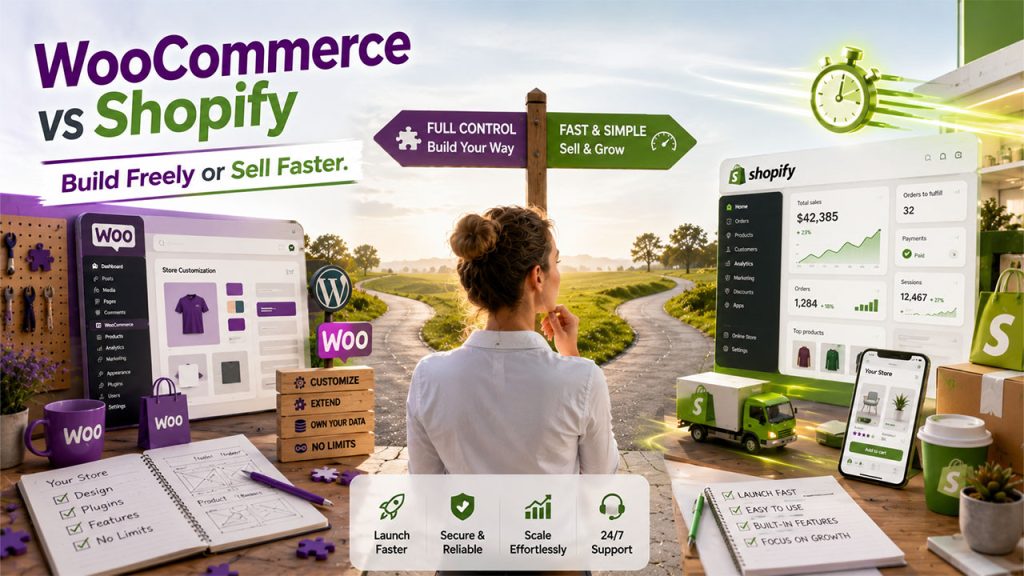






If you have ever Googled how to sell products online, you’ve probably come across this question within the first ten minutes: WooCommerce vs Shopify, which one do I pick? Additionally, you must have also noticed that none of the platforms give a straight answer, because there isn’t one. These platforms are not built to compete. They work on completely different philosophies, and once it’s clear to you, the decision gets a lot less confusing.
Shopify gives you a ready-to-use platform, whereas WooCommerce hands you the land, the tools, and complete freedom to build whatever you want. Neither of them is wrong. One just asks more from you.
So, asking which platform wins is not the right question. Instead, you should be asking which one is the best option for the business that you are running. That's the question this guide is built to answer.
What Is WooCommerce?
WooCommerce is an open-source, free plugin that you can use to turn a WordPress website into a fully functional online store. Unlike Shopify, it does not function as a standalone platform. First, you need a WordPress website; then you have to install WooCommerce on top of it, and from there, you have to build everything yourself, piece by piece.
It's true that you have to do more work; however, in turn, it gives you complete control. You can choose your own hosting provider, pick WordPress plugins, and also modify your site code however you want. WooCommerce is essentially the DIY route. You own your data, your code, and your hosting environment outright, but that ownership comes with responsibility. You yourself have to manage updates, security patches, backups, and performance. You can also hire someone to do it for you.
Shopify isn't your only alternative if you want less hands-on work; there are several strong WooCommerce alternatives worth comparing too.
What Is Shopify?
Shopify takes a different approach. It is famously known as a fully hosted, all-in-one ecommerce platform. This means you must pay a monthly subscription, and your hosting, security, updates, and uptime are all taken care of by Shopify itself. You don’t have to worry about a single server or plugin break.
It is simple to set up a Shopify store. You just have to pick a theme, drag a few blocks around, add your products, and go live. However, its downside is that you’re no longer in control. You're working within Shopify's ecosystem, using its themes, its apps, and largely its rules. It's less like building a house and more like renting a really well-designed apartment. Everything works, but you can't knock down a wall without permission. What Is Shopify?
WooCommerce vs Shopify: Side-by-Side Comparison
Here's a quick overview of the biggest differences between WooCommerce and Shopify.
| Feature | WooCommerce | Shopify |
| Platform type | Self-hosted WordPress plugin | Fully hosted SaaS platform |
| Setup cost | Free (plus hosting, $10–$50/month) | From $39/month, all-inclusive |
| Technical skill needed | Medium to high | Low |
| Customization | High, full code access | Moderate, app and theme-based |
| Built-in features | Minimal, relies on plugins | Extensive out of the box |
| SEO control | Deep, full URL and content control | Good, but with some structural limits |
| Security | Self-managed | Fully managed by Shopify |
| Transaction fees | None from the platform itself | Extra fee unless using Shopify Payments |
| Support | Community forums, third-party help | 24/7 live chat and email |
| Best for | Technically confident teams wanting control | Sellers who want speed and low maintenance |
Choosing between these two platforms becomes much easier once you compare how they perform across the features that matter most for running and growing an online store.
WooCommerce vs Shopify: Feature-by-Feature Breakdown
Let's compare the features that matter most when choosing an eCommerce platform.
Ease of Use
Shopify has an edge here. It is simple to set up and use. You just have to sign up, follow the setup wizard, and within an hour, you can have a live store. There's no server to configure, no plugin conflicts to troubleshoot, and nothing hiding behind a settings menu that surprises you with something that you've never seen before.
WooCommerce, on the other hand, demands more effort from you right from the start. You need to buy your own hosting, install WordPress, then install WooCommerce to start building your store. At first, it might seem a bit overwhelming, but once you get the hang of it, it’ll become slightly easier to navigate.
Verdict: Shopify wins here. If speed and simplicity matter most, this is a real point in its favor.
Pricing and Transaction Fees
This is where things get interesting, because "cheaper" depends entirely on how you run your numbers.
Shopify's pricing is predictable. Its plans start at $39 a month and scale up. Additionally, that price includes hosting, security, and support. However, if you skip Shopify Payments and use a different gateway, you'll have to pay an extra transaction fee on top of whatever your payment processor already charges.
Whereas WooCommerce is free to install, be careful because this “free” is a bit misleading. Depending on your store workflow, you still need hosting, possibly a premium theme, and likely a handful of paid plugins. On the plus side, WooCommerce never charges its own transaction fee, no matter which payment gateway you use.
If you are running a small, simple store, WooCommerce is cheaper and more affordable. However, for a store that is scaling fast and doesn’t want to be surprised by hosting bills, Shopify’s flat pricing is often easier to plan around.
Verdict: WooCommerce tends to win in flexibility; Shopify wins in predictability.
Customization and Themes
WooCommerce is leading here. Since it’s built on WordPress, you get access to tens of thousands of plugins and themes. Moreover, if none of them suit your needs, you or developers can simply write the code yourself. There is no limit to what you can build.
On the other hand, Shopify's theme library is smaller. You only get a few hundred options rather than thousands; however, every theme is polished and built specifically for the platform. If you want to customize further, you have to edit Shopify’s Liquid code or install an app from its store’s marketplace. It works well for most sellers, but some advanced changes, like deep checkout customization, are locked behind Shopify's pricier Plus plan. If product variants and personalization matter to you, it's worth browsing Shopify Apps for Product Customization.
Verdict: WooCommerce wins for anyone who wants total design and functional freedom.
SEO Capabilities
There is no doubt that both platforms can rank well. So, this often comes down to how much control you actually want over the technical aspects.
Because of WordPress’s content engine and plugins like Yoast SEO or Rank Math, WooCommerce hands you full control over URL structure, metadata, and blog content. This flexibility matters especially if content marketing is a big part of your growth strategy.
Shopify, on the other hand, handles the SEO basics such as sitemaps, canonical tags, and mobile optimization automatically. You don’t even have to lift a finger. However, there’s a catch. You can’t remove the mandatory "/products/" prefix from your URLs. Additionally, it does not support a few deeper technical tweaks.
Verdict: WooCommerce wins for content-heavy strategies. Shopify wins for hands-off, still-solid SEO.
Security and Maintenance
Shopify manages everything on its own. It handles the backend entirely, from PCI compliance and SSL certificates to fraud detection and server security.
Whereas in WooCommerce, you are solely responsible for all of that. You'll need to choose secure hosting, keep WordPress and every plugin updated, and either install additional security plugins or hire someone who knows how. It's not difficult, exactly, but it is an ongoing process, and your store can get hacked if you neglect it. Larger stores often lean on Plugins for WordPress Enterprise Website setups to keep security and performance manageable at scale.
Verdict: Shopify wins for anyone who wants to stop thinking about security the moment they hit publish.
Scalability
Shopify scales automatically. Whether there is a sudden traffic spike, big sales events, or sudden growth, its infrastructure is built to absorb all of it without you having to change a single setting. If Shopify's scaling still feels limiting, it's worth asking Is BigCommerce Better Than Shopify?
WooCommerce can absolutely scale, too. Some stores run 100,000-plus products on it, but it takes proactive work. You must select better hosting, caching plugins, image optimization, and occasionally take help from a developer when things get complex.
Verdict: Shopify wins for effortless scaling. WooCommerce wins in flexibility, given that you have to be willing to manage it properly.
WooCommerce vs Shopify: Which One Should You Choose?
Your ideal platform depends on your business goals, technical skills, and long-term plans.
Choose Shopify if:
- You want to launch quickly without touching code
- You'd rather pay a predictable monthly fee than manage hosting yourself
- Security and updates aren't something you want to think about
- You're a solo seller or small team without in-house developers
Choose WooCommerce if:
- You already run a WordPress site and want ecommerce built into it
- Content marketing and SEO are central to your growth plan
- You need deep customization that off-the-shelf apps can't offer
- You have the technical know-how, or budget for a developer, to manage the backend
Conclusion
If you’re still deciding between WooCommerce vs Shopify and looking for the universal answer, there is none. Shopify is built for those people who want to sell fast and without having to worry about managing technical aspects. WooCommerce is built for people who want full ownership of their store and don't mind investing time and energy to get it.
Do not look for a platform that has a higher five-star rating or more reviews. Be honest and look at how much time, money, and technical comfort you actually have right now, and pick the platform that matches that reality, not the one you hope to grow into someday.