



★
(0 Reviews)
Outright Mailchimp Integration for SuiteCRM
$499.00
Product Description
Outright Mailchimp Integration for SuiteCRM
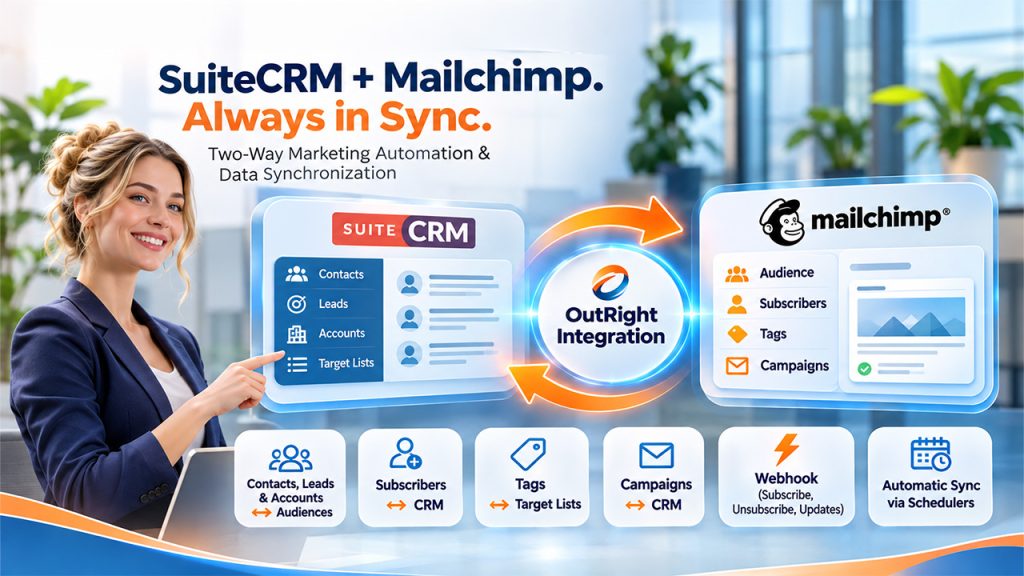
Outright Mailchimp Integration keeps SuiteCRM and Mailchimp in step. Contacts, Leads, Accounts or Targets from the CRM are sent to your Mailchimp audience, new Mailchimp subscribers are created in the CRM, Mailchimp tags and CRM target lists are synced, and Mailchimp campaigns arrive in the CRM as campaigns with their status.
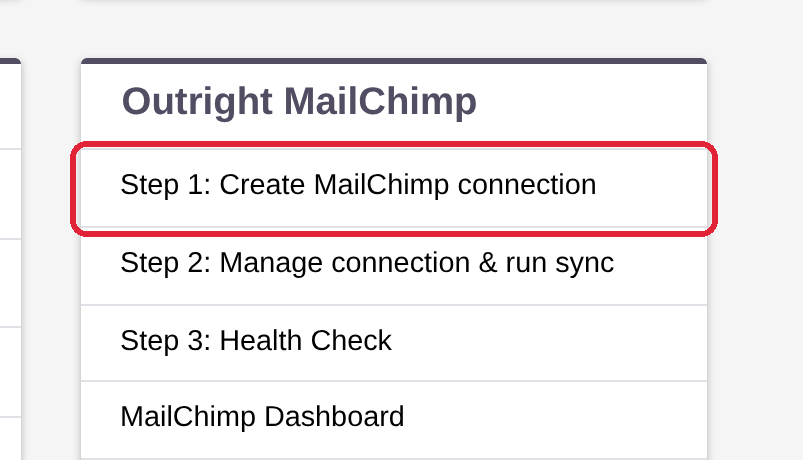
Setup is three admin steps: create the connection with your API key and Audience ID, manage it and run syncs, and check everything in the Health Check. Schedulers keep the data in sync automatically, and a secured webhook brings subscribes, unsubscribes and profile changes from Mailchimp into the CRM the moment they happen.
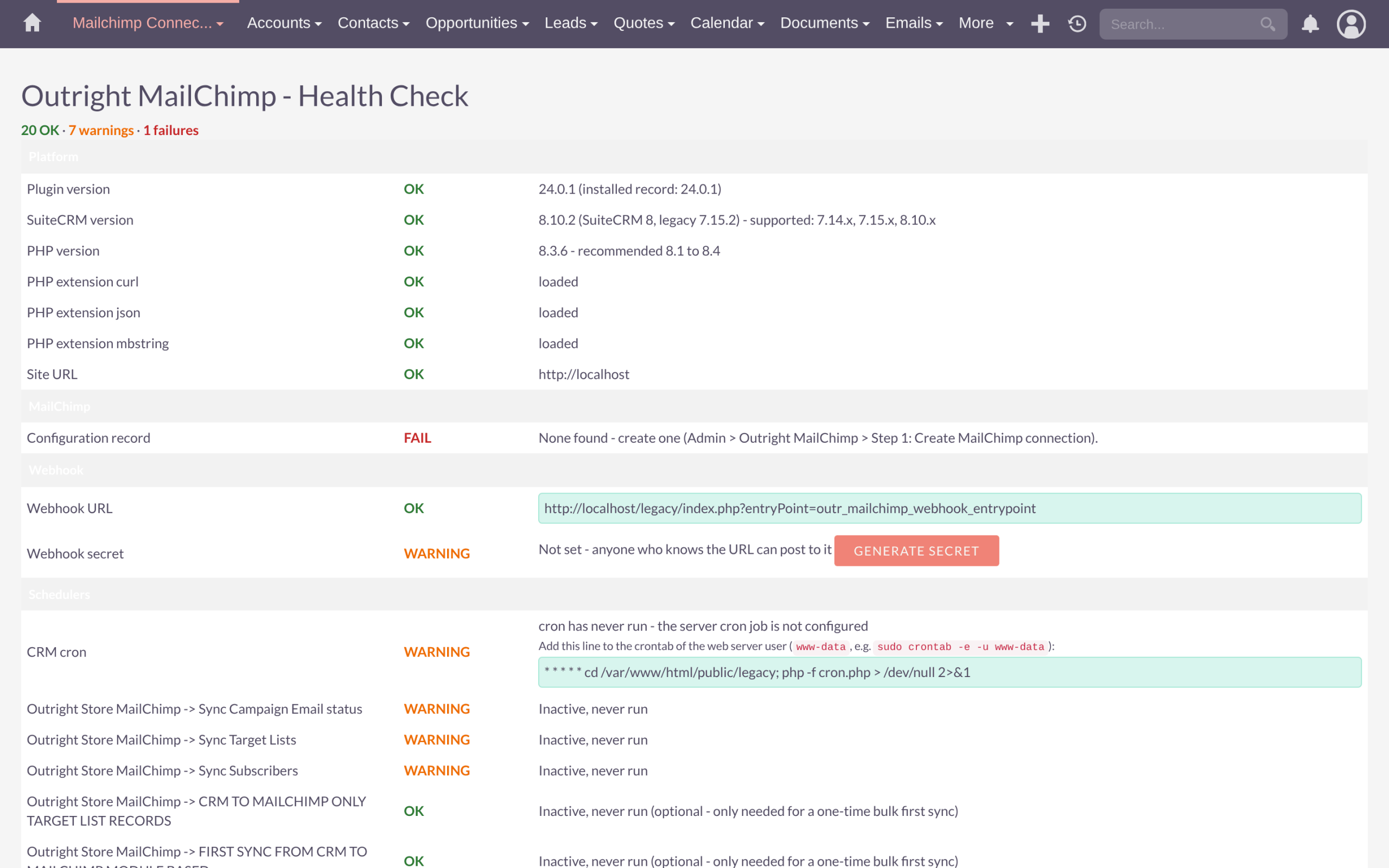
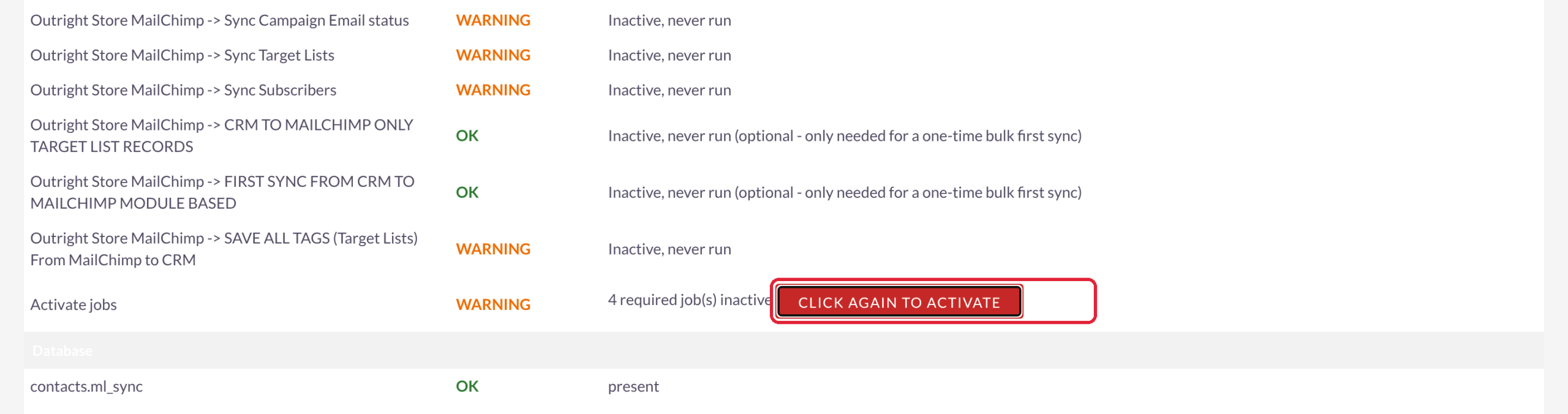
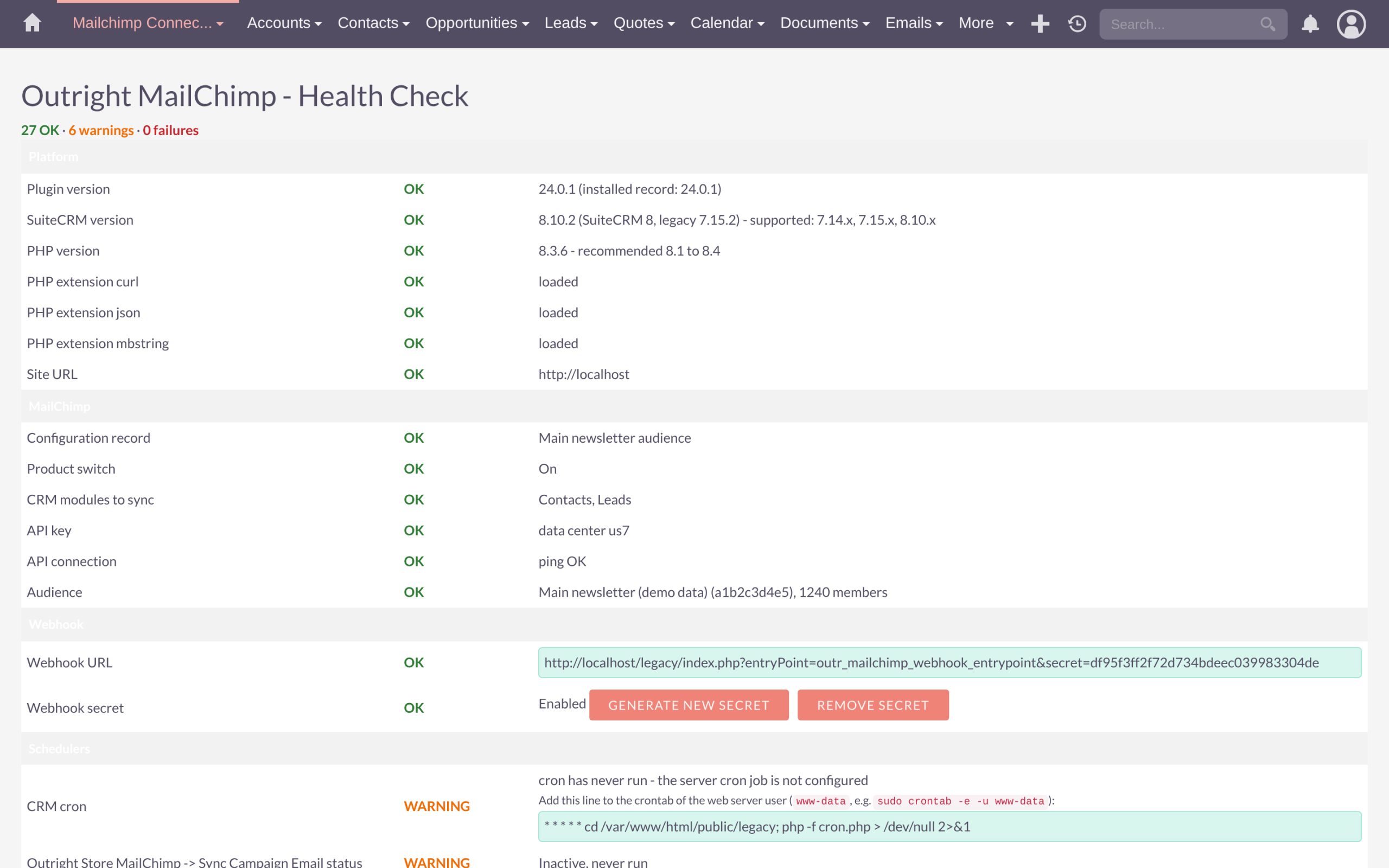
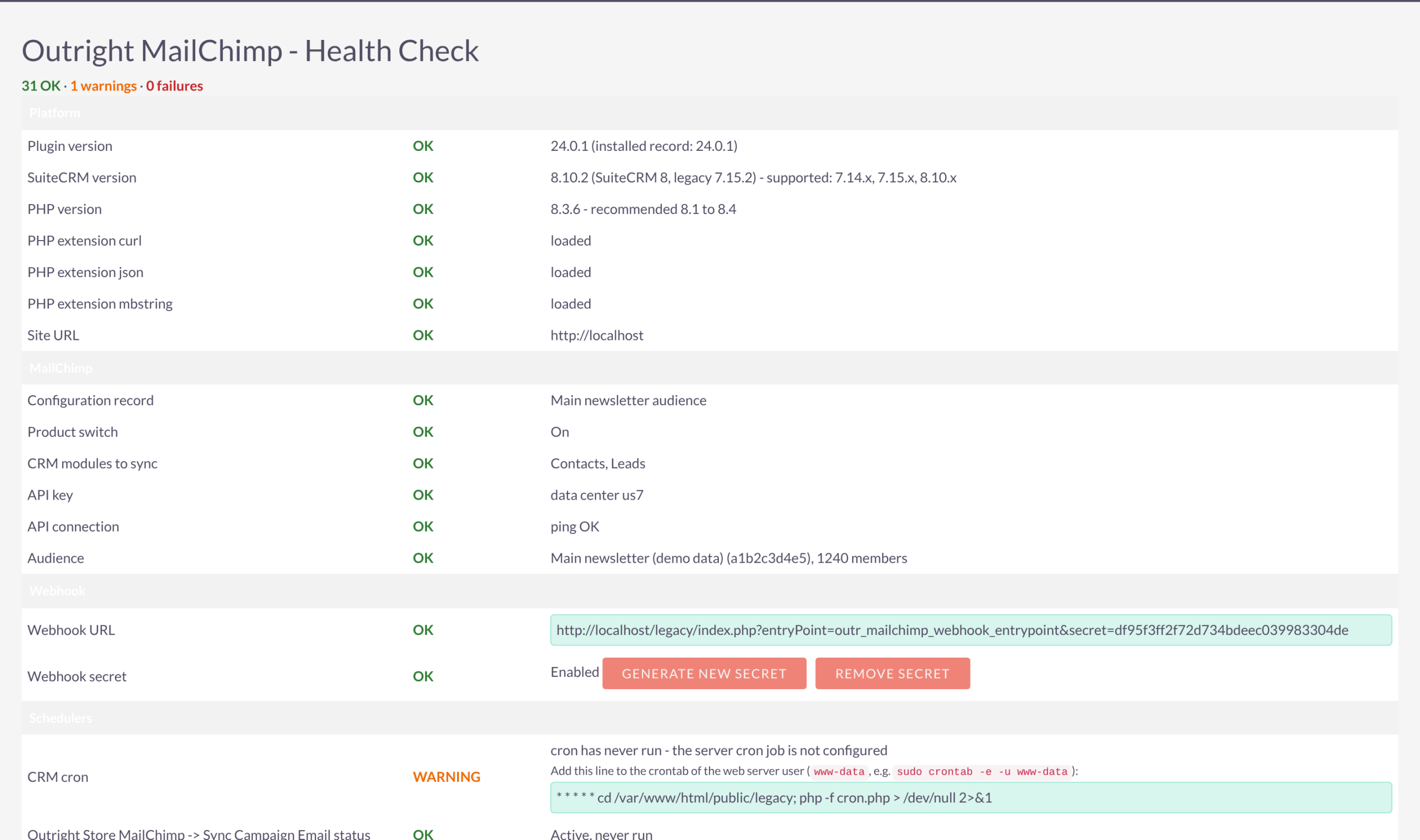
Version 24 adds two-click sync buttons with clear results (“120 created, 30 already in the CRM”), a masked API key, webhook secrets, an error log for rejected records, a Health Check with the exact crontab line and one-click scheduler activation — and needs no licence key.
Compatibility: SuiteCRM 7.14.x and 7.15.x (PHP 8.1 – 8.4) and SuiteCRM 8.10.x (PHP 8.2 – 8.4); PHP extensions curl, json, mbstring. Needs a Mailchimp account and the SuiteCRM cron job. Upgrades v23 and earlier in place.
Real-World Use Cases
✅ Marketing
Problem: Newsletter sign-ups never reach the sales team.
Outright Mailchimp Integration setup: Sync MailChimp to CRM into Leads, webhook for instant updates.
✅ Sales
Problem: Campaign lists are exported from the CRM by hand.
Outright Mailchimp Integration setup: Sync CRM to MailChimp for Contacts; target lists become Mailchimp tags.
✅ E-commerce / B2C
Problem: Unsubscribes in Mailchimp are not respected in the CRM.
Outright Mailchimp Integration setup: Webhook brings unsubscribes into the CRM immediately.
✅ Agencies
Problem: Several audiences for different brands.
Outright Mailchimp Integration setup: One connection per audience, each with its own modules.
✅ Events
Problem: Attendee target lists must be mailed quickly.
Outright Mailchimp Integration setup: Target list ↔ tag sync; send the campaign from Mailchimp.
✅ Management
Problem: No view of campaigns in the CRM.
Outright Mailchimp Integration setup: Get campaigns from MailChimp imports them as CRM campaigns with status.
✅ Data Quality
Problem: Invalid e-mails silently fail.
Outright Mailchimp Integration setup: Rejected records listed in the MailChimp Error Log.
✅ Upgrade from v23
Problem: Must keep data and schedulers, drop the licence key.
Outright Mailchimp Integration setup: Install 24.0.1 over v23: data, configuration and schedulers kept.
Key Highlights
✅ Two-Way Sync, Automatically
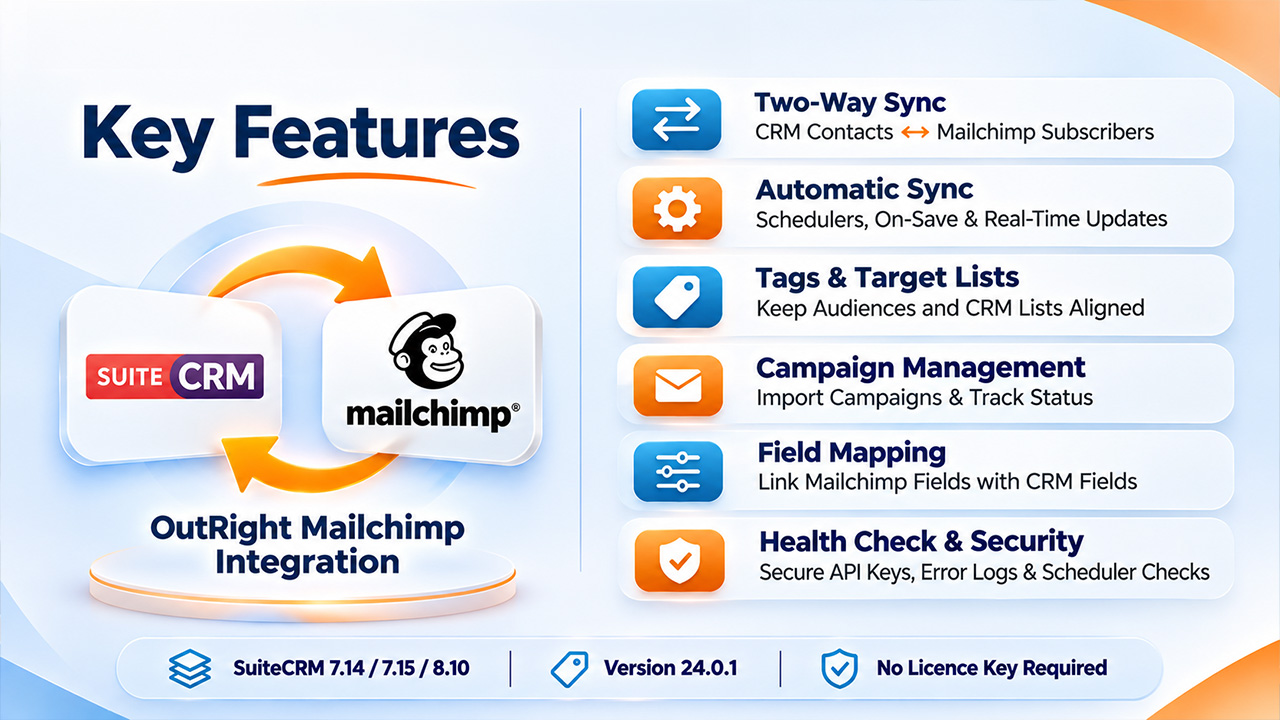
CRM records to Mailchimp, subscribers to the CRM, tags ↔ target lists and campaigns into the CRM — by schedulers, on save and through a secured webhook in real time.
✅ Set Up in Three Steps
Create the connection, run syncs, check health: the Health Check shows what is missing, the exact crontab line and activates the schedulers with one click.
✅ Clear and Safe
Sync results you can trust, an error log for rejected records, a masked API key, webhook secrets and POST-only sync actions — no licence key required.
Most Popular
Check out these related extensions
Key Features
Discover what makes this product stand out
✅ Connection
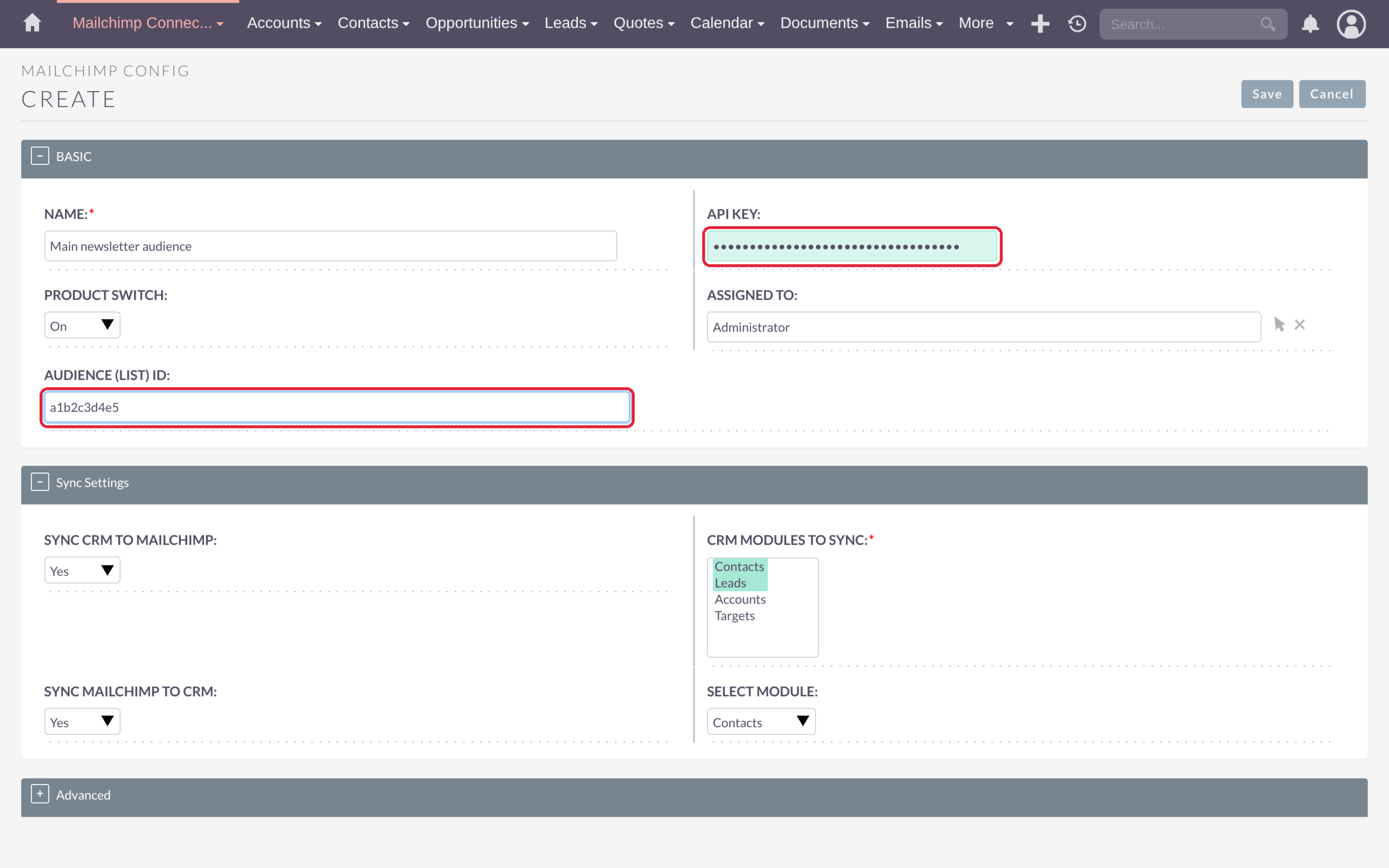
- API key (masked after saving) and Audience ID; product switch to pause syncing.
- Choose the CRM modules to sync (Contacts, Leads, Accounts, Targets) and the module new subscribers are created in.
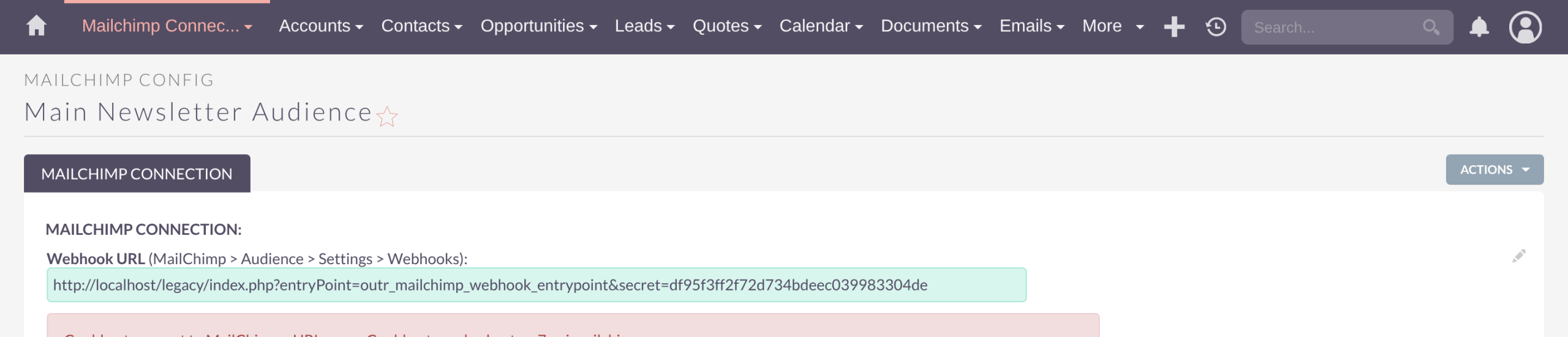
- Webhook URL with an automatically generated secret.
✅ Syncs
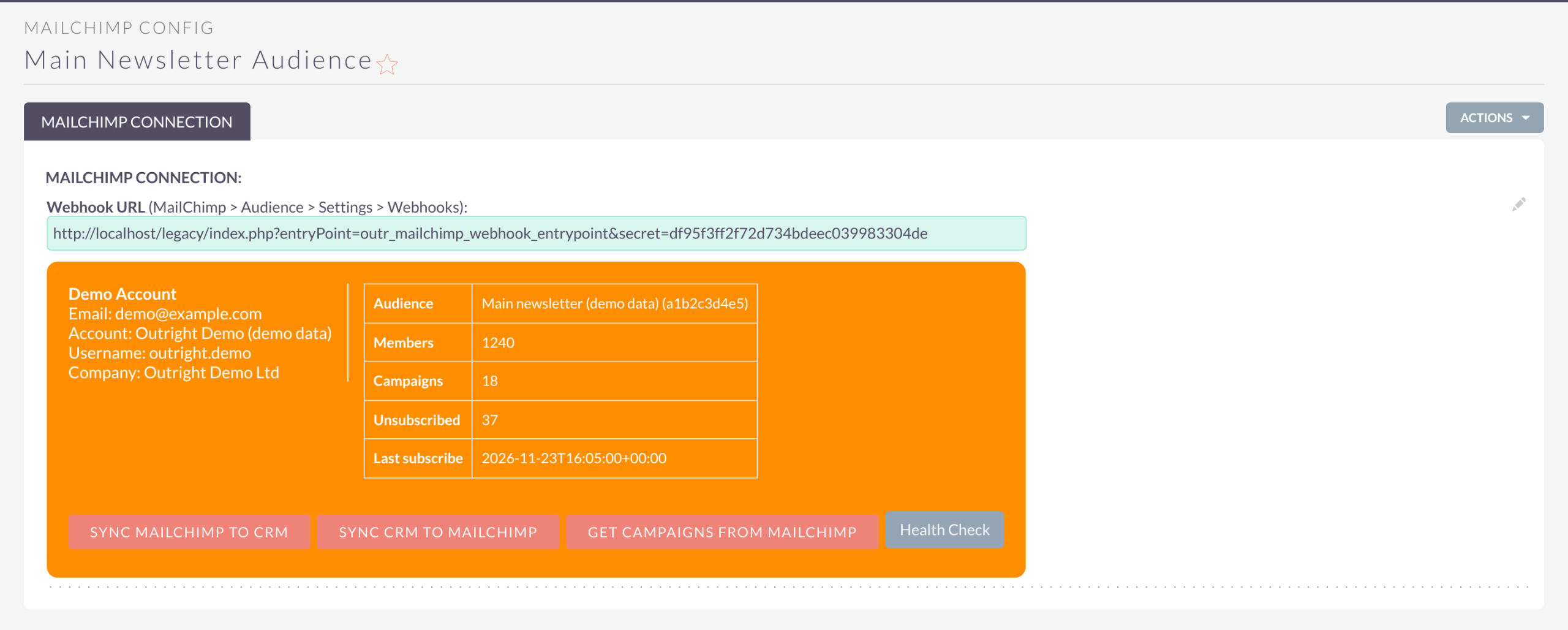
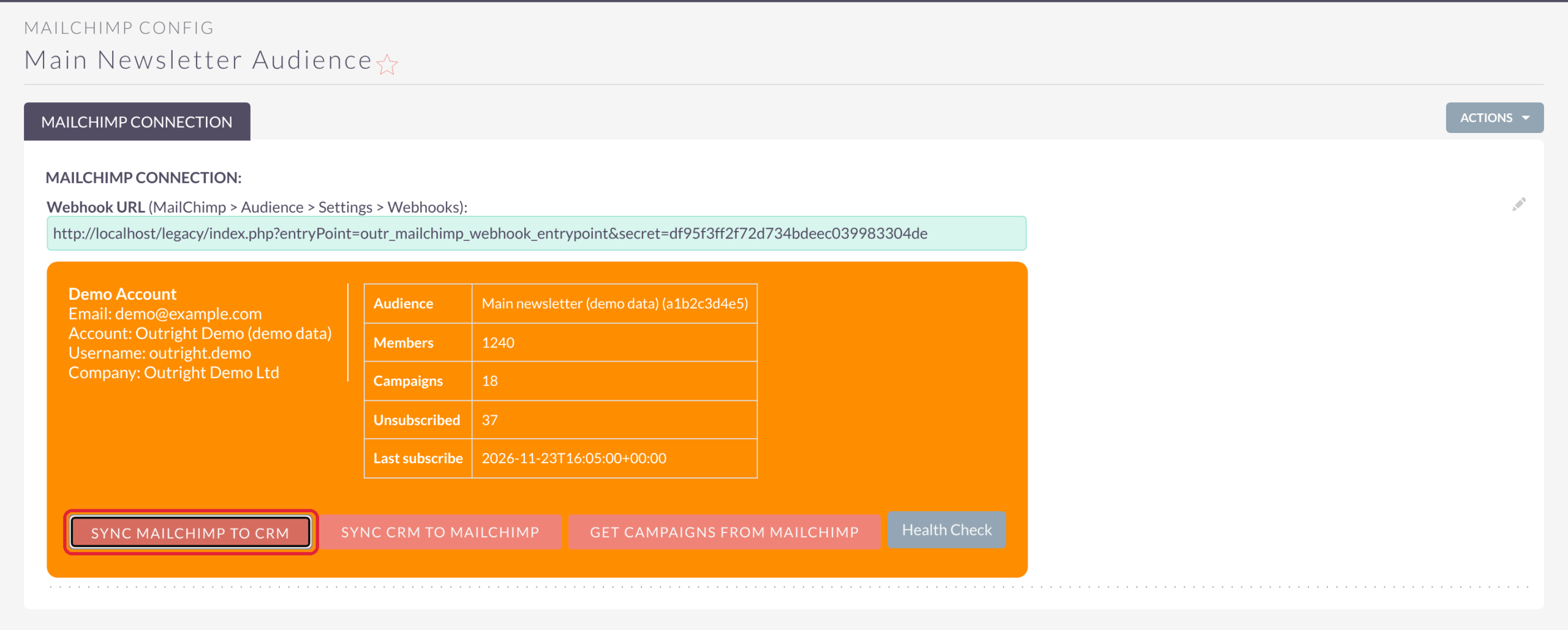
- Sync MailChimp to CRM: reports "X created, Y already in the CRM".
- Sync CRM to MailChimp: reports added, updated, rejected and skipped records.
- Get campaigns from MailChimp: imports campaigns (also untitled drafts), maps and updates their status.
- Two-click buttons with "Working... please wait", no browser pop-ups.
✅ Automatic Sync
- Schedulers for subscribers, target lists/tags, all tags and campaign e-mail status; optional one-time first syncs in both directions.
- Records sent to Mailchimp when saved in the CRM.
- Webhook: subscribes, unsubscribes and profile changes from Mailchimp in real time; unsubscribes do not delete CRM records by default.
✅ Field Mapping
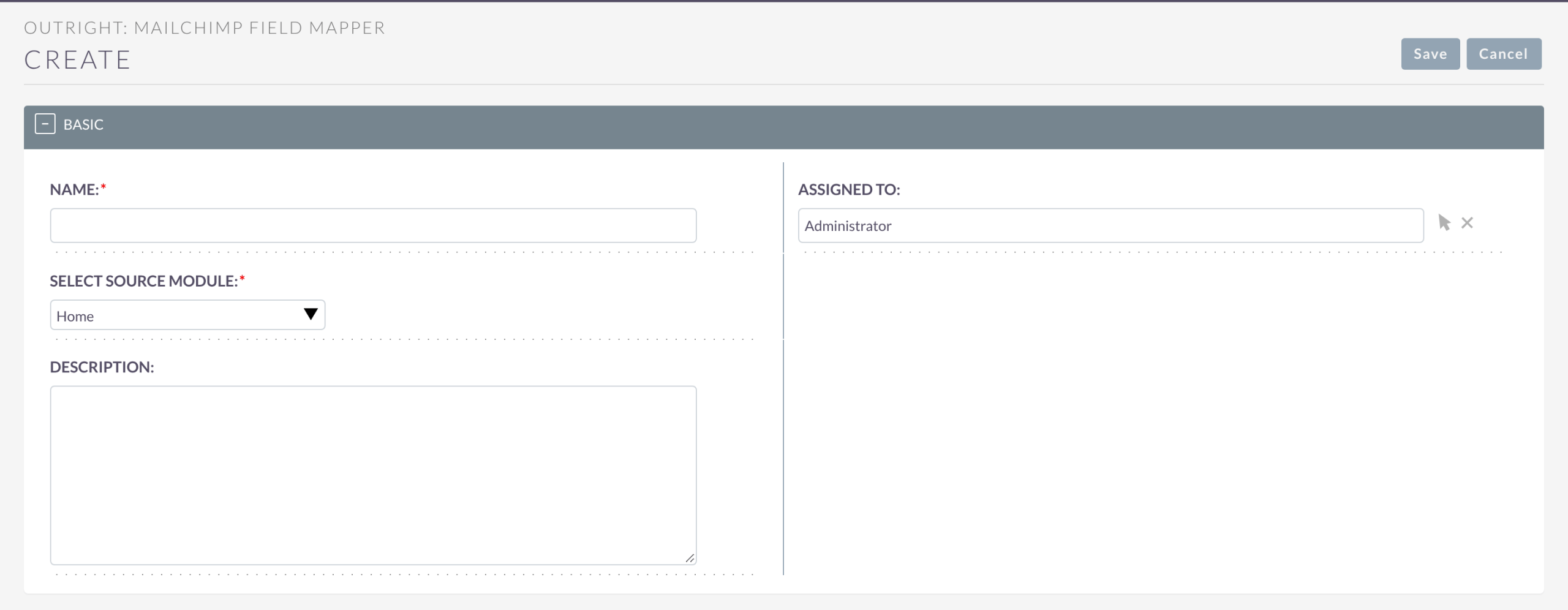
- Field mapper per source module linking Mailchimp subscriber fields to CRM fields.
✅ Health Check
- Platform, PHP and extensions, connection (API key, ping, audience), webhook, cron and schedulers, database fields, upgrade leftovers and recent sync errors.
- Shows the crontab line for the server and activates the MailChimp schedulers.
✅ Logs
- MailChimp Logger for configuration changes and runs; MailChimp Error Log for rejected records.
✅ Settings and Compatibility
- Optional settings for SSL verification, timeout, batch size, maximum members and unsubscribe behaviour.
- SuiteCRM 7.14 / 7.15 and 8.10; upgrade from v23 keeps data, configuration and schedulers; no licence key.


Visual Showcase
See the product in action through screenshots
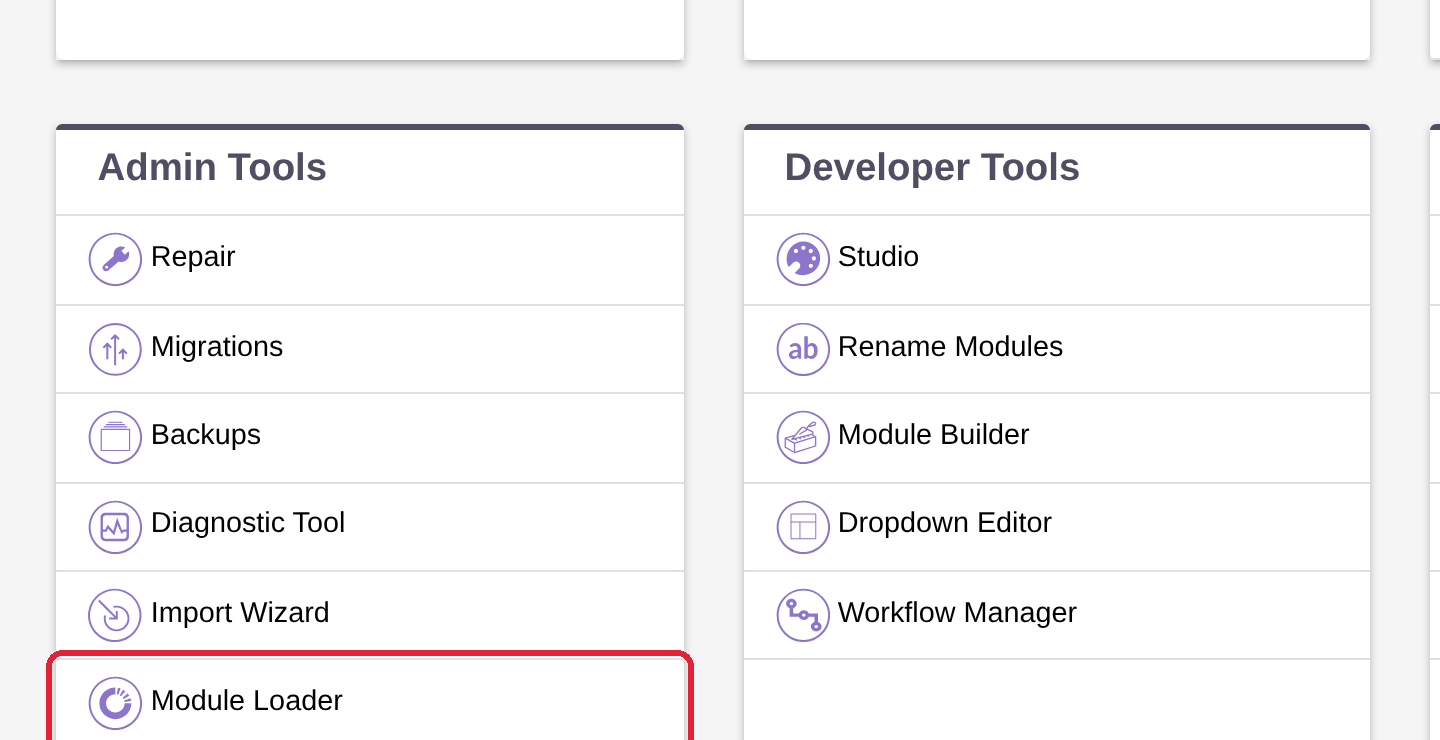
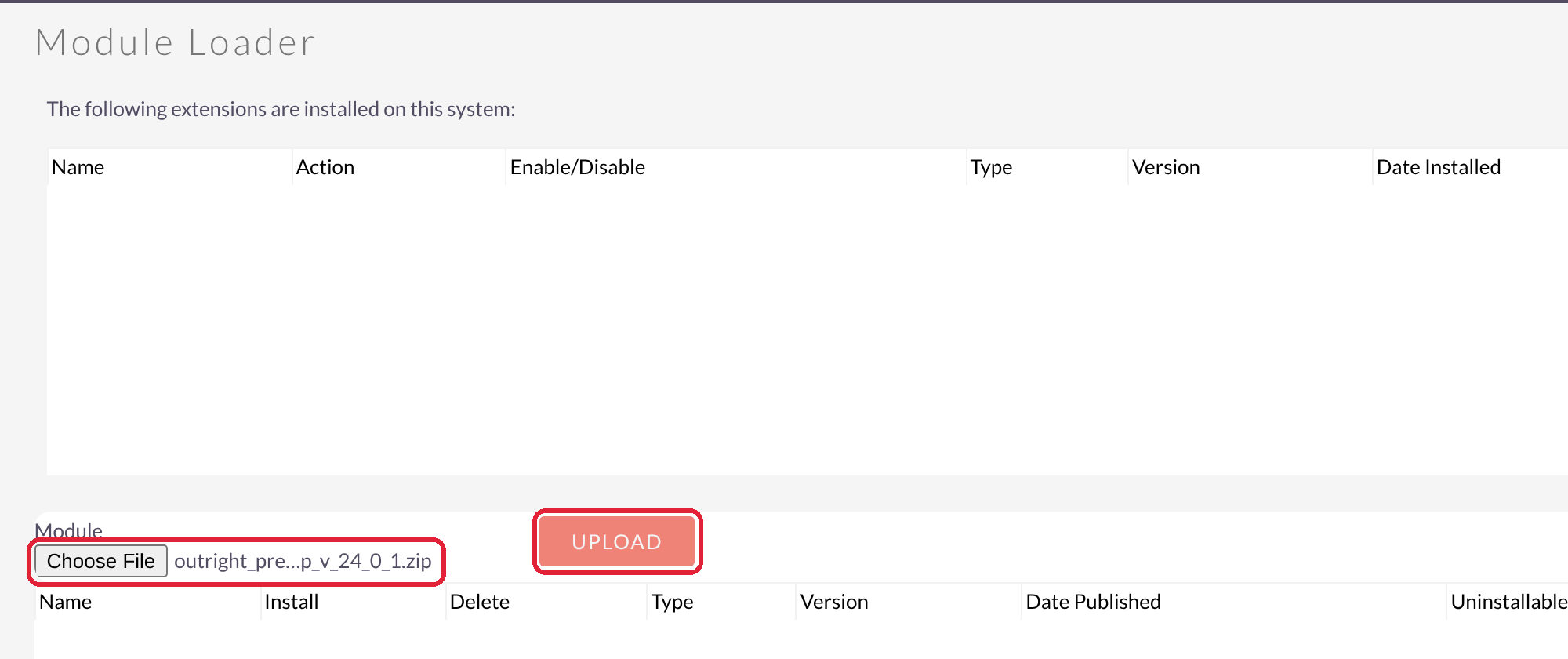

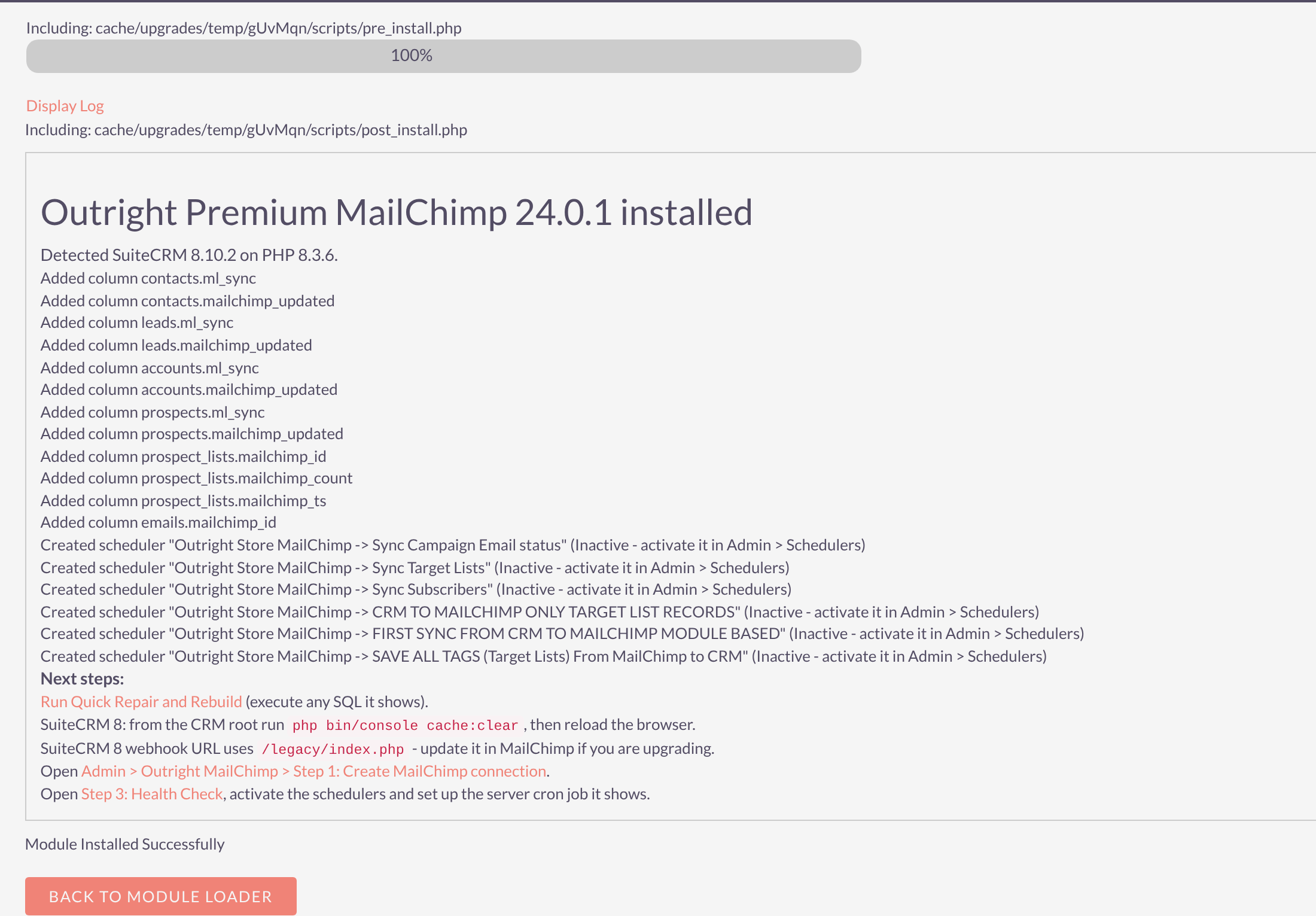




1
2
3
4
5
6
7
8
9
10
11
12
13
14
15
16
17
18
19
Product Videos
Watch our product in action
Coming Soon
User Guide
Learn how to use and configure the system step by step


FAQs
Question? Look here.
Which SuiteCRM versions are supported?
SuiteCRM 7.14.x and 7.15.x with PHP 8.1 – 8.4, and SuiteCRM 8.10.x with PHP 8.2 – 8.4.
Do I need a licence key?
No. Version 24 needs no licence key.
What do I need from Mailchimp?
An API key and the Audience (list) ID of the audience to sync.
Which CRM modules can be synced?
Contacts, Leads, Accounts and Targets.
Is the sync two-way?
Yes: CRM to Mailchimp, Mailchimp to CRM, tags ↔ target lists, and campaigns into the CRM.
Is it automatic?
Yes, through the MailChimp schedulers (cron job required), on save in the CRM and through the webhook.
What happens when someone unsubscribes in Mailchimp?
The webhook updates the CRM. By default the CRM record is not deleted; set delete_on_unsubscribe = true for the old v23 behaviour.
Is my API key safe?
It is masked after saving, not shown in list views, exports, imports or reports, and never printed in the edit view.
Does it work in SuiteCRM 8?
Yes, 8.10.x. The admin pages open inside SuiteCRM 8; webhook URLs use /legacy/index.php.
Will my v23 data be kept?
Yes. v23 is upgraded in place with data, configuration and scheduler status.