






Customer communication plays an important role in building strong business relationships. Whether a company is following up with potential customers, answering support queries, or keeping existing clients informed, timely communication can make a significant difference. However, managing phone calls and text messages separately from a CRM system often creates unnecessary work.
Sales representatives may switch between different applications, manually record call details, and search through message histories to understand previous conversations. These small tasks consume valuable time and increase the chances of missing important customer interactions.
This is where Twilio Calls & SMS for SuiteCRM becomes useful. By bringing calling and text messaging capabilities into SuiteCRM, businesses can manage customer conversations more efficiently without constantly switching between platforms.
With the right integration, teams can improve communication, maintain organized customer records, and create a smoother experience for both employees and customers.
1. Understanding Twilio Integration with SuiteCRM
Twilio is a cloud-based communication platform that provides APIs for voice calls, SMS, and other communication services. Businesses can use these services to connect with customers through different communication channels.
SuiteCRM, on the other hand, is an open-source customer relationship management platform that helps businesses manage leads, contacts, accounts, opportunities, and customer activities.
When these two platforms work together, businesses can handle communication directly through their CRM environment.
Twilio Calls & SMS for SuiteCRM allows users to connect with customers, send text messages, and manage communication activities from a centralized interface, depending on the integration's available features.
Instead of maintaining separate communication records, teams can keep important interactions connected to customer information. This makes it easier to understand customer history and continue conversations with the right context.
2. Make and Receive Calls Directly from SuiteCRM

Phone calls remain one of the most effective ways to communicate with customers, especially when discussing sales opportunities, resolving complicated issues, or providing personalized assistance.
However, using an external phone application can make it difficult to maintain accurate communication records.
With Twilio Calls & SMS for SuiteCRM, businesses can simplify calling workflows by integrating voice communication into their CRM environment.
Some useful capabilities may include:
- Click-to-call functionality: Users can initiate calls directly from relevant CRM records without manually entering phone numbers.
- Incoming call management: Identify incoming customer calls and access relevant customer information, depending on the integration.
- Call history: Maintain records of important call activities.
- Call notes: Record discussion summaries and follow-up requirements.
- Improved accessibility: Help sales and support teams manage calls from a familiar CRM interface.
For example, imagine a sales representative who needs to contact 20 leads every day. Instead of copying phone numbers into a separate application, the representative can initiate calls from SuiteCRM records.
This saves time and helps employees focus more on conversations rather than administrative tasks.
3. Simplify Customer Messaging with SMS Integration
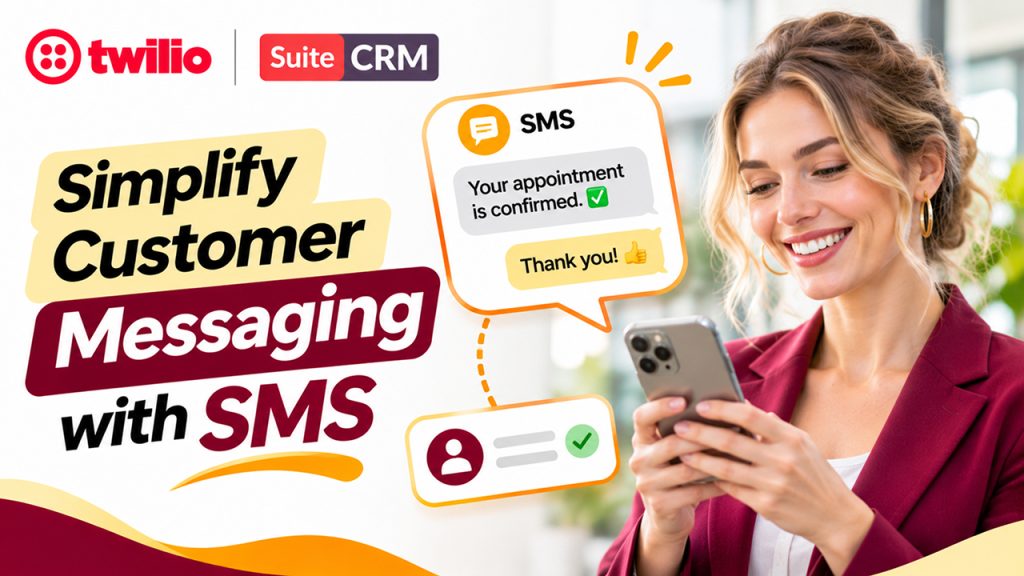
Text messaging is another important communication channel for modern businesses. Customers often prefer receiving short updates, reminders, confirmations, and notifications through SMS.
Managing these messages manually, however, can become challenging as the customer base grows.
Twilio Calls & SMS for SuiteCRM helps bring SMS communication closer to everyday CRM activities.
Depending on the integration's functionality, users can benefit from features such as:
- Sending SMS messages from customer records.
- Sharing appointment reminders and important updates.
- Sending order or service notifications.
- Maintaining message histories.
- Communicating with leads and existing customers.
- Supporting personalized customer interactions.
For instance, a service-based company can send appointment reminders to customers before scheduled visits. Similarly, a sales team can send a quick follow-up message after speaking with a potential customer.
These small communication improvements can make the customer experience more convenient and professional.
4. Keep Customer Communication Organized in One Place
One of the biggest challenges businesses face is maintaining a complete view of customer interactions.
When phone calls, text messages, and customer information are stored in different systems, employees may struggle to find previous conversations.
A CRM-integrated communication solution helps address this problem.
Twilio Calls & SMS for SuiteCRM can help centralize communication activities by associating relevant interactions with CRM records.
This provides several advantages:
Better customer visibility: Employees can refer to available communication histories before contacting customers.
Improved team collaboration: Team members can understand previous interactions and continue conversations more effectively.
Reduced manual work: Recording communication activities within the CRM reduces the need to maintain separate tracking documents.
More consistent follow-ups: Sales and support representatives can use previous interactions to determine the next appropriate action.
Consider a situation where a customer contacts the support department after previously speaking with a sales representative. Having relevant communication records accessible in the CRM helps the support employee understand the background without asking the customer to repeat everything.
This creates a more connected customer experience.
5. Automate Communication and Improve Team Productivity

As businesses grow, the number of customer interactions increases. Managing every call, message, and follow-up manually can become difficult, particularly for teams handling hundreds of customer records.
Automation can make these processes more manageable.
With Twilio Calls & SMS for SuiteCRM, businesses can build communication workflows that reduce repetitive tasks and help employees respond more efficiently.
For example, businesses can explore workflows such as:
- Sending automated SMS notifications after specific customer activities.
- Creating reminders for upcoming appointments.
- Scheduling follow-up activities after customer calls.
- Sending confirmation messages when a customer registers for a service.
- Notifying employees about important communication events.
The exact automation possibilities depend on the integration's configuration and available SuiteCRM and Twilio features.
A practical example would be an appointment-based business that wants to remind customers about upcoming meetings. Instead of asking employees to send every reminder manually, the business can configure an automated messaging workflow.
This allows employees to spend less time on repetitive communication and more time handling customer requirements.
6. Improve Lead Management and Sales Follow-Ups
Following up with leads at the right time is essential for maintaining a healthy sales pipeline. A potential customer may show interest in a product today but require additional information before making a purchasing decision.
If the sales representative forgets to follow up, the business could lose a valuable opportunity.
A SuiteCRM Twilio integration can support a more organized follow-up process by bringing communication activities closer to lead and opportunity records.
Sales teams can use the integration to:
- Contact new leads through phone calls.
- Send introductory SMS messages.
- Follow up after product demonstrations.
- Share important product or service information.
- Maintain communication records for future reference.
For example, when a new lead enters SuiteCRM through a website form, a sales representative can contact that lead and send a follow-up message if necessary.
Having the relevant activities available in the CRM makes it easier to understand where each lead stands in the sales journey.
It also helps managers review communication activities and identify opportunities where additional follow-up may be required.
7. Enhance Customer Support and Satisfaction
Good customer support is not just about resolving problems. It is also about making customers feel heard, informed, and valued throughout their journey.
Phone calls are useful for handling detailed discussions, while SMS messages are convenient for sharing quick updates.
Combining these communication channels can help support teams provide a more flexible customer experience.
With Twilio Calls & SMS for SuiteCRM, support representatives can use integrated communication capabilities to manage customer conversations more effectively.
For example:
- A customer can receive an SMS confirming that a support request has been received.
- Support employees can contact customers through phone calls when additional clarification is needed.
- Customers can receive updates about service requests.
- Employees can refer to previous communication activities when handling repeat queries.
The biggest advantage is continuity. Customers do not have to feel like they are starting a completely new conversation every time they contact the business.
8. Why Businesses Should Consider Twilio and SuiteCRM Integration
Choosing the right communication tools can influence how efficiently a business manages its customer relationships.
A properly configured SuiteCRM Twilio integration can offer several practical benefits.
| Business Requirement | Potential Benefit |
| Calling customers | Faster access to phone communication |
| Sending SMS | Convenient customer notifications |
| Communication tracking | Better visibility into customer interactions |
| Sales follow-ups | More organized lead management |
| Workflow automation | Less repetitive manual work |
| Customer support | More consistent communication |
Another advantage is flexibility. Twilio provides communication APIs, while SuiteCRM offers customization capabilities. This combination allows businesses to configure communication workflows according to their operational requirements.
However, businesses should evaluate their expected call volume, SMS requirements, country-specific regulations, pricing, and technical compatibility before implementing an integration.
9. Things to Consider Before Implementing the Integration
Although integrating communication services into a CRM can be beneficial, proper planning is important.
Here are a few things businesses should consider before implementation:
1. Twilio account configuration
A valid Twilio account and the required phone numbers, credentials, and communication services must be configured.
2. SuiteCRM compatibility
Check whether the integration supports your installed SuiteCRM version and technical environment.
3. SMS and calling costs
Twilio charges depend on factors such as destination, message type, phone number, and call duration. Review the applicable pricing before deployment.
4. Data security
Protect API credentials and customer information. Apply appropriate access controls and follow relevant privacy requirements.
5. Message compliance
Ensure that SMS campaigns follow applicable consent, opt-out, and telecommunications regulations.
6. Testing and maintenance
Test incoming and outgoing calls, SMS delivery, error handling, and activity logging before making the integration available to the entire team.
A well-planned implementation helps businesses avoid unnecessary complications and get more value from their communication setup.
10. Make SuiteCRM Communication More Efficient with Twilio
Customer communication should not feel like an additional administrative responsibility. It should be a natural part of everyday business operations.
By combining voice and messaging capabilities with customer relationship management, businesses can create more connected workflows and improve how their teams interact with customers.
Twilio Calls & SMS for SuiteCRM provides an approach to bringing these communication channels closer to customer records, helping employees manage conversations, organize follow-ups, and improve visibility.
Whether you run a sales team, customer support department, or service-based business, integrating communication into your CRM can make everyday activities easier to manage.
A well-configured solution can help your team spend less time switching between applications and more time building meaningful customer relationships.
Frequently Asked Questions (FAQs)
It is a communication integration that connects Twilio's voice and SMS services with SuiteCRM. It helps businesses manage customer calls and text messaging through their CRM environment.
Yes, with a compatible integration, users can initiate calls from SuiteCRM records using click-to-call functionality. Available calling features depend on the integration configuration.
Yes. Businesses can configure SMS workflows for notifications, appointment reminders, customer updates, and follow-ups, depending on the integration's capabilities.
Yes. It can improve communication visibility, simplify follow-ups, and help employees access relevant customer interaction histories. This supports more consistent and personalized customer service.
Yes. Both small and large businesses can benefit from integrated calling and messaging. However, the implementation should match their communication volume, budget, technical requirements, and business workflows.