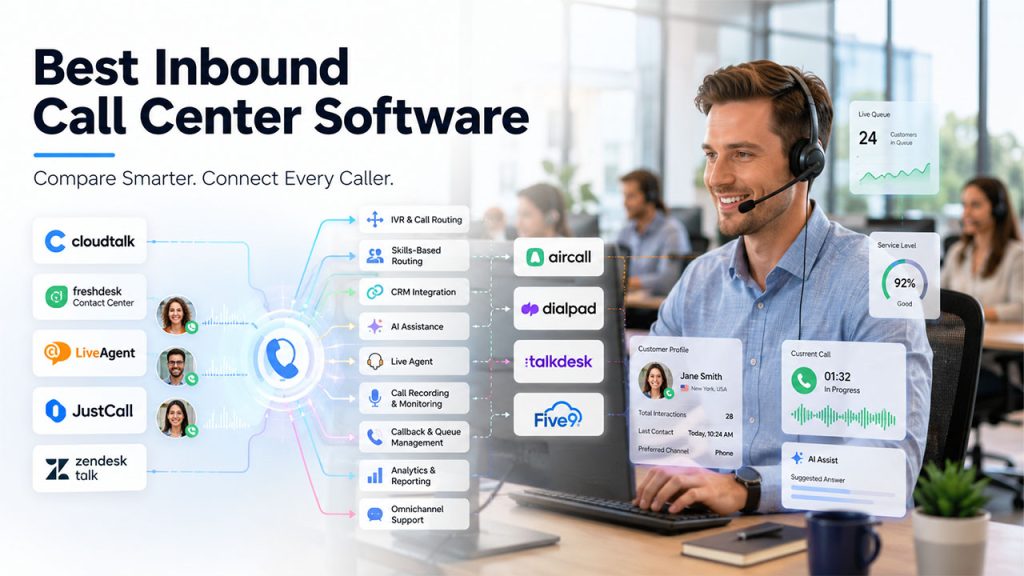






When a customer calls your support line and hits a dead end – wrong department, long queue, no callback option – you don't just lose a ticket. You erode trust. Inbound call center software exists to prevent that: routing the right caller to the right agent at the right moment, giving that agent the context they need, and giving managers the visibility to improve what isn't working.
The challenge is that the market has splintered. Some platforms are lightweight phone systems aimed at small teams; others are full CCaaS suites built for hundreds of agents across regulated industries. Choosing the wrong level of complexity in either direction costs money and creates friction. This comparison covers nine platforms across the full spectrum, evaluated for their inbound feature depth, pricing transparency, integration quality, AI maturity, and suitability for different team sizes. Every product detail has been verified against official sources and credible third-party review platforms as of July 2026.
What Is Inbound Call Center Software?
Inbound call center software is a cloud-based system that manages incoming phone calls from customers – routing each call to the right agent, providing that agent with customer context, recording the interaction for quality and compliance purposes, and giving managers analytics to track performance and coach teams. Organizations evaluating a Cloud Call Center solution should look for features such as intelligent routing, CRM integrations, AI-powered automation, and real-time analytics to improve customer service efficiency.
Modern inbound call center platforms typically include:
- IVR (Interactive Voice Response): Automated menus that greet callers, gather information about their inquiry, and route them to the appropriate queue or agent.
- ACD (Automatic Call Distribution): The engine that takes every inbound call and routes it based on rules such as agent skills, priority, availability, or business hours.
- Call queuing and callbacks: Manages wait times when agents are busy; allows callers to hold their place in line and receive a callback rather than waiting on hold.
- Call recording: Captures every conversation for quality assurance, compliance, and coaching.
- Supervisor tools: Live monitoring, whisper coaching, and barge-in capabilities for supervisors.
- Reporting and analytics: Real-time dashboards and historical data on call volume, wait times, handle time, first-call resolution, and agent performance.
- CRM and helpdesk integrations: Connects call data with customer records so agents have context before picking up.
The distinction from outbound call center software is directional – inbound tools are optimized for handling calls that customers initiate, while outbound platforms are built around making calls to prospects or customers.
Inbound Call Center Software: Comparison Table
| Tool | Best for | Key inbound feature | Starting price | G2 rating |
| CloudTalk | SMB + mid-market inbound + outbound | Visual IVR builder, skills-based routing, AI analytics | $25/user/mo | 4.4/5 (1,700+ reviews) |
| Freshdesk Contact Center | Helpdesk-native inbound, small teams | Free plan, IVR, Freshdesk integration | Free; from $15/user/mo | 4.1/5 (130+ reviews) |
| LiveAgent | Budget omnichannel with built-in phone | Native call center in helpdesk, universal inbox | From $15/agent/mo | 4.5/5 (1,530+ reviews) |
| JustCall | CRM-integrated inbound + AI coaching | 100+ CRM integrations, real-time AI assist | From $29/user/mo | 4.3/5 (2,370+ reviews) |
| Zendesk Talk | Zendesk-native voice layer | Ticket-embedded calls, voicemail-to-ticket | Requires Suite ($55+/agent/mo) + usage fees | 4.4/5 (Zendesk Suite) |
| Aircall | Established sales and support teams | 200+ integrations, smart IVR, power dialer | $30/user/mo | 4.4/5 (~1,547 reviews) |
| Dialpad | AI-native UCaaS + CCaaS | Real-time transcription at all plan tiers | From $15/user/mo (Connect); CCaaS from $80 | 4.4/5 (~4,700 reviews) |
| Talkdesk | Mid-market CCaaS, 50+ agents | Omnichannel ACD, WFM, quality management | From $85/user/mo | 4.4/5 (2,506+ reviews) |
| Five9 | Enterprise blended contact centers | Predictive dialer, intelligent routing, WFM | From ~$119/user/mo | 4.1/5 (~450 reviews) |
Best Inbound Call Center Software in 2026
1. CloudTalk: Best for SMBs and growing teams that need a full inbound feature set without enterprise complexity
What is CloudTalk and who is it designed for?
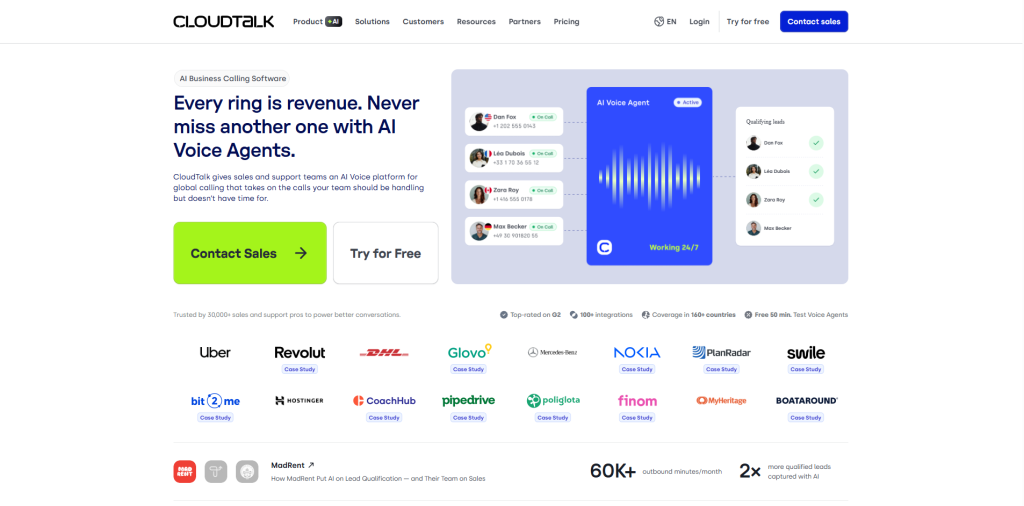
CloudTalk is a cloud-based call center platform built for sales and customer support teams that have outgrown a basic business phone system but are not ready for the deployment timelines and price points of enterprise CCaaS. More than 4,000 companies – including Revolut, Glovo, and Nokia – use it to manage inbound and outbound calling across 160+ countries.
On the inbound side, CloudTalk covers the core requirements of a serious call center – multi-level IVR, ACD, skills-based routing, call queuing, real-time monitoring, call recording, and callback – and packages them with a visual drag-and-drop Call Flow Designer that most teams can configure without technical support. The platform positions itself as a practical step up from legacy phone systems for teams of roughly 5 to 200 agents.
Which inbound call center features does CloudTalk offer?
- Multi-level IVR with a drag-and-drop designer: Build custom call menus with routing logic based on business hours, agent skills, caller history, or department. No coding required.
- Automatic Call Distribution (ACD): Distributes incoming calls to the most appropriate available agent according to configurable rules, including skills-based, time-based, and caller VIP routing.
- Skills-based routing: Routes calls to the agent best qualified to handle the inquiry – by language, product expertise, or customer tier – reducing transfers and improving first-call resolution.
- Real-time dashboard and monitoring: Supervisors see queue status, agent availability, and live call activity in one view. Call whispering and call barging let managers guide agents mid-call without the caller hearing.
- Call recording and AI summaries: Every call is recorded and optionally transcribed. The AI Conversation Intelligence add-on ($9/user/month) generates automated call summaries, tags topics, and surfaces sentiment trends.
- Callback and missed-call detection: Automatically flags missed inbound calls and triggers follow-up workflows so no caller is forgotten.
- CRM and helpdesk integrations: HubSpot (from Essential plan), Salesforce (Expert plan), Pipedrive, Zendesk, Intercom, and 80+ other tools – with two-way data sync so agents see full customer context before picking up.
- AI Voice Agent (CeTe): A separately priced add-on that handles routine inbound calls autonomously 24/7 – answering FAQs, routing complex requests, and escalating to a human when needed.
What are the best use cases for CloudTalk?
CloudTalk is most effective for companies managing 10 to 200 inbound support or sales calls daily where the team needs structured routing without a months-long implementation project. Particularly strong use cases include:
- E-commerce support teams routing customer inquiries by order type, language, or customer tier
- SaaS companies handling onboarding calls and inbound support across multiple time zones
- Distributed remote teams that need a cloud-based system deployable in days, not weeks
- Teams scaling from a basic VoIP number to a structured call center environment
It is less suited for enterprise contact centers requiring full workforce management, complex omnichannel orchestration across more than three channels simultaneously, or compliance-heavy environments needing native on-premises deployment.
What are the main strengths and limitations of CloudTalk? Strengths
- Visual Call Flow Designer makes routing configuration accessible without technical staff.
- 160+ country coverage with local numbers gives international teams a genuine local presence.
- CRM integration depth is among the strongest in this price range – not just CTI but bi-directional data sync.
- AI features are practical rather than decorative: transcription, sentiment scoring, and call summaries on the Expert plan.
- 14-day free trial with no credit card required for initial evaluation.
Limitations
- The Power Dialer (for outbound) and Salesforce integration are gated to the Expert plan ($49/user/month), which can push costs higher for sales teams.
- The AI Voice Agent (CeTe) is a separate product with its own pricing, which adds a layer of complexity to total cost estimation.
How much does CloudTalk cost?
CloudTalk publishes four plan tiers on annual billing:
- Lite: $19/user/month – basic inbound/outbound calling, limited integrations; mainly suited to very small teams or as a phone line replacement.
- Starter: $25/user/month – adds call recording, real-time reporting, and core helpdesk integrations.
- Essential: $29/user/month – unlocks HubSpot integration, workflow automation, and a broader feature set for inbound support teams. The most common entry point for serious inbound setups.
- Expert: $49/user/month – includes Salesforce, Power Dialer, AI Conversation Intelligence, and advanced analytics.
- Custom: Enterprise pricing for high-volume teams requiring flat outbound rates, dedicated support, and custom onboarding.
The AI Voice Agent (CeTe) is priced separately, starting at $99/month for 200 minutes or $0.50/minute on a pay-as-you-go basis. A 14-day free trial is available on the core platform.
What do real users say about CloudTalk on G2, Capterra, and review forums?
CloudTalk holds a 4.4/5 on G2 across more than 1,700 verified reviews and a similar aggregate score on Capterra and GetApp, combining to over 2,100 cross-platform reviews. G2 reviewers consistently mention ease of setup, intuitive interface, and reliable CRM integrations as top strengths – "ease of use" and "reliability" appear among the most frequently mentioned positive themes.
On the negative side, the platform's most cited G2 complaints involve call quality issues (151+ mentions) and connection drops (81+ mentions). Some reviewers also flag that the feature gating across plans can create sticker shock when a sales team discovers that key outbound features require the Expert tier.
On Reddit discussions, users in customer success and operations roles describe CloudTalk as a solid upgrade from tools like RingCentral or Freshcaller for teams needing more routing control, while also noting that mobile app reliability could be better. The general sentiment positions it as strong value in its category for sub-200-agent teams.
2. Freshdesk Contact Center: Best for small support teams wanting a helpdesk-native inbound phone layer
What is Freshdesk Contact Center and who does it fit?
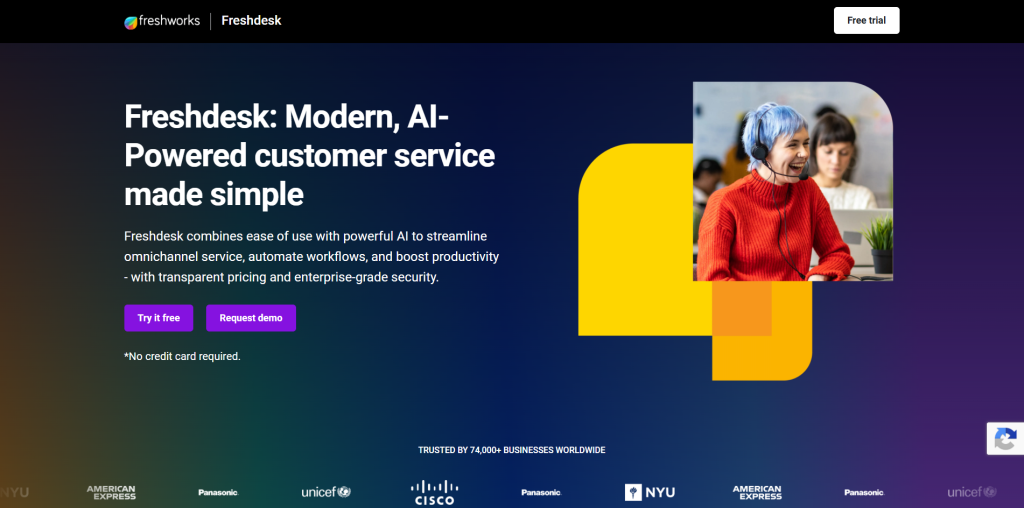
Freshdesk Contact Center – formerly known as Freshcaller – is a cloud-based call center platform developed by Freshworks. It sits within the Freshworks ecosystem alongside Freshdesk (ticketing), Freshchat (messaging), and CRM tools, making it the natural voice layer for teams already running Freshworks products.
The platform is cloud-hosted, requires no hardware, and can be configured with local phone numbers in 90+ countries. It targets small to mid-size customer support teams where inbound call handling needs to connect directly with a ticketing or helpdesk workflow.
Which inbound call center features matter most for Freshdesk Contact Center users?
- Multi-level IVR: Customizable inbound menus to direct callers to the right team or self-service option.
- ACD and skills-based routing: Routes incoming calls based on agent availability, skill tags, or business hours.
- Call queuing with wait-time messaging: Manages high-volume periods with configurable queue options, including hold music and estimated wait announcements.
- Voicemail and callback: Captures missed calls and allows callers to leave messages that convert to support tickets in Freshdesk.
- Call recording and monitoring: Records calls for QA and compliance; supervisors can barge or whisper on live calls.
- Freshdesk integration: When a call comes in, the caller's Freshdesk ticket history surfaces automatically – agents have full context without switching tabs.
- Freddy AI Copilot (Pro/Enterprise add-on): AI-powered real-time suggestions, call summaries, and agent coaching available as a $29/agent/month add-on.
When is Freshdesk Contact Center the right choice?
It is the most practical option for teams already using Freshdesk as their primary support tool. The native integration means tickets, calls, and customer history live in one place without middleware. For teams that are not on Freshworks, the free plan (with pay-per-minute charges) offers a low-risk starting point for evaluating a cloud inbound phone system before committing to a paid tier.
It is a less natural fit for teams that primarily use Salesforce, HubSpot, or Zendesk as their CRM – in those cases, a platform with deeper native integration into those systems may serve better.
What are the main strengths and drawbacks?
Strengths
- Free plan available (pay-per-minute for calls) – one of very few inbound call center tools with a genuine free entry point.
- Seamless integration with Freshdesk, Freshchat, and the broader Freshworks ecosystem.
- Fast setup with no hardware required.
- Phone numbers available in 90+ countries.
Drawbacks
- The free plan's per-minute usage charges add up quickly for teams with any meaningful call volume.
- Feature depth lags behind dedicated call center platforms at comparable price points – advanced analytics and AI coaching require higher-tier plans or add-ons.
- Limited review volume on G2 (130+ reviews) compared to other options, making it harder to judge reliability patterns from public feedback alone.
- Freddy AI Copilot is a separate $29/agent/month charge on top of plan fees.
How much does Freshdesk Contact Center cost?
- Free: $0/agent/month – call minutes billed at pay-per-minute rates.
- Growth: $15/agent/month – unlimited inbound minutes on local numbers, basic IVR, call recording.
- Pro: $39/agent/month – advanced routing, after-call surveys, custom reports.
- Enterprise: $69/agent/month – full routing automation, custom call center roles, advanced analytics.
All prices are on annual billing. Telephony usage (outbound, toll-free, international) is metered separately.
3. LiveAgent: Best for budget-conscious teams that need helpdesk, chat, and phone in one place
What is LiveAgent and why does it stand out for inbound support?
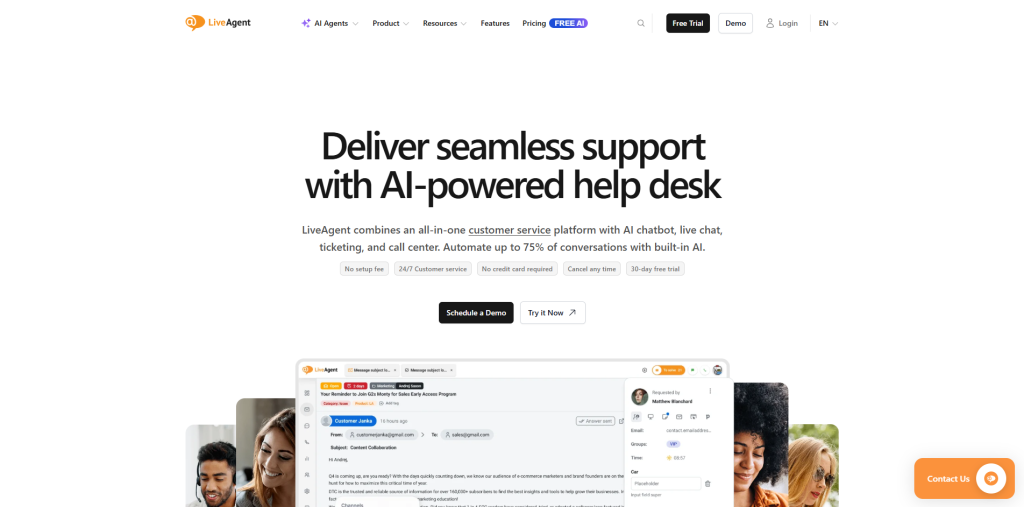
LiveAgent is an all-in-one customer support platform developed by Quality Unit, a Slovak company with more than a decade in the market. What distinguishes it from most alternatives in this comparison is that the call center is not a separate product or add-on – it is built natively into the helpdesk and available on the Medium plan alongside ticketing, live chat, and email.
For small support teams that do not want to stitch together a separate phone system, helpdesk, and live chat tool, LiveAgent offers a genuinely integrated experience at a price point that undercuts most specialist tools.
Which inbound call center features does LiveAgent include?
- Built-in IVR with routing designer: Configurable menus that route inbound calls to the right team or agent without requiring a separate telephony provider for basic setups.
- ACD (Automatic Call Distribution): Distributes incoming calls to available agents based on predefined rules, including priority routing and round-robin.
- Call recording: Automatic recording of all inbound calls, stored and accessible from within the ticket view.
- Universal Inbox: All inbound interactions – emails, calls, chats, and social messages – appear in a single unified queue, giving agents one place to work.
- Live chat with Sneak Peek: Agents can see what the customer is typing before they send it, enabling faster responses and proactive support.
- AI Chatbot (BYOK): Powered by FlowHunt and OpenAI; handles routine inbound queries before escalating to a human.
- Customer portal and knowledge base: Enables self-service deflection before a call is needed.
- 200+ integrations: Includes Shopify, Salesforce, HubSpot, and Zapier for extended workflow coverage.
Who gets the most value from LiveAgent?
LiveAgent delivers the best results for desktop-first small support teams handling a mix of email, chat, and phone inquiries – particularly those in e-commerce, software, or professional services where multi-channel consistency matters more than outbound dialing power. It is also popular with teams that need a self-hosted option, as LiveAgent offers an on-premises deployment for regulated environments.
Teams with high-volume outbound requirements will find the platform limiting – there is no built-in power dialer or parallel dialing, and the mobile app is consistently described as outdated and limited in review feedback.
What are the main strengths and drawbacks? Strengths
- One of the best price-to-feature ratios in the market for multi-channel inbound support.
- Native call center integration – no third-party telephony provider required for basic voice workflows.
- Strong review scores on Capterra (4.7/5 across 1,786 reviews) and G2 (4.5/5 across 1,530+ reviews).
- 30-day free trial on paid plans – longer than most competitors.
Drawbacks
- Mobile app is consistently described as dated and missing key ticket management features.
- Social media channels (Instagram, Viber, X) cost $39–$58/month extra on lower plans, pushing effective costs higher than the headline price suggests.
- WhatsApp integration requires Twilio or 360dialog – LiveAgent provides the interface only, not a managed connection.
- Less suitable for inbound call centers running more than 50 agents simultaneously; deeper analytics and workforce tools are not a strength.
How much does LiveAgent cost?
- Small: $15/agent/month – ticketing and chat, no call center.
- Medium: $29/agent/month – adds the built-in call center, live chat, and basic reporting. The most relevant tier for inbound phone support.
- Large: ~$59/agent/month – social media channels, SSO, time tracking.
- Enterprise: ~$85/agent/month – account management, white-labeling, priority support.
Annual billing required for these rates; monthly billing costs up to 23% more. A free plan is available for single-agent testing.
4. JustCall: Best for SMB and mid-market teams prioritizing CRM integration depth alongside inbound management
What is JustCall and who does it serve?
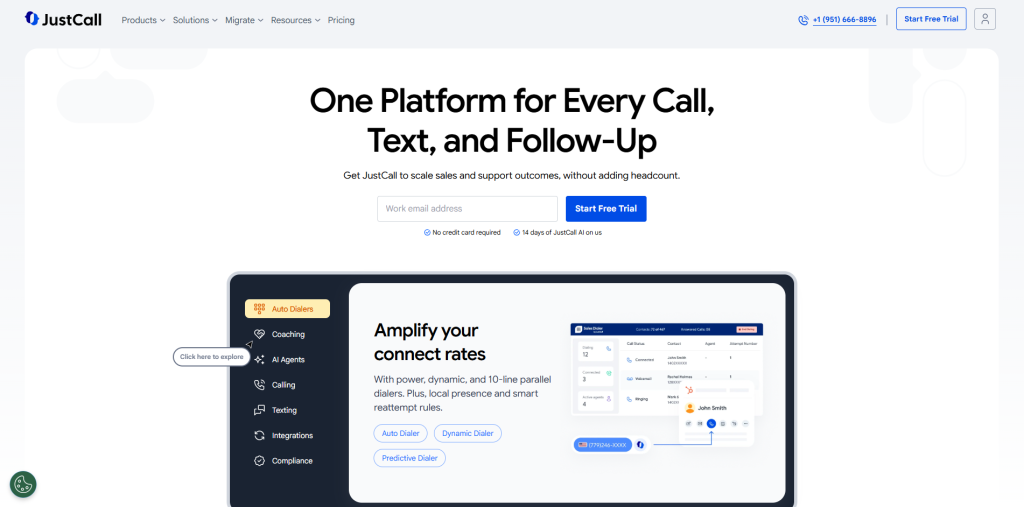
JustCall is an AI-powered business communications platform developed by SaaS Labs, serving more than 6,000 businesses worldwide. It combines inbound and outbound calling, SMS, WhatsApp, and email in a single workspace, with 100+ native CRM integrations – one of the deepest integration libraries in the SMB call center category.
The platform positions itself at the intersection of sales dialers and support inbound tools, making it relevant for teams that handle both incoming support calls and outbound prospecting from the same agent pool.
Which inbound call center features does JustCall offer?
- Smart IVR: Multi-level interactive voice response menus to route inbound callers by department, language, or inquiry type.
- ACD and skills-based routing: Automatically distributes calls to the most appropriate available agent based on configurable criteria.
- Real-time AI assist: Live coaching prompts and keyword alerts during inbound calls – available on Pro Plus and above.
- AI call summaries and transcription: Automated post-call summaries synced directly to connected CRM records.
- Shared inbox for WhatsApp and SMS: Centralizes inbound messaging alongside call activity.
- 100+ CRM integrations: Native connectors with HubSpot, Salesforce, Pipedrive, Zoho, Copper, and others – bi-directional data sync including contact creation and call logging.
- Inbound AI Voice Agent: Handles routine inbound calls autonomously – FAQs, appointment confirmation, basic support queries – before escalating to a human agent.
When does JustCall make the most sense?
JustCall is strongest for SMB sales and support teams that live in their CRM – specifically HubSpot, Salesforce, or Pipedrive – and need inbound calling to connect tightly with contact records and pipeline activity. The 100+ integration library means that most sales tech stacks are covered out of the box. Teams that also run outbound sequences benefit from having both inbound routing and outbound AI coaching in one platform.
It is less suited to teams needing a deep helpdesk ticketing system (no native ticketing), teams with complex omnichannel routing across five or more channels, or organizations that need predictable monthly billing – the fair usage policies on "unlimited" features have caught some users off-guard.
What are the main strengths and drawbacks? Strengths
- One of the broadest native CRM integration libraries in the SMB call center market (100+).
- AI coaching and real-time assist features are genuinely useful for sales and support quality management.
- Multi-channel: voice, SMS, WhatsApp, and email from one interface.
- 14-day free trial available.
Drawbacks
- G2 review analysis flags call quality and connection issues as the most common negative theme, with over 1,000 mentions across the review base.
- The "unlimited" inbound and outbound minutes are subject to a Fair Usage Policy with unpublished thresholds – teams running high-volume operations should verify limits before committing.
- Trustpilot sentiment (3.8/5 across 700+ reviews) is weaker than G2, with recurring complaints about billing practices and renewal friction.
- AI Review Assist is an additional $9/user add-on, and the AI Voice Agent starts at $99/month – these are not included in base plans.
How much does JustCall cost?
- Team (AI Communication Suite): $29/user/month – inbound/outbound calling, bundled SMS, AI summaries, core CRM integrations. 2-user minimum.
- Pro: $49/user/month – advanced automation, workflows, additional AI features.
- Pro Plus: $89/user/month – AI coaching, call scoring, advanced agent assist.
- Business: Custom pricing – enterprise features, predictive dialing, dedicated support.
Annual billing saves up to 29%. AI Voice Agent starts at $99/month separately.
What do real users say about JustCall on G2 and Capterra?
JustCall holds a 4.3/5 on G2 across approximately 2,376 reviews, with "ease of use" (853 mentions) and CRM integration depth as the two most praised themes. Capterra shows 4.1/5 across 223 reviews. The consistent concern across both platforms is call quality reliability – G2's aggregated review data shows call issues, connection drops, and call quality as recurring complaint categories. Billing transparency is the primary complaint on Trustpilot, where users describe unexpected cost increases when add-ons are factored in.
5. Zendesk Talk: Best for teams fully invested in the Zendesk support suite
What is Zendesk Talk and who is it ideal for?
Zendesk Talk is the native voice channel embedded within the Zendesk Suite. Rather than a standalone call center platform, it functions as a telephony layer within Zendesk's broader customer support ecosystem – conversations that happen over the phone create tickets automatically, appear in the same agent workspace as email and chat, and benefit from the full context of the customer's support history.
It is designed specifically for organizations that have already adopted Zendesk as their primary support platform and want to add voice without introducing a separate phone system or vendor.
Which inbound features does Zendesk Talk include?
- IVR with branch routing: Configurable call menus that route inbound calls by language, department, or caller input – editable from within the Zendesk admin interface.
- Automatic ticket creation: Every inbound call – whether answered, missed, or converted to voicemail – creates a Zendesk ticket automatically, maintaining conversation continuity across channels.
- Agent desktop integration: Agents handle calls inside the Zendesk workspace, with the caller's full ticket and interaction history visible on the same screen.
- Call recording and transcription: Recordings attach directly to the associated ticket for playback and QA.
- Voicemail-to-ticket: Unanswered calls and voicemails generate tickets with transcribed audio so agents can follow up without losing context.
- Queue management and callbacks: Manages inbound volume with hold queues; callers can request a callback rather than waiting on hold.
- Zendesk AI (Intelligent Triage and summarization): Part of the broader Zendesk AI suite – not exclusively telephony, but available to call-handling workflows.
When is Zendesk Talk the right choice, and when is it not?
Zendesk Talk is the right choice when Zendesk Support is already the operational center of the customer service team and the goal is to add voice without creating a new vendor relationship. The ticket-embedded call experience and automatic log creation are genuinely valuable for support teams where call history needs to live alongside email and chat threads.
It is not a standalone inbound call center – it requires a Zendesk Suite plan (starting at $55/agent/month) before any Talk features are usable, and telephony usage (inbound at $0.037/minute in the US, outbound at $0.022/minute) is billed on top of that subscription. For teams not already on Zendesk, the combined cost is significantly higher than comparable alternatives, and the reporting and routing features are less advanced than dedicated call center platforms.
What are the main strengths and drawbacks? Strengths
- Native integration with Zendesk means zero data friction between phone calls and support tickets.
- Automatic ticket creation and voicemail-to-ticket eliminate manual follow-up logging.
- A single agent workspace across voice, email, and chat reduces context-switching.
- Backed by Zendesk's enterprise security and compliance posture.
Drawbacks
- No standalone pricing – requires a Zendesk Suite subscription plus pay-per-minute voice charges, making the true cost hard to estimate without knowing call volume.
- G2 reviewers specifically call out the per-minute pricing as making monthly billing unpredictable during peak periods.
- Routing and analytics are less configurable than dedicated call center platforms – users in multiple G2 reviews describe call flow customization as limited compared to standalone tools.
- Local number availability is restricted in some markets, which creates friction for international teams.
How much does Zendesk Talk cost?
Zendesk Talk requires a Zendesk Suite plan. Indicative starting prices (annual billing):
- Suite Team: ~$55/agent/month – includes basic Talk features.
- Suite Growth: ~$89/agent/month – adds more advanced routing and reporting.
- Suite Professional: ~$115/agent/month – unlocks full routing controls, CSAT surveys, and advanced analytics.
On top of the Suite subscription, telephony usage is charged per minute: approximately $0.037/minute for inbound calls and $0.022/minute for outbound (US/Canada). Phone numbers start at $2/month each. Recording adds $0.003/minute.
6. Aircall: Best for established sales and support teams with a large integration ecosystem
What is Aircall and how does it approach inbound calling?
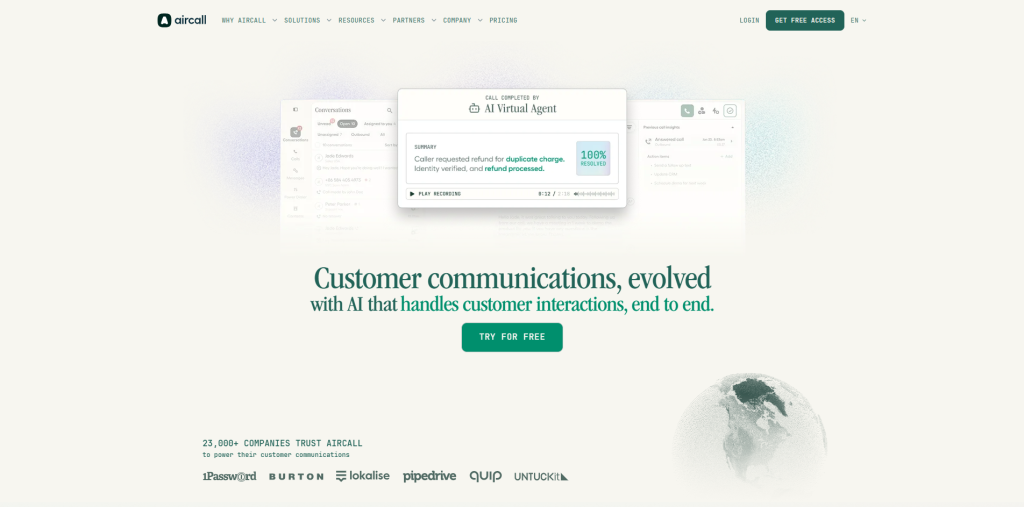
Aircall is a cloud-based business phone and contact center platform founded in 2014, used by more than 22,000 businesses across 110+ countries. It built its reputation as an integration-first cloud phone system – its 200+ app marketplace covers virtually every major CRM, helpdesk, and sales engagement tool – and has more recently added an AI Voice Agent layer for automated inbound call handling.
The platform targets teams of 3 to 200 agents where CRM integration depth and reliable call quality are primary requirements. It is a strong option for companies that run a blended inbound/outbound operation and want both capabilities covered by one vendor.
Which inbound call center features does Aircall cover?
- Smartflow visual IVR builder: Drag-and-drop call flow designer for routing logic based on business hours, department, or caller input – no code required.
- Call queuing and queue callback: Manages inbound volume with configurable queues; callers can request a callback rather than waiting.
- Call whispering, monitoring, and barging: Supervisors can listen live, coach agents silently, or join a call in progress.
- Power Dialer (Professional plan): Automates outbound sequences – relevant for blended teams.
- AI Assist: Post-call summaries, key topic detection, and sentiment analysis – included on the Professional plan or available as a $9/license/month add-on.
- AI Voice Agent: Handles inbound calls autonomously 24/7; usage-priced separately at $0.49/minute (with 50 free minutes per account per month).
- 200+ integrations: Bi-directional sync with HubSpot, Salesforce, Zendesk, Intercom, Slack, and the majority of CRM and helpdesk tools on the market.
What are the main strengths and drawbacks? Strengths
- Integration marketplace breadth is unmatched in this price range – if your stack is standard, Aircall almost certainly has a native connector.
- Billing by the second for calls (no charge on calls under 15 seconds) reduces waste on short or unanswered inbound attempts.
- Mature product with a large review base – consistent quality signal across G2 and Trustpilot.
- AI Voice Agent available for inbound automation without switching platforms.
Drawbacks
- 3-user minimum prevents solo operators and very small teams from accessing the platform.
- Power Dialer and Salesforce integration require the Professional plan ($50/user/month) – the Essentials tier at $30 lacks key features for sales-heavy teams.
- AI Voice Agent pricing ($0.49/minute) is among the higher per-minute rates in the market for an AI layer.
- G2 review analysis (connection issues: 71 mentions; call issues: 58 mentions) suggests real-world reliability is not universal.
How much does Aircall cost?
- Essentials: $30/user/month – core inbound calling, IVR, call recording, integrations. 3-user minimum.
- Professional: $50/user/month – adds Power Dialer, Salesforce, live call monitoring, whisper, and queue callback.
- Custom: Enterprise pricing with unlimited outbound, custom analytics, and SLAs.
AI Voice Agent: 50 free minutes/month; bundles from $175 (500 min); pay-as-you-go at $0.49/min (>2,550 min: $0.39/min). AI Assist: included on Professional; $9/license/month add-on on Essentials.
What do real users say about Aircall on G2 and Trustpilot?
Aircall holds a 4.4/5 on G2 across approximately 1,547 reviews and has around 1,021 reviews on Trustpilot. G2 reviewers consistently praise CRM integration reliability – particularly HubSpot and Salesforce – as well as call quality and ease of use. The recurring negatives involve connection issues (71 mentions), call quality drops under load (58 mentions), and pricing concerns from smaller teams who feel the per-seat model is expensive for their size.
7. Dialpad: Best for organizations wanting AI built into every plan tier alongside UCaaS and CCaaS
What is Dialpad and how is it different from traditional inbound call center software?
Dialpad is a cloud communications platform that combines a business phone system (Dialpad Connect), a contact center (Dialpad Support), and an outbound sales tool (Dialpad Sell) in one product family – all powered by its proprietary AI stack, DialpadGPT, trained on eight billion minutes of business conversation data.
The fundamental differentiation is that AI capabilities are not add-ons on Dialpad – real-time transcription, post-call summaries, and sentiment analysis are included at every plan tier, including the $15/user/month entry point for Dialpad Connect. For inbound contact center operations, Dialpad Support starts at $80/user/month and adds ACD, IVR, AI agent assist, and live coaching.
Which inbound call center features does Dialpad include?
- ACD with skills-based and intelligent routing: Routes inbound calls based on agent skills, customer tier, or conversational intent signals.
- AI-powered IVR: Natural language IVR that understands intent rather than requiring callers to press a specific number – available on Dialpad Support.
- Real-time transcription: Every call is transcribed live at all plan tiers – agents and supervisors see the full conversation as it happens.
- AI Agent Assist: Live coaching cards surface relevant information during a call based on what the caller says – available on Dialpad Support.
- AI Agents (Agentic AI): Autonomous agents that handle inbound inquiries end to end without a human agent – priced on a credit basis, no public rate.
- Automated QA scoring: AI scores 100% of inbound calls against predefined criteria automatically, eliminating manual call sampling.
- Predictive AI CSAT: Estimates customer satisfaction from conversation signals before the survey even goes out.
- Drag-and-drop Call Flow Designer: Visual builder with 20+ routing condition types including VIP queues, callbacks, and skills-based assignment.
What are the main strengths and drawbacks? Strengths
- Real-time transcription and AI summaries at every plan tier – no AI add-on required for the core intelligence features.
- Unified platform reduces vendor count for organizations needing phone, meetings, messaging, and contact center together.
- Strong compliance posture: SOC 2, ISO 27001 family, HIPAA, GDPR.
- 100% uptime SLA available for eligible enterprise deployments.
Drawbacks
- Full inbound contact center capability (Dialpad Support) starts at $80/user/month – significantly above SMB-friendly alternatives.
- AI Agents use credit-based pricing with no publicly listed per-conversation rate, making it difficult to budget for AI-driven inbound automation.
- G2 and Capterra reviewers report recurring audio lag, transcription delays under load, and inconsistent call quality on variable internet connections.
- CRM integrations (HubSpot, Salesforce) require the Pro plan at $25/user/month for Dialpad Connect – the $15 Standard plan has no native CRM depth.
How much does Dialpad cost?
- Dialpad Connect Standard: $15/user/month – business phone, messaging, AI transcription.
- Dialpad Connect Pro: $25/user/month – adds CRM integrations, more than 3 offices, and 24/7 support.
- Dialpad Support (CCaaS): From $80/user/month – full inbound contact center with ACD, IVR, routing, and QA.
- Dialpad Sell: From $39/user/month – outbound sales with power dialer and AI coaching.
- AI Agents: Credit-based pricing, quote required.
Monthly billing runs approximately 70% higher.
G2 rating: 4.4/5 across approximately 4,700 reviews – the largest review base in this comparison.
8. Talkdesk: Best for mid-market contact centers with 50+ agents requiring CCaaS-grade features
What is Talkdesk and who is it designed for?
Talkdesk is a cloud contact center platform positioned in the Gartner Magic Quadrant for CCaaS Leaders (2025). It targets mid-market and enterprise organizations – primarily those with 50 to 500 agents in regulated industries such as financial services, healthcare, retail, and insurance – that need a mature platform covering omnichannel routing, workforce management, quality management, and AI at scale.
The platform's strength is operational breadth: ACD, IVR, screen recording, WFM forecasting, and quality management tools are available within a single suite rather than requiring separate vendors. For organizations that have outgrown SMB tools like CloudTalk or Aircall and need a more structured CCaaS environment, Talkdesk is a natural step up.
Which inbound call center features does Talkdesk offer?
- Omnichannel ACD: Routes inbound interactions across voice, chat, email, SMS, and social from one routing engine.
- Talkdesk Studio IVR builder: Visual, no-code flow builder for complex inbound call routing with natural language understanding.
- Talkdesk Autopilot: AI virtual agent for inbound call self-service – handles routine inbound requests end to end before escalating to a human. Priced separately as an add-on.
- Talkdesk Copilot: Real-time agent assist that surfaces knowledge base articles and suggested responses during live inbound calls. Also add-on priced.
- Workforce management (WFM): AI-assisted scheduling, intraday adjustments, and agent adherence tracking – available from the Elite plan.
- Quality management: Automated call scoring, screen recording, and coaching workflow – built into mid-to-upper plan tiers.
- Real-time dashboards: Supervisor view of queue status, agent availability, and live call metrics.
What are the main strengths and drawbacks? Strengths
- Gartner CCaaS Leader recognition confirms enterprise-grade reliability and feature maturity.
- Full WFM and quality management within a single platform at the Elite tier – reduces the need for third-party add-ons.
- Broad integration catalog including Salesforce, ServiceNow, and Zendesk with native bi-directional sync.
- Faster implementation timeline than comparable enterprise platforms like Genesys Cloud for standard deployments.
Drawbacks
- Starting price of $85/user/month for digital-only (no voice) – the Voice Essentials plan at $105/user/month is the entry point for inbound call center use.
- Real TCO is significantly higher once telecom fees, AI modules (Autopilot, Copilot), and other add-ons are included – independent analysis puts realistic total spend at $200–$300/user/month for fully configured deployments.
- G2 reviewers (130+ mentions flagging call connectivity issues) and Capterra users cite dropped calls and connectivity problems as recurring concerns.
- Not suited for teams under 20–50 agents due to complexity and cost.
How much does Talkdesk cost?
- Digital Essentials: $85/user/month – digital channels only (chat, email, SMS, social); no voice capability.
- Voice Essentials: $105/user/month – inbound/outbound calling, IVR, ACD, recording, 70+ integrations.
- Elite: $165/user/month – omnichannel (voice + digital), WFM, quality management, custom reporting.
- Experience Clouds: Custom pricing – industry-specific configurations for healthcare and financial services.
Telecom fees (PSTN, toll-free, inbound numbers) are billed separately. AI Autopilot and Copilot are add-on subscriptions not included in base plan pricing. G2 rating: 4.4/5 across 2,506+ reviews.
9. Five9: Best for large enterprise contact centers running high-volume blended operations
What is Five9 and who is it built for?
Five9 is a cloud contact center platform focused exclusively on mid-market and enterprise operations. Founded in 2001, it serves contact centers where call volume is high, routing rules are complex, and the integration with Salesforce or ServiceNow is a core operational requirement rather than a convenience.
Five9 is not a tool for small businesses or teams under 20–30 agents. Pricing starts around $119/user/month for digital-only and rises meaningfully from there; implementation is typically assisted by professional services and measured in weeks to months. The payoff is a mature, deeply featured platform with predictive dialing, intelligent routing, workforce management, and a robust API.
Which inbound call center features does Five9 offer?
- Intelligent ACD and skills-based routing: Determines the best agent for each inbound call using skills, availability, customer priority, and real-time queue conditions.
- Speech-enabled IVR: Natural language voice menus that understand intent without requiring callers to press buttons – significantly reduces time to first resolution for routine inbound requests.
- Intelligent Virtual Agent (IVA): AI-powered agent that handles end-to-end inbound call resolution for routine queries before connecting to a live agent.
- Real-time and historical dashboards: Supervisors see full queue and agent visibility with drill-down analytics; historical reporting tracks trends across campaigns and channels.
- Workflow automation: Connects Five9 with Salesforce, ServiceNow, and third-party apps to trigger automated actions based on call outcomes or agent dispositions.
- Workforce engagement management: Scheduling, forecasting, quality monitoring, and agent performance tracking – available in higher-tier plans.
- Predictive dialer: For blended operations; calls multiple lines simultaneously and connects live answers to available agents.
What are the main strengths and drawbacks? Strengths
- Mature platform with over two decades of enterprise contact center focus.
- Predictive dialing and intelligent routing are among the strongest in the market for high-volume blended operations.
- Deep Salesforce and ServiceNow integrations with native bidirectional activity sync.
- Global geo-redundancy ensures minimal downtime for large-scale operations.
- 24/7 customer support available on all plans.
Drawbacks
- Not a small-business tool – G2 users and independent reviewers consistently note that the platform is built for larger teams and comes with corresponding complexity and cost.
- Pricing starts around $119/user/month for digital (no voice) and rises significantly with add-ons – enterprise contracts typically run $200+/user/month.
- G2 reviewers flag dropped calls and call quality issues under high volume or network instability as a recurring concern.
- No public free trial; evaluation requires a sales conversation and demo request.
- Implementation requires professional services involvement for anything beyond a standard configuration.
How much does Five9 cost?
Five9 does not publish a comprehensive public price list. Published entry-level figures from verified third-party sources:
- Digital: ~$119/user/month – digital channels only (chat, email, social), no voice.
- Core: ~$159/user/month – adds voice (inbound/outbound) with basic dialer.
- Premium, Optimum, Ultimate: Quote-based – layered omnichannel, WFM, AI, and analytics at increasing price points.
All pricing is quote-based beyond the published entry levels and is typically negotiated annually. Industry estimates for fully configured mid-market deployments put Five9 cost between $150 and $250/agent/month. G2 rating: 4.1/5 across approximately 450 reviews.
How to Choose the Best Inbound Call Center Software for Your Business
The most common mistake in selecting inbound call center software is evaluating every platform on the same criteria when the platforms themselves operate in fundamentally different segments of the market.
Start by defining your scale and team structure. A 5-person support team and a 200-agent contact center do not need the same software. Platforms like CloudTalk, Freshdesk Contact Center, LiveAgent, and JustCall are built for the former; Talkdesk, Five9, and Dialpad Support are built for the latter. Choosing an enterprise CCaaS platform for a small team creates unnecessary complexity and cost; choosing an SMB platform for a large center limits what you can build.
Clarify whether phone is your primary channel or one of many. If your team handles most customer interactions via email and live chat, with phone as a supplement, a helpdesk-native tool like Freshdesk Contact Center, LiveAgent, or Zendesk Talk will create less friction than a dedicated call center platform. If inbound phone calls are the dominant or only channel, prioritize IVR depth, ACD flexibility, and call quality over omnichannel breadth.
Evaluate CRM integration before features. The most sophisticated IVR in the world delivers less value if call outcomes don't sync back to your CRM automatically. Investing in the right Call Center CRM Software helps unify customer interactions, automate call logging, and provide agents with complete customer context. Identify your primary CRM – HubSpot, Salesforce, Pipedrive, Zendesk – and verify that the platform you're evaluating has a native, bidirectional integration, not just a Zapier workaround. Some platforms gate CRM depth to higher-tier plans, which affects total cost significantly.
Look at AI maturity honestly. Every platform in 2026 claims AI features, but the depth varies considerably. Dialpad includes real-time transcription at every plan. CloudTalk includes it on the Expert plan or via a $9/user add-on. Freshdesk charges $29/agent separately for AI Copilot. Five9's IVA is a separate contract item. When comparing AI capabilities, ask whether the feature you need is included in the plan you're evaluating, or whether it's an additional line on the invoice.
Budget for total cost of ownership, not headline price. In this category, headline per-seat pricing regularly understates what you'll actually pay. Per-minute telephony charges (Zendesk Talk), AI add-ons (Freshdesk, JustCall, Aircall), CRM access gating (CloudTalk, Dialpad), and professional services for implementation (Talkdesk, Five9) all push real costs above the sticker price. Ask vendors for an estimated monthly invoice based on your actual call volume, team size, and required features before signing.
Test call quality in your specific markets. IVR, routing, and analytics matter less if calls are dropping or audio is degraded. Most platforms offer a free trial or demo period – use it to test call quality from the countries and carriers your team actually calls into, not just from the vendor's demo environment.
Frequently Asked Questions
Q1. What is the difference between IVR and ACD in an inbound call center?
IVR (Interactive Voice Response) handles the first interaction with a caller – it plays automated menus, collects input such as the caller's account number or inquiry type, and gathers the information needed to route the call. ACD (Automatic Call Distribution) is the engine that takes that information and routes the call to the most appropriate available agent based on rules like skills, department, or priority. The two systems work together: IVR gathers routing data, ACD acts on it. Most modern inbound call center platforms include both.
Q2. How much does inbound call center software cost in 2026?
Pricing varies significantly by platform and team size. SMB-focused platforms like CloudTalk (from $25/user/month), Freshdesk Contact Center (free to $69/user/month), and Aircall (from $30/user/month) offer accessible entry points for growing teams. Mid-market CCaaS platforms like Talkdesk start at $85–$105/user/month, while enterprise solutions like Five9 typically run $150–$250/user/month once all modules are included. AI features, telephony usage, and CRM integrations frequently add to the base plan cost across most platforms.
Q3. Can inbound call center software handle omnichannel interactions?
Many platforms in 2026 handle voice alongside email, live chat, SMS, and social messaging, but the depth of omnichannel capability varies significantly. Platforms like Talkdesk, Five9, and Dialpad offer mature omnichannel routing from a single ACD engine. SMB-focused tools like CloudTalk and Aircall are primarily voice-first with some SMS support. Helpdesk-native platforms like LiveAgent and Freshdesk Contact Center offer broad channel coverage but within a ticketing framework rather than a true omnichannel contact center architecture.
Q4. What is first-call resolution (FCR) and how does call center software improve it?
First-call resolution (FCR) measures the percentage of inbound calls resolved on the first interaction without requiring the customer to call back. Call center software improves FCR primarily through smarter routing – getting callers to the right agent the first time – and through agent context tools such as screen pops that display customer history before the call is answered. Skills-based routing, good IVR design, and integrated CRM data are the three features most directly linked to FCR improvement.
Q5. Do I need a separate phone system if I use inbound call center software?
Most cloud-based inbound call center platforms provide their own telephony infrastructure – including virtual phone numbers, call routing, and voice connectivity – so a separate phone system is not required. Platforms like CloudTalk, Aircall, and Dialpad include telephony as part of the subscription. Tools like LiveAgent and Zendesk Talk work with VoIP providers rather than providing phone numbers directly, which means you may need to bring your own carrier for some configurations. Always confirm how telephony is handled before purchasing.
Q6. How long does it take to set up inbound call center software?
Setup time depends heavily on the platform and configuration complexity. SMB cloud platforms like CloudTalk, JustCall, and Freshdesk Contact Center can be operational in hours to a few days for straightforward IVR and routing setups. Platforms like Talkdesk and Five9 targeting enterprise operations typically require weeks to months for full deployment, including professional services, integration work, and agent training. Regardless of platform, allow extra time for IVR design testing, CRM integration mapping, and agent onboarding.