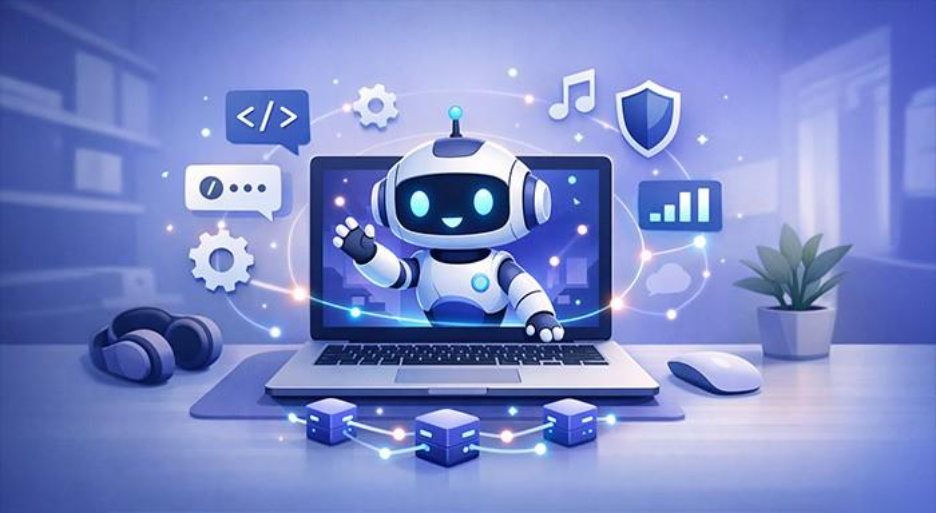






The purpose of Discord bots is diverse. They can automate various kinds of tasks in your Discord channels. The core requirement is having your own Discord server. Keep on reading to find out how you can make a Discord bot and how you can add a pre-built bot to your server.
Understanding Discord Bot
As you already know, bots are on the rise, and they have become one of the most common elements on the Internet. They are nothing but automated programs that can take on different tasks and finish them independently. For instance, a bot can work as a customer service associate, extract information from social media, or crawl the internet to enhance search machines. In Discord, users can implement bots with a broad variety of features, in order to enhance the functionality or entertainment value of the server.
Various types of Discord bots include the following:
- Discord music bots which can play music automatically
- Voice command bots for Discord voice control
- Allrounder bots that integrate diverse functions, e.g., automatic notifications, gaming integration, and moderation
- Translation bots
- Statistical bots for assessing server data
Discord bots are especially valuable for the gaming community as they can communicate automatically with a Minecraft server or Valheim server, assess user behavior, and create a connection between gaming server and Discord.
A Few Discord Bot Examples
- Dyno: For anti-spam and automated roles
- MEE6: For server management and automation
- Carl-bot: For advanced logging and reaction roles
- Rhythm: For playback music
- Welcomer: A welcoming discord bot
Feel free to check out our blog on best bots for Discord to know more.
How to Create a Discord Bot? A Detailed Guide
The very first thing you will require is a Discount account if you do not already have it. Then, you can use the account to create your own Discord server, which is where you will incorporate the bot. From this point onwards, you will have two main points for utilizing a Discord bot:
Adding a Pre-programmed Discord Bot:
If you are not a proficient programmer, then the safest way would be to use one of those pre-built bots. You can find a broad variety of bots on various websites which can have either a wide range of functionalities or specific functions.
To use a pre-built Discord bot, you can take the below-mentioned steps:
Step 1: You can go to a bot list website like “top.gg.” Once you have selected a bot, you will be sent to the bot website. Alternatively, you can also go to the website of your selected Discord bot. For instance, if you want to download the music bot Hydra, then you can go to the website “hydra.bot” directly.
Step 2: Select “Invite” on the bot page to add Discord bot to your Discord server.
Step 3: Enter the login credentials to your Discord account.
Step 4: Next, you will see a window on your screen where you can select the server where you want to add your Discord bot. Provide the bot required permissions.
Step 5: You will then start to see bot as a user on your channel. Generally, you will find the features and commands of the bot in the bot instructions or through the command “help.”
How to Make a Discord Bot?
If you do not want to depend on a pre-built bot and choose to create your own program, you must have standard coding skills. This can make the options substantially more complex for beginners. However, with relevant skills, it is possible to make a Discord bot in your preferred programming language. At its end, Discord provides a developer API where you can sign up for a new application including a token (password).
You will require:
- Your own Discord server.
- Programming platforms such as Python 3 or node.js (a JavaScript tool).
- Notepad++ (text editor).
You can follow the below-mentioned steps to make your own Discord bot:
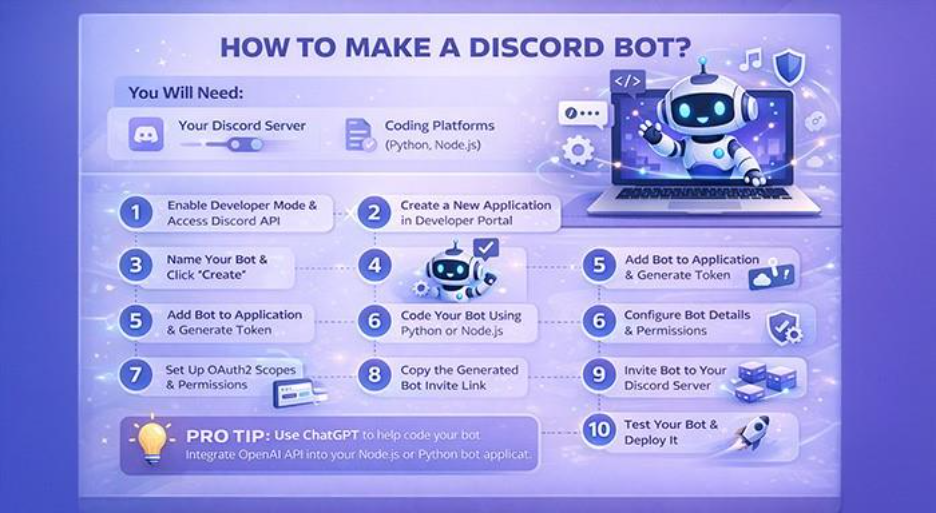
Step 1: Sign in to Discord account and then select “Advanced” on the sidebar. After that, you can activate “Developer Mode.” Then, select “Discord API.”
Step 2: In the developer portal, select “Applications” present on the sidebar on the left-hand side. Sign in to your account again and then choose “New Applications.”
Step 3: Next, give your bot a name and then select “Create.”
Step 4: Choose the option “Bot” which will be available on the left sidebar. Select “Add bot” to generate bot account and bot token. Before careful with this token as the bot interacts with API using this token only.
Step 5: Now, it is time to begin coding your bot. Since this involves sophisticated coding steps, you must have sufficient understanding of programming steps and tools. Leverage an IDEA programming environment, leverage coding tools such as node.js or Python 3, or a text editor such as Notepad++. Once you have created the bot, you can save the bot file.
Step 6: Back in Discord Developer Mode, select the option “General Information” and establish details such as app icon and description.
Step 7: Proceed to “OAuth2,” then go to the field “Scopes” and check the box titled “bot.” You can then set the permission for your Discord bot.
Step 8: The authentication link having the client ID must look as follows.
Step 9: Select “Copy” to include the bot in your channel.
Step 10: Next, you need to add “Discord” server in order to add your bot.
Pro Tip: A lot of people ask, can you create Discord bot using ChatGPT? The answer is yes you can. For this, you need to integrate OpenAI API with a Discord bot application developed with Node.js or Python. To learn how to create bots using ChatGPT, you can check out our dedicated blog.
Discord Bot Best Practices
Creating bots for corporate use or communities implies emphasizing cybersecurity. A compromised bot token or code vulnerability can expose confidential data.
Security Tips:
- Do not share your bot taken.
- Always rely on environment variables to store confidential information (.env files).
- Execute permission checks to prevent unauthorized activities.
- Consistently update dependencies (specifically discord.js).
- Track activity logs to detect suspicious behavior or commands.
- Avoid implementing user-input commands directly in the code.
If you are developing bots for enterprise use-cases, platforms like Xcitium’s OpenEDR can aid in tracking and securing network-level activity. This makes sure that bot operations remain safe within your environment.
Common Mistakes in Creating Discord Bots and How to Prevent Them
| Issue | Cause | Solution |
| Unresponsive Bots | Incorrect permissions | Check OAuth 2.0 settings once again |
| Invalid token | Incorrect copied token | Recreate and update token |
| Mobile Not Found Error | Missing Dependency | Reinstall with npm install discord.js |
| Offline Bot | Disconnect or Server Crash | Host or restart persistently |
Conclusion
Having detailed knowledge on how to create Discord bots opens up numerous possibilities, ranging from automating server tasks to improving efficiency and security. With Discord APIs, Node.js, and effective security practices, you can develop robust automation tools personalized to your requirements. For professionals in IT management and cybersecurity, bots are not just for fun. They are effective platforms for tracking, communication, and automation.
Feel free to check out more informative blogs on other bots like Auztron bot, an effective tool for automating daily tasks.