





Have you ever switched mobile carriers, dealt with lost or locked devices, and troubleshot a SIM card issue? You are likely familiar with terms like IMSI and IMEI. If yes, or if you don't have any idea what it means or where to find it—don’t worry! Today we will cover IMSI and how to find it on your Android or iPhone. In this blog, you will learn how IMSI differs from IMEI and why these are essential for managing mobile devices. While these terms sound more technical and complex, it becomes quite straightforward once you understand what they mean and how to access them.
IMSI, which typically stands for International Mobile Subscriber Identity, uniquely identifies a particular mobile subscriber over a network. Meanwhile, an IMEI number is a unique identifier that represents a particular mobile device or hardware. The IMSI number is stored in the SIM card, and the IMEI number is stored in the hardware device itself. The IMSI number contains the subscriber identity information, subscription plan, service allocation and billing information. Let’s explore the IMSI number thoroughly.
What is the IMSI number?
An IMSI number is a unique combinational number of 15 or fewer digits, such as MCC, MNC, and MSIN, which is stored in the SIM card. Each individual whose phone number is connected to a cellular network has a unique IMSI number. This number is crucial for mobile operators to authenticate the subscriber's identity, secure communication, and ensure roaming service to global networks. When you are travelling to another country, foreign mobile operators use this number to verify your credentials to your home mobile operators.
The IMSI number includes:
- Mobile Country Code (MCC): A 3-decimal number that identifies the country of the mobile device owner.
- Mobile Network Code (MNC): A 2-decimal number that specifies the mobile carrier within the country.
- Mobile Identification Number (MSIN): A unique number which does not get more than 10 decimal numbers that identifies individual mobile subscribers within the network.
These numbers are linked to mobile network technologies such as GSM (Global System for Mobile Communications) and UMTS (Universal Mobile Telecommunication System). They play an essential role in identifying and verifying users within a mobile network, ensuring coherent connectivity and communication.
Why You Need to Know Your IMSI Number
Before diving in deep, it's crucial to understand why you might need to know your IMSI number and why it matters.
- When you switch your mobile carriers with the same phone number.
- If you are dealing with network-related or SIM-related issues and need support.
- During international travel with a local SIM card for authentication
- For security verification in the case of fraud and lost or stolen devices
- In the MNP (mobile number portability) process—when you port your number to another network.
While you don’t need your IMSI number daily, knowing the number and its importance can make a big difference. If the moment comes and you need to know your IMSI number, then knowing exactly where to find it can save your device from the factory reset option.
How IMSI Information Can Be Used in Customer Management
IMSI is primarily used by mobile networks to identify subscribers, but mobile-related information can also be relevant to businesses that manage customers, devices, and service accounts. When a business handles a large number of mobile users, keeping customer and device information organized can become an important part of its daily operations.
A customer relationship management (CRM) system can help businesses maintain customer profiles, communication records, service details, support requests, and other relevant information in one centralized location. For businesses working with mobile services, telecom solutions, or device-based customer accounts, a CRM can also help teams organize information associated with individual customers and their services.
For example, a support team may need to identify a customer's account, review their service history, check previous support interactions, and record information related to the customer's mobile service or device. Keeping these details organized in a CRM can make it easier for customer service teams to access relevant information and manage customer requests efficiently.
However, IMSI is sensitive subscriber information and should not be collected or stored unnecessarily. Businesses should only use such information when there is a legitimate operational requirement and should follow applicable privacy, security, and data-protection practices.
For organizations with specialized customer management requirements, CRM customization and integrations can help connect customer records with other business systems and create workflows that better fit their operations.
How to Find the IMSI Number on Your Android Phone?
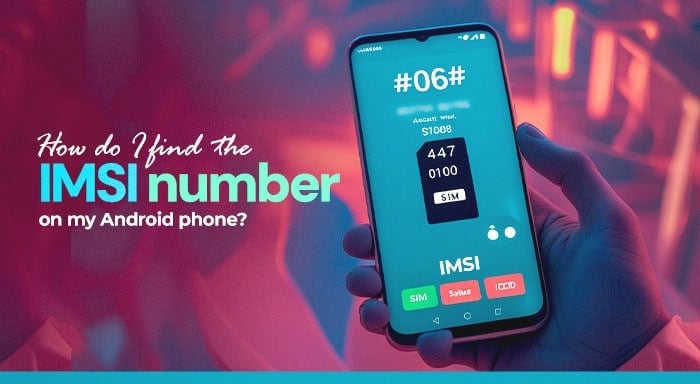
Can I find the IMSI number on the phone? If this question is frequently triggered in your mind, don't worry; you are not alone. Many of the people don't have an idea of how to access the IMSI number in an Android phone. Accessing the IMSI number is quite an easy process, as it is usually stored in your SIM card. Hence, there are three methods to find your IMSI number on an Android phone.
Method 1: Using Your Phone’s Dial Pad
Through your phone’s dial pad, you can access a hidden testing menu. Most mobile devices have their built-in testing interface that will reveal SIM card and device information. This menu includes IMSI number, IMEI number, usage statistics, and network or WiFi information. Here is how to access it:
- Open your mobile phone and go to Dialpad
- Type: *#*#4636#*#*
- You will see a screen labelled Testing
- Navigate to Phone information
- You will get the IMSI number along with other SIM or device details
Note: While this method works on many Android devices, it is not necessary that all devices have this feature. If you don’t find the IMSI number after entering the code, don’t be discouraged--go to other methods.
Method 2: Through Phone’s Settings
If method 1 does not work on your mobile phone, you can typically access it through Settings. Here is the step-by-step process:
- Open the Settings app on your Android phone
- Scroll down to About phone or About device
- Navigate to Status or Phone Identity
- You will see a 15-digit IMSI number or SIM status
Note: Implementing this method can vary slightly based on the device and Android version.
Method 3: Using ADB (Advanced Method for Tech Enthusiasts)
This method is effective for tech-savvy people with knowledge of technical know-how. ADB (Android Debug Bridge) offers direct access to the device system. Here are the steps to access it:
- Go to the Settings app> developer option
- Enable USB debugging
- Connect your phone to a PC with ADB installed
- Open the command prompt terminal and paste this command:
adb shell service call iphonesubinfo 7
If this command runs successfully, you will get your IMSI number as output.
Warning: Use this method if you are confident in your knowledge and do not run unfamiliar commands available online. As ADB is a powerful tool, one wrong step could modify the important system settings of your device.
Method 4: Use a Third-party SIM information App
However, if all these methods don’t work, use third-party apps that can help you access your SIM or device information safely. There are various trusted third-party SIM information apps available online---here are some popular apps listed below:1. SIM Tool Manager
2. Network Info II
3. Device Info HW
Just navigate to the Play Store app on your Android phone and install one of the apps from above and grant the necessary permissions. You can access your IMSI number along with other details.
Note: Do not trust any third-party apps – it may cause data privacy risks. Always check ratings and reviews to ensure you're installing known and reliable apps.
How to find the IMSI number of lost phones? If you miss your device and you need your IMSI number to find your lost phone. You can simply go to your mobile network carrier's website online and get help from the customer support team. Additionally, you can access the IMSI number from SIM packaging---the number is printed on it.
How to Check IMSI Number in iPhone?
While this guide thoroughly covers how to find the IMSI number on Android phones, iPhone users can also find their IMSI number through these steps.
- Go to settings apps in your iPhone
- Click General> About
- Scroll down to IMSI or ICCID
Managing Mobile Customer Data With CRM
Businesses that work with mobile customers often need to manage more than basic contact information. Customer accounts, service details, device information, support requests, and communication history may all need to be maintained together. A CRM can provide a centralized way to organize these records and make them accessible to authorized teams.
A well-organized CRM workflow can also help customer service and support teams respond to mobile-related requests more efficiently. Instead of searching through separate spreadsheets, emails, or disconnected systems, employees can use a centralized customer record to review relevant account information and previous interactions.
CRM integrations can be particularly useful when customer management needs to work alongside other business applications. Depending on the organization's requirements, integrations and CRM extensions can connect different systems, automate repetitive processes, and provide teams with a more consistent way to manage customer information.
For businesses using platforms such as SuiteCRM or SugarCRM, specialized extensions and custom CRM solutions can help adapt the system to specific operational requirements. The right configuration can make it easier to manage customer information while keeping business processes organized and scalable.
Conclusion
Knowing how to find an IMSI number on an Android phone can be beneficial in many scenarios. Whether you are facing SIM card issues, switching network providers, or an individual is just curious to know about the device, these details give you more control. As an Android user, you must know device information such as the IMSI number and how it differs from other numbers. Along with some other device information, such as IMEI, ICCID number, and more, it is also crucial to manage your digital security.
This information helps you to troubleshoot any connectivity issue that might arise with ease. One thing that you need to keep in mind is that it is sensitive information that needs to be protected. These unique identifiers go beyond the technical aspects – they become the foundation of mobile connectivity.
Frequently Asked Questions (FAQs)
An IMSI number is a unique identifier associated with a mobile subscriber and SIM card. Mobile networks use it to identify and authenticate subscribers.
You can usually find the IMSI number through your phone's SIM or network information, specific device settings, or by using supported dial codes. The exact method can vary by Android device and carrier.
No. An IMSI identifies a mobile subscriber or SIM on a cellular network, while an IMEI identifies the physical mobile device. They serve different purposes.
Yes. On many Android phones, you can check SIM or network information through the device settings, so you may not need to physically remove the SIM card.