





Managing business documents is an essential part of everyday CRM operations. From customer agreements and invoices to sales reports and project-related files, businesses handle hundreds of documents regularly. However, uploading these files individually can quickly become frustrating, especially when employees have to manage multiple customer records.
This is where the Outright Bulk Document Uploader for SuiteCRM makes a difference. It simplifies the document uploading process by allowing users to upload multiple files in a single go rather than repeating the same manual steps.
For businesses that rely heavily on SuiteCRM, this extension offers a practical way to save time, reduce repetitive work, and make document management more convenient.
What Is Outright Bulk Document Uploader for SuiteCRM?
The Outright Bulk Document Uploader for SuiteCRM is an extension designed to make uploading multiple documents easier within your CRM environment.
Normally, users have to select and upload documents individually. While this approach works for occasional uploads, it becomes inconvenient when dealing with large volumes of files.
Imagine a sales executive handling 30 customer agreements or an HR professional uploading employee onboarding documents. Uploading every file separately consumes valuable time that could be spent on more important responsibilities.
The extension addresses this challenge by enabling bulk document uploads through a simplified process. Users can select multiple files and upload them together while monitoring their progress.
Instead of spending unnecessary time on repetitive uploading activities, employees can focus on their actual work.
Why Do Businesses Need a Bulk Document Upload Solution?
Document management becomes increasingly challenging as businesses grow. More customers, transactions, employees, and projects naturally result in more digital files.
Without an efficient uploading process, even simple CRM activities can become time-consuming.
Here are some common challenges businesses experience:
- Repetitive manual work: Uploading files individually takes considerable time.
- Duplicate documents: Users may accidentally upload the same file more than once.
- Limited visibility: It can be difficult to identify which files have uploaded successfully.
- Interrupted uploads: Failed uploads can require users to repeat the entire process.
- Reduced productivity: Employees spend more time managing files instead of handling customer-related activities.
The Outright Bulk Document Uploader for SuiteCRM helps address these everyday challenges by bringing multiple document uploads into a more manageable workflow.
Key Features of Outright Bulk Document Uploader for SuiteCRM
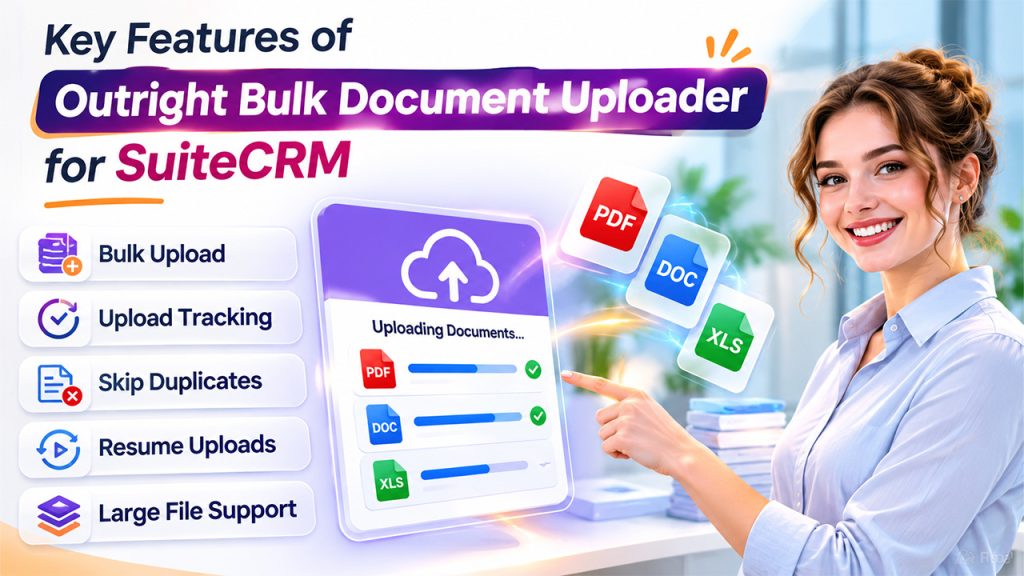
Let's explore the features that make this extension useful for businesses working with large document volumes.
1. Upload Multiple Documents in One Go
The biggest advantage is the ability to upload multiple documents simultaneously through a single workflow.
Users no longer need to repeat the upload process for every individual file. They can select the required documents and initiate the uploading process together.
For example, a sales team preparing customer records can upload proposals, agreements, quotations, and supporting documents without handling each file separately.
This functionality makes the Outright Bulk Document Uploader for SuiteCRM particularly helpful for teams that regularly deal with document-heavy CRM activities.
2. Real-Time Upload Status Tracking
Knowing whether documents have uploaded successfully is just as important as uploading them.
The extension provides upload status visibility, allowing users to monitor the progress of their selected documents.
They can identify completed uploads and recognize files that have encountered problems.
This makes the process more transparent and reduces the need to repeatedly check individual records.
3. Automatic Duplicate File Skipping
Duplicate documents can create confusion and unnecessary clutter in a CRM database.
For example, an employee might accidentally select a document that has already been uploaded. Without duplicate handling, the same file could be stored multiple times.
The extension helps prevent this problem by automatically skipping documents that have already been uploaded.
This feature supports cleaner document management and helps users avoid unnecessary duplication.
4. Resume Interrupted Uploads
Upload interruptions can happen because of network connectivity problems or other technical issues.
Restarting an entire batch just because a few files failed can waste time.
The extension provides an option to resume broken uploads, allowing users to continue the interrupted process without starting everything from scratch.
This is especially useful when employees are working with larger batches of documents.
5. Support for Large Document Uploads
Businesses often work with multiple documents of different sizes and formats.
The extension is designed to support large document handling, making bulk uploading more convenient for document-heavy workflows.
It helps reduce the manual effort associated with transferring numerous files into SuiteCRM.
How Does the SuiteCRM Bulk Document Upload Process Work?

Getting started with the extension is straightforward. Its purpose is to make document uploading easier without introducing unnecessary complexity into everyday CRM activities.
Here is how users can approach the process:
Step 1: Select the Documents
Choose the documents you want to upload from your system. Instead of selecting files individually for repeated uploads, select multiple files together.
Step 2: Start the Upload Process
Initiate the upload operation. The selected documents will begin uploading through the bulk upload functionality.
Step 3: Monitor Upload Progress
Check the displayed status to understand which documents have uploaded successfully and which ones require attention.
Step 4: Handle Interrupted Files
If certain uploads fail or become interrupted, use the resume functionality to continue the process.
Step 5: Verify Your Documents
Once the upload process is complete, check the uploaded documents in your CRM to ensure everything is available where expected.
Following this process makes the SuiteCRM Bulk Document Upload experience more convenient and less dependent on repetitive manual activities.
Who Can Benefit from This Extension?
The Outright Bulk Document Uploader for SuiteCRM can be useful for different teams across an organization.
Here are a few practical examples:
- Sales Teams: Upload customer agreements, proposals, quotations, and supporting files.
- HR Departments: Manage employee documents, joining forms, and onboarding paperwork.
- Finance Teams: Upload invoices, payment records, financial reports, and transaction-related documents.
- Project Managers: Organize project reports, specifications, and other supporting files.
- Customer Support Teams: Maintain customer-related documents and service records.
Any department that regularly works with multiple documents can benefit from a simpler uploading workflow.
How Does It Improve Business Productivity?

Productivity is not always about introducing complicated automation or expensive enterprise solutions. Sometimes, improving a small but frequently repeated task can make a noticeable difference.
The Outright Bulk Document Uploader for SuiteCRM focuses on exactly that.
By reducing individual upload operations, employees can spend less time performing repetitive administrative work.
Duplicate skipping also helps avoid unnecessary document entries, while upload status tracking makes it easier to identify incomplete operations.
The ability to resume interrupted uploads further reduces the frustration associated with failed transfers.
Together, these capabilities create a more convenient document management experience for everyday CRM users.
Why Choose Outright Bulk Document Uploader for SuiteCRM?
Choosing the right CRM extension means identifying a solution that addresses an actual business problem.
The Outright Bulk Document Uploader for SuiteCRM focuses on simplifying one of the most repetitive activities in CRM management: uploading documents.
Its key advantages include:
- Convenient uploading of multiple documents.
- Live visibility into upload progress.
- Automatic skipping of previously uploaded documents.
- Resume functionality for interrupted uploads.
- Support for document-heavy business activities.
- Integration with standard and custom SuiteCRM modules.
For organizations that frequently handle customer files, business paperwork, or internal documentation, this extension can make everyday CRM operations easier.
Rather than spending valuable working hours uploading files individually, teams can use a more streamlined approach.
Final Thoughts
Efficient document management plays an important role in maintaining organized CRM operations. However, uploading numerous documents individually can become a frustrating and time-consuming responsibility.
The Outright Bulk Document Uploader for SuiteCRM provides a practical solution by allowing users to upload multiple files together, track their progress, skip duplicates, and resume interrupted uploads.
Whether you manage customer agreements, employee records, financial documents, or project files, simplifying the uploading process can help your team work more efficiently.
If your organization regularly handles large volumes of documents in SuiteCRM, exploring this extension could be a worthwhile step toward improving everyday productivity.
Frequently Asked Questions (FAQs)
It is a SuiteCRM extension that allows users to upload multiple documents together instead of uploading each file individually. It also provides upload status tracking and other useful document management capabilities.
Yes. The extension allows users to select multiple documents and upload them in one go, reducing the time and effort required for individual uploads.
Yes. It can automatically skip documents that have already been uploaded, helping prevent unnecessary duplicate entries.
Yes. The extension provides functionality to resume broken uploads, so users do not have to restart the entire uploading process.
Yes. The extension is designed to work with standard as well as custom SuiteCRM modules, making it useful for businesses with customized CRM environments.