



★
(0 Reviews)
Outright NameScan for SuiteCRM 8
$249.00
Product Description
Outright NameScan for SuiteCRM 8
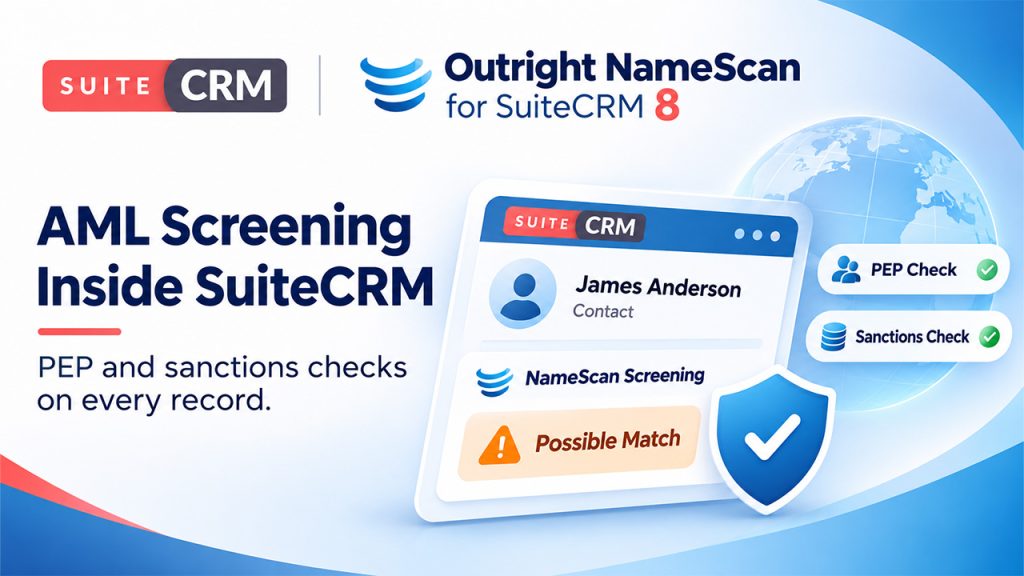
Outright NameScan brings anti-money-laundering (AML) screening into SuiteCRM 8. People in your CRM — contacts, leads, targets or any module with a name — are checked with NameScan against PEP and sanctions lists, and organisations against sanctions lists, using the NameScan Emerald or Sapphire product you already have.
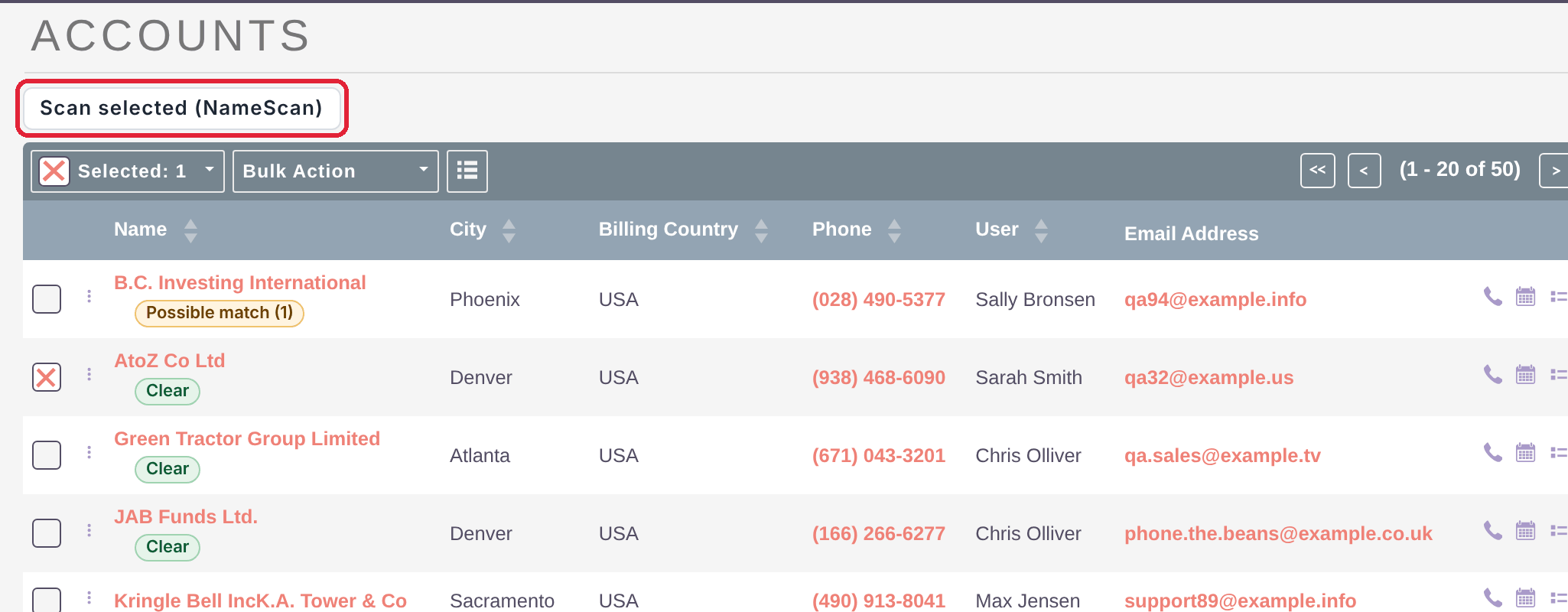
Screening runs by itself: new records are scanned when they are created, records are scanned again when a screened field changes, and everything is re-scanned on your schedule. Users can also scan a record with one click or scan hundreds from a list view. Every record shows its status — Clear, Possible match, Confirmed match or Scan failed — on the record and as a badge in list views.
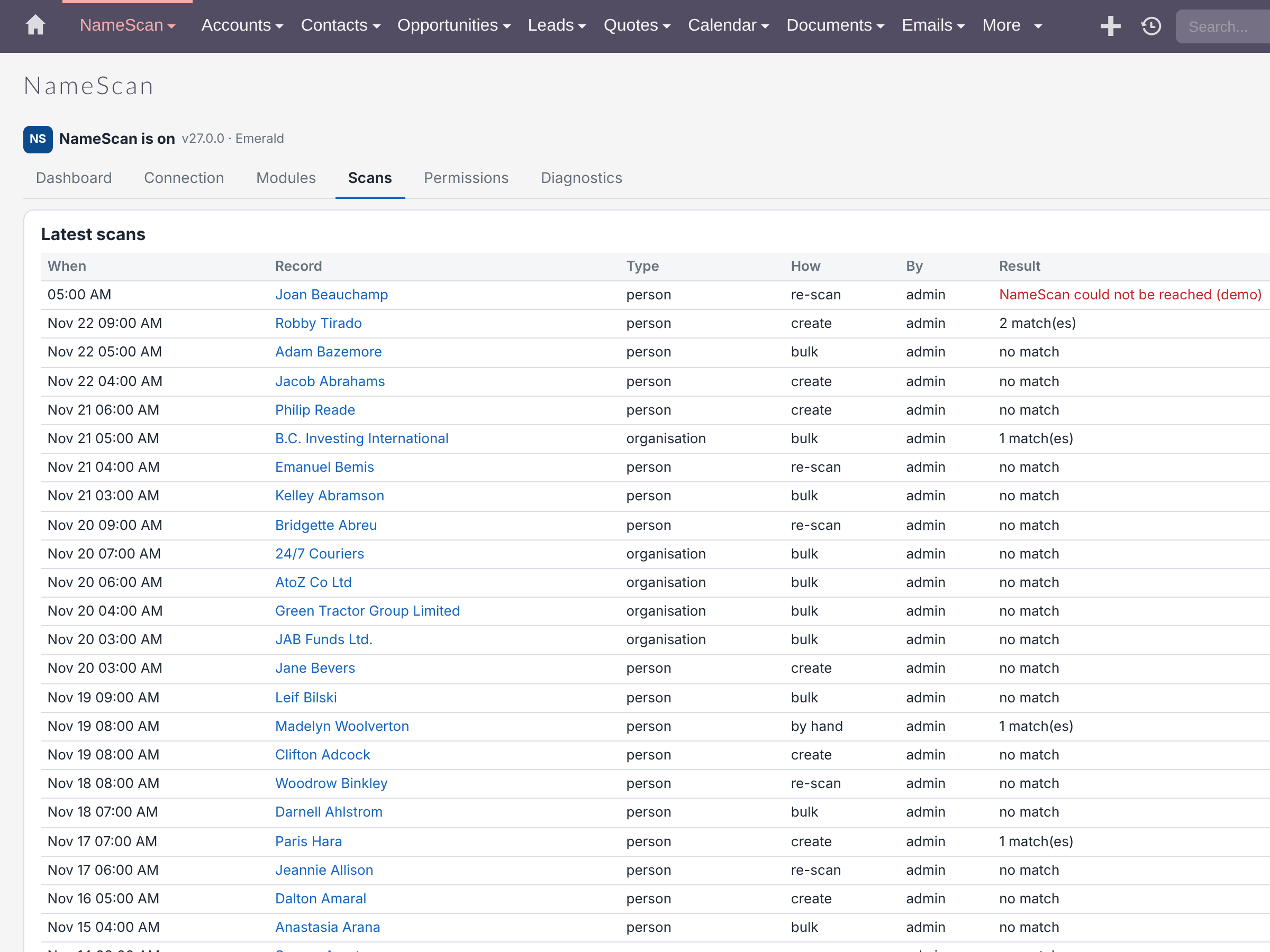
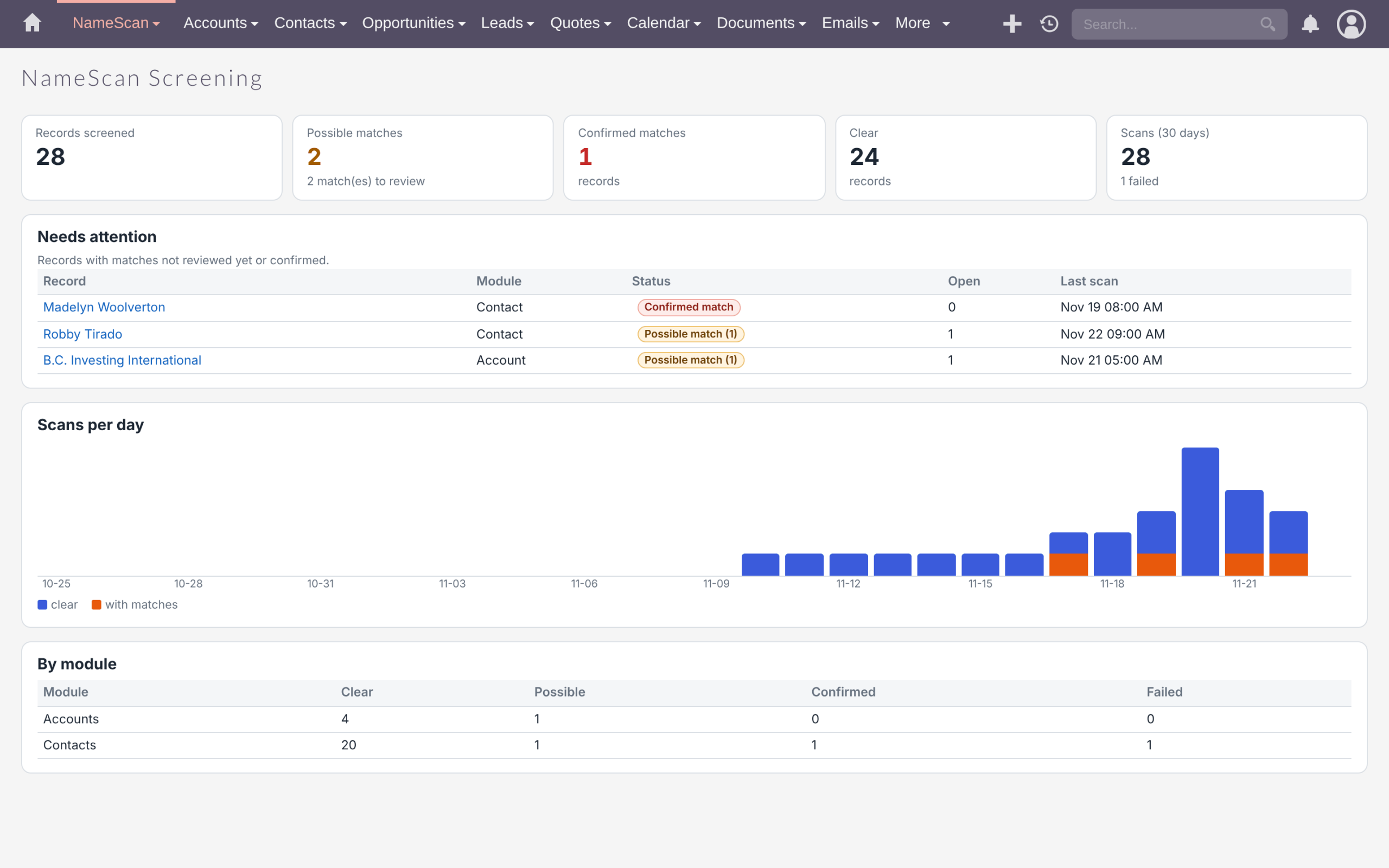
Compliance teams review each possible match as false positive or true match with a note; re-scans keep earlier decisions, and every scan and decision is recorded with who and when. A dashboard shows the records that need attention, and permissions decide who can see, scan and review.
Compatibility: SuiteCRM 8.10 and later (tested on 8.10.2), Community Edition, PHP 8.1 – 8.4. Needs a NameScan account (Emerald or Sapphire), internet access from the CRM server to NameScan and the SuiteCRM cron job. Upgrades 25.x and 26.x in place.
Real-World Use Cases
✅ Banks and Payment Companies
Problem: Every new customer must be screened before onboarding.
Outright NameScan setup: Contacts and Accounts screened on create; review queue on the dashboard.
✅ Financial Advisers / Wealth Management
Problem: Clients may become PEPs after onboarding.
Outright NameScan setup: Re-scan every 30 days; new matches show as Possible match.
✅ Real Estate and Legal Firms
Problem: AML rules require checks on buyers and companies.
Outright NameScan setup: Leads and Accounts screened; true matches documented with notes.
✅ Crypto and Fintech
Problem: High volume of sign-ups and strict audits.
Outright NameScan setup: Automatic scans with a per-run limit; Change history as audit evidence.
✅ B2B Sales
Problem: Avoid deals with sanctioned companies.
Outright NameScan setup: Accounts as organisations against sanctions lists; badge in the list view.
✅ Compliance Team
Problem: Too many false alarms.
Outright NameScan setup: Map date of birth and country, raise the minimum match rate, keep false-positive decisions.
✅ Existing Database
Problem: Thousands of contacts never checked.
Outright NameScan setup: List view → Scan selected (NameScan) in batches.
✅ Upgrade from 25.x
Problem: Old results and settings must be kept.
Outright NameScan setup: Install 27.0.0 over it: configuration, results and decisions kept.
Key Highlights
✅ Screening on Autopilot
New records are scanned on create, changed records when a screened field changes, and everything is re-scanned every N days — or scan one record or hundreds from a list view.
✅ Clear Status and a Real Review Process
Clear / Possible match / Confirmed match / Scan failed on every record and in list views; matches reviewed as false positive or true match with notes, kept across re-scans.
✅ Audit-Ready and Under Control
Every scan and decision with user and time, change history, permissions for seeing, scanning, reviewing and the dashboard, encrypted API key and a health check.
Most Popular
Check out these related extensions

Key Features
Discover what makes this product stand out
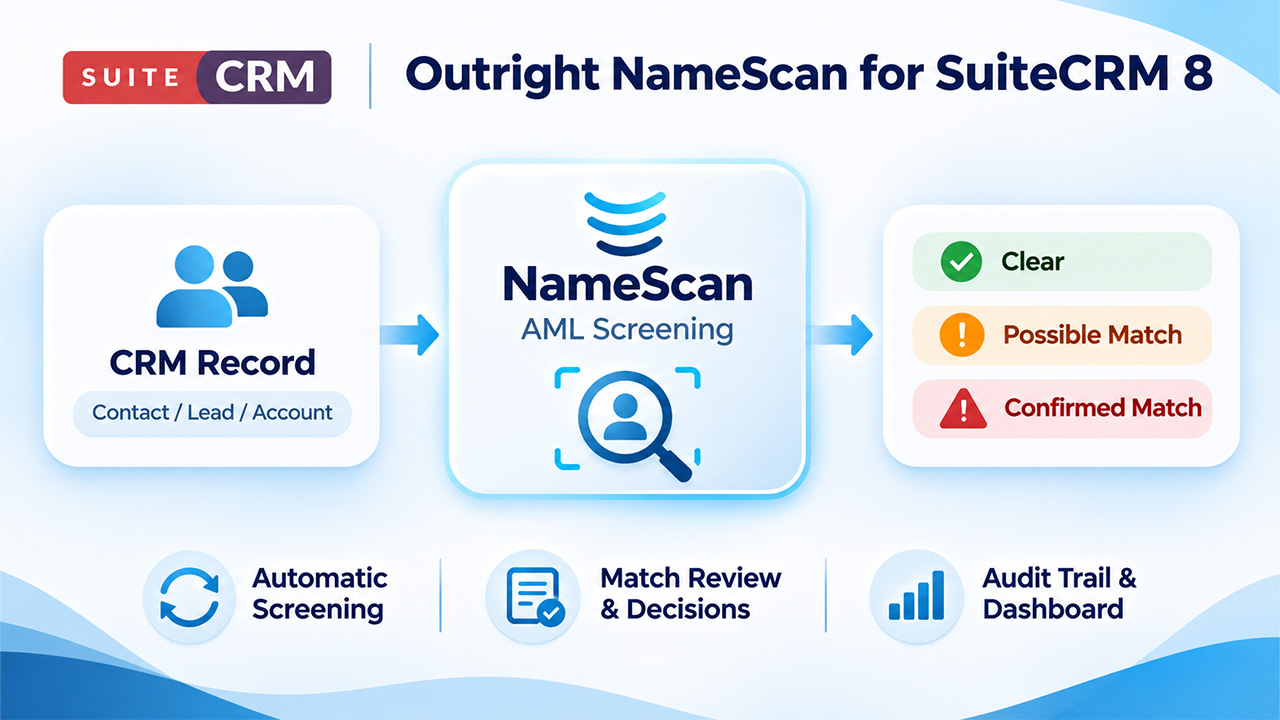
✅ What Is Screened
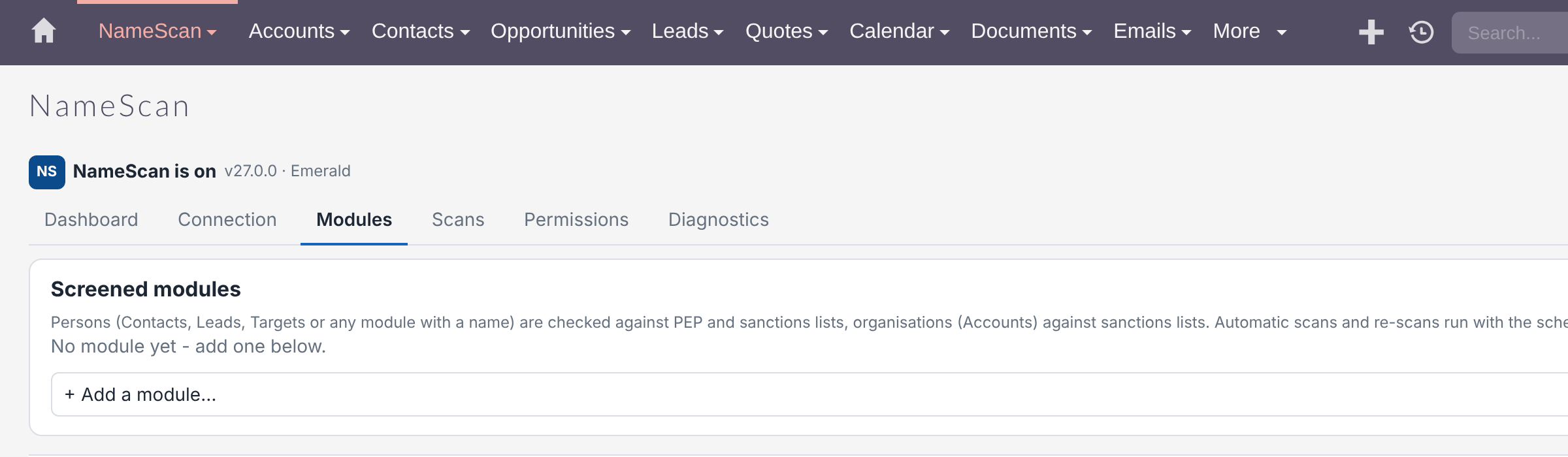
- Persons (Contacts, Leads, Targets or any module with a name) against PEP and sanctions lists.
- Organisations (Accounts) against sanctions lists.
- NameScan Emerald (PEP, sanctions, adverse media) or Sapphire (also ID / registration number, exact match).
✅ Field Mapping
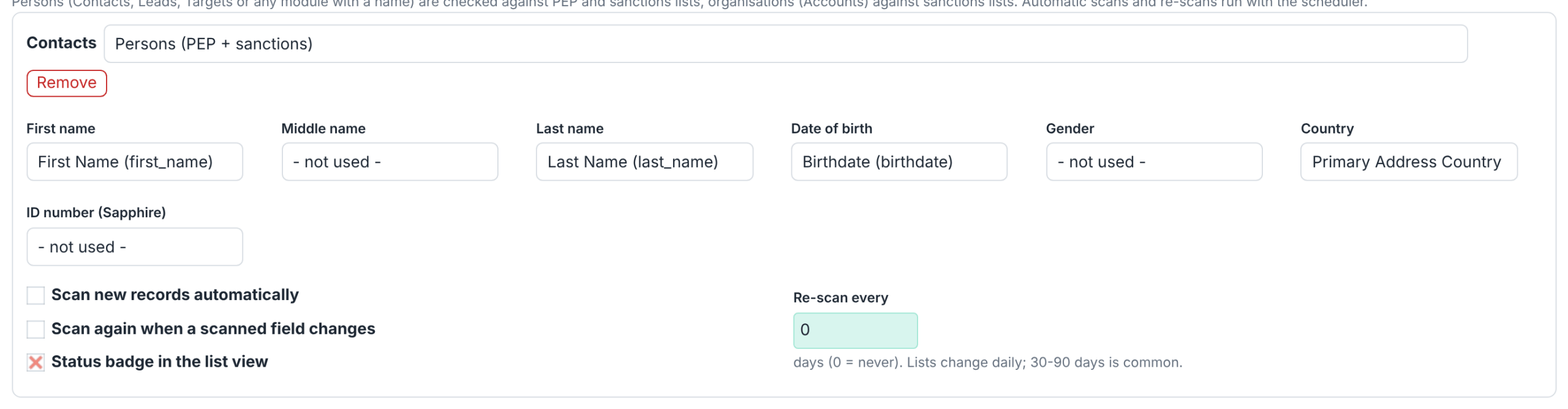
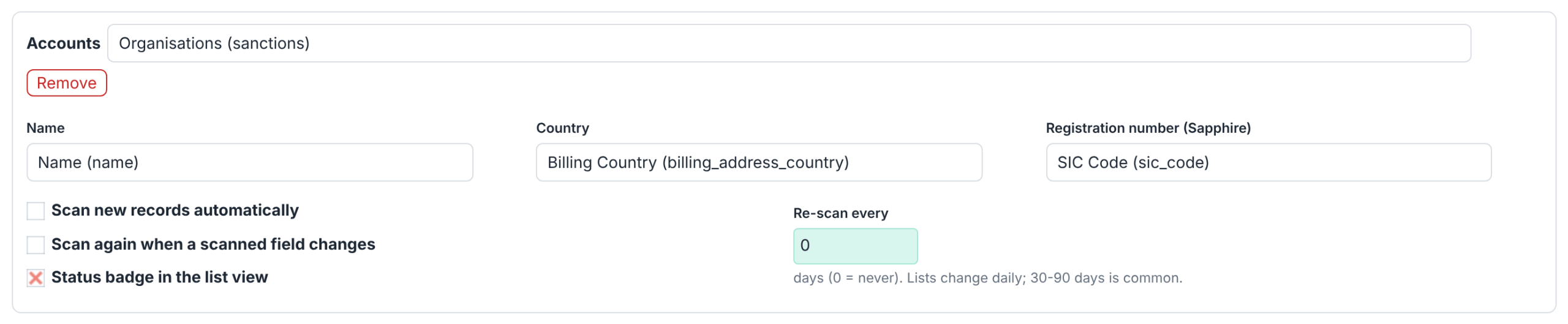
- Mapped automatically per module and editable: first, middle and last name, date of birth, gender, country, ID number.
- Organisation name, country and registration number.
✅ Automatic Scans
- Scan new records on create, and again when a screened field changes (by the SuiteCRM 8 interface, API or classic pages).
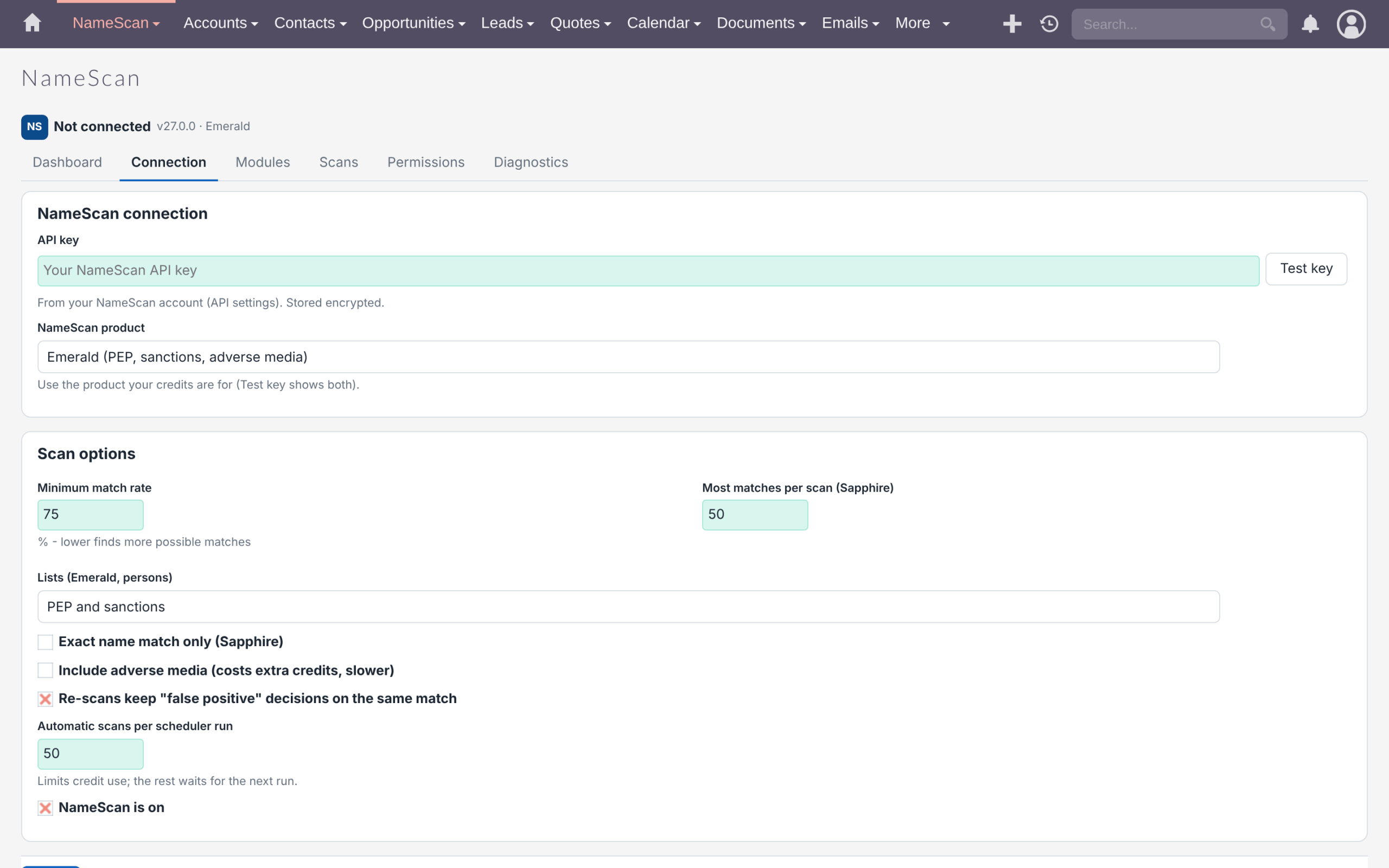
- Re-scan every N days; a limit of automatic scans per scheduler run controls credit use.
✅ Scan Options
- Minimum match rate, list choice (PEP and sanctions / only PEP / only sanctions), adverse media, exact name match and maximum matches (Sapphire).
✅ On the Record
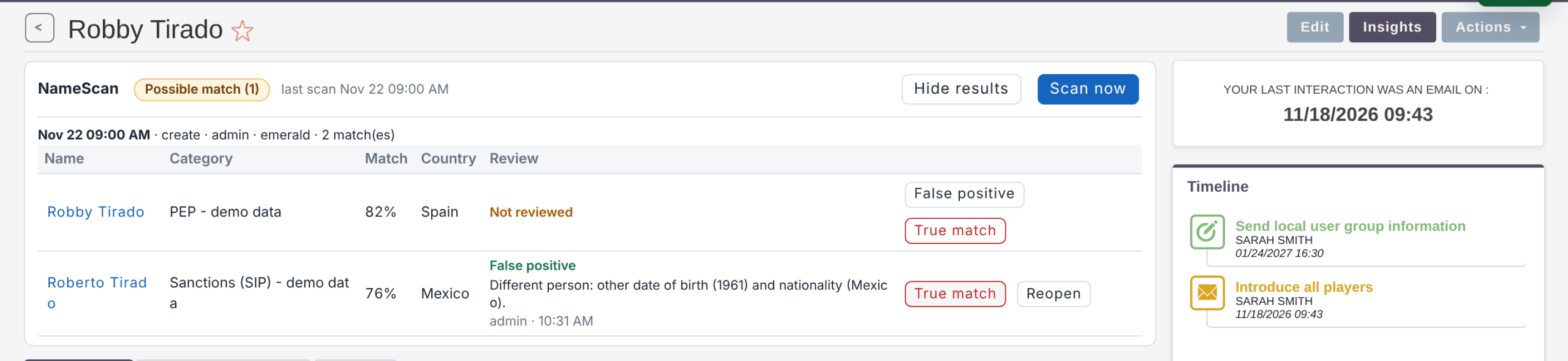
- Screening panel in the SuiteCRM 8 record view: status, last scan, results, Scan now.
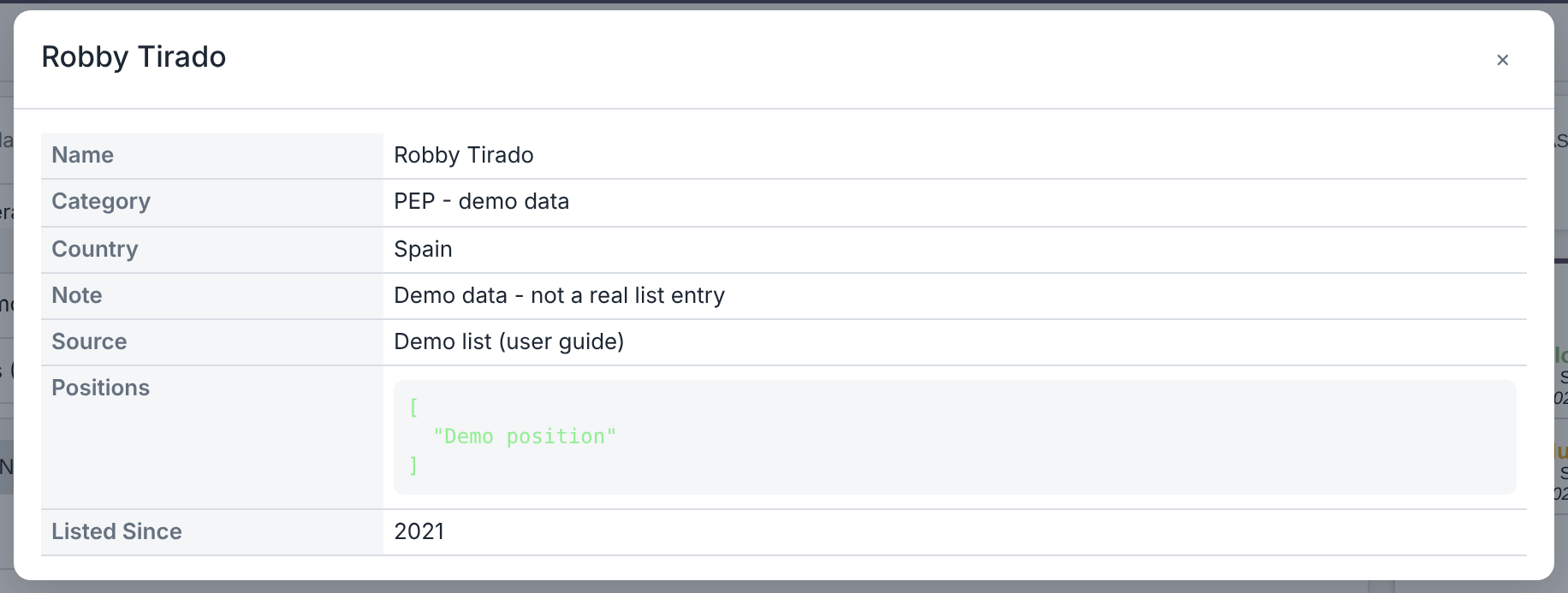
- Match details as returned by NameScan.
✅ Match Review
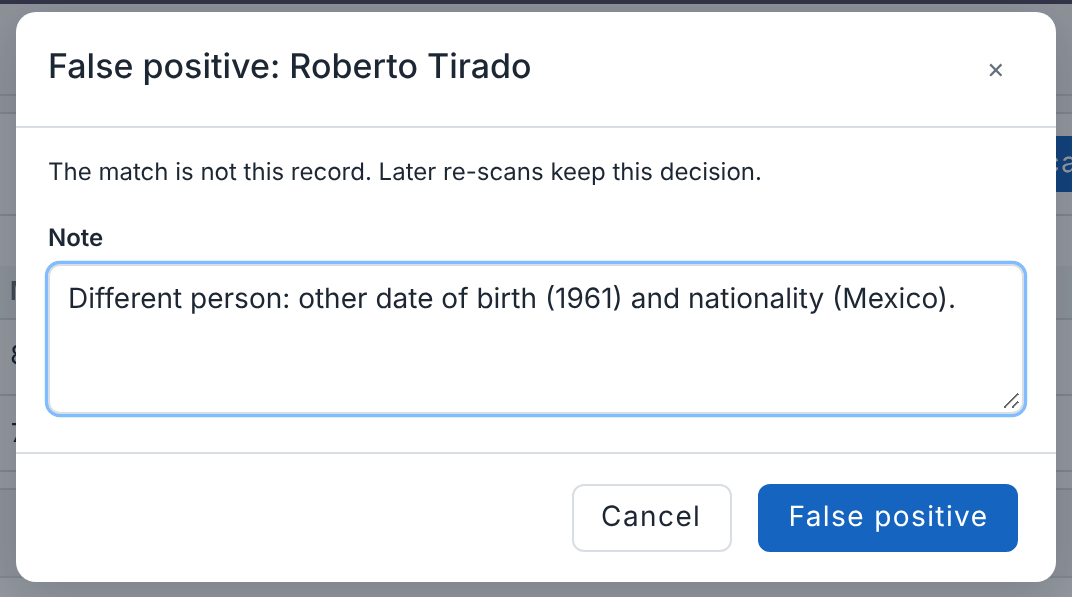
- False positive or true match with a note; reopen at any time.
- Re-scans keep decisions on the same match; status recalculated automatically.
- Reviewer, time and note stored; every decision in the change history.
✅ List Views
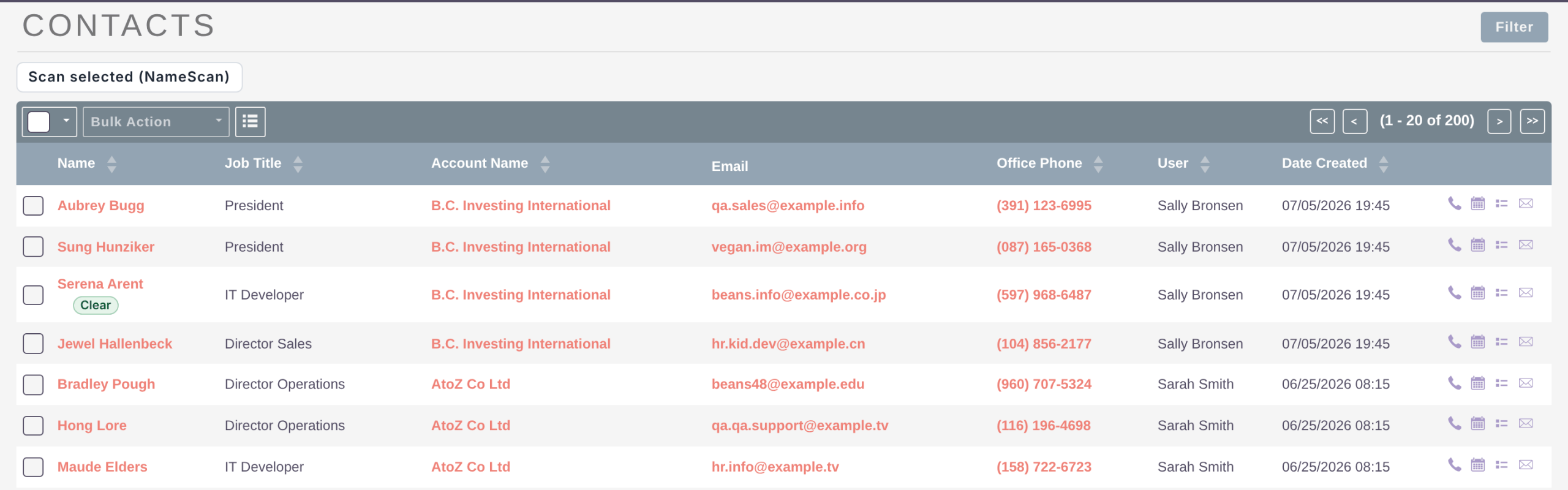
- Status badges next to the name.
- Scan selected (NameScan) for bulk scans with progress.
✅ Dashboard and Administration
- Dashboard: records screened, possible and confirmed matches, clear, scans per day, records to review, summary by module.
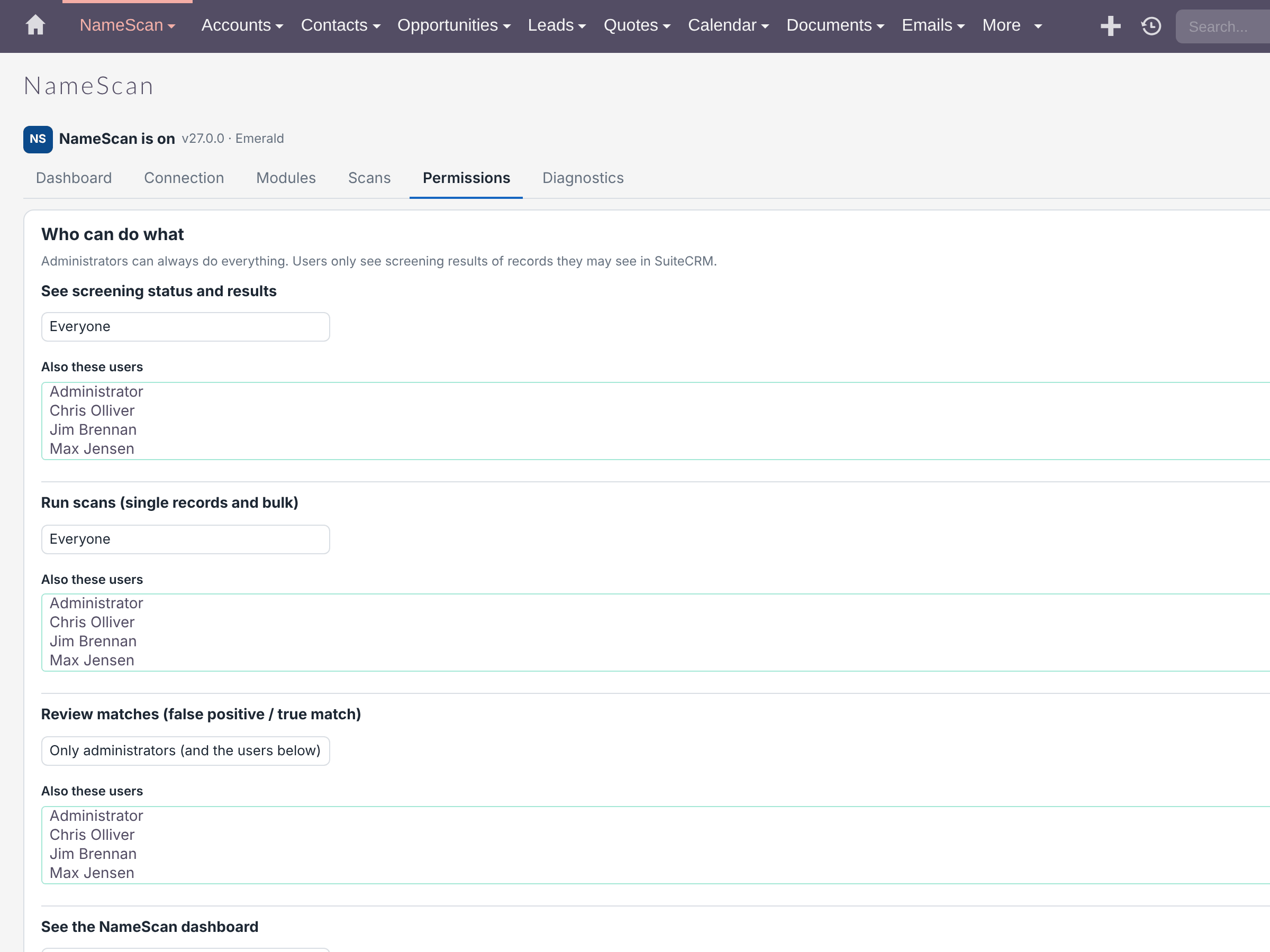
- Permissions: see, scan, review, dashboard; SuiteCRM record access respected.
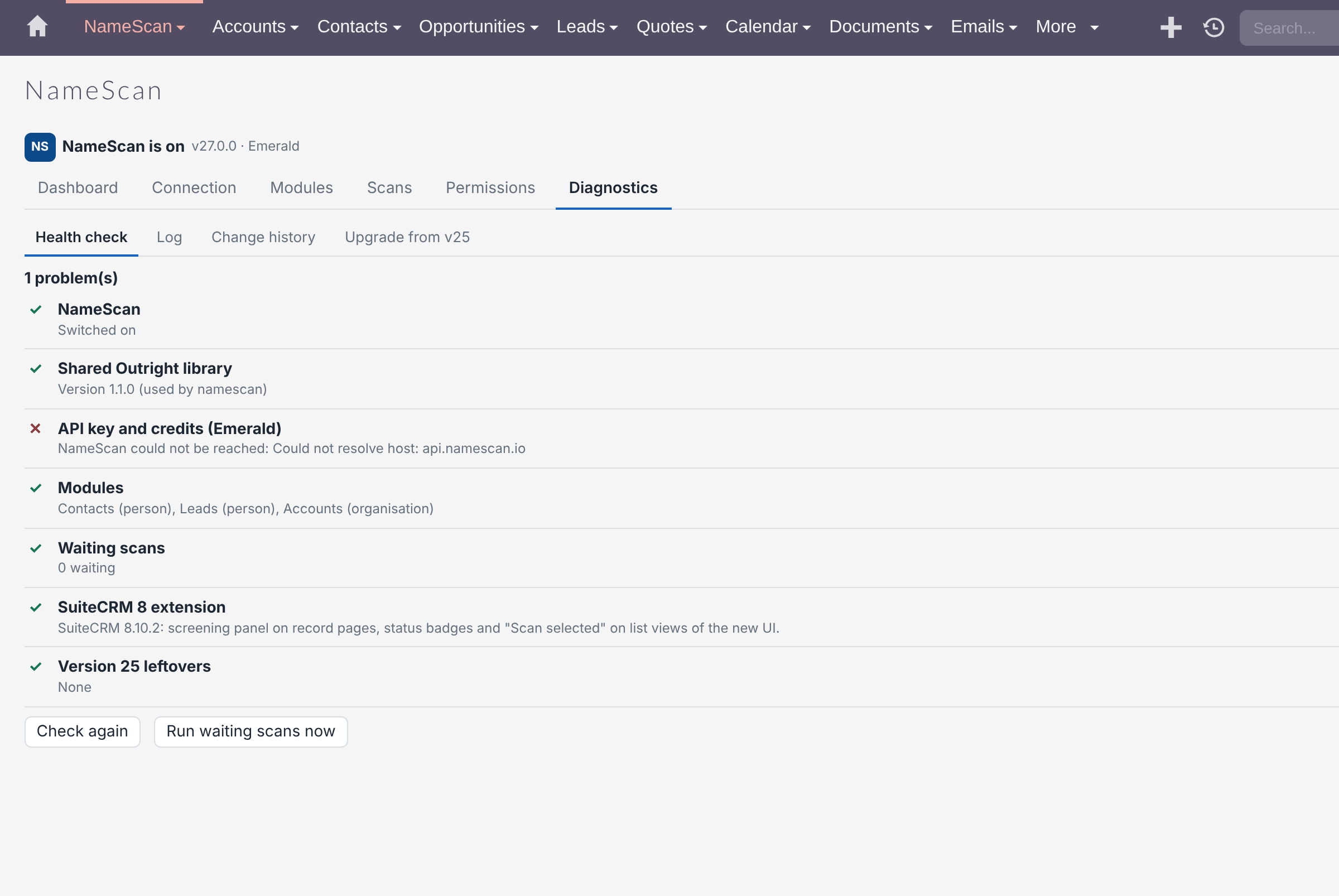
- API key stored encrypted; health check, log and change history; optional own API gateway.


Visual Showcase
See the product in action through screenshots








1
2
3
4
5
6
7
8
9
10
11
12
13
14
15
16
17
18
19
20
21
22
23
24
25
26
Product Videos
Watch our product in action
Coming Soon
User Guide
Learn how to use and configure the system step by step


FAQs
Question? Look here.
Which SuiteCRM versions are supported?
SuiteCRM 8.10 and later (tested on 8.10.2), Community Edition, with PHP 8.1 – 8.4. It does not install on SuiteCRM 7.
Do I need a NameScan account?
Yes. You need an API key and credits for NameScan Emerald or Sapphire. The key is stored encrypted.
What is checked?
Persons against PEP and sanctions lists, organisations against sanctions lists; adverse media optionally (Emerald).
Which modules can be screened?
Contacts, Leads, Targets, Accounts and any module with a name — you choose them on the Modules tab.
Are scans automatic?
Yes: on create, when a screened field changes, and re-scans every N days through the SuiteCRM scheduler. Users can also scan by hand or in bulk.
How do I limit credit use?
Set the number of automatic scans per scheduler run, the re-scan interval and which fields trigger a new scan.
What do the statuses mean?
Clear (no match), Possible match (matches to review), Confirmed match (a true match), Scan failed (NameScan could not be reached; the earlier result stays).
How are matches reviewed?
Mark each match as false positive or true match with a note; reopen it if needed. Re-scans keep the decision on the same match.
Is there an audit trail?
Yes. Every scan and decision is stored with user and time and shown in the change history.
Does it work in the new SuiteCRM 8 interface?
Yes. The screening panel is on record pages, badges and Scan selected are on list views of the new interface.