



★
(0 Reviews)
Outright DocuSign for SuiteCRM
$499.00
Product Description
Outright DocuSign for SuiteCRM
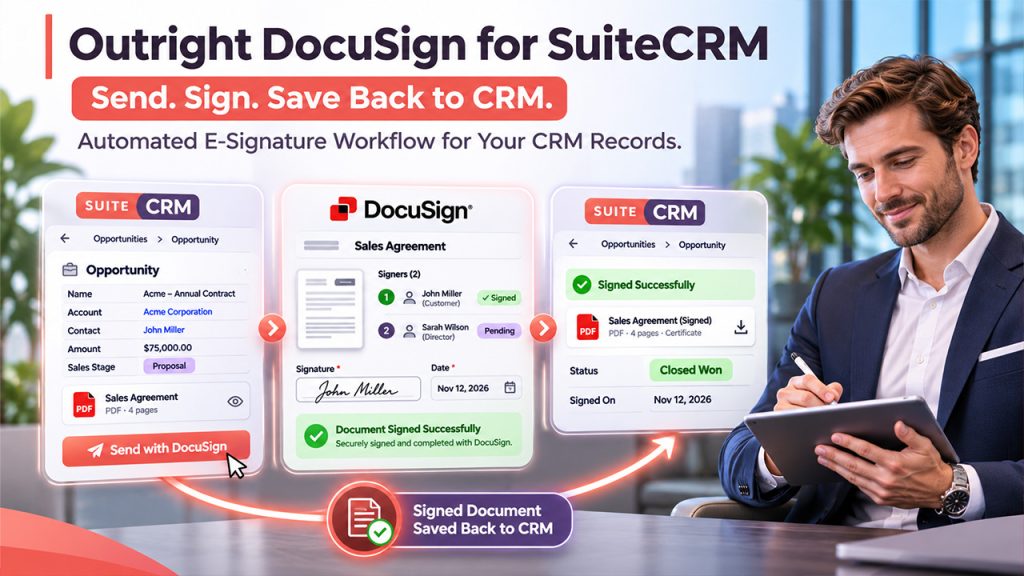
Outright DocuSign connects SuiteCRM with DocuSign so any record — an opportunity, a quote, a contract, an account or a custom module — can be sent for e-signature in a few clicks. Send a DocuSign template filled from the record, a PDF made from one of your CRM PDF templates, or a file from Documents, to the record’s people and contacts.
Signers sign by e-mail or right in the CRM; everyone signs one document in order or at the same time, or each person signs their own copy. Status arrives live through DocuSign Connect, reminders and expiry are handled for you, and envelopes can be voided or resent. When everyone has signed, the signed PDF with its certificate is saved on the record, values the signers entered are written back, and the record is updated — for example the deal set to Closed Won.
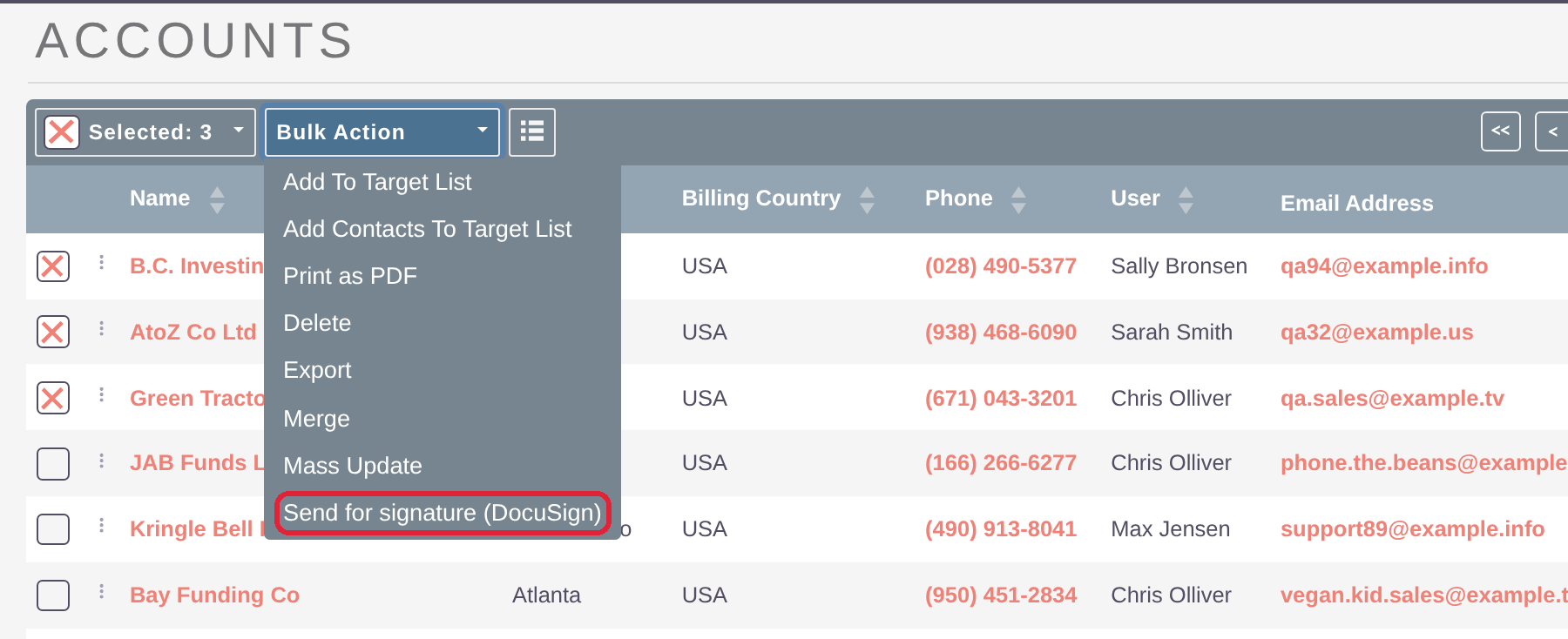
In SuiteCRM 8 records get a “Send with DocuSign” action and list views a bulk action for up to 500 records. Admins get a JWT connection that never expires, per-user senders, permissions, a dashboard, a health check and a full change history.
Compatibility: SuiteCRM 7.13, 7.14 and 8.x (tested on 8.10.2), Community Edition. Needs a DocuSign account and the SuiteCRM cron job; a public HTTPS address is recommended for live status updates. Upgrades 25.0.0 and 26.0.0 in place.
Real-World Use Cases
✅ Sales
Problem: Deals stall while contracts wait for signatures and someone updates the CRM by hand.
Outright DocuSign setup: DocuSign template on Opportunities, completion rule Sales Stage = Closed Won, signed PDF saved as Note.
✅ Quotes
Problem: Customers must accept quotes quickly.
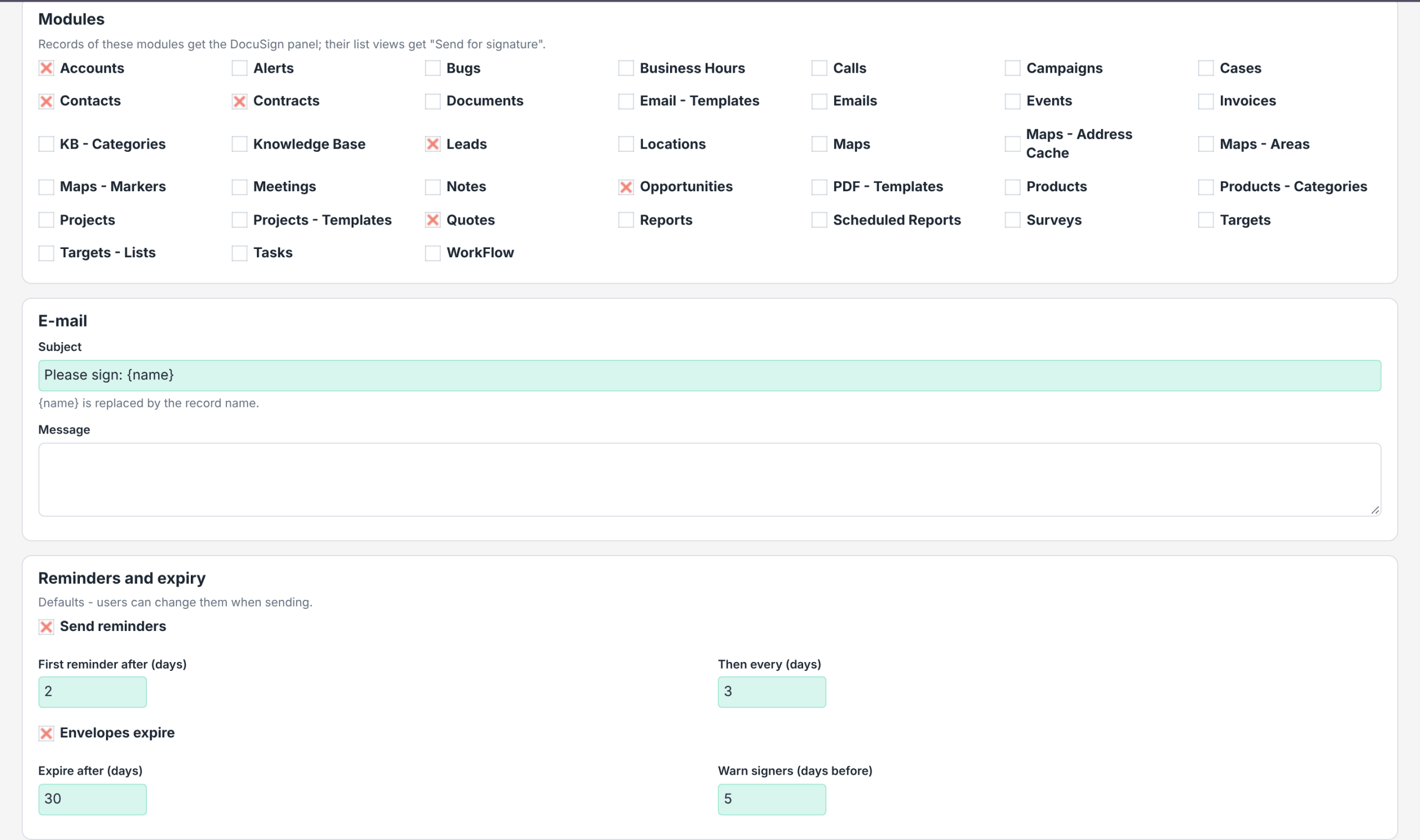
Outright DocuSign setup: PDF from the CRM quote template, signer = the quote’s contact, reminders every 2 days.
✅ Contracts / Legal
Problem: Contracts need customer and internal signatures in a fixed order.
Outright DocuSign setup: Everyone signs the same document, one after another: customer first, then your director.
✅ HR / Onboarding
Problem: Every new hire must sign the same policy documents.
Outright DocuSign setup: File from Documents, each person signs their own copy, bulk send from Contacts.
✅ Field Sales
Problem: Customers want to sign on a tablet during the visit.
Outright DocuSign setup: Signer type “Signs here in the CRM” and Sign now.
✅ Customer Success
Problem: Annual renewals for 300 accounts.
Outright DocuSign setup: List view bulk send to the person of each record, expiry after 30 days.
✅ Management
Problem: Nobody knows how many contracts are waiting.
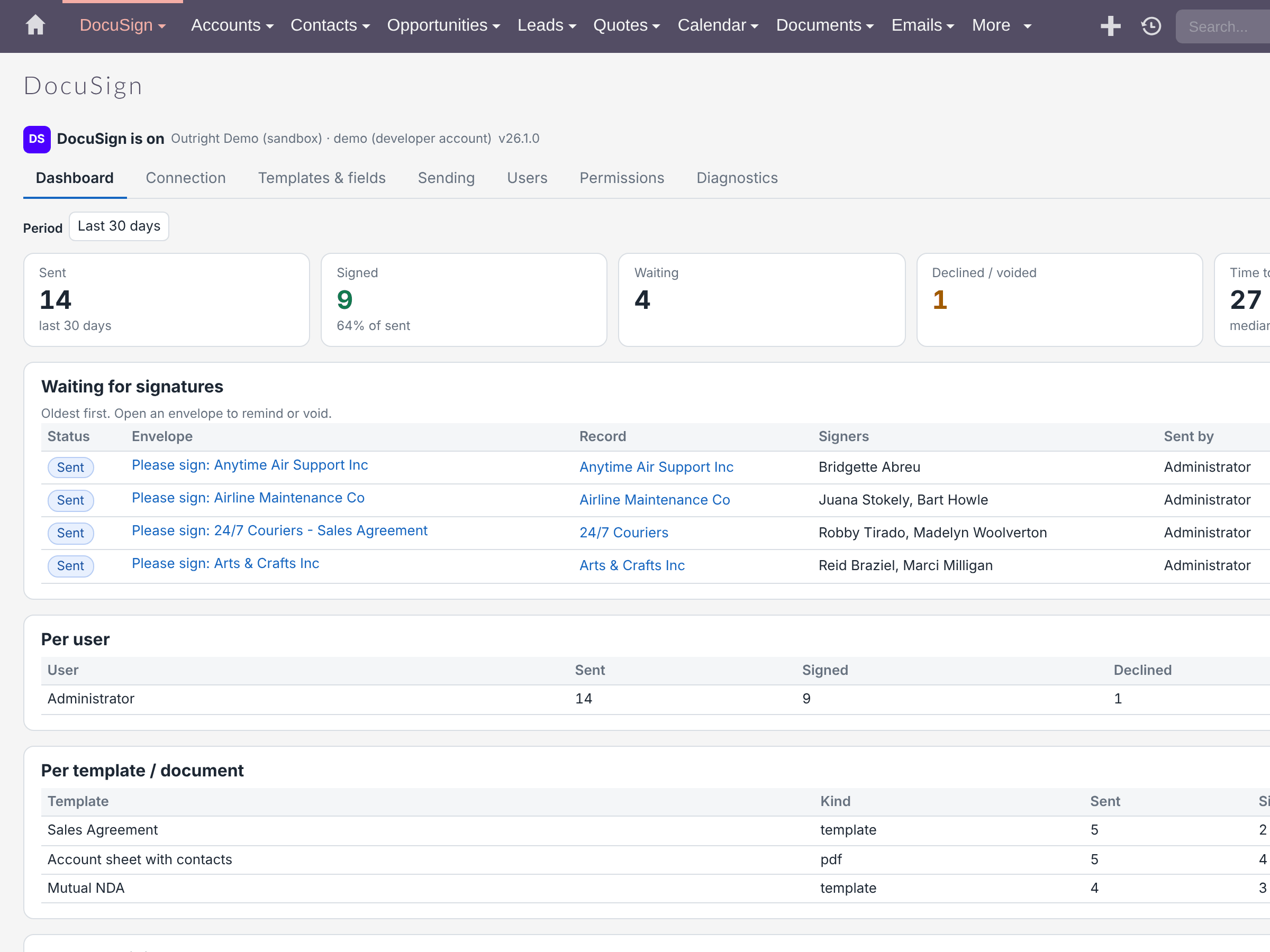
Outright DocuSign setup: Dashboard: sent, signed, waiting and time to sign per user and template.
✅ Upgrade from 25.0.0
Problem: Old signed documents and OAuth connection must not be lost.
Outright DocuSign setup: Install 26.1.0 over it: connection, mapping and signed documents are taken over.
Key Highlights
✅ Send Anything from Any Record
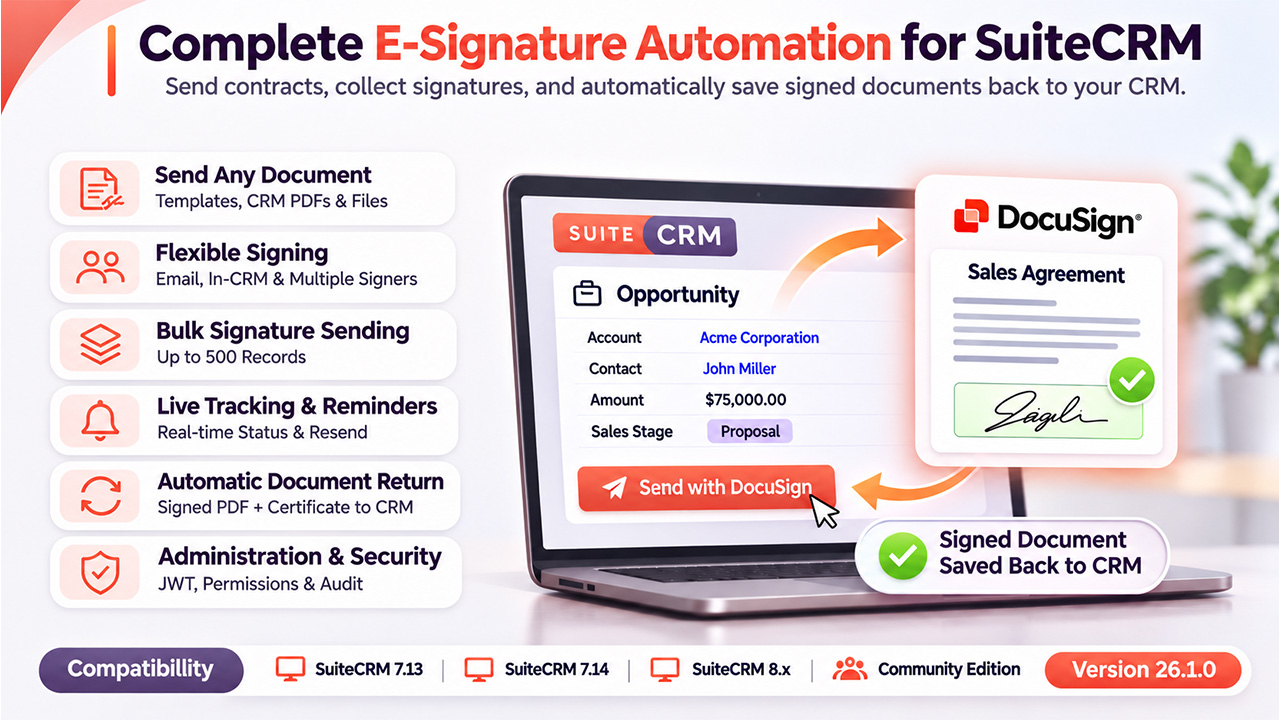
DocuSign templates filled from the record, PDFs from your CRM PDF templates, or files from Documents — to the record’s people and contacts, by e-mail or signed right in the CRM, one by one or in bulk from list views.
✅ Signed Documents Come Back Automatically
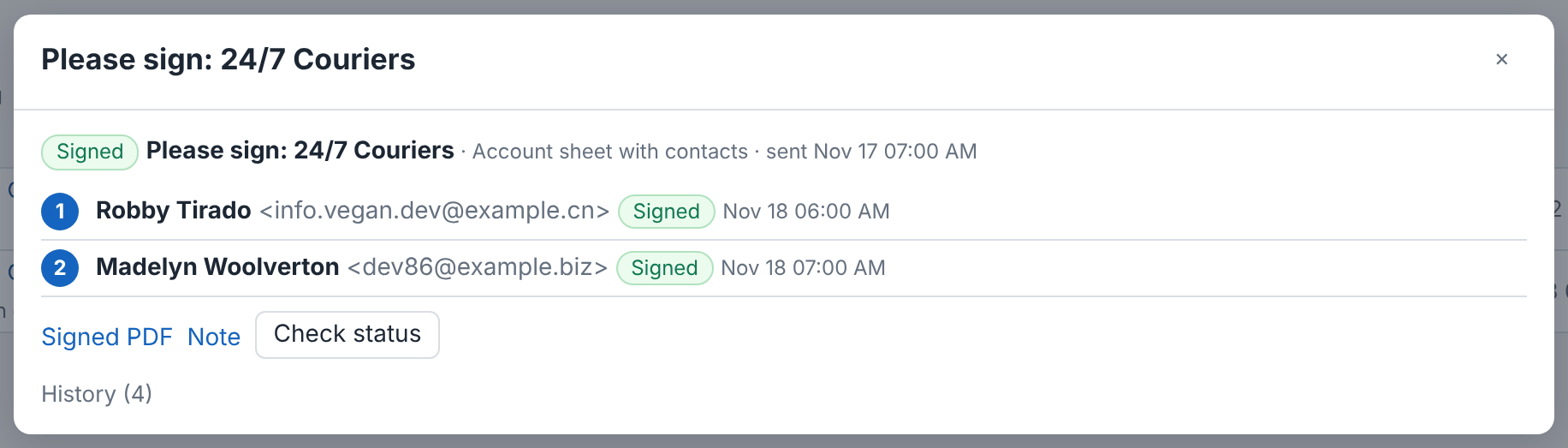
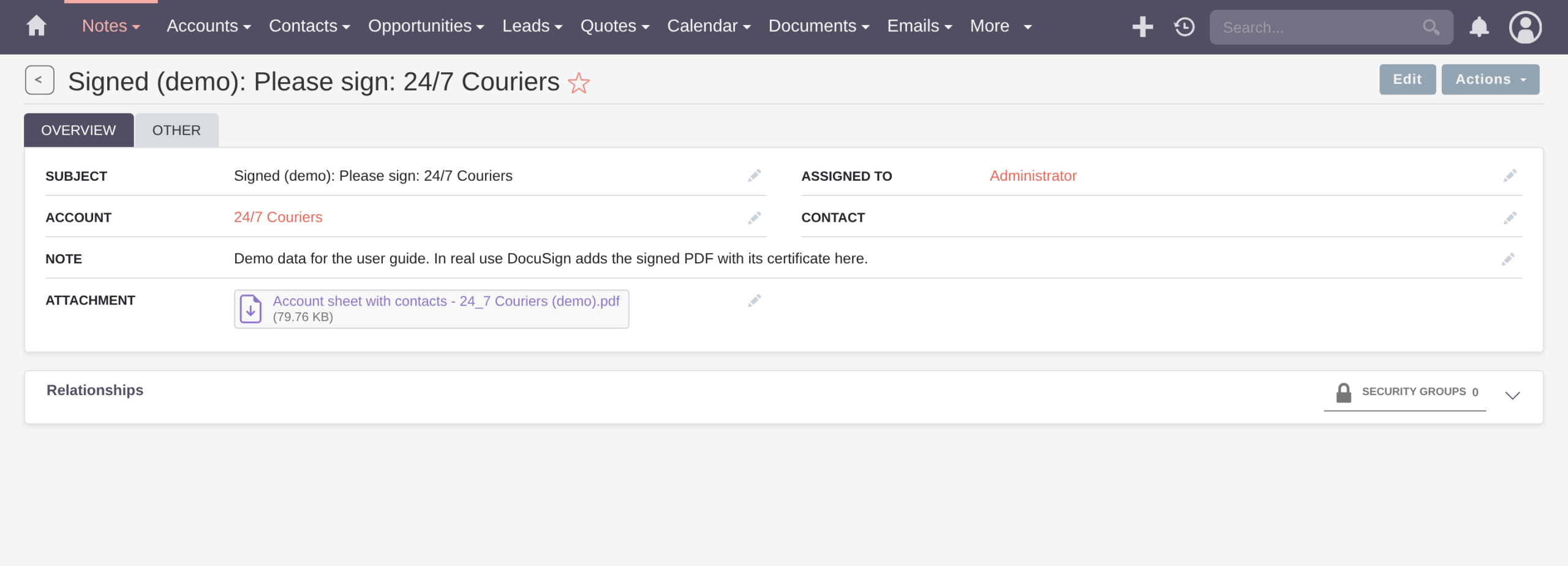
Live status per envelope and signer, reminders and expiry, void and resend. On completion the signed PDF and certificate are saved as a Note, signer entries are written back and the record is updated.
✅ Built for Admins and SuiteCRM 8
JWT login that never expires, per-user senders, permissions, dashboard, health check and audit — plus a native “Send with DocuSign” action and bulk action in the SuiteCRM 8 interface.
Most Popular
Check out these related extensions
Key Features
Discover what makes this product stand out
✅ What You Can Send
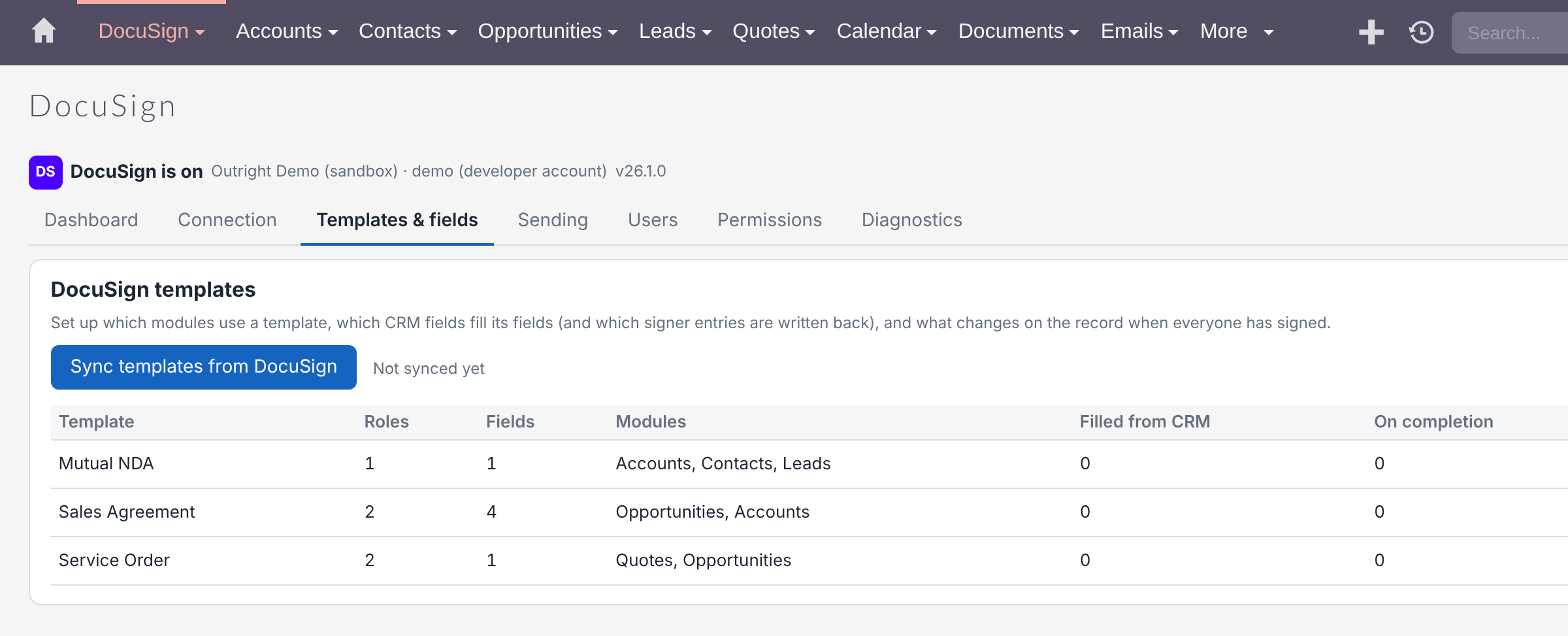
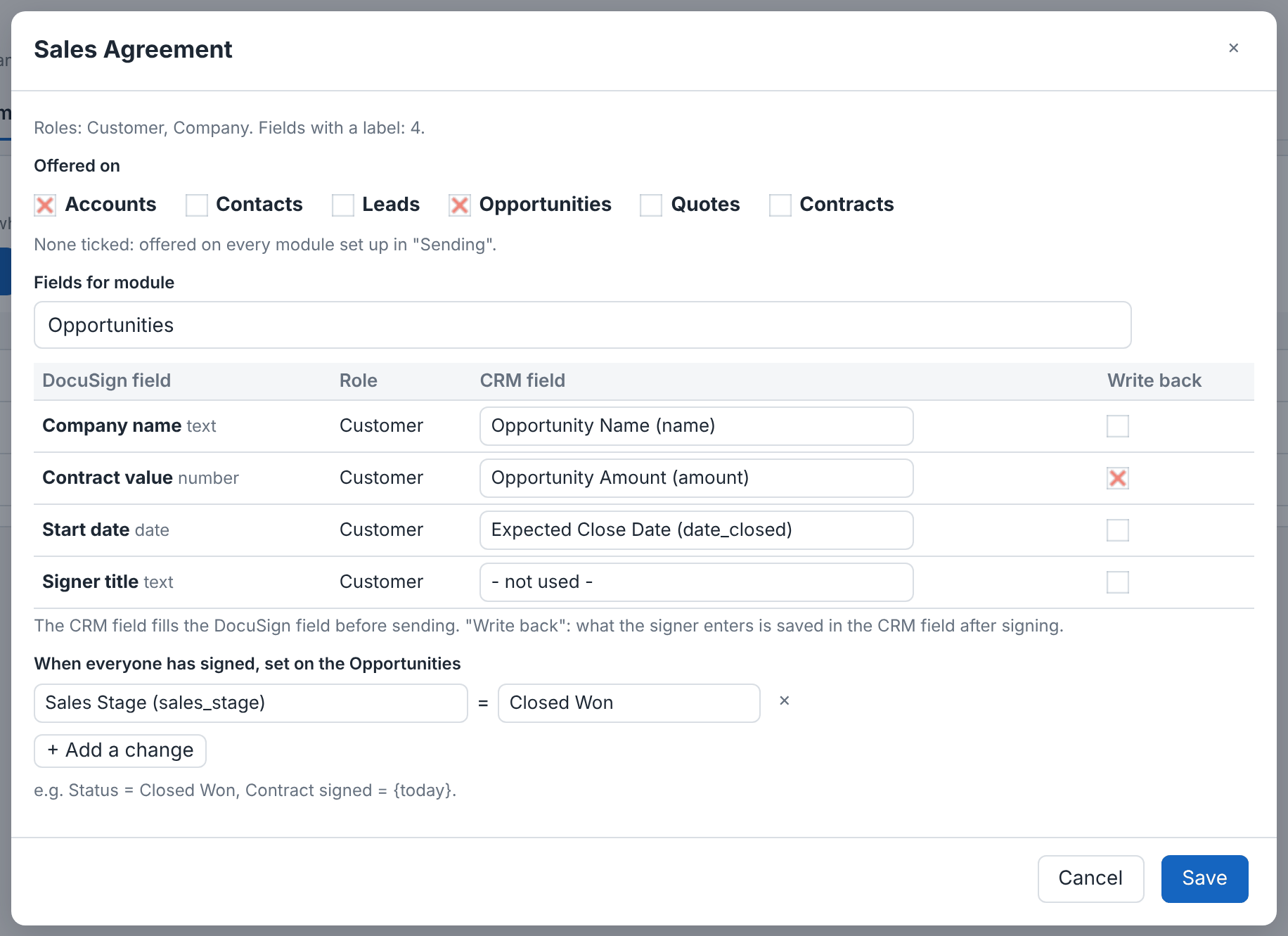
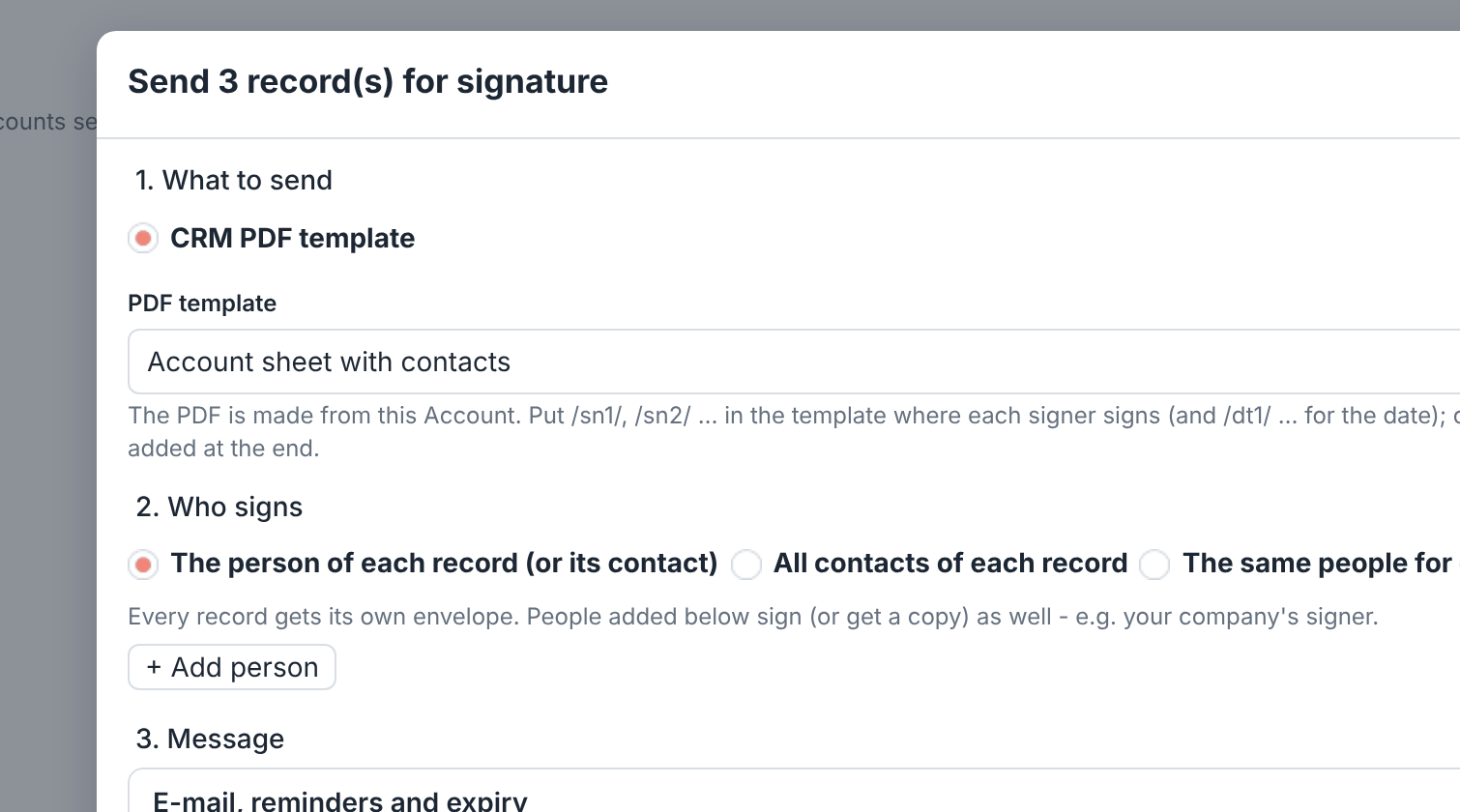
- DocuSign templates from any module: template fields filled from the record (field mapping per template and module), signer roles matched to the people chosen.
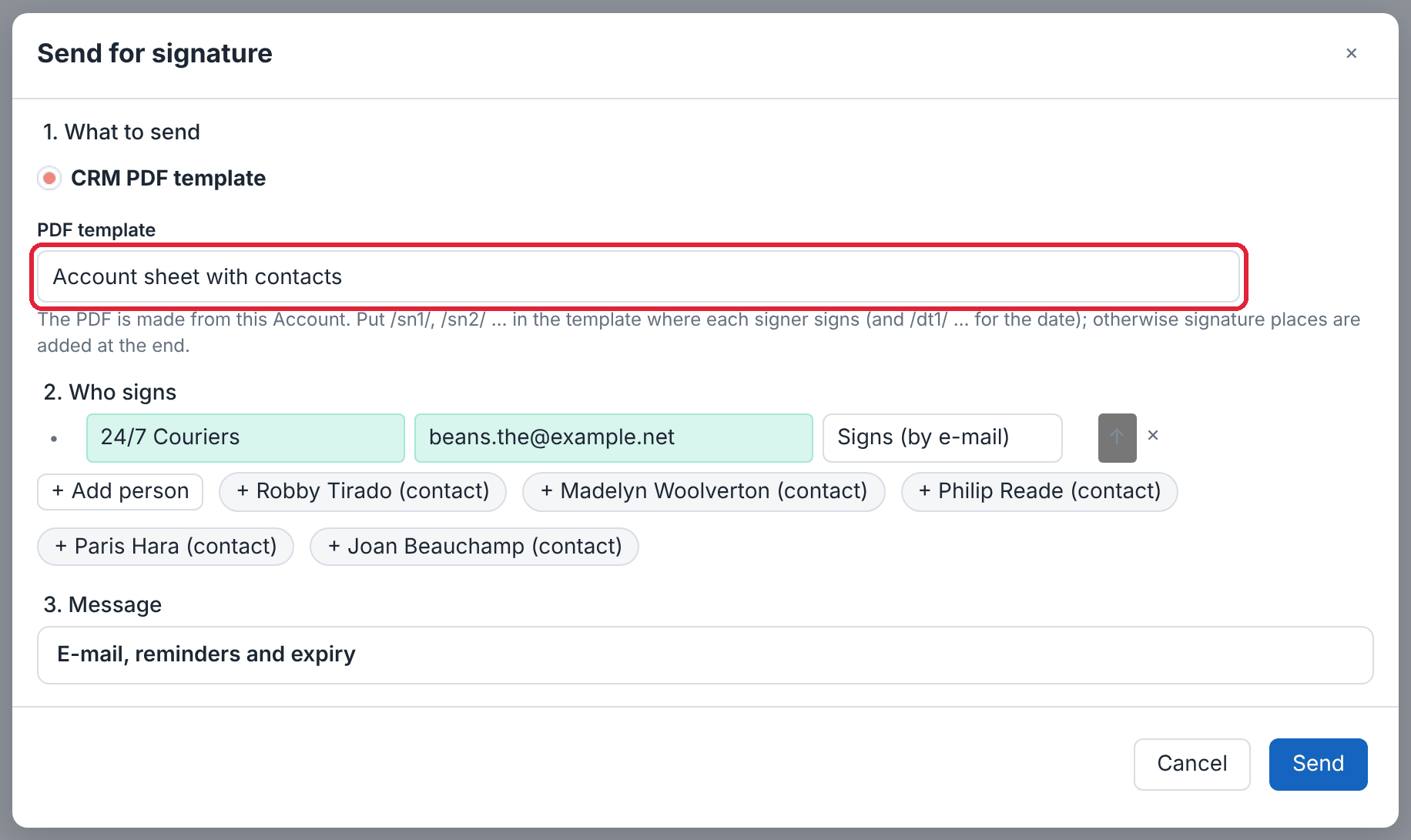
- PDFs from CRM PDF templates, made from the record.
- Files from Documents: PDF, Word, Excel, images, up to 25 MB.
- Signature and date places at /sn1/, /dt1/ ... in the document, otherwise at the end of page 1.
✅ Who Signs and How
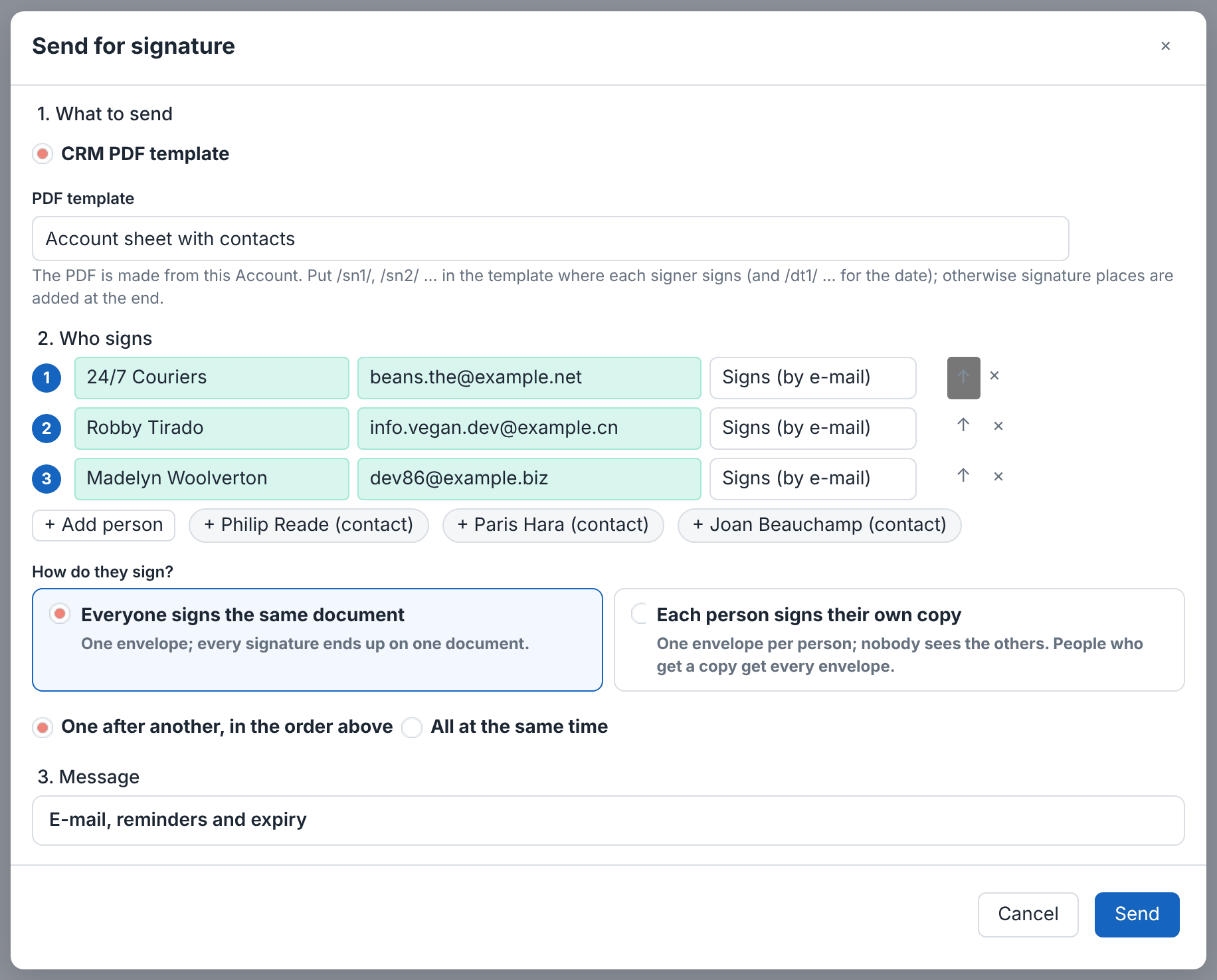
- People suggested from the record and its contacts, or typed in.
- Each person signs by e-mail, signs here in the CRM (embedded "Sign now") or gets a copy.
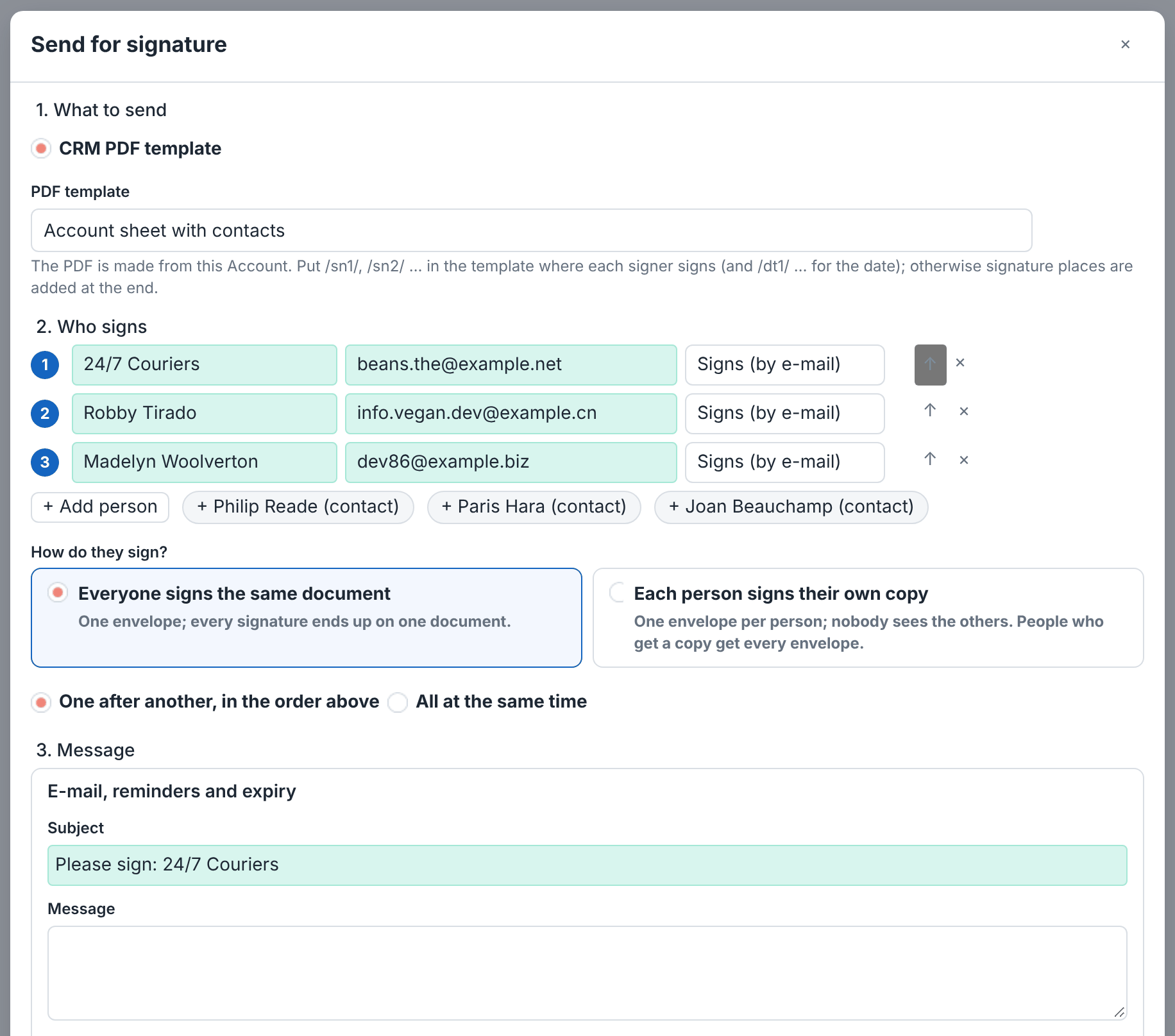
- Everyone signs the same document — one after another or all at the same time — or each person signs their own copy.
- Subject, message, reminders and expiry per envelope, with defaults in the settings.
✅ Bulk Sending
- Bulk action in list views for up to 500 records.
- Send to each record's person, to all its contacts, or to the same people for every record; extra signers can be added.
- Sent in steps; the scheduler finishes if the window is closed.
✅ Tracking
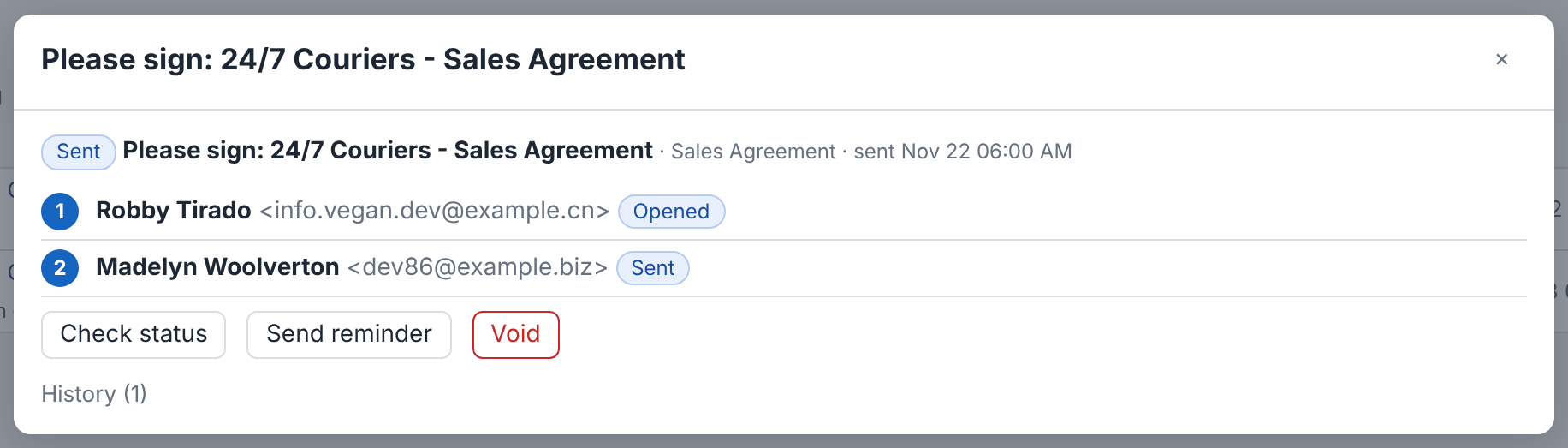
- Status per envelope and signer, live through DocuSign Connect (per-envelope token and optional HMAC), or checked by the scheduler when DocuSign cannot reach the CRM.
- History, send reminder, void with reason, resend.
✅ On Completion
- Signed PDF with the certificate saved as a Note on the record.
- Values the signers entered written back to mapped fields.
- Record updated by rules per template, e.g. Status = Closed Won, Signed on = {today}.
✅ SuiteCRM 8
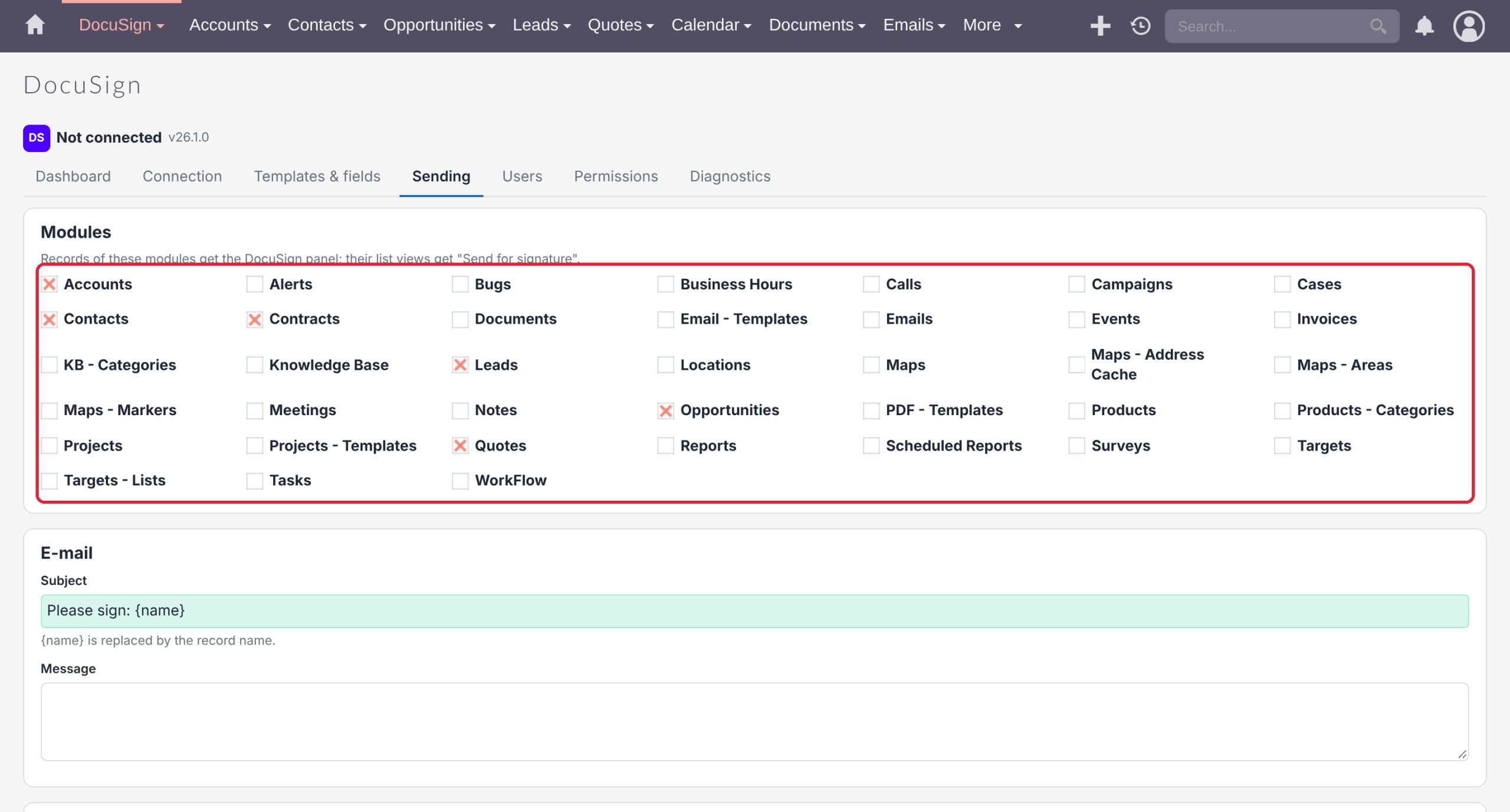
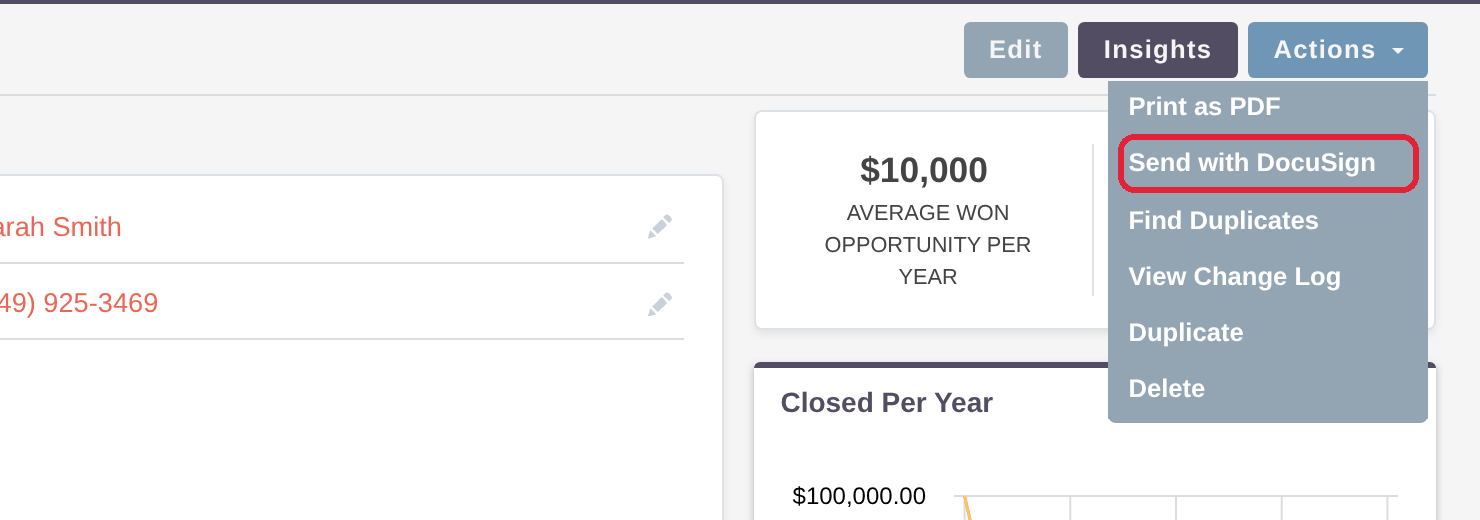
- Record action Send with DocuSign and list view bulk action Send for signature (DocuSign) in the new interface.
- Shown only for enabled modules and users with permission; links back open records in the SuiteCRM 8 interface.
✅ Administration
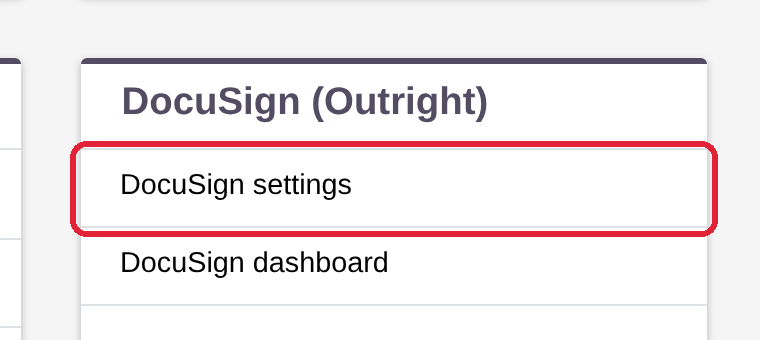
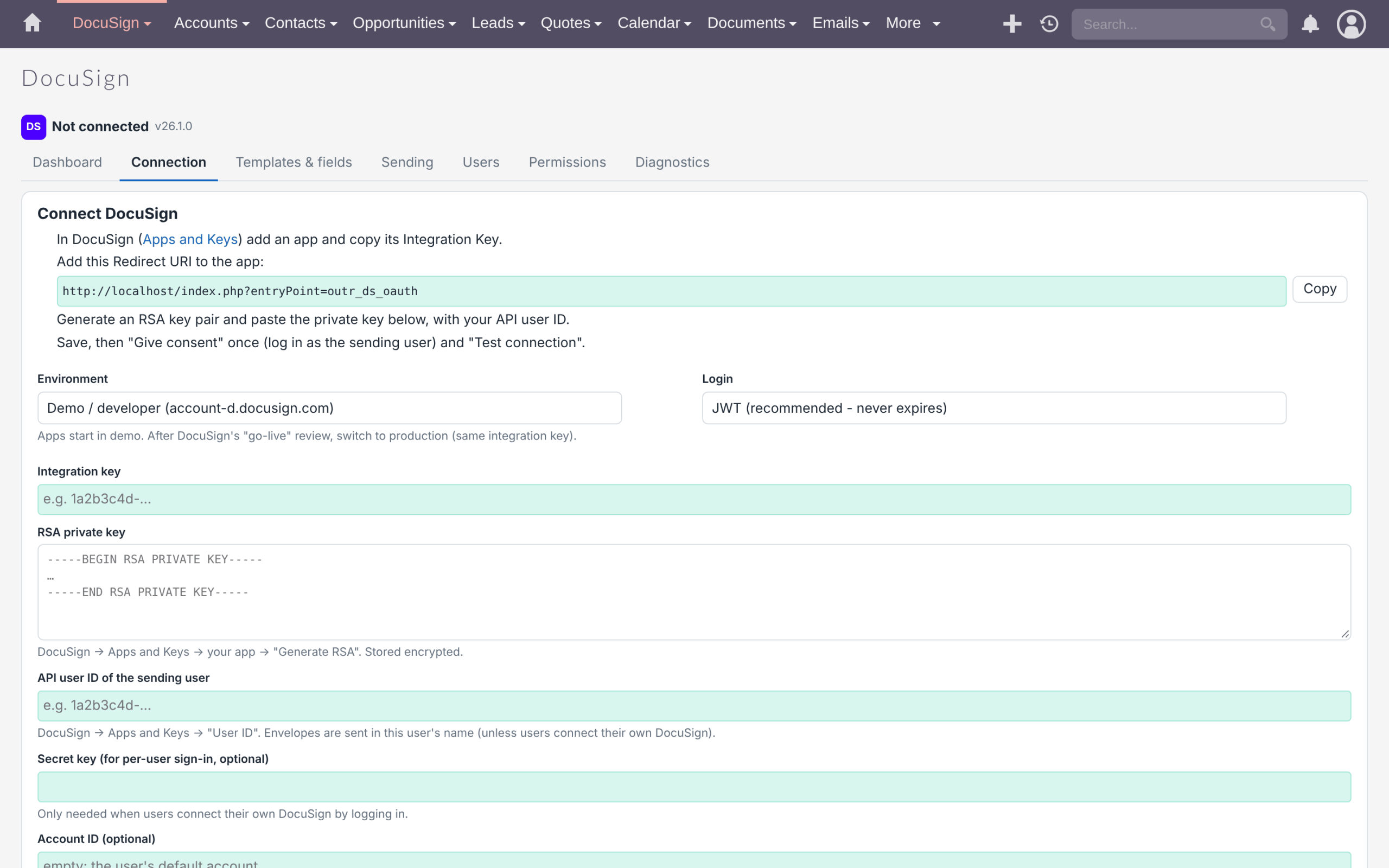
- JWT login (never expires) or OAuth; consent link and connection test; demo or production environment.
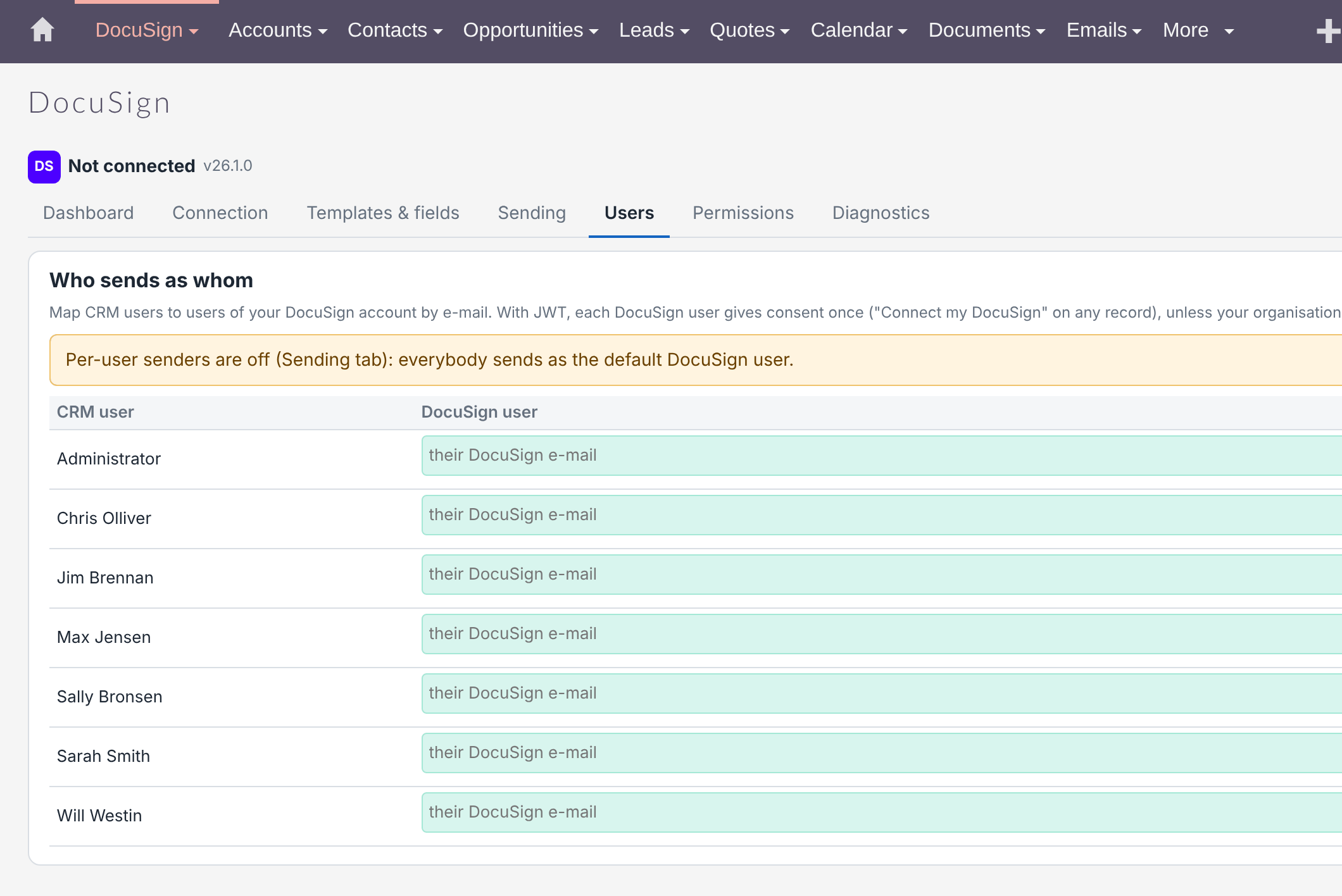
- Per-user senders: users connect their own DocuSign, or the admin maps them by e-mail.
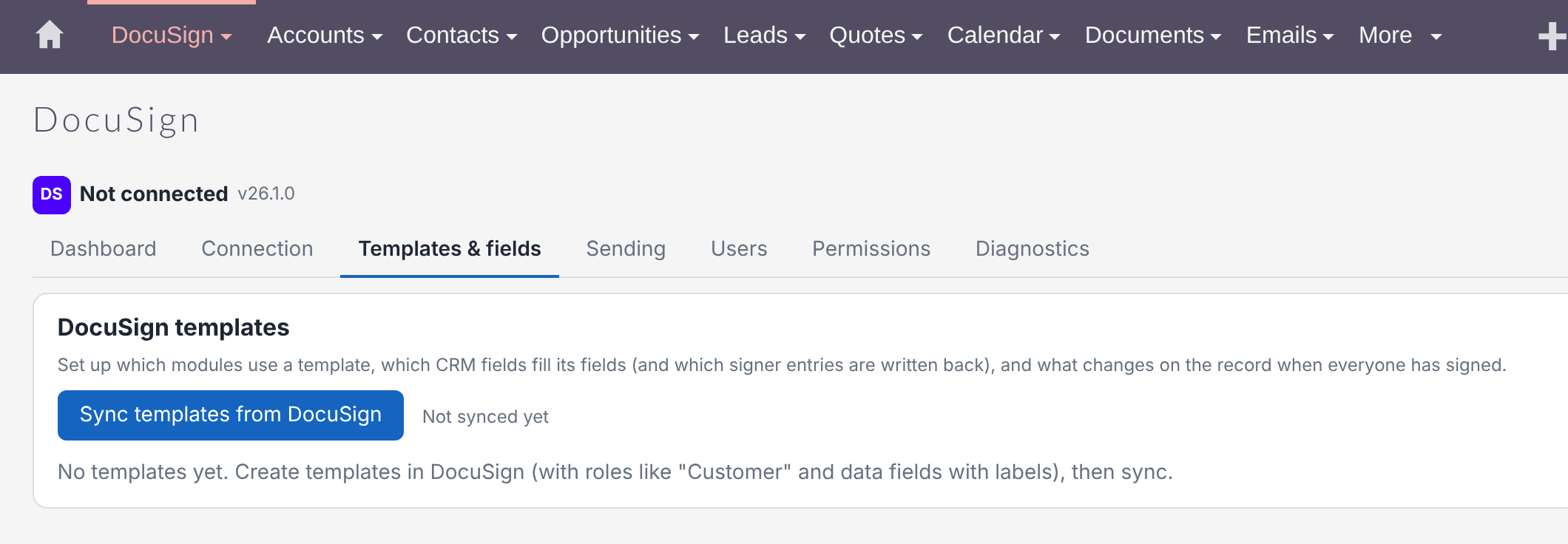
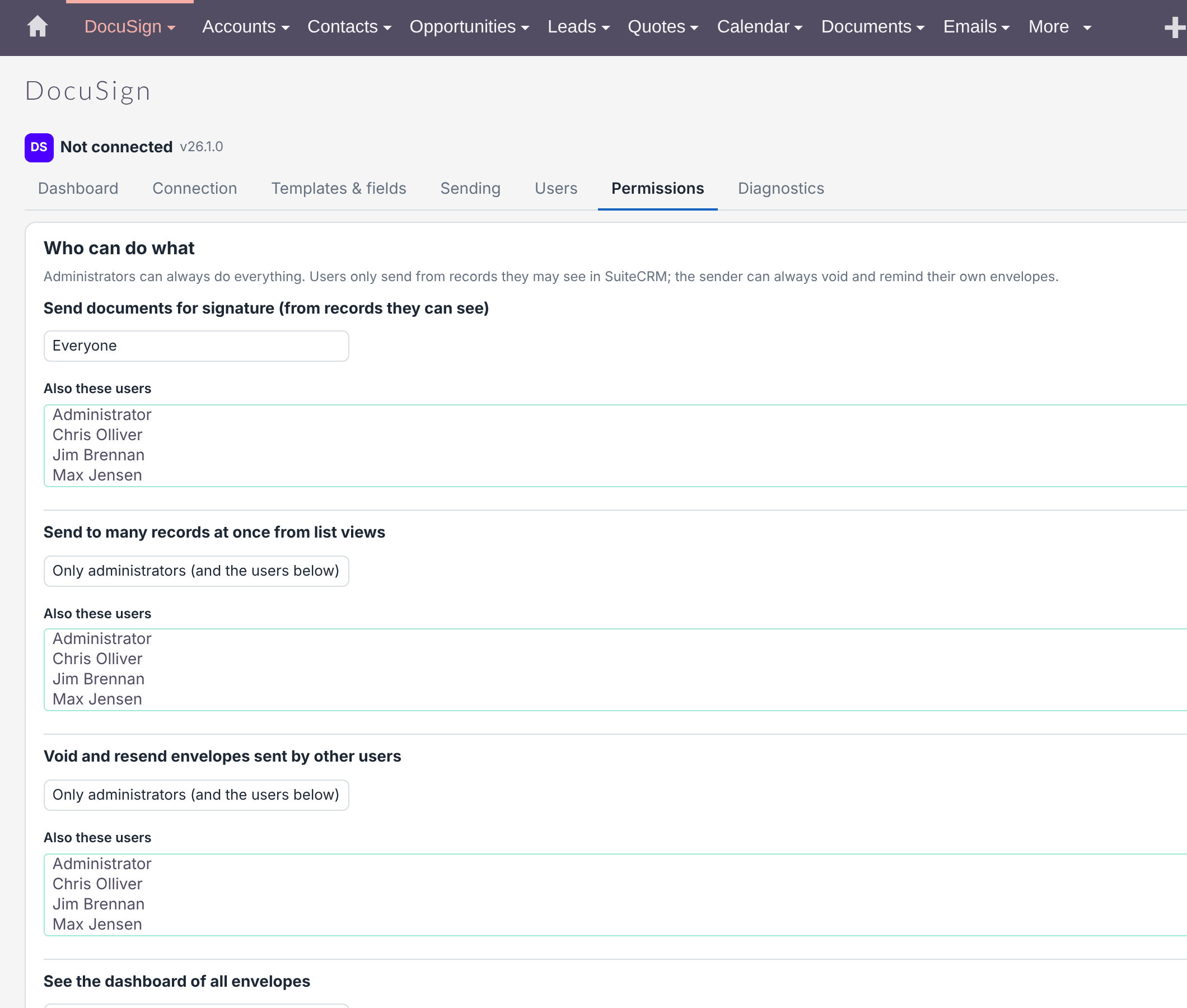
- Template sync (daily), permissions (send, bulk, manage others' envelopes, dashboard).
- Dashboard: sent, signed, waiting, declined/voided, time to sign — per user and template.
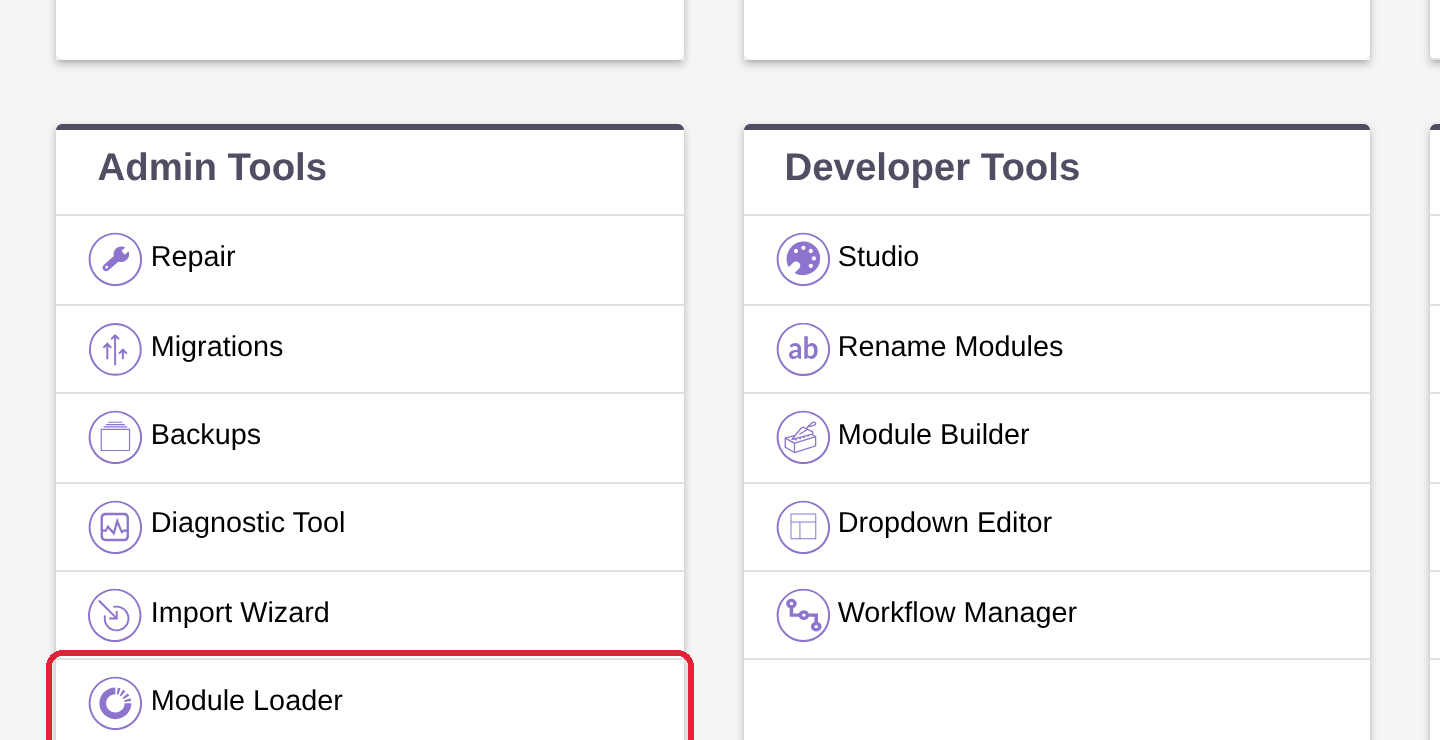
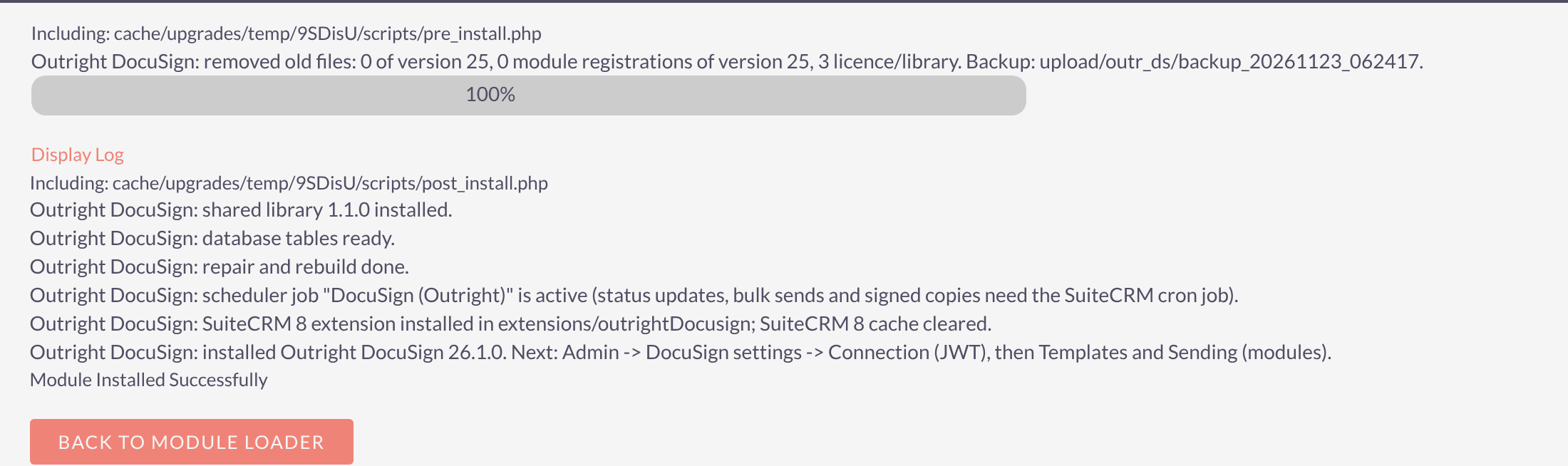
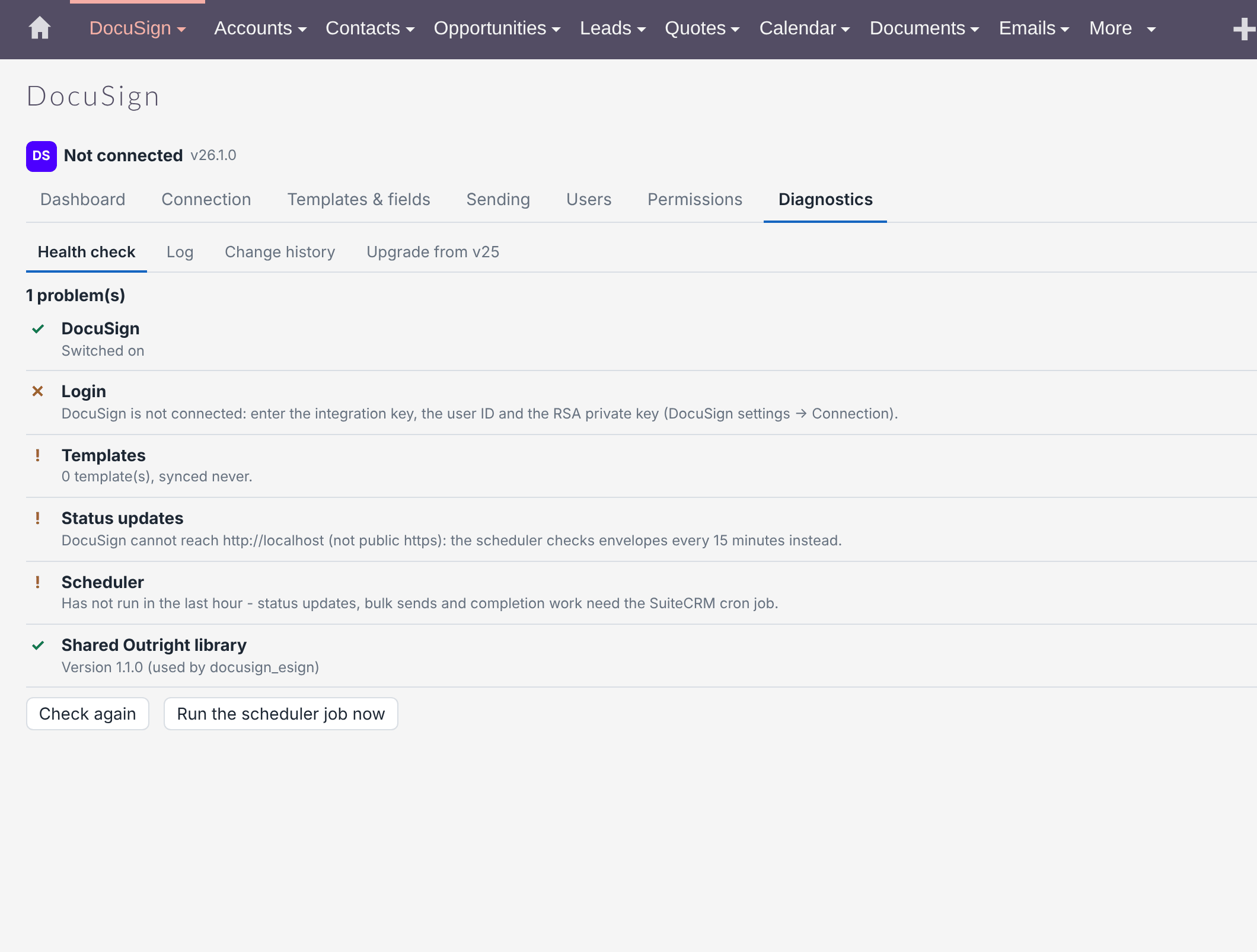
- Health check, log and change history; upgrade from 25.0.0 with signed documents copied to the records.

Visual Showcase
See the product in action through screenshots





1
2
3
4
5
6
7
8
9
10
11
12
13
14
15
16
17
18
19
20
21
22
23
24
25
26
27
28
29
Product Videos
Watch our product in action
Coming Soon
User Guide
Learn how to use and configure the system step by step


FAQs
Question? Look here.
Which SuiteCRM versions are supported?
SuiteCRM 7.13, 7.14 and 8.x (tested on 8.10.2), Community Edition.
Do I need a DocuSign account?
Yes. Use a free DocuSign developer (demo) account for testing and your production account for live use. You connect it once in DocuSign settings → Connection.
What can I send?
A DocuSign template filled from the record, a PDF made from a CRM PDF template, or a file from Documents (PDF, Word, Excel, images, up to 25 MB).
Can several people sign in a fixed order?
Yes. Choose "Everyone signs the same document" and "One after another"; or "All at the same time", or "Each person signs their own copy".
How do I know when it is signed?
Status updates arrive live through DocuSign Connect (or every 15 minutes from the scheduler) and are shown on the record's DocuSign page and the dashboard.
Where is the signed document saved?
As a Note on the record: the signed PDF with DocuSign's certificate.
Can the record update itself when signed?
Yes. Per template you can write signer entries back and set fields, e.g. Status = Closed Won, Signed on = {today}.
Can I send to many records at once?
Yes. The list view bulk action sends up to 500 records, each with its own envelope.
Does it work in the new SuiteCRM 8 interface?
Yes. Records get Actions → Send with DocuSign, list views get Send for signature (DocuSign); the DocuSign pages open in the classic view.
Do I need a cron job?
Yes. Status checks, bulk sends and signed copies use the scheduler job "DocuSign (Outright)".