



★
(0 Reviews)
Outright MCP Server for SuiteCRM
$999.00
Product Description
Outright MCP Server for SuiteCRM
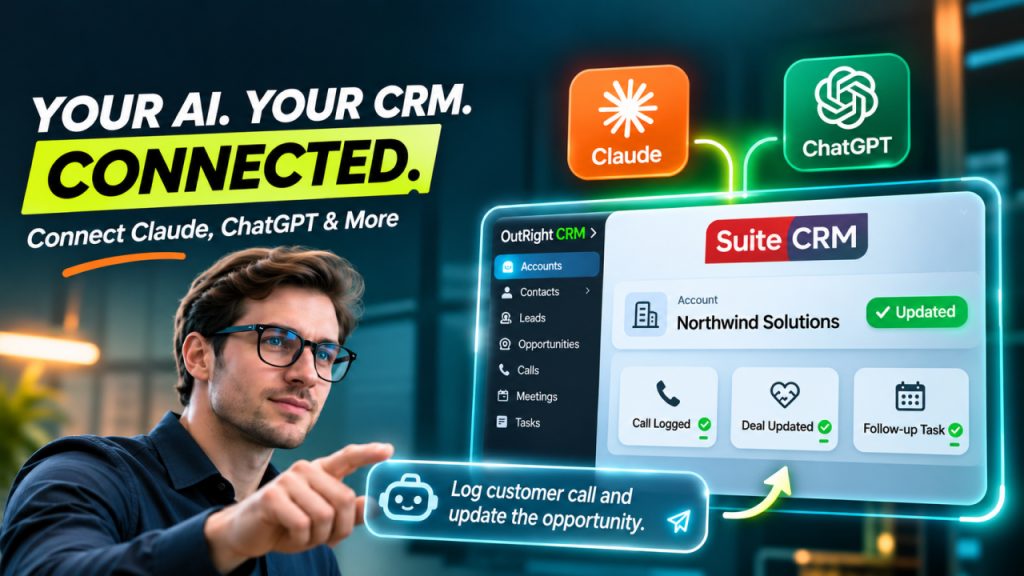
Outright MCP Server for SuiteCRM connects your CRM with AI assistants such as Claude, ChatGPT, Claude Code, Cursor, and other MCP-compatible applications. Instead of manually switching between applications and copying meeting notes, customer details, call records, and deal updates into SuiteCRM, users can manage their CRM through simple natural-language instructions.
By adding a secure Model Context Protocol (MCP) endpoint to SuiteCRM, the solution enables AI assistants to search, read, create, and update CRM records directly. Users can simply ask an AI assistant to log a customer call, update an opportunity stage, create a follow-up task, or retrieve customer information, and the assistant handles the CRM operations automatically.
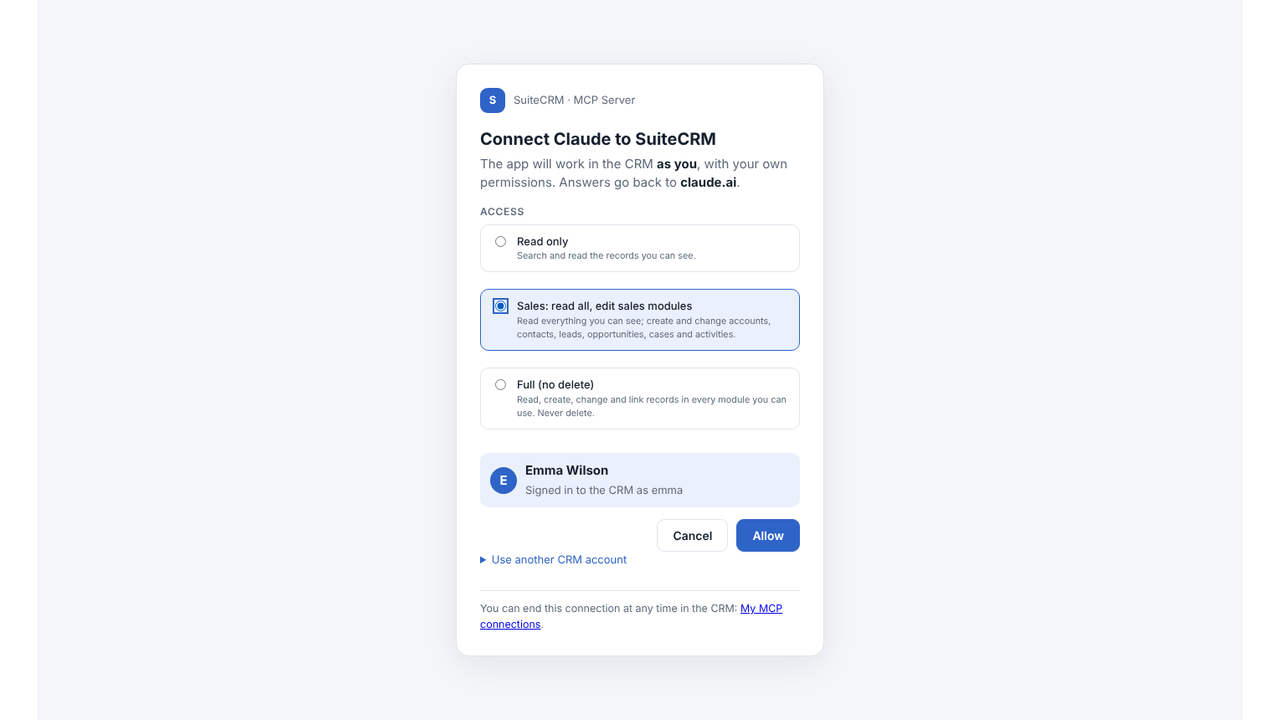
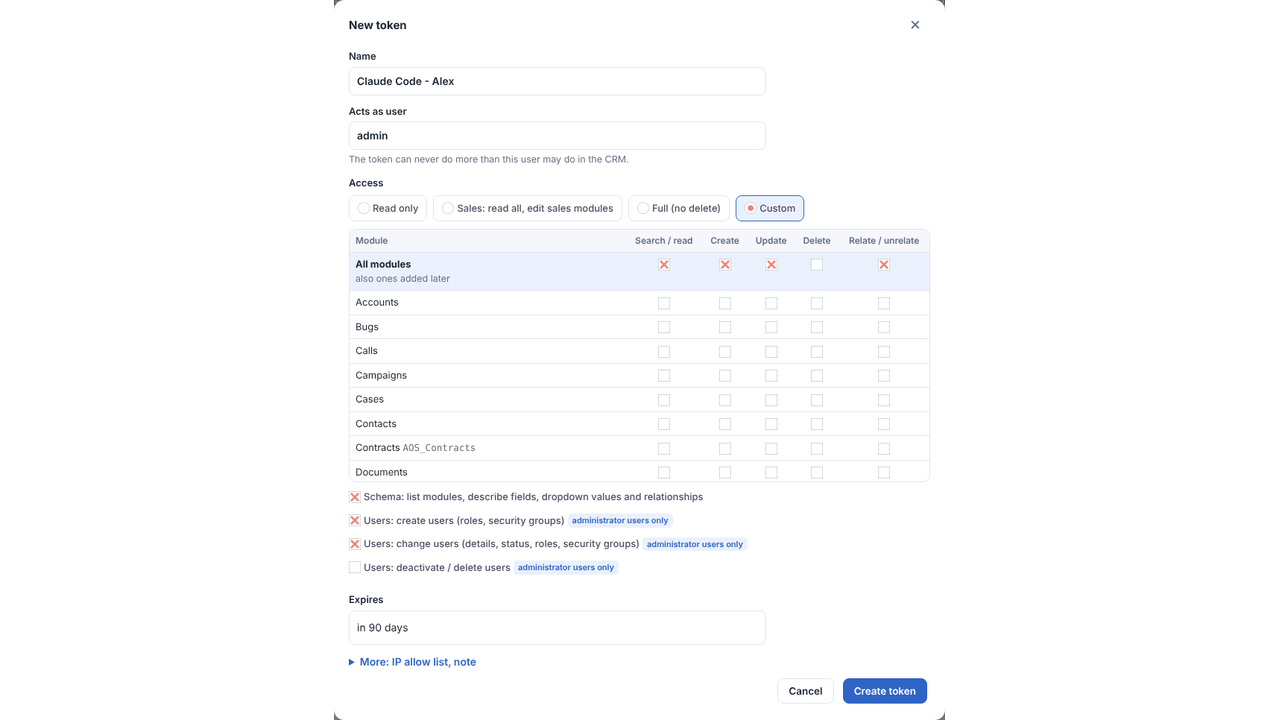
Security remains at the core of the integration. Every request runs with the connected user’s existing SuiteCRM permissions, including roles, ownership rules, and security groups. Administrators control who can connect, define application access levels, and monitor activity through detailed logs. Record deletion always requires a separate confirmation.
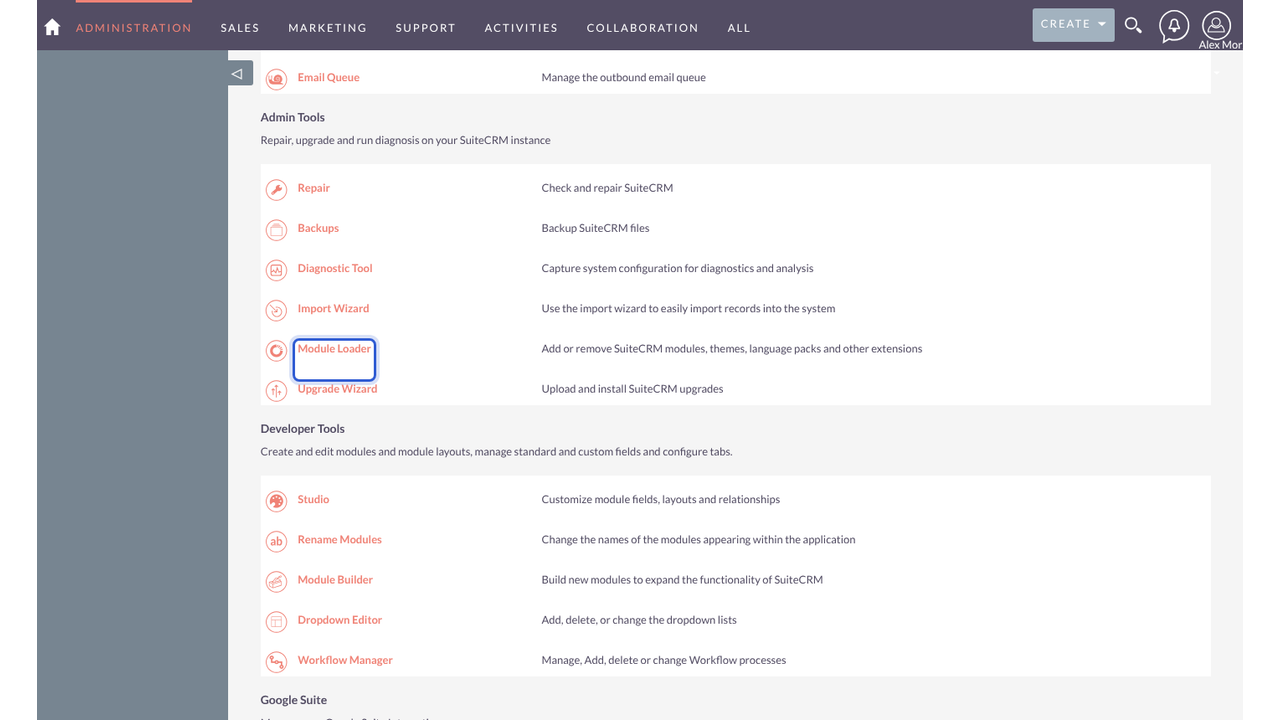
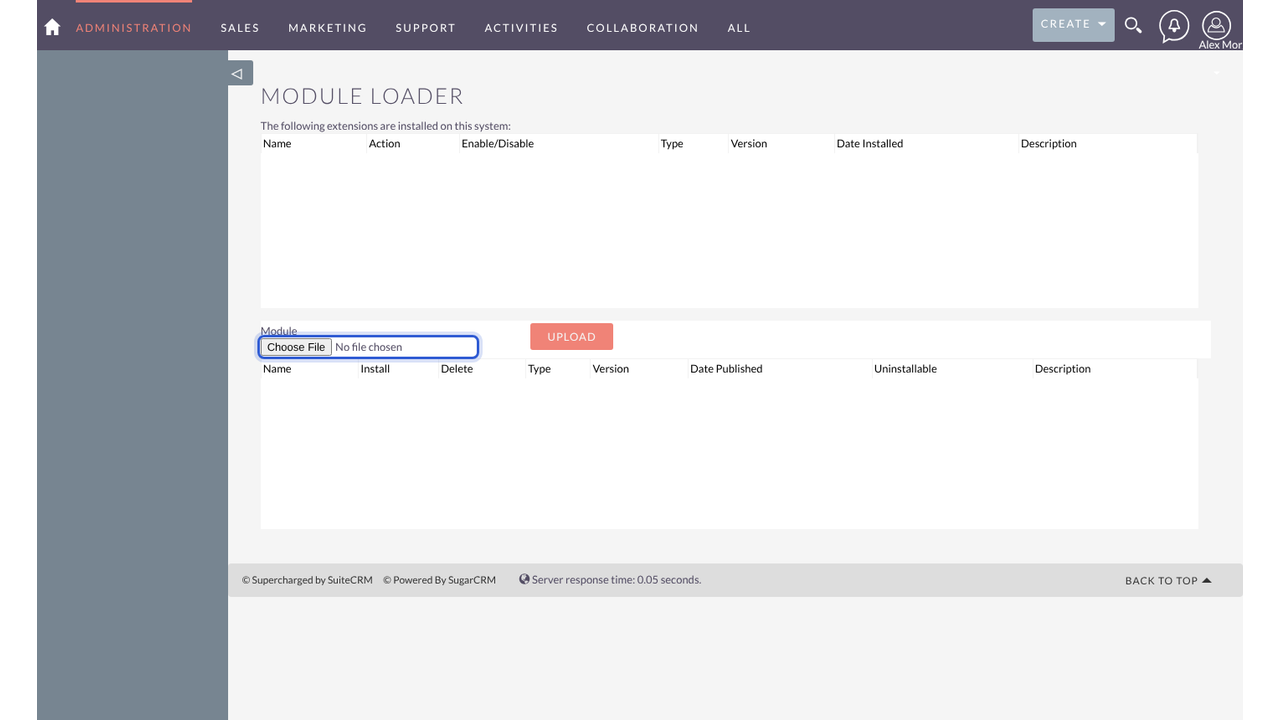
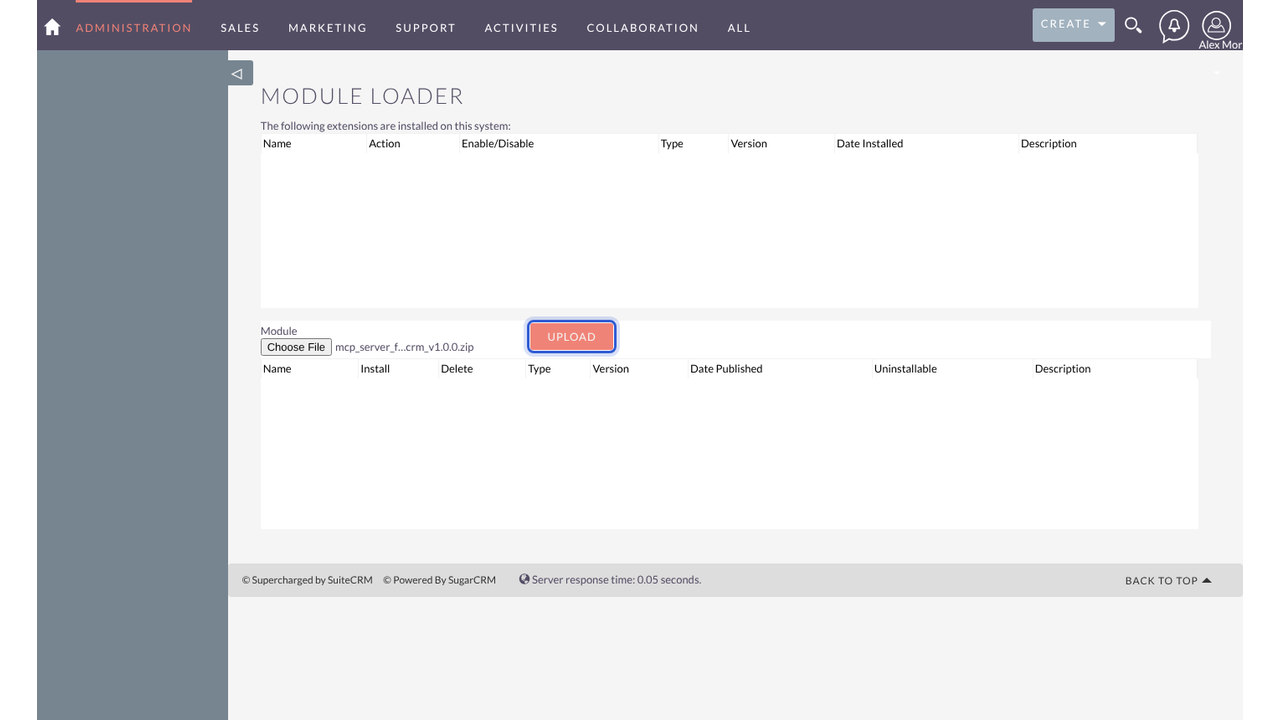
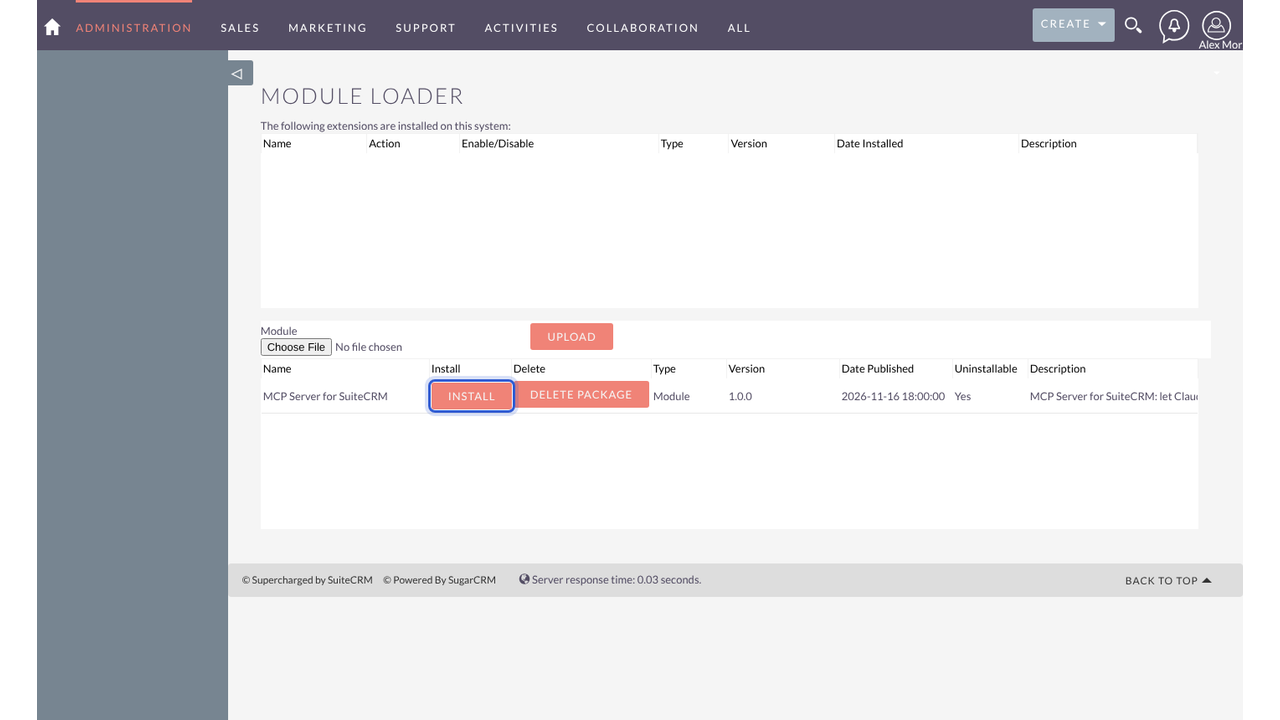
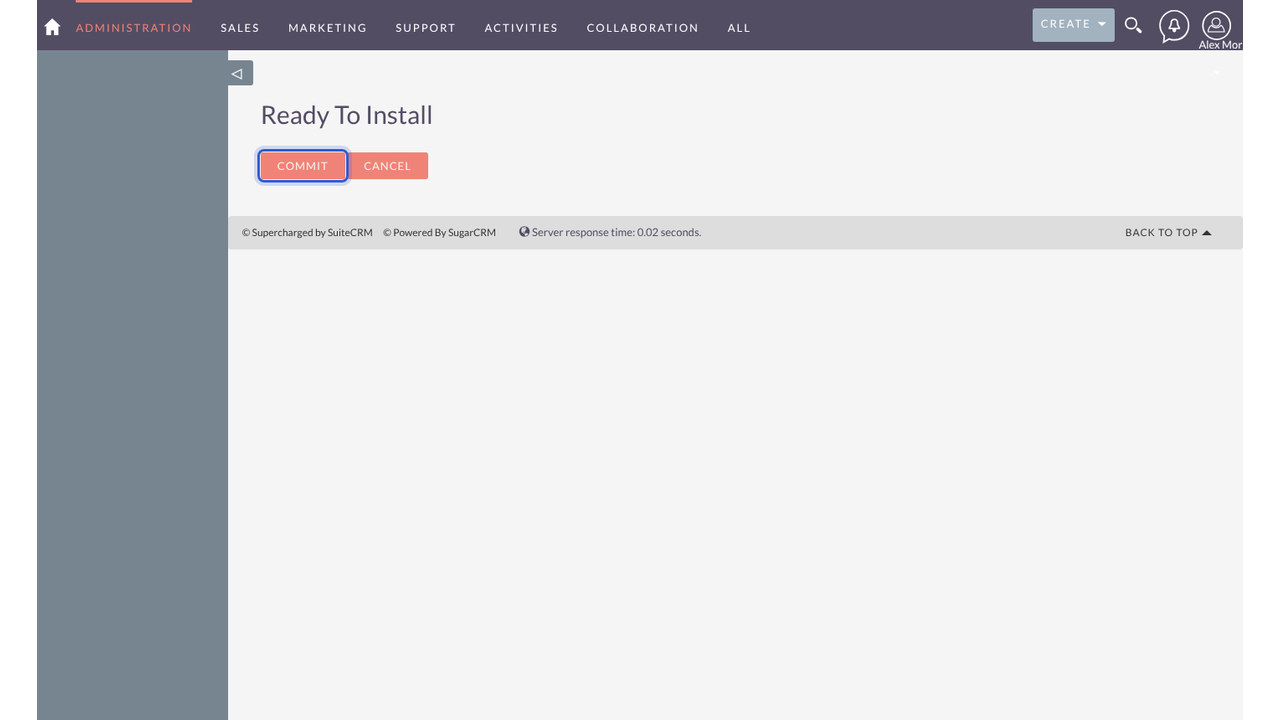
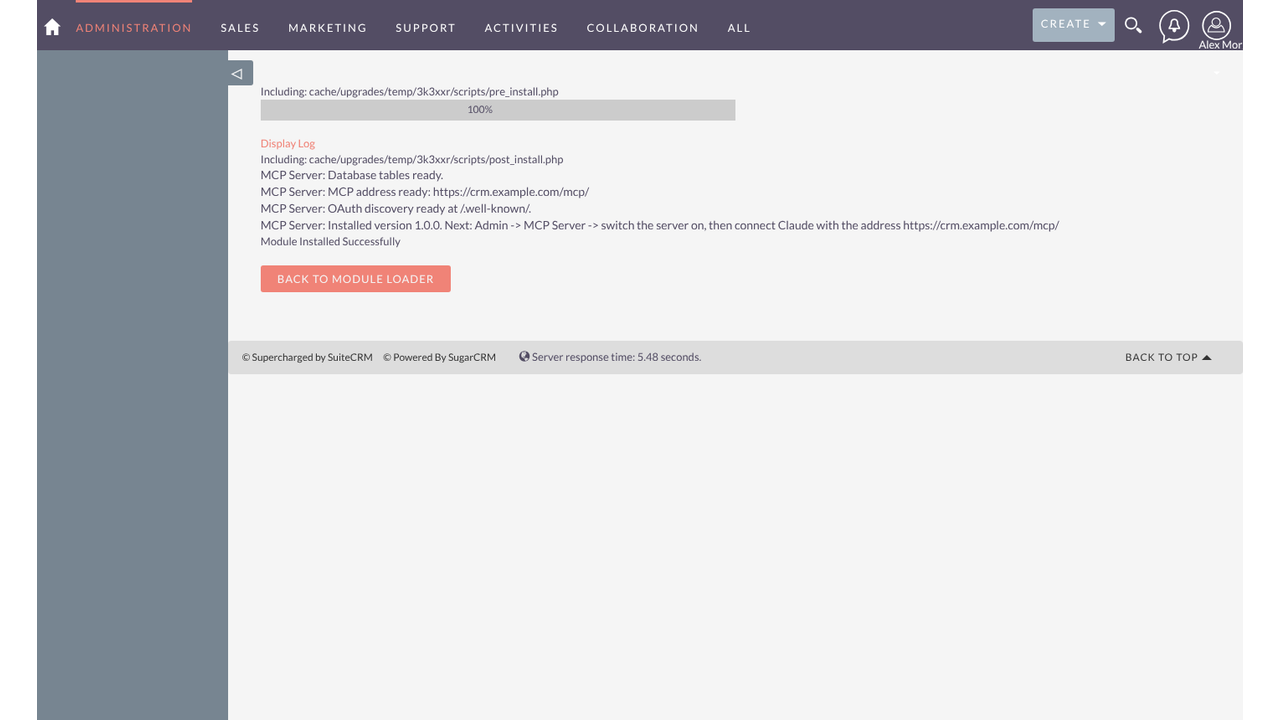
The solution supports SuiteCRM 7.13, 7.14, 7.15, and SuiteCRM 8.x through the standard Module Loader. It runs directly inside your CRM without requiring an external relay service, ensuring data moves directly between SuiteCRM and the AI application selected by the user.
Real-World Use Cases
✅ Sales Reps: Update the CRM Using Natural Language
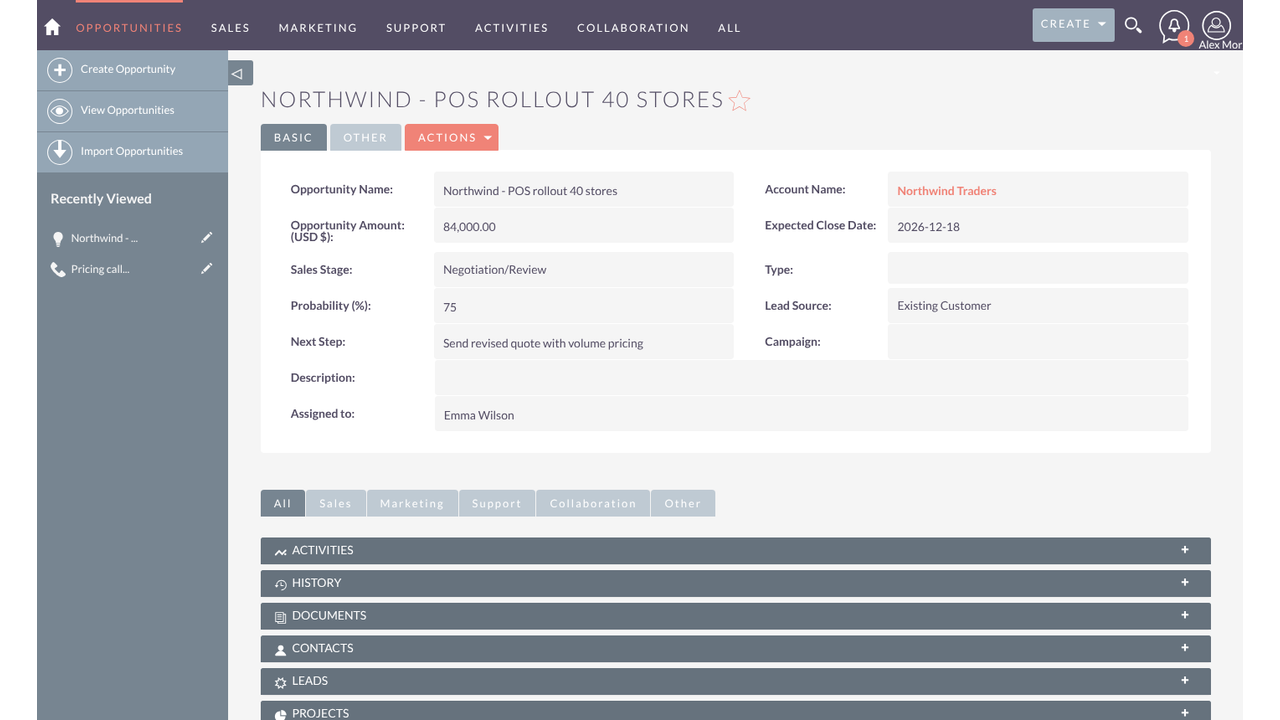
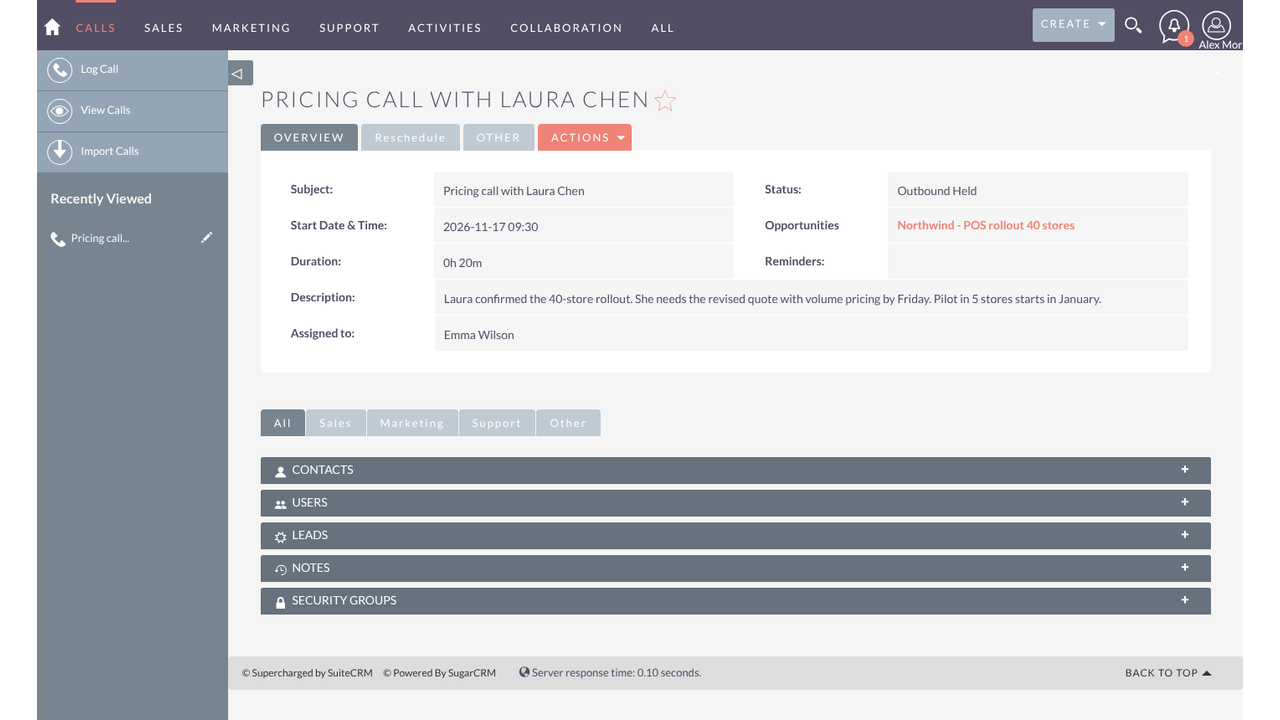
After a customer call, a sales representative can simply tell Claude: “Log a 20-minute call with Laura Chen about the Northwind rollout, move the deal to Negotiation at 75%, and remind me to send the revised quote on Thursday.”
The AI assistant finds the relevant contact and opportunity, creates the call record, updates the deal stage, and creates a follow-up task. It then provides direct links to the updated CRM records.
✅ Sales Managers: Get Instant Pipeline Insights
Sales managers can ask questions such as: “Which open deals are expected to close before the end of January, and which opportunities have not been updated in the last two weeks?”
The AI assistant retrieves relevant opportunities along with deal amounts, stages, and owners, helping managers understand pipeline activity without manually creating reports or exporting spreadsheets.
✅ Support Leads: Simplify Case Management
Support leads can ask: “Show me all open P1 and P2 cases, group them by account, and draft a status update for Contoso.”
The assistant retrieves the cases the user is authorized to access, organizes them by account, and can write the requested status note directly into the relevant CRM case.
✅ Administrators: Simplify User Onboarding
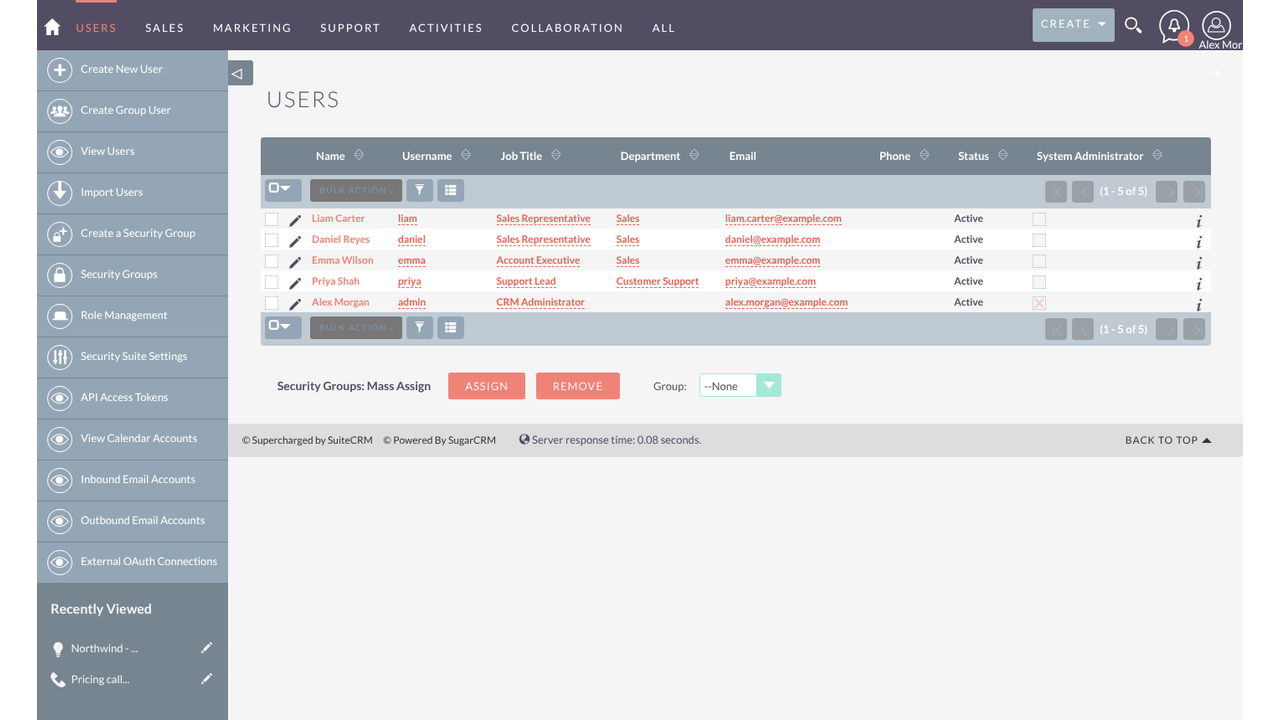
Administrators can create new CRM users through simple instructions, such as: “Create a user for Liam Carter, Sales Representative, with the Sales Rep role.”
The AI assistant displays a preview of the requested changes. Once the administrator confirms, the user account is created in SuiteCRM, while password management remains within the CRM.
✅ Operations Teams: Automate CRM Data Cleanup
Operations analysts can use Claude Code with personal access tokens to identify contacts without associated accounts, leads with invalid email addresses, and duplicate companies.
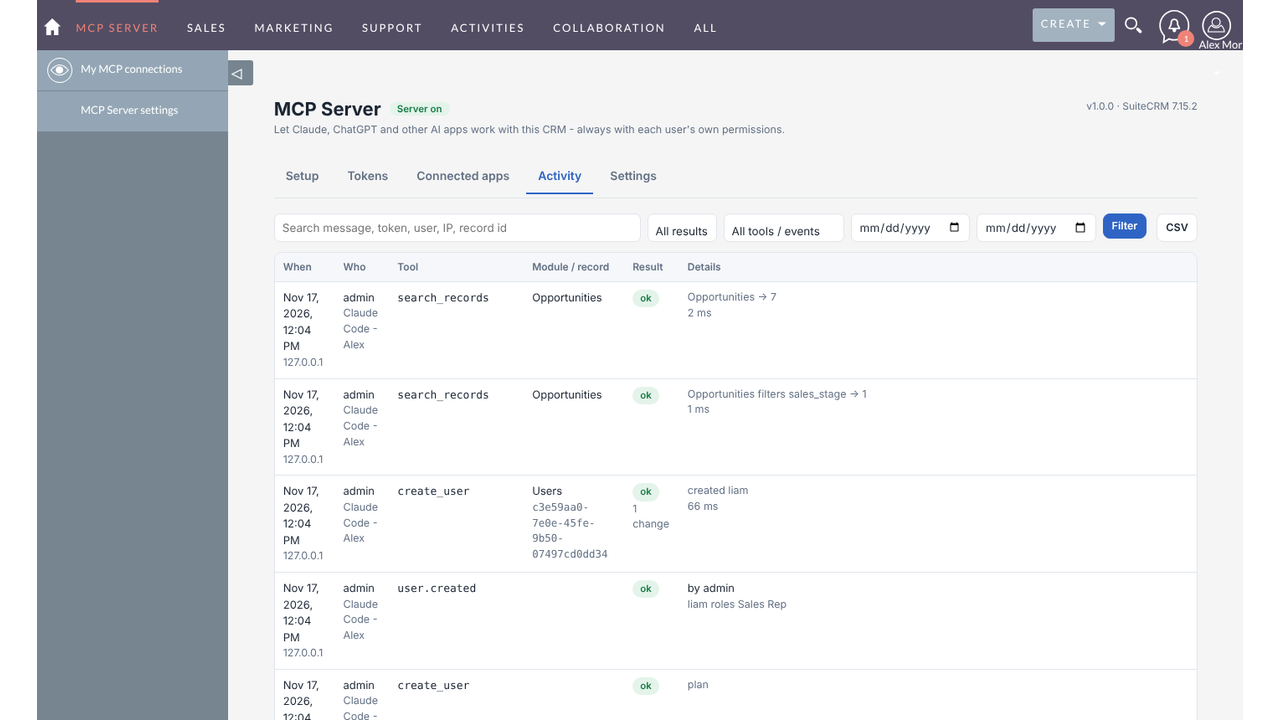
They can review and correct CRM data in batches, while every change is recorded in the activity log for better tracking and accountability.
✅ Sales Teams: Prepare for Customer Meetings
Before a customer meeting, representatives can ask: “Summarise everything about Summit Financial Group, including open cases, previous meetings, active opportunities, and key contacts.”
The AI assistant gathers relevant information from accessible CRM records and prepares a consolidated account summary, helping representatives enter meetings with the information they need.
Secure AI-Powered CRM Integration
✅ Connect Multiple AI Applications
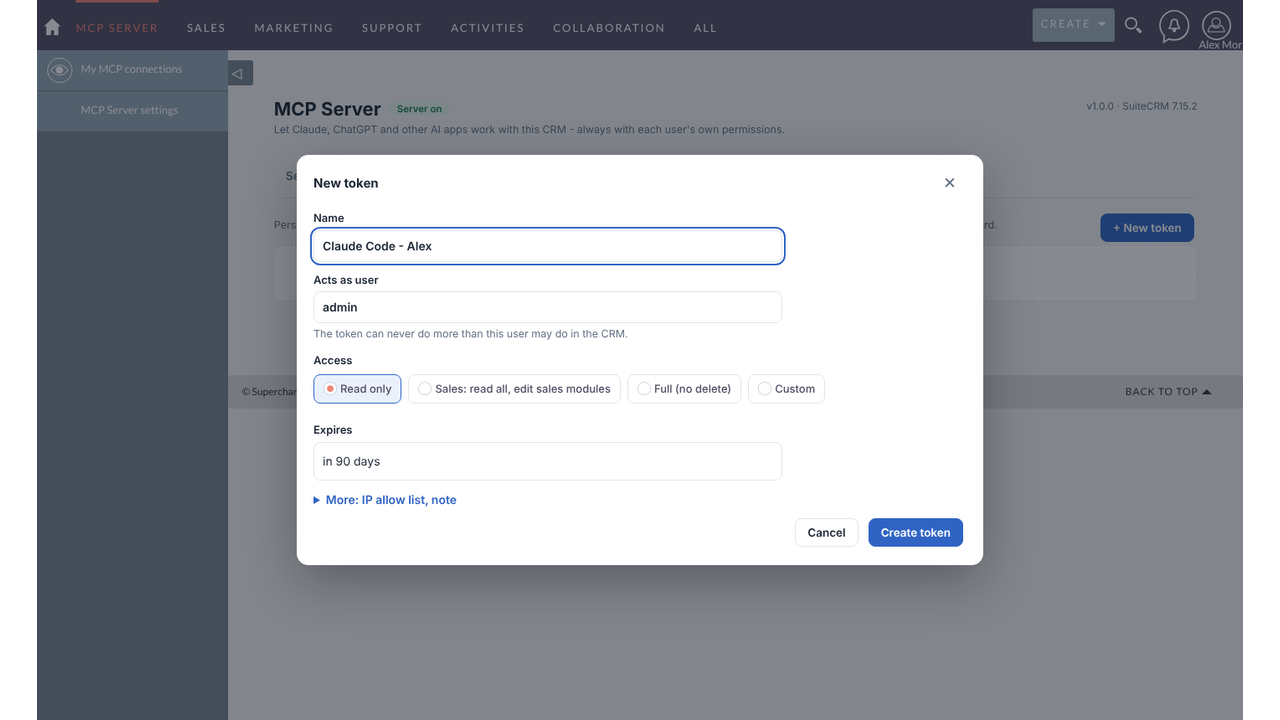
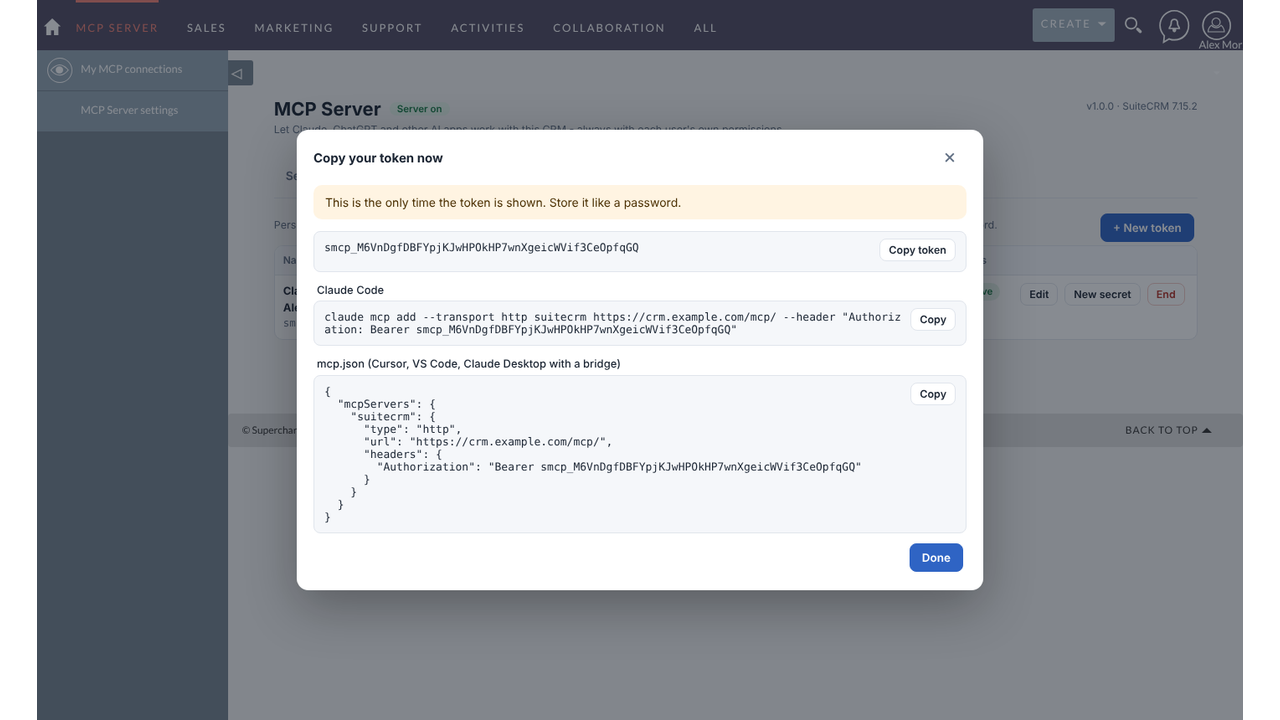
Integrate SuiteCRM with Claude, ChatGPT, Claude Code, Cursor, and other MCP-compatible applications through secure authentication and personal access tokens.
✅ Maintain Existing CRM Permissions
Every AI interaction follows the connected user’s SuiteCRM roles, ownership rules, and security group permissions, ensuring users only access records they are authorized to view or modify.
✅ Complete Administrative Control
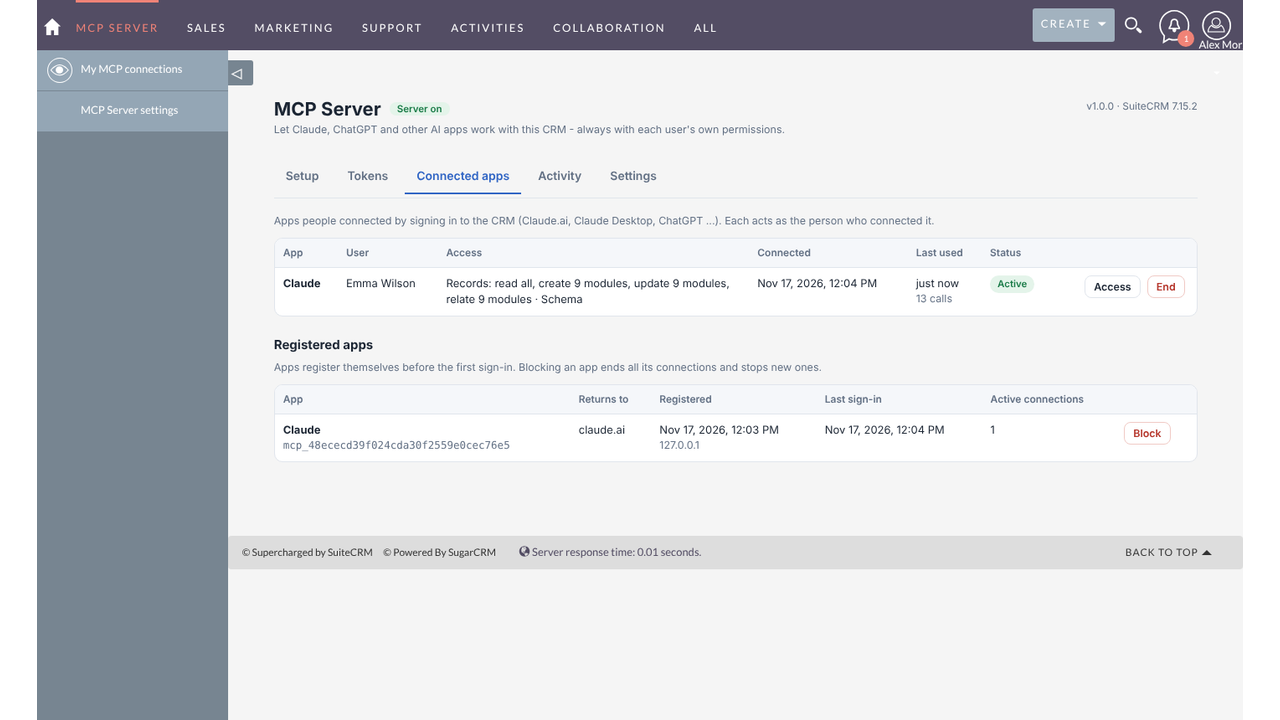
Administrators can manage connected applications, configure access levels, control user eligibility, monitor activity, and manage tokens from within SuiteCRM.
✅ Secure and Controlled Record Deletion
Deletion requests require a separate confirmation before records are removed, helping prevent accidental data loss.
✅ Direct Integration Without External Services
The MCP server operates inside SuiteCRM, eliminating the need for third-party relay services or additional software installations on users’ computers.
✅ Broad SuiteCRM Compatibility
One package supports SuiteCRM 7.13, 7.14, 7.15, and SuiteCRM 8.x, making installation and deployment straightforward through the standard Module Loader.

Key Features
Discover what makes this product stand out
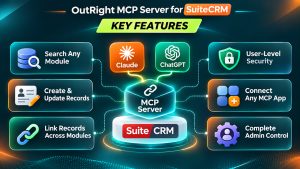
✅ Search Any CRM Module
Search records across any CRM module using names, email addresses, or phone numbers. Apply filters such as equals, contains, greater than, empty, or list-based conditions, along with sorting and pagination.
✅ Create and Update Records
Create and update accounts, contacts, leads, opportunities, cases, calls, meetings, tasks, notes, and custom modules. Dropdown values, dates, and user time zones are handled automatically.
✅ Link Related Records
Create or remove relationships between CRM records using SuiteCRM's native relationship functionality. Link contacts to opportunities, calls to contacts, and other related records.
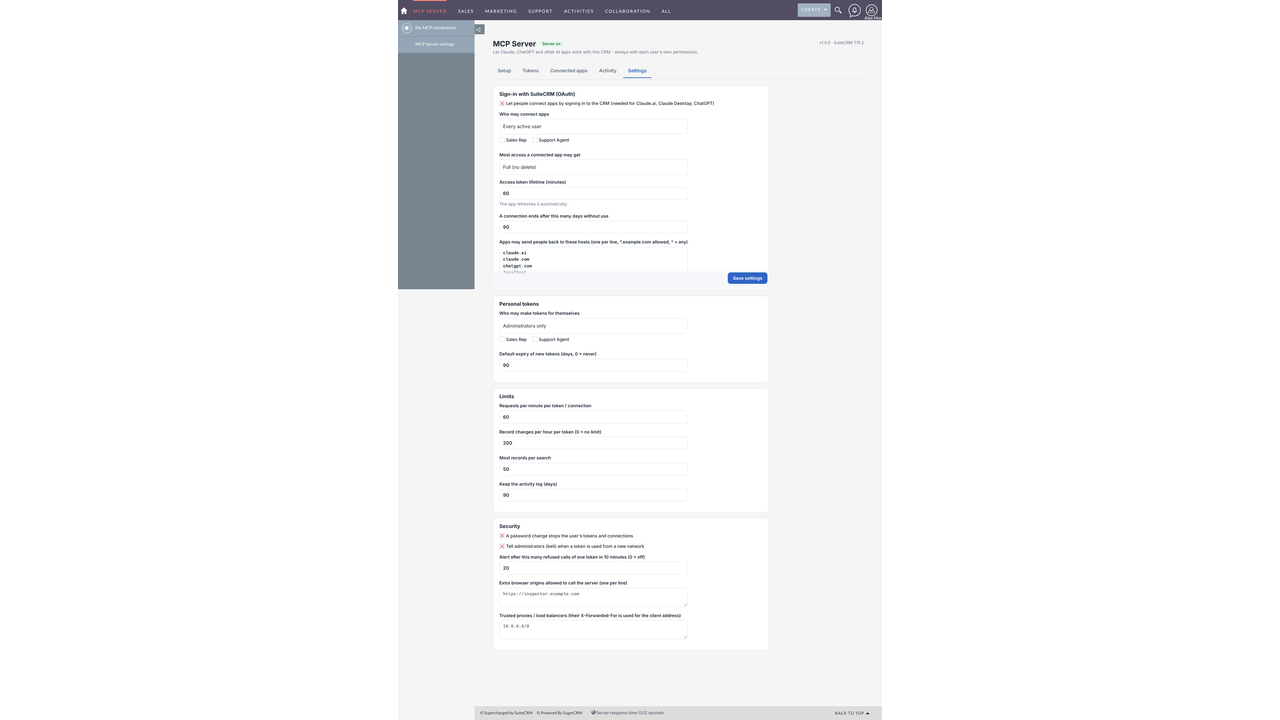
✅ Control Who Can Connect
Administrators can decide who is allowed to connect AI applications: all active users, members of selected roles, or administrators only. They can also define the maximum access level available to connected applications.
✅ Configurable Usage Limits
Set limits for requests per minute, record changes per hour, and search results per request. Limits can be configured separately for each token or connection.
✅ Security Alerts and Notifications
Administrators receive SuiteCRM notifications when a token is accessed from a new network or experiences repeated authentication failures.
✅ Easy Setup and Health Checks
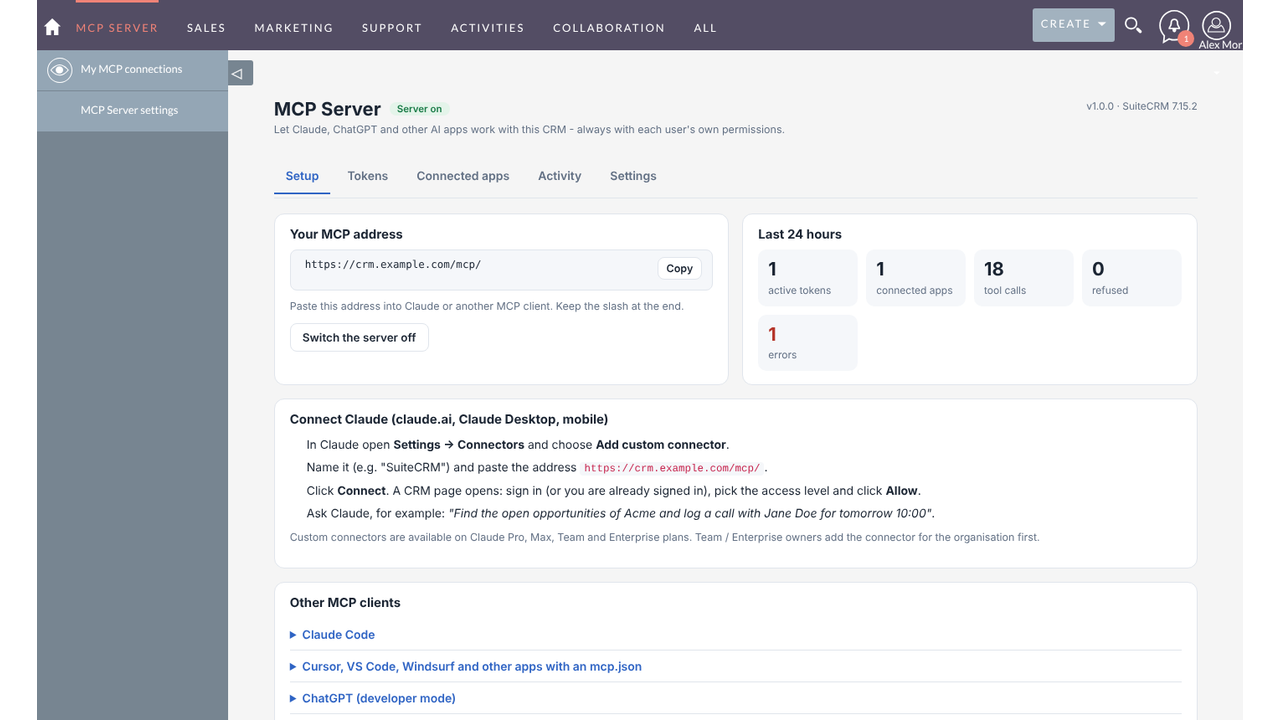
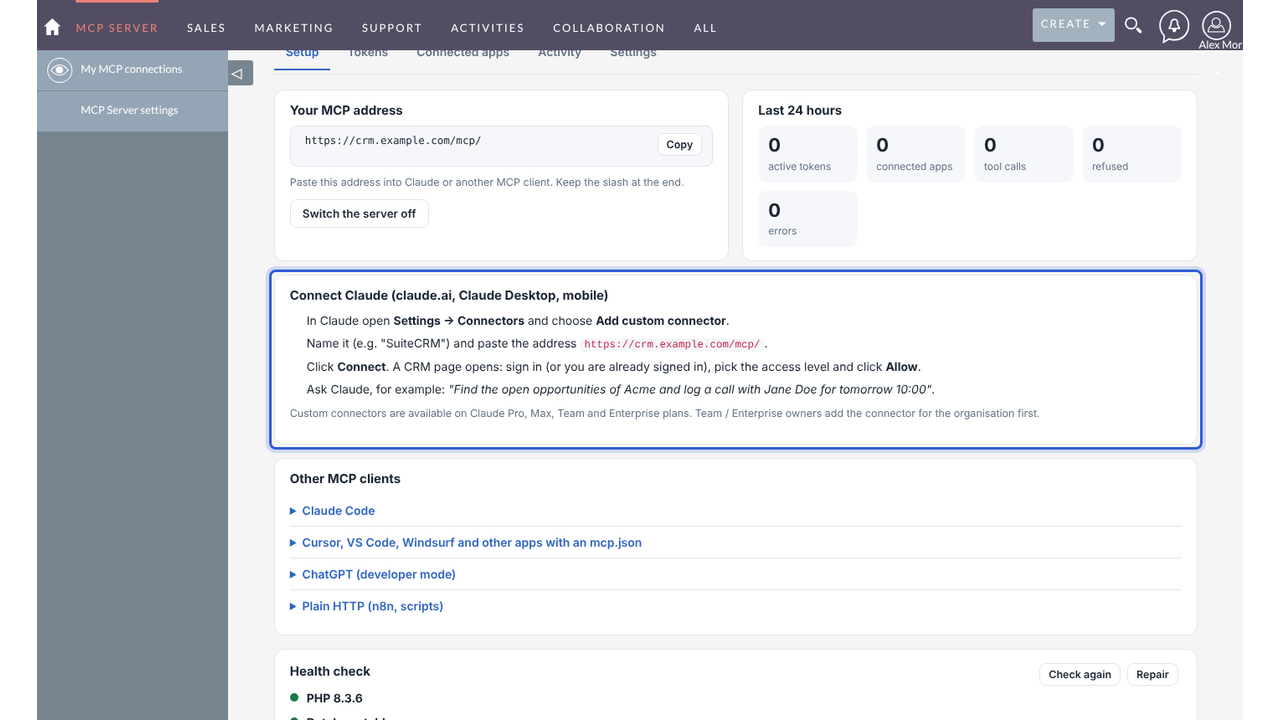
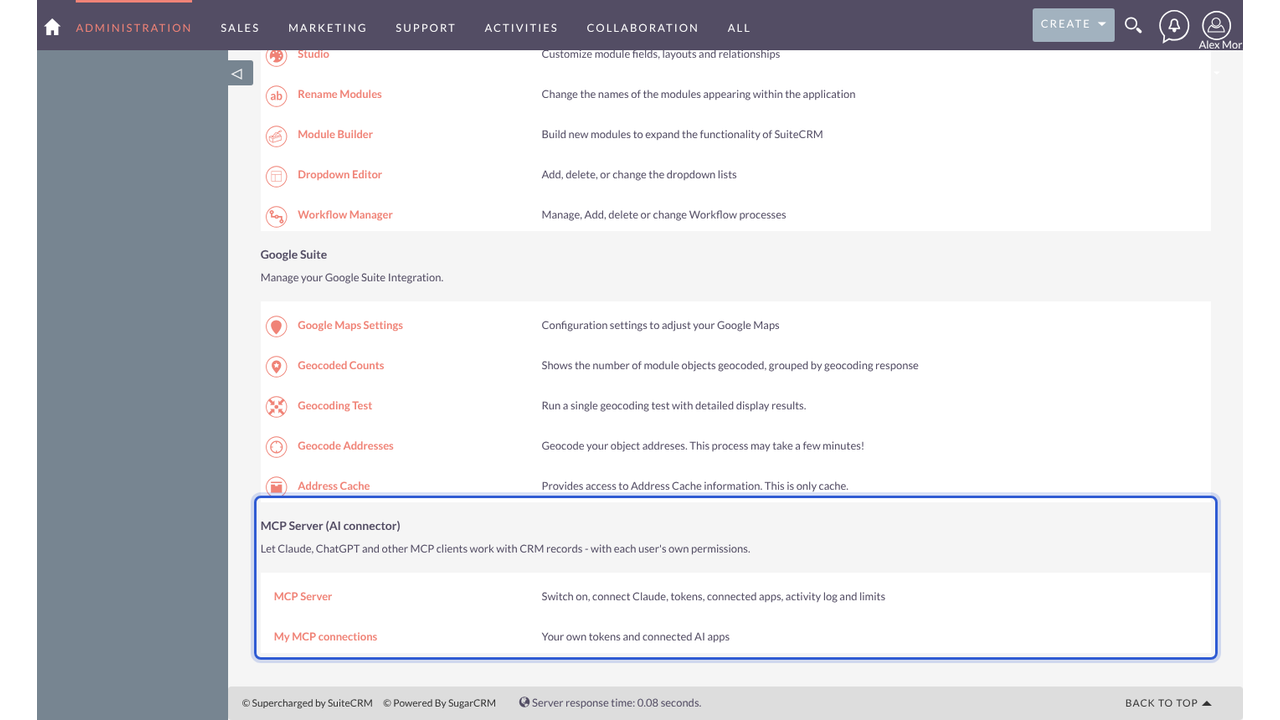
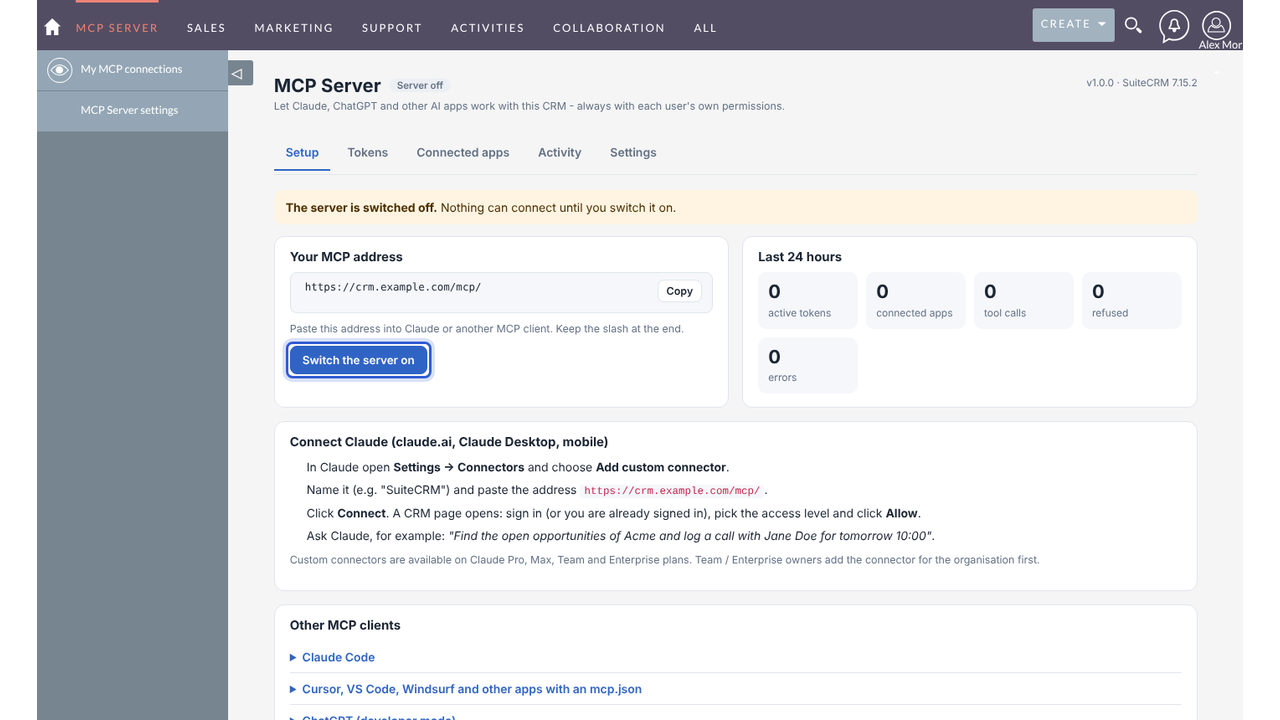
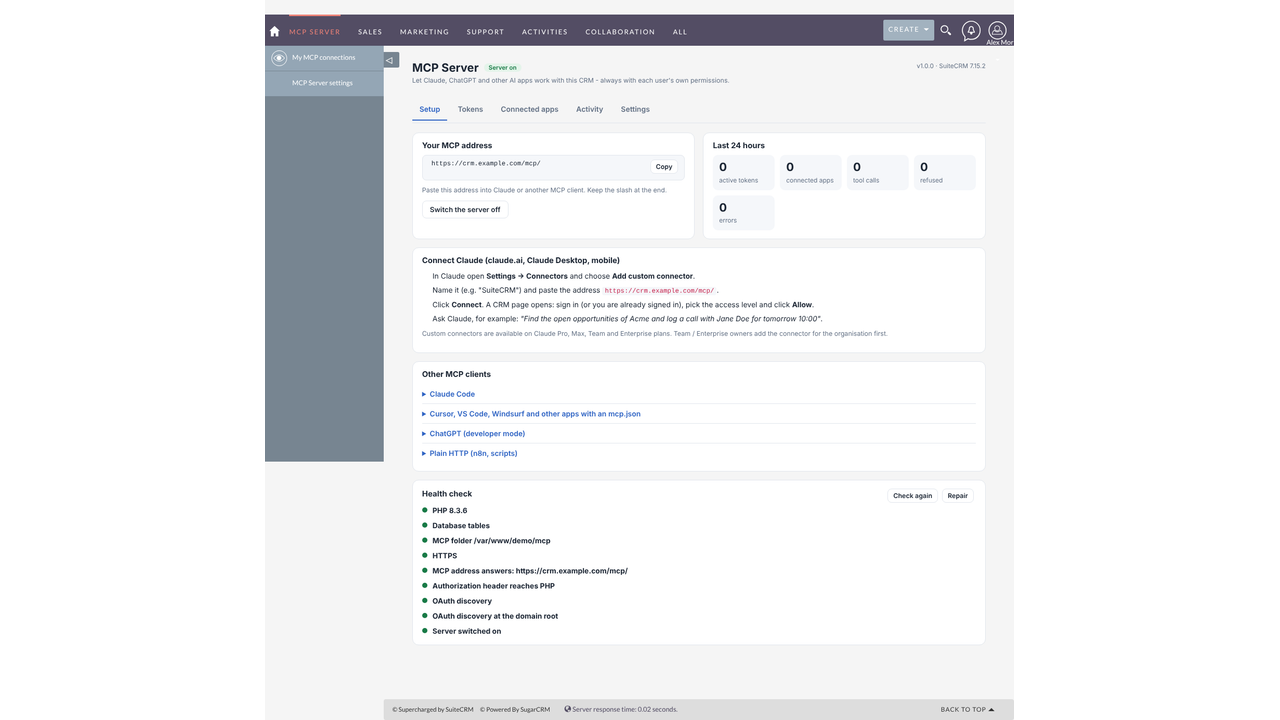
View the MCP server address, enable or disable the server, and verify HTTPS configuration, server address, authorization headers, and OAuth discovery. A Repair option helps resolve configuration issues.
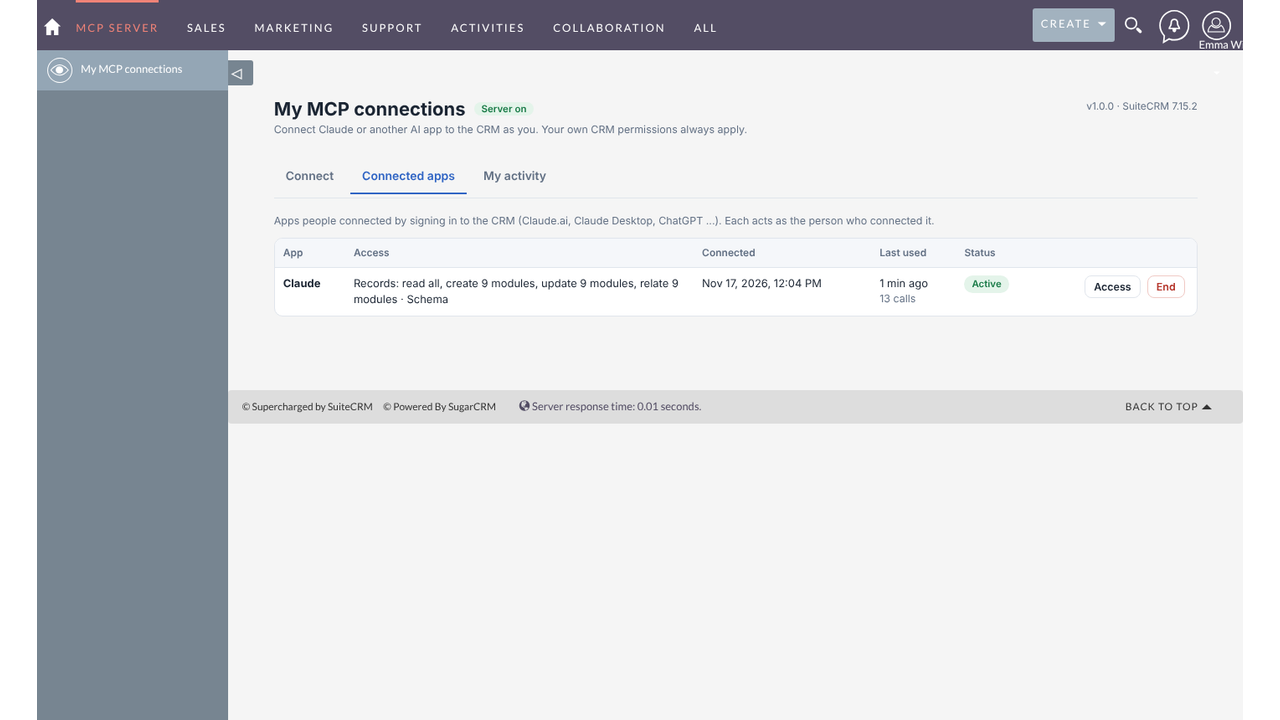
✅ Manage Tokens and Connected Apps
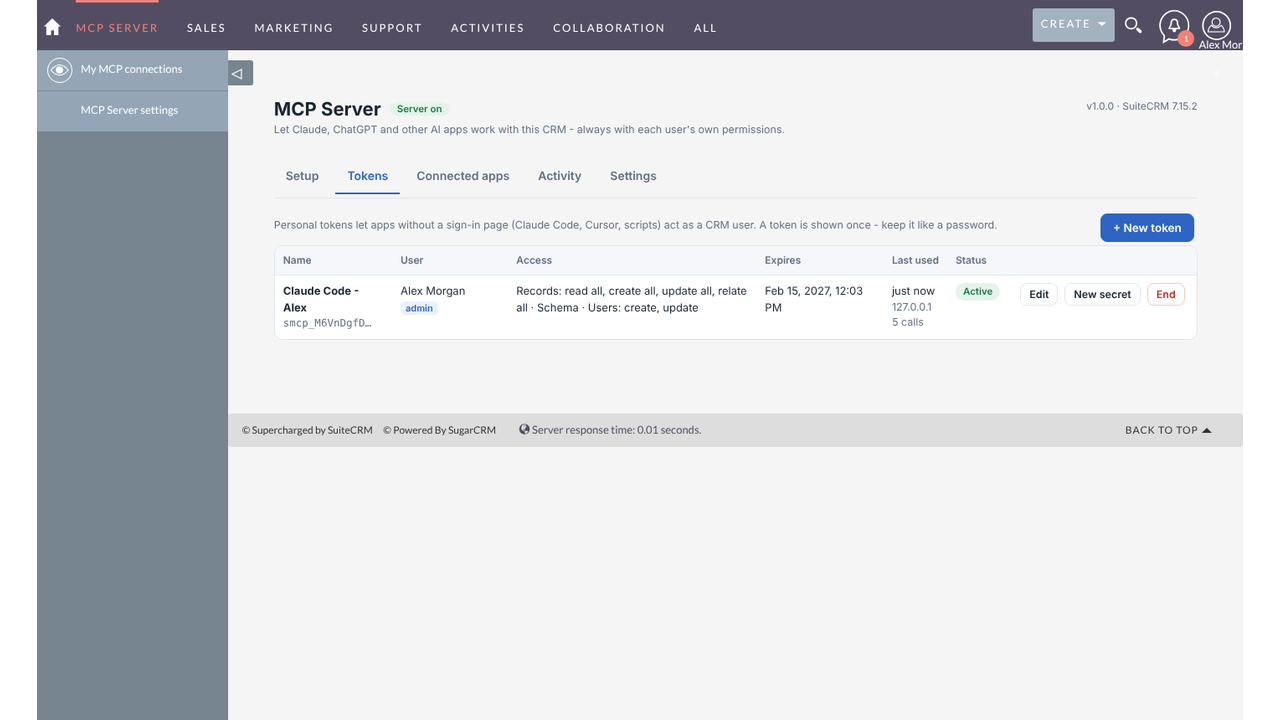
View every active token and connected application, including its associated user, access level, last usage, and total call count. Edit, renew, terminate, or block connections whenever needed.
✅ No Third-Party Middleman
The MCP server runs directly inside your SuiteCRM environment. There is no third-party relay service and no additional software installation required on users' computers.

Visual Showcase
See the product in action through screenshots

1
2
3
4
5
6
7
8
9
10
11
12
13
14
15
16
17
18
19
20
21
22
23
24
Product Videos
Watch our product in action
Coming Soon
User Guide
Learn how to use and configure the system step by step


FAQs
Question? Look here.
What is MCP?
MCP (Model Context Protocol) is an open standard that lets AI assistants use tools and data from other systems. Claude, ChatGPT, Cursor, VS Code and many other apps support it. This product turns your SuiteCRM into an MCP server.
Which AI apps can I connect?
Claude (claude.ai, Claude Desktop and the mobile apps) through custom connectors, Claude Code, ChatGPT in developer mode, Cursor, VS Code, Windsurf, n8n and any other client that supports MCP over HTTP.
Which SuiteCRM versions are supported?
SuiteCRM 7.13, 7.14, 7.15 and SuiteCRM 8.x, with PHP 7.4 or newer and MySQL or MariaDB. The same package installs on all of them.
Does my CRM need HTTPS?
Yes for Claude.ai, Claude Desktop and ChatGPT, because they connect from the internet over HTTPS. Claude Code and other local tools also work over http on your own network.
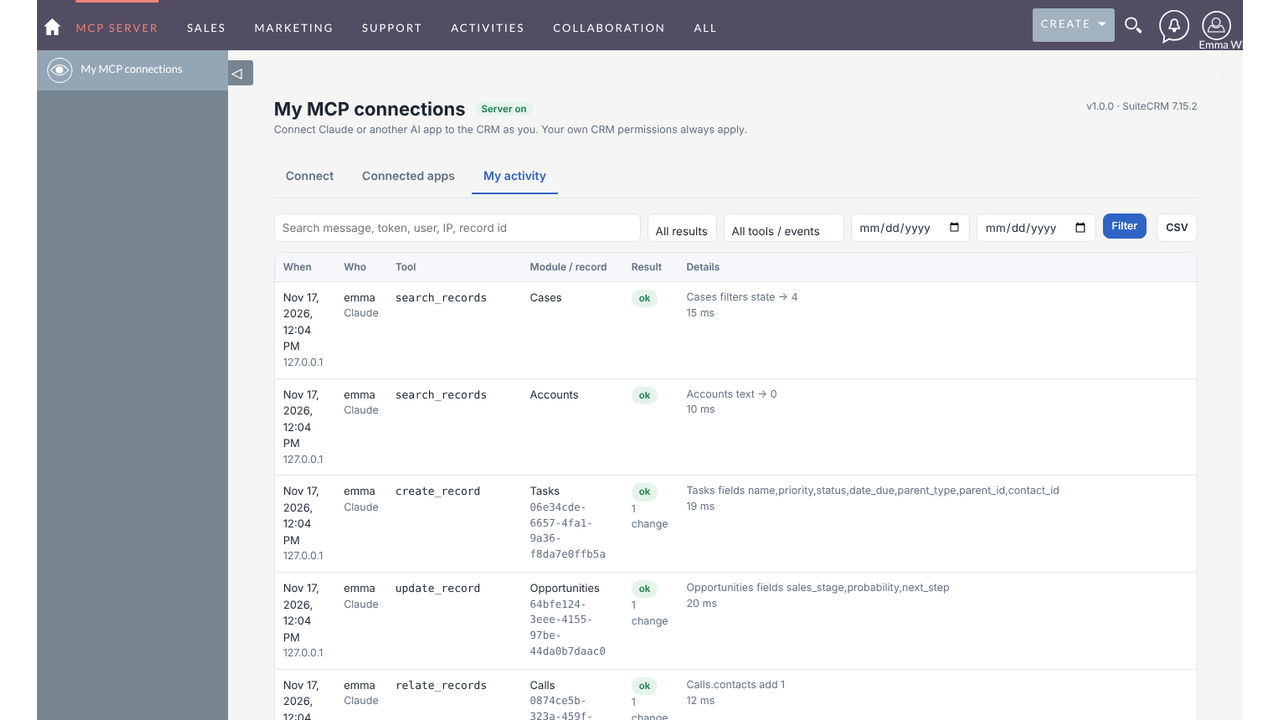
Can I see what the AI did?
Yes. The activity log lists every tool call with the user, app, module, record, result and time, and can be exported to CSV. Records created by the AI are normal CRM records owned by the user.