



★
(0 Reviews)
Twilio Calls & SMS for SuiteCRM
$1,299.00
Product Description
If your team lives in SuiteCRM but still reaches for a desk phone or personal mobile to talk to customers, you already know the problem: conversations happen, but they disappear. Nobody logs the call, follow-ups get forgotten, and the next person to open the record has no idea what was discussed.
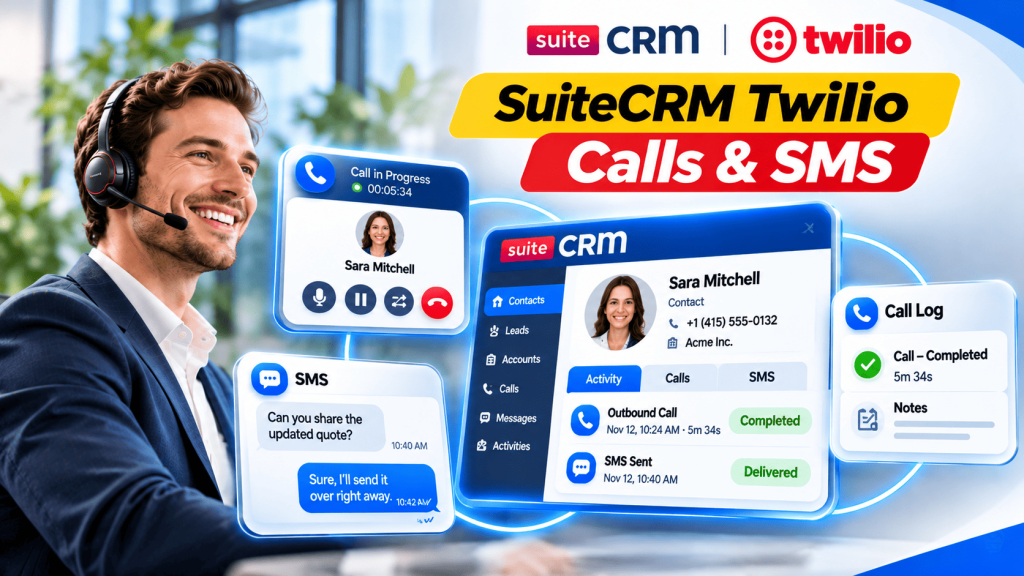
Outright Twilio Calls & SMS is a SuiteCRM Twilio integration that solves this problem. It puts a phone and a messaging inbox right inside your CRM. Your team can click a number to make a call, send SMS messages directly from customer records, and manage conversations without switching applications.
Every call and text is automatically associated with the relevant Lead, Contact, Account or Target, keeping your communication history organized and accessible.
There are no desk phones to buy and nothing to install on anyone’s computer. All you need is a browser, a headset and your own Twilio account.
One package works with SuiteCRM 7.10 to 7.15 and SuiteCRM 8.


Key Features
Discover what makes this product stand out

✅Calling
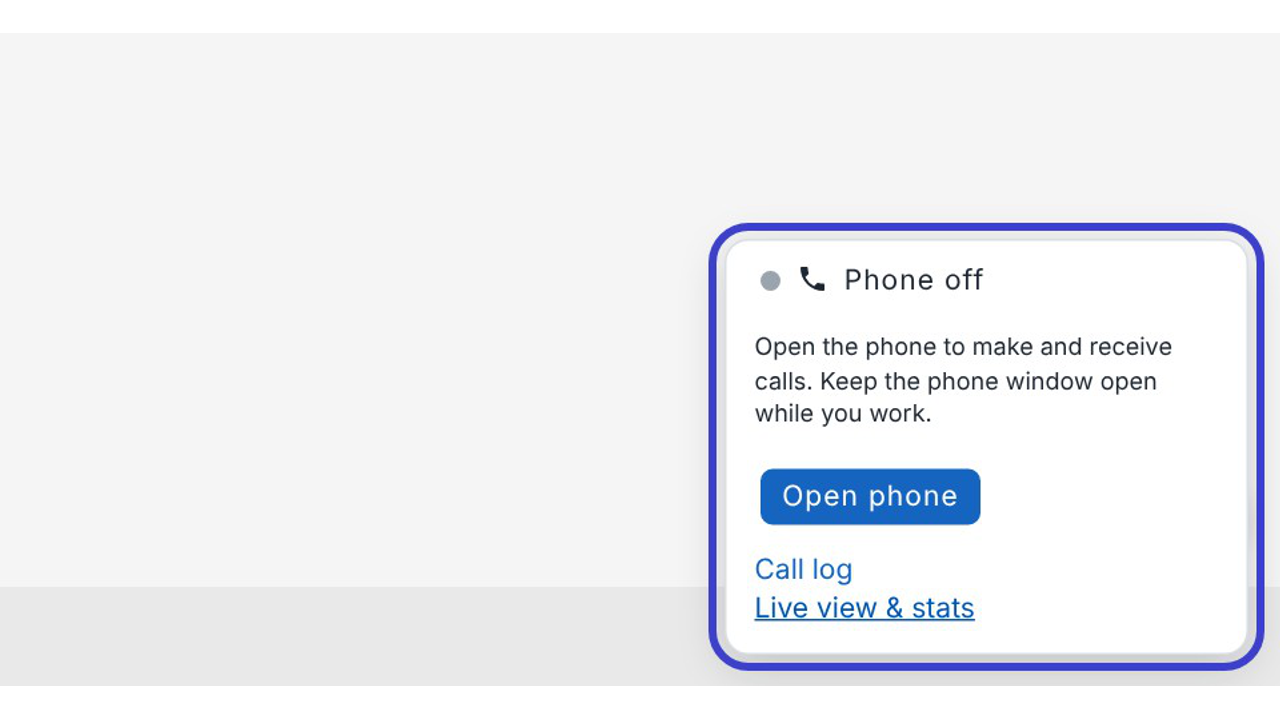
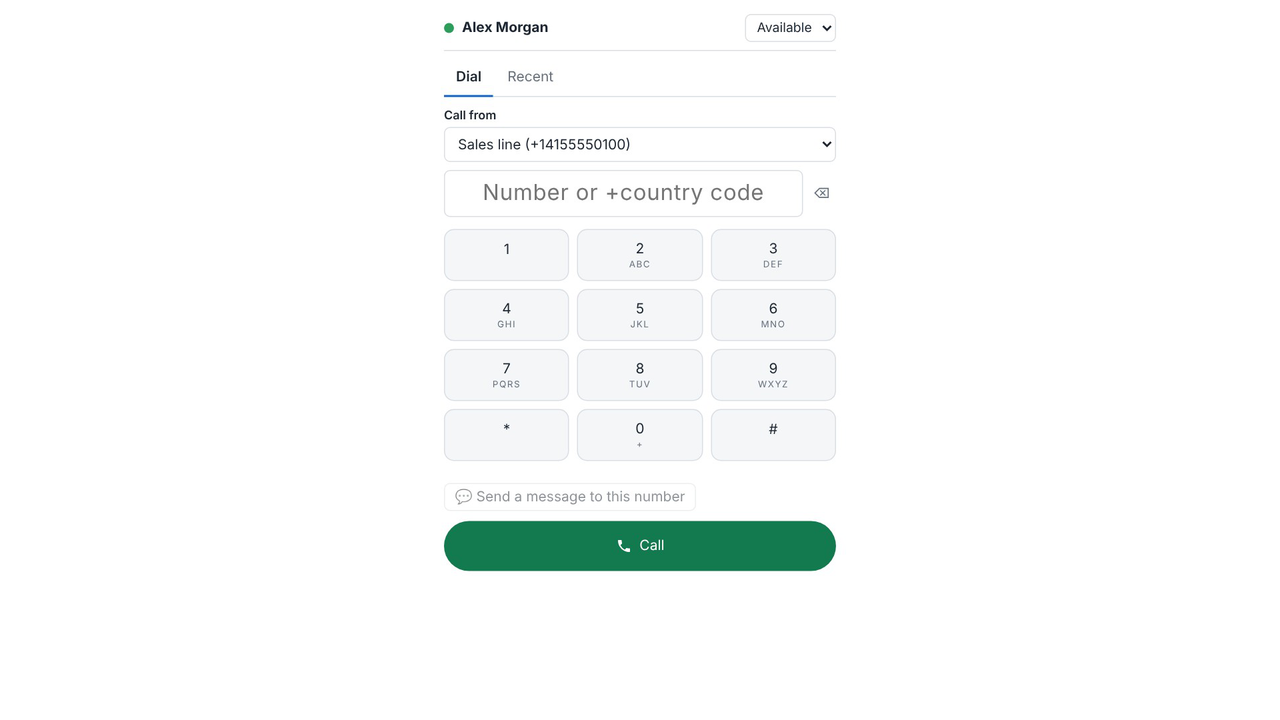
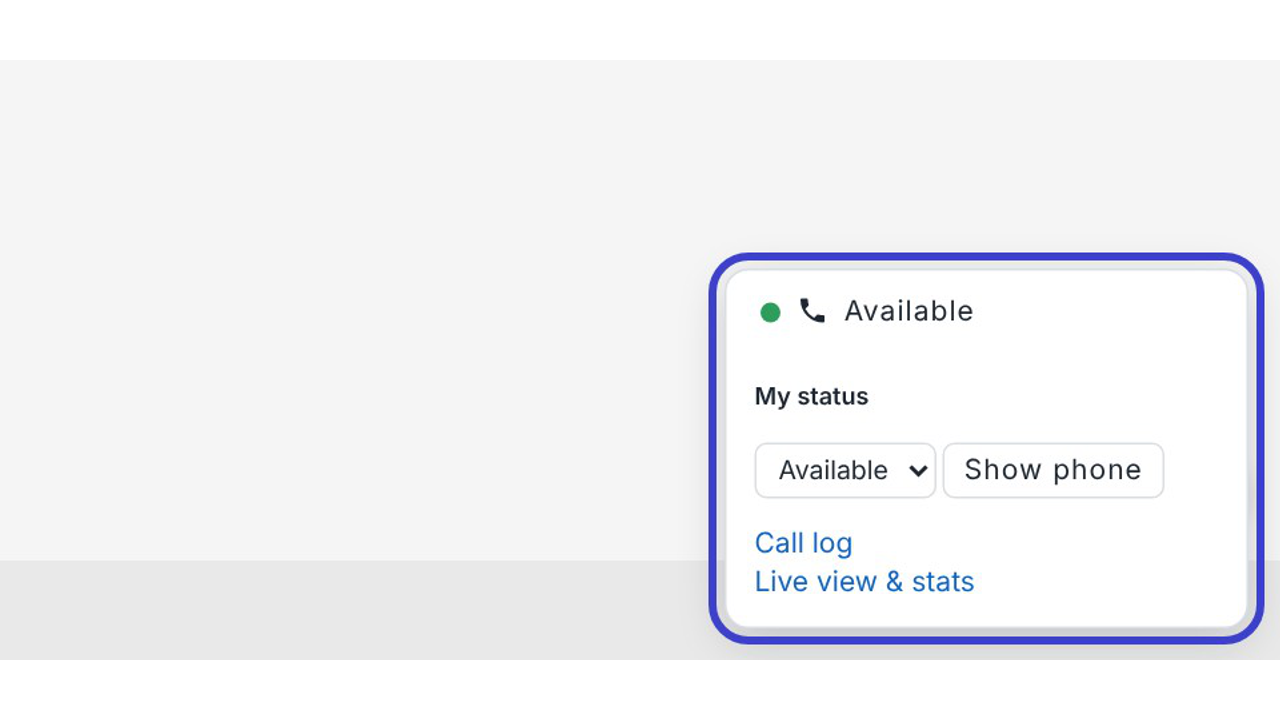
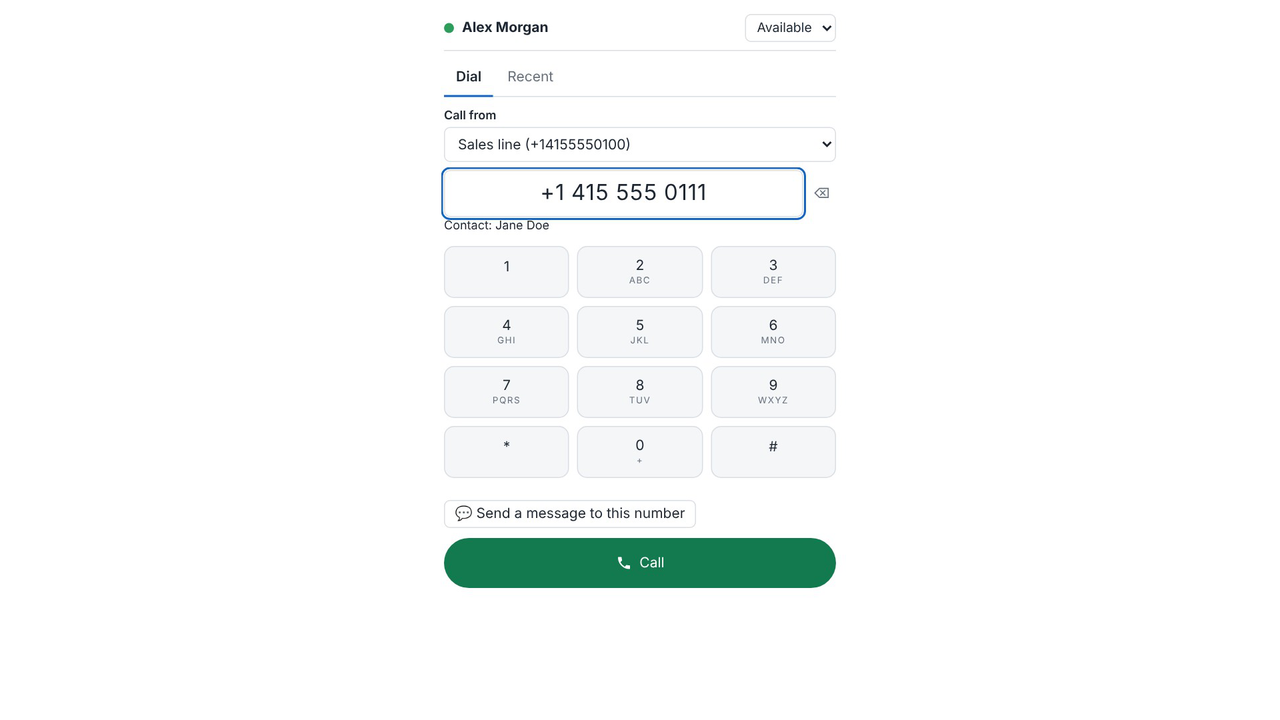
SuiteCRM softphone in the browser. A phone window with a dial pad, recent calls and your
status, plus a small phone bar that follows you on every CRM page.
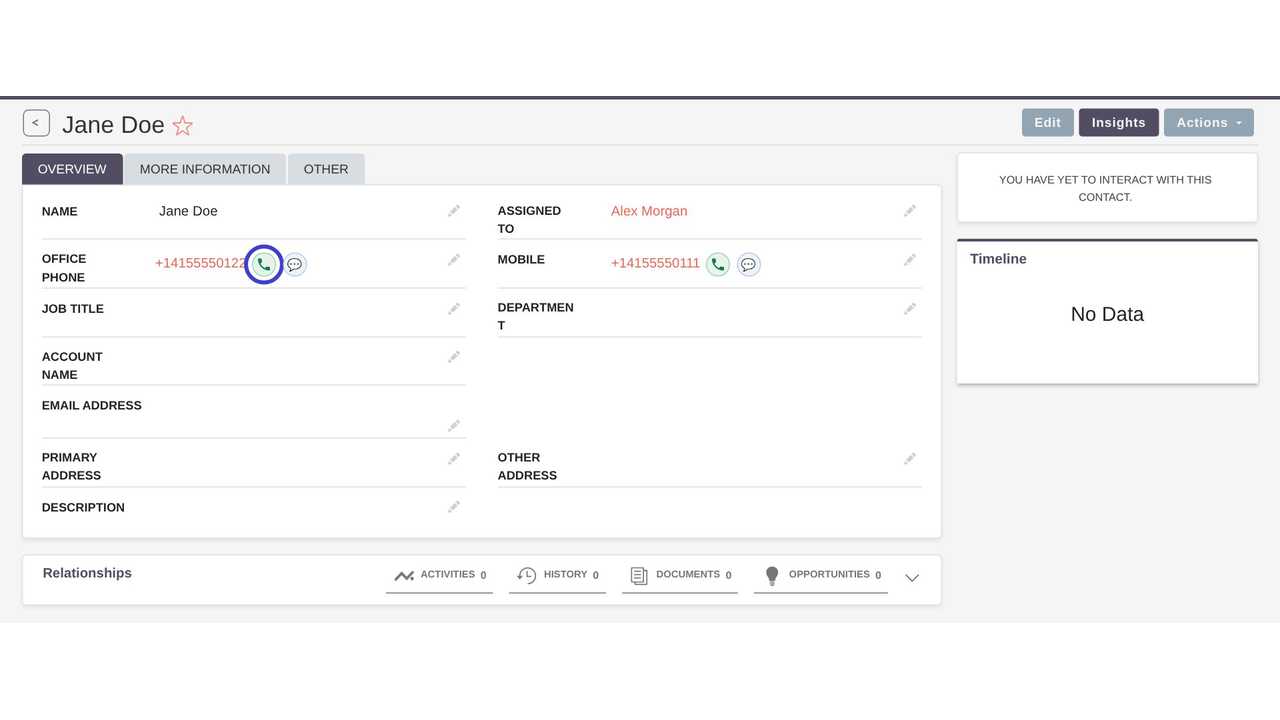
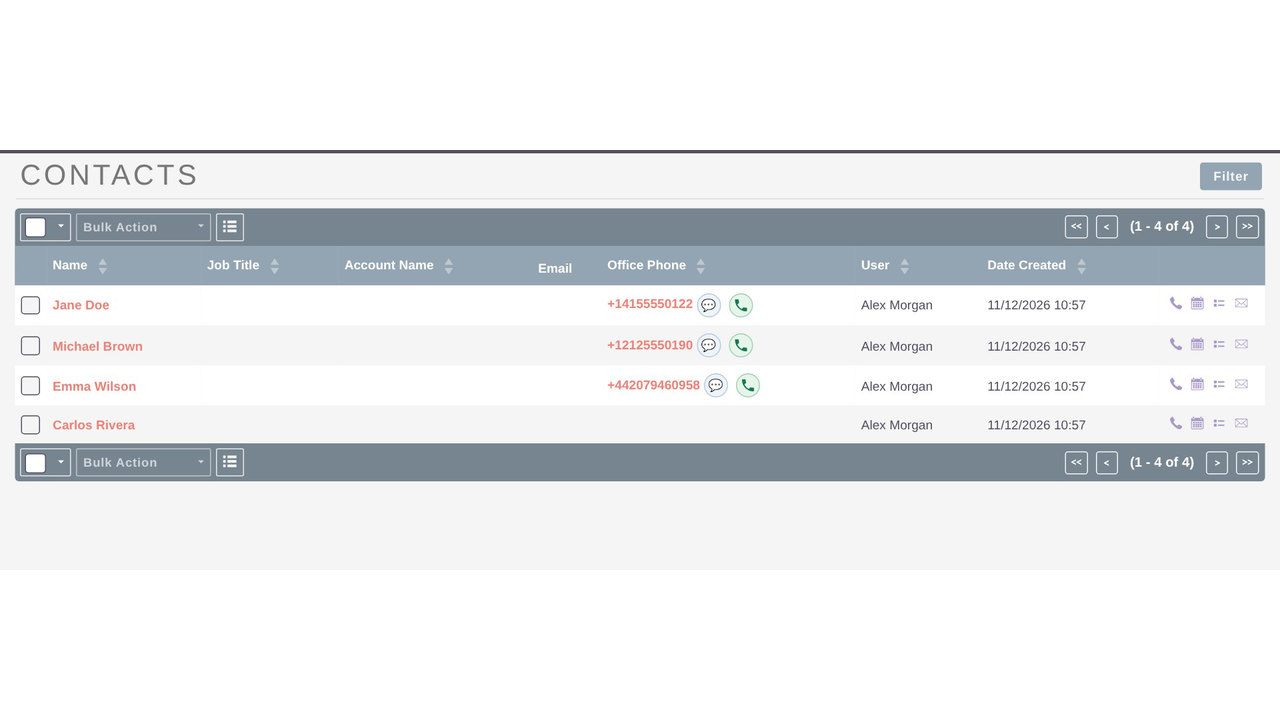
SuiteCRM click-to-call. Call buttons beside every phone number, in record views and list views
alike.
Know who is calling. Incoming calls ring every available agent on that number, show the caller's
name and open their record.
Hold, mute and transfer. Pass a call to a colleague, with or without a quick word first.
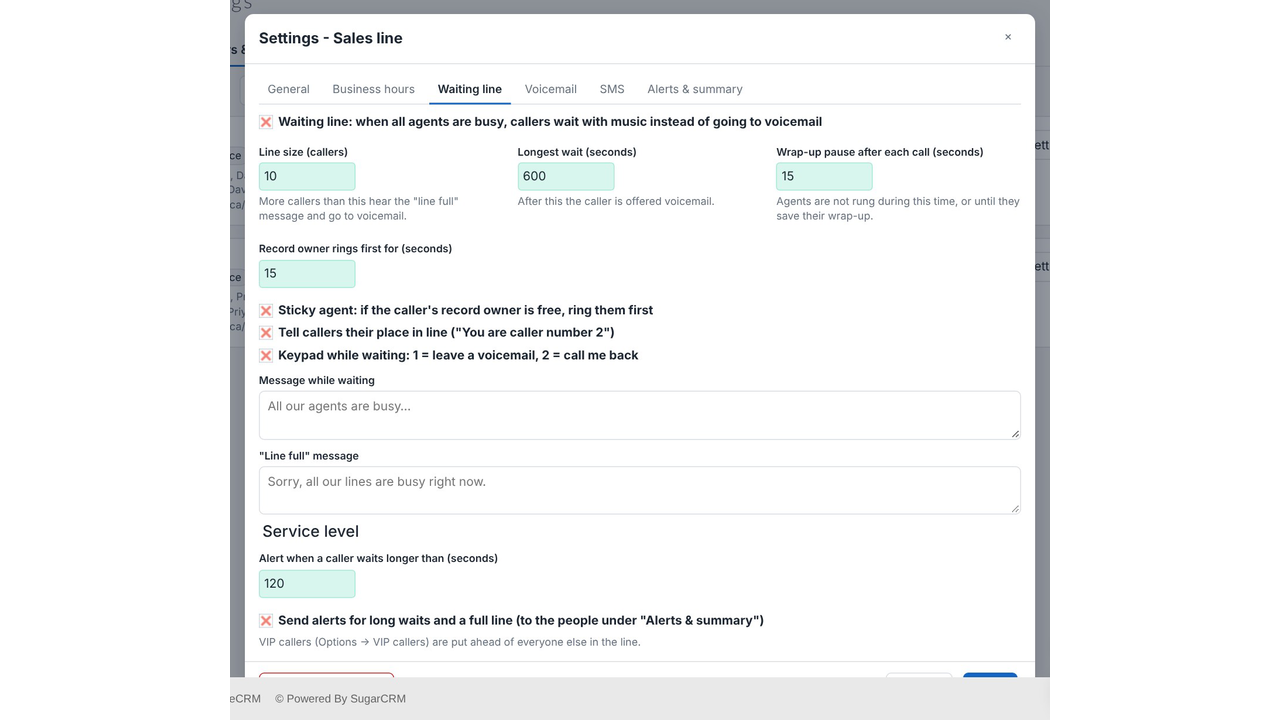
Never leave a caller hanging. When everyone is busy, callers wait in line with music, hear their
place in the queue, or leave a voicemail.
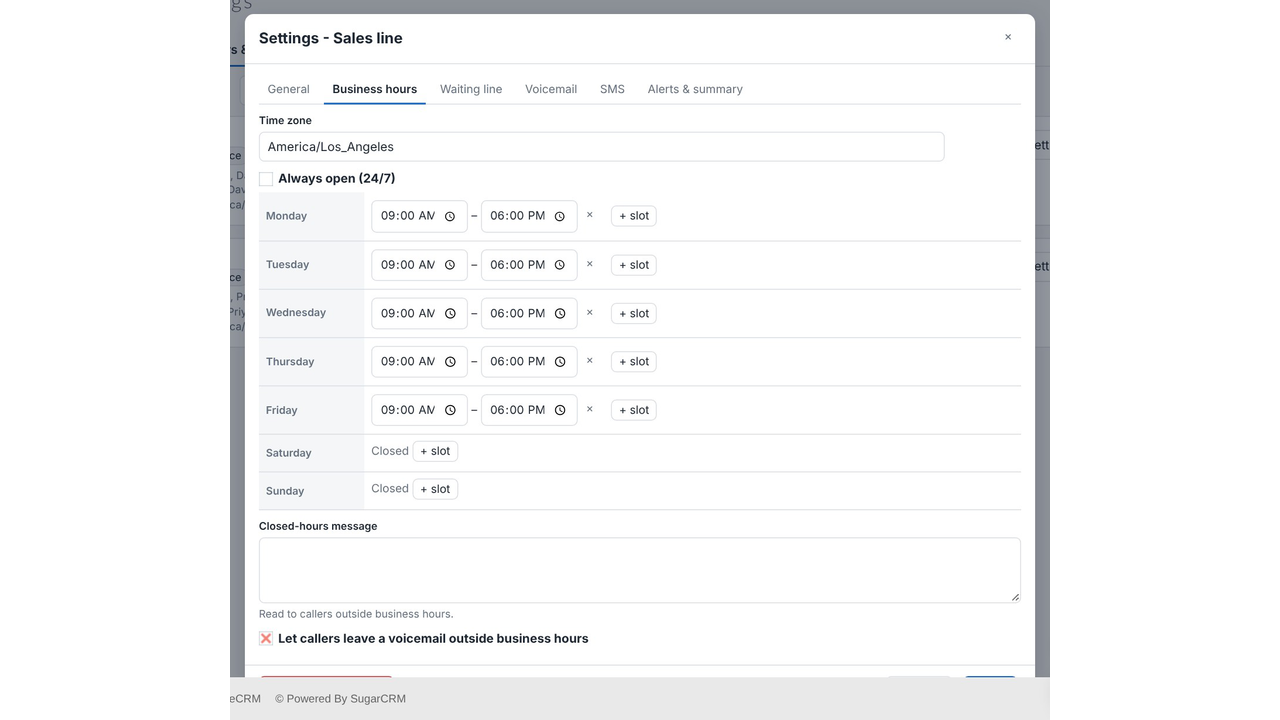
Business hours. Set opening hours for each number and a message for callers outside them.
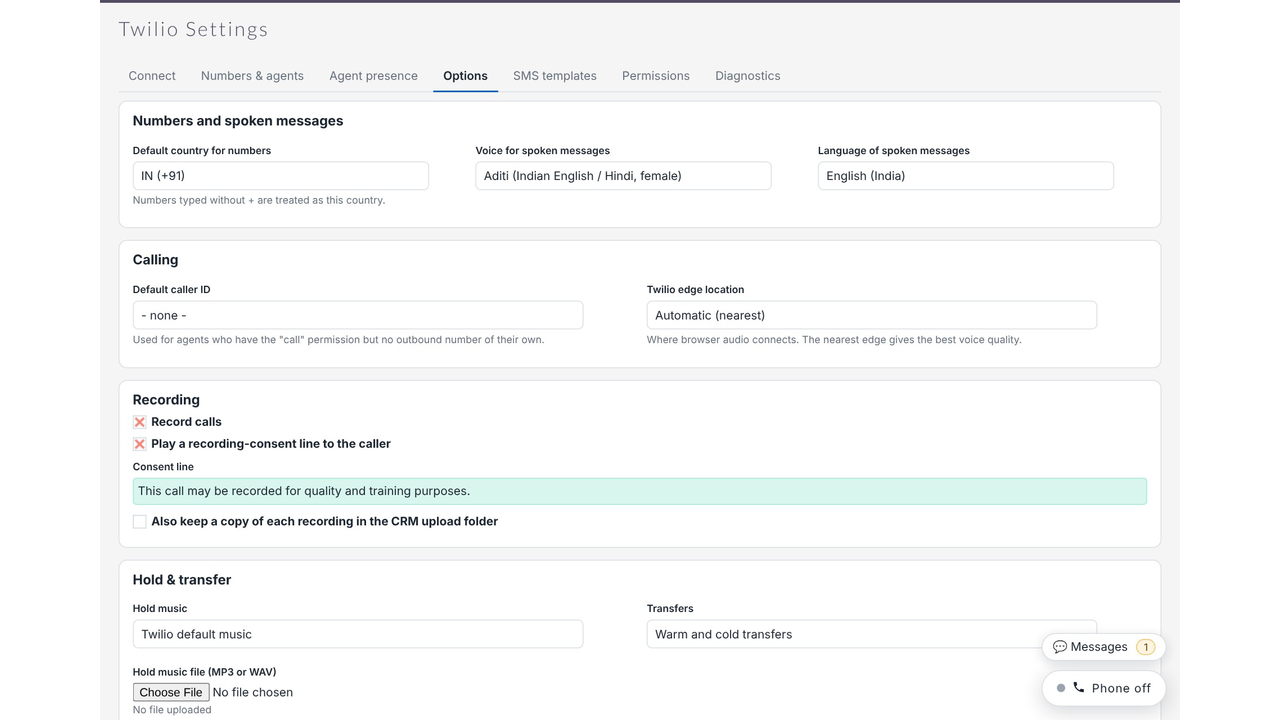
SuiteCRM call recording. Switch recording on when you need it, with a consent message played
to the caller.
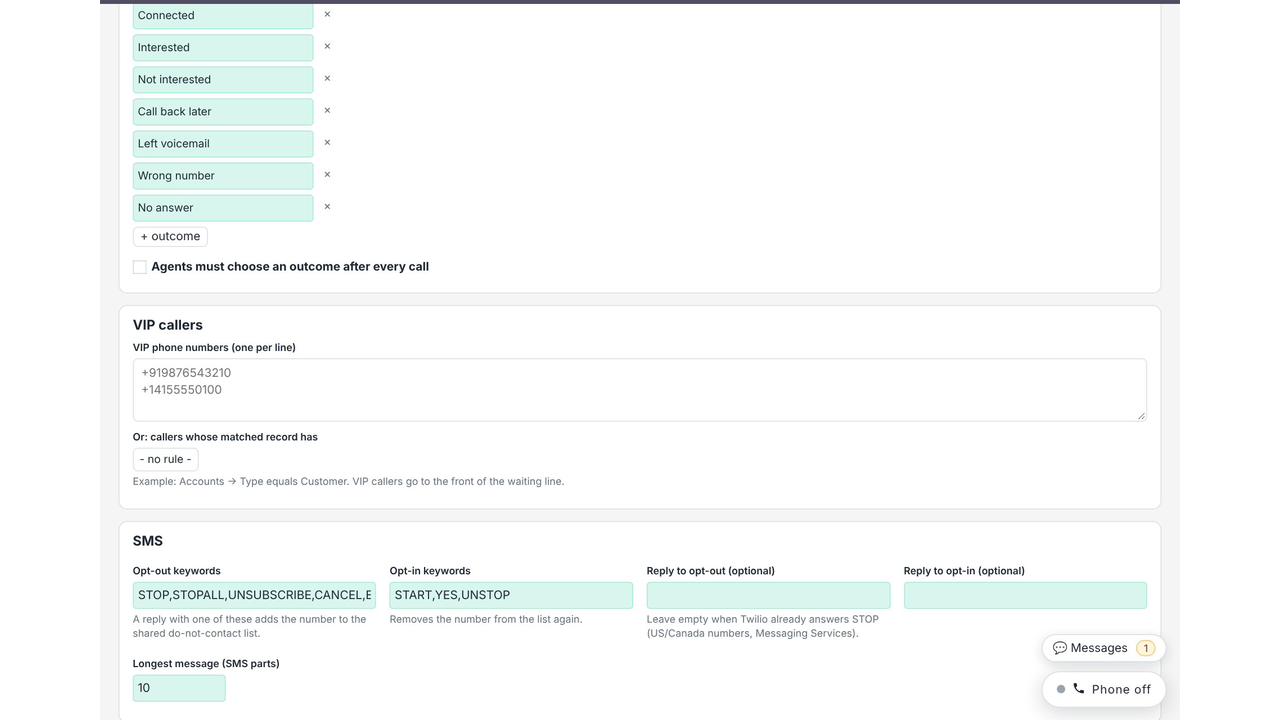
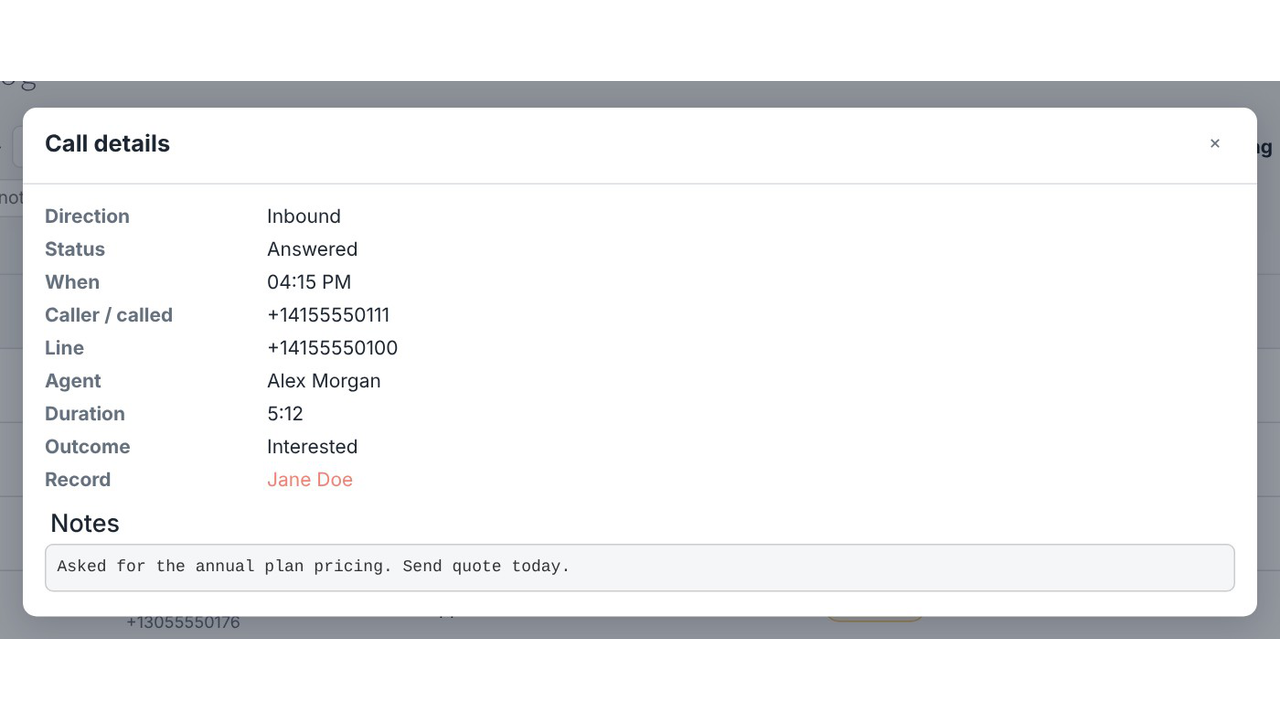
Wrap-up notes. After each call, pick an outcome and jot down a note while it is fresh.
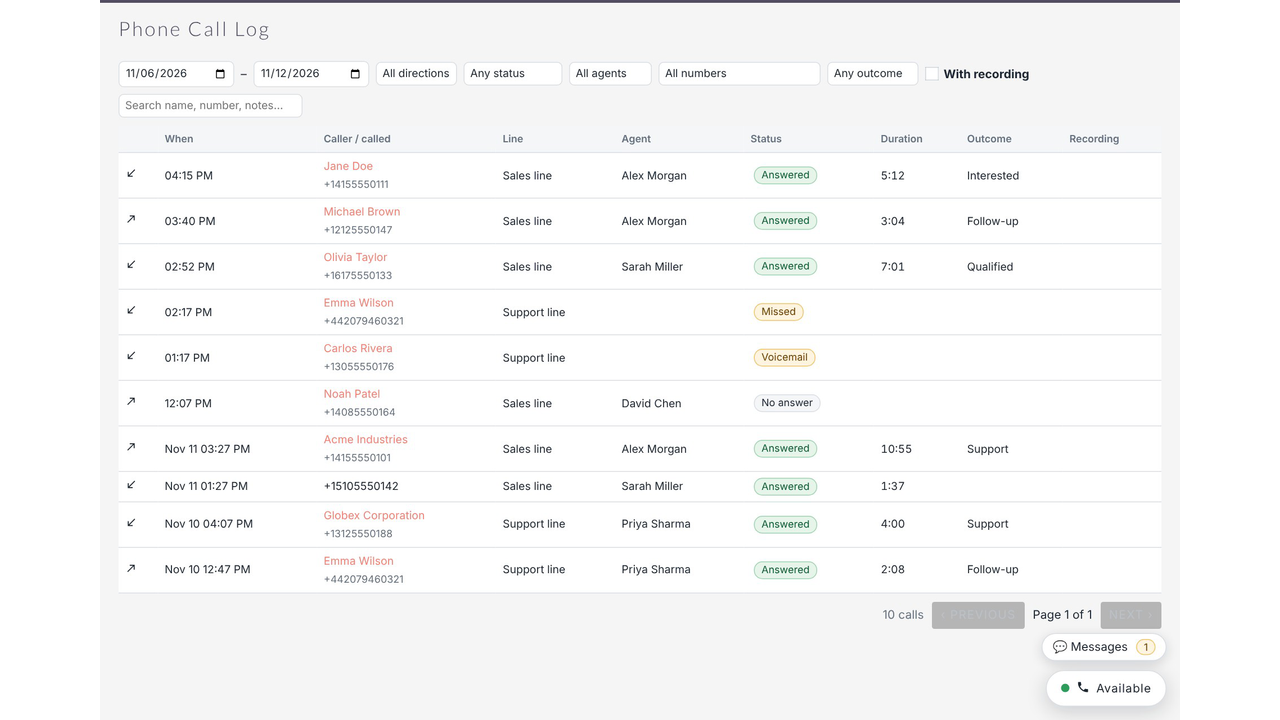
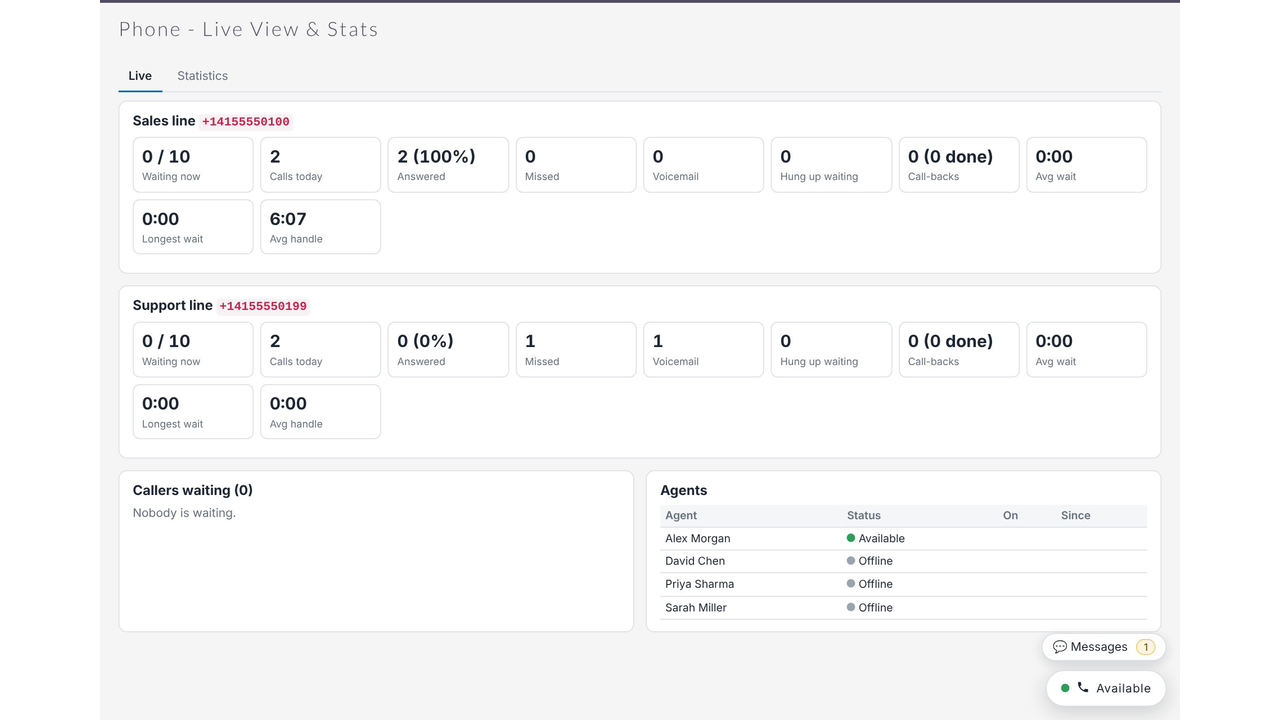
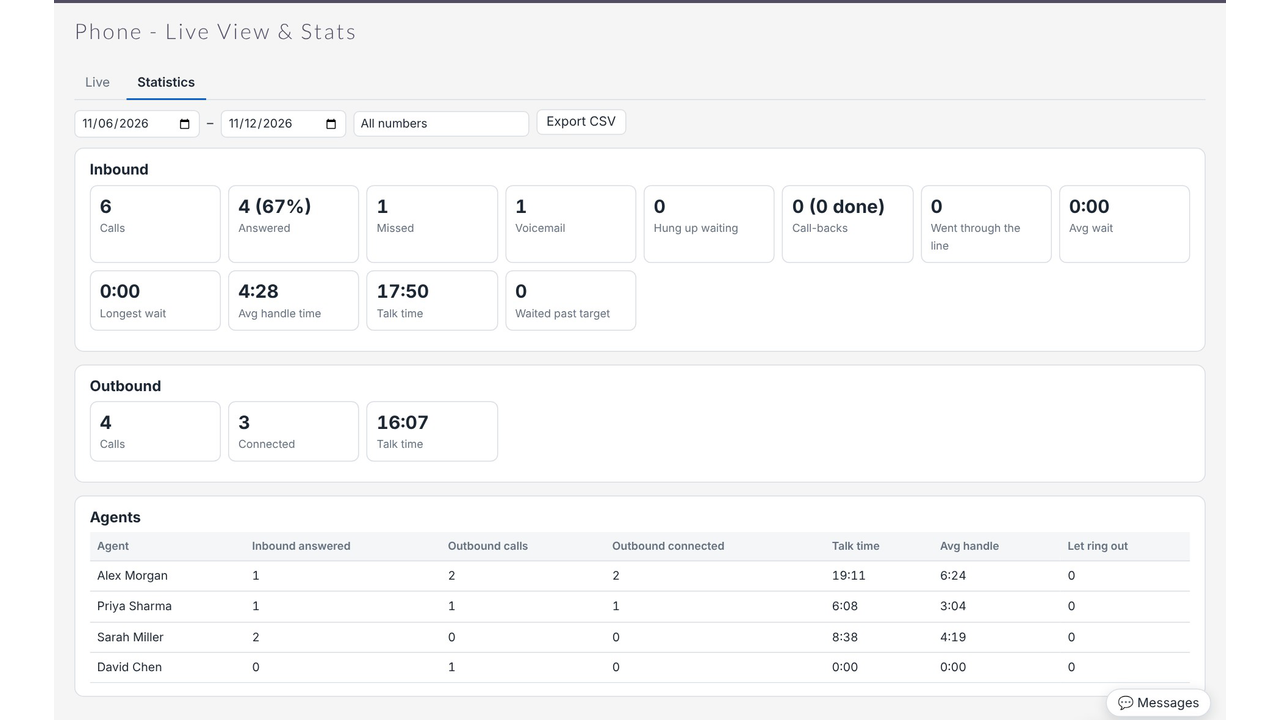
Call log, live view and statistics. See every call in one list, watch waiting callers in real time, and
export totals per agent to CSV.
✅Messaging
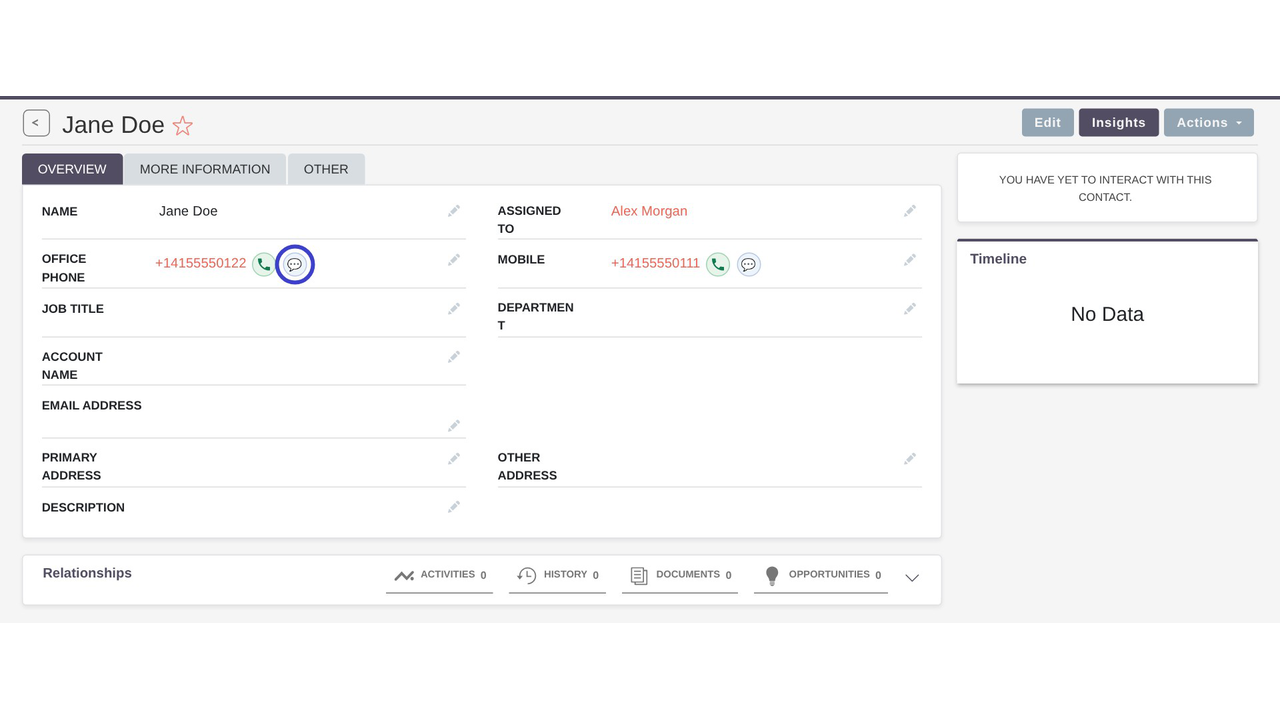
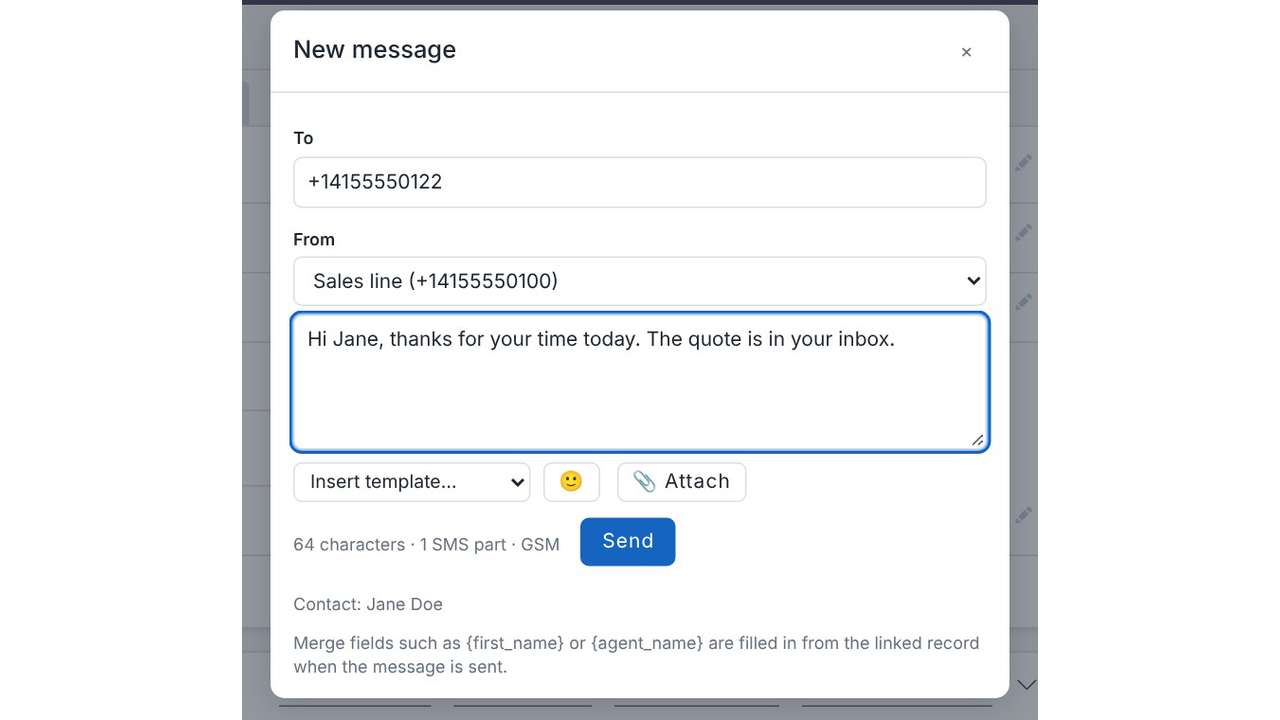
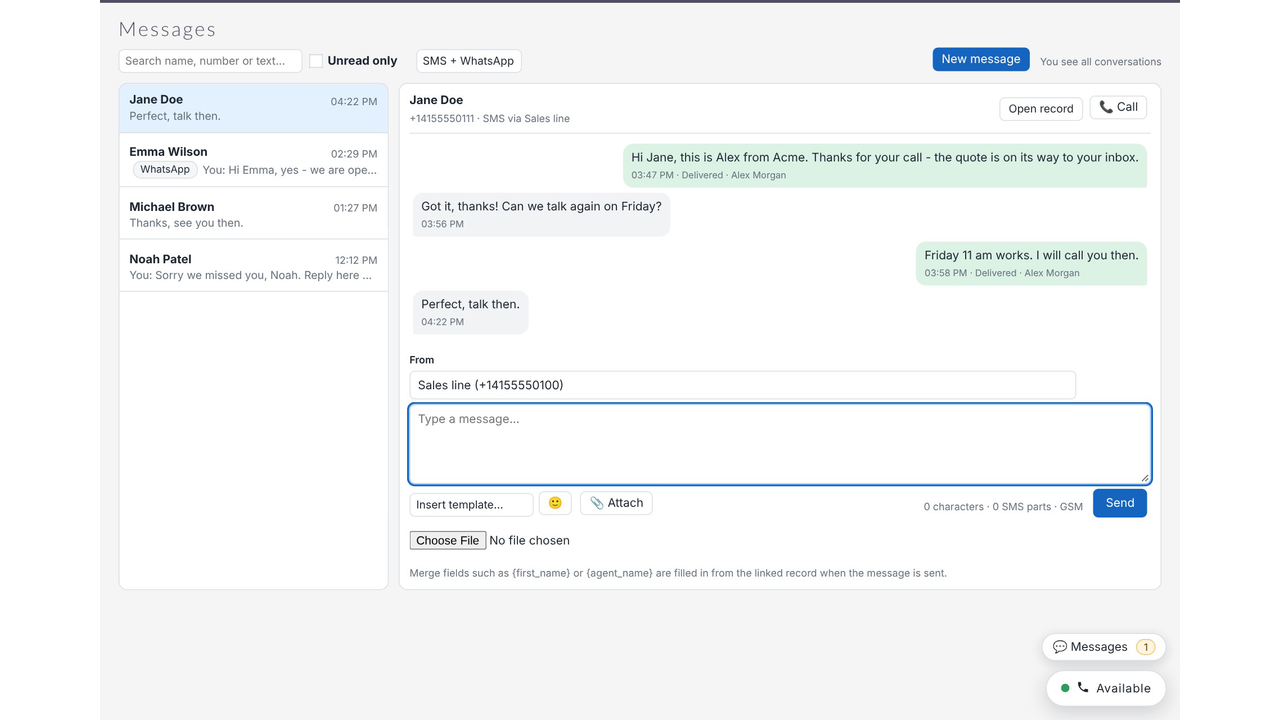
SuiteCRM SMS Send from any record with the message button, or straight from the inbox.
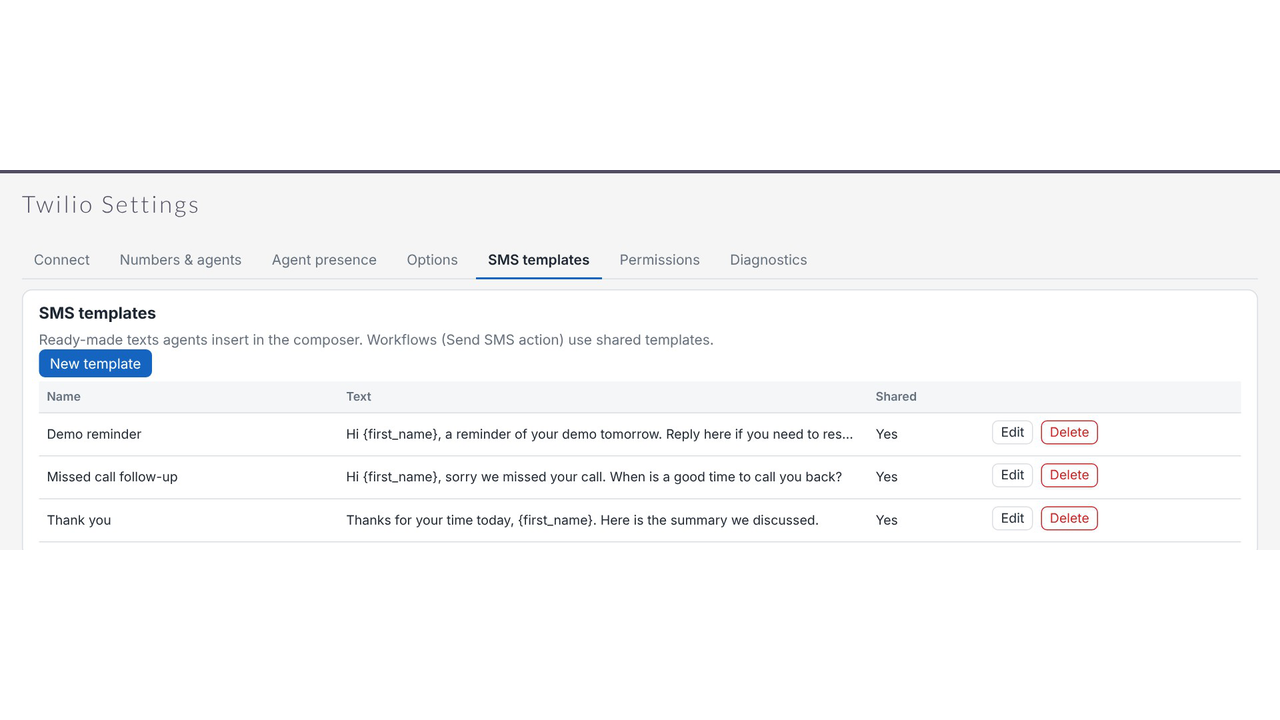
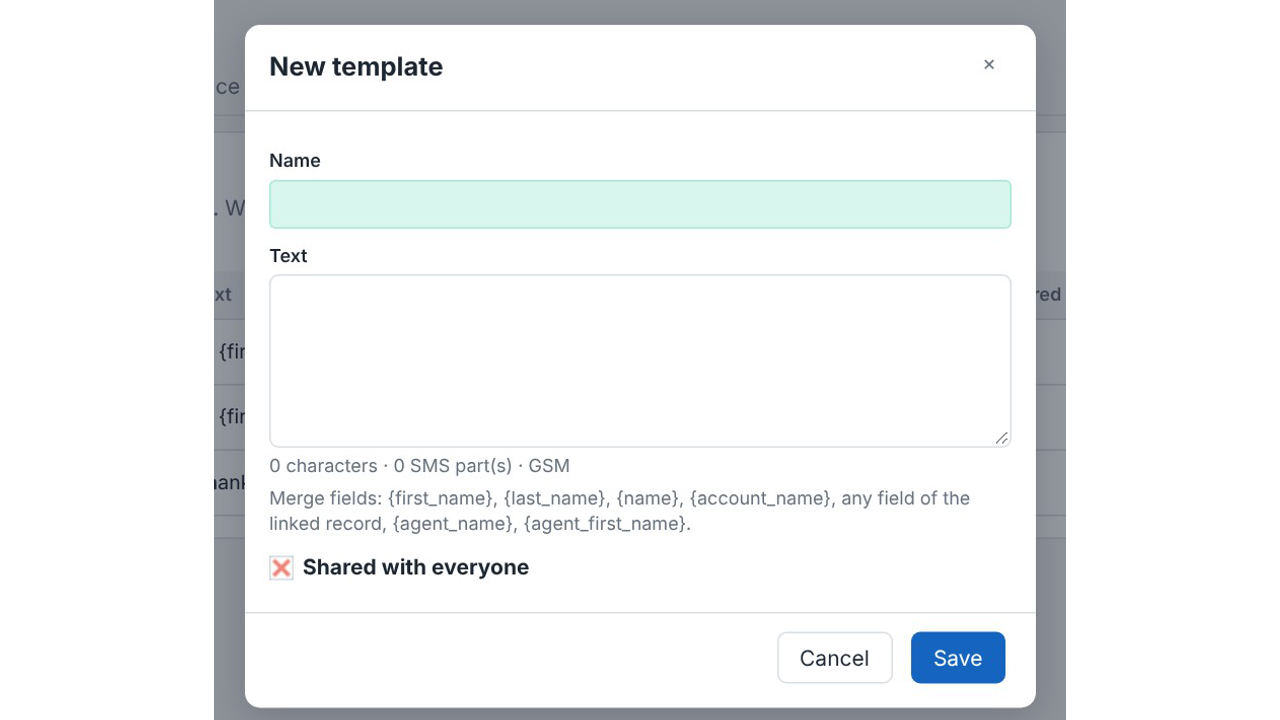
Templates that fill themselves in. Merge fields drop in the customer's first name, the account
name or the agent's name.
One inbox for every conversation. Each customer's messages sit together, with delivery status
and an unread badge.
Opt-outs handled for you. A reply of STOP adds the number to your do-not-contact list, and
START removes it again.
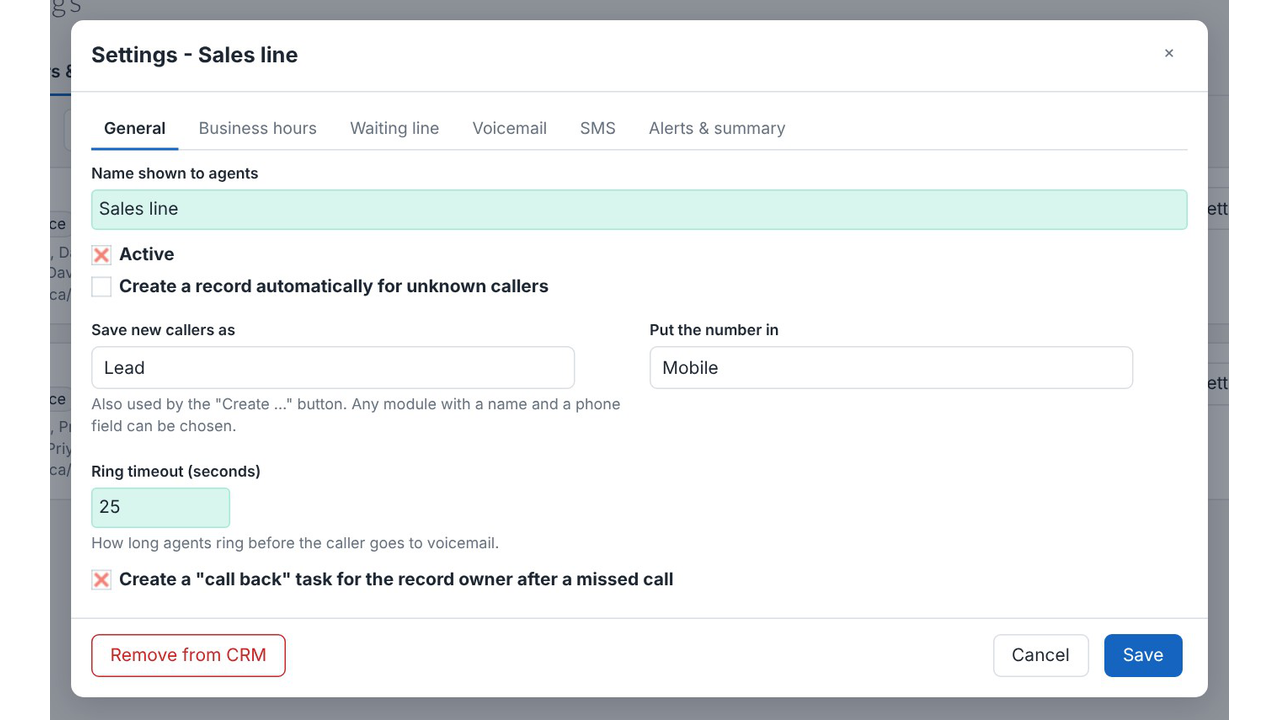
Missed-call text. Send an automatic message to callers you could not answer.
Workflow SMS. Use the "Send SMS (Twilio)" action in SuiteCRM workflows for reminders and
follow-ups.
✅Setup and control
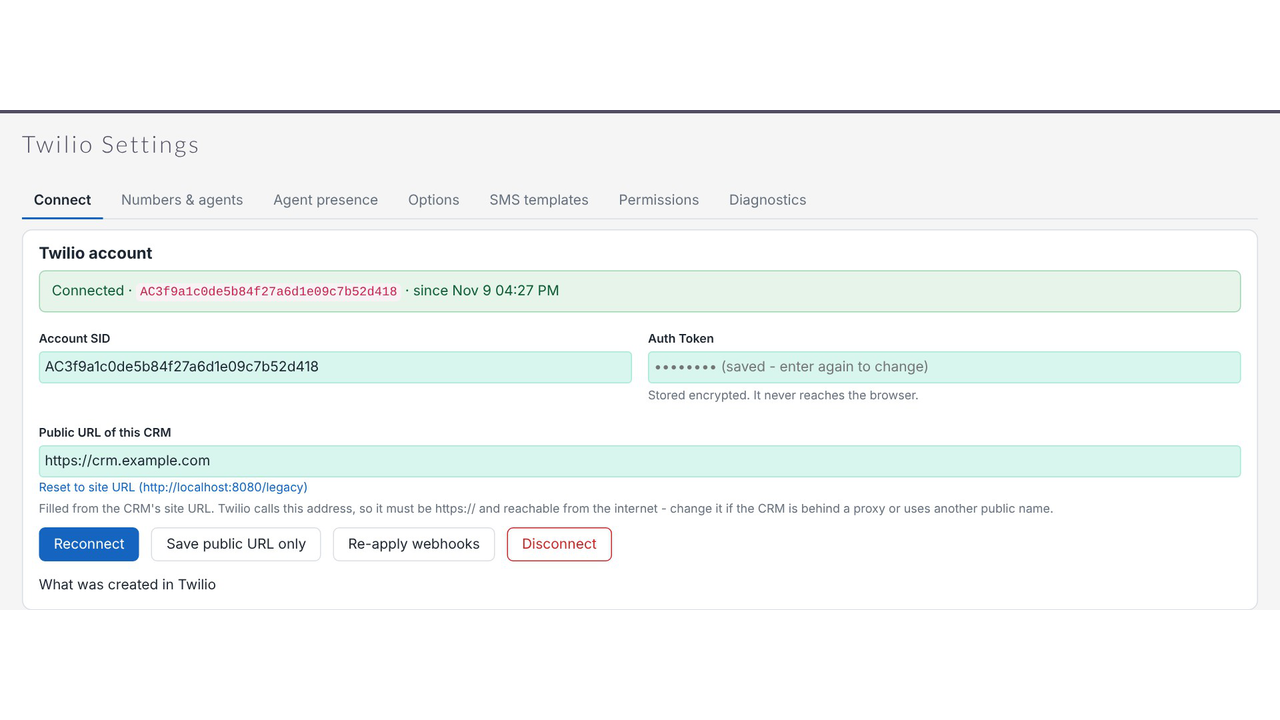
Guided Twilio setup. Paste in your Account SID and Auth Token, and the CRM configures Twilio
and its webhooks. A health check tells you exactly what still needs attention.
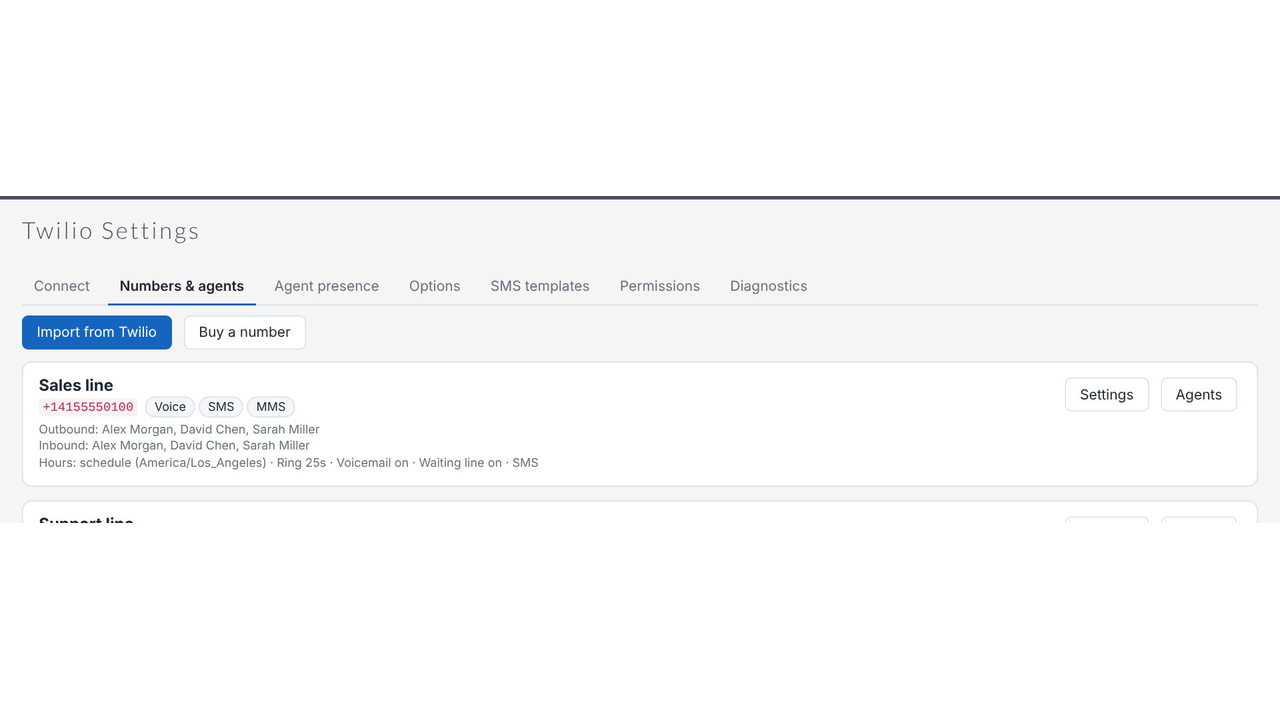
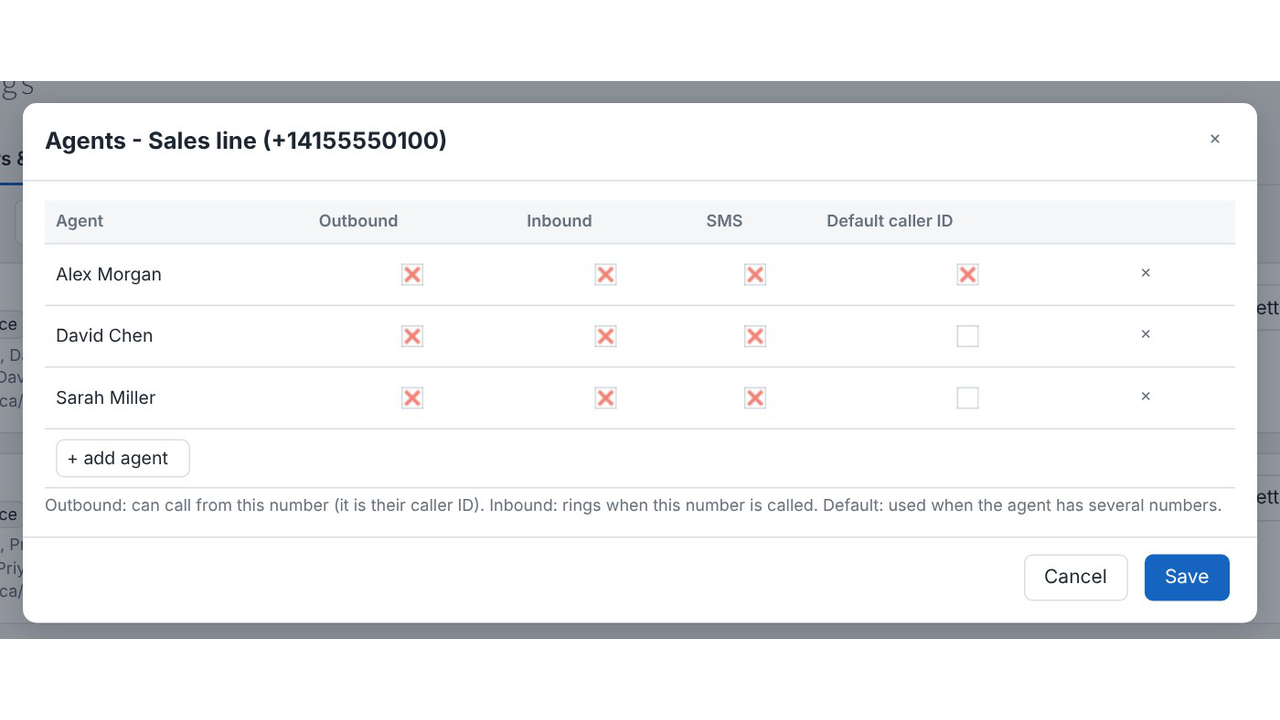
Numbers and agents. Import your Twilio numbers or buy a new one, then choose who can call,
answer and text on each.
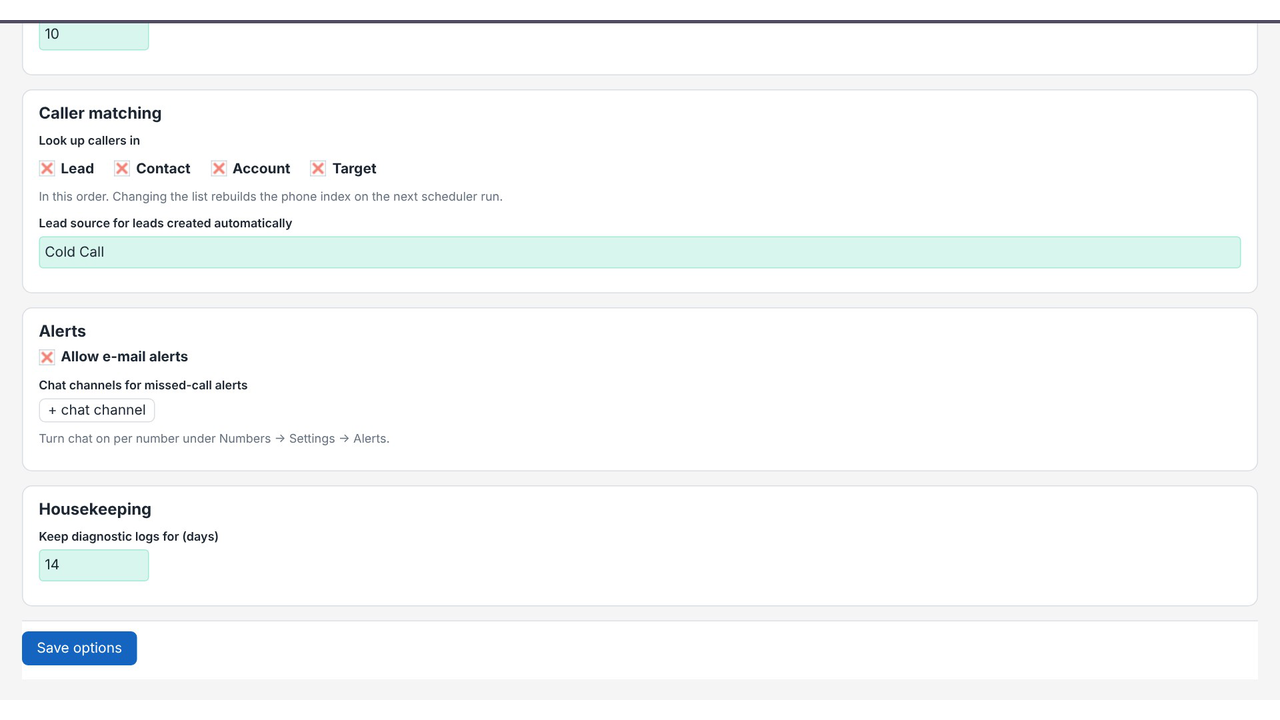
Caller matching. Callers are looked up across Leads, Contacts, Accounts and Targets in the order
you choose, and unknown callers can be saved as new records.
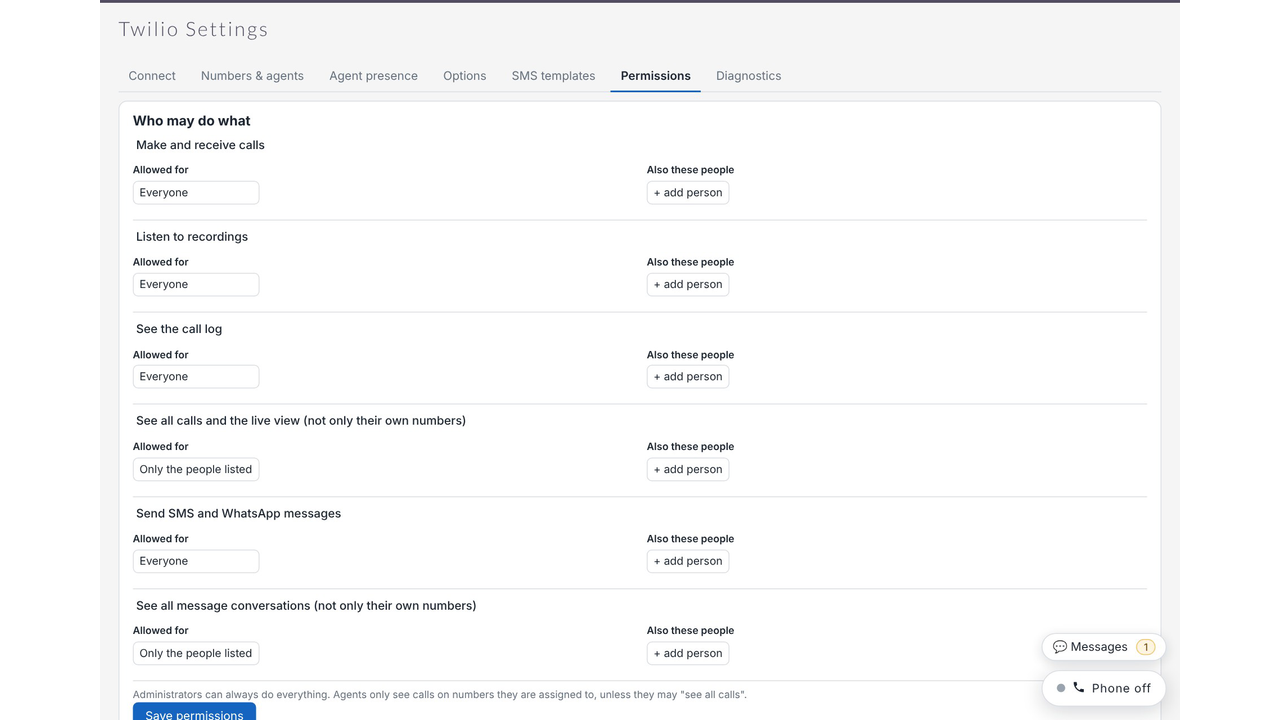
Permissions. Decide who can call, text, listen to recordings and see the call log.
Alerts. Get missed-call alerts by notification, e-mail or chat channel, plus a daily summary e
mail.
Works on SuiteCRM 7 and SuiteCRM 8. The phone bar and call buttons appear on the SuiteCRM
8 screens too.


Visual Showcase
See the product in action through screenshots
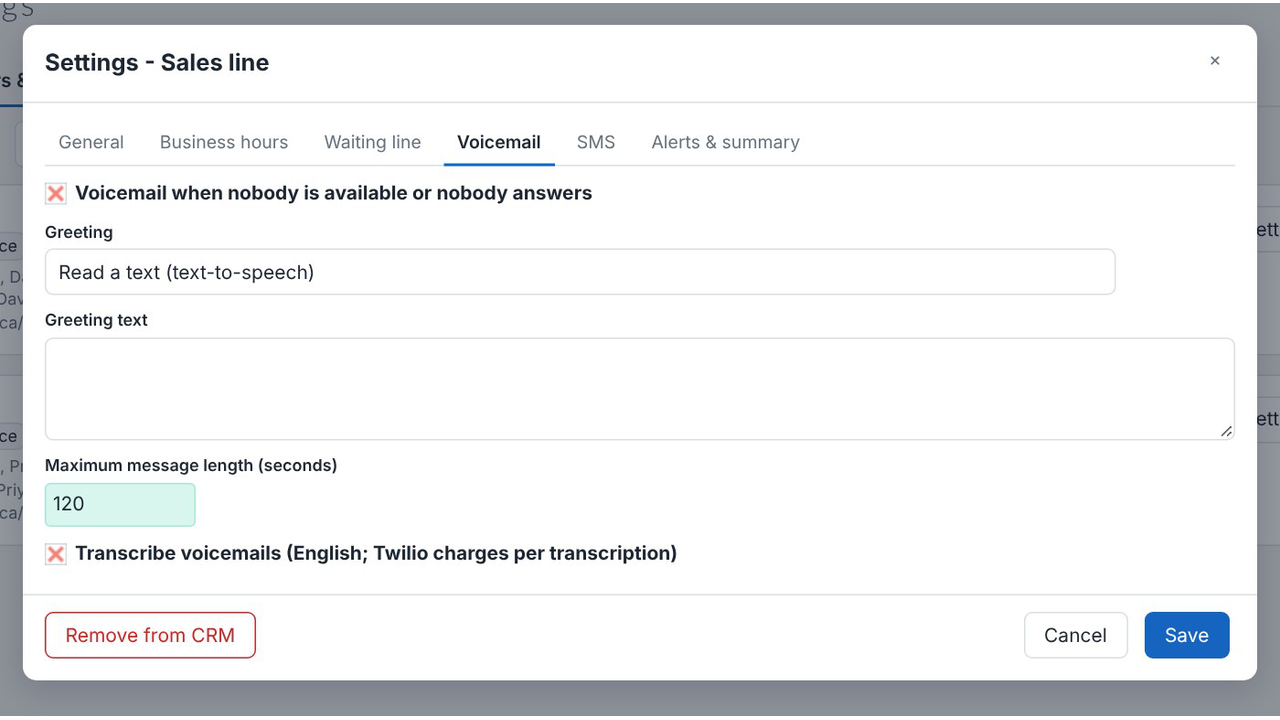
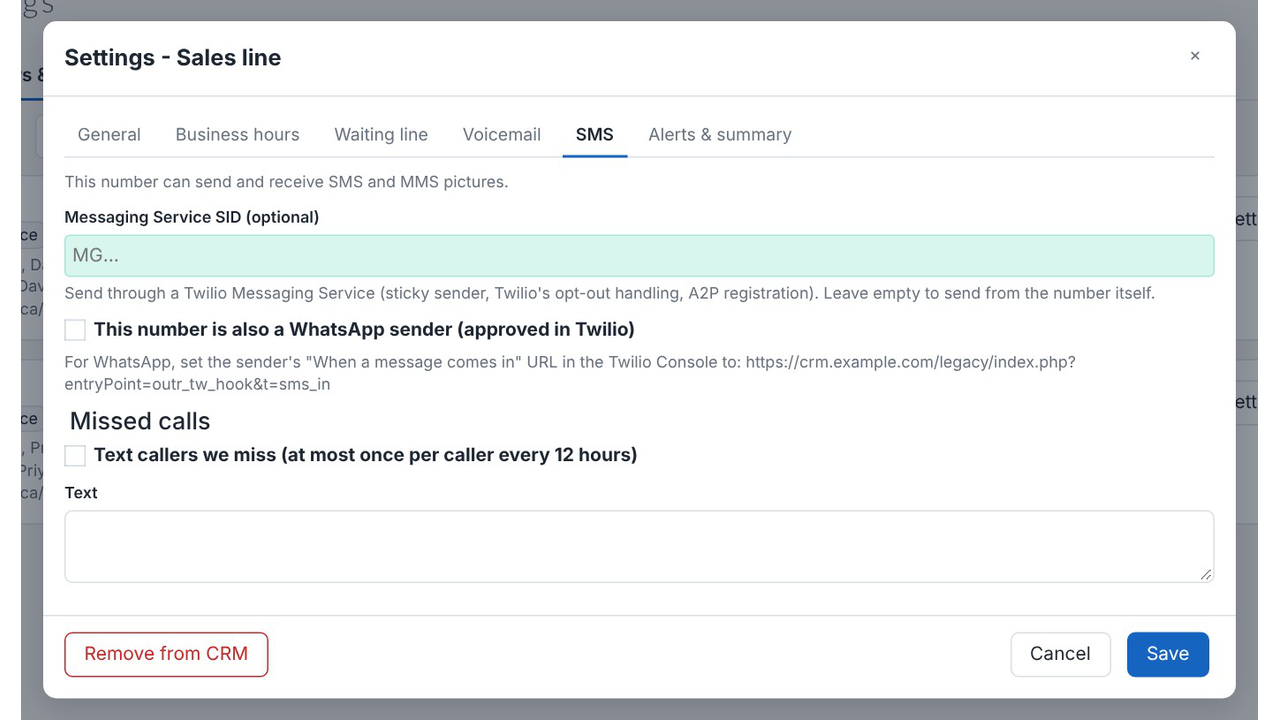
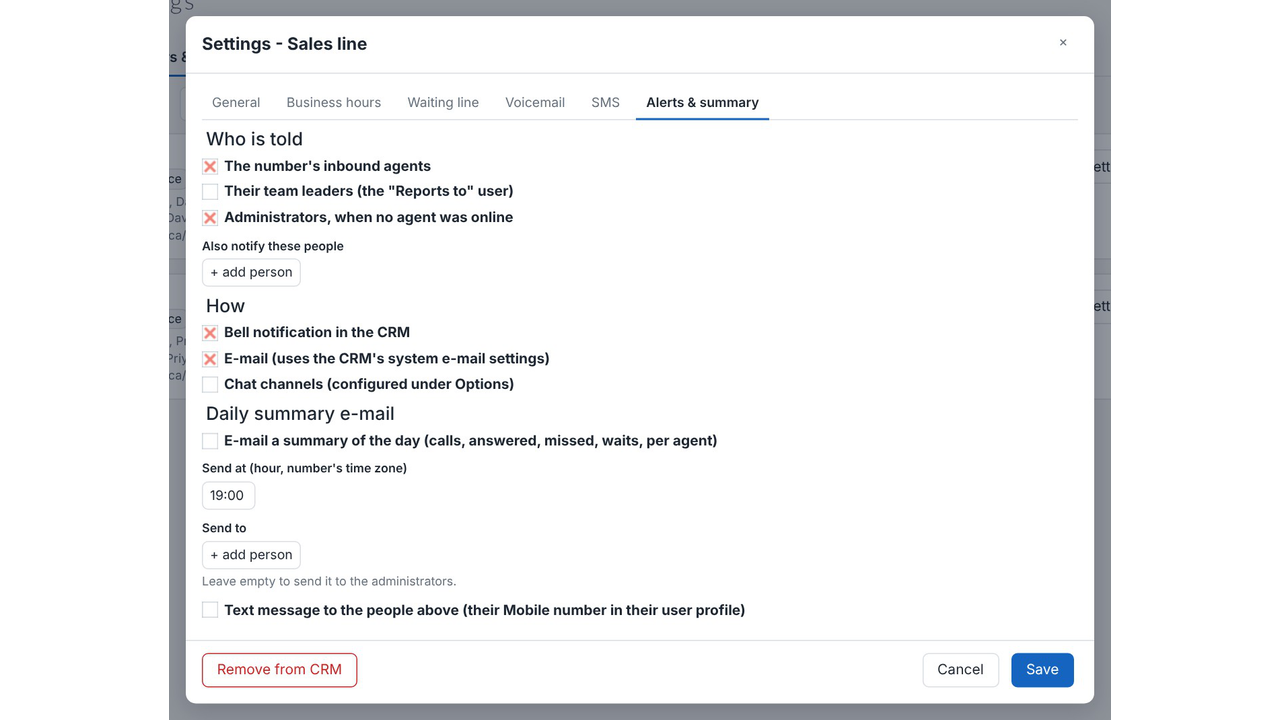
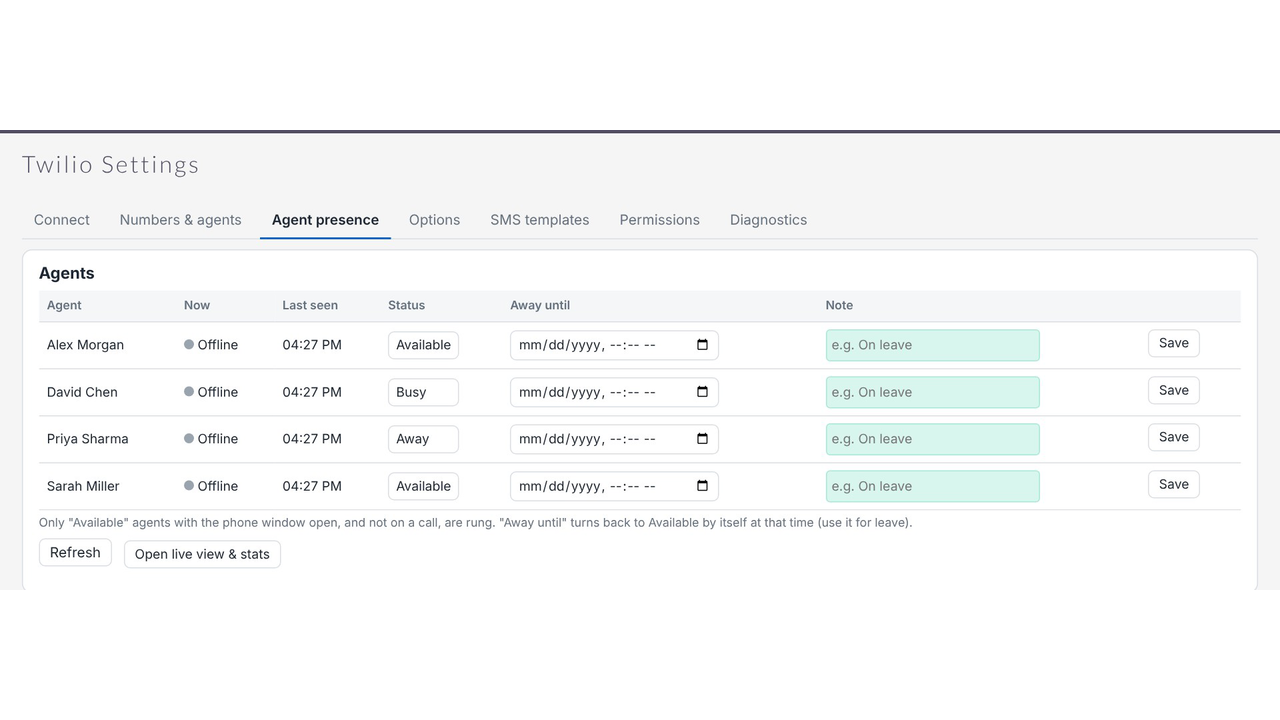

1
2
3
4
5
6
7
8
9
10
11
12
13
14
15
16
17
18
19
20
21
22
23
24
25
26
27
28
29
30
Product Videos
Watch our product in action
Coming Soon
User Guide
Learn how to use and configure the system step by step


FAQs
Question? Look here.
How do I integrate Twilio with SuiteCRM?
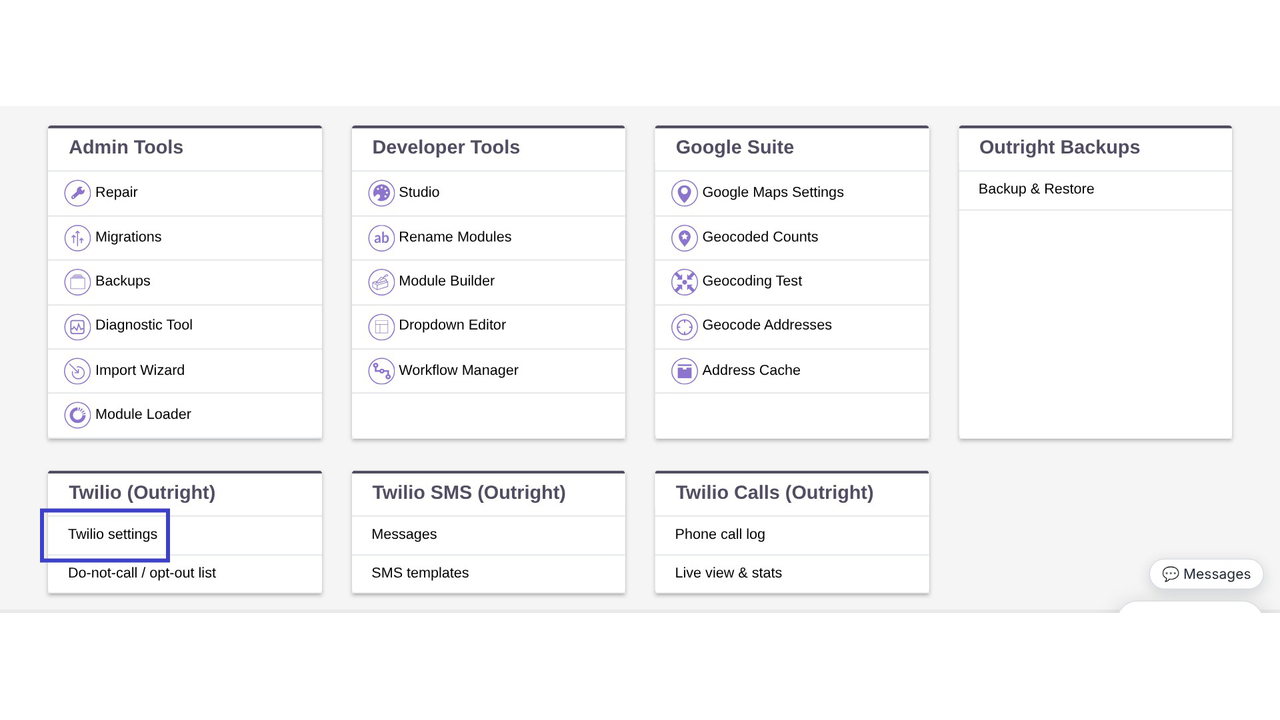
Install the package through Module Loader, open Twilio Settings, and enter your Twilio Account SID and Auth Token. The extension sets up the rest. Then import your numbers, choose your agents, and you are ready to call.
Does it work with SuiteCRM 8?
Yes. The same package installs on SuiteCRM 7.10 to 7.15 and on SuiteCRM 8, and the phone bar and call buttons show up on the SuiteCRM 8 screens.
Do I need my own Twilio account?
Yes. You need a Twilio account with at least one phone number. Twilio bills your calls and messages to that account, separately from this extension.
Can I make calls from SuiteCRM without a desk phone?
Yes. Calls run in the browser, so your team only needs a current Chrome, Edge or Firefox, a headset or microphone, and pop-ups allowed for the CRM site.
Can I send SMS from SuiteCRM?
Yes. Click the message button next to any phone number, type your text or pick a template, and send. Replies come back into the Messages inbox on the same record.
Are calls logged in SuiteCRM automatically?
Yes. Each call is saved with its direction, status, agent, duration, outcome and notes, and linked to the matching Lead, Contact, Account or Target.
How does it know which customer is calling?
Phone numbers on your records are indexed, so a caller is matched however the number was typed in. Unknown callers can be saved as a new record automatically.
Can I record calls?
Yes. Recording is optional, and you can play a consent message to the caller first. Please check the recording rules that apply in your country.
What happens when someone replies STOP?
Their number is added to the shared do-not-contact list, and a reply of START removes it. You can change the keywords.
Does my CRM need to be online?
Yes. Twilio has to reach your CRM over https to deliver calls and messages. The Connect tab includes a check for this.