





Data analysis is crucial for professionals and businesses to look for crucial insights from their data to make data-driven decisions and insights. In the data-driven world of today, professionals extensively depend on data and their analysis to make smart decisions, effectively engage with their target audience, and lead projects successfully. One way to meet such objectives is through the utilization of data analysis tools. If you understand which tool is right for your needs, you can meet the requirements of your project while also enhancing overall efficiency and productivity. In this blog, we will learn about the best tools you can use in 2027, how they change, and how you can reveal relevant skills to employers in 2026.
Data Analysis Tools: Top Pick
We evaluated data analysis tools based on various aspects, such as ease of use, key features, scalability, integration capabilities, technical requirements, and suitability for different business needs. We have also considered the role in analytics workflow of each tool, from data collection and preparation for statistical analysis, big data processing, and visualization, enabling readers to identify the right solution that matches their needs.
| Tools | Ease of use | Best For |
| OutRight CRM | Easy | Centralizing customer data |
| Skyvia | Easy | Data integration and synchronization |
| Google Analytics | Easy-Medium | App and website performance tracking |
| SQL | Medium | Querying and managing databases |
| Microsoft Excel | Easy | Spreadsheet analysis and reporting |
| Python | Medium-Hard | Statistical analysis, automation, and machine learning |
| KNIME | Medium | Visual data analysis workflows |
| RapidMiner | Medium | Data mining and machine learning |
| Apache Spark | Hard | Large-scale data processing |
| Microsoft Power BI | Easy-Medium | Interactive dashboards and reporting |
| Table | Easy-Medium | Data visualization and storytelling |
| Looker | Easy-Medium | Governed, warehouse-based business intelligence |
| Qlik Sense | Medium | Interactive exploration of complex datasets |
What Are Data Analysis Tools?
Data analysis tools refer to software applications, programs, and other aids that professionals utilize to assess data sets in ways to derive meaningful insights. These insights can then help in market predictions and competitive decision-making. You can describe them as a group of diagrams, maps, and charts designed to collect, understand, and visualize data across diverse applications. The right tools not only maximize your efforts but also make it simpler for you to meet your professional objectives.
Best Data Analysis Tools by Process
The right data analysis tools depend on the stage of the workflow they support. Instead of ranking them in a single list, the tools mentioned below are organized by process, so you can match every stage of your work to the best software-
Data Foundation: Where OutRightCRM Fits
Each report relies on the data quality that drives it. When customer records are spread across inboxes, spreadsheets, and disconnected apps, the same metric can showcase distinct values as per who created the dashboard. Resolving this layer makes every other platform in the list much more dependable.
OutRightCRM is a cloud-driven CRM solution that aids teams to keep customer information in a single place before analysis starts-
- Centralized customer records: Interactions, contacts, and relationship history are stored in a centralized place instead of separate files.
- Clean Inputs for Accurate Analysis: Consistent records provide BI platforms like Tableau, Power BI, and Looker Studio with a reliable source to connect to.
- Keep Track of Relationship and Social Media Tracking: Teams can handle relationships with customers and keep track of social media engagement at the same place. Check CRM for social media for more.
- Operates With Integration Platforms. Leverage OutRightCRM as the source platform, then migrate its data into a BI tool or warehouse with an integration tool like Skyvia.
- Minimizes Disputes in Report: One shared record of every customer means marketing, sales, and support teams to evaluate the same numbers.
Best for: Businesses that need customer data in an organized way before they create reports.
1. Data Integration and Collection Tools
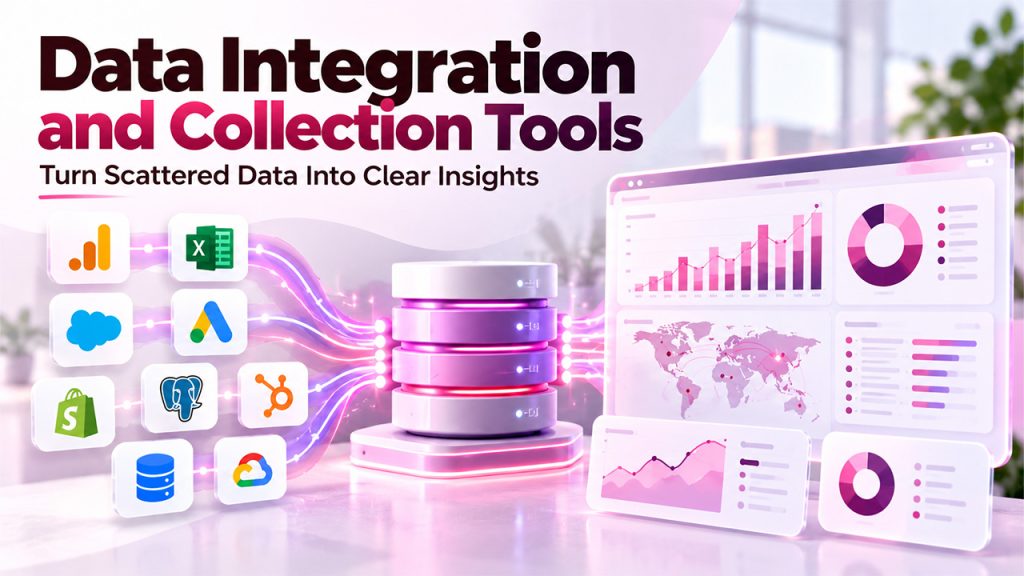
These data analysis tools gather information from distinct sources and move it into a place where it can be assessed:
Skyvia
Skyvia is a cloud-driven platform for data integration. It copies data from diverse sources into a data warehouse on a schedule, so engineers do not have to manage pipelines by hand. You synchronize the sources, set up mapping rules, and the synchronization continues as new data comes.
Best for: Teams that require consistent and structured data in a warehouse before you begin the analytics.
Key features:
- More than 200 connectors cover business databases and applications.
- No-code pipeline setup which non-engineers can utilize.
- Reverse ETL, which synchronizes modeled data back to operational platforms.
- SQL Builder for converting data after it arrives in the warehouse.
- Pricing as per the records instead of the number of connected platforms.
Limitations:
- Access is only-cloud, so it does entirely suit support on-premises and air-gapped environments.
Google Analytics
Google Analytics showcases how people communicate with applications and websites. A JavaScript snippet on your pages to log details like which pages visitors see, which devices they are using, and how they discovered your website. The data can then be streamlined into reports-
Best for: Website owners and marketers assess campaign results, assess traffic, and user behavior.
Main Features:
- Referral reporting and traffic source.
- Device-level and page-level visitor data.
- Reports that showcase prominent products and high-performing advertisements.
- Free to begin, with broad adoption across different industries.
Limitations:
- Focused on app and web behavior so it does not replace tools for warehouse-level and deeper statistical analysis.
2. Data Preparation and Querying Tools
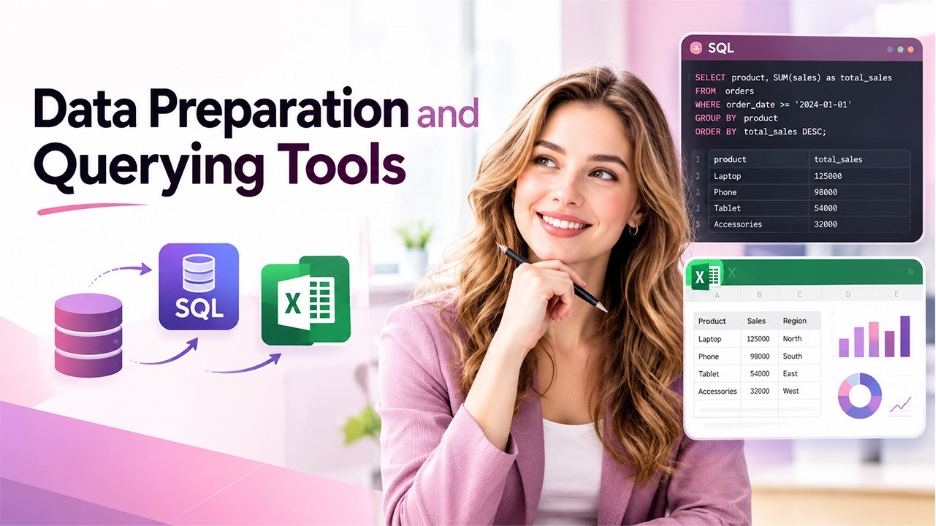
Raw data often requires cleaning, filtration, and structuring before you can draw any insight from it. Such platforms encompass this stage:
SQL
SQL, i.e., Structured Query Language (SQL) is a popular language for querying and handling relational databases. Prominent variants involve PostgreSQL, MySQL, and OracleSQL, and must follow similar principles and syntax.
Best for: Data scientists, engineers, and analysts who must fetch and summarize organized data.
Main Features:
- Data querying as per particular criteria.
- Aggregation through functions and GROUP BY like AVG and SUM.
- Manipulation of data, including updating, inserting, and deleting records.
- Index and schema management to enhance performance of databases.
- Detailed permission controls for gaining data access.
Limitations:
- Developed for relational, structured, and semi-structured data typically requires other approaches.
Microsoft Excel
Excel is a popular spreadsheet software with serious capability of analysis. Numerous businesses already have access to it via Microsoft licensing, which makes it a crucial starting point. It can build at least 20 chart types, from scatter plots and bar charts to treemaps and radar charts.
Best for: Business users and beginners that work with small to mid-level datasets.
Main Features:
- Pivot charts and tables for summarizing data.
- A big library of in-built functions for calculations.
- Conditional formatting to show trends.
- Power Pivot for modeling data on bigger datasets.
- VBA macros for customized automation.
- Integration with Power Query and Power BI for downstream analysis
Limitations:
- Scale and visualization have limitations, so teams typically move to PowerBI for more powerful dashboards.
3. Data Mining and Statistical Analysis Tools
Data mining helps identify trends and patterns in datasets to solve real-world problems. Statistical analysis tools support in-depth data analysis, hypothesis testing, trend identification, and predictive modeling. Platforms such as Python, KNIME, and RapidMiner help professionals analyze data and uncover actionable insights.
Python
Python is a flexible programming language that is broadly utilized for scientific computing and data analysis. Libraries like NumPy, Pandas, and Matplotlib support analysis, manipulation, and visualization. Its readable syntax makes it popular with both experts and newcomers.
Best for: Data scientists and analysts who require automation, flexibility, and machine learning.
Main Features:
- ETL processes to extract, clean, and modify data.
- Charts, graphs, and plots for showing findings.
- Predictive models such as linear regression, decision trees, and neural networks.
- Web scraping for collecting website data.
- Incorporation with AI platforms to expedite generation of codes.
Limitations:
- Needs knowledge of coding, so non-technical users face a steep learning curve.
KNIME
KNIME, which is short for KoNstanz Information MinEr, refers to an open-source and free platform cleaning data, analysis, and building workflows. It ensures data mining remains accessible to beginners via a visual interface.
Best for: Beginners who are new to data mining and teams that prioritize workflows over code.
Key features:
- Interface with drag-and-drop functionalities for developing pipelines of data.
- Data integration from diverse sources into one analysis.
- Extensions for Python, R, Java, and SQL.
- Specialized algorithms for specific areas like social network analysis and sentiment analysis.
- Resources of learning for new data professionals.
Limitations:
- Deployments at large-scale require planning and sophistication to still benefit from technical skillsets.
RapidMiner (Altair AI Studio)
RapidMiner is an entire package for data mining and package development. It provides support to work at distinct stages, including visualization, preparation, and review, and it provides classification, regression, clustering, and association with rule mining algorithms.
Best for: Data scientists and analysts developing machine learning workflows without extensive coding, including researchers who are working with historical data.
Main Features:
- More than 1,500 operators for data preparation, modeling, verification, and deployment.
- In-built AutoML to minimize model tuning time.
- Model deployment as Application Programming Interfaces with real-time scoring.
- Support for time series, text mining, and geospatial data.
- Utilize it across different industries like life sciences, manufacturing, energy, life sciences, and health care.
Limitations:
- Performance can lag on huge datasets as compared to distributed engines like Spark.
- Access now mainly runs through a quote or demo request.
4. Big Data Processing Tools
Some datasets grow beyond the capabilities of traditional data analysis software. Understanding what is big data and how it impacts data processing helps businesses identify the right technologies for handling large, complex datasets. Tools such as Apache Spark enable organizations to process large volumes of data efficiently and uncover meaningful insights.
Apache Spark
Apache Spark is an open-source centralized analytics engine for large-scale streaming, data processing, and machine learning. It processes data in memory, which makes it extremely quick once it is running.
Best for: Data scientists and data engineers manage datasets that are too huge for simple tools.
Main Characteristics:
- Batch processing, real-time streaming, and model training in one framework
- Support for Python, Scala, SQL, and Java
- GraphX for graph processing and MLlib for predictive analytics.
- Connectors for different sources like Amazon S3 and Hadoop.
- Deployment across on-premises and cloud ecosystems.
Limitations:
- Needs ongoing tuning and infrastructure setup.
- Memory utilization quickly with bigger workloads.
- Not built for fast reporting or business users.
5. Business Intelligence Tools and Data Visualization
Visualization converts raw numbers into maps, charts, and dashboards that stakeholders can comprehend. Such data analysis tools are present at the end of the process, where you can share the insights.
Microsoft Power BI
Power BI is an extremely popular analytics platform for business intelligence and interactive visualizations. It tethers to a broad range of data sources and can work as a central hub for an analytics workflow of an organization.
Best for: Organizations working already in Excel, Azure, or Teams.
Main Features:
- Interactive dashboards that are simple to share as well as embed.
- Copilot-driven chat experiences for DAX generation and analysis.
- Connections to business apps and databases like Snowflake and Salesforce.
- Row-level encryption, security, and audit logs.
- Incorporation with Microsoft Fabric for bigger datasets.
Limitations:
- DAX is unavoidable for sophisticated reports, which necessitates a learning curve.
- Sophisticated features and scale are gated behind higher pricing plans.
Tableau
Tableau is a market-leading tool for visualization of business intelligence and analytics. It connects to hundreds of sources of data and converts messy datasets into visual that relay a clear and engaging story.
Best for: Client-facing visuals, storytelling, and executive reporting.
Key features:
- Visual engine with drag-and-drop functionality with detailed display control.
- Tableau Prep for shaping and blending information.
- Hyper engine for quick in-memory querying.
- Predictive and geospatial analytics.
- AI-driven insights gated behind higher pricing plans.
Limitations:
- Licensing can become complex.
- Preparation of data is not the strongest area for bigger pipelines.
- The learning curve increases once you go beyond standard charts.
Looker
Looker is a cloud-driven platform from Google Cloud. Teams determine joins, metrics, and logic once in LookML, its language of modeling, so each department operates from similar definitions.
Best for: Warehouse-based teams, particularly working on BigQuery, where consistent numbers across different departments are important.
Main Features:
- LookML modeling layer for determining metrics upfront.
- Shared layer of semantic that makes sure that dashboard remains aligned across teams.
- Native integration with BigQuery and Google Cloud.
- Exploration in a controlled way through the Explore interface.
- In-built analytics for product use cases.
Limitations:
- You need to first model and then later visualize, so it is not relevant to fast ad hoc work.
- Onboarding and pricing better fit bigger teams.
Qlik Sense
Qlik Sense utilizes an associative engine that showcases how data points connect with one another. One click transforms the entire view: some values remain active, a few fades, and unprecedented patterns come into view.
Best for: Analysts who are working on data without any set questions in mind.
Key features:
- An associative engine that reveals relationships between points of data.
- Visual dashboard development without upfront sessions of design.
- AI-powered suggestions for revealing insights.
- Deployment in hybrid, cloud, or on-premises environments.
- Role-driven governance and access controls.
Limitations:
- Takes a bit of time to comprehend how the associative model operates.
- Sophisticated use still depends on technical skills.
- Pricing evolves with scale.
How Data Analysis Tools Work Together
Data analytics tools often work together to transform raw data into meaningful insights that can support better business decisions.
How these tools work together at different stages is explained below:
- Data Collection: The process begins with collecting data from sources such as websites, CRM systems, spreadsheets, databases, and marketing platforms. Platforms like Google Analytics track website activity, while OutRightCRM helps centralize customer information.
- Data Integration: Data from multiple sources is consolidated into a consistent format for analysis. Platforms like Skyvia help transfer and synchronize all the information between different business applications and data warehouses.
- Data Cleaning and Preparation: Raw data may contain duplicate records, missing values, or inconsistent formats. Tools such as Microsoft Excel, SQL, and KNIME help clean, organize, and prepare datasets for further analysis.
- Data Analysis and Modeling: Once the data is ready, platforms like SQL are used to query databases and Python to perform statistical analysis, automate tasks, and develop predictive models.
- Data Visualization and Reporting: The findings are presented through charts, dashboards, and reports using tools like Microsoft Power BI, Tableau, or Looker.
- Decision-Making and Continuous Improvement: Businesses use the insights to refine marketing campaigns, improve customer experiences, optimize operations, and measure performance.
Choose the Right Data Analysis Tool
While choosing the right data analysis tools, users should consider business objectives, data complexity, budget, and technical expertise. While some tools are ideal for basic reporting, others are designed for advanced statistical analysis, large-scale data processing, or interactive dashboards.
Businesses can consider the following factors before selecting the right tool.
- Define Business Objectives: Businesses need to identify what they want to achieve with data analysis. Platforms like Excel are suitable for spreadsheet-based reporting, while Python supports predictive modeling and automation.
- Consider Ease of Use: Choose a tool that aligns with your technical skills. Beginners can start with Excel or visual workflow platforms like KNIME, while professionals with programming experience may benefit from Python, R, and SQL.
- Compare Costs and Scalability: Evaluate licensing fees, implementation costs, training requirements, and ongoing maintenance.
- Prioritize Security and Data Quality: Look for appropriate access controls, data protection features, and governance capabilities.
Conclusion
The best data analysis tools in 2027 mainly depend on the goal, data requirements, and technical expertise of the business. Different platforms like Excel, SQL, Python, Power BI, and Tableau serve different purposes in transforming raw data into actionable insights. By selecting the right tool and integrating it with an efficient workflow, businesses can efficiently improve their data accuracy, streamline analysis, and make informed decisions. Businesses should focus on tools that meet their current needs while supporting future growth and evolving analytics requirements.
FAQs About Data analysis tools
Microsoft Excel, Google Analytics, and KNIME are usually considered suitable starting points for beginners.
Data analysis tools help process data, identify patterns, and generate insights, while data visualization tools present findings through charts, graphs, and dashboards.
Microsoft Power BI, Tableau, Looker, and Qlik Sense are popular choices for business intelligence and reporting.
Data integration tools combine information from multiple sources and synchronize it across applications, databases, and data warehouses.