





Picture this: a customer is visiting your store for the third time this month. She has bought from you before, mentioned what size she prefers, and even asked about a product that wasn’t in stock yet. However, nobody remembers her or what she said. She has to explain herself all over again and this time, she just doesn’t bother. She walks out and never comes back. It is more common than you realize. It happens every single day, in shops, in inboxes, and in call centers. This is all because nobody wrote anything down.
This is the problem a customer database fixes. It's the quiet system that works behind every business that seems to "just get" its customers. Whether you run a five-person startup or a growing company juggling thousands of contacts, understanding how it works can change how you treat every person who walks through your door, digital or otherwise.
What Is a Customer Database?
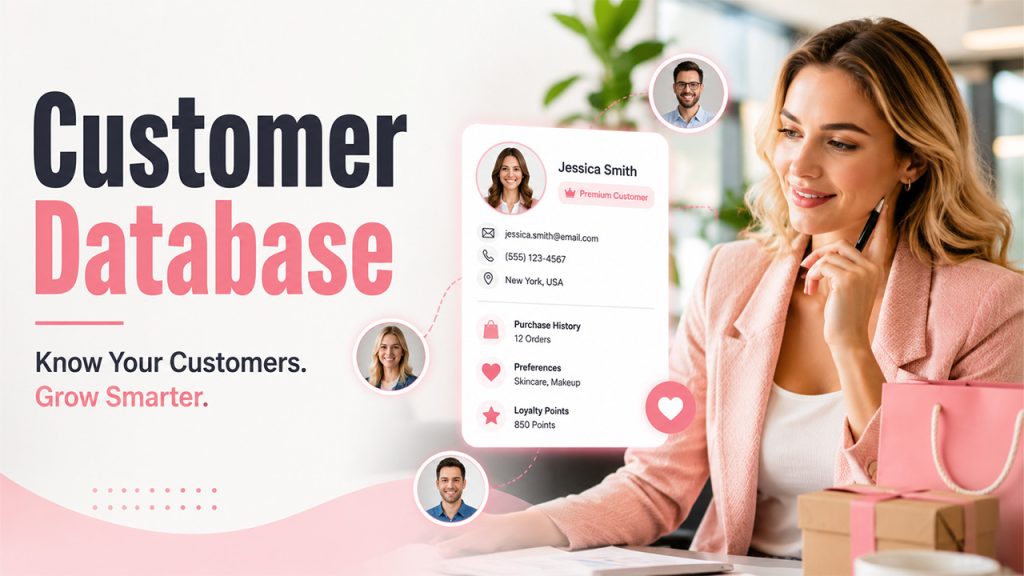
A customer database is simply an organized place where a business stores information about its customers, such as their names, contact details, purchase history, preferences, and anything else worth remembering.
With this, one salesperson doesn’t have to remember a customer’s habits by heart. That knowledge lives somewhere everyone can access whenever they need it. It is not about hoarding data because companies are supposed to do that. It's about having accurate details on hand, so that you can serve people better and faster.
Why Is a Customer Database Important for Businesses?

Most businesses lose their customers because they fail to provide them with memorable experiences, not because their product is bad. A well-kept customer database changes that. Let's see how:
Personalize Customer Experiences: When you know your customer well, you can offer better recommendations that actually fit instead of guessing blindly. Customers notice the difference between a generic email blast and messages that are written just for them.
This is where email marketing automation earns its keep, turning that stored preference data into timely, individual messages without anyone manually hitting send.
Improved Customer Retention: When your customer information is organized, you can quickly catch when something is wrong or the customer goes quiet. This allows you to follow up before you lose the customer for good. That kind of early attention builds loyalty in a way discounts alone never quite manage.
Make Faster, Data-Driven Decisions: Organized customer information lets you see hidden patterns inside your customer database that tell you what’s working or what’s not. Spotting these patterns early saves time and guesswork before your business faces financial loss.
Deliver Faster and More Personalized Customer Service: Customers get frustrated when they’re forced to repeat themselves. A good database means your team doesn’t need to ask and can offer more confident service. Support staff can pull up someone's history in seconds instead of piecing it together mid-conversation. That small convenience adds up to a much smoother customer experience.
Identify Cross-Sell and Upsell Opportunities: Past purchases are full of hints about what a customer might need next, but only if you've actually recorded them somewhere. Without a database, those hints just disappear after the sale. With one, they turn into genuine opportunities to offer something useful, not pushy.
None of this needs to be complicated. Even if a small business tracks basic details in a simple system, it will notice the difference within a few months.
Types of Customer Databases
Different businesses need different kinds of databases depending on their workflows. Here are the common types that you’ll come across, along with what each one is actually good for:
| Type | What It Actually Is | Where It Helps Most |
| General Database | People who haven't bought yet but showed interest like a newsletter signup, a question, a form filled out. | Turn curiosity into your next sale. |
| Active Customer Database | Customers who've purchased recently, usually within the last month or your chosen timeframe. | Where most of your day-to-day marketing energy should go. |
| Inactive Database | Customers who used to buy but have gone quiet for a while. | Win-back offers and check-in emails |
| Transactional Database | Pure order history; what was bought, when, and for how much. | Spotting buying patterns; useful for finance and inventory teams. |
| Behavioral Database | The full picture: personal details, buying habits, frequency, and preferences combined. | Businesses that want a genuinely deep understanding of their customers |
| Contact-Only Database | Just names and emails for sending updates, nothing deeper. | Small businesses just getting started with basic outreach. |
Most growing businesses end up using a mix of these rather than sticking to just one. And that's exactly where things start to get interesting.
How to Create a Customer Database: Step-by-Step

Follow these straightforward steps to build a customer database from scratch:
Define Your Customer Database Goals: Before you start collecting even a single contact, figure out what you need it for. Whether your goal is to improve targeted marketing, speed up support, or track sales more closely, decide. Your answer shapes everything else you do next, from what data you collect to which tool you eventually pick.
Collect the Right Customer Information: Use methods like sign-up forms, purchase records, surveys, or even casual conversations to gather information with customers’ consent and ensure the accuracy of these details. Messy, incomplete or outdated data at this stage causes problems later on.
Choose Customer Database Software That Fits Your Business: A small business might do well with a well-organized spreadsheet for a while. But for a growing business, a SaaS CRM or dedicated customer database software isn’t a luxury; it’s a necessity. It can handle volume, ensure security, and automate without falling apart.
Organize and Structure Customer Data: Categorize customer details, purchase history, and preferences into clear sections instead of dumping everything into one messy sheet. A good structure now means faster, easier reporting later, which matters more than people expect.
Secure Your Customer Database: Customer data is sensitive and subject to cyber risks. So, to protect data, set up basic protections like using strong passwords, restricting access, and keeping backups depending on what your system allows. A single data leak can undo years of trust in a matter of hours.
Clean and Update Customer Data Regularly: Duplicate entries, typos, and outdated contact details pile up faster than most people expect. A quick monthly check keeps your customer database management from turning into a bigger headache down the line.
Integrate Your Customer Database With Other Business Tools: Connect your database to your email platform, sales system, or support tool. This way, you don’t have to juggle five different places for the same customer. This kind of integration is usually what separates a database that's actually useful from one that just sits there.
None of these steps require a big team or a huge budget. They just need a little consistency.
Best Practices for Using Customer Database Software

Having a database is one thing and using it well is another, which is where most businesses fall short. A few things worth keeping in mind:
Protect Customer Privacy From the Start: Take customers’ consent before you start gathering their details. Moreover, only collect the information you genuinely need and be direct with customers about where and how you'll use it. Don't follow local data protection rules just to avoid paying fines. Follow them to make customers feel comfortable sharing information with you.
Segment Customers for More Relevant Engagement: A first-time buyer and a loyal, five-year customer are in completely different places. So, treat them accordingly. Treating them the same is just wasting an opportunity. Grouping your customer database by behavior or purchase history makes every message you send feel more relevant and personal.
Automate Repetitive Customer Data Tasks: Automate daily tasks like reminders, follow-ups, and routine updates. It frees up your team to focus on conversations that genuinely need a human touch. Automation is not meant to replace people; rather, it saves time spent on repetitive tasks that a system can handle just fine.
Review and Maintain Your Customer Database Regularly: Set a recurring reminder to check for outdated details, duplicate records, or gaps you didn't notice before. A customer database that isn't reviewed regularly slowly becomes less useful, even if nobody notices it right away.
Train Your Team to Use Customer Data Effectively: A database is only as good as the people entering and using the data every day. People might feel reluctant to use it at first. Conducting a short training session, repeated occasionally, goes a long way toward keeping everyone consistent.
Do these consistently, and your customer database stops feeling like a chore and starts feeling like second nature.
Conclusion
Remember that customer who walked out because nobody remembered her? If you have a working customer database, that story will end differently. Someone on your team pulls up her history, mentions the product she asked about, and she leaves happy, maybe even a little surprised that you remembered. That's really what this whole thing comes down to. It's not about fancy software or complicated systems. It's about building a habit of remembering the people who keep your business running and using that memory to serve them a little better each time. Start small if you need to but start somewhere. The businesses that grow steadily are usually the ones paying attention.
FAQs About Customer Database
It's an organized record of your customers' details like contact info, purchases, and preferences kept in one place your team can access.
Yes. Even a basic spreadsheet can help you remember customers, personalize service, and avoid losing repeat business.
A CRM is software built around managing a customer database, adding automation, tracking, and communication tools on top.
For very small businesses, yes. As you grow, dedicated customer database software handles security and scale far better.
Limit access, use strong passwords, follow data protection laws, and avoid storing more information than you actually need.