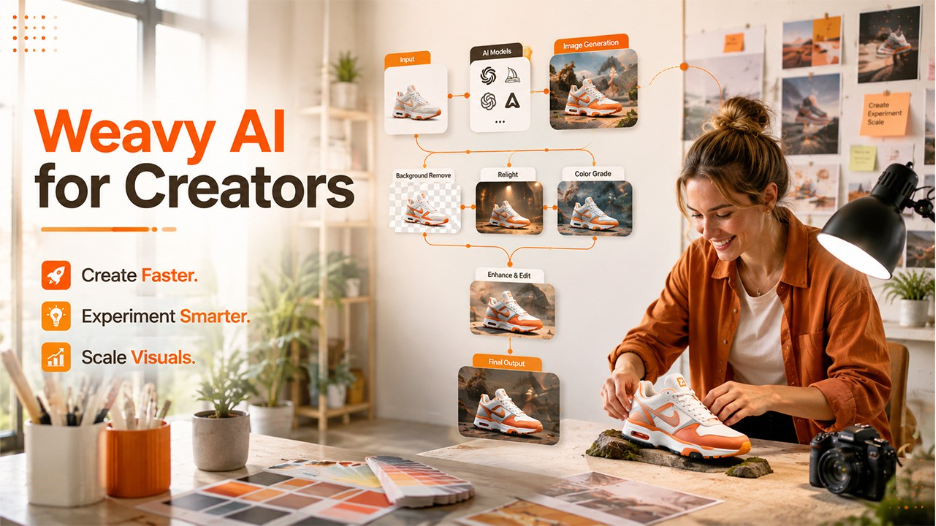






The guide explores what Weavy AI is, how it works, and its key features. The platform also helps understand its potential use cases, advantages, and limitations.
In 2026, artificial intelligence has changed the creative industry significantly. From generating images and videos to editing product photography and creating marketing assets, AI-powered tools are becoming an essential part of everyday creative workflows. But it also includes various key challenges. Many AI tools still work like a black box, in which the user enters a prompt, clicks on generate, and hopes that the result matches the version the user expects.
This is where Weavy AI offers its unique approach. Instead of treating AI generation as a single prompt-and-result process, the platform is built around visual and node-based workflows that can allow users to connect to different AI operations and control how an output is produced.
What is Weavy AI?
Weavy AI is an AI-powered creative platform that is specifically designed to help users create, edit, and transform visual content through visual and node-based workflows. In 2026, the platform was acquired by Figma and is now integrated into the broader Figma ecosystem.
The platform enables users to build a complete creative workflow on a visual canvas, unlike any other traditional AI image generator, where users simply enter a prompt and receive an image. Each step of the platform is represented by a node, in which the user can connect various nodes together to control how the content is generated or edited. The approach offers major advantages, especially professional designers, marketers, agencies, and creative teams.
How Does Weavy AI Work?
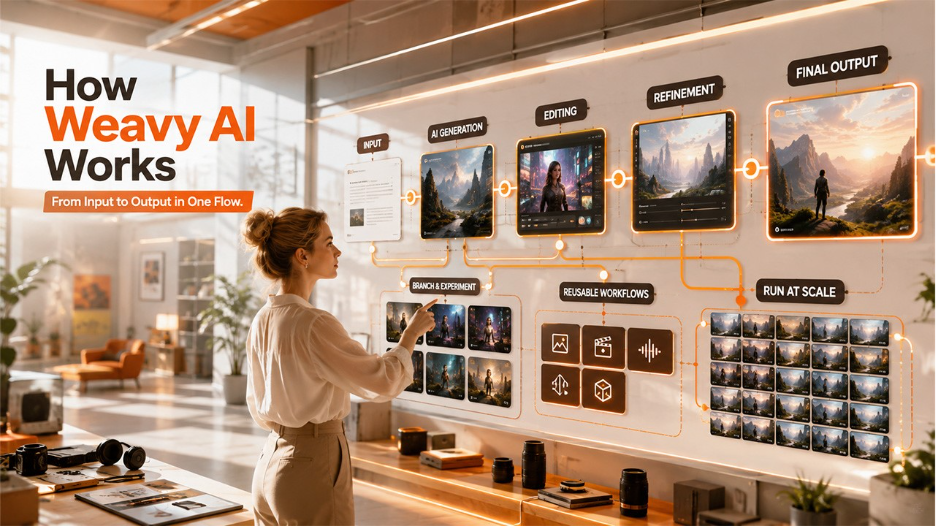
Weavy AI works by combining multiple AI models and professional creative tools inside a visual and node-based canvas. Through the platform, users can build a complete workflow, in which each creative step is connected to the next, instead of generating content through a single prompt.
The basic workflow of the platform is as follows:
Input > AI Generation > Editing > Refinement > Final Output.
In this workflow, each step is represented by a node, which performs a specific function and can receive inputs from another node or directly from the user.
The complete workings of Weavy AI are as follows:
- Step 1: Select an AI Model
The very first step is selecting the AI model that is best suited for the task. The platform brings models from multiple providers into one platform, including models for images, video, audio, and 3D generation.
- Step 2: Build a Visual Workflow
After choosing the required model and tools, users can arrange them as nodes on the canvas. Each node has specific inputs and outputs, connecting the output of one node to the input of another. This creates a visual pipeline, making the entire creative process visible to the user.
- Step 3: Generate and Refine Content
Once the workflow is connected, the users can run the relevant AI generation nodes. This allows the creators to refine AI-generated content within the same workflow.
- Step 4: Branch and Experiment
A major advantage of the node-based approach is its ability to experiment. The creator can take one AI-generated result and branch it into several different workflows. This makes experimentation more structured.
- Step 5: Create Reusable Workflows
Instead of recreating the same process for every project, a creative team can build a workflow once and can run it with different inputs. This approach is useful for businesses producing large amounts of content, as the creative team can build a workflow once and run it with different inputs.
- Step 6: Run Workflow at Scale
The platform supports batch-oriented creative production. A workflow can be applied to many inputs, while keeping the individual stages visible and controlled.
Key Features of Weavy AI
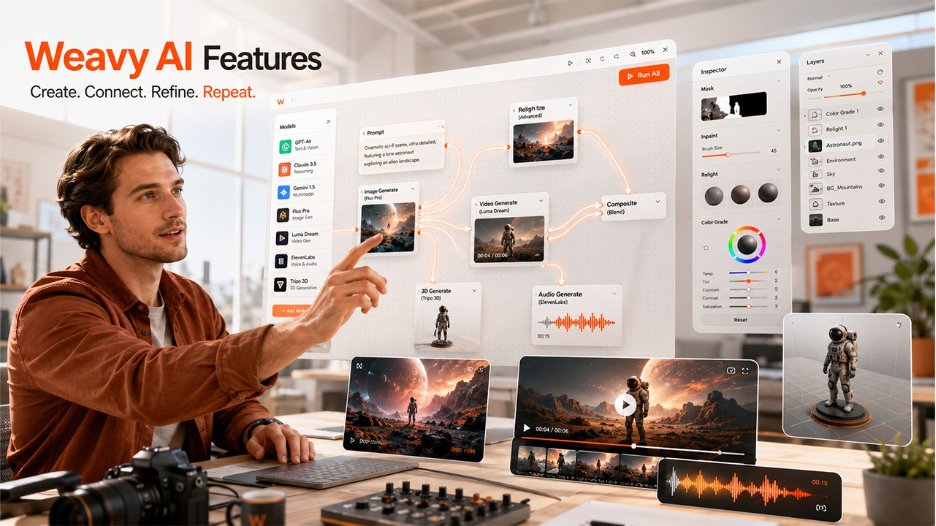
Weavy AI is purposefully designed as a simple AI image generator. It combines multiple AI models, along with professional editing capabilities and reusable visual workflows, in a single node-based canvas.
Some of the key features of Weavy AI are as follows:
- Node-Based Creative Workflows
The major feature of Weavy AI is that it offers a node-based canvas. On the platform, users can efficiently connect nodes with wires to generate a visual workflow.
- Multiple AI Models in One Platform
The platform combines multiple AI models for images, videos, audio, and 3D into one creative environment. Users can select different models for different stages of the same project.
- Professional Editing Tools
Weavy AI includes key editing tools, such as masking, inpainting, compositing, layers, color grading, and relighting, among others. This enables creators to generate and refine creative within the same workflow.
- Image, Video, Audio, and 3D Creation
Weavy is designed to support more than static images. The platform has capabilities that cover image, video, audio, and 3D workflows.
Benefits of Weavy AI
The platform offers a different approach to make AI-powered content creation more efficient. The platform combines multiple AI models, creative tools, and visual workflows in one solution. Some of the key benefits of Weavy AI are as follows:
- Greater Creative Control
One of the major benefits of Weavy AI is its enhanced creative control that is offered to creators. Weavy AI uses node-based workflows, which allow users to decide what happens at every stage of creation.
- Faster Creative Experimentation
The platform helps creators to branch workflows and generate different versions of an ideal quickly. With Weavy AI, users can test different backgrounds, styles, compositions, models, or editing techniques from the same workflow.
- Reusable Workflows Save Time
The platform allows users to save and reuse workflows, allowing users to repeat a proven creative process. This reduces repetitive work, making AI more practical for ongoing content production.
- Better Productivity
The platform helps teams bring several stages of production into one centralized environment. With the platform, teams can connect different AI and creative operations through a single workflow.
Real-World Application of Weavy AI
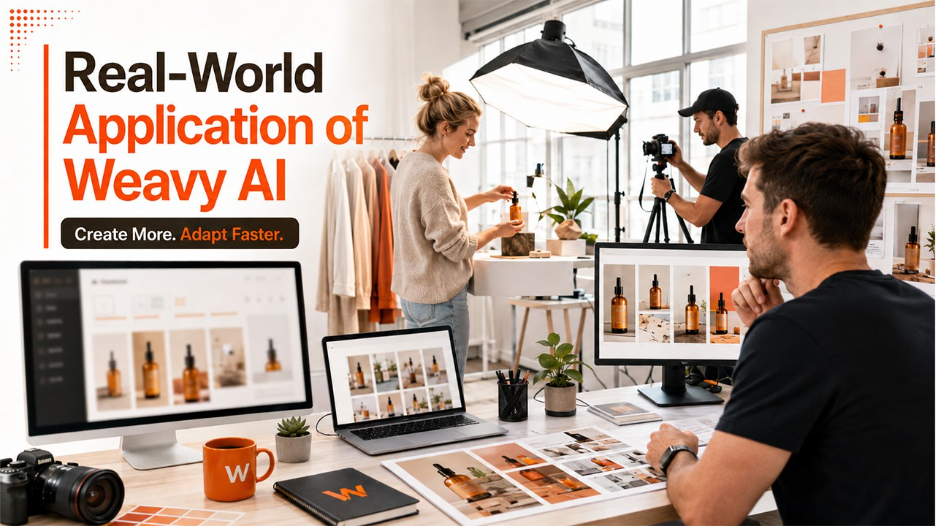
Some of the most useful real-world applications of Weavy AI are as follows:
- Marketing and Advertising
The platform allows marketing teams to create multiple versions of advertisements quickly. With Weavy AI, teams can build workflows that can combine product images, AI-generated backgrounds, lighting adjustments, and different creative variations.
- E-Commerce Product Photography
For e-commerce businesses, Weavy AI can help transform basic product photographs into more polished marketing visuals.
- Social Media Content
For social media teams, Weavy AI can create multiple variations of images, graphics, and videos. It can also maintain consistent visual identity while adapting content for different campaigns and formats.
- Brand and Creative Design
The designers can use Weavy AI as part of the ideation and production process. The platform can become another tool within the designer's creative workflow.
This broader adoption of AI in creative and marketing workflows is also part of the wider transformation taking place in AI in B2B marketing
Limitations of Weavy AI
While the platform offers powerful AI-driven creative workflows, it also includes key limitations, which are important for users to understand. Some of the key limitations of Weavy AI are as follows:
- Learning Curve for Beginners
One of the major challenges of Weavy AI is that the platform is more complex than a basic AI image generator. To efficiently work on the platform, users need to understand nodes, connections, inputs, outputs, models, and workflow logic.
- AI Results are Not Always Predictable
Weavy AI does not guarantee that every generation will match the expectations of the user. AI-generated images and videos can sometimes contain incorrect details, distorted objects, inconsistent characters, and unwanted visual elements. For this reason, businesses should have a clear review process to ensure that AI-generated content is ready for business use before publication.
- Dependence on Third-Party AI Models
The platform offers access to multiple AI models, but different models have different strengths, limitations, costs, and output characteristics.
Conclusion
Weavy AI represents a significant evolution in the AI creative-tool landscape. The platform offers a powerful and flexible approach to AI-powered creative production, as it combines multiple AI models, professional editing tools, and visual workflows in one location. The platform also offers a node-based approach that offers creators greater control, enabling faster experimentation. It also makes it easier for users to build reusable workflows for different creative projects. As AI continues to transform the creative industry, Weavy AI offers an innovative way to move beyond a simple prompt-based generation towards more controlled and scalable creative workflows.
Frequently Asked Questions
Weavy AI leverages a node-based workflow approach instead of relying on a single prompt and output. Weavy AI offers enhanced creative tools and control of the individual stages of the production process, compared to traditional AI tools.
Yes, you can use Weavy AI for e-commerce for product photography, advertising visuals, background generation, image variation, and other marketing assets.
Yes, Weavy AI supports AI-powered video workflows, along with image, audio, and 3D capabilities. This allows users to integrate video generation into broader creative workflows.
Yes, Weavy AI can be used by beginners, but its node-based workflow system may require some learning.