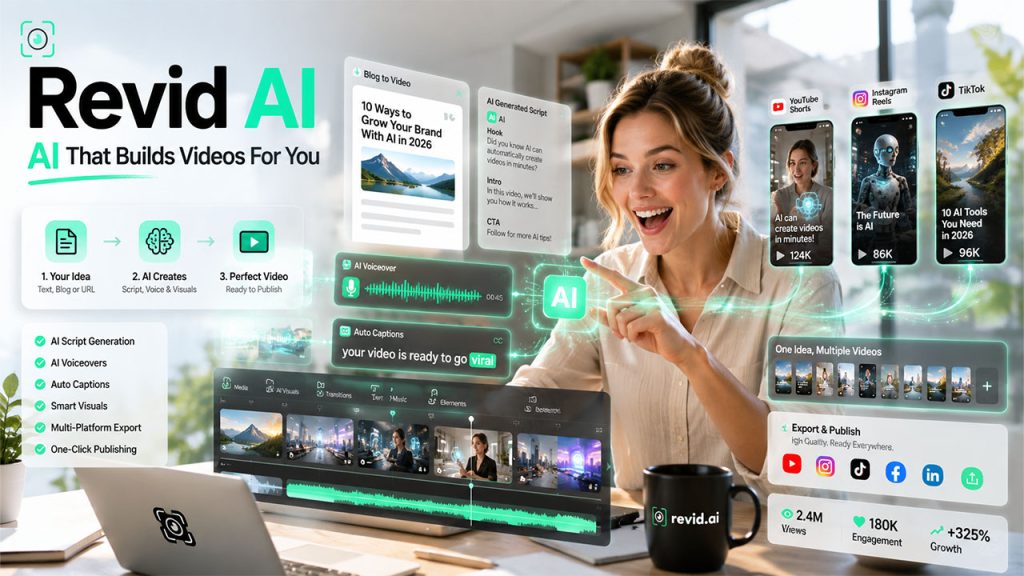






Suppose you have a great idea for a video. It might be a product demo, a quick explainer, or a short clip for a social media post that you know will be successful. However, there’s a load of work between that idea and an actual published video, such as scripting, voiceover, editing, captions, and formatting to make it suitable for five different platforms. By the time you’re done with everything, the right moment will pass. This is exactly the gap that Revid AI was built to close, so that the journey from your idea to its execution can be completed in just a few minutes, rather than days.
What Is Revid AI?
Revid AI is an AI-powered platform for turning texts, raw ideas, or existing content into short, polished videos. You do not have to go through the usual production grind. It has been built especially for creators, marketers, and small teams who need to publish often but don’t have a video crew on standby. With this, you don’t have to juggle separate tools for scripting, voice, visuals, and subtitles. Revid AI brings everything into one workflow.
You just have to type or paste in your idea, and the platform handles scripting, AI voiceovers, visuals, and captions in one pass. It is not about replacing human creativity. Rather, it’s about removing the repetitive, time-consuming steps that stand between an idea and a finished video that is ready to post.
How Revid AI Creates Videos in Just a Few Steps
The process is refreshingly straightforward, and that's really the point.
- Enter Your Topic, Text, or URL: You can type your topic, paste a blog or article for reference, or drop in a link. Revid AI reads it and figures out on its own what the video should be about.
- Generate an AI-Powered Video Script: Based on your input, the tool drafts a script suited for short-form video, keeping pacing tight and language natural.
- Create AI Voiceovers and Visuals: Revid AI pairs the script with an AI voiceover and matches it with relevant visuals, whether that's stock footage, AI-generated scenes, or your own uploaded media.
- Add Auto-Generated Captions: Since most viewers prefer to watch with the sound off, it syncs auto-generated subtitles to the voiceover without you having to put extra effort into it.
- Review, Edit, and Export Your Video: The video comes together in a preview. You can tweak whatever needs tweaking and then export it in a format ready for YouTube Shorts, TikTok, Instagram Reels, or wherever it's headed.
What used to take a few hours of manual editing now takes a few minutes of guided input. That's the entire shift Revid AI is chasing.
Top Revid AI Features That Simplify Video Creation
Revid AI brings together several tools that usually live separately, and each one solves a particular problem that creators run into every single week.
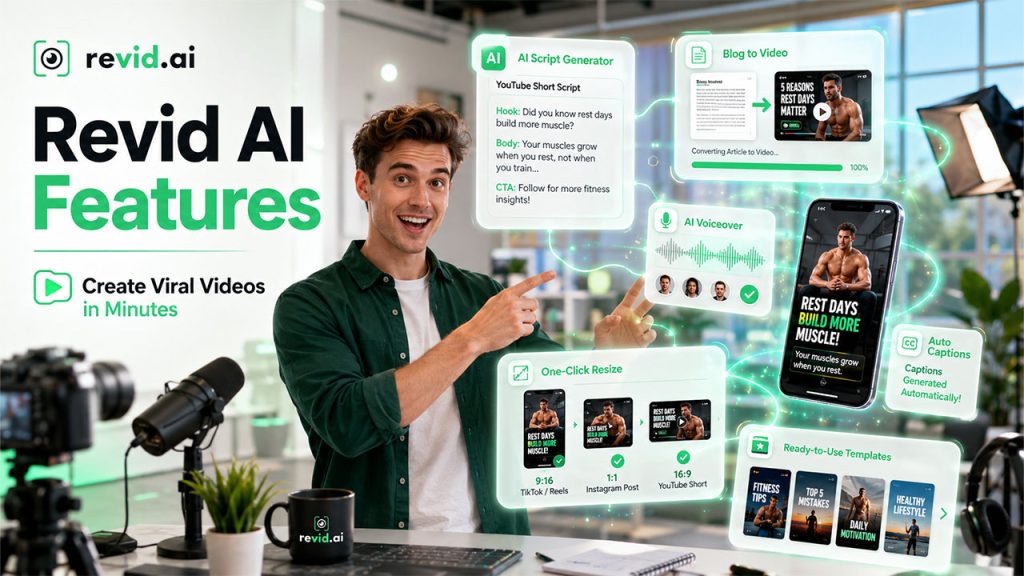
AI Script Generator for Short-Form Videos: Type in your topic, a rough idea, or even a messy paragraph of what you have in mind, and it will generate a short-form script that works well for social platforms. For instance, you are a fitness trainer who wants to talk about “why rest days matter.” The AI can draft a body and CTA; you just have to adjust the wording to make it sound like you. This mirrors how AI writing tools are reshaping scripting across the board.
Convert Blog Posts and Text into Videos: If you have a blog sitting on your website that nobody is talking about. Paste the link or the text in, and Revid AI generates a watchable summary. A 1,200-word article on “five best CRMs” can become a 45-second video without you having to rewrite a word of the original argument.
Natural AI Voiceovers: Multiple voice options are available, so the narration doesn’t sound like a robot reading a manual off a shelf. You can pick a tone that fits the video, such as warm and casual for a lifestyle brand, crisp and direct for a B2B explainer.
Automatic Captions and Subtitle Generation: Subtitles sync automatically. There is no manual timing required. Anyone who has hand-timed captions in a traditional editor knows how tedious that process is; here, it just happens in the background.
One-Click Video Formatting for Multiple Platforms: You can easily resize your videos to post them on different platforms without starting from scratch each time. You don’t have to make a square video for Instagram and a vertical one for TikTok separately. Here, it’s done with one input, and you get multiple outputs.
Ready-to-Use Video Templates: It offers pre-built formats for common video types. It is useful when you don’t have any creative ideas and just need to publish something solid.
Each of these exists elsewhere on its own. What Revid AI does differently is put them under one roof, so you're not exporting from one tool and importing into another five times before something is ready to go live.
Key Benefits of Using Revid AI for Content Creation

Beyond saving time, Revid AI offers several practical benefits that make video creation faster, easier, and more scalable.
Create Videos Faster: Revid AI makes editing a lot faster. For instance, a business owner wants to post a weekly product spotlight. However, scripting, filming, editing, and captioning take a half-day. With Revid AI, the same video can be generated realistically within minutes, and you just have to review it over coffee.
Reduce Video Production Costs: There is no need to hire voice actors, editors, or buy expensive footage. The platform handles most of that internally. For a solo creator or a two-person marketing team, this makes producing video content easy, eliminating high production costs.
No Video Editing Skills Required: You don't need to know Premiere Pro or After Effects. If you can write a sentence, you can use Revid AI. For instance, a teacher building explainer videos for students doesn't need to learn timeline editing; they just need to know what they want to say.
Scale Your Video Content Effortlessly: Whether you need one video a month or thirty, the workflow doesn't change much; it just repeats faster. An agency managing five client accounts can push out content for all of them without multiplying its editing team by five.
Repurpose Existing Content into Videos: You can make videos out of old blog posts, articles, or scripts with a fraction of the original effort. For instance, a company that has three years of blog content can get three years of raw materials for video without writing anything new.
It does not aim to replace good ideas or a clear voice. Rather, it only replaces the friction that prevents good ideas from becoming finished videos.
Revid AI Pricing Plans: Which Option Is Right for You?
Revid AI offers tiered plans, so the cost scales with how much video you're actually producing.
Pricing and extra features per tier are subject to change over time, so keep checking Revid AI’s official pricing page before committing.
| Plan | Monthly Price | Best For |
| Hobby | Around $49/month | Individuals or beginners posting occasionally |
| Growth | Around $99/month | Creators and small teams scaling up output |
| Ultra | Around $199/month | Agencies or businesses needing high-volume video production |
Best Use Cases of Revid AI Across Different Industries
This isn't a tool built for one narrow use case. It stretches across quite a few, and the way it's used tends to look a little different depending on who's holding the reins.
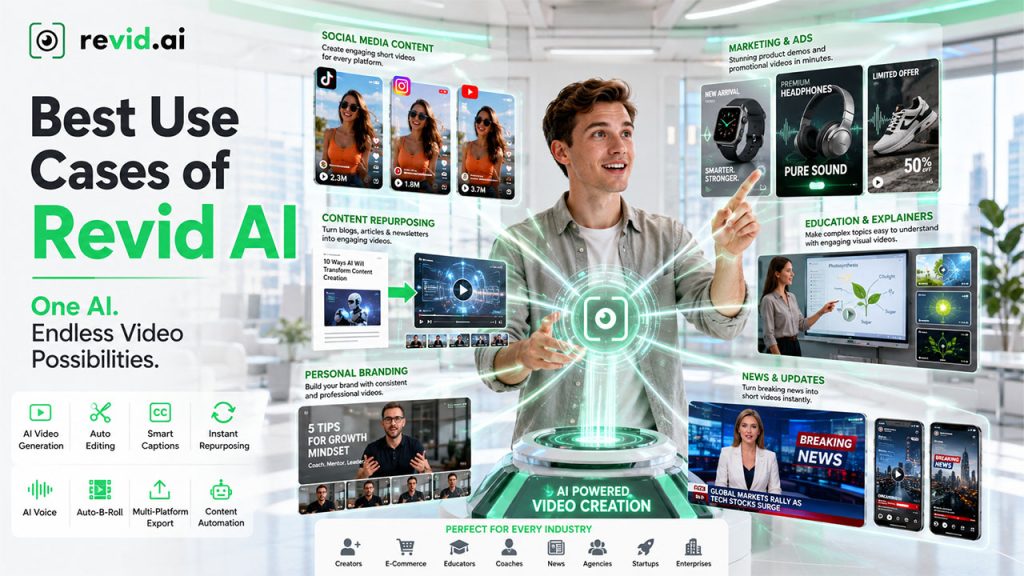
Social Media Content: You can quickly make engaging clips for TikTok, Instagram Reels, and YouTube Shorts. This is helpful for creators who review gadgets, for instance, can turn a five-minute rant about a new Apple iPhone into a 30-second cut without having to re-film anything.
Marketing and Ads: Marketing teams can easily make product demos or promotional videos without hiring an external agency and paying them handsomely. A small e-commerce store launching a new product can generate a demo video the same day it goes live, instead of waiting weeks for a freelancer. Marketing teams are increasingly turning to AI video platforms for exactly this kind of speed.
Content Repurposing: Content creators, writers, and businesses can easily turn their blog posts, newsletters, or articles into short videos to expand their reach. A newsletter writer with a loyal email list can extend that same content into video form and reach an entirely different audience on social platforms.
Education and Explainers: Educators and explainers can break complex concepts into visual formats for students or new employees to make it easy to digest. For instance, an HR team wants to explain company policy to new employees; the dense policy document can be converted into a short, watchable walkthrough instead of expecting people to read a 10-page PDF.
Personal Branding: Revid AI helps individual creators, coaches, or consultants build a consistent video presence without hiring a production team. For instance, a career coach can post weekly advice videos without needing editing software.
News and Updates: A local news outlet or niche industry blog can quickly summarize information into short videos within the hour, while the story is still relevant.
The common thread across all of these is volume. Anywhere someone needs to produce a lot of video content without a lot of time, Revid AI fits naturally into the workflow.
Conclusion
Revid AI is built for everybody who has great ideas but fails to execute it in time. It won’t write your viral hook or provide you with a compelling story out of thin air; that’s your job. However, it will take care of the scripting, voiceovers, visuals, and captions that usually take hours between having an idea and publishing it. For creators, marketers, and small teams trying to stay consistent without burning out, that's not a small convenience. It's the difference between an idea that stays in your notes app and one that actually reaches an audience. Try Revid AI today to experience change yourself.
FAQs About Revid AI
Revid AI offers paid plans starting around $49 a month. There may be a trial or limited free option, but full features typically require a subscription.
No. The platform is built for people without editing backgrounds. If you can write a script or paste in an article, you can generate a video.
Yes. One of its core features is converting written content, like blog posts or articles, into short-form video summaries.
Videos can be formatted for YouTube Shorts, TikTok, Instagram Reels, and other short-form video platforms.
Yes. Both AI voiceovers and auto-generated captions are built into the standard workflow, so you don't need separate tools for either.