





In 2026, the best MySQL IDE will be judged less by convenience and more by control. Teams need reliable ways to manage schema changes safely, diagnose performance issues precisely, and maintain consistent workflows across environments. Without that control, manual checks and fragmented tools slow delivery and increase operational risk.
This guide evaluates leading MySQL IDEs that actively reduce those risks. See how they provide safer schema workflows, clearer performance insights, and consistent environments at scale.
List of the Best MySQL IDEs for 2026
This section provides a fast, side-by-side view of all reviewed MySQL tools for Windows, Linux and macOS, and lets you jump directly to detailed, consistently structured tool reviews. The list includes commercial and free options, full-featured IDEs, and lighter clients, so you can compare tools based on role (developer vs DBA), environment (local vs cloud), and operational complexity (single schema vs multi-environment setups).
| Tool | Best for | Free version | Query editor | Schema tools | Profiling & analysis | Automation / DevOps | Cross-Platform | Professional Depth |
| dbForge Studio for MySQL | Pro teams, devs, DBAs | Yes (Express) | Advanced | Advanced | Yes | Yes | Windows, Linux and macOS via compatibility solutions | Very High |
| MySQL Workbench | Official modeling & admin basics | Yes | Medium | Medium | Limited | Limited | Win / Mac / Linux | Medium |
| DBeaver Community / PRO | Multi-DB teams | Yes (Community) | Advanced | Medium | Medium | Medium | Win / Mac / Linux | High |
| JetBrains DataGrip | Devs in JetBrains ecosystem | Yes (non-commercial) | Advanced | Advanced | Yes | Medium | Win / Mac / Linux | High |
| TablePlus | Fast UI, analysts & devs | No | Medium | Medium | Limited | Limited | Win / Mac / Linux | Medium |
| DbVisualizer | Cross-DB SQL workflows | Yes (Free) | Advanced | Medium | Medium | Limited | Win / Mac / Linux | High |
| SQLyog | Windows-centric MySQL admin | Yes (Community) | Advanced | Advanced | Limited | Medium | Windows | High |
| Chat2DB | AI-first SQL assistance | Yes (Community) | Medium | Basic | Limited | Limited | Win/Mac (varies) | Medium |
To understand these differences beyond the table, let’s review each tool in detail.
1. dbForge Studio for MySQL

Rating: 4.7/5 (G2)
Devart dbForge Studio for MySQL is a professional MySQL IDE built for teams that work close to production. It’s the best IDE for MySQL that combines development, administration, and change control in a single workspace: with a focus on schema safety, performance visibility, and repeatable workflows rather than quick, one-off querying.
Where lightweight clients optimize for speed and simplicity, it focuses on reducing operational risk as schemas grow, environments multiply, and releases become more frequent.
Key features
- AI-assisted SQL help that provides context-aware guidance when writing queries and interpreting errors, helping reduce iteration time during development and debugging.
- IDE-grade SQL editor with intelligent completion, navigation, formatting, and refactoring for complex scripts.
- Schema comparison and synchronization to detect drift and generate reviewable deployment scripts before changes reach production.
- Visual schema and object management for inspecting tables, indexes, constraints, and dependencies.
- Query profiling and execution plans to analyze slow queries and validate performance changes as data and indexes evolve.
- Data tooling at scale, including controlled editing, filtering, import/export, and backup workflows.
- Repeatable workflows via saved comparison settings and automation-friendly operations.
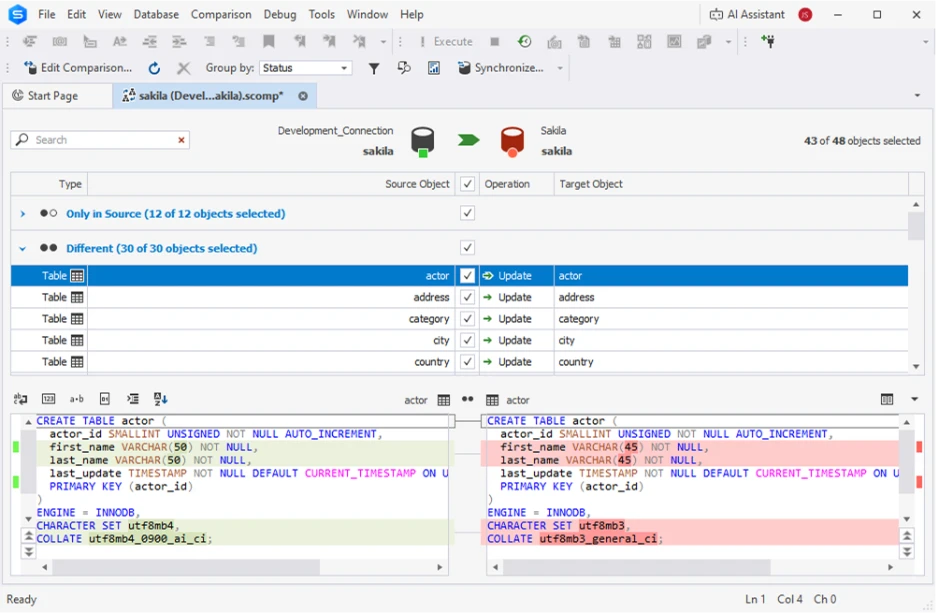
Overview
| Category | Details |
| Company | Devart |
| Best for | Professional MySQL teams, DBAs, and developers managing complex schemas and multiple environments |
| Compatibility | Windows (native), Linux and macOS via compatibility solutions – Wine and CrossOver/Parallels |
| Price | • Standard: $99.95/year per user • Professional: $179.95/year per user • Enterprise: $229.95/year per user • 30-day free trial (full functionality) • Subscription-based; includes updates and premium support |
| Pros | • Strong schema comparison and synchronization • Mature SQL editor with refactoring support • Built-in performance diagnostics |
| Cons | • Express edition is limited for advanced workflows |
| Official page | https://www.devart.com/dbforge/mysql/studio/ |
Reviews
“Things I like about dbForge are the simple interface and the db comparison tool. It works with a wide range of MySQL versions and has never given me any problems. It's extremely easy to implement.” — G2 reviewer
2. MySQL Workbench

Rating: 4.5/5 (G2)
MySQL Workbench is Oracle’s official graphical tool for MySQL development, modeling, and basic administration. It serves as a solid baseline for schema design, object browsing, and light admin tasks, especially for teams that want a tool closely aligned with the MySQL ecosystem rather than a full IDE.
Features
- Visual schema design using EER diagrams.
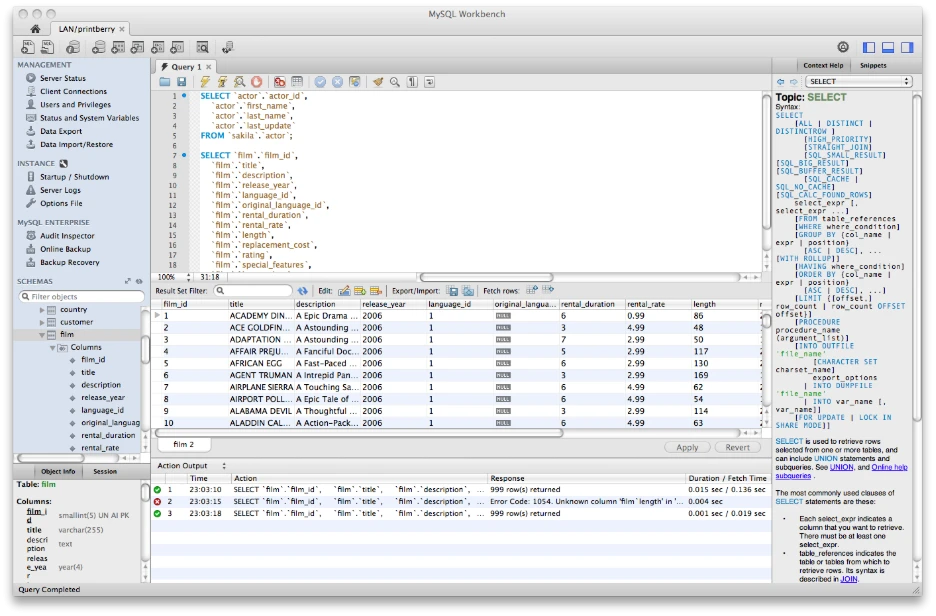
- SQL editor for running and saving queries.
- Database object browsing and management.
- Basic user and server administration.
- Data modeling and reverse engineering.
- Migration tools for moving data into MySQL.
Overview
| Category | Details |
| Company | Oracle |
| Best For | Teams needing official MySQL tooling for modeling and basic administration |
| Compatibility | Best MySQL IDE for Windows, macOS, Linux |
| Price | • Free (included as part of the MySQL ecosystem) |
| Pros | • Official Oracle MySQL tool • Visual schema modeling with EER diagrams • Free and cross-platform |
| Cons | • Limited support for structured change workflows • Minimal automation and deployment tooling |
| Official page | https://www.mysql.com/products/workbench/ |
Reviews
“As a Software Developer, MySQL Workbench is easy to use with its intuitive interface and user-friendly design that simplifies database management tasks.” — G2 reviewer
3. DBeaver Community/PRO

Rating: 4.4/5 (G2)
DBeaver is a cross-database SQL client built for teams that work with multiple database engines, including MySQL Database, and want one consistent tool across platforms. It supports MySQL alongside many other systems, prioritizing portability and everyday SQL workflows over deep, MySQL-specific automation or change-management features.
Features
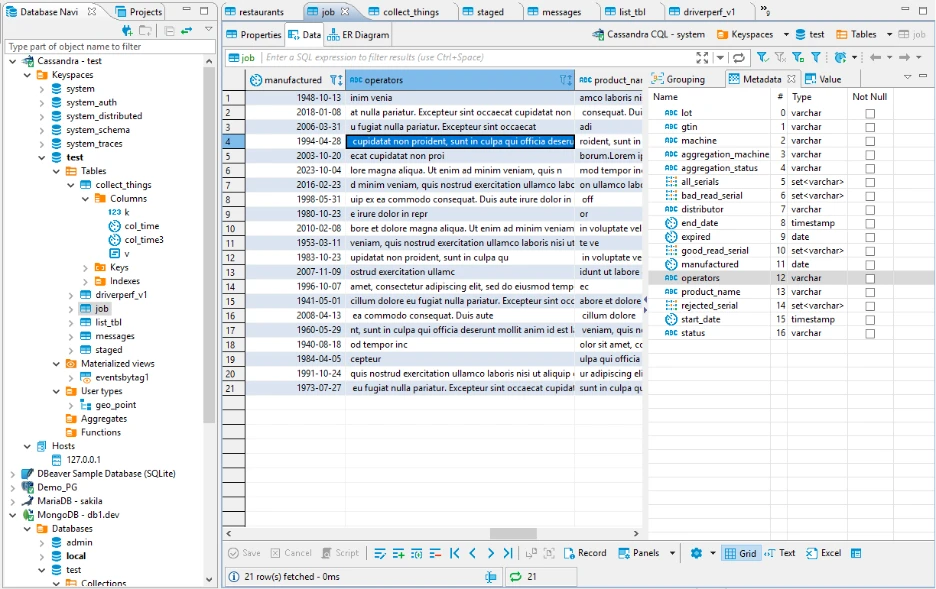
- SQL editor with code completion and query execution.
- Broad database support (MySQL, PostgreSQL, SQLite, cloud databases, and more).
- Schema and object browsing across multiple connections.
- ER diagrams and basic schema visualization.
- Frequent driver updates and modern authentication support.
- Optional enterprise features in PRO edition (security, collaboration).
Overview
| Category | Details |
| Company | DBeaver |
| Best for | Teams working with multiple databases who want one consistent SQL client |
| Compatibility | Windows, macOS, Linux |
| Price | • Community Edition: Free, open source • PRO / Enterprise editions: Subscription-based (pricing varies by plan) |
| Pros | • Strong cross-database support • Free, open-source Community edition • Consistent experience across operating systems |
| Cons | • MySQL-specific workflows are less deep • Limited built-in automation compared to specialist IDEs |
| Official page | https://dbeaver.io/ |
Reviews
“DBeaver is super handy when working with multiple databases. It supports a wide range of DB types (like MySQL, PostgreSQL, Oracle, etc.), so I don’t need to switch tools.” — G2 reviewer
4. JetBrains DataGrip

Rating: 4.6/5 (G2)
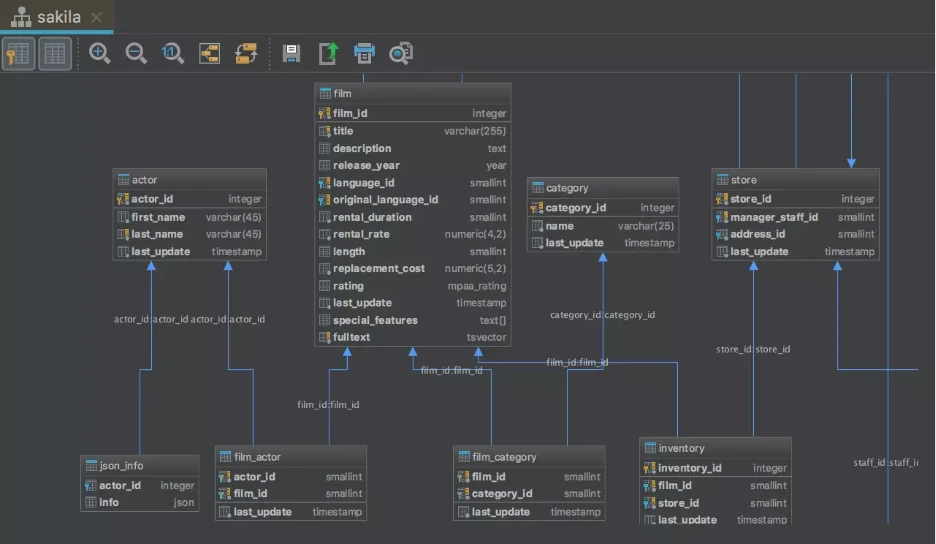
JetBrains DataGrip is a developer-focused database IDE built around a powerful, editor-first SQL experience. It emphasizes code intelligence, schema awareness, and deep navigation rather than database administration, making it a natural fit for teams already using JetBrains tools and working closely with application code.
Features
- IDE-grade SQL editor with advanced code completion and inspections.
- Deep schema introspection and object navigation.
- Cross-database support with consistent tooling.
- Context-aware AI assistance for query generation and explanation.
- Version control integration and query history.
- Support for multiple database connections and environments.
Overview
| Category | Details |
| Company | JetBrains |
| Best for | Developers who prioritize editor quality and schema awareness, especially within the JetBrains ecosystem |
| Compatibility | Best MySQL IDE for Windows, macOS, Linux |
| Price | • Free for non-commercial use (personal, learning, open-source) • Commercial license from ~$199/year (individual) • Subscription-based pricing |
| Pros | • Excellent SQL editor and navigation • Strong cross-platform support • Natural fit for JetBrains IDE users |
| Cons | • Less DBA- and operations-focused • Schema change management is not its primary strength |
| Official page | https://www.jetbrains.com/datagrip/ |
Reviews
“I like its support for extensive functionalities with writing of my SQL queries and scripts, effective database backup and restoration.” — G2 reviewer
5. TablePlus

Rating: 4.5/5 (G2)
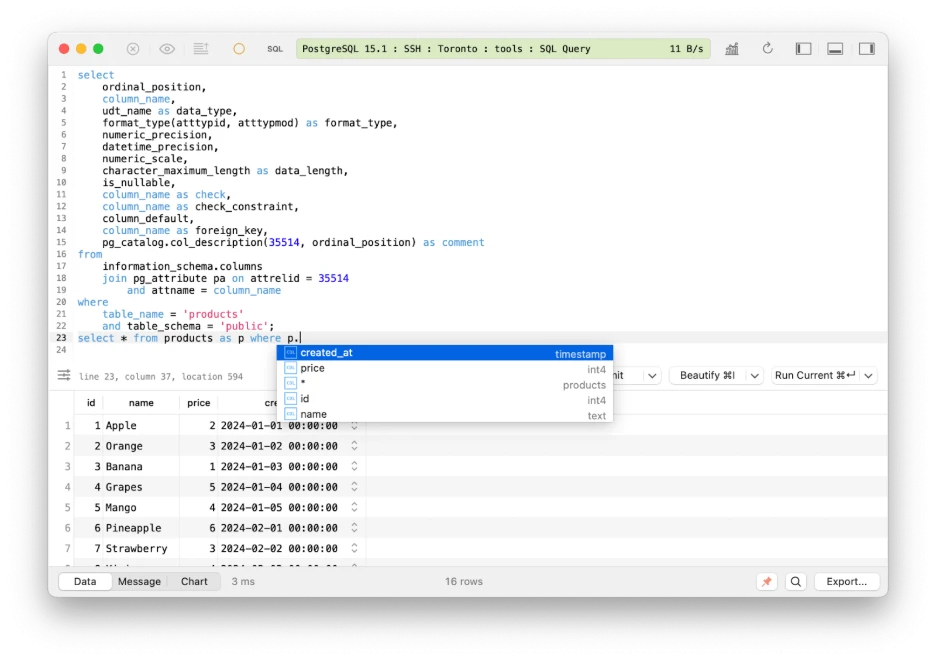
TablePlus is a lightweight database client built for speed and a clean, native user experience. It focuses on fast connections, data browsing, and quick edits rather than full IDE workflows, making it a good fit for analysts and developers who want an efficient, low-friction tool for everyday MySQL work.
Features
- Fast SQL editor with syntax highlighting and query execution.
- Table and row editing with safety prompts.
- Multi-database support alongside MySQL.
- Secure connections with SSH, SSL, and cloud integrations.
- Native UI optimized for responsiveness.
- Lightweight schema editing and object browsing.
Overview
| Category | Details |
| Company | TablePlus |
| Best for | Analysts and developers who value speed, clean UI, and everyday querying |
| Compatibility | Windows, macOS, Linux |
| Price | • Basic license: ~$$99 one-time per user • Advanced license: ~$$199 one-time per user • Optional paid upgrades for future major versions |
| Pros | • Very fast and responsive UI • Clean, intuitive design • Simple, non-subscription pricing |
| Cons | • Limited support for complex schema change workflows • Not designed for automation or database DevOps |
| Official page | https://tableplus.com/ |
Reviews
“As a developer on MacOS, I find the selection of MySQL clients that feel native to be lacking. TablePlus is the first client I've found that truly feels at home on the Mac.” — G2 reviewer
6. DbVisualizer

Rating: 4.7/5 (G2)
DbVisualizer is a cross-platform SQL tool designed for teams that work across multiple databases and want a stable, professional SQL environment. It offers more depth than lightweight clients while remaining vendor-neutral, making it a solid choice for MySQL teams that also interact with other database systems.
Features
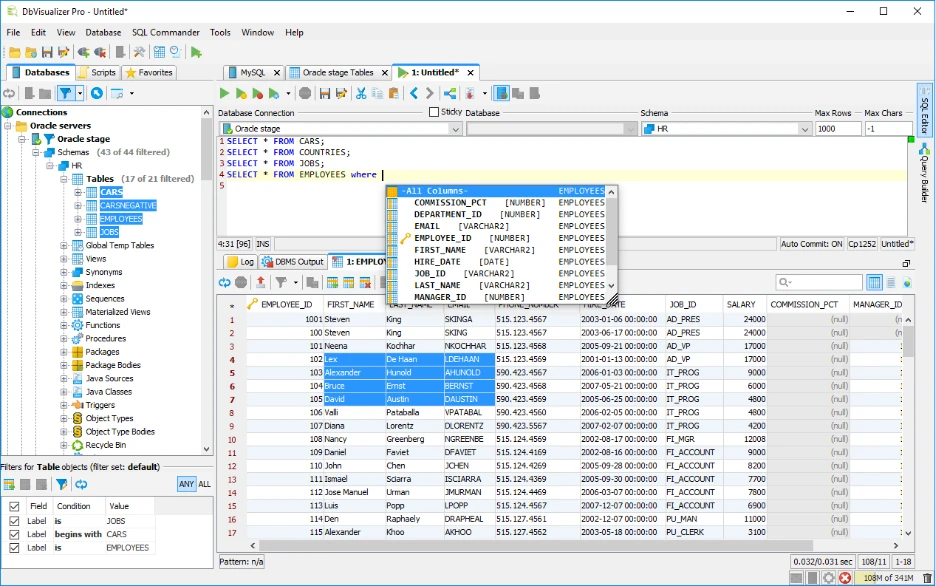
- SQL editor with code completion and query execution.
- Query history, bookmarks, and execution statistics.
- Schema and object browsing across multiple databases.
- Visual explain plans and query monitoring.
- Cross-database support with consistent workflows.
- Stable desktop client with long-term release cadence.
Overview
| Category | Details |
| Company | DbVisualizer |
| Best For | Teams needing a professional SQL tool across multiple databases and operating systems |
| Compatibility | Windows, macOS, Linux |
| Price | • Free edition: Basic functionality • DbVisualizer Pro: ~$$199 per user (first year) • Renewals: Reduced pricing in later years (e.g., ~$$89 listed for subsequent years) |
| Pros | • Strong cross-database support • Professional, IDE-like SQL workflow • Predictable, transparent licensing |
| Cons | • Less MySQL-specific depth than specialized IDEs • Limited automation and deployment tooling |
| Official page | https://www.dbvis.com/ |
Reviews
“The basics are all there, plus incredibly powerful tools. Setting up or copying connections is incredibly easy. My favorite feature is the editor templates, which have allowed me to automate all the steps in common admin tasks.” G2 Reviewer
7. SQLyog

Rating: 4.5/5 (G2)
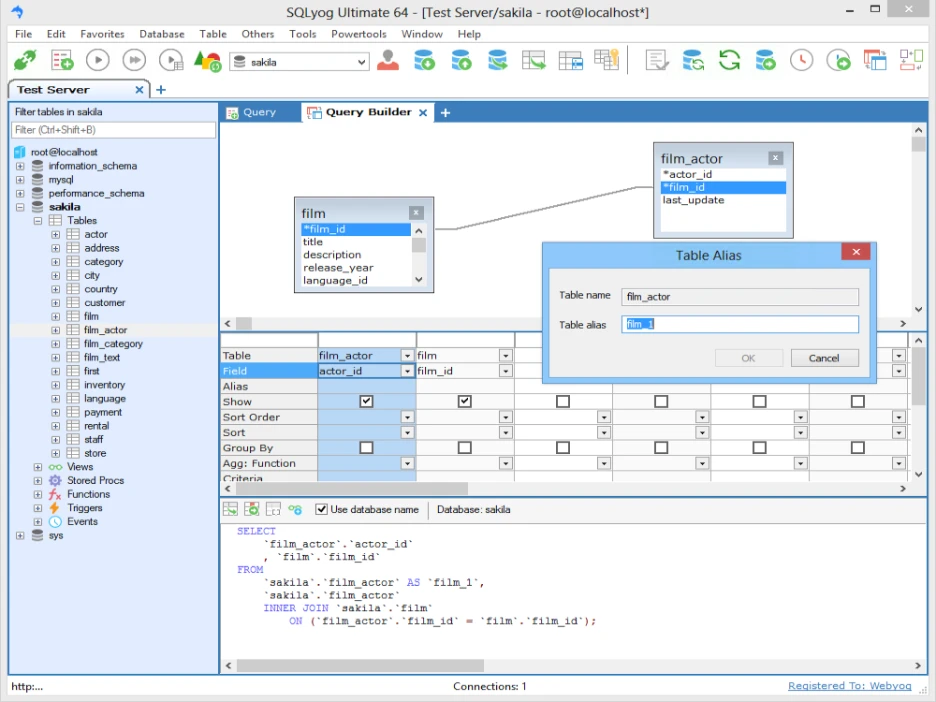
Webyog SQLyog is a MySQL-focused GUI built primarily for Windows-based administration and maintenance work. It emphasizes reliability and practical MySQL operations such as schema and data synchronization, backups, and secure connectivity, making it a dependable choice for teams managing MySQL in Windows-centric environments.
Features
- SQL editor for querying and script execution.
- Schema and data synchronization tools.
- Backup and restore utilities.
- Secure connections, including SSH tunneling.
- Visual object browsing and management.
- MySQL-specific administration features.
Overview
| Category | Details |
| Company | Webyog |
| Best for | Windows-centric teams performing MySQL administration and maintenance |
| Compatibility | Windows |
| Price | • Community edition: Free (limited) • Ultimate edition: ~$$299 per user (perpetual license) • First year of maintenance included |
| Pros | • MySQL-specific tooling with long history • Strong admin and synchronization features • Perpetual licensing option |
| Cons | • Windows-only • Limited cross-platform and DevOps-oriented workflows |
| Official page | https://www.webyog.com/product/sqlyog |
Reviews
“SQL yog is very simple to use and intuitive. The best part is that the community edition is free for use.” — G2 reviewer
8. Chat2DB

Rating: N/A
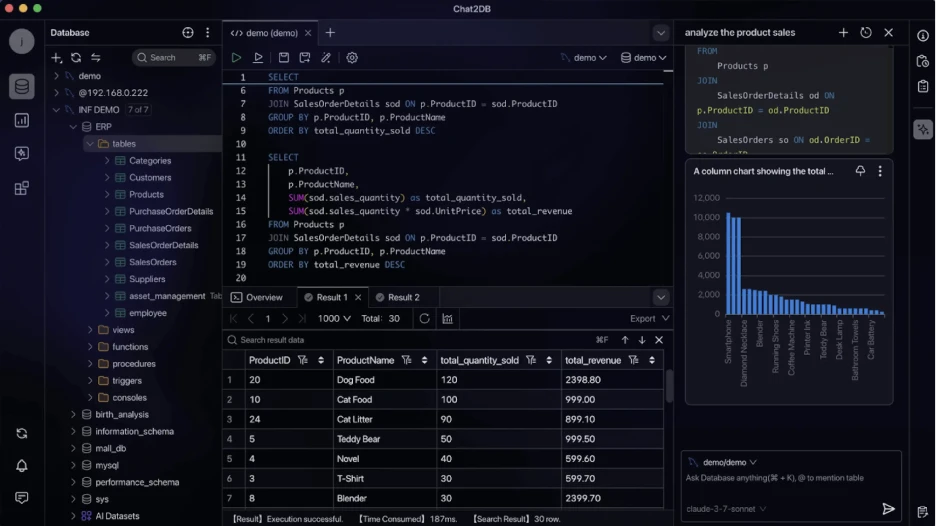
Chat2DB is an AI-first database client that centers SQL work around natural-language interaction. It focuses on text-to-SQL, query explanations, and schema-aware assistance, making it useful for learning, exploration, and rapid query generation rather than deep MySQL administration or structured change workflows.
Features
- Natural-language to SQL query generation.
- AI-assisted query explanations and summaries.
- Schema-aware context for prompts.
- Support for multiple databases, including MySQL.
- Open-source Community edition.
- Pro tiers with integrations for external AI models.
Overview
| Category | Details |
| Company | Chat2DB |
| Best for | Users who want AI-assisted SQL generation, learning, and exploration |
| Compatibility | Windows, macOS (varies by build) |
| Price | • Community plan: Free, open source (limited, no AI calls) • Pro plans: Subscription-based • Commonly cited pricing ranges around $20/month (subject to change) |
| Pros | • Strong AI-first experience • Helpful for learning and rapid query generation • Active open-source community |
| Cons | • Limited traditional IDE and DBA depth • AI output requires validation for correctness and security |
| Official page | https://chat2db.ai/ |
How to Choose the Best MySQL IDE in 2026
Choosing a MySQL IDE is about matching capabilities to your daily failure modes: slow queries, schema drift, inconsistent environments, and wasted time switching tools. Use the following dimensions as your selection checklist:
- Query editing & debugging. Prioritize IDE-grade SQL editors with context-aware completion, navigation, formatting, and safe execution. These features reduce errors and speed up work when queries grow long and complex.
- Schema change safety. If you release changes regularly, look for visual schema management, diff/compare workflows, and reviewable deployment scripts that make it hard to introduce drift between environments.
- Performance & profiling. Choose tools that surface execution plans and profiling history clearly, so slow queries can be analyzed, compared, and re-checked as data volume and indexes evolve.
- Data workflows at scale. Consider how the IDE handles large result sets, data editing, filtering, and imports/exports. Weak data tooling becomes a bottleneck long before schema complexity does.
- Cross-platform consistency. For consistent behavior across Windows, macOS, and Linux reduces friction, onboarding time, and “works on my machine” problems.
- Pricing & licensing fit. Match cost to workload complexity. Free tools work for light use, one-time licenses suit individual workflows, and tiered or subscription plans make sense when MySQL is part of a production delivery pipeline.
Conclusion
The best MySQL IDE in 2026 depends on your workload and risk profile. If your MySQL work is occasional (basic querying, quick edits, light modeling) free tools like MySQL Workbench can be enough.
But if MySQL is part of a production delivery system (frequent schema change, multiple environments, performance tuning, and the need to standardize workflows across a team) professional-grade IDEs consistently win because they reduce manual steps and lower deployment risk.
For teams looking for the best MySQL IDE for Windows, dbForge Studio for MySQL offers a particularly complete, tiered path from free Express to Enterprise.
FAQ for MySQL IDE
What is the best IDE for MySQL?
The best MySQL IDE depends on how you work. For production systems with frequent schema changes and performance tuning, dbForge Studio for MySQL is a strong choice. Developers who prioritize editor quality often prefer JetBrains DataGrip, while DBeaver or MySQL Workbench are sufficient for lighter, everyday use.