





Integrate the Google functionality with a third-party app or use the Google API, you will require the Google App. You will create the google app for Gmail, Google Calendar, Google Contact, Google docs, and many more Google features list.
Follow the below steps and you will create the Google APP in few minutes:-
1)Open the URL “https://console.developers.google.com”.
2) If not log in then login to Google account.
3) Please accept the terms and policy for further process.
4) Go to the header and click on “Select a project” drop-down.
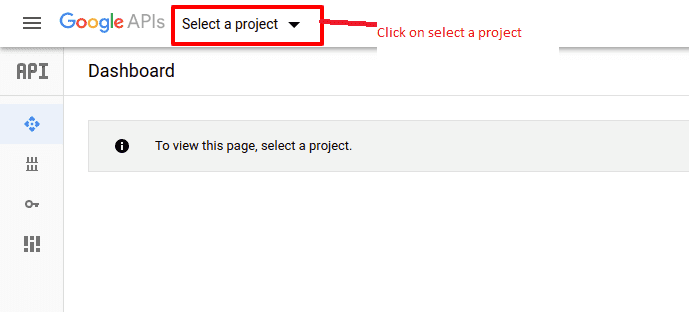
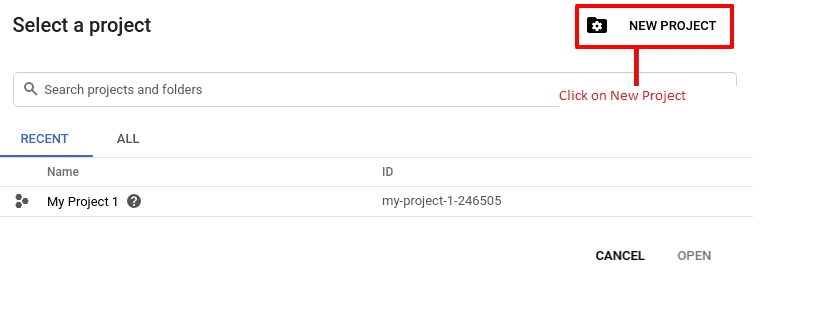
5) Popup will open if you already create any project then select or click on the “+” icon button.
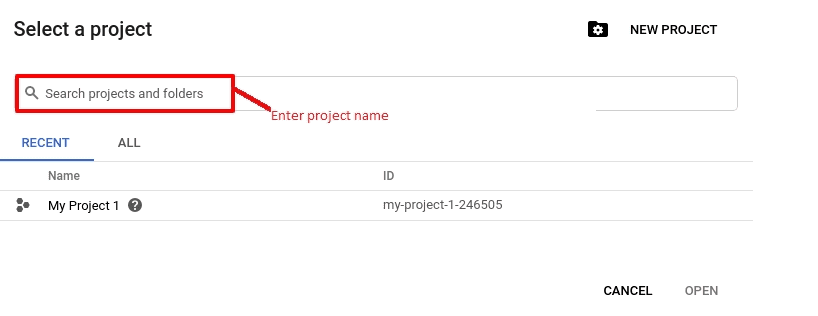
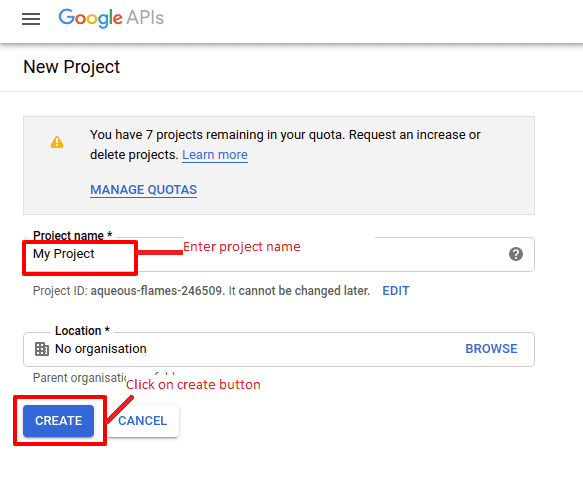
6) Enter the project name and click on create button.
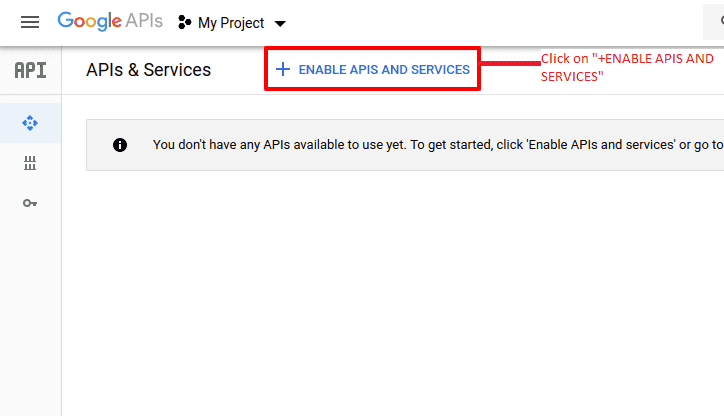
7) Click on “+ ENABLE APIS AND SERVICES”.
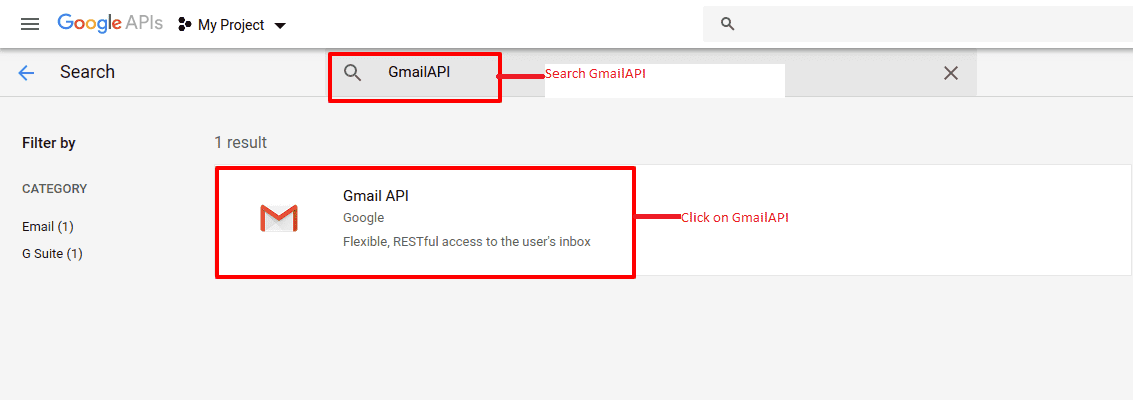
8) Go to the search box and enter the name of the “API” like “Gmail API” and browser will redirect to the search result page.
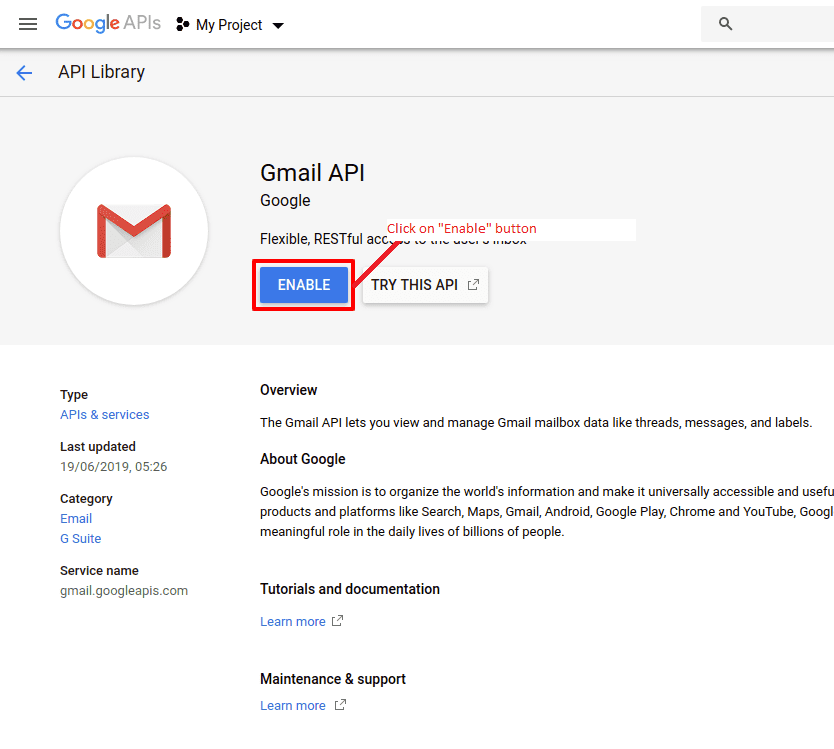
9) Open the searched API and click on the “enable” button.
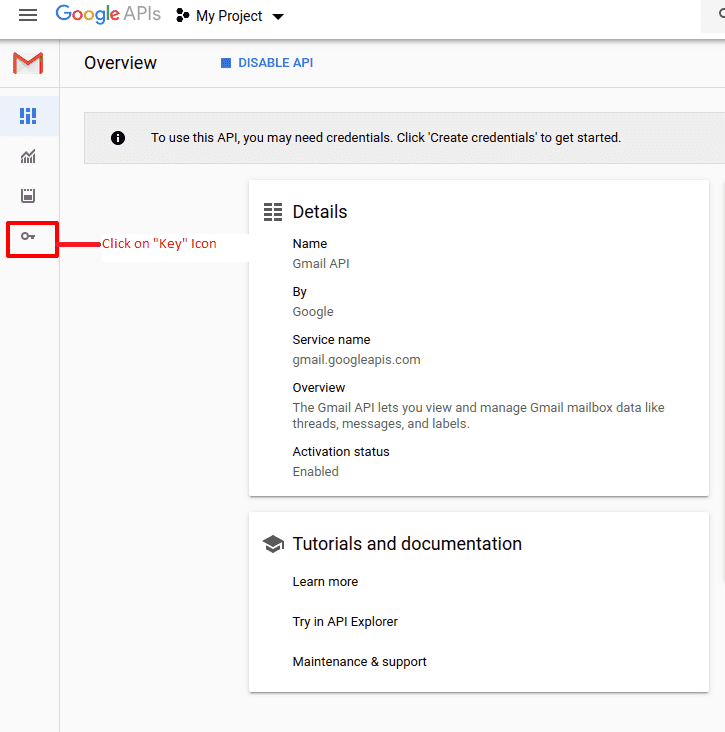
10) Goto the left bar and click on “credentials”.
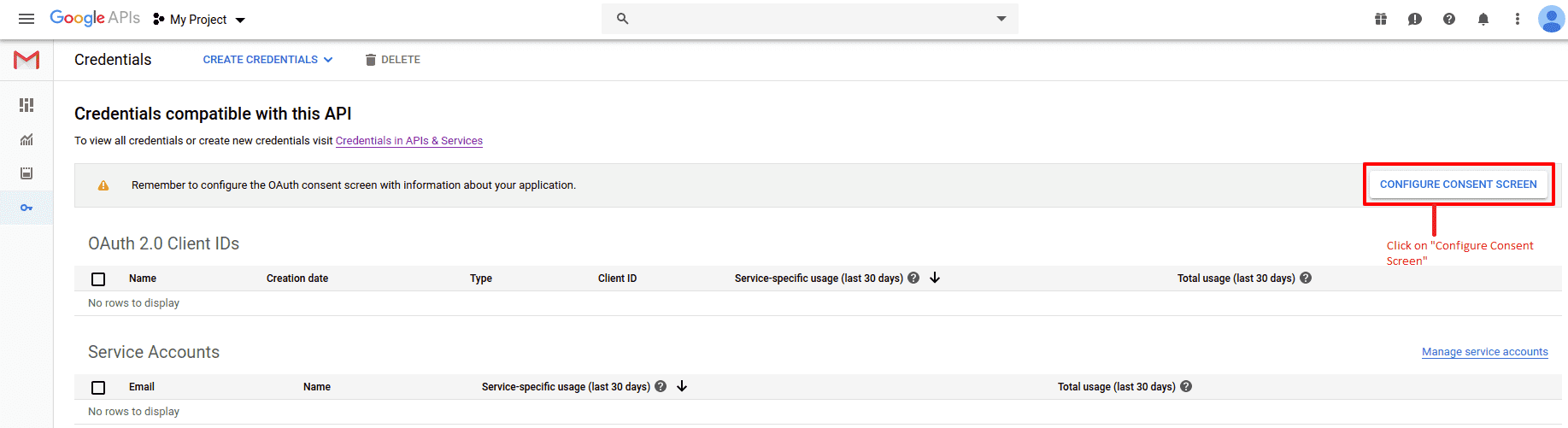
11) Click on “CONFIGURE CONSENT SCREEN”.
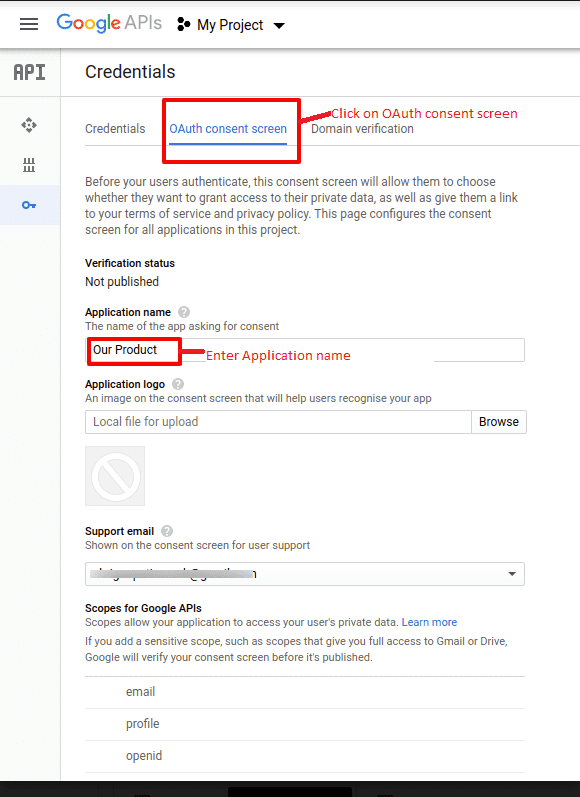
12) Enter “Application name”.
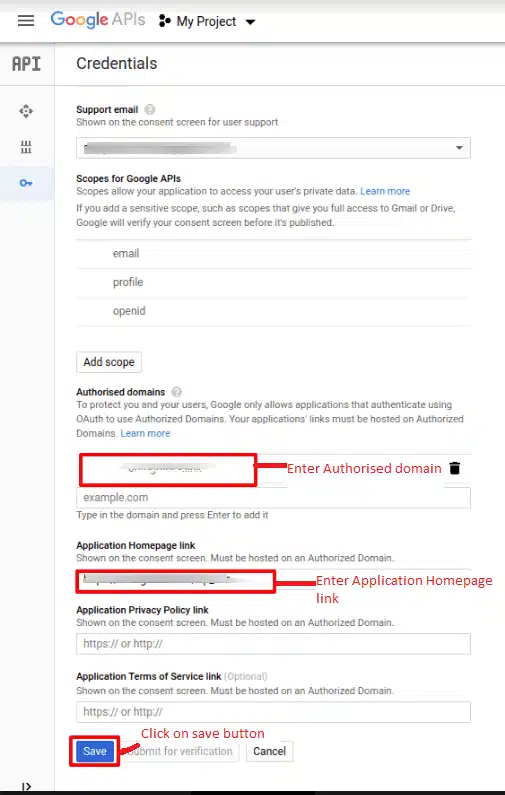
13) Enter “Authorized domains” for which you want to enable the app.
14) Enter your website URL in the Application Homepage link field and click on the save button.
15) Click on “Create credentials” dropdown and select the “OAuth client ID”.
16) Go to application type and select “Web Application”.
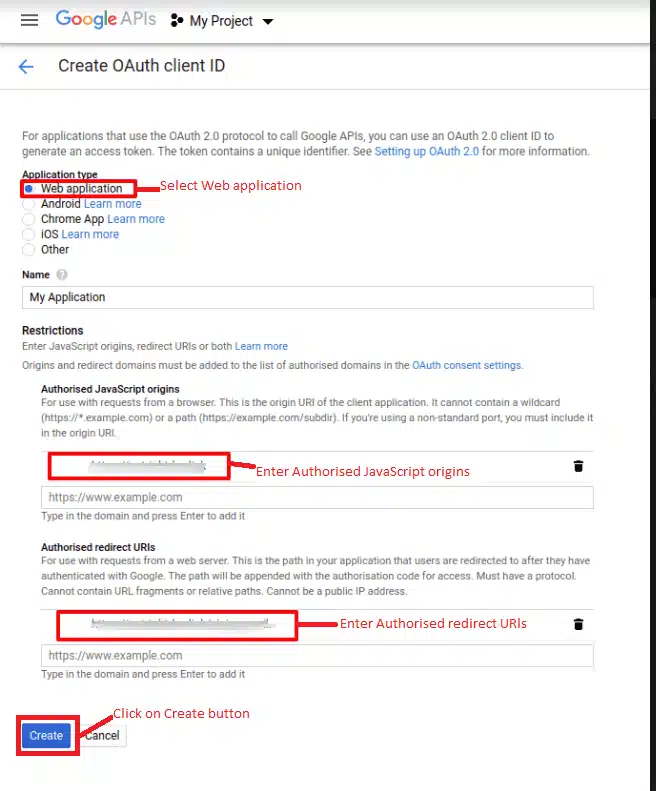
- Enter your application name in “Name” field. It will display to the third party users when they will try to use the google app.
- Enter the website domain in “Authorized JavaScript origins”. For example https://websitedomain.com
- Enter the endpoint URL in “Authorized redirect URIs”, where you want to redirect the user. You will enter the URL like https://websitedomain.com/sigin_gmail. Signin_gmail is the endpoint name.
- Click on the create button.
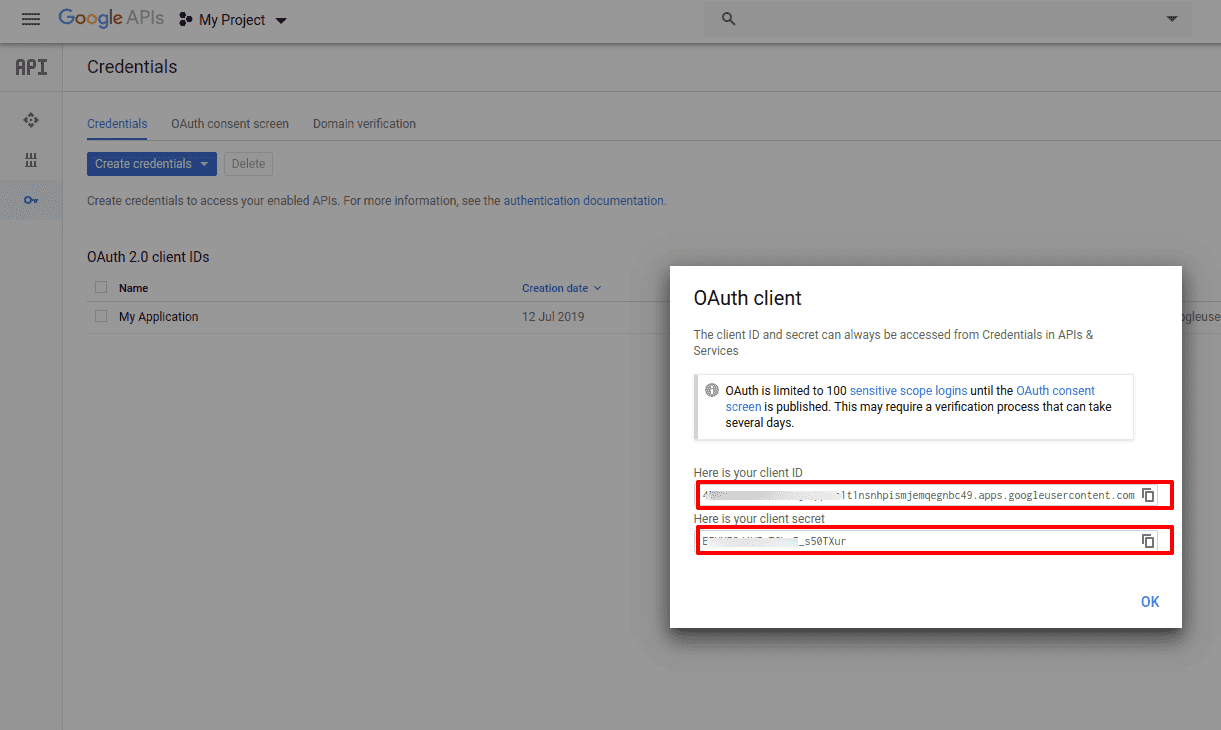
17) Popup will open with “Client ID” and “Client Secret”.
For more details, videos, and documentation for this add-on, please click here.