






When you visit websites, use mobile applications, watch videos, or browse social media, online ads may show up. Many of these advertisements are helpful, as they suggest products that you might be interested in buying. But other ads are distracting, slow down your internet speed, and make your browsing experience miserable. Pop-ups, auto-playing videos, banner ads, and tracking code show up while you browse and can be very annoying when you see the same ones repeatedly. You can prevent and control ads and trackers by using an Adblocker to see, identify, and block certain advertisements as they're about to pop up on a website or an app.
What Is Adblocker?
An Adblocker is an application or browser add-on that filters out certain ads on web pages and apps. It applies a set of filtering rules to web pages (ad filtering) in order to filter out certain ads on webpages. Ad-blocking rules are used to differentiate between ads and non-ad content on webpages, like text, images, navigational elements, etc.
For instance, say a user navigates to a news site and receives a request to several ad networks. The blocker looks through the requests and matches them to its set of filters. When a match is found, the blocker blocks the request, and the ads are not loaded onto the page.
Different Types of Adblockers Available
Not all blocking tools are equal. Some are installed within browsers, while others may block internet traffic at the device or network level. The best solution for you depends on your browsing habits, devices, and the kind of control you wish to have. These are your blocking options:
- Browser Extensions
The most popular choice. Browser extensions are installed within browsers like Chrome, Firefox, and Edge. They work by filtering the website requests and removing ads that are supported by removing relevant components from the site. They can be simple to install and include extra features like tracker blocking, specialized settings for certain sites, and custom filter lists. The downside is their dependency on extensions and browser permissions.
- Automatic Browser Blocking
Built-in advertising and tracking protections. Certain browsers are equipped with advertising and tracking protection that does not require additional software from a third party. The browser blocks some ads, pop-ups, or trackers that are blocked by default. A built-in protection may not have as many options as a dedicated one.
- DNS-Based Blocking
The first method is DNS-based technology. These solutions keep devices from making requests to domains that we've identified as advertising and tracking. This filtering can be implemented on individual devices, routers, and by using private DNS solutions. Any of these options can be used to protect multiple apps, although not all ads can be blocked as they may be served from the same domain as other content.
- System-Wide Blocking Applications
Certain apps provide network traffic filtering on a device-wide level. They can block ads in supported browsers and apps themselves, without the need for an additional browser extension.
While these tools might have advanced filtering capabilities, it is necessary to check their permissions and privacy policies before using them.
Top Advantages of Employing an Adblocker
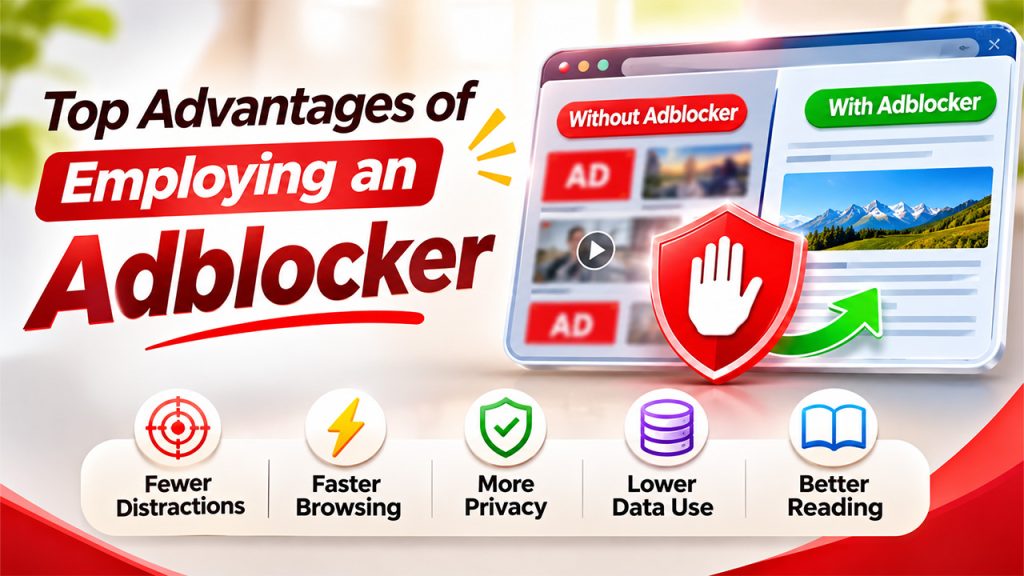
The majority of websites and online applications that are free to use are supported by adverts. Too many adverts can slow browsing and be frustrating to use. The tool described below can be used to help avoid these distractions. Here are some of the key advantages:
- Less Distraction While Surfing
Spammers, advertisers, and other pushy sites disrupt what you're trying to read, buy, or watch by popping up full-screen windows, flashing banners, or auto-playing videos. By blocking these types of elements, you can remove those distractions.
- Faster Website Loading
Certain ads have more scripts, images, videos, and network requests that need to be loaded. Blocking these assets means the user's device has fewer resources to load. This may speed up page loads, particularly on websites that are ad-heavy, but it's not a guarantee. It depends on the website, device, and internet speed.
- Reduced Tracking
Many advertising networks collect data about your web usage and serve ads based on that information. Blocking tools can block third-party requests and scripts associated with some of these networks. This decreases some types of online tracking but not all of them.
- Minimized Data Use
Ads like video and animation eat up your data on mobile phones. Block them to avoid unwanted downloads on mobile phones and budget the limited data you have.
- Enhanced Reading Experience
Huge banners, tacky advertisements, and video overlays may cover large sections of website content. Removing supported advertisements provides much more room for people to read articles and access information without interruption.
How to Pick a Free Ad Blocker for Android
Android device users come across ads while exploring the web, engaging with mobile games, or utilizing free apps. A good blocker minimizes disruptions without an extensive setup process. Here are some things to keep in mind:
- Check App and Browser Compatibility
Before you begin, verify that the product is compatible with your desired Android version and browser. Some products have optional browser extensions, DNS services, or apps. A product that operates via a browser extension or DNS service might only filter ads when using web browsers, not in other apps.
- Check out Privacy Policies
Certain blocking tools ask for permission to see your network traffic or use the local VPN settings to monitor connections. Check the privacy policies of these tools to see what they collect, process, or store. Do not use tools that need to ask for unnecessary permissions or don't make this clear. If a tool wants local VPN access and you’re not comfortable with that, look at VPN alternatives before you decide.
- Select Customization Features
A handy fix enables users to control the filter lists, add website exceptions, and change blocking settings. These options can help avoid certain websites having problems because they rely on advertisements to function.
- Compare Features Before Installing
If you're looking for free Ad Blocker for Android, compare the app's functions rather than install the first free one you find. Look at update history, browser compatibility, tracking protection, and user reviews. A free AdBlock is, of course, better than no protection, but it's not necessarily the best Add Blocker for Android.
Adblocker Limitations and Challenges
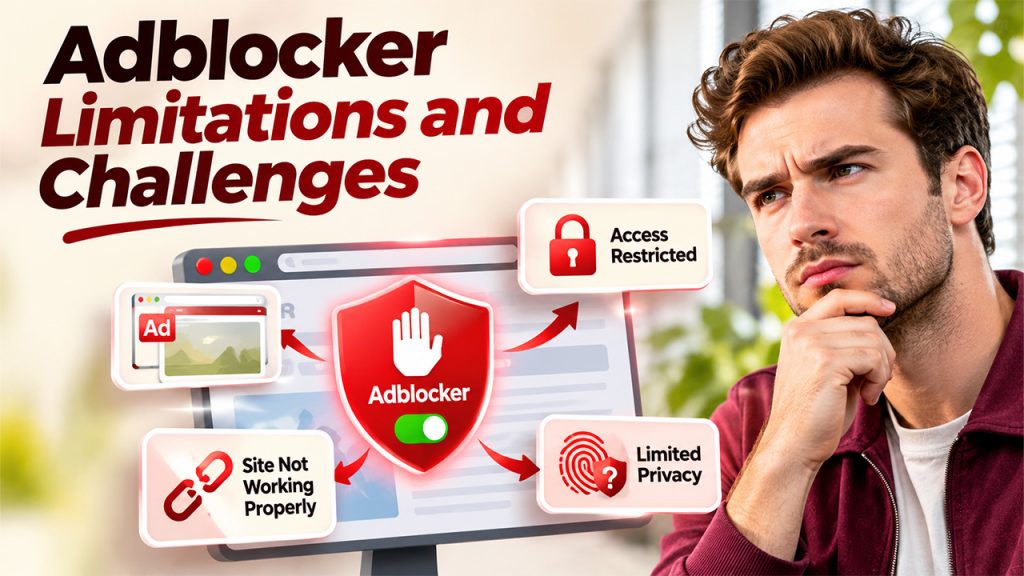
However, as much as an Add blocker makes your browsing easier, it does come up with a few challenges. Knowing these issues could help prevent conflicts and adjust them in an appropriate way.
- Access Limited by Certain Websites
Some websites rely on ads to survive. These sites warn you or limit access when they notice blocked ads. If that happens, you may have to give the ad filter permission on the website before you can see the site. If a video site is restricted on your network, guides such as YouTube Unblocked explain how people reach it.
- Advertisement Blockers Don't Catch All of Them
The methods of delivery used by ad networks are constantly being changed. For example, some ads are placed through the same domains as the actual website's content. These are much harder to identify and block without blocking the website.
- Sites Might Not Function Correctly
Certain pages may have advertising scripts that serve a purpose besides providing ads. Blocking these can interfere with the page layout, logging in, embedded content, or other features.
- Privacy Protection Remains Limited
Turning off ads and trackers doesn't make you completely anonymous online. More information can be gleaned about you through cookies, account data, browser fingerprinting, etc. Users need more privacy tools to address those concerns.
Conclusion
An Adblocker gives users more control over their online browsing experience by filtering unwanted advertisements, reducing certain tracking activities, and limiting unnecessary content downloads. Browser extensions, built-in browser protection, DNS filtering, and system-wide applications offer different approaches to managing online advertisements. However, no single solution blocks every advertisement or provides complete privacy protection. Users should compare compatibility, filtering features, privacy policies, and customization options before installing a tool. With the right settings, they can enjoy a cleaner browsing experience while maintaining access to the websites and services they use regularly.
FAQs About Adblocker
Yes, a reputable blocking tool is generally safe to use. However, users should download it from trusted sources, review its permissions, and check its privacy policy before installation.
It can improve browsing speed by preventing certain advertisements, videos, and tracking scripts from loading. The actual improvement depends on the website and the user's internet connection.
Some system-wide and DNS-based solutions block advertisements in supported mobile applications. However, browser extensions generally work only within their supported browsers.
It can reduce exposure to certain advertising trackers and third-party scripts. However, it does not prevent every tracking method or replace other online security and privacy measures.