





In today’s modern business environment, businesses that operate bulk calling face a frequent challenge of managing high-volume conversations across different tools. Additionally, teams spent their time manually updating records while providing a seamless customer experience. Previously, they used a traditional calling method where agents often juggled between different tools, repeatedly logged call details, and lost valuable leads.
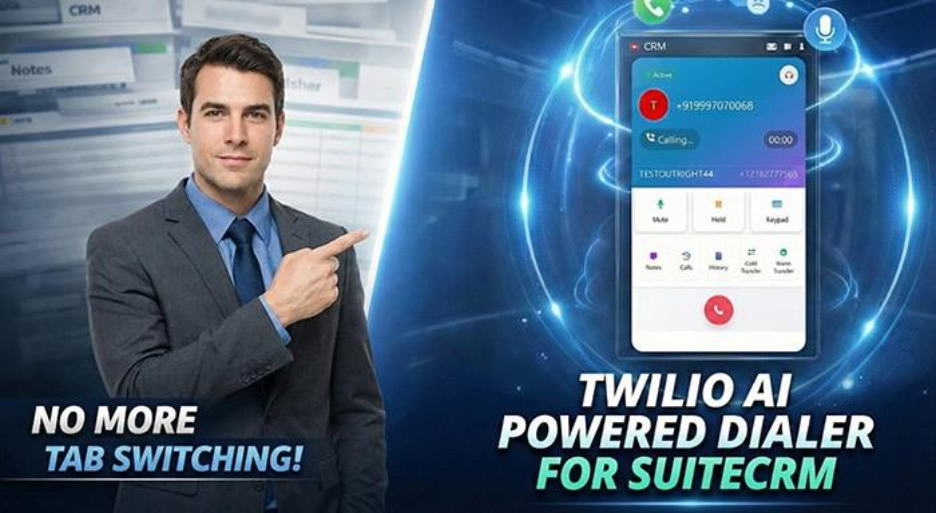
To resolve this problem completely, OutRight Store provides a sophisticated calling solution: Twilio AI-Powered Dialer for SuiteCRM. It is basically a plugin that transforms routine calling into a more structured, trackable, and context-rich process. With a user-friendly interface, easy-to-use functionality, and one-click calling support, the platform has become an effective solution for bulk calling workflows.
In this comprehensive guide, you will deep dive into what the Dialer actually is, how it works, and how each feature of the interface functions. This guide demonstrates how this plugin revolutionizes communication workflow, boosts agent productivity, and reduces the risks of missed opportunities.
Understand the Challenge: How Traditional Calling Falls Short
Before exploring the Twilio AI-Powered Dialer for SuiteCRM solution, it’s better to understand the actual obstacles businesses often face with conventional calling systems.
Many sales professionals spend countless hours every day connecting with prospects and handling client conversations. Yet, the traditional approach turns simple conversation into unnecessary friction. Agents frequently juggle between their CRM, calling platform, and notes applications. They often find themselves updating call records after each conversation, which often leads to forgetting important details. When prospects call back, agents hesitate, struggling to recall previous discussions, pressuring them to restart conversations, and risking customer frustration.
This fragmented workflow causes real problems:
- Irregular follow-ups due to missed data,
- Hours spent manually entering data instead of building meaningful connections,
- Missed opportunities when calls were received from unknown callers,
- Lower team performance from frequently jumping between platforms.
What Is the Twilio AI-Powered Dialer for SuiteCRM?

The Twilio AI-Powered Dialer is a CRM-integrated calling plugin built to manage high-volume inbound and outbound calls right inside SuiteCRM. This mitigates the need for switching between tabs, dashboards, and tools—agents can place and receive calls directly from CRM records using a single, centralized interface.
With one-click calling support, inbound call popups, automatic contact logging, real-time call controls, on-call notes, cold & warm transfers, and complete call history—the platform keeps every conversation connected to client data by default.
The Dialer is specifically designed for businesses that require frequent phone communication, such as sales teams, support desks, and BPO centers.
How the Dialer Works (At a System Level)
The Dialer integrates directly with SuiteCRM and connects calling actions to CRM modules such as Contacts, Leads, Targets, Cases, and more.
Here’s how a typical flow works:
- An agent starts an outbound call directly from a CRM record or calls on a random number.
- When another party initiates an inbound call, the calling interface appears automatically.
- If it’s a new contact, the system instantly establishes a CRM record for them and links it to the call effortlessly.
- During a call, agents can add notes, transfer calls, place them on hold, and handle multiple conversations in real time.
- When the call ends, all logs, notes, and call history are automatically saved to the appropriate CRM module.
The Twilio AI-Powered Dialer for SuiteCRM precisely eliminates the need for manual syncing and reduces the risk of missed follow-ups.
Navigating the Dialer Interface (UI Explained)
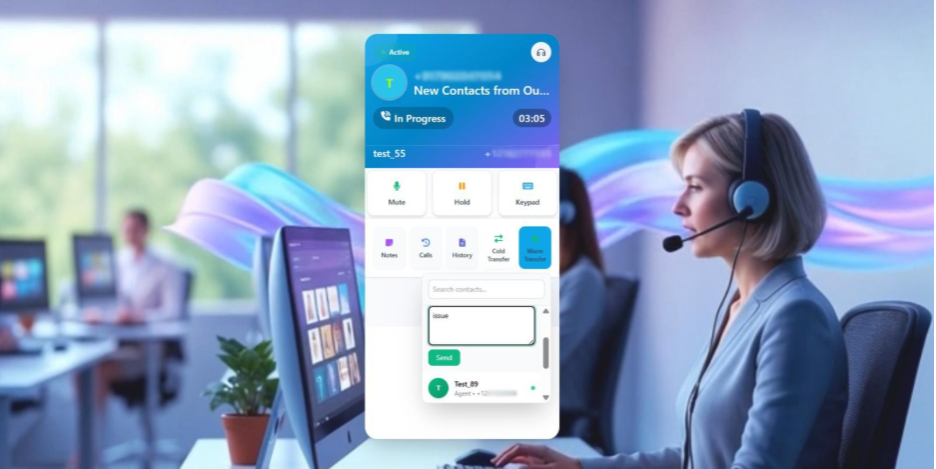
The calling interface of the Twilio AI-powered dialer for SuiteCRM is built to look and feel like the mobile dialer, but with the smart CRM features that make every call easier and more effective.
Caller Identity & Header Data
- At the top of the screen, it includes the caller's name, username, and phone number only if those details are already saved in the CRM.
- If the call comes from an unknown number, the system first adds the contact to CRM with a default name. Then, it displays a CRM-generated name and number on the screen.
- An auto-generated contact icon is displayed using the first letter of the contact name, with a customizable background and text color.
Real-time Phone Number Display
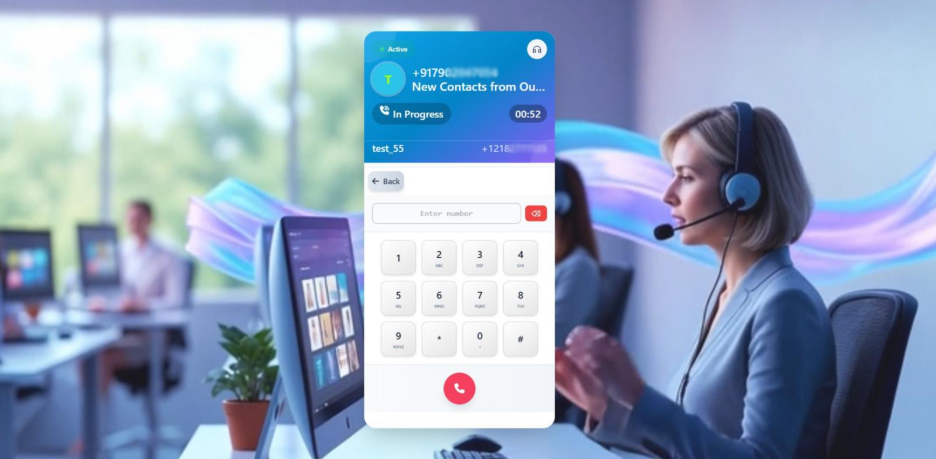
- Outr_cti_name precisely highlights which outbound or inbound number is managing the call.
- This feature is useful for agents who are assigned multiple numbers or share numbers with teammates across workflows.
- Keeps agents always informed about the call context and routing source.
Call Status Indicator
- With this feature, the Twilio AI-Powered Dialer for SuiteCRM provides you with real-time call states such as:
- Calling
- Ringing
- In progress
- Disconnected
- Enable agents to monitor call progress clearly, keeping you always in the loop without any confusion.
Key Call Functions
- Mute: The button used to temporarily disable the agent’s microphone without disconnecting the call.
- Hold: This function allows both agents and clients to place the call on hold while keeping it active. They can configure a custom hold ringtone using the Create Hold Ringtone feature in SuiteCRM, allowing them to manage other tasks or calls effortlessly.
- Keypad: A mobile-style Dialpad used primarily for IVR interactions, entering extensions, or navigating automated menus during active calls.
Notes & Call Automation
- Notes: Agents can create notes in real time during a call, ensuring that all core details are stored securely while keeping the conversation active.
- Note History: Shows a complete view of all previously added notes for the same contact or lead, providing agents with instant context during ongoing conversations.
- Call Logs: Centralize all call logs for each contact, including exact time, date, caller, and recipient names. The system logs each
- Inbound calls
- Outbound calls
- Missed calls
- Rejected calls
All call records are automatically synced to CRM modules, eliminating the need to log everything manually.
Call Transfer Controls
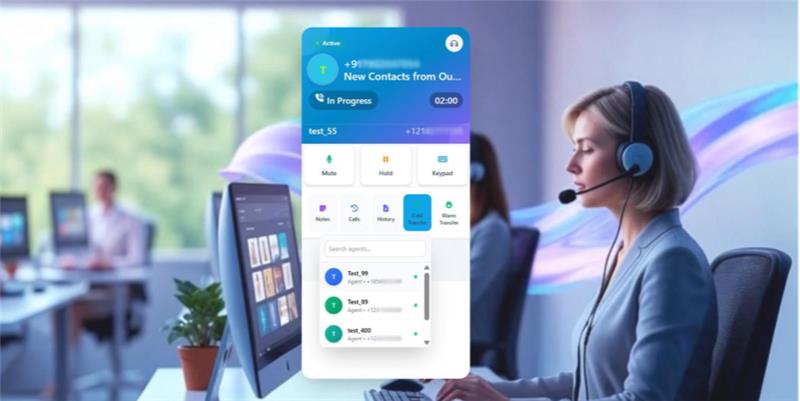
This smart calling plugin mainly supports two types of call forwarding settings:
- Cold Transfer: Efficiently transfer a live call to another agent without sharing notes or context. This plays a crucial role for instant redirection, and when context is not necessary, or the call needs to reach the right department immediately.
- Warm Transfer: Seamlessly transfer an active call along with real-time notes and call context, ensuring the agent is aware of the customer’s situation before taking over. This removes repetition, lowers friction, and ensures a seamless, professional call experience.
End/Answer Controls
- Offers dedicated buttons to answer incoming calls or end active calls.
- Once the call ends, all data—logs, notes, and records—are saved automatically.
Multiple Call Handling Functionality
The Twilio AI-Powered Dialer for SuiteCRM seamlessly handles multiple calls at the same time. If a call comes in when the agent is already engaged on another call, then
- The incoming call pop-up appears on the interface.
- The agent can place the active call on hold and answer the new call.
- This prevents missed calls and improves response efficiency in high-volume environments.
Audio Customization & Call Experience
- Dynamic Call Tunes for incoming, outgoing, hold, and voicemail states.
- Dual Ring Support to ensure incoming calls are audible across one or more connected devices.
- Custom Voicemail Setup assigned to agents or numbers.
- Ring Timeout Settings to control how long a call rings before voicemail triggers.
All audio files can be uploaded in any format and managed through settings.
CRM-Driven Contact Management
- Unknown callers are automatically saved in selected CRM modules.
- Contacts can be stored across multiple modules, including Contacts, Leads, Targets, and Cases.
- Call data is always linked to the correct record, ensuring clean CRM data.
Key Benefits of Using an AI-Powered Dialer
- No need to switch between tools, phones, and CRM.
- Eliminates manual record logging and human error.
- Boost agent efficiency and call throughput.
- Provides complete visibility of call context across teams.
- Ensures each conversation is captured, tracked, and ready to act on.
Who Should Use This Dialer?
This Twilio AI-Powered Dialer for SuiteCRM is primarily developed for:
- Sales teams handling outbound campaigns
- Customer support teams are managing customer inquiries
- Operations teams running with IVR-driven call flows
- BPO centers managing both inbound and outbound calls
- Any business operating high-volume or continuous calling workflows
Conclusion: Redefining Your Calling Experience Today
The Twilio AI-Powered Dialer for SuiteCRM is more than just a calling platform—it serves as a CRM-native communication layer that transforms calls into structured, trackable, and meaningful conversations. By integrating a user-friendly calling interface with real-time CRM automation, it fosters agents to concentrate on client interactions while the system handles the details.
By removing manual processes, mitigating errors, and combining all calling events in one place, this solution encourages your teams to focus on important factors: establishing strong customer relationships and fueling organizational growth. Regardless of whether you're managing sales campaigns, operating customer support, or running a call center, this AI-powered calling plugin offers both great performance and intelligence your business needs to succeed.