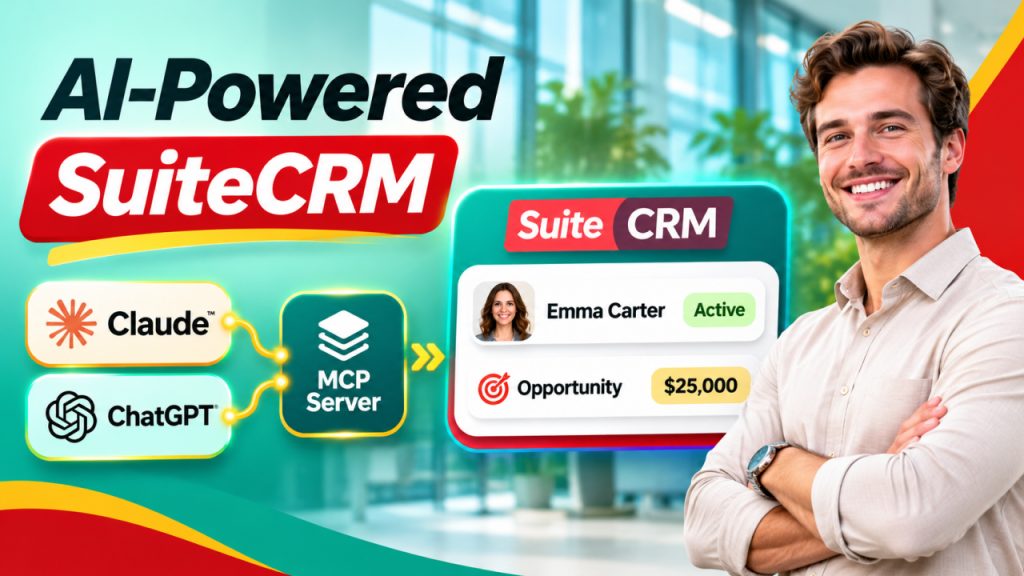






Customer relationship management is an essential part of every growing business. From managing customer information and tracking sales opportunities to handling support requests, CRM systems help organizations keep their daily operations organized. However, accessing CRM information, updating records, and performing repetitive tasks can still consume valuable time.
This is where AI-powered automation can make a real difference. The Outright MCP Server for SuiteCRM introduces a smarter way to connect AI assistants with SuiteCRM, helping businesses interact with their CRM data through natural language and streamline everyday operations.
Instead of manually navigating multiple screens to find information or update records, users can leverage AI-assisted interactions to simplify their workflows. Whether you manage sales, customer support, or business operations, this approach can make CRM activities more convenient and efficient.
Let's explore how this technology works, its benefits, and why businesses should consider adopting it.
What Is an MCP Server?
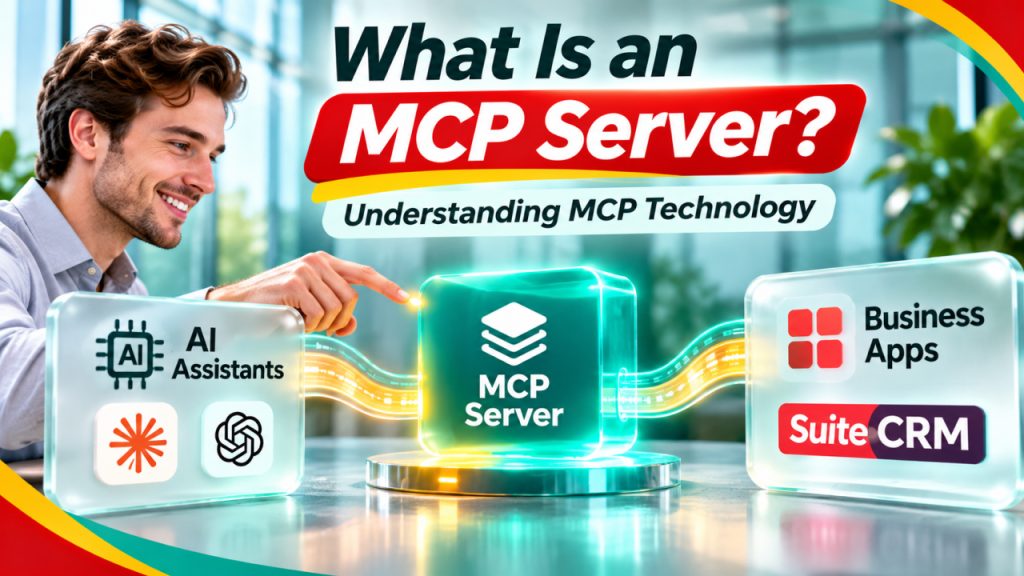
MCP stands for Model Context Protocol. It is an open protocol that allows AI applications to connect with external tools, services, and data sources in a standardized way.
Think of MCP as a communication bridge between an AI assistant and business applications. Rather than keeping AI interactions limited to general questions and answers, MCP allows compatible AI applications to access approved external capabilities.
For example, when connected to a CRM system, an AI assistant could help users retrieve customer information, check sales opportunities, or perform supported CRM operations.
The Outright MCP Server for SuiteCRM applies this concept to SuiteCRM, making it possible to connect compatible AI clients with CRM functionality through an MCP-based interface.
This creates opportunities for businesses to make their CRM experience more interactive and less dependent on repetitive manual operations.
Why Does SuiteCRM Need AI-Powered Integration?
SuiteCRM is a popular open-source CRM platform that helps businesses manage customer relationships, sales activities, marketing campaigns, and customer support.
Although it offers several useful features, employees often need to perform repetitive activities throughout the day.
Some common challenges include:
- Searching for customer information across multiple modules.
- Updating contact and account details manually.
- Checking sales opportunities and their current status.
- Managing follow-up activities and tasks.
- Switching between different applications to access business information.
- Spending time on routine administrative work.
These activities may appear simple individually, but they can affect overall productivity when performed repeatedly.
With SuiteCRM MCP Integration, businesses can explore a more conversational approach to CRM management. Instead of manually searching through different sections, users can interact with compatible AI assistants to access supported CRM functionality.
The goal is not to replace the CRM interface but to make important CRM operations more accessible.
How Outright MCP Server for SuiteCRM Works
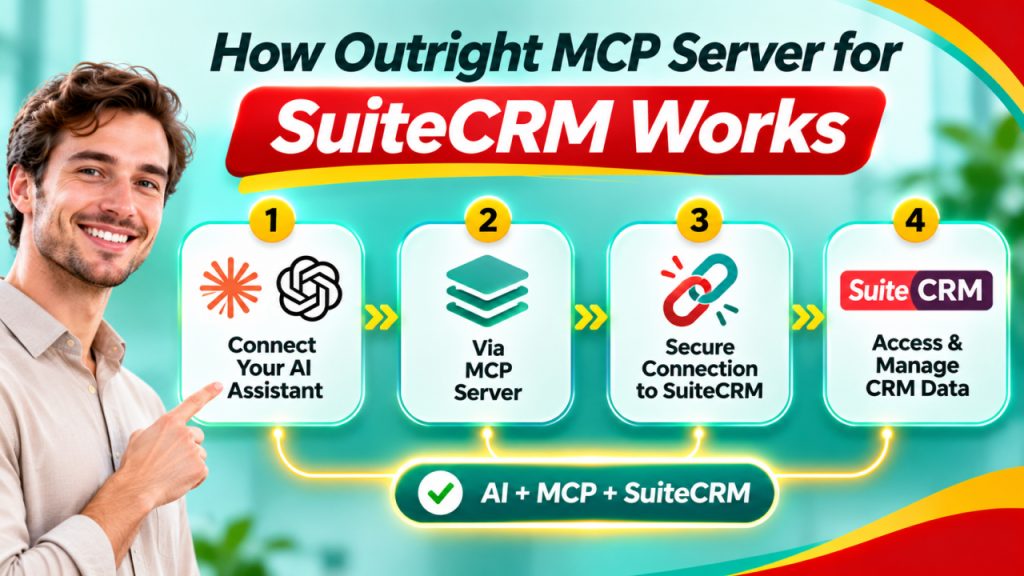
The Outright MCP Server for SuiteCRM works as an integration layer between an MCP-compatible AI client and the SuiteCRM environment.
It allows supported tools and operations to be exposed to an AI assistant through the Model Context Protocol.
Here is a simplified explanation of how the process works:
1. Connect an AI Assistant
The first step is connecting a compatible AI application or MCP client to the Outright MCP Server.
The AI client uses the MCP connection to discover and communicate with the tools made available by the server.
2. Establish SuiteCRM Connectivity
The MCP server communicates with SuiteCRM through its supported integration mechanisms, such as available APIs or configured endpoints.
The exact connection and authentication requirements depend on the implementation.
3. Discover Available CRM Tools
Once connected, the AI client can discover the tools exposed by the MCP server.
These tools define which CRM operations are available, such as retrieving information or performing supported actions.
4. Interact Using Natural Language
Users can provide instructions through natural language.
For example:
- Find the contact details of a particular customer.
- Retrieve information about an account.
- Check the status of a sales opportunity.
- Find relevant CRM records.
The AI assistant interprets the request and uses the appropriate available tool.
5. Retrieve Information or Perform Actions
The server processes the request and communicates with SuiteCRM. Depending on the available permissions and tools, it can return information or execute supported operations.
This makes everyday CRM interactions more convenient while keeping the underlying CRM system as the central source of business information.
Key Benefits of Outright MCP Server for SuiteCRM
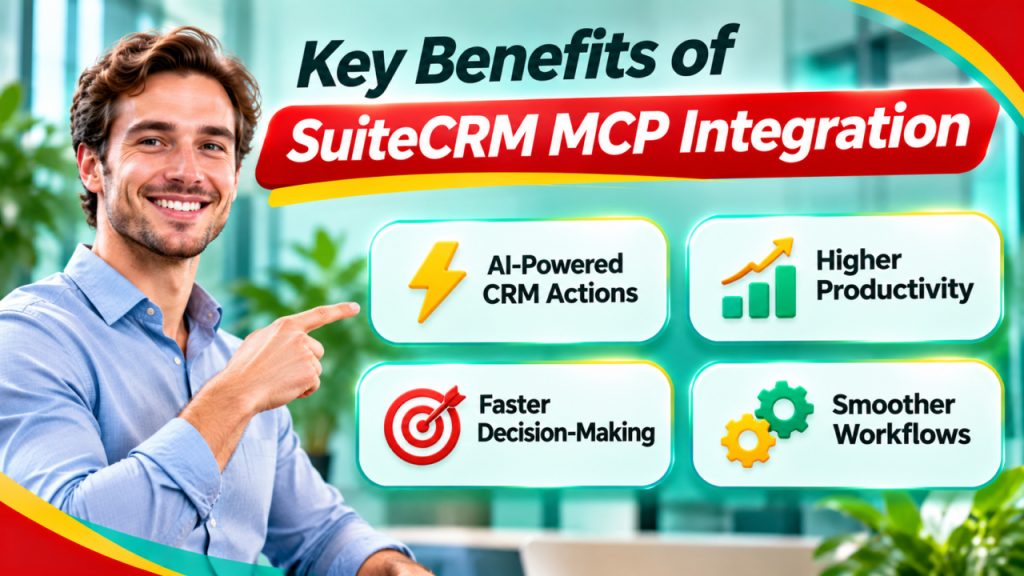
Adopting an MCP-based connection can offer several advantages for organizations that want to improve their CRM experience.
1. Simplified CRM Access
Employees do not always need to navigate multiple modules to find specific information. With a compatible AI assistant, they can request supported CRM information using everyday language.
This can make CRM access easier, particularly for users who are not familiar with every SuiteCRM module.
2. Improved Productivity
Routine CRM activities can take up a significant portion of an employee's working day.
By making supported operations accessible through AI-assisted workflows, businesses can reduce unnecessary navigation and repetitive effort.
Employees can spend more time on customer communication, sales activities, and other important responsibilities.
3. Better Workflow Automation
MCP-based connectivity creates opportunities to build more efficient workflows.
For example, businesses can explore AI-assisted processes for retrieving customer information, checking opportunities, and handling supported CRM updates.
The actual automation possibilities depend on the tools configured within the server.
4. Natural Language Interaction
One of the biggest advantages of AI integration is the ability to interact with business applications using conversational instructions.
Instead of remembering where a particular CRM field is located, users can describe what they need.
This can improve accessibility and make CRM interactions more intuitive.
5. Flexible Integration Possibilities
MCP provides a standardized approach to connecting AI applications with external tools.
This can help businesses explore different AI clients and integration possibilities without building an entirely separate communication mechanism for every application.
SuiteCRM MCP Integration: Practical Business Use Cases
The real value of AI integration becomes clearer when we look at everyday business scenarios.
With SuiteCRM MCP Integration, organizations can explore several practical use cases depending on their configured tools and access permissions.
Sales Teams
Sales representatives regularly work with leads, contacts, accounts, and opportunities.
An AI assistant connected through MCP could help them:
- Retrieve customer contact information.
- Review sales opportunity details.
- Check lead information.
- Find relevant account records.
- Access supported sales-related CRM data.
This can help sales teams spend less time searching for information and more time engaging with potential customers.
Customer Support Teams
Customer support representatives need quick access to customer details and previous interactions.
An MCP-connected AI assistant could help retrieve available customer information and support-related records.
For example, an employee could request information about a customer account before responding to a support query.
This can make the information-gathering process more convenient.
Business Managers
Managers often need an overview of customer records, sales activities, and business operations.
AI-assisted CRM access can help them retrieve relevant information without manually navigating multiple sections.
This can support faster information gathering and more informed business discussions.
CRM Administrators
CRM administrators handle system configuration, data management, and routine maintenance.
Depending on the exposed tools, an MCP server can help simplify supported administrative operations and reduce repetitive interactions.
Security Considerations When Connecting AI with SuiteCRM
Connecting AI applications with business data requires careful attention to security.
CRM systems often contain customer contact information, sales records, and other confidential business information. Therefore, organizations should establish appropriate security controls before implementing an MCP-based integration.
Important considerations include:
- Authentication: Use secure authentication mechanisms for communication between the MCP server and SuiteCRM.
- Access Control: Ensure users can access only the CRM information permitted by their roles.
- Data Protection: Avoid exposing sensitive customer information unnecessarily.
- Permission Management: Carefully control which tools can retrieve or modify CRM records.
- Monitoring: Maintain appropriate logs to track system activity and investigate unexpected operations.
- Human Approval: Consider approval requirements before allowing AI assistants to execute important or irreversible CRM actions.
Businesses should also test their integration in a development environment before connecting it to production CRM data.
A secure implementation is essential for building trust in AI-powered CRM workflows.
Why Choose Outright MCP Server for SuiteCRM?
Businesses are increasingly looking for practical ways to bring AI capabilities into their existing software environments.
The Outright MCP Server for SuiteCRM provides an opportunity to explore this approach without treating AI and CRM as completely separate systems.
Its value lies in making supported SuiteCRM functionality accessible through MCP-compatible AI applications.
Organizations can potentially benefit from:
- Easier access to CRM information.
- More conversational interactions.
- Reduced repetitive navigation.
- Opportunities for AI-assisted workflows.
- Flexible connectivity with compatible AI clients.
- Better integration possibilities for existing business processes.
Rather than replacing SuiteCRM, this approach focuses on extending how users interact with the CRM platform.
For organizations already using SuiteCRM, it can be a useful step toward exploring AI-driven business operations.
Final Thoughts
AI is changing how businesses interact with their everyday software applications. CRM platforms are no exception. By connecting AI assistants with business systems, organizations can make information more accessible and simplify routine activities.
The Outright MCP Server for SuiteCRM brings this possibility closer by providing an MCP-based connection between compatible AI clients and SuiteCRM functionality.
From retrieving customer information to exploring AI-assisted sales and support workflows, this integration opens up new possibilities for businesses that want to improve productivity.
As AI adoption continues to grow, combining the flexibility of SuiteCRM with the capabilities of MCP can help organizations move toward more connected, efficient, and intelligent CRM experiences.
Frequently Asked Questions (FAQs)
Outright MCP Server for SuiteCRM is an MCP-based integration solution designed to connect compatible AI applications with SuiteCRM. It enables AI clients to access the tools and CRM operations exposed by the server.
MCP provides a standardized communication mechanism between AI applications and external systems. In SuiteCRM, it can help AI assistants interact with supported CRM tools and retrieve relevant business information.
Yes, compatible AI assistants can retrieve customer information when the MCP server exposes the relevant tools and the connected user has the necessary permissions.
Yes. It can help sales teams access supported lead, contact, account, and opportunity information through conversational AI interactions, potentially reducing repetitive manual work.
It can be safe when implemented with appropriate authentication, authorization, access controls, data protection, and monitoring. Businesses should carefully review permissions and test the integration before using production data.