





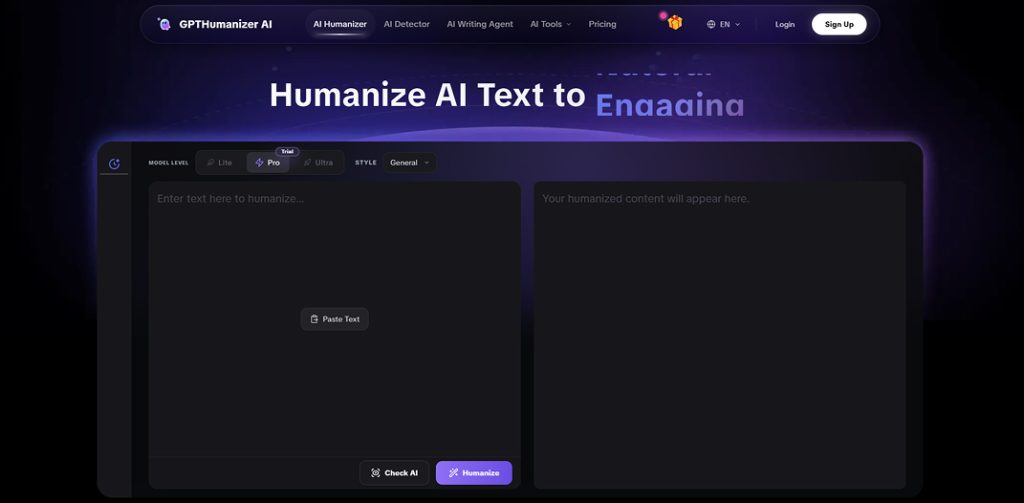
The free AI humanizer is actually usable. In testing, multiple passes could be run across different drafts without it feeling like a gated demo (no sudden 'paywall after one try' moment). To keep it practical, the approach was to work in small chunks and treat it like a real editing step, not a one-shot rewrite.
That being said, it also isn't a magic button. When the logical order, the argument, or just the voice of a paragraph needs fundamental restructuring, the free humanizer is doing more to help with flow than it is re-constructing the bone structure. Additionally, for long pieces, the writer will naturally be working in chunks and doing a quick "make sure voice is consistent" pass anyway.
The most unembellished verdict: the free humanizer is useful for day-to-day workflow but not as the last step of a piece that had high stakes.
Results at a Glance
| Question I cared about | What I found in my tests | Why it matters |
| Is it truly usable for free (repeatedly)? | Yes, felt like a real tool, not a gated demo | If it can’t fit into your routine, quality doesn’t matter |
| Does it “humanize” beyond swapping words? | Mostly yes, noticeable rhythm/flow improvements | “AI tone” is often cadence + transitions, not grammar |
| Does it preserve meaning? | In my runs, it generally stayed meaning-safe | For explainers/emails, meaning drift is the real risk |
| Can it do deep structural rewrites? | Sometimes, but not consistently at free depth | If you need a rebuild, you’ll feel the ceiling |
| Is it enough for long drafts? | Yes, but chunk-based workflow is realistic | Long writing requires a final human pass for consistency |
Why This Review Tested the Free Version
There are plenty of "free" writing tools available, and free is not only free — it can mean anything.
Free sometimes means you get one unexpectedly good result and then everything's locked. Free can mean you can technically use it, but the limits are just too severe to have any practical use. And free can be a polite funnel – you spend more time avoiding friction than actually polishing your draft.
So, this test wasn't approached hoping for magic. The goal was something more mundane and much more important.
Can the free humanizer be used as much and as often as a real writer, on multiple drafts, without feeling cheated?
And the deeper question:
Can it fix the feel of AI writing (rhythm, transitions, tone), or does it just mix up synonyms and call that "human"?
Because by 2026, the biggest problem with a draft by AI is usually not its grammar. It's the smooth, even-paced, always-pleasing tone that reads as if it was written by nobody in particular.
The Test Process
The classic "copy one paragraph, hit rewrite, take screenshot" approach was avoided. That one's easy to get if you just copy a paragraph that was already good.
Instead, the free humanizer was tested in the conditions real writers actually work in: short sessions, multiple drafts, multiple passes. For each format below, it was run more than once, the best version was kept, and a quick read-through was done to check meaning drift and voice consistency.
Test volume
To make this less hand-wavy, here's what "multiple passes" meant in practice:
- Formats tested: 3 (blog-style, explainer/academic-ish, email)
- Total runs through the free humanizer: 12 runs
- Total chunks processed: 9 chunks (roughly one paragraph each)
- Pass pattern: 3–4 passes per format, then a quick human consistency read
What Was Passed Through It
Three formats were used because they reveal different "AI problems":
| Draft type | Why it was chosen | What was being looked for |
| Blog-style paragraph (intro + transition-heavy section) | Blog writing shows “template tone” fast | Rhythm, voice, and whether I’d keep the output |
| Explainer / academic-ish paragraph (not a full paper) | Meaning matters more than style tricks | Meaning retention + smoother logic flow |
| Email / communication message | Tone nuance is easy to ruin | Clear, human, firm-but-not-rude phrasing |
What Was Measured (The Real Criteria)
What was measured was basically the same checklist used when editing something that might actually be published: did the point stay intact, did the pacing stop feeling 'even,' did it still sound like one person, and most honestly — would this version be kept or scrapped and rewritten anyway? That last one matters more than any fancy score. These are the same factors writers consider when they try to Humanize AI Text and make it sound more natural and engaging.
That last one is the most honest metric available. Plenty of tools produce text that's "better" on paper, but not something you'd actually want to work from.
How many passes
Multiple passes were run per format. One "pretty clean" paragraph was also intentionally included, because some tools only look good when the input was already good. The goal was to see whether the free humanizer had value when the draft was merely okay — not terrible, not perfect.
What the Free Humanizer Really Got Right
And here’s the part where you can’t get the screenshot, but you can see it on reading: the biggest constant was rhythm.
The first thing noticed: the writing wasn't "even" anymore
All AI writing has a kind of even, symmetrical march to it. Every sentence is the same kind of sentence. Every line is politely just right. And after a few lines, your brain starts falling off.
When the blog intro was sent through the free humanizer, it didn't turn into "genius writing"; it just felt like a human must have written it all at once.== The sentence lengths varied more, and the emphasis arrived sooner. It read less like a template getting filled in, and more like an actual thought unfolding. It felt less like a template was being filled out for it, more like a thought was being written out.
The difference between “this is fine” and “I’ll actually read up on this more.”
The second observation==: transitions felt less like templates
Many of the tools reviewed were conservative with transitions. They stuck with stiff, formal connectors. "Moreover," "Furthermore," "Therefore" and the result was report-y.
In the free humanizer's version of the explainer paragraph, the transition landed somewhere closer to a natural conversation: not the formal connector, but the conversational bridge. It read less like an answer being submitted, more like something being explained to a person.
That's more important than people admit. Readers don't usually leave on a bad sentence, but when a whole piece feels like a pattern.
The third observation: meaning stayed the same, tone got softer
The goal was never a humanizer that came up with new claims. Especially when looking at explainers, and anything that will be used academically, meaning drift is the biggest threat.
The free version was found to be pretty meaning-safe. It improved tone; it improved readability, but there was no instance of it taking a cautious statement and making it confident. The edits felt like polishing, not rewriting history.
And if a "best case" version had to be named: it felt like an editor who cleaned up a draft, not an AI that was pretending to be a human.
Where the free version falls short
Reviews start to get slippery at this point, so here's a frank assessment.
It's strong at smoothing, weak at structuring
If your paragraph needs a rewire, rewrite order, logic clarity or a different overall voice, the free humanizer won't always make that smooth travel.
It can make a paragraph more readable and leave the underlying architecture sufficiently intact that you'll say, "This is smoother, but it still isn't right."
That's not a failure. It's a boundary. Tools can make your writing less mechanical, but they can't go thinking for you.
Longer writing works, but you work in chunked pieces
In working with longer drafts, the free reality is you'll be working in chunks. Not because working in chunks is bad, but because that's how editing actually works.
You'll humanize the parts that sound the most mechanical (intros, transitions, bloated explanations), then you'll do a short consistency pass yourself and tighten words so the whole thing still sounds like it was written by one person.
The output can sometimes be a little too safe
On a few occasions, the output was cleaner but slightly duller. That's typical of tools that prioritize safety and semantic capture.
When that happened, re-running the tool wasn't the answer. What human writing requires was done instead: adding one concrete example, one more incisive opinion, one sentence that only the writer would write.
Humanizers help you articulate but can't help you think.
Comparison Table (what this feels like vs the usual “free tool” experience)
Not naming competitors here because the patterns are more important than brand names. This is the cleanest comparison that can offer from repeated testing of “free” writing tools in general.
| Feature / reality check | GPTHumanizer AI Free Humanizer (my experience) | Typical “Free” Humanizer Pattern | Manual editing only |
| Repeat usability | Usable as a workflow tool | Often a demo disguised as free | Unlimited, but slower |
| Friction | Low enough to keep moving | Commonly high (locks, nags, paywalls) | None, but time cost is real |
| Best improvement | Rhythm + flow + less template tone | Often synonym swaps / surface polish | True voice + true structure |
| Meaning safety | Generally stable in my runs | Varies wildly | Controlled by you |
| Deep restructuring | Limited / inconsistent at free depth | Rare | Yes (if you’re willing to do it) |
| Best use case | Second-pass human feel | First-time wow moment | Final pass for high-stakes work |
A Fair Number of Limitations (what this test can't prove)

Whenever a review admits what the test can't prove, it becomes more credible — so here it is.
This wasn't a lab benchmark with statistical scoring, but a real workflow test. Detection bypass wasn't tested either — the focus was on writing quality and naturalness, not on picking fights with systems.
Output quality is also inevitably limited by input quality. If your draft is fuzzy and badly logically articulated, no humanizer can turn it into a good argument unless the thinking and structuring work is done first. And like any tool, product behavior can shift with model updates over time — this is what was observed in testing in the 2026 context.
Final Verdict: What You Actually Get For Free
So the real question is: "What do you actually get for free?" ==Here's the honest answer:==
There is a free AI humanizer that can be used as a regular part of real writing sessions without it feeling like a bait-and-switch demo. It's good at cutting down the robotic cadence that often defaults in AI drafts, by smoothing the tone, pacing, and making the jumps and transitions feel less template driven.
There's no guaranteed complete rewrite or brand-new voice. If you need a structural overhaul of your draft, you run out of steam. And if you're looking for a brand-new piece that sounds like a specific person, a human pass is still needed to add the details tools can't conjure: specifics, concrete examples, opinions, texture.
The recommended use: run intros and transition-heavy sections through the free humanizer as a second iteration, then do a quick sweep because that last 10% is where human writing really shines.