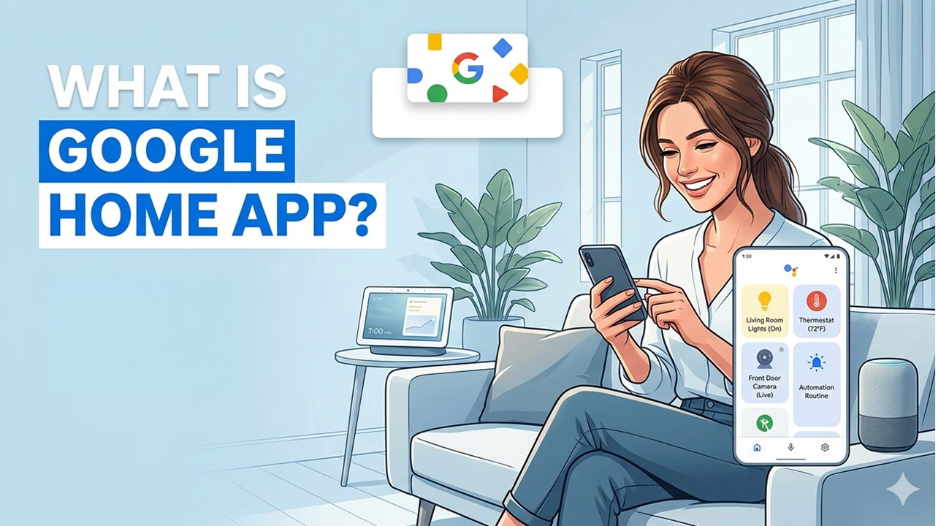






Owning a smart home that does not feel very smart can be frustrating. You have devices, lights, a security camera, a thermostat, and a speaker, but you still need to use your phone every time you want to turn something off. You have technology, but the experience feels fragmented.
The Google Home app was built to close that gap. It does not just act as a remote control for your devices, but as the central intelligence layer that ties everything together. When used properly, it transforms a collection of smart devices into a coordinated, responsive living environment. The difference between the two experiences comes down to understanding what the app can actually do.
What Is the Google Home App?
The Google Home app is Google's official platform for setting up, managing, and automating a connected home ecosystem. It is available on both Android and iOS. It serves as the command center for all Google-compatible smart devices; from Google Nest speakers to third-party smart plugs, cameras, doorbells, thermostats, and lighting systems, all part of the growing Internet of Things (IoT) ecosystem that is reshaping modern living.
The app has been updated continuously so that it can support a diverse range of devices and integrations. This makes it one of the most versatile home management platforms currently available.
At its core, the Google Home app does three things:
- It connects your devices to a single interface,
- It gives you real-time control over each of them, and
- It allows you to program automated behaviors, so your home responds to your life rather than the other way around.
It is free to download. It is designed to work smoothly within the broader Google ecosystem which naturally integrates with Google Assistant, Google Maps, and other Google services.
How to Set Up Google Home App: Step-by-Step Guide 2026
Let's see step-by-step process of how-to setup Google Home App
- Download the app: The Google Home app is available on the Google Play Store for Android and the Apple App Store for iOS. It is free to download and requires no subscription to use core features.
- Sign in with your Google account: Open the app and log in with the Google account you want to associate with your home. If multiple people use the app, each person can sign in with their own account once you have set up the home.
- Create a smart home: On first launch, the app will prompt you to create a home, essentially a named container for all your devices. Give it a name and set your address, which the app uses for location-based automations and local weather data.
- Add Smart Devices to Google Home App: Tap the plus icon and select "Set up device." The app will walk you through connecting each compatible device, whether it is a Google Nest product or a third-party smart device. Most connections involve scanning a QR code or connecting through the device's own Wi-Fi setup mode.
- Assign Devices to Rooms: Once your devices are connected, assign each one to a room. It makes group control and voice commands significantly more intuitive.
- Set up Google Assistant: If you have not already, link Google Assistant within the app. This activates voice control across all your connected devices.
- Create Your First Automation Routine: Navigate to the Automations section and create a simple routine to get familiar with the interface. A good starting point is a morning routine triggered by a set time that turns on specific lights and adjusts your thermostat.
Key Features of Google Home App for Smart Home Control
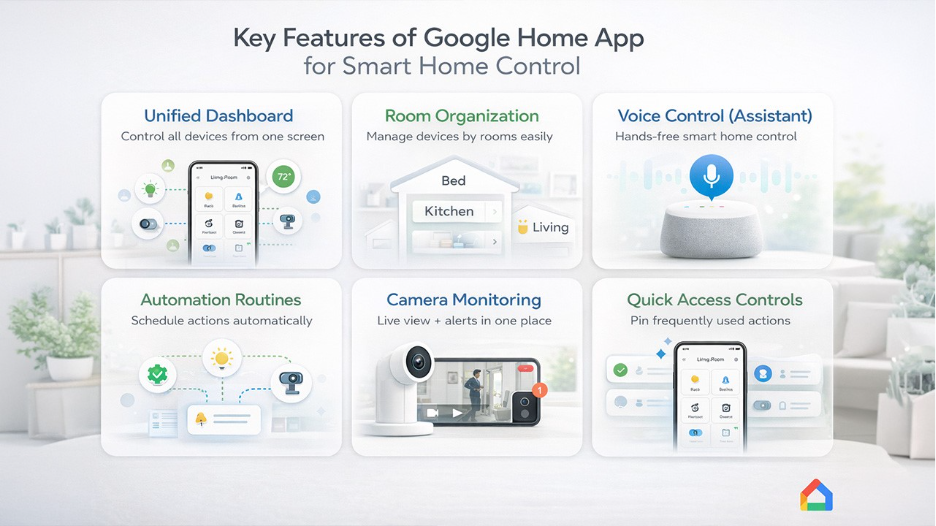
Let's explore the powerful features of the Google Home app that make smart home control, automation, and device management simple and efficient.
Unified Dashboard for Device Control
All compatible smart devices are shown in a single home screen, organized by room. The status of every device is visible to you at a glance, and you can control them both individually and in groups without having to switch between multiple manufacturer apps.
Room and Home Organization
You can also group the devices by rooms such as bedroom, kitchen, living room, or office. With this, you can control the entire space with just a single command instead of managing devices one by one.
Google Assistant Integration
The app integrates seamlessly with Google Assistant. This means that every setting and automation that you configure is also accessible via voice commands. You can do everything like adjusting the thermostat, dimming the lights, or checking who is at the front door without even touching your phone.
Automation and Smart Routines
This is the most powerful feature of the app. Routines allow you to program sequences of actions that trigger automatically based on your location, time of day, a sunrise or sunset, or a voice command. A single routine can adjust your lights, lower your thermostat, play your preferred songs, and brief you on the day's weather, all at once. It is one of the most practical real-world IoT applications available to everyday homeowners today.
Monitor Cameras and Doorbells
Nest cameras and video doorbells that are compatible with Google home app stream live footage directly through the app. You will receive motion and sound notifications in real-time. Additionally, you can review recorded footage without leaving the Google Home interface.
Google Home App Compatibility with Smart Devices
Beyond Google's own Nest product line, the Google Home app supports a wide range of third-party devices through integrations with platforms like Matter and Works which makes it genuinely ecosystem friendly. Much of this seamless connectivity is made possible by underlying wireless connectivity modules that power the smart chips inside these devices.
Quick Access Controls in Google Home App
You can pin frequently used devices and actions to quick-access tiles on the home screen. This reduces the number of taps required to do the things you do every day.
Guest Access and Multi-User Support
The app allows homeowners to invite other members of the household or guests to access and control specific devices, with customizable permission levels so you stay in control of who can do what.
Top Benefits of Google Home App for Smart Living
Knowing what the features are is one thing. Understanding why they matter in practice is another.
Convenience of Managing Devices
You can access every device in your home from a single app. This reduces the cognitive load of managing multiple platforms at once. Instead of opening four different apps to check your camera, adjust your thermostat, turn off the living room lights, and start your speaker, you can do all of it in one place, in thirty seconds.
Save Time with Google Home App Automation
Once your routines are configured, your home begins to anticipate your day rather than wait for your instructions. Morning routines can start your day without manual input, and evening routines can wind your home down automatically. Over weeks or months, you will notice reductions in small, repetitive decisions that quietly consume your attention.
Improve Energy Efficiency Using Google Home App
Automated schedules for thermostats and smart plugs ensure that devices are not left running unnecessarily. Lights are turned off when the room is empty, thermostats adjust when you leave the house and prepares your preferred temperature before you return. These behaviors one configured can produce a noticeable impact on energy consumption over time.
Enhance Home Security
It strengthens home security. Real-time camera feeds, motion alerts, and the ability to check your remotely provide a level of situational awareness that is genuinely reassuring. That said, it is equally important to stay informed about smart home security risks and how to mitigate them as your connected device count grows.
Google Home App vs Manual Device Management: Which Is Better?
Compare the Google Home app with manual device management to understand how automation and centralized control improve your smart home experience.
| Feature | Manual Device Management | Google Home App |
| Device Control | One app per device | All devices in one place |
| Automation | Not available | Fully programmable routines |
| Voice Control | Limited or unavailable | Fully integrated via Google Assistant |
| Energy Management | Manual scheduling only | Automated, location-aware |
| Multi-user Access | Rarely supported | Built-in with permission controls |
| Remote Access | Varies by device | Consistent across all connected devices |
| Cross-device Compatibility | Fragmented | Unified through Works with Google Home |
Manual device management works, but it requires your constant attention. The Google Home app works whether or not you are paying attention, which is the whole point.
Conclusion
The Google Home app is not a luxury add-on; it is the foundation that makes a smart home worth having. Without it, your devices operate in silos, demanding constant attention and delivering only a fraction of their potential. With it, your home becomes a coordinated, responsive environment that works around your life rather than interrupting it. From seamless device control to intelligent automation routines, the app delivers genuine, everyday value that compounds over time. Whether you are just starting your smart home journey or looking to get more from the setup you already have, the Google Home app is where that transformation begins.
Frequently Asked Questions for Google Home App
Yes, the Google Home app is completely free to download and use on both Android and iOS devices.
Yes, the app supports a wide range of third-party devices through the Works with Google Home and Matter programs.
The app supports a large number of devices across multiple homes, with no strict published limit for standard household use.
Yes, you can invite multiple users to your home with customizable access and permission levels.
No, an active internet connection is required for most features, including remote access and voice control.