





There's a moment that every photographer or designer knows well — the moment you look at an image and think, it's almost right. The angle is slightly off. The pose feels stiff. The smile doesn't quite reach the eyes. So, you open Photoshop, reach for the Warp tool, and spend the next forty minutes pushing pixels around like wet clay, never fully happy with the result.
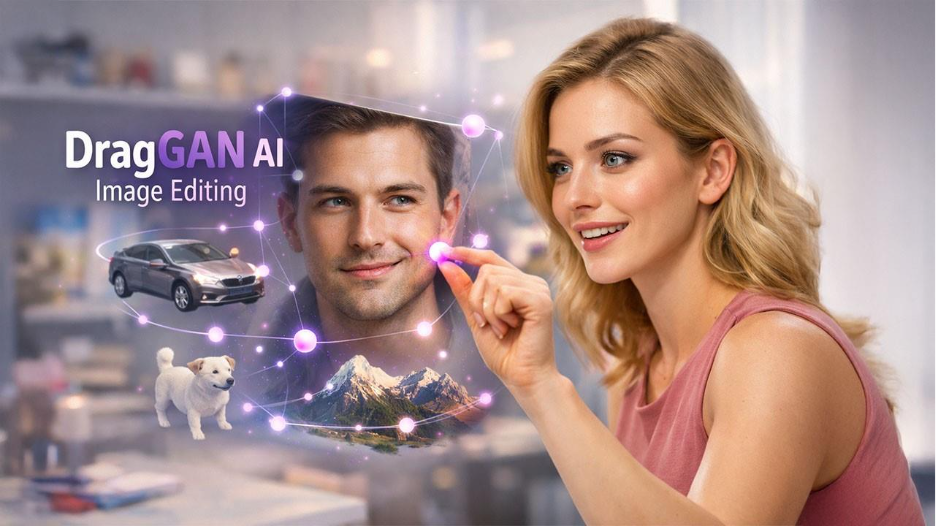
DragGAN was built for that moment. And it handles everything in seconds. The DragGAN AI editing tool doesn't ask you to type a prompt or select a filter. It asks you to simply point and drag, and then it figures out the rest. That might sound like a small improvement, but it isn’t. It's a fundamental shift in how humans and machines collaborate on visual creativity.
What Is DragGAN AI Editing Tool and How It Works
DragGAN AI tool is an advanced image editing tool that uses artificial intelligence to transform and modify images. The term DragGAN means “Drag-based Generative Adversarial Network”. It redefines how editors or designers manipulate visuals to meet their standards. DragGAN AI stands out from competitors like Photoshop’s warp tool because it uses AI to reconstruct images at a structural level. This makes editing look natural and realistic.
This cutting-edge AI editing tool is developed by researchers from Google, the Max Planck Institute of Informatics, and MIT CSAIL. Users can edit images by clicking and dragging points. It is powered by a pre-trained Generative Adversarial Network (GAN) to understand objects. This understanding allows the tool to make precise and photorealistic changes in real-time.
Technology Behind DragGAN AI Editing Tool Explained
To understand why DragGAN feels so intuitive, it helps to look at what’s happening beneath the surface
How generative adversarial networks power DragGAN
At the foundation of DragGAN are GANs. It consists of two neural networks — a generator and a discriminator. The generator is responsible for creating images while the discriminator evaluates and maintains their realism. This continuous loop of feedback allows the system to produce visuals that are highly realistic and coherent.
Understanding latent space in AI image editing
DragGAN doesn’t manipulate pixels directly. Instead, it operates in a “latent space”. It refers to a mathematical representation of all possible images that the model can generate. When a user drags a point, the system searches this space so that it can find the most realistic version of the image that matches the desired edit.
How point tracking improves editing accuracy
DragGAN utilizes intermediate feature maps from the GAN in order to track how specific points move across the image. This allows it to apply changes that are pixel-accurate at the same time preserving the natural appearance and original structure of objects. This way DragGAN AI ensures precision and realism in edited images.
Three step DragGAN editing process explained
The editing process happens in three stages:
- Initialization: in this stage, system maps the user input
- Tracking: it then monitors point movement.
- Optimization: in the last stage, the tool refines the final output.
Together, these steps allow seamless, real-time, and highly controlled image transformations.
Key Features of DragGAN AI Editing Tool
DragGAN offers a powerful set of features designed to simplify complex image editing while delivering highly realistic results.
Point based image editing with drag control
With DragGAN, users can adjust images by directly dragging and dropping points on the screen. This ensures that modifications are accurate and realistic, which is beyond the capabilities of traditional editing software.
3D like image manipulation and transformation
DragGAN generates a 3D model of the image. This enables users to adjust the posture, shape, emotion, and arrangement of objects within the image while disrupting its coherence and realistic nature.
User-friendly interface for beginners
DragGAN provides a straightforward experience for both seasoned editors and beginners to AI-powered picture editing tools. This significantly simplifies the editing process and empowers users so that they can get their desired results within minutes.
GPU-optimized performance for faster editing
DragGAN's performance is optimized for efficiency. It leverages the power of Graphics Processing Unit (GPU) acceleration to make sure users enjoy smooth and fast editing experiences.
Creative possibilities with AI image editing
DragGAN enables users to alter not simply the brightness of individual pixels in an image, but also how they are arranged and whether they even exist, opening up entirely new possibilities for creative expression.
For further precision editing, pairing DragGAN with AI Background Removal Tools can help creators achieve cleaner, more polished final results.
DragGAN AI vs Traditional Image Editing Tools Comparison
Here is how DragGAN compares to traditional image editing tools:
| Feature | DragGAN AI | Traditional Tools (e.g. Photoshop) |
| Editing method | Point-and-drag on live image | Brushes, layers, manual warp |
| Object reconstruction | AI regenerates underlying object | Pixel distortion only |
| 3D-like manipulation | Yes — pose, shape, perspective | No |
| Learning curve | Minimal; intuitive for all users | Steep; requires technical skill |
| Realism of output | Photorealistic via GAN | Depends on user experience |
| Expression/ pose control | Yes | Very limited |
| Open source | Yes | No (paid software) |
| Real-time editing | Yes | Limited |
How to Use DragGAN AI Editing Tool Step by Step
Using DragGAN is refreshingly simple. Here's the complete process, step by step:
- Access the platform: Visit the DragGAN website at dragganaitool.com and open the editing interface.
- Upload your image: Choose any photo you want to modify. Higher resolution images yield better results.
- Place your handle point: Click on the particular area that you want to move or reshape like a corner of the mouth, the angles of a hand, or the curve of a car door.
- Set your target point: Highlight where you want that point to go and then drag it to the desired position.
- Release and watch: Upon releasing the point, DragGAN instantly adapts the image according to your modifications. The AI handles all reconstruction automatically.
- Refine as needed: To make further adjustments, repeat the process with additional points. Each drag builds on the last.
- Save your work: Once satisfied, click the Save button to download your edited image.
Users can also pose a human or animal differently, modify an object's size or shape, add or remove objects from a scene, alter an image's background, or even create a brand-new image from scratch. The tool is far more versatile than its simple interface suggests.
Best Tips to Use DragGAN AI Editing Tool Effectively
The tool is intuitive, but a few smart habits will take your results from good to exceptional:
Use high quality images for better results
Opt for photographs that are well-captured, has high-resolution and good lighting. When original images are clear and detailed, they enhance the accuracy and quality of DragGAN’s modifications.
Place drag points accurately
Take your time and make precise adjustments when selecting and modifying points. Even small tweaks can make a significant difference. This is essential to ensure more realistic and accurate transformations. Rushing through point placement often produces unnatural results.
Experiment with editing parameters
Test various options and parameters of DragGAN AI editing tool to achieve the results that you desire. Different combinations work better for specific image alteration needs. What works well for a facial expression edit may not be the best setting to reshape a car.
Use supported subjects for best output
The tool performs best on subjects it was trained on such as human faces, animal bodies, cars, and natural landscapes. Pushing it too far outside these categories may produce outputs that are less convincing.
Apply small, layered edits for realism
Rather than one massive drag across the image, build your transformation gradually. Multiple small adjustments compound into a highly realistic final result.
Enjoy the freedom and artistic expression that DragGAN offers. With practice, you can create captivating photographs that go well beyond ordinary editing. The best results often come from experimentation, not perfection-chasing.
Conclusion: Why DragGAN AI Editing Tool Is the Future of Image Editing
Here's the thing about truly transformative technology: it rarely announces itself loudly. It just quietly changes what feels normal. A few years ago, the idea of reshaping a photograph with a single drag and having the AI intelligently rebuild the geometry, texture, and lighting beneath it would have sounded like science fiction. Today, it's a free, open-source tool anyone can use.
The DragGAN AI editing tool matters not just because it's clever, but because of what it represents. GAN models are proving to be more impactful than pretty pictures generated by diffusion models in specific, precision-driven tasks like this one. DragGAN is evidence that the future of creative AI isn't always about generating something from nothing; sometimes, it's about giving humans finer and more intuitive control over reality itself.
Whether you're a professional designer, a casual photographer, or someone who's always been intimidated by complex editing software, DragGAN lowers the barrier to creative possibility in a way nothing has before. The next time you feel the image is almost right, you’ll know exactly what to reach for.
For those looking to create visuals from scratch, exploring AI Image Generators for Web Design is a natural next step alongside tools like DragGAN.