





AI coding agents are transforming software development, allowing quicker iterations and efficient workflows. However, in the absence of a structured approach, such agents can introduce expensive regressions, hallucinations, and unpredictable behaviors. For developers utilizing the Claude Code, adopting a spec-based development (SDD) workflow is vital to enhance its advantages while reducing possible challenges.
How Claude Code Modifies the Way Developers Create Code?
Built and launched by Anthropic, Claude Code is an effective AI coding agent that smoothly integrates with your present development ecosystem. Its capabilities involve SDK/CLK incorporations, enabling simple integrations with developer platforms such as GitHub Actions. Claude Code works as a smart assistant, assessing your complete codebase, implementing commands, and incorporating tests and developing processes. By embedding itself in an Integrated Development Environment or terminal, Claude Code can help in changing how developers create code, automate routine tasks, and ensure powerful code quality.
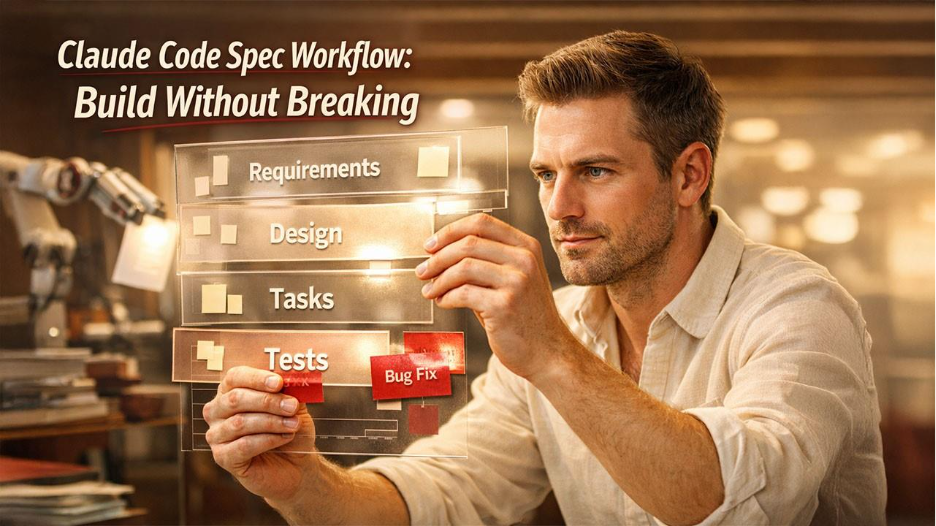
Spec-driven development workflow involves defining needs and designs methodically before delving into execution. This approach can be divided into specific stages: Steering, Requirements, Design, Tasks, and Implementation.
- Steering: It involves establishing goals and technical standards. Here, a file such as Spec/STEERING.md becomes crucial, recording the KPIs, project mission, and privacy constraints.
- Requirements: It implements platforms such as EARS to create clear and testable user stories. EARS (Easy Approach to Requirements Syntax) is a valuable framework that ensures creating unambiguous needs by organizing them in a natural language that AI agents can interpret easily.
- Design: Design emphasizes architectural elements documented with the help of diagrams. You can preferably use a version-control-friendly format such as Mermaid.
- Tasks: Tasks are divided into smaller components, documented in /specs/tasks/TASKS.md. The scope of each task is defined by clear inputs and anticipated outcomes.
- Implementation: This is where the agent executes tasks, editing files or opening pull requests, and making sure that all tests pass before any modifications are merged.
Creating Testable Needs with EARS and Acceptance Test
Testing needs are one of the pillars of a dependable SDD workflow. By leveraging EARS, developers can create needs that are simple to understand and evolve into actionable tests. For example, a requirement utilizing the EARS pattern might state something like: “When the user sign up, they must see a customized greeting.” Such criteria can be combined with machine-readable contracts, making sure that AI agents such as Claude Code can deploy those rules at the time of development.
Observing What Your Prompts Are Actually Doing
Observability is vital in making AI-based code creation optimizable and auditable. Platforms such as PromptLayer can help you with this by monitoring key metrics like prompt drift and latency. This renders insights into the operational efficiency of your AI prompts. Incorporating PromptLayer with Claude Code enables in-depth monitoring regarding the performance of prompts during execution. This aids you in recognizing optimization areas and making sure that model updates do not compromise quality of code.
Implementing the Workflow into Place
Executing an SDD workflow with Claude Code needs execution of numerous important steps:
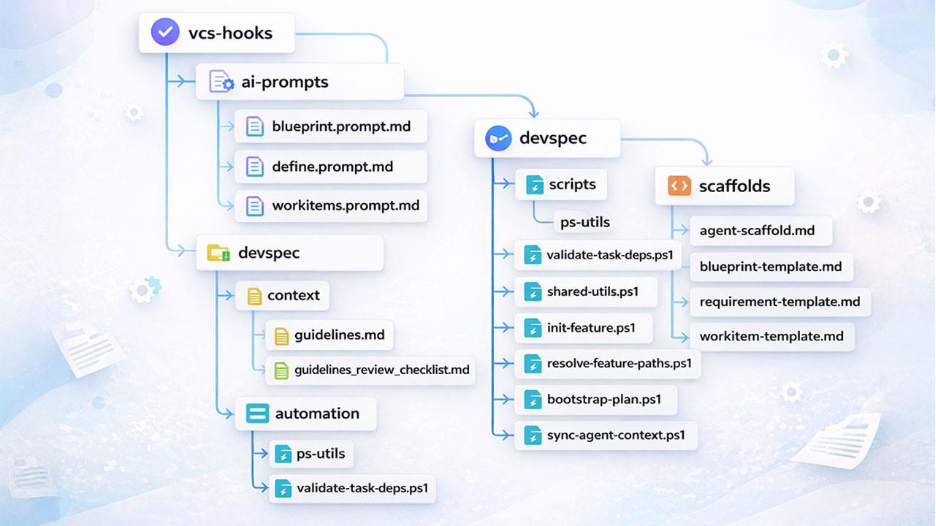
- Make a /specs folder to house guiding user stories, docs, and design diagrams.
- Leverage machine-readable contracts like JSON Schema or Open AI to guide the behavior of the agent.
- Create tasks in tasks/Specs/TASKS.mid, making sure that every task is mapped to particular files and is testable.
- Set up agent permissions carefully with files such as AGENT-Config.mid to ensure control over what the agent can implement.
- Closely track CI processes, needing spec-driven tasks to pass before merges, while logging prompt executions through platforms such as PromptLayer.
The System Becomes More Effective After Failure
Effective development of software is iterative. When a bug emerges, it is crucial to document the problem, reliably recreate it, and execute a fix that is followed by complete testing. This bug fix loop makes sure that problems are systematically addressed, and critical lessons are documented to avoid future occurrences. As it is true with any tool, practitioners must have knowledge about the possible risks associated with Claude like model/version changes and issues related to data privacy, setting up clear agent permissions, and making sure there is data compliance as per the government standards.
What Are the Three Levels in Claude Spec-driven Development?
- Spec_first: Detailed and clear spec is first written, then utilized in AI-driven development workflow.
- Spec_anchored: spec is stored even after the task is done. This ensures maintenance and evolution of the respective features.
- Spec_as_a_source: spec is the most significant source file and over time, only the spec is edited by humans. Humans make no edits on the code.
Conclusion: Investing Time to Save Time
Claude is a prominent AI tool in code generation. And, now with the release of Claude Code, developers can elevate the way they approach their coding tasks. Claude code can move at a rapid pace. However, having speed without a contract is just a quieter way of introducing regressions. However, spec-based development converts an AI agent from “helpful autocomplete” into a reliable teammate; EARS-style acceptance criteria, clear steering docs, tests, and machine-readable contracts that CI implements every time.
If you can do one thing this week, make sure that it is concrete. Add a specs/versioned folder, create one EARS requirement with an acceptance test that goes green/red, and create a run/prompt layer (Through Prompt Layer) into CI. Then, allow Claude Code to implement task-by-task in those guardrails. You will not only ship quickly but also repeatedly.