






Many people nowadays rely on AI tools to help them write fast. Especially content marketers. They use AI writing tools almost every workday. Some for creating emails, while some for writing articles.
In the beginning days of AI writing tools, things were okay. But nowadays there are many restrictions on the use of AI content. Search engines like Google have now clarified that completely effortless and completely AI-generated content will be considered the lowest ranking factor.
That is one of the reasons that many websites and platforms now check if a text comes from AI. They use AI detection tools, famously known as AI detectors, to check whether the content is AI-generated. But a problem with these detection tools is that sometimes they flag human content as AI-written as well.
The good news is that you can improve AI text and bypass AI content detection. You can make it sound more natural and human. There are two simple ways to do this. First, you can use tools like SuperHumanizer. Second, you can edit the content yourself.
Bypass AI Detection Using SuperHumanizer
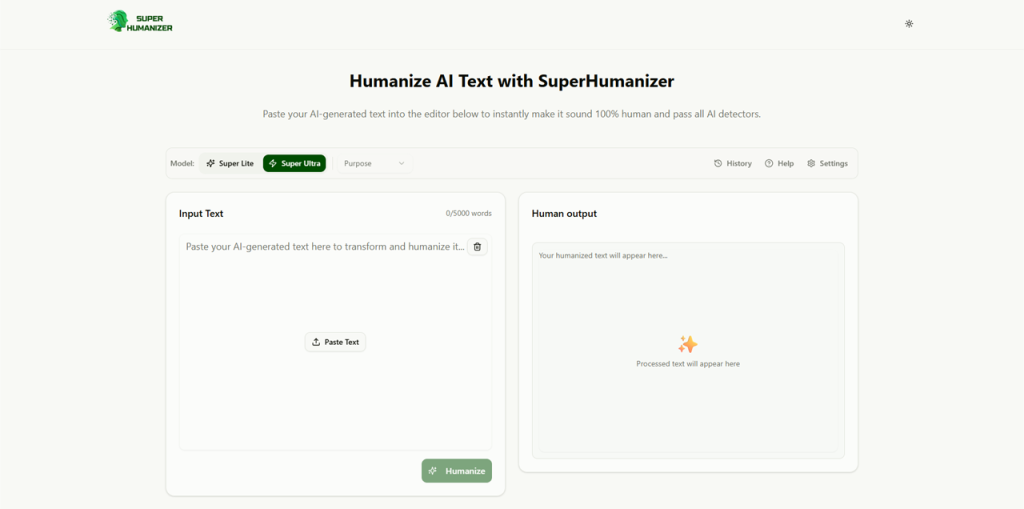
SuperHumanizer is a reliable online text humanizer that helps change AI text so it sounds more natural. These tools humanize the content by adjusting:
- Words
- Sentence flow
- Tone
Many writers use SuperHumanizer after generating text with AI. The process is simple.
- First, copy the AI content.
- Next, paste it into a humanizing tool.
- Then click the humanize button.
The tool will create a humanized version of the text.
Most of the time, the new text sounds more like something a real person wrote. The tool may change sentence length. It may also replace some words with better ones.
SuperHumanizer also helps remove robotic patterns. AI often follows the same writing style again and again. These tools break those patterns.
Still, you should not publish the text right away. Always read the output. Make small changes if needed. Add your own touch. This step helps the content feel more real and natural.
Bypass AI Content Detection Manually

Besides the tool method, you can also remove AI detection from content by making some changes to the content manually. Here are some tips that can help you achieve that.
1. Rewrite Sentences
AI tools often follow common writing patterns. Because of this, many sentences may sound similar. You can fix this by rewriting some lines.
A simple way is to read a sentence and then write the same idea in your own words. This small change makes the text sound more human and also removes typical AI patterns.
AI tools often follow common writing patterns. Because of this, many sentences may sound similar. You can fix this by rewriting some lines.
A simple way is to read a sentence and then write the same idea in your own words. This small change makes the text sound more human and also removes typical AI patterns. Another useful approach is to focus on meaning first, not just on replacing words. When you paraphrase AI text, the goal should be to keep the original idea while changing the sentence structure, rhythm, and wording. This works better than simply swapping one synonym for another, because AI-like writing often comes from repeated structure, not only repeated vocabulary. After rewriting, compare the new sentence with the original and check whether it sounds clear, natural, and specific. If the sentence still feels generic, add a concrete detail, example, or clearer transition so it reads more like something written for a real audience.
2. Use Simple Language
People usually write in a simple way. They use clear and easy words.
However, AI tools sometimes use words that sound too formal. This can make the text feel stiff. Try to replace hard words with simple ones. Write as if you were talking to a friend.
3. Change Sentence Structure
AI content often uses sentences that look very similar. Many lines may have the same length. That is not what a human writes like. In a human writing style, some sentences are short. Others are longer. So to avoid AI detection, try:
- Mixing your sentences.
- Write a short line.
- Next, write a longer one.
This variation in sentence structure usually makes the text feel more natural.
4. Remove Repetitive Words and Phrases
AI tools sometimes repeat the same words many times. This can make the text sound unnatural. While editing, look for repeated words. Replace some of them with other suitable words.
5. Break Long Paragraphs
Large paragraphs can feel heavy. They also make reading harder. Try to keep paragraphs short. Two or three sentences are often enough. Doing this will also improve readability and make the content look cleaner.
6. Check Content with Editing Tools
Editing tools can help you review your content. These tools check grammar and readability. They may also suggest better words or sentence changes.
Run your article through an editing tool. Then apply useful suggestions. This step helps polish the final content.
Conclusion
AI writing tools can help create content quickly. Yet AI text can sometimes look robotic. Because of this, AI detection tools may flag it, making it important to understand how to bypass AI Content Detection effectively.
You can solve this problem in two simple ways. First, you can use tools like SuperHumanizer to rewrite AI text and make it sound more natural.
Second, you can edit the content yourself. Small changes, such as rewriting sentences, adding examples, and using simple words, can make a significant difference.
The best approach is to use both methods together to successfully bypass AI Content Detection.