



★
(0 Reviews)
Outright RocketReach Integration for SuiteCRM 8
$399.00
Product Description
Outright RocketReach Integration for SuiteCRM 8
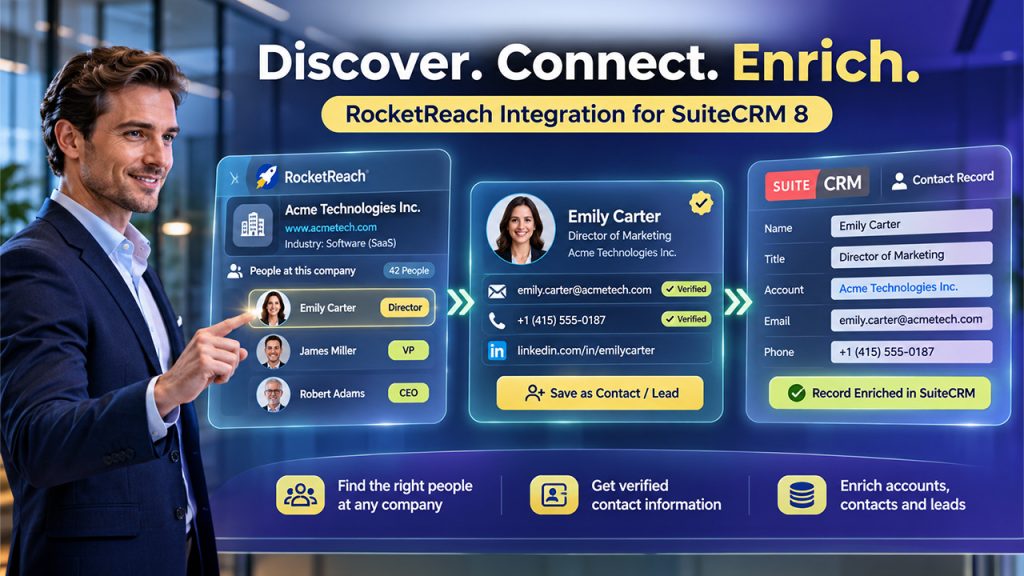
Outright RocketReach Integration connects SuiteCRM 8 with RocketReach. Open any account and see the people who work there; search RocketReach for prospects by company, job title, seniority and location; get e-mail addresses and phone numbers; and save the right people as contacts or leads with one click.
Existing records get better too: enrich accounts, contacts and leads from RocketReach. Empty fields are filled automatically, and different values are only replaced when you tick them. Enrich one record, a whole list with a bulk action, or new records automatically as they are created.
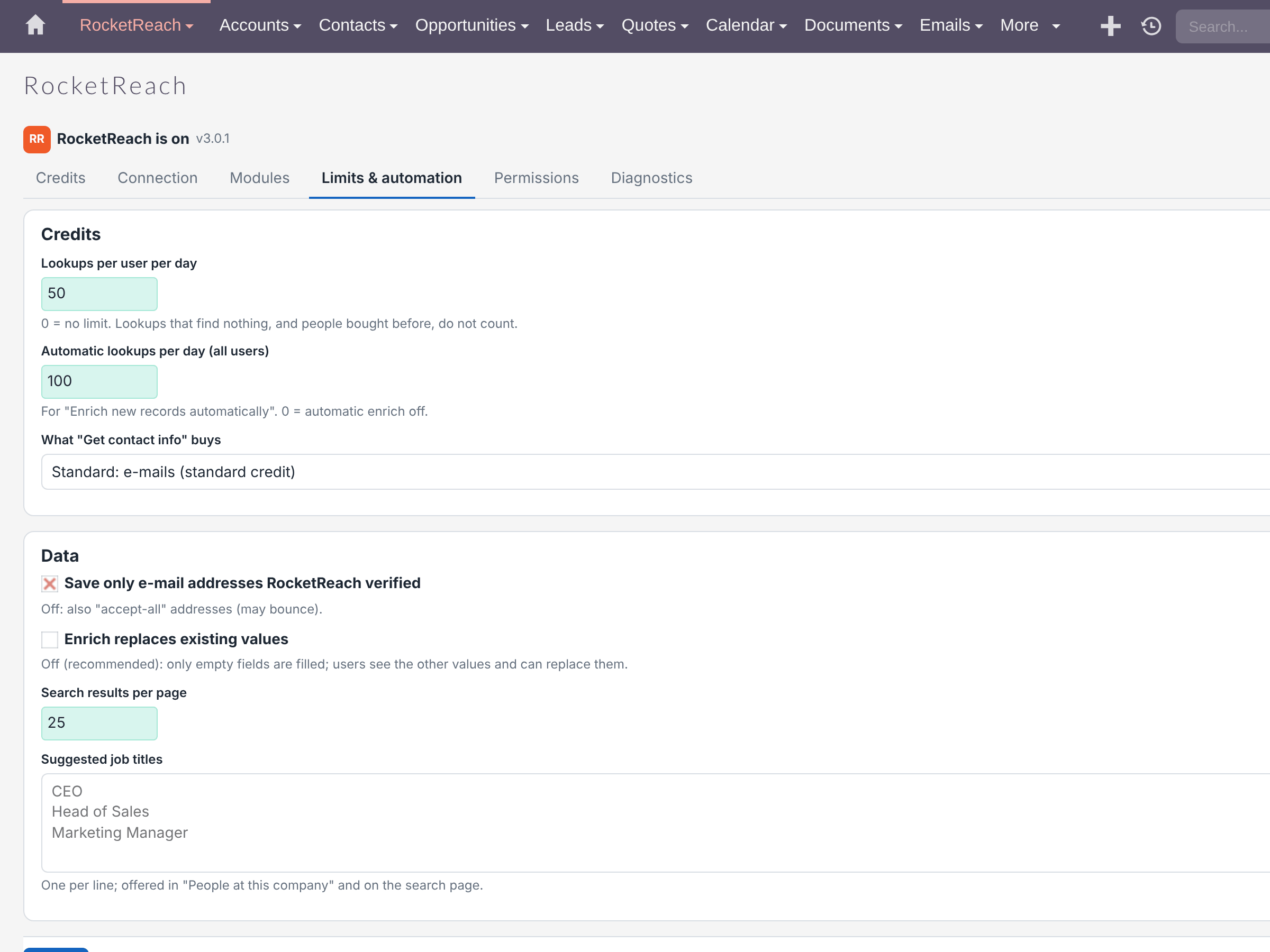
Searching is free; RocketReach credits are used only when you get contact info, and only once per person. Daily limits per user and for automatic enrich, permissions for searching and spending, a credits dashboard and a health check keep costs and quality under control.
Compatibility: SuiteCRM 8.x (tested on 8.10.2), Community Edition. Needs a RocketReach account with an API key, internet access from the CRM server to RocketReach, and the SuiteCRM cron job for bulk and automatic enrich. Upgrades 1.0.7 and 2.0.0 in place.
Real-World Use Cases
✅ B2B Sales
Problem: Reps don’t know who to call at a target account.
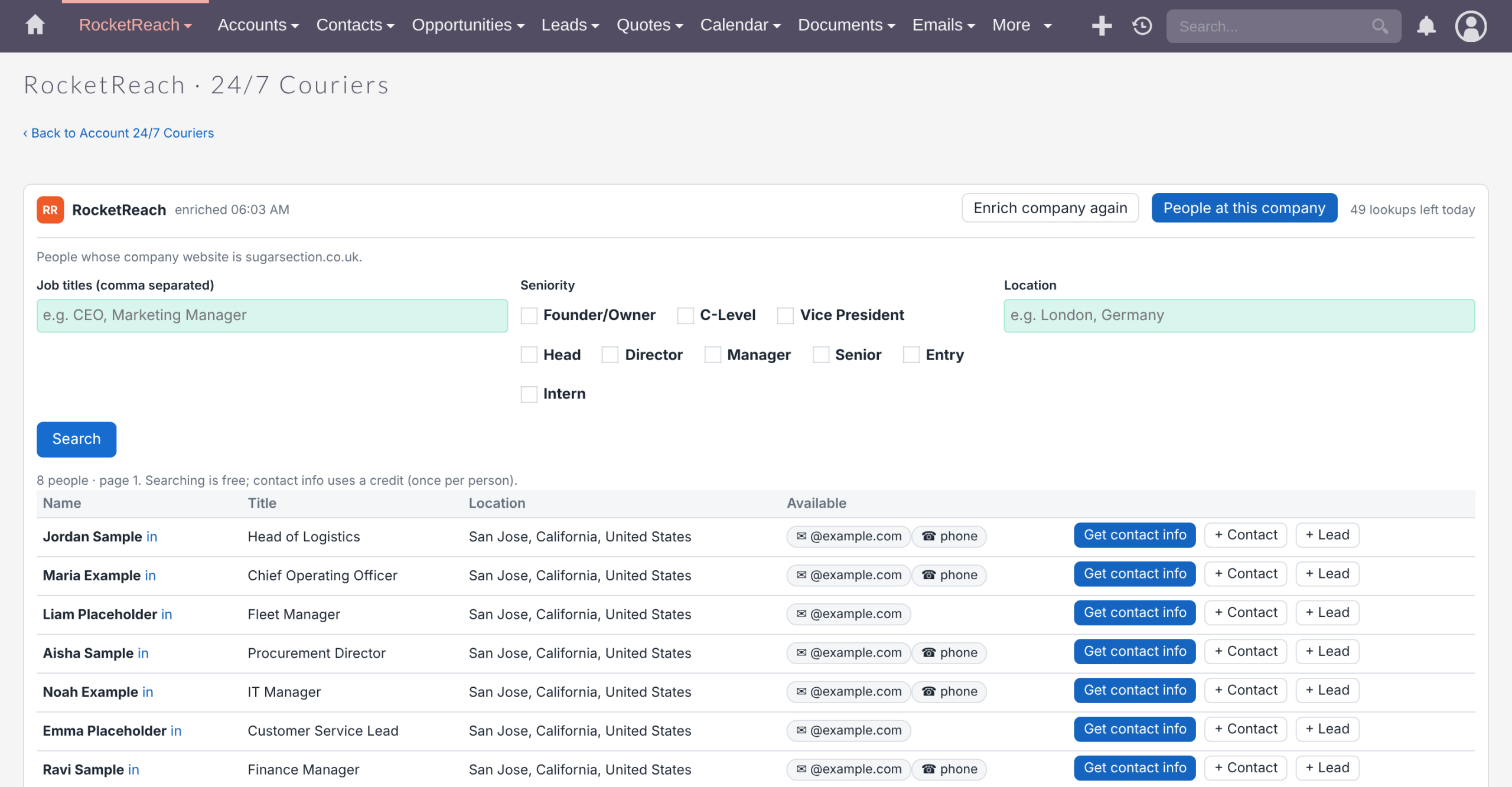
Outright RocketReach Integration setup: Account → RocketReach → People at this company, filter Director / C-Level.
✅ SDR / Prospecting
Problem: Building lead lists takes hours outside the CRM.
Outright RocketReach Integration setup: Find people by title and location; + Lead straight into SuiteCRM.
✅ Marketing
Problem: Leads from forms only have a name and company.
Outright RocketReach Integration setup: Enrich new records automatically fills title, phone and LinkedIn.
✅ Sales Operations
Problem: Old contacts have missing phone numbers.
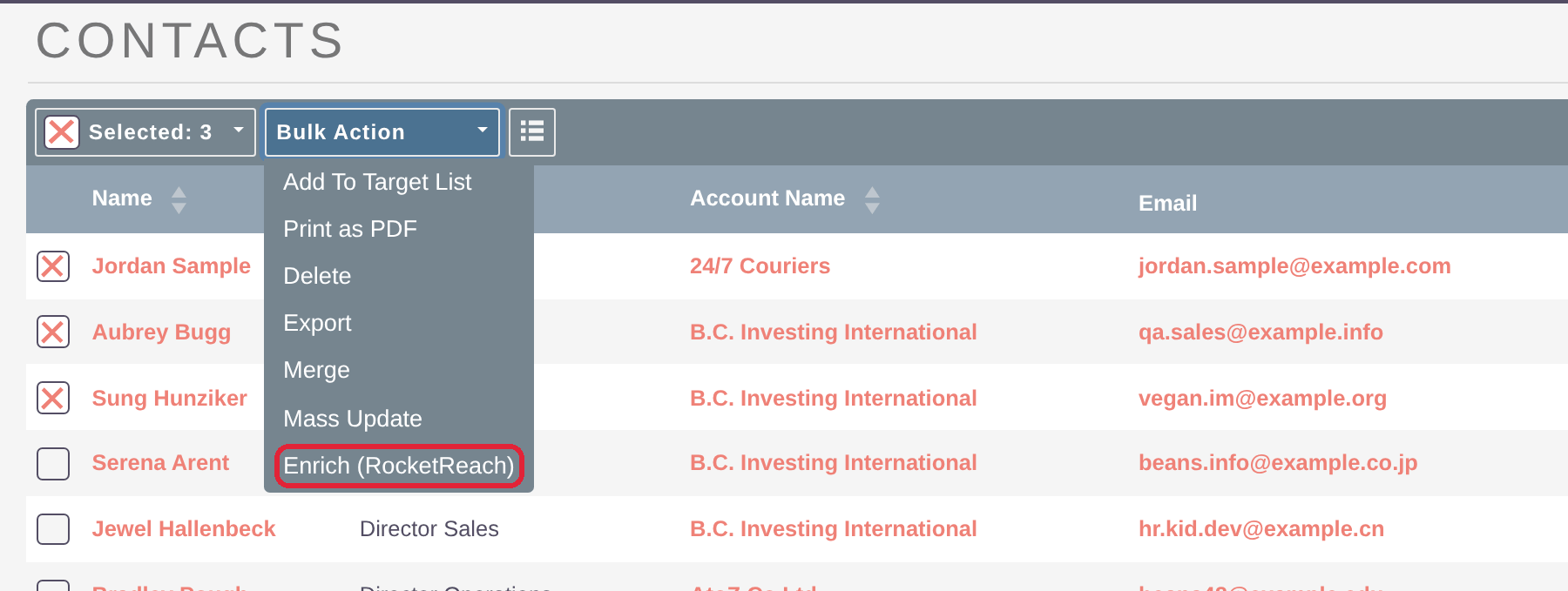
Outright RocketReach Integration setup: Bulk Action → Enrich (RocketReach) on a filtered list.
✅ Account Management
Problem: Company data is out of date.
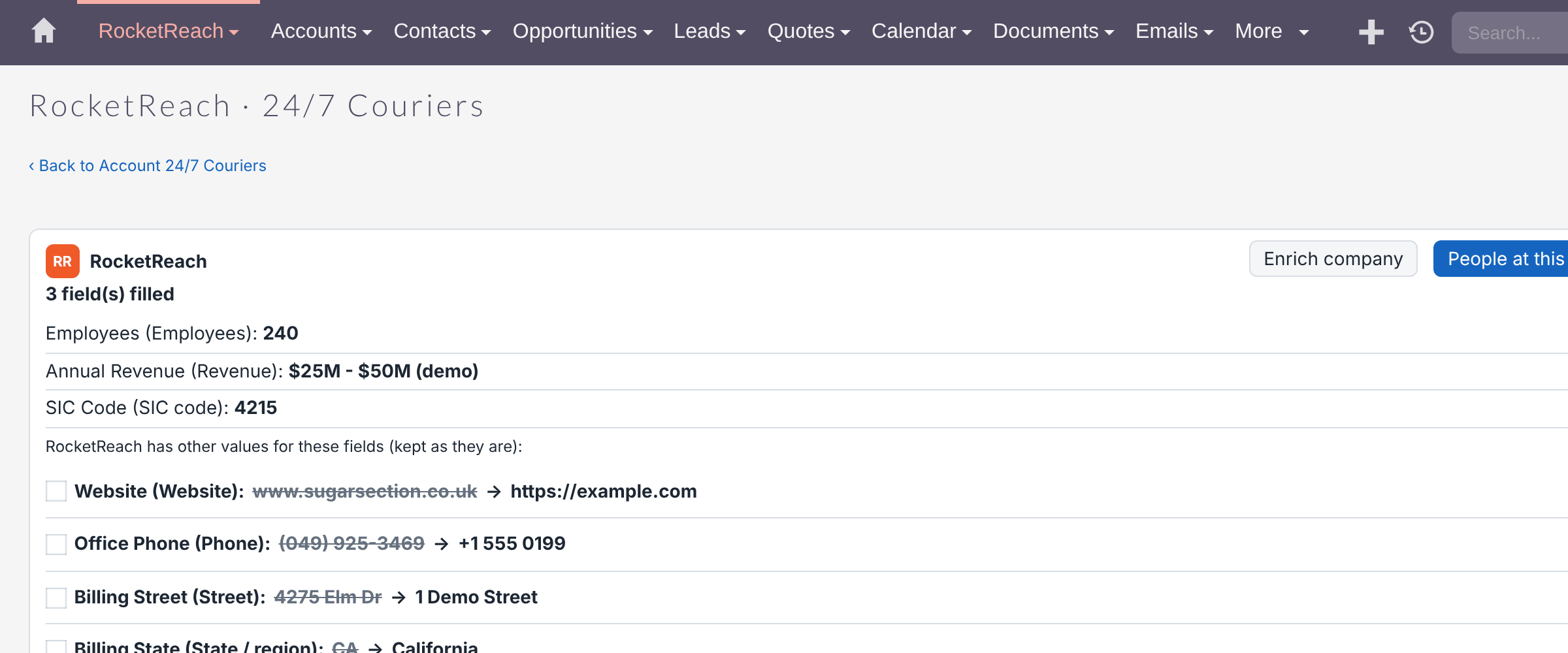
Outright RocketReach Integration setup: Enrich company: empty fields filled, changes offered to tick.
✅ Finance / Management
Problem: Credit spend must stay predictable.
Outright RocketReach Integration setup: Daily limits per user and for automatic enrich; credits dashboard.
✅ Data Protection
Problem: Only certain users may buy contact data.
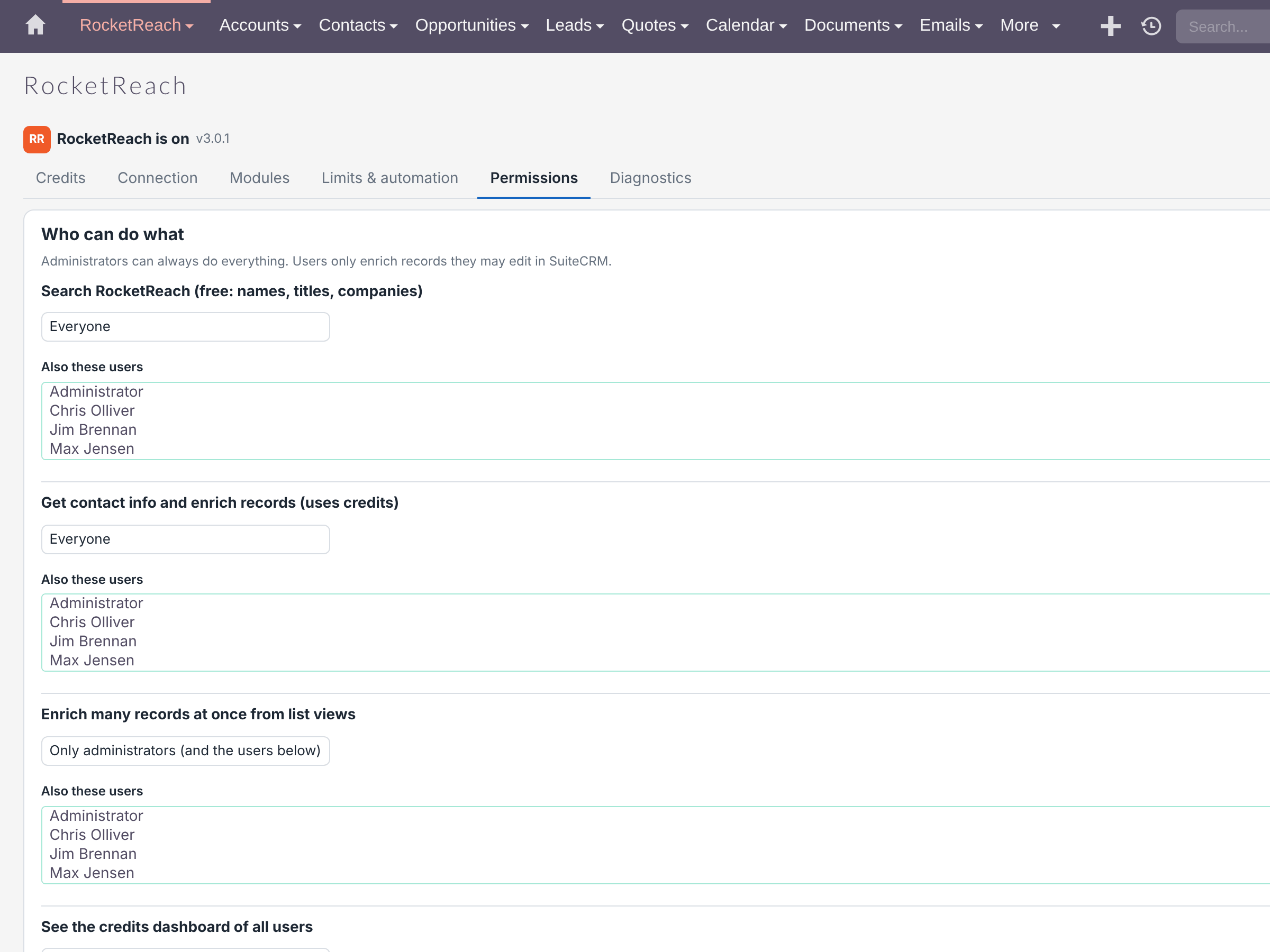
Outright RocketReach Integration setup: Permissions: everyone may search, only a role may get contact info.
✅ Upgrade from 2.0.0
Problem: Old data must stay.
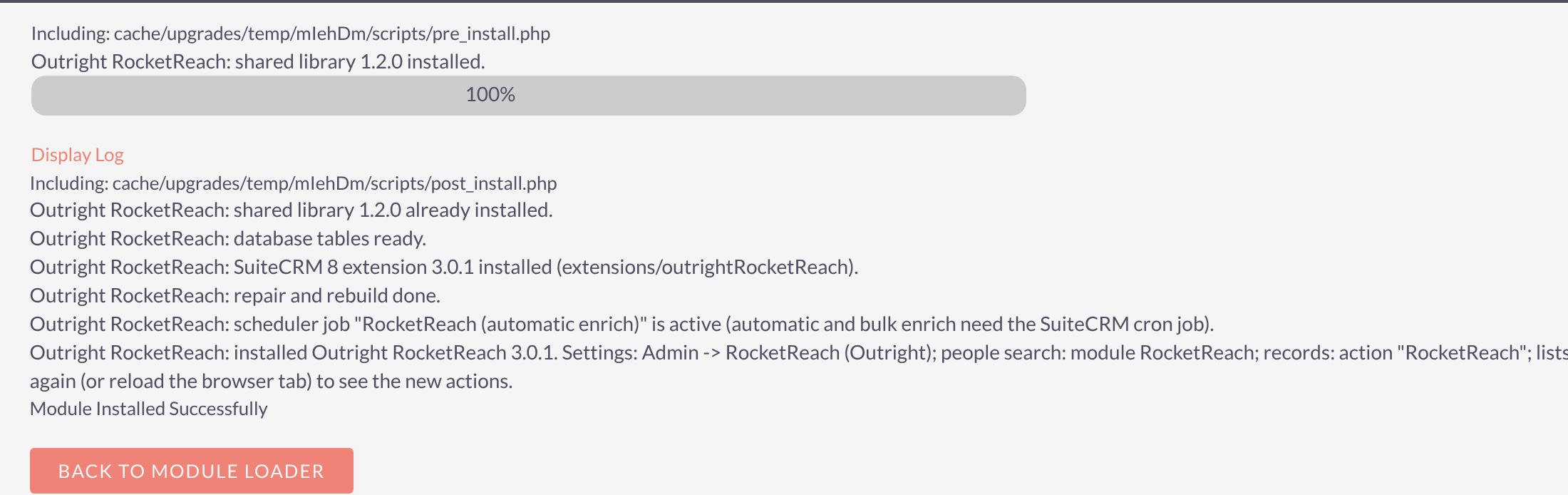
Outright RocketReach Integration setup: Install 3.0.1 over it: upgraded in place.
Key Highlights
✅ Find the Right People
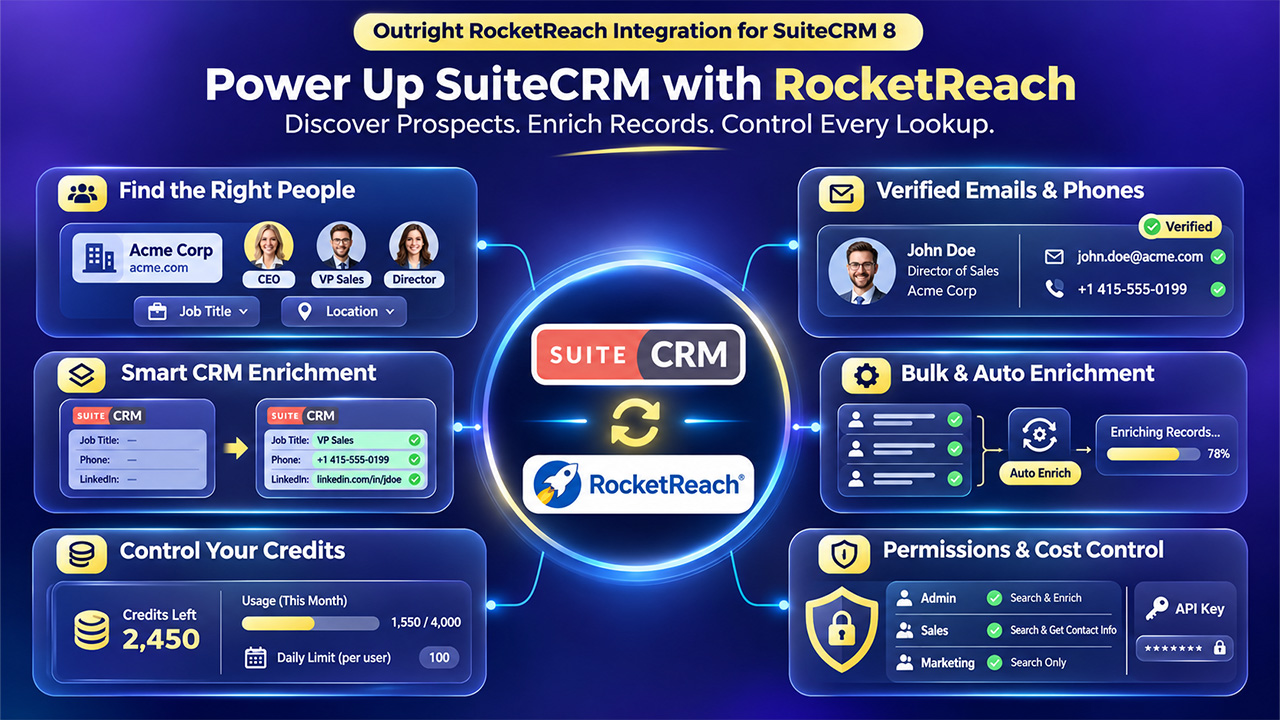
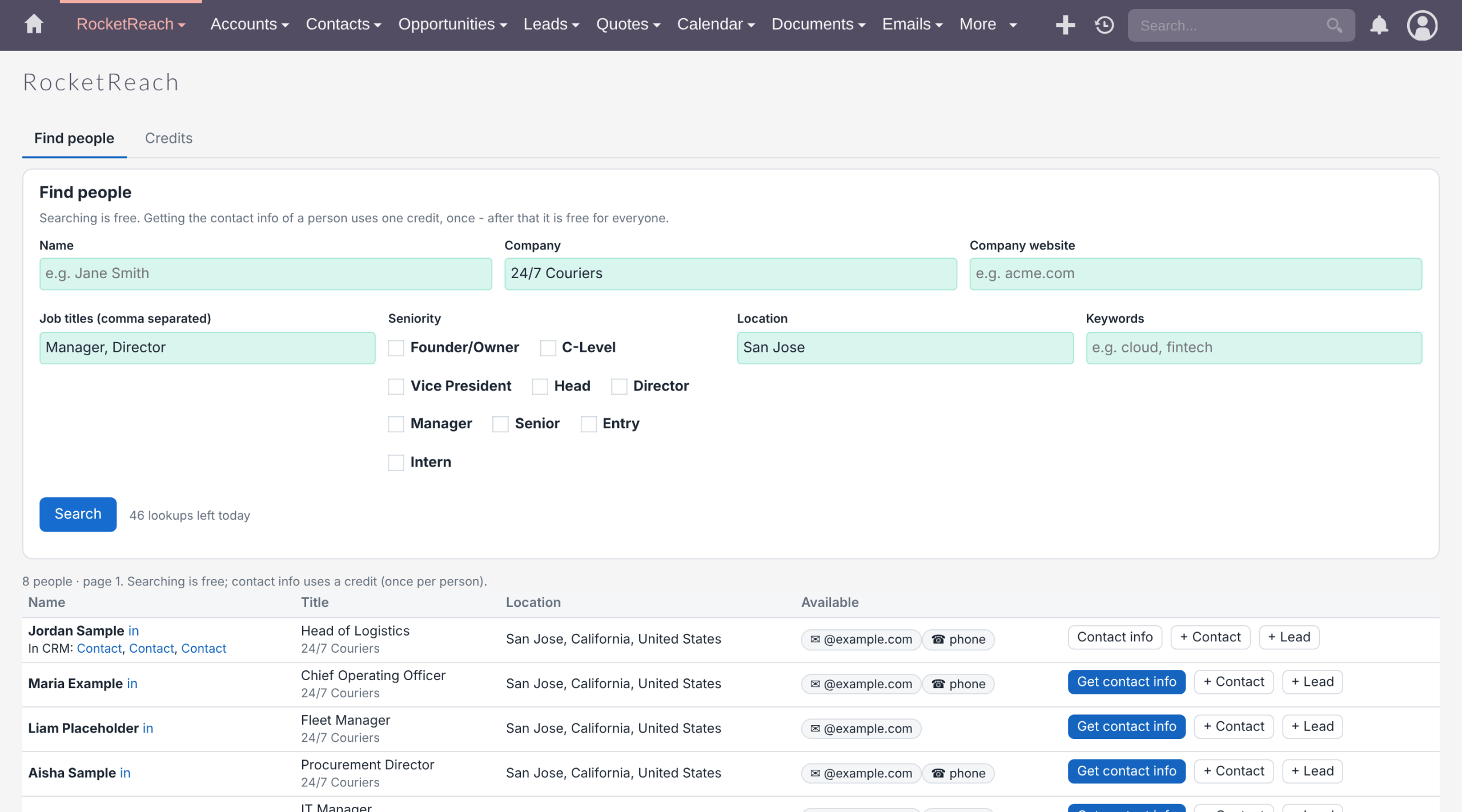
People at any account and a prospect search with filters for title, seniority, location and keywords — free to search, with people already in the CRM marked.
✅ Contact Info into the CRM in One Click
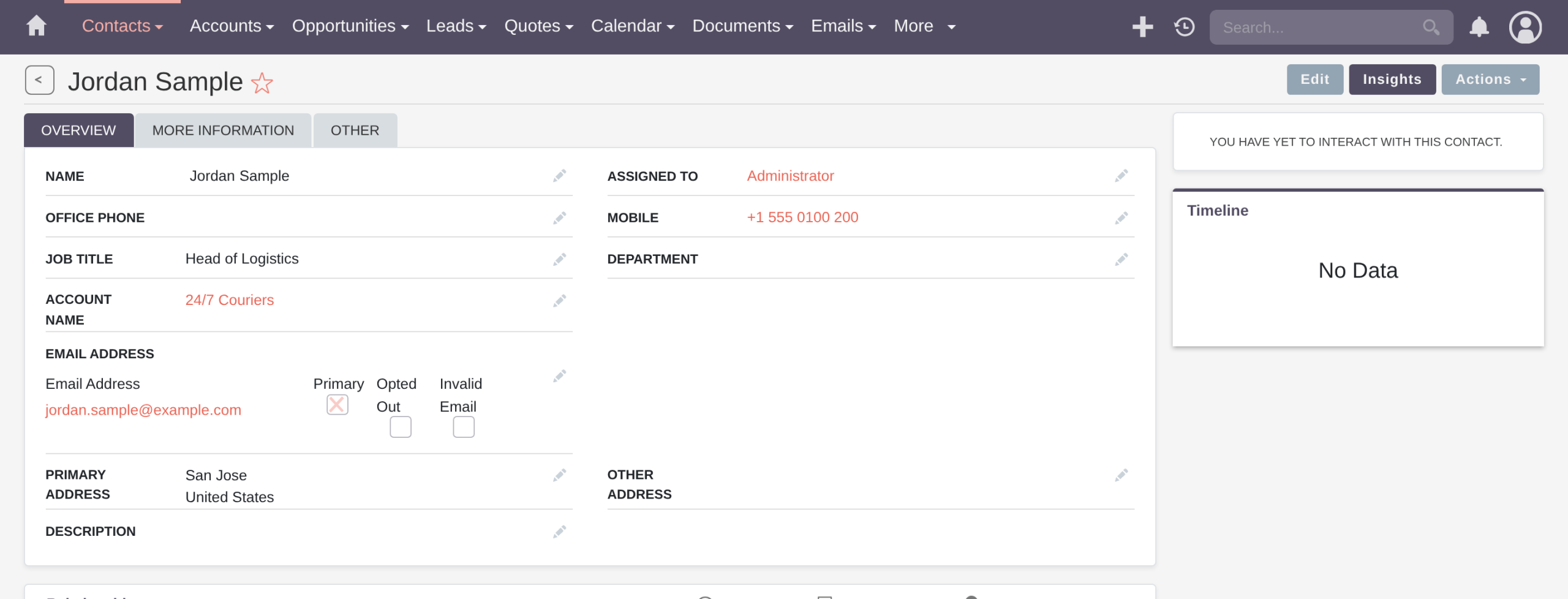
Get verified e-mails and phone numbers and save people as contacts or leads, linked to their account, with your field mapping.
✅ Enrich Safely and Control the Spend
Fill empty fields, replace values only when ticked, bulk and automatic enrich, daily limits, permissions and a credits dashboard.
Most Popular
Check out these related extensions

Key Features
Discover what makes this product stand out
✅ People at a Company
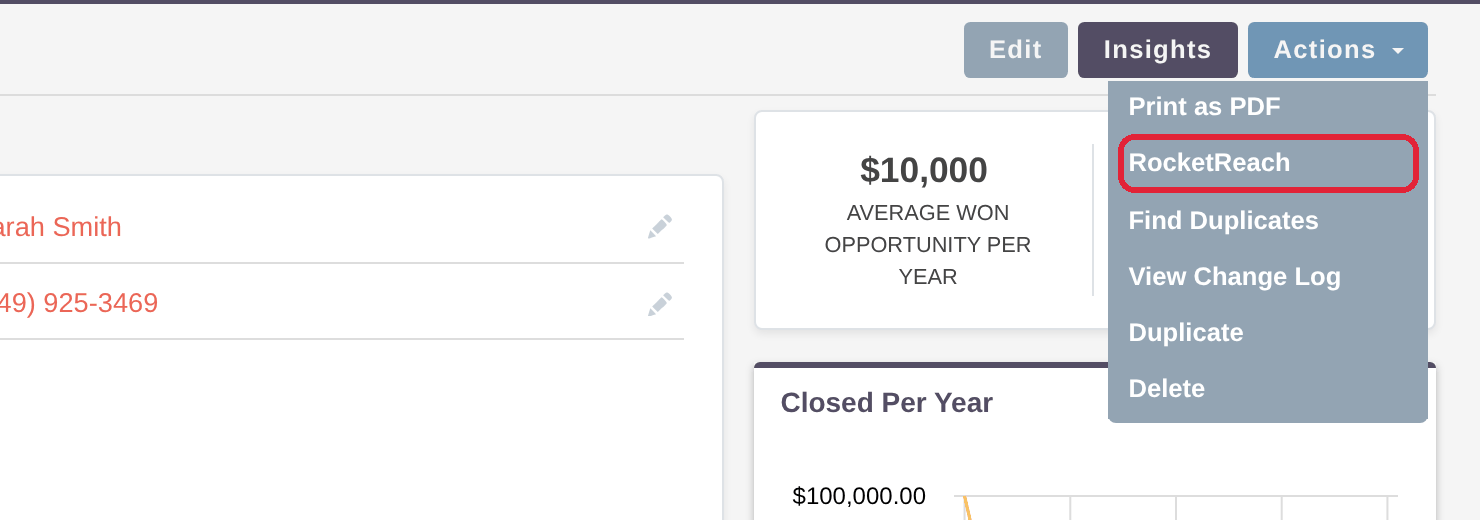
- Actions → RocketReach on an account: the people who work there, found by the company website.
- Filters for job titles, seniority and location; people already in the CRM are marked.
✅ Prospect Search
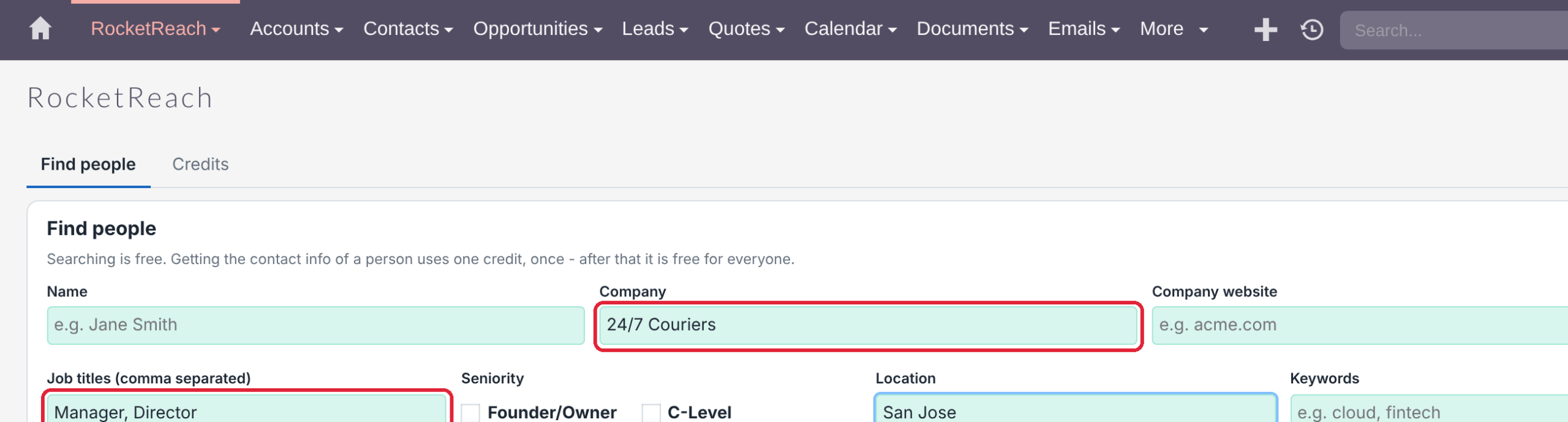
- Module RocketReach → Find people: name, company, website, job titles, seniority, location, keywords.
- Searching is free; results show whether an e-mail or phone is available.
✅ Contact Info
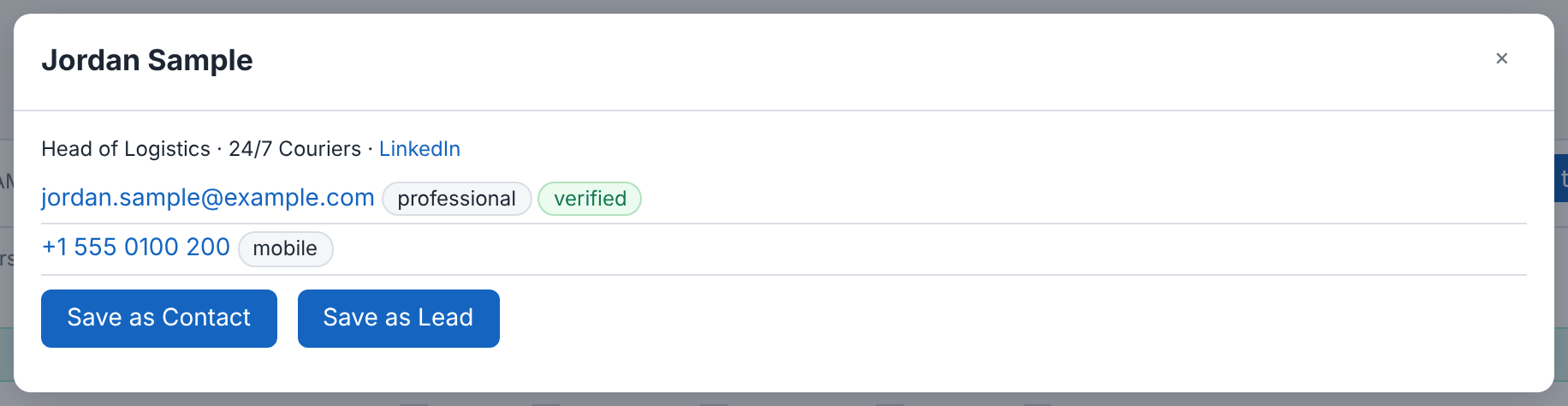
- Get contact info: e-mails with grade and verification, phone numbers – one credit, once per person, then free for everyone.
- Save as Contact or Save as Lead, linked to the account; duplicate check.
✅ Enrich Records
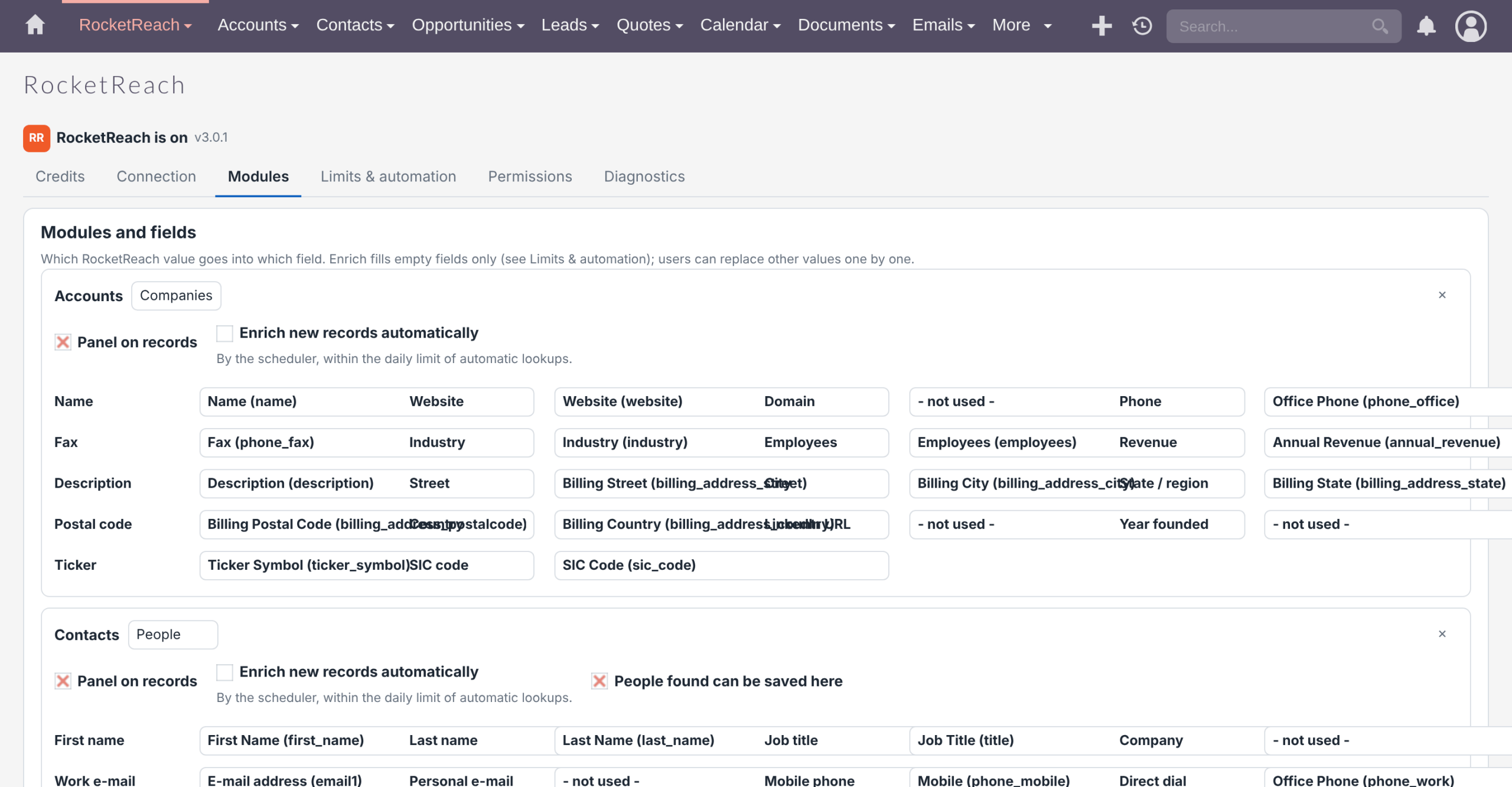
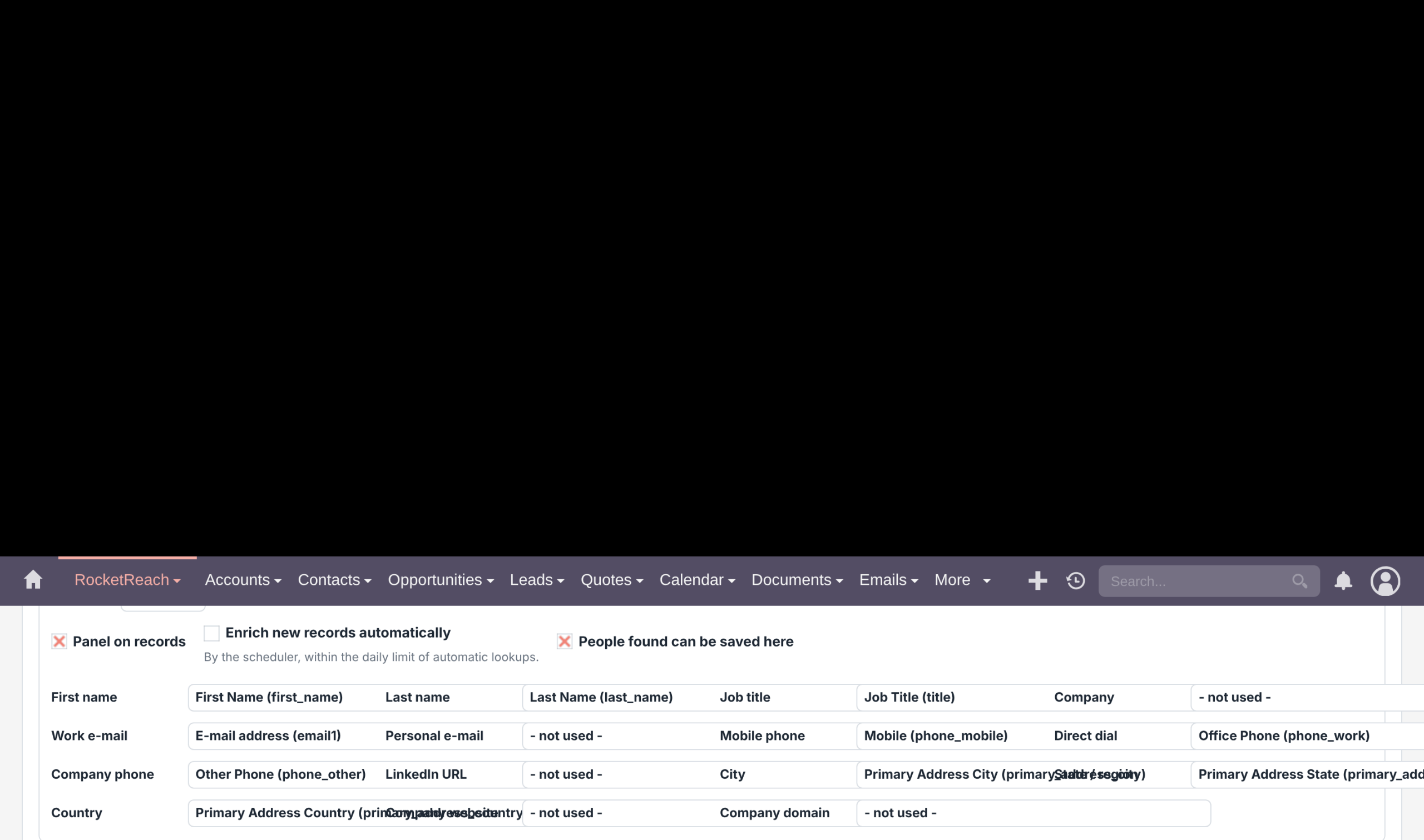
- Accounts as companies; Contacts and Leads as people; field mapping per module.
- Empty fields filled; different values offered and replaced only when ticked.
✅ Bulk and Automatic
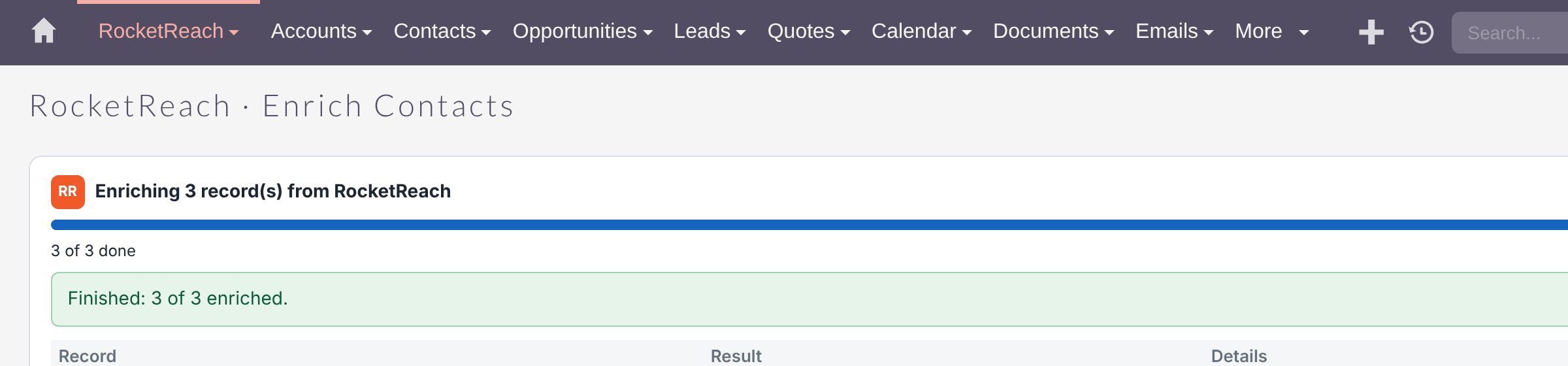
- Bulk Action → Enrich (RocketReach) on lists, with progress and result per record.
- Enrich new records automatically; waiting enrichments run by the scheduler.
✅ Limits and Permissions
- Lookups per user per day, automatic lookups per day, standard or premium lookups, only verified e-mails.
- Permissions for searching and for getting contact info / enriching; users only enrich records they may edit.
✅ Credits and Administration
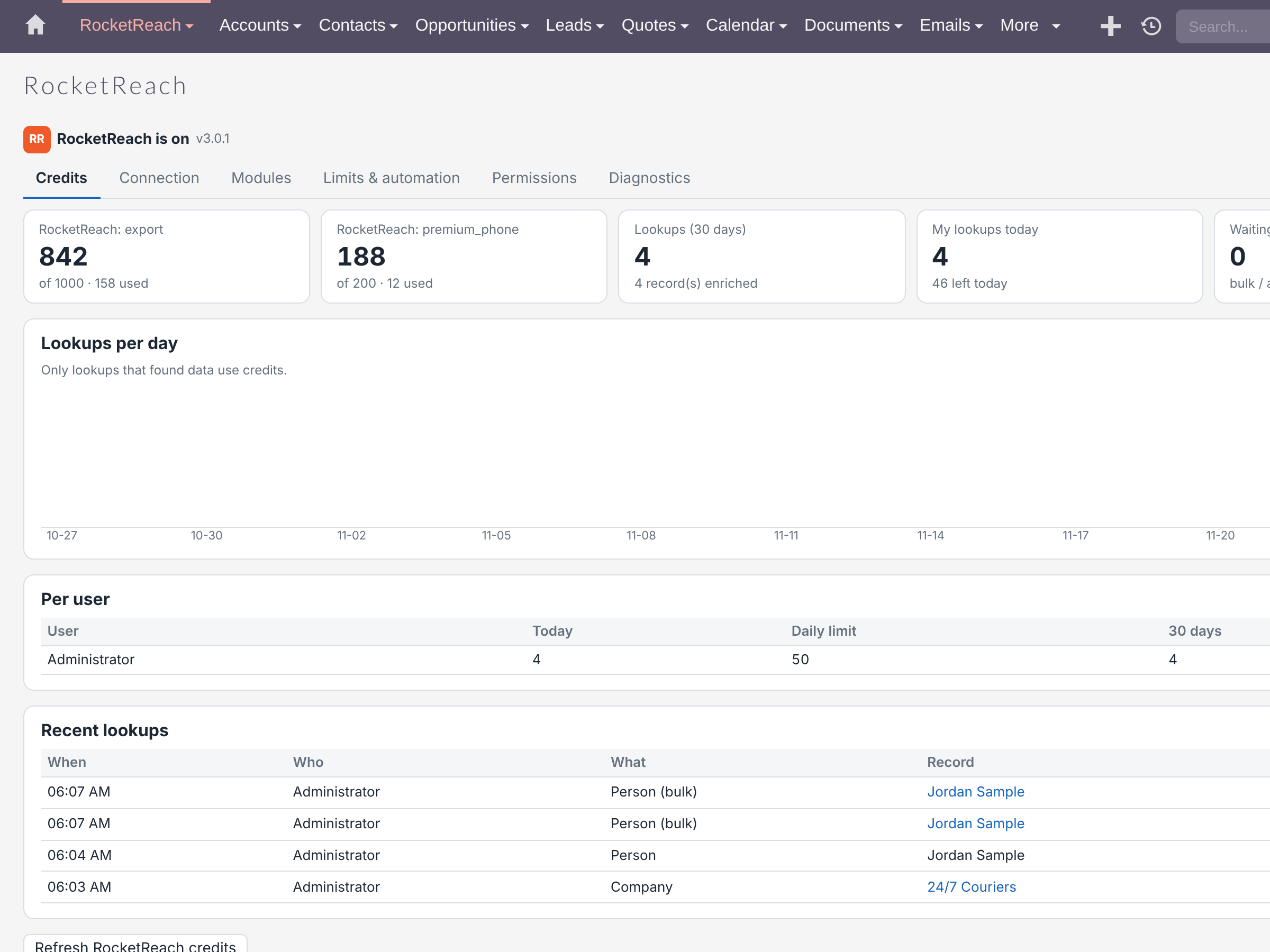
- Credits dashboard: credits left, lookups per day and per user, recent lookups.
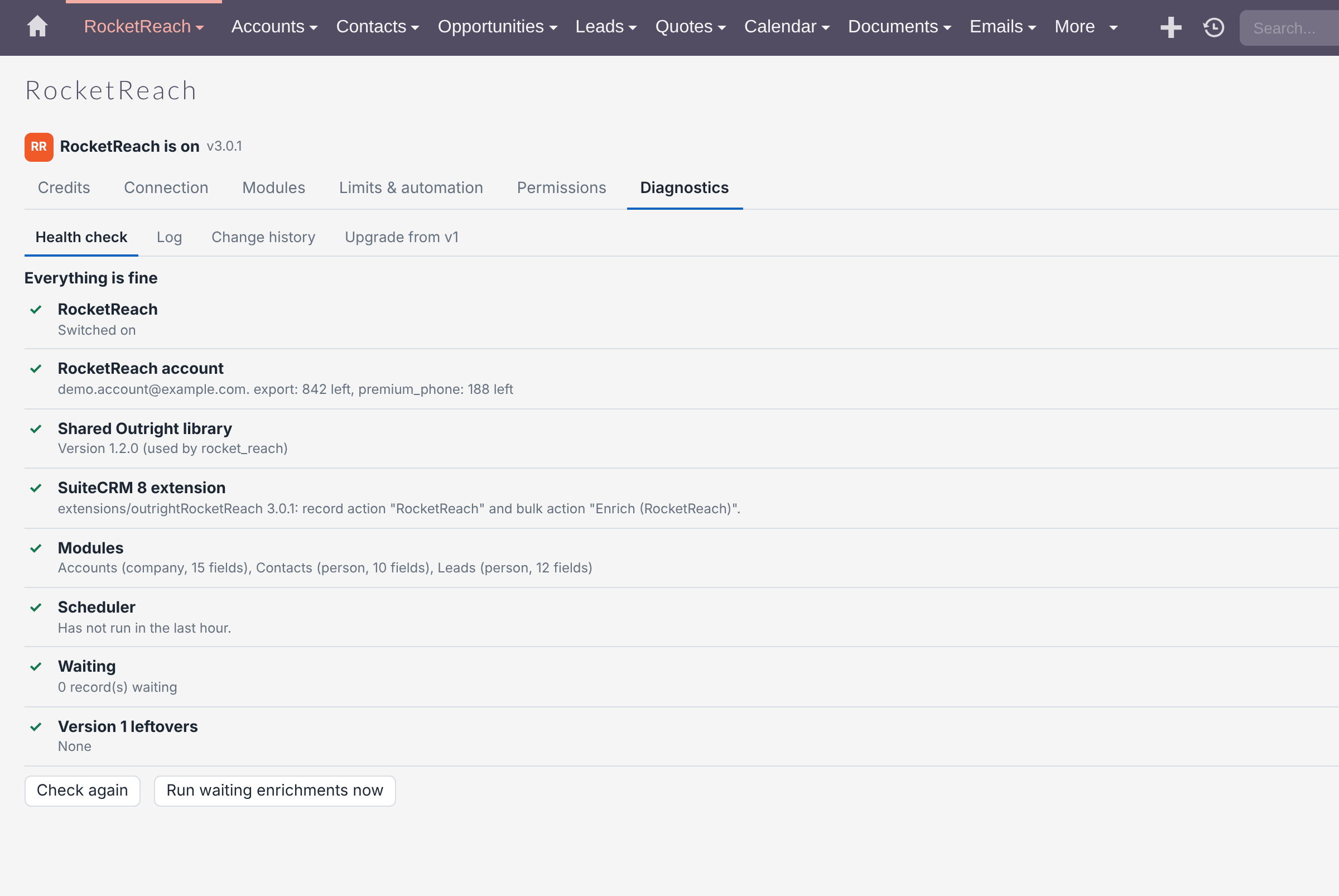
- API key stored encrypted, health check, log, change history, upgrade from v1.
✅ SuiteCRM 8
- Record action RocketReach and bulk action Enrich (RocketReach) in the new interface; no Angular build needed.

Visual Showcase
See the product in action through screenshots



1
2
3
4
5
6
7
8
9
10
11
12
13
14
15
16
17
18
19
20
21
22
23
24
Product Videos
Watch our product in action
Coming Soon
User Guide
Learn how to use and configure the system step by step


FAQs
Question? Look here.
Which SuiteCRM versions are supported?
SuiteCRM 8.x (tested on 8.10.2), Community Edition. It does not install on SuiteCRM 7.
Do I need a RocketReach account?
Yes, with an API key from RocketReach → Account Settings → API. The key is stored encrypted.
Does searching cost credits?
No. Searching is free; credits are used only when you get a person's contact info.
Do I pay twice for the same person?
No. Contact info is bought once per person; after that it is free for every user.
Can I save people as contacts or leads?
Yes, with Save as Contact / Save as Lead (or + Contact / + Lead); they are linked to the account and mapped to your fields.
Will enrichment overwrite my data?
No. Empty fields are filled; different values are only replaced when you tick them.
Can I enrich many records at once?
Yes, with Bulk Action → Enrich (RocketReach) on Contacts, Leads or Accounts lists.
Can new records be enriched automatically?
Yes, per module, within the daily limit for automatic lookups (cron job required).
How do I control the cost?
Lookups per user per day, automatic lookups per day, standard or premium lookups, and permissions.
Will my data from version 2.0.0 be kept?
Yes. 3.0.1 upgrades 1.0.7 and 2.0.0 in place.