




★
(0 Reviews)
Outright Autoincrement Fields for SuiteCRM
$0.00
Product Description
Outright Autoincrement Fields for SuiteCRM
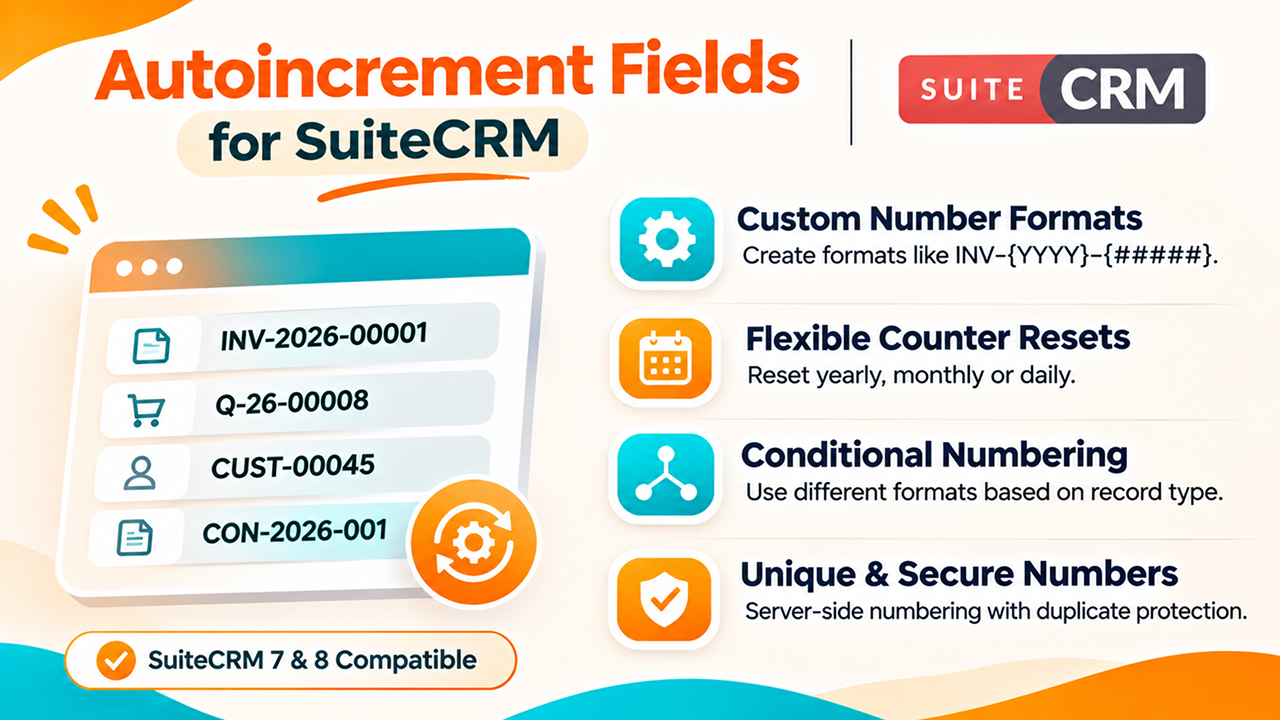
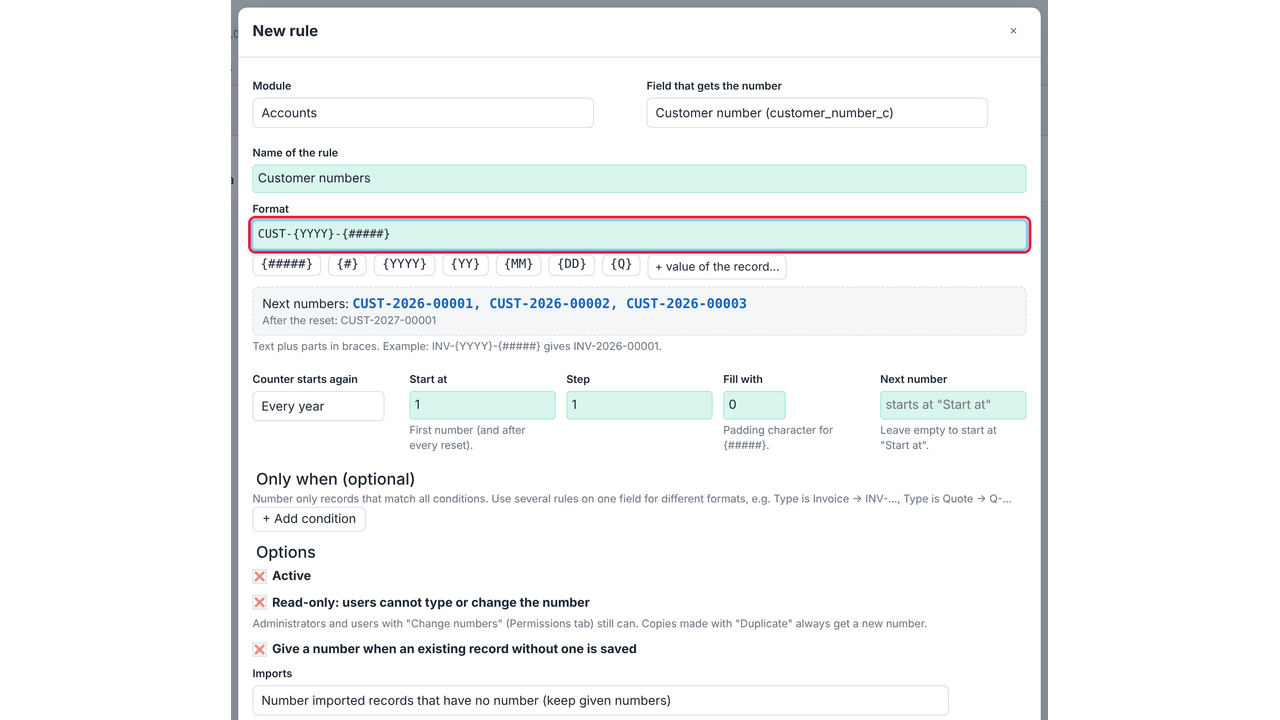
Outright Autoincrement Fields gives records of any SuiteCRM module an automatic, unique number — invoice numbers like INV-2026-00001, customer numbers, case or contract references — without writing code. You design the format in a builder with a live preview, choose whether the counter starts again every year, month or day, and can give different kinds of records different formats with conditions.
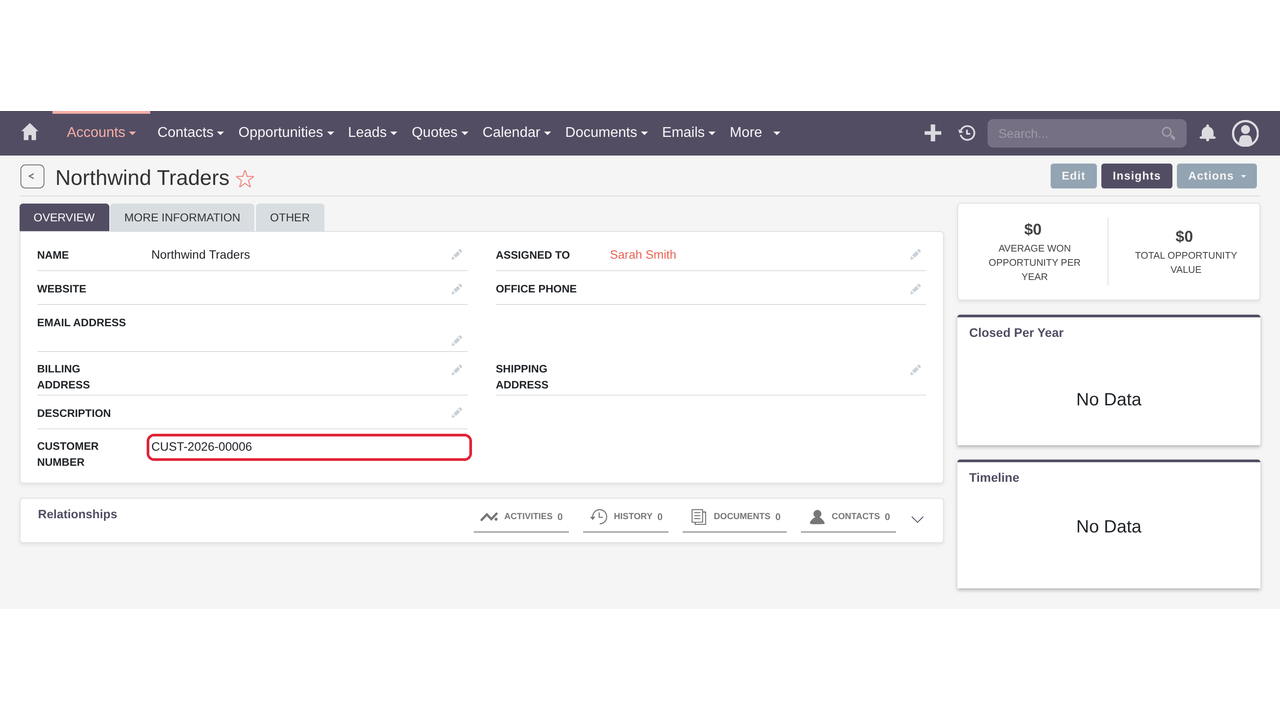
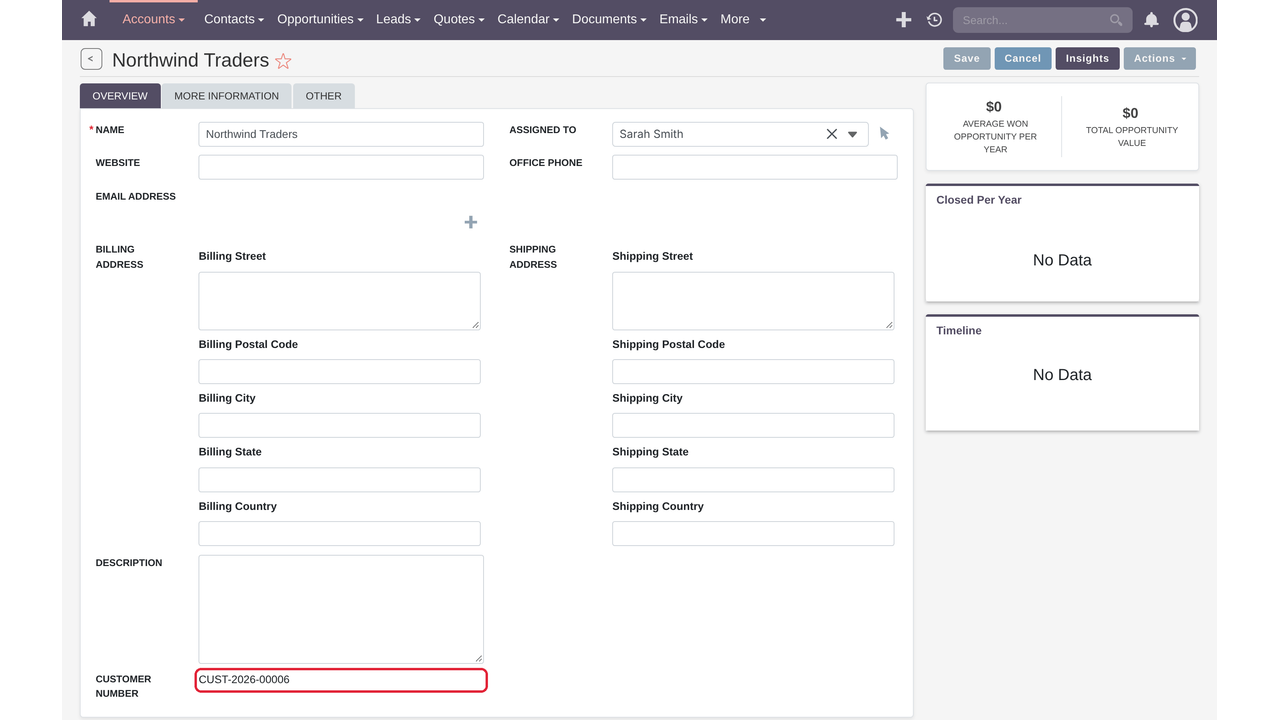
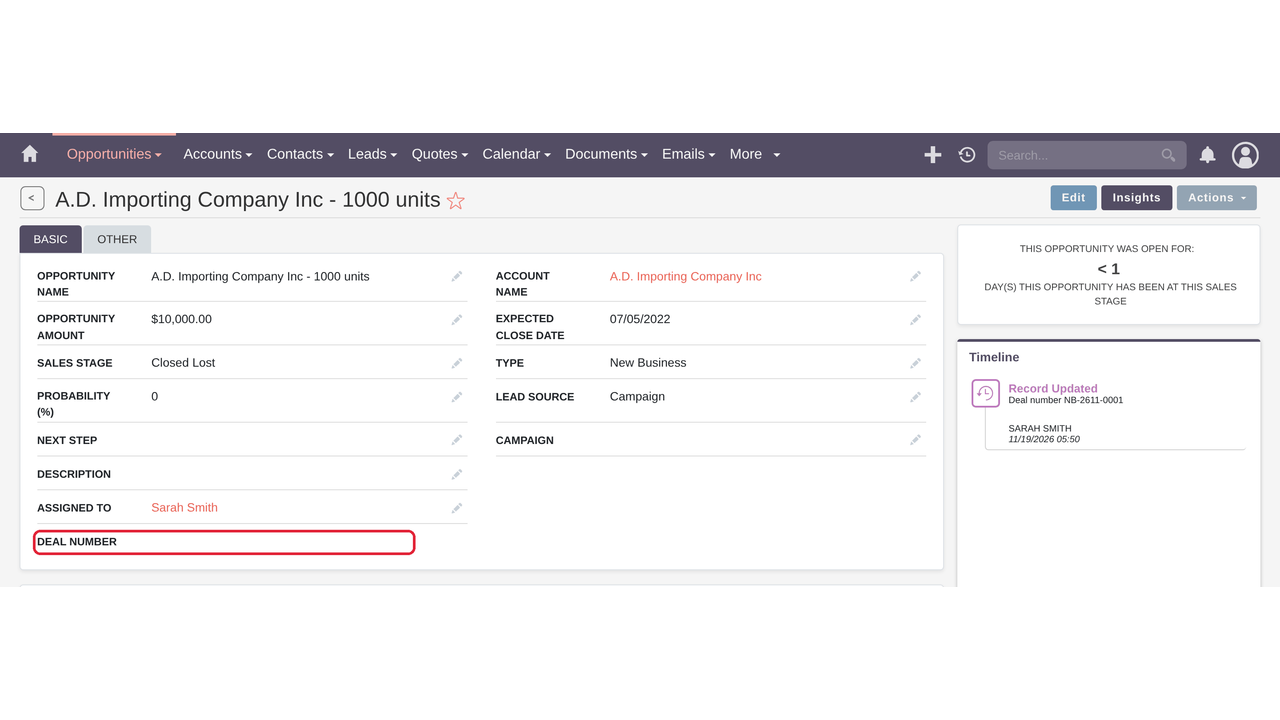
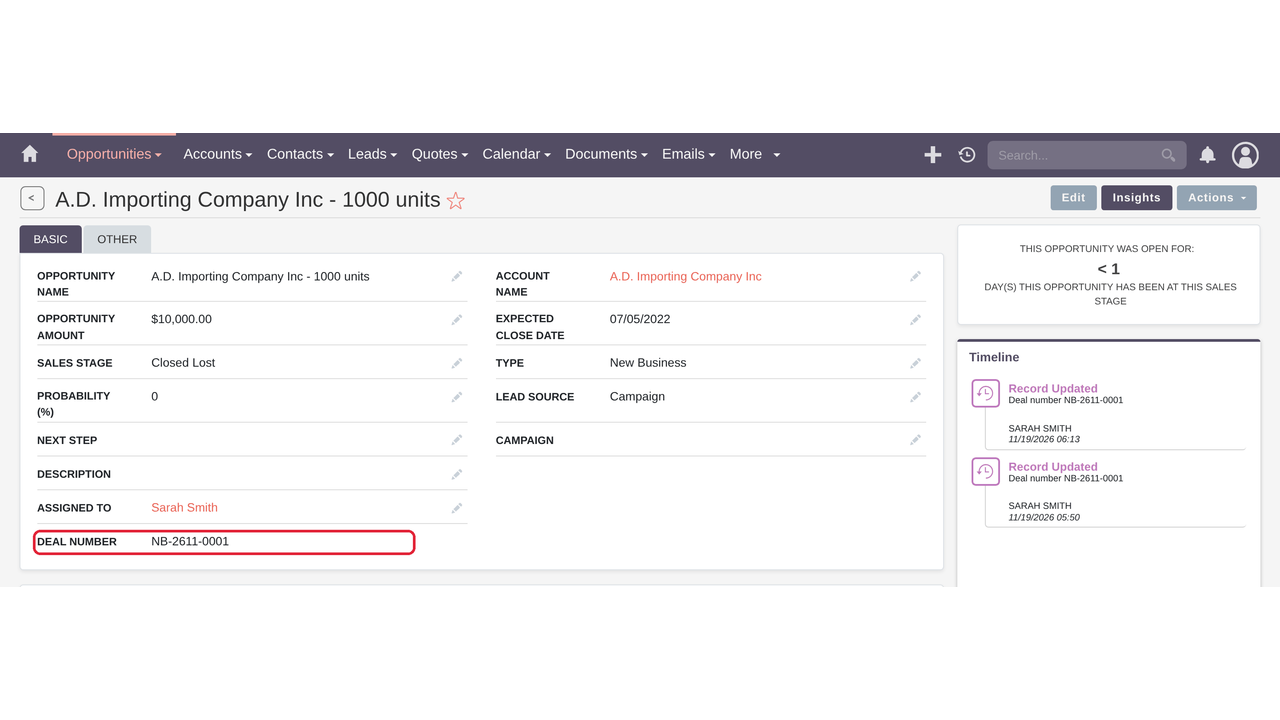
Numbers are given on the server when a record is saved, so they work everywhere records are created: the SuiteCRM 7 and SuiteCRM 8 interfaces, imports, workflows and the API. Numbers stay unique even when several users save at the same time, numbers already used are skipped, and copies made with Duplicate get a new number. Read-only numbers are protected on the server and shown read-only in the record, list and create views.
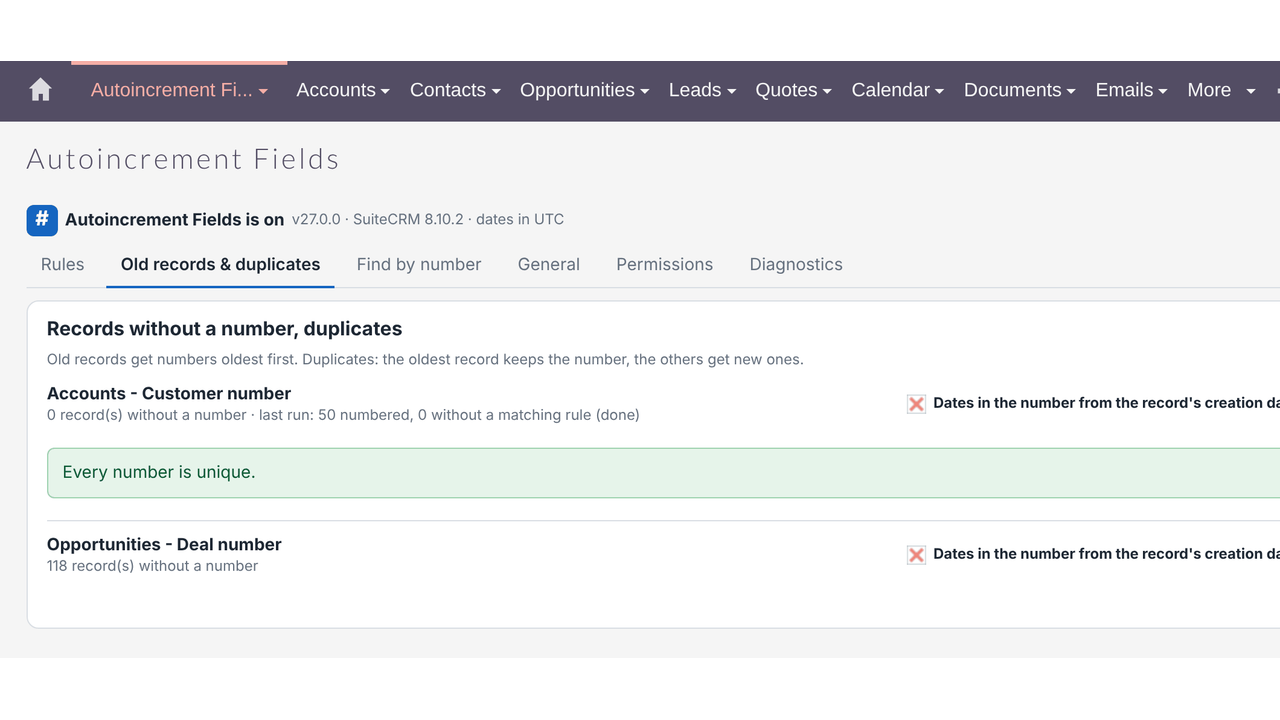
Around that core sit the tools you need to adopt numbering on a live CRM: create the number field straight from the settings, number thousands of old records oldest first without re-saving them, check and fix duplicates, find any record by its number, plus permissions, a health check and a change history.
Compatibility: SuiteCRM 8.x (tested on 8.10.2, new interface supported) and SuiteCRM 7.13 – 7.15, Community Edition, PHP 7.4 – 8.4. Upgrades versions 25.x and 26.x in place; rules, counters and settings are kept. No licence calls, no cron job needed.
Real-World Use Cases
✅ Finance / Billing
Problem: Invoices need consecutive numbers that start again each year.
Autoincrement Fields setup: INV-{YYYY}-{#####}, counter starts again every year, read-only; only Finance may correct numbers.
✅ Sales
Problem: Quotes and orders share one module but need different series.
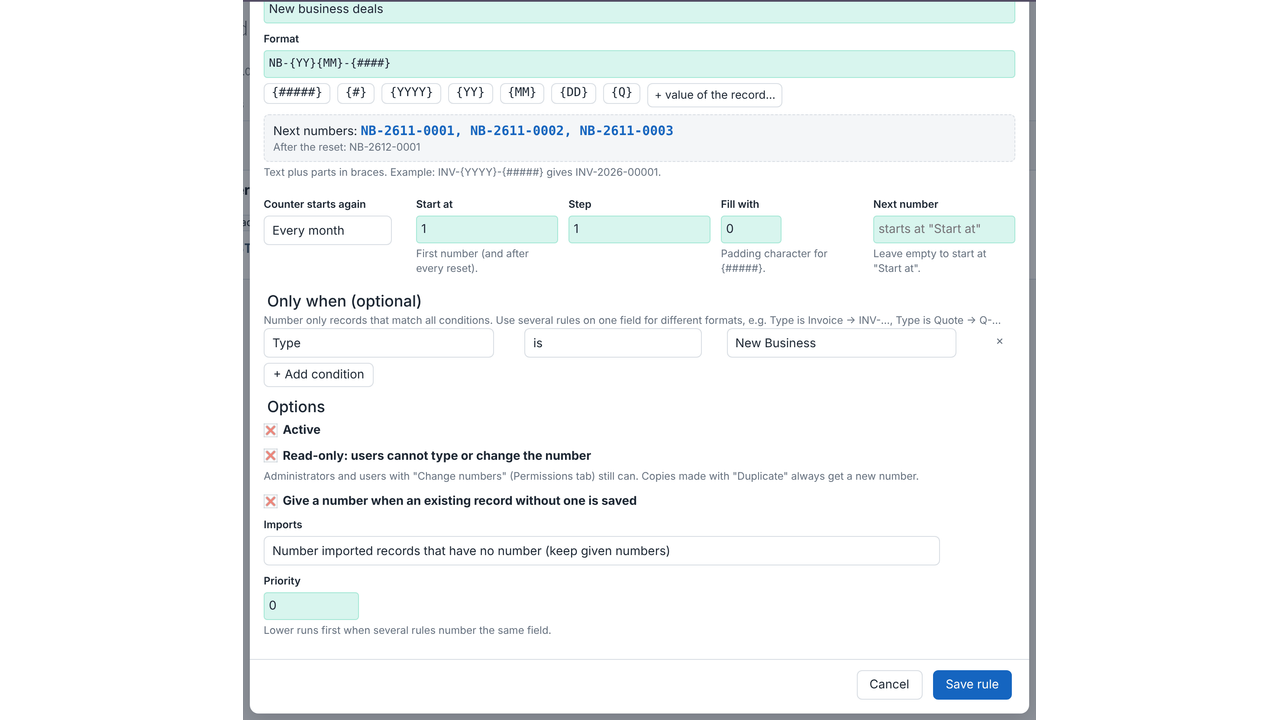
Autoincrement Fields setup: Two rules on one field: Type is Quote → Q-{YY}-{####}, Type is Order → SO-{YY}-{####}.
✅ Customer Service
Problem: Customers quote a reference on the phone; agents waste time searching.
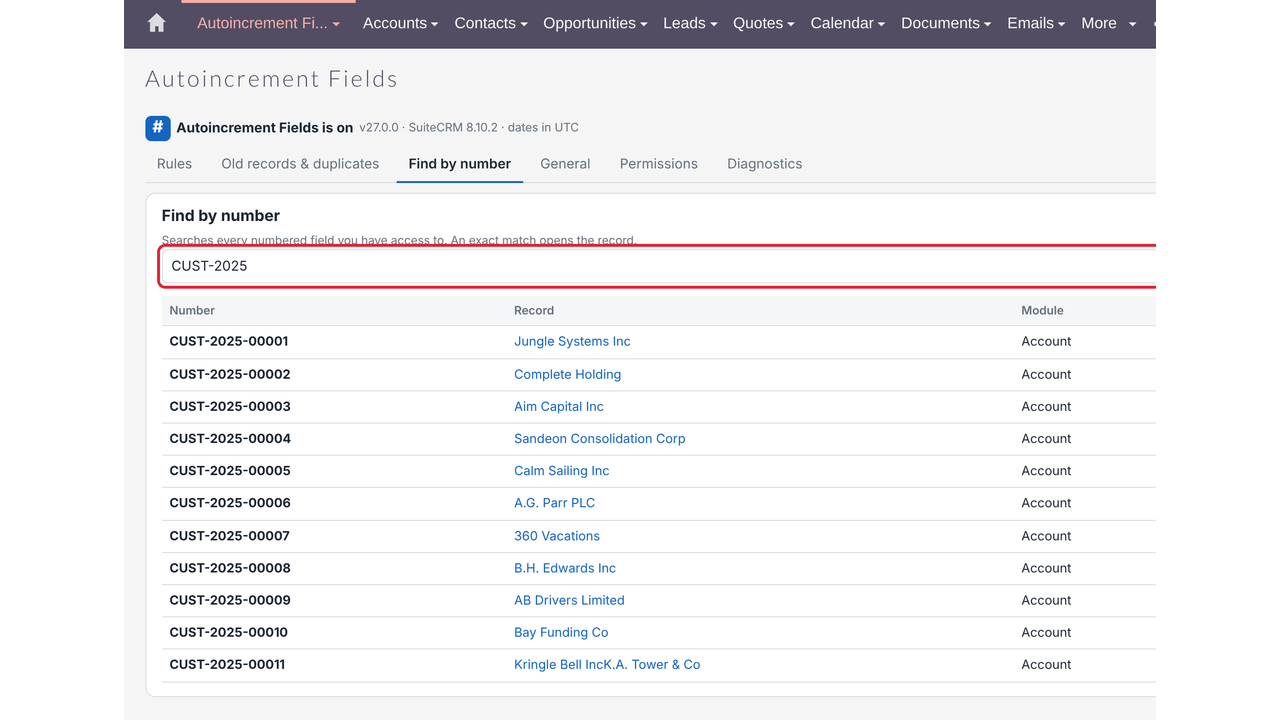
Autoincrement Fields setup: CUST-{#####} on Accounts; agents use Find by number to open the record instantly.
✅ Legal / Contracts
Problem: Contract references must include the year and month and never change.
Autoincrement Fields setup: CON-{YYYY}{MM}-{###}, counter starts again every month, read-only.
✅ Projects / Operations
Problem: Project codes should include the client’s country.
Autoincrement Fields setup: PRJ-{field:billing_address_country}-{####}.
✅ Data Migration
Problem: 10,000 imported records have no numbers or duplicate numbers.
Autoincrement Fields setup: Number old records oldest first with creation-date years, then Check duplicates and Fix.
✅ Multi-Branch Business
Problem: Each day’s tickets need a daily sequence.
Autoincrement Fields setup: TKT-{YYYY}{MM}{DD}-{###}, counter starts again every day, in the company time zone.
✅ Upgrading from 25.x
Problem: Old numbering must continue without gaps or double numbers.
Autoincrement Fields setup: Install 27.0.0 over 25.x: rules and counters are imported and each sequence continues.
Key Highlights
✅ Numbers That Are Really Unique
Given on the server at save time and safe when several users save at once. Numbers already in use are skipped, duplicates made with Duplicate get a new number, and read-only numbers can’t be changed — in the UI, imports, workflows or the API.
✅ Any Format, Any Module, Any Rule
A format builder with live preview (INV-{YYYY}-{#####}), yearly, monthly or daily resets in your time zone, record values inside the number, and several rules per field with conditions — INV-… for invoices, Q-… for quotes.
✅ Ready for an Existing CRM
Create the number field from the settings, number old records oldest first with dates from their creation date, check and fix duplicates, and find any record by its number — all without re-saving records or running workflows.


Key Features
Discover what makes this product stand out
✅ Format Builder
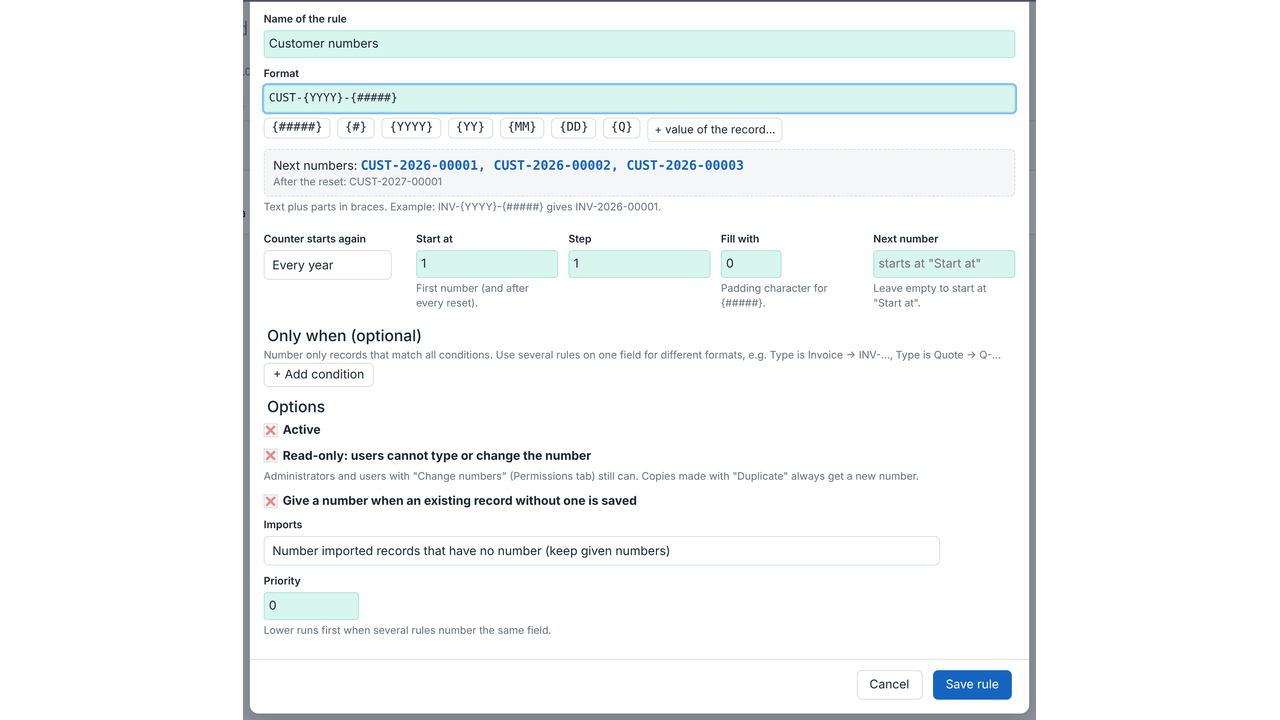
- One pattern such as INV-{YYYY}-{#####} with a live preview of the next numbers.
- Parts: counter {#####} / {#}, year {YYYY} {YY}, month {MM} {M}, day {DD} {D}, quarter {Q}, and record values {field:name}.
- Counter settings: start number, step, padding character and an editable "next number" to continue an old sequence.
✅ Counters and Resets
- Counter starts again never, every year, every month or every day, each period counted separately.
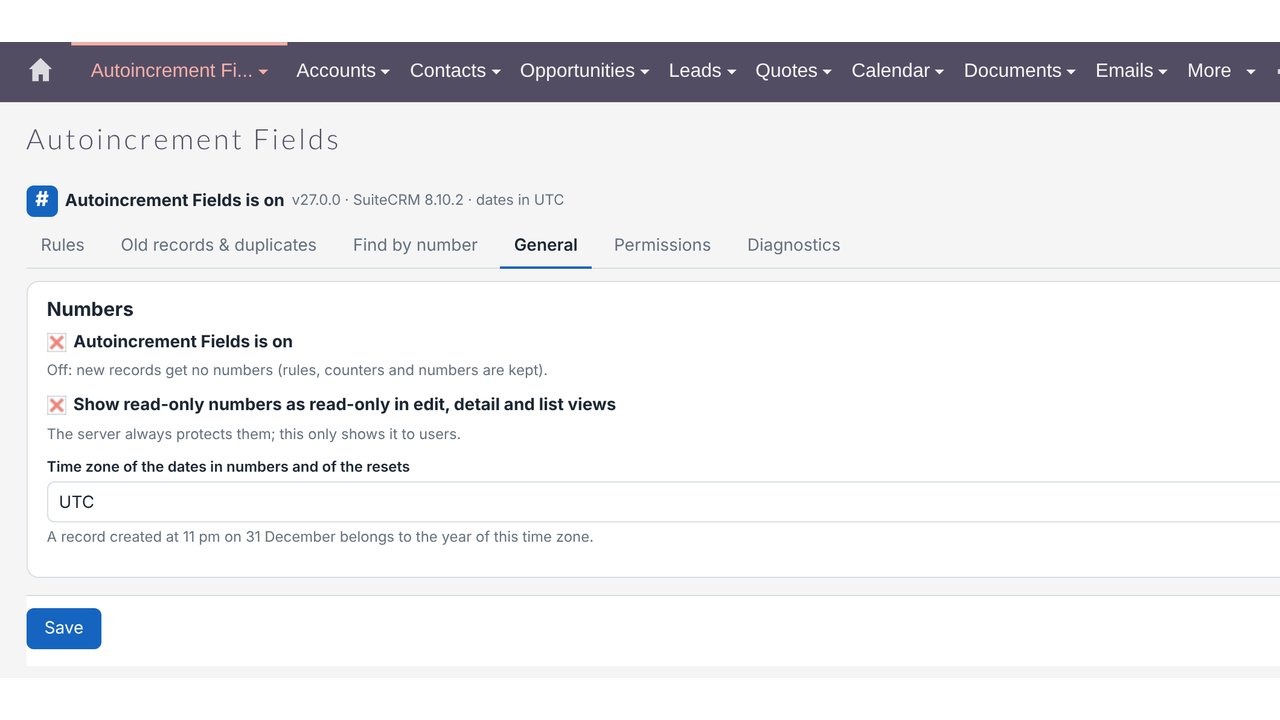
- Resets and dates follow a chosen time zone (a record created at 11 pm on 31 December belongs to the right year).
- Safe when several users save at once; numbers already used by another record are skipped.
✅ Rules and Conditions
- Rules for any module, including custom modules and fields.
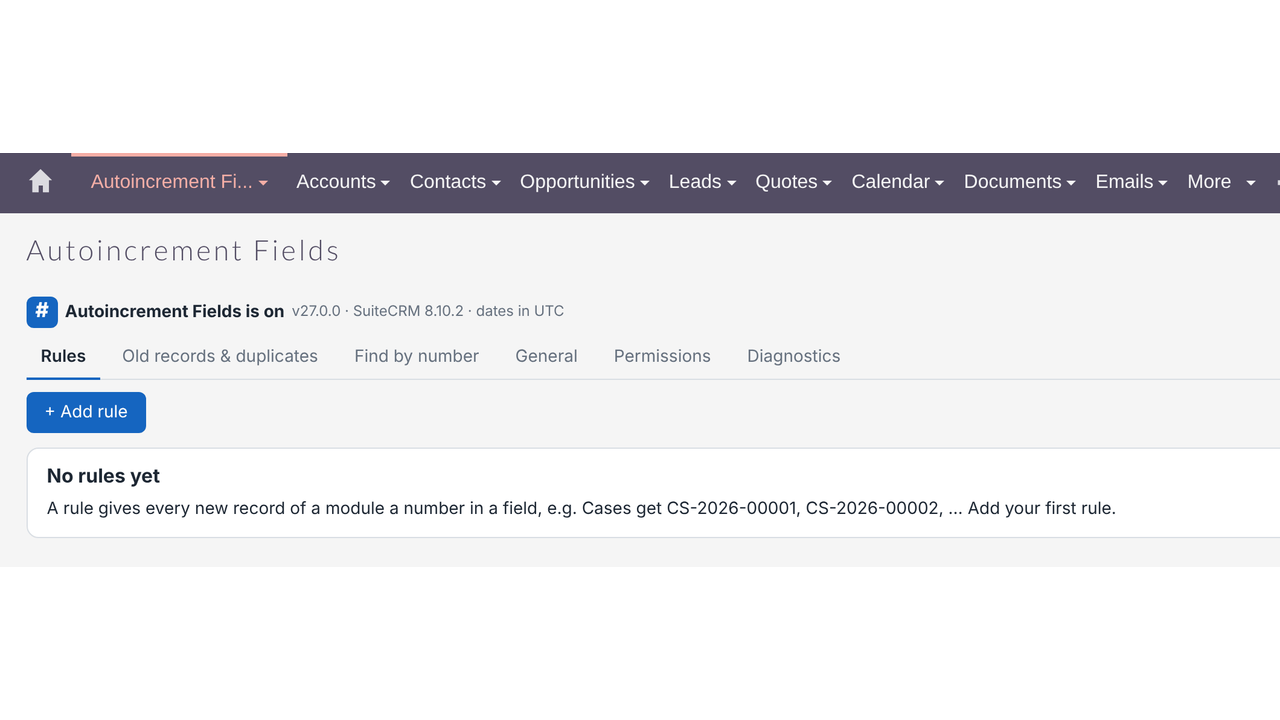
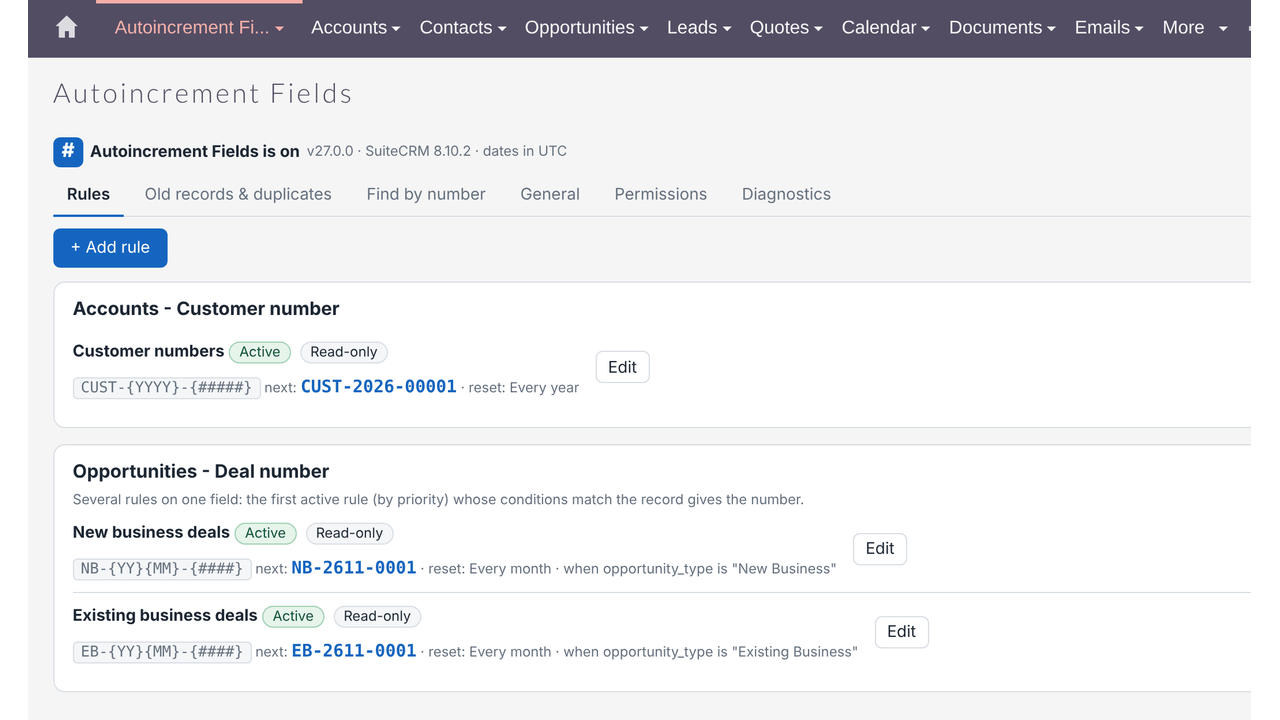
- Several rules on one field with conditions — e.g. Type is Invoice → INV-..., Type is Quote → Q-...; priority decides the order.
- Operators: is, is not, is one of, is none of, is empty, is not empty, contains, starts with.
✅ Read-Only Numbers
- Read-only numbers are protected on the server and shown read-only in edit, detail and list views.
- On SuiteCRM 8 they are also read-only in the record, list and create views of the new interface.
- Administrators and users with the Change numbers permission can still correct them.
✅ Creating and Saving
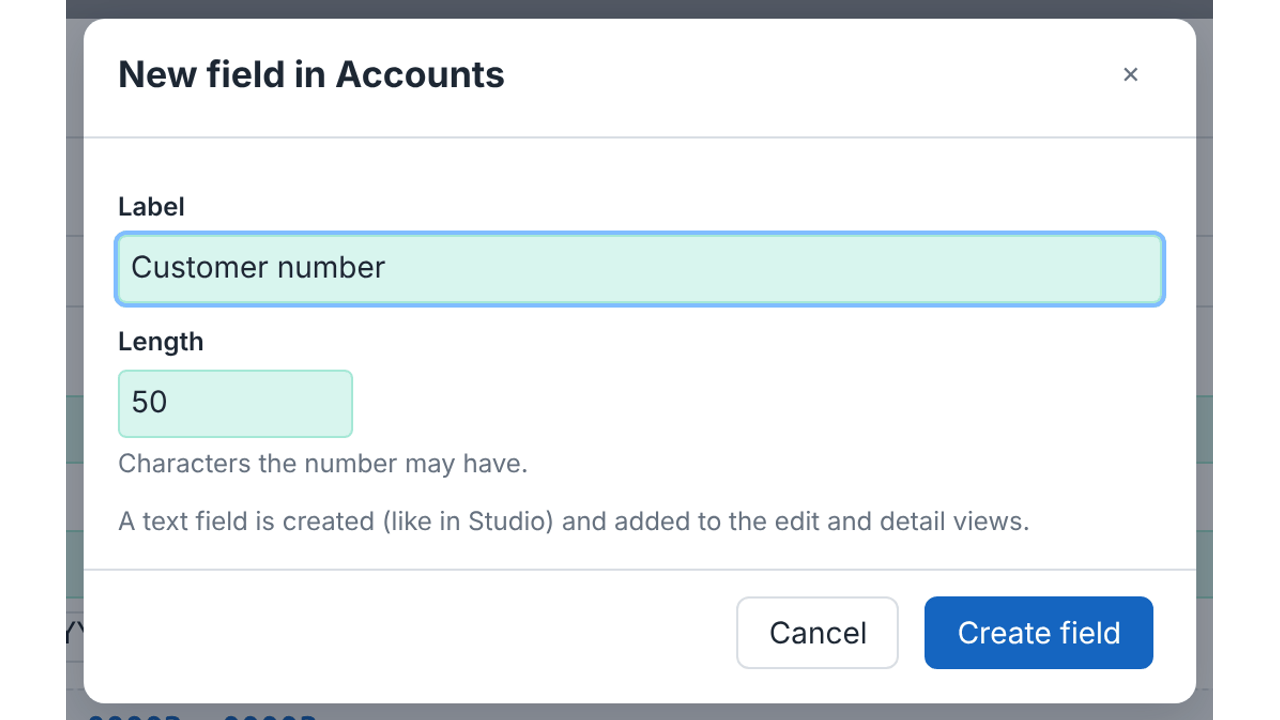
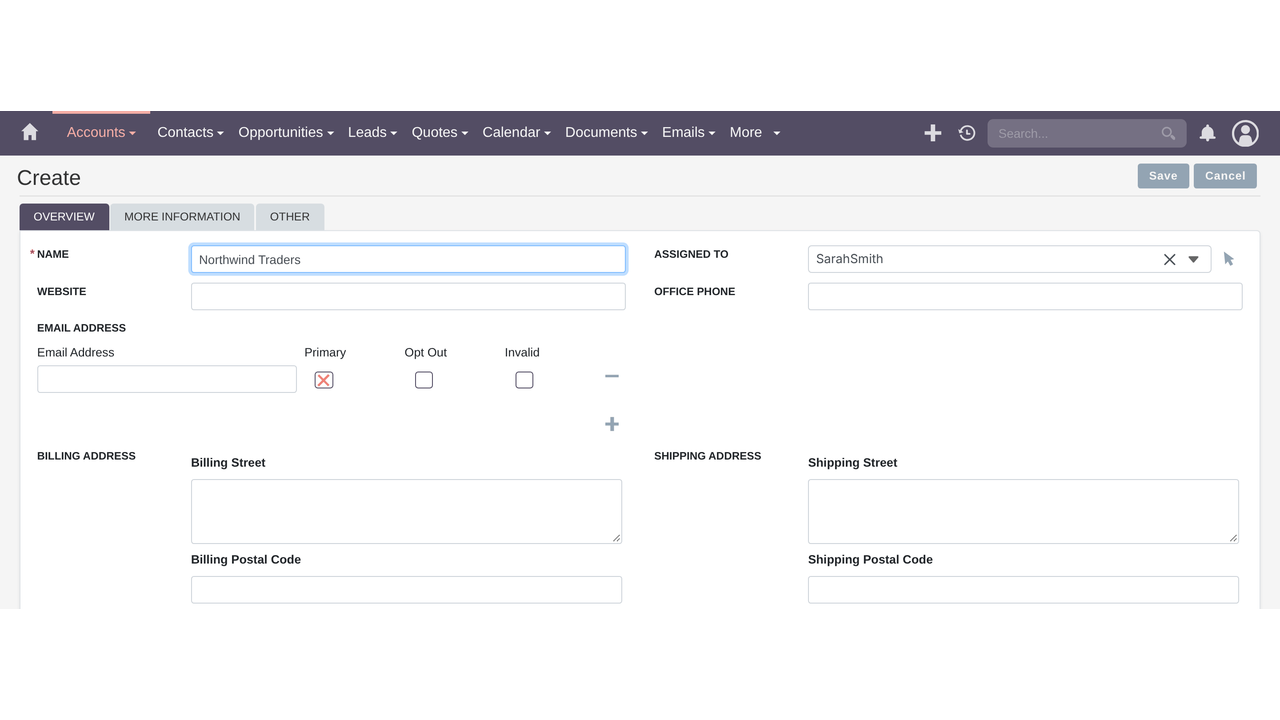
- Create the number field from the settings page — a text field is created like in Studio and added to the edit and detail views.
- Numbers on save from every channel: SuiteCRM 7 and 8 interfaces, the V8 API, workflows and integrations.
- Copies made with Duplicate always get a new number.
- Optionally give a number when an existing record without one is saved.
✅ Imports
- Number imported records that have no number and keep given numbers, always give a new number, or don't number imports.
✅ Old Records and Duplicates
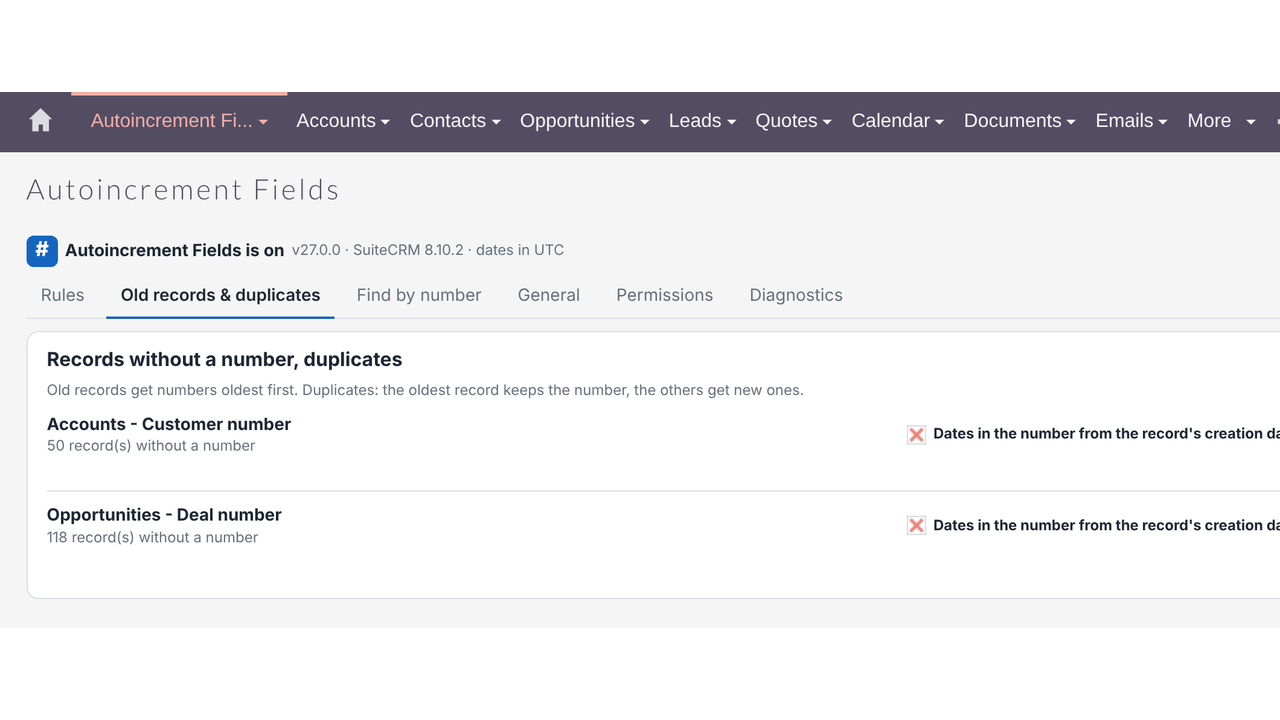
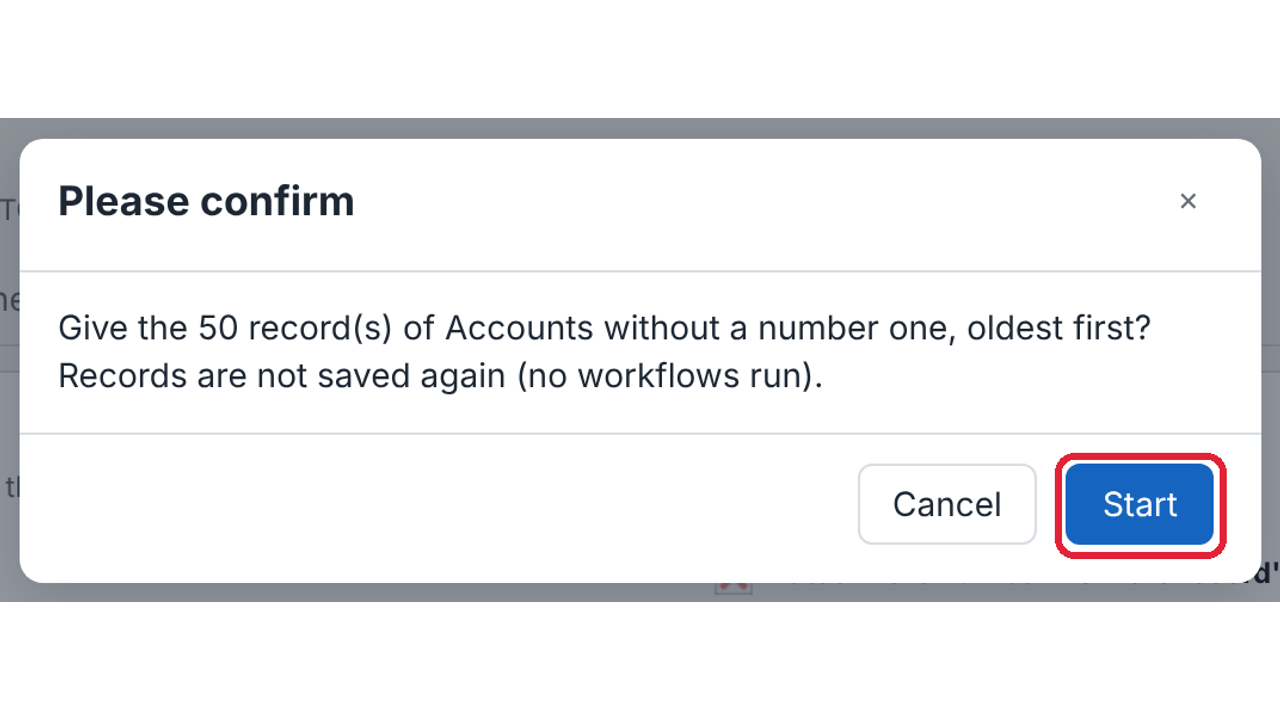
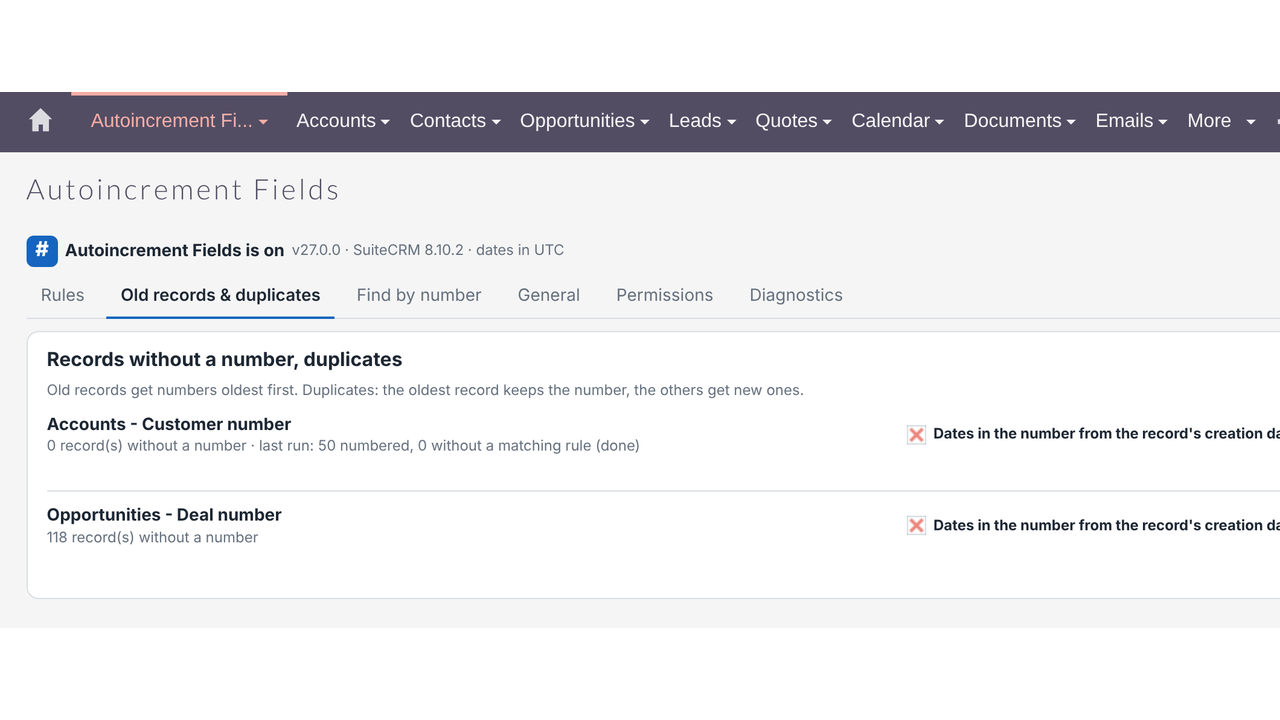
- Number old records oldest first, with dates from the creation date and progress; records are not re-saved, so no workflows run.
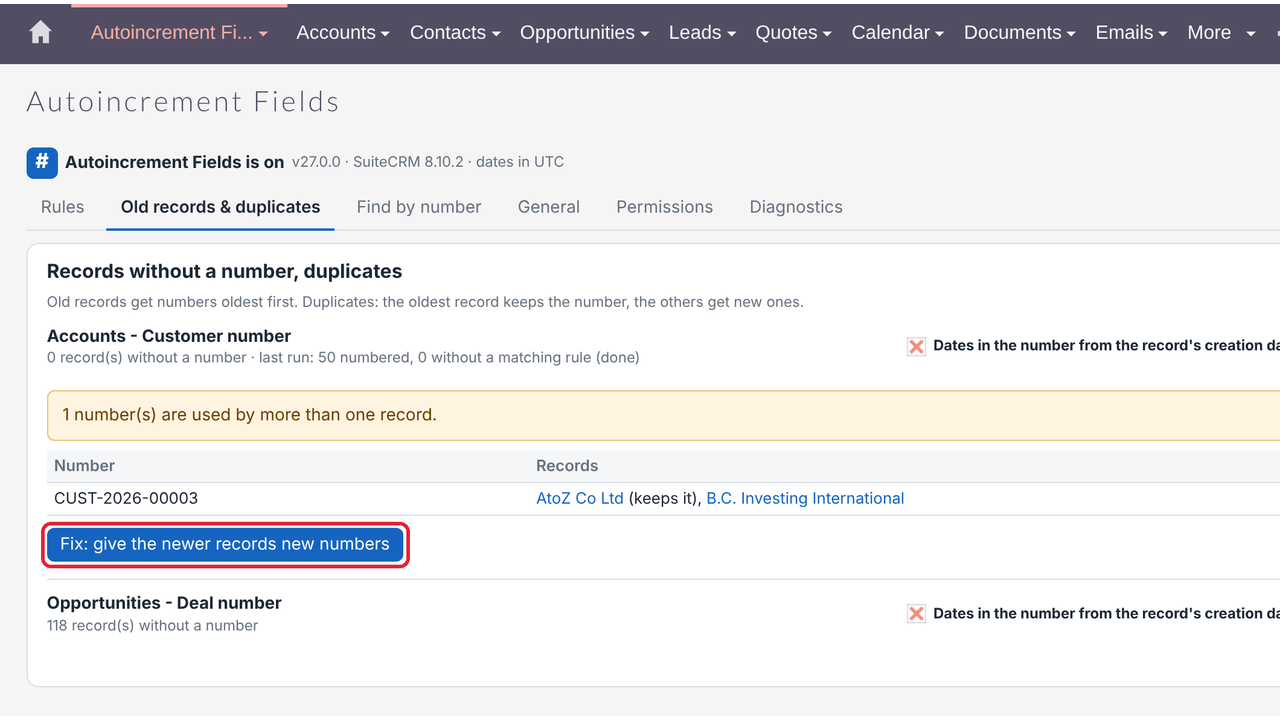
- Check duplicates and fix them — the oldest record keeps its number, newer ones get new numbers.
✅ Finding Records
- Find by number page: an exact number opens the record, a beginning lists all matches across numbered fields.
- Integration with Outright FasterSearch for the top-bar search and Ctrl+K.
✅ Administration
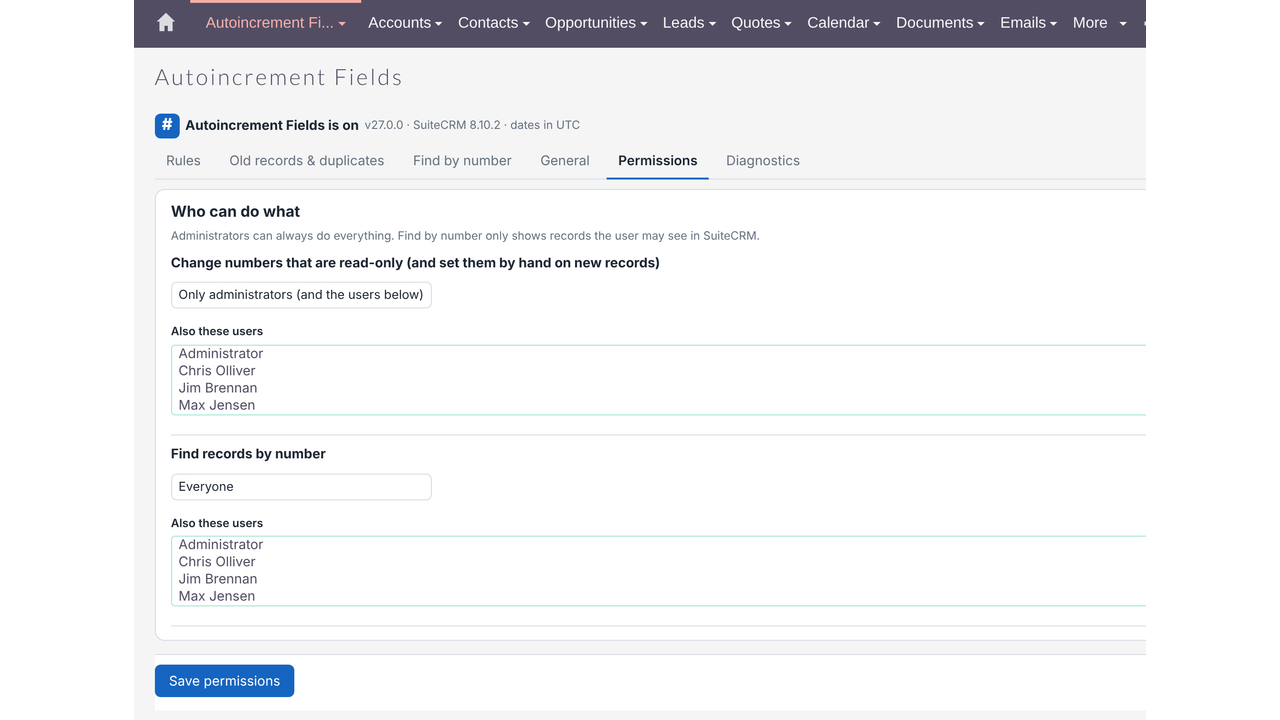
- Permissions for changing numbers and for Find by number (everyone, roles or users).
- Master switch: numbering off without losing rules, counters or numbers.
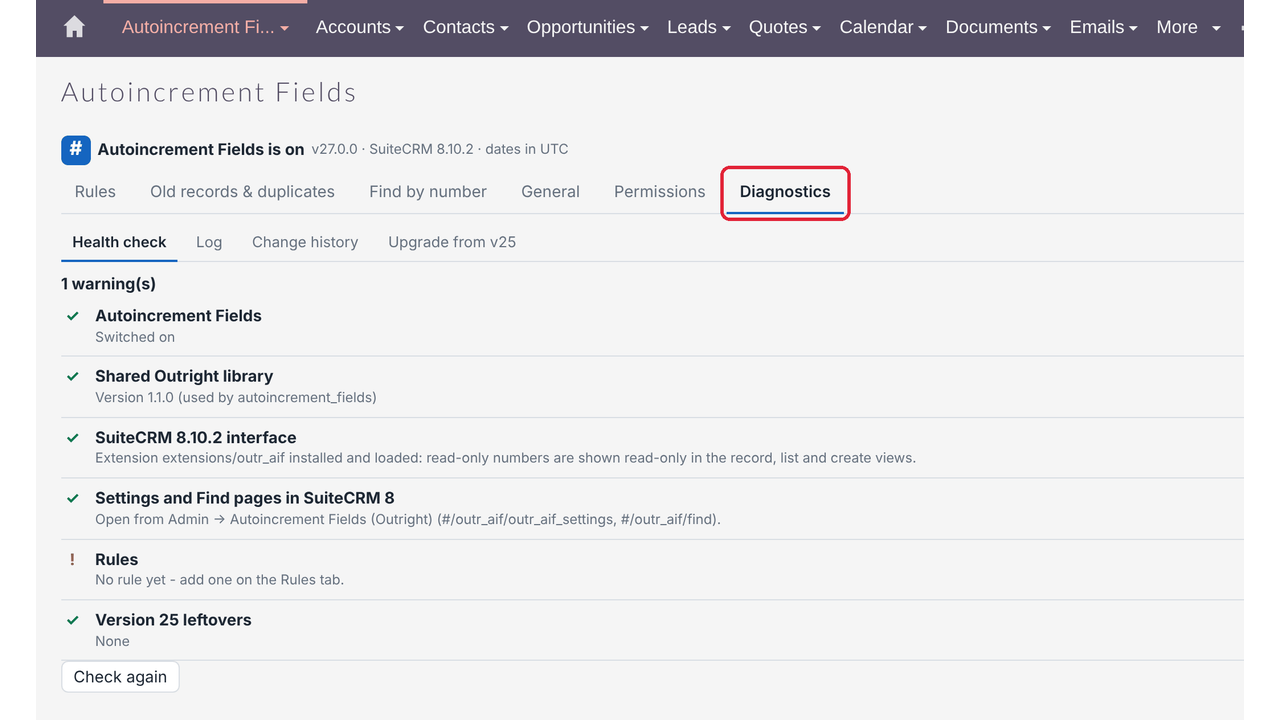
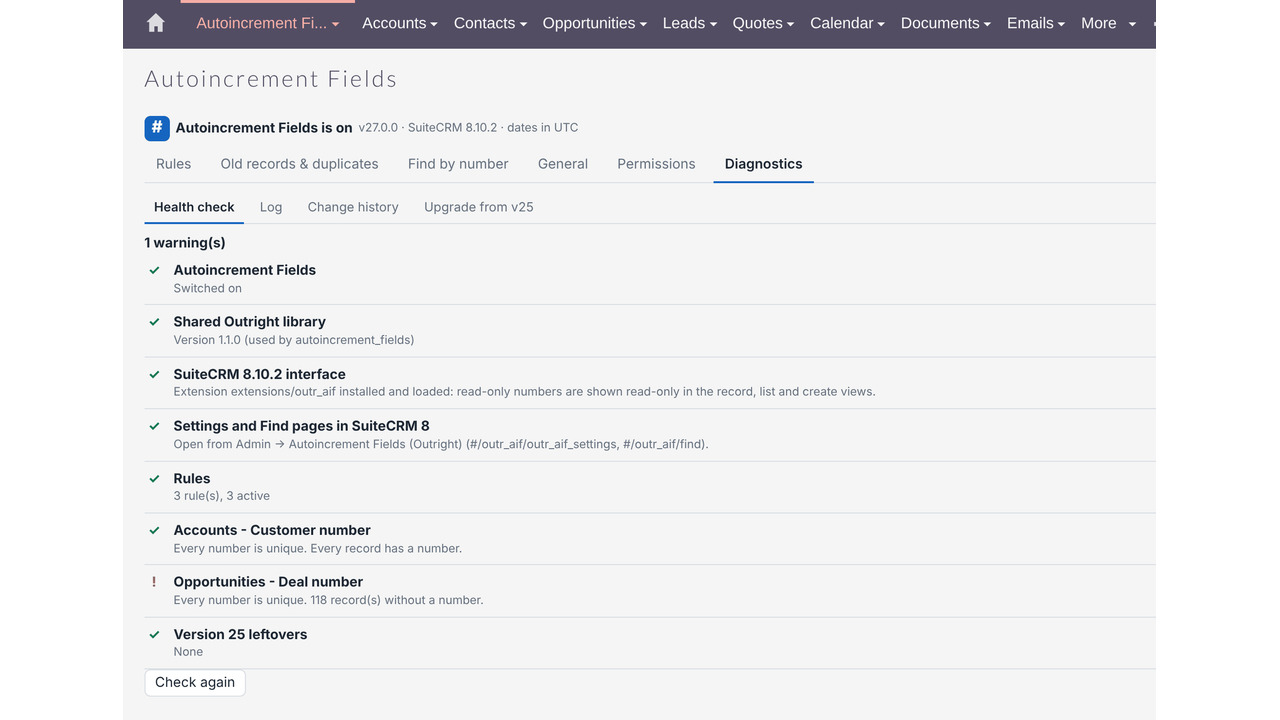
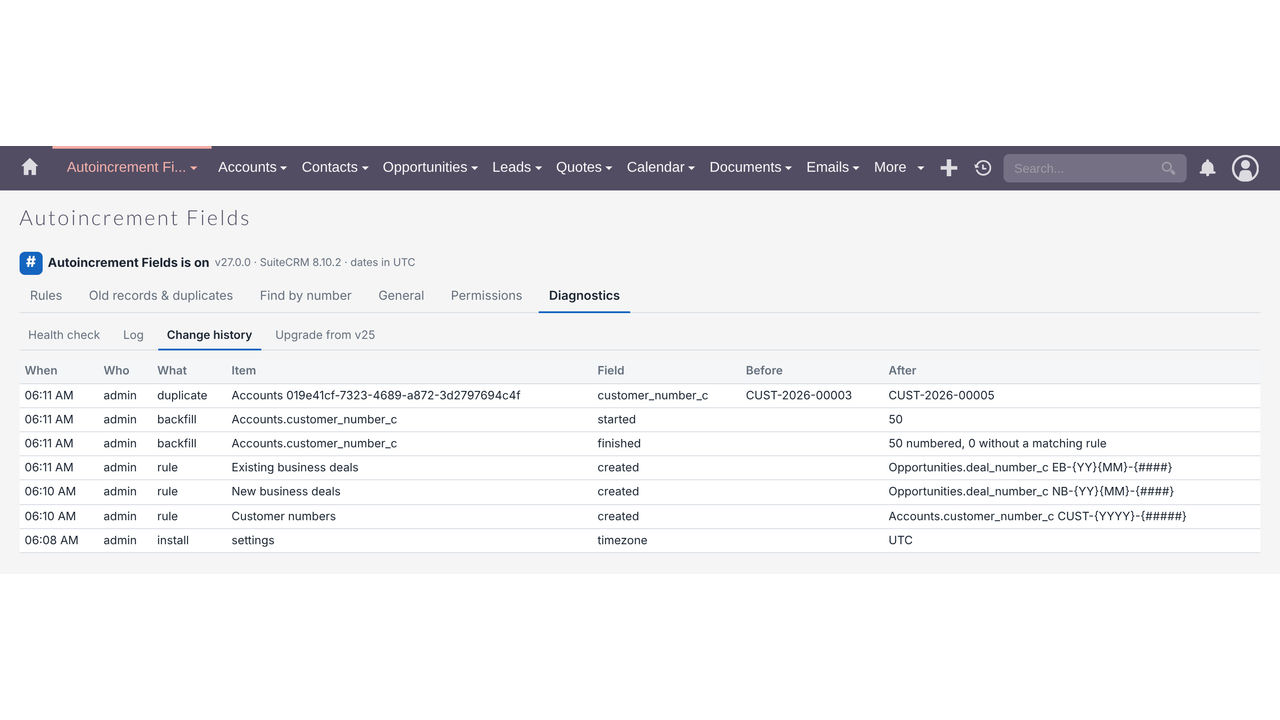
- Health check (version, SuiteCRM 8 extension, rules, unique numbers, records without a number), log and change history.
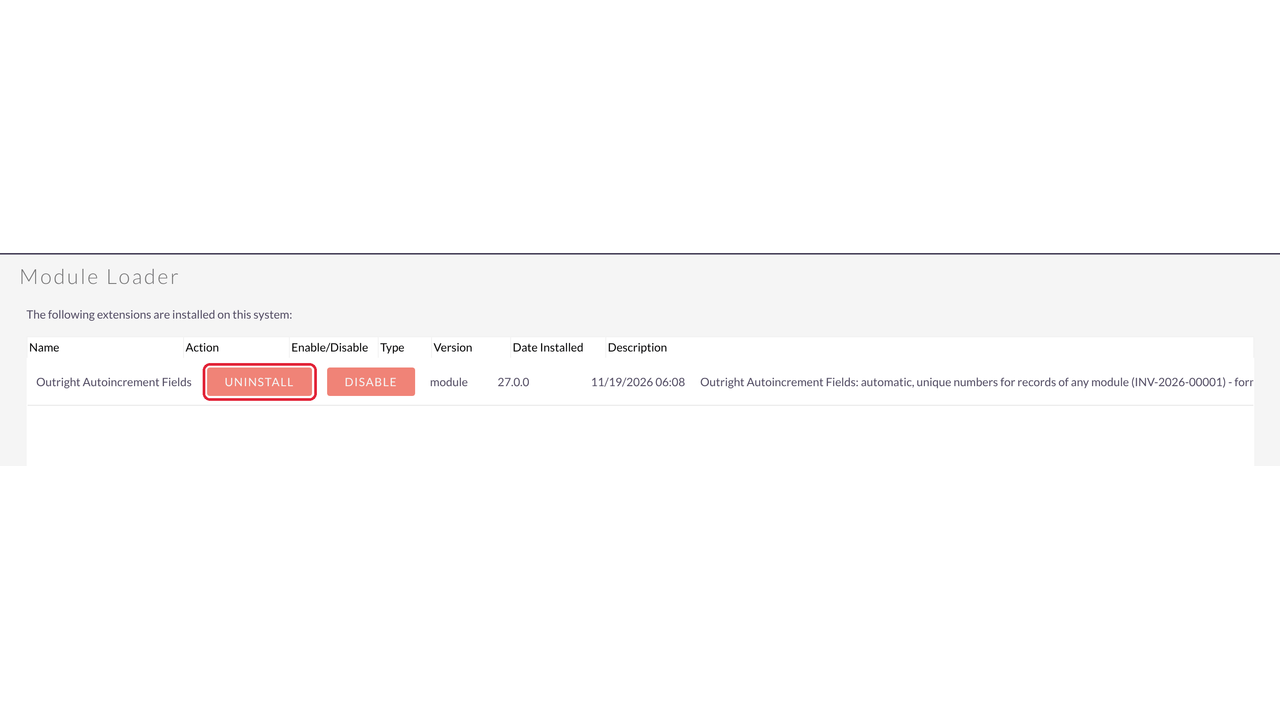
- Upgrade from version 25: rules and counters imported automatically; old hooks and scheduler removed before install.


Visual Showcase
See the product in action through screenshots

1
2
3
4
5
6
7
8
9
10
11
12
13
14
15
16
17
18
19
20
21
22
23
24
25
26
27
28
29
30
Product Videos
Watch our product in action
Coming Soon
User Guide
Learn how to use and configure the system step by step


FAQs
Question? Look here.
Which SuiteCRM versions are supported?
SuiteCRM 8.x (tested on 8.10.2, including the new interface) and SuiteCRM 7.13, 7.14 and 7.15, Community Edition, with PHP 7.4 – 8.4.
Can two records ever get the same number?
No. Numbers are given on the server and are safe when several users save at once; numbers already used by another record are skipped, and copies made with Duplicate get a new number. Check duplicates finds and fixes any that came from imports or old data.
Do I need to create the number field in Studio first?
No. Choose "+ Create a new field..." in the rule and the field is created and added to the edit and detail views.
Can different record types get different formats?
Yes. Add several rules to the same field with conditions, for example Type is Invoice → INV-..., Type is Quote → Q-....
When does the counter start again?
Never, every year, every month or every day — you choose per rule. Dates and resets follow the time zone in General.
Can I continue my existing numbering?
Yes. Set Next number in the rule (for example 1501) and numbering continues from there.
What about records that already exist?
Use Number old records: records are numbered oldest first, with dates from their creation date, without being saved again.
Do imports, workflows and the API get numbers too?
Yes. Numbers are given whenever a record is saved. For imports you choose: number those without a number, always number, or skip.
Will my rules from version 25.x or 26.x be lost?
No. 27.0.0 upgrades in place with the same package ID; rules, counters and settings are kept and each sequence continues.
Does it need a cron job or a licence server?
No. There is no cron job and no licence call to external servers.