







Even with the best software solutions, a modern workplace can waste time on the simple question: who needs to act right now? While CRM, task management, ERP and shared dashboards are great at giving visibility into what should be done next and storing information, they do not help much with workplace communication when a colleague needs to know what they need to do right now. This might be in a warehouse, down a hotel corridor, at the entrance of an event, or in a busy retail environment.
Instead, we can approach this issue by recognizing that real-time voice communication and workflow systems have very different roles. By creating systems to work together to support the same process within an organization, more benefits can be gained. A quick voice update will ensure an action can be taken within seconds, and the CRM, task or service system can be used to store the information.
How license free radios can fit into the digital workplace
A Facilities team could have an issue with equipment. Whilst on site a member of staff could see there is water in the plant room. They could then open their task management app and type in the issue, assign it to a colleague, and wait for them to receive a notification. This would technically create a record but may not be the right step to take.
For this kind of short-range operational coordination, licence-free two-way radios can provide a direct voice channel between staff working in the same physical environment. In the UK, compliant PMR446 equipment can be used on a license-exempt basis, with Ofcom describing it as a low-power, short-range service suitable for professionals as well as non-professional communication.
How Workplace Communication and Workflow Software Solve Different Problems
Sometimes businesses can cause friction by forcing everyone to use one platform.
A CRM will be useful to keep track of a customer relationship for sales or service teams. Task management tools are more useful for keeping track of who owns something, deadlines, dependencies and progress. ERP systems will help to bring operation and financial data together on larger processes. Messaging tools fall somewhere in between to help people communicate without needing to create a record.
Instant voice communication is useful for situations where it would cost more to use a system to capture the first few seconds of conversation.
| Workplace needs | Useful communication layer | What should remain in software |
| Immediate operational instruction | Radio or direct voice | Follow-up task if action continues |
| Customer request | Phone, chat, or face-to-face contact | CRM record and next action |
| Equipment fault | Radio or voice alert | Maintenance ticket and status |
| Shift handover | Short verbal briefing | Outstanding tasks and notes |
| Event incident | Radio for immediate coordination | Incident record and follow-up |
| Sales opportunity | Conversation | CRM stage, owner, and history |
This ensures that this common problem isn’t encountered.
In their own article on CRM workflow automation, OutrightCRM explains that it’s not just about having a single database for sales, support, marketing and billing. They also need to consider the workflow between these teams and ensure they aren’t having to pass incomplete updates between disconnected chat tools, spreadsheets, and informal messages.
The useful handoff happens after the conversation
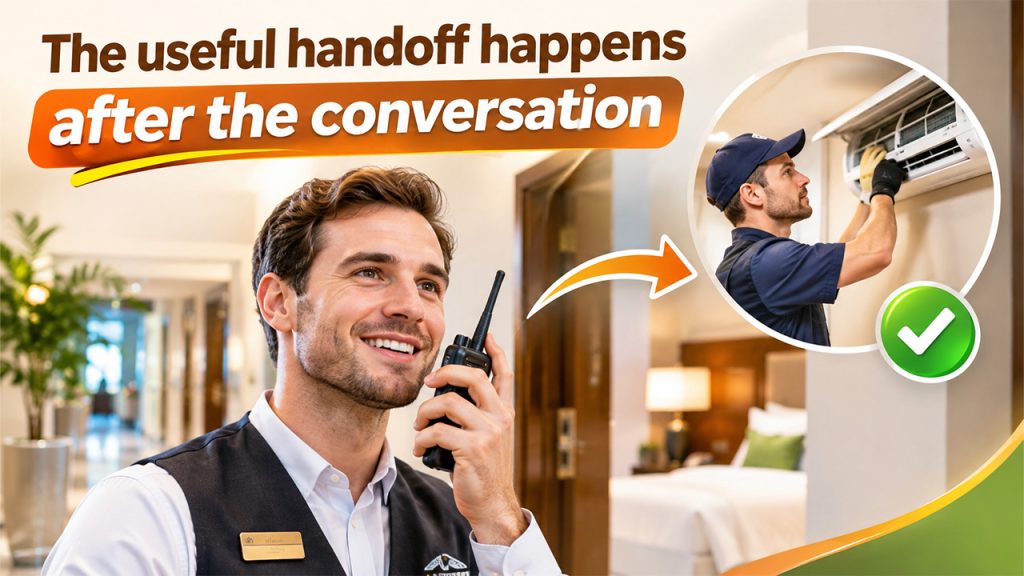
The weakest part of a hybrid communications solution is typically the gap between your radio, CRM, and task system.
Let’s say that one of your reception radios comes into play because a guest has raised an issue with an air conditioning unit. The issue is acknowledged straight away, and someone is sent upstairs. From the guest's point of view, it seems like a quick response.
What happens next?
If no one logs the issue, you will miss out on useful information. The next shift may not be aware if the issue was fixed or not. Management will struggle to identify if the same unit is failing 3 times a month. This will leave you with a recurring maintenance issue that hasn’t been turned into useful operational information.
The ideal workflow is to use the quickest communication method for instant coordination and then log the relevant parts.
A practical handover could look like:
- Issue identified by a member of staff.
- Contact the closest relevant team using the quickest communication method.
- Ownership is taken.
- Issue logged into the correct CRM, service desk, maintenance, or task system.
- Status updates are logged until the task is complete.
- Patterns can be identified if issues keep recurring.
This doesn’t mean every member of staff will have to write a detailed report after every radio conversation. We want to know what conversations we don’t need to have in detail and what we do need to have a digital record of.
Multi-team environments require clear communication boundaries
The more teams that are working in the same location, the more important workplace communication becomes.
For example, in retail, an employee on the shop floor might need an immediate stock check from the backroom. This can be done using a quick radio message. However, if an item keeps coming up as in stock in the system but cannot be found, this should be managed in inventory or workflow software. The issue can then be investigated.
In hospitality, there can be similar boundaries. Reception, housekeeping, security, catering and maintenance may need to communicate with each other quickly during the shift. Most communication shouldn’t be included in a CRM. However, guest complaints, outstanding maintenance, recovery, and repeated issues will often be included.
This is the same in many other environments such as events, warehousing, schools and facilities management. There may be multiple communication channels in the workplace:
- Live communication
- Messaging
- Workflow software
- CRM or service platforms
- Reporting systems
Digital transformation does not mean replacing every analogue process
Within organisations there is often a common theme around replacing processes with new applications.
This can create some awkward situations whereby employees will be asked to create a ticket before speaking to their colleague standing next to them. Warehouse workers will have to take off their gloves, unlock their phone, open the application, and search for the right channel to communicate something that could have been said in 5 seconds.
Digitisation is more successful when it is using software to collect the data that would benefit from being structured.
However, you should not use this as an excuse to not capture important data. If a job is created from a radio message (maintenance, customer commitment, stock correction, safety etc) then someone should know where this data is going.
This is where CRM and workflow become important even in mobile or deskless businesses. OutrightCRM has also highlighted the need to ensure that your ERP and CRM are set up in line with how the employees are actually working. If the software isn’t reflecting how they are actually working, then you are more likely to have duplication, delays and informal workarounds.
Start with your processes
Don’t ask yourself "Do we need radios?" or “Which workplace app should we buy?”
Start by understanding your processes.
Where are bottlenecks? What messages need to be communicated in real time? What tasks need ownership? What information needs to be searchable in the future? Which staff members are spending the majority of their time out of the office? Where are there issues with mobile connectivity?
This will help to determine what communication tools you require.
Small retail environments may only require simple local area communication tools, using voice, to also compliment inventory and CRM systems. Large sites requiring more complex coverage, security and radio management may require more complex tools. And if you have a remote team in the office then you may rely heavily on digital tools since they will already be sat at screens.
You don’t want to add extra technology just to make it look more connected. The ideal set up will reduce the gap between the event, who needs to know and the system that needs to remember.
Connected workplaces need both speed and memory
Digital platforms have a great memory, with them being able to store information about your customers, task ownership, deadlines, service history and operational info. Real-time workplace communication gets information to the right people quickly.
But they shouldn’t be used interchangeably.
If your picker needs to check if the loading bay is clear with a colleague, they don’t need to check their CRM. However, if this issue affects their order then they will need to check their CRM. If your hotel engineer receives urgent instructions via radio, but the problem they are facing with the equipment is a repeated issue, this should go into their maintenance process.
This is how your connected workplace should function. The quickest appropriate method of communication should be used to deal with the issue at hand whilst using the correct digital platform.
You’re not adding more communication tools, but instead defining what each tool is for. By using voice, task management, CRM and operational software as part of one workflow your employees are spending less time translating between systems and more time progressing their work.