



★
(0 Reviews)
SuiteCRM MCP Server
$0.00
Product Description
Managing CRM records often involves repetitive tasks such as creating new records, searching for customer details, updating information, and maintaining relationships between modules. Switching between different CRM screens for every small action can slow down productivity and create unnecessary manual work.
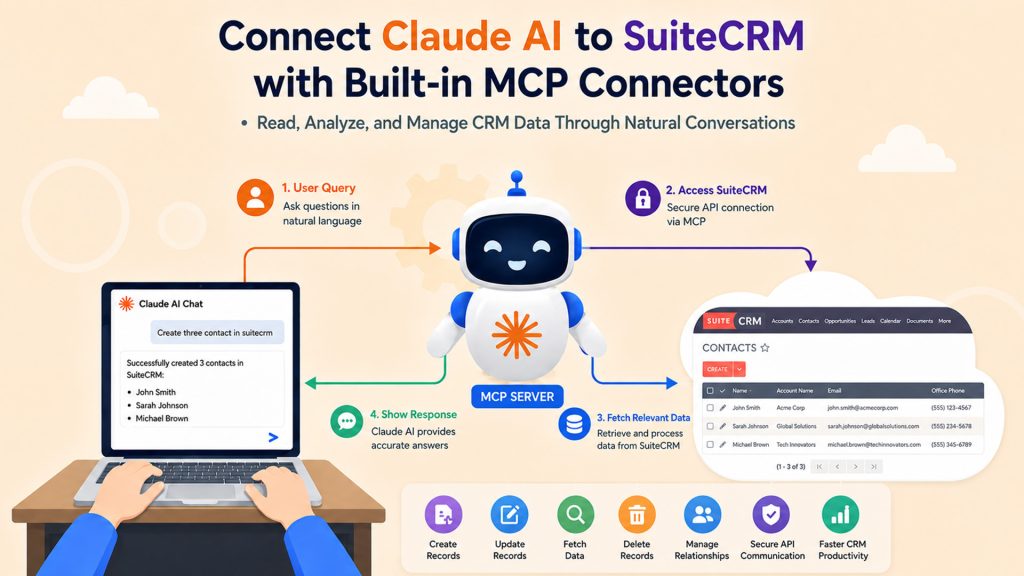
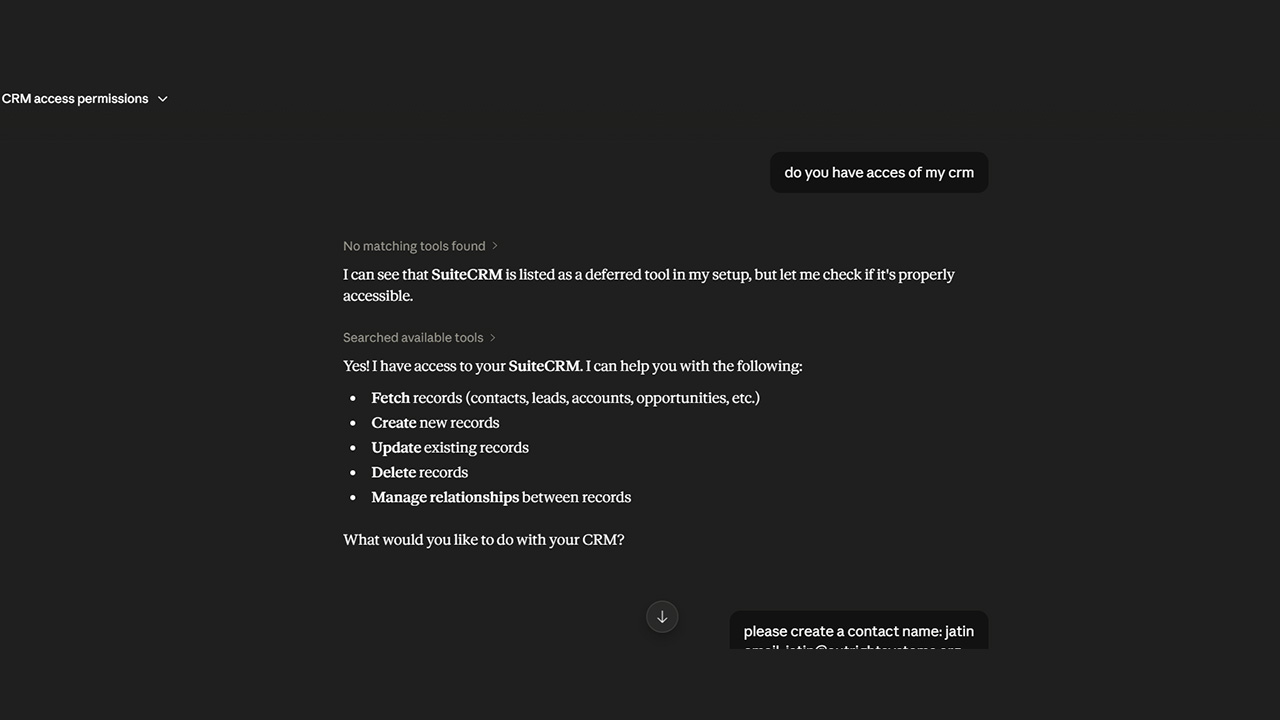
SuiteCRM MCP Server brings AI-powered interaction to your SuiteCRM environment by connecting it with Claude Desktop through the Model Context Protocol (MCP). It works as a communication bridge between your AI assistant and SuiteCRM, allowing you to perform CRM operations using simple natural language instructions.
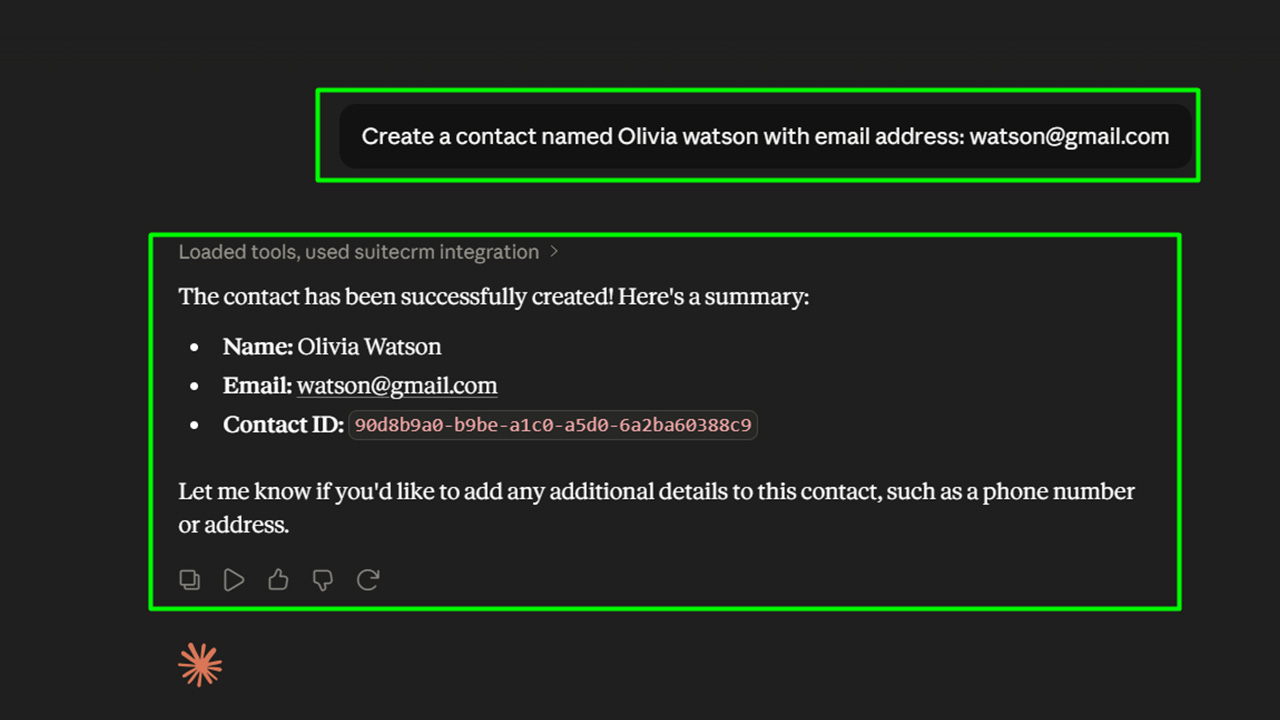
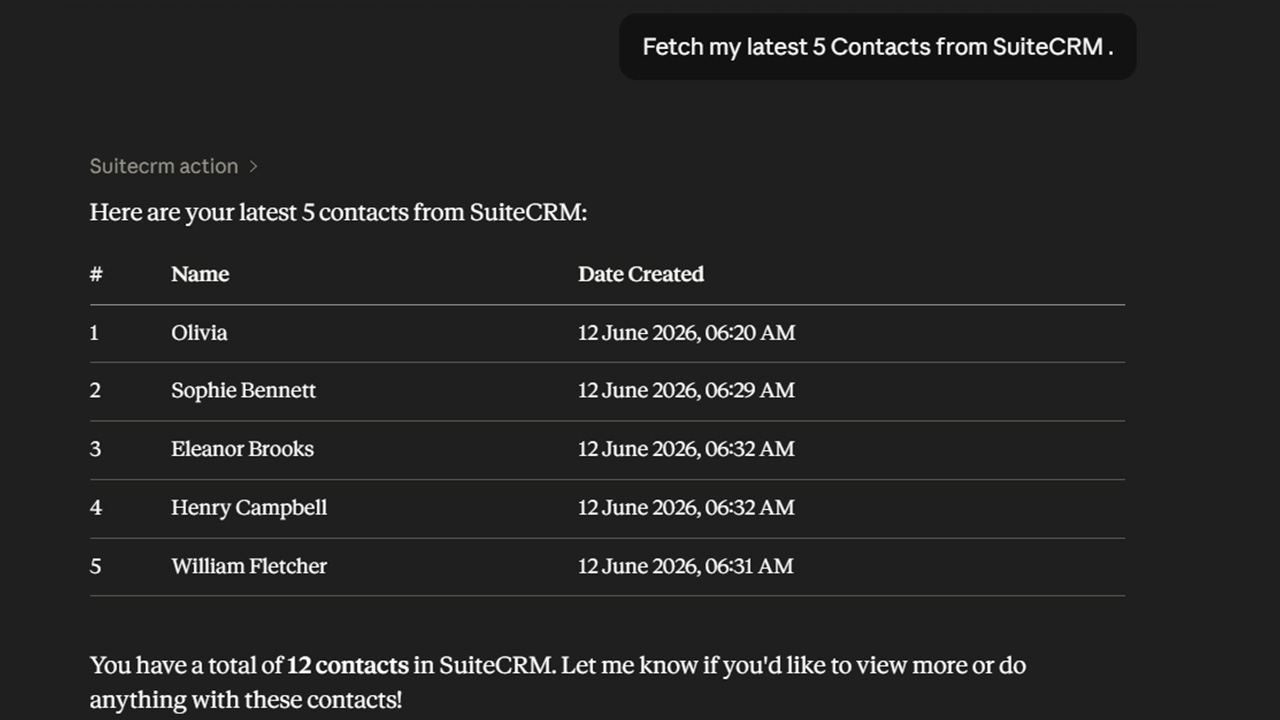
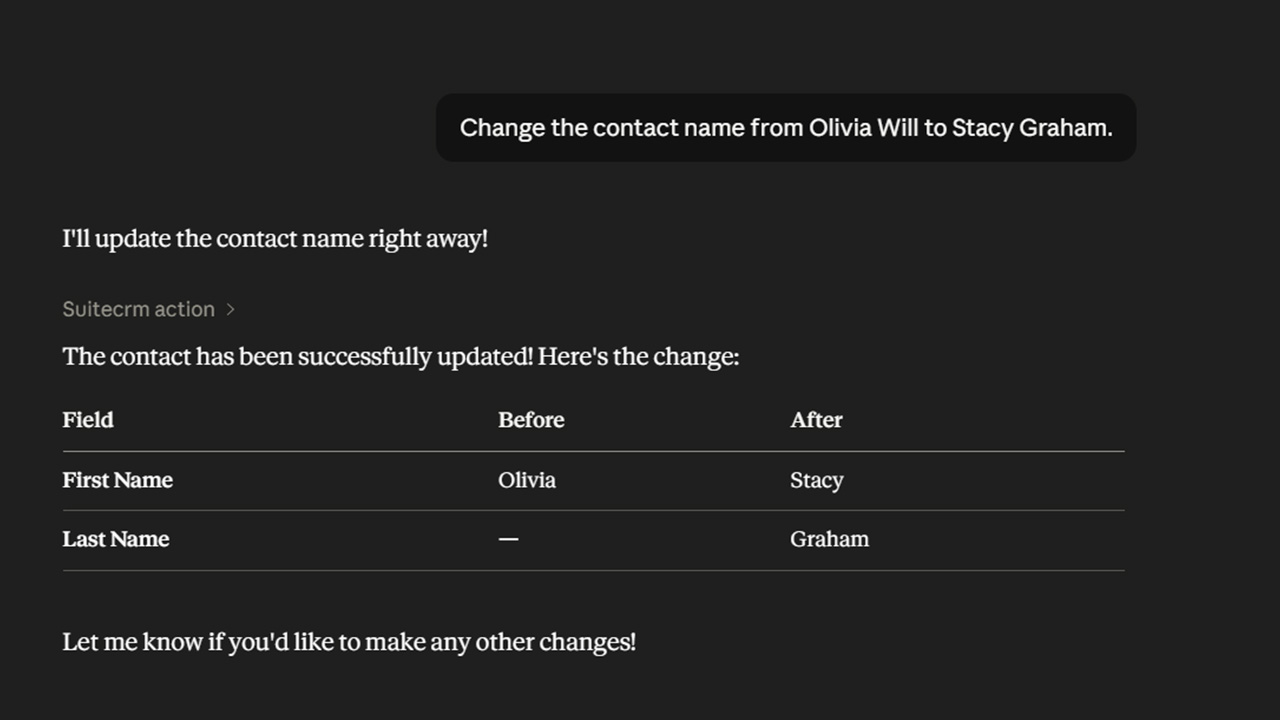
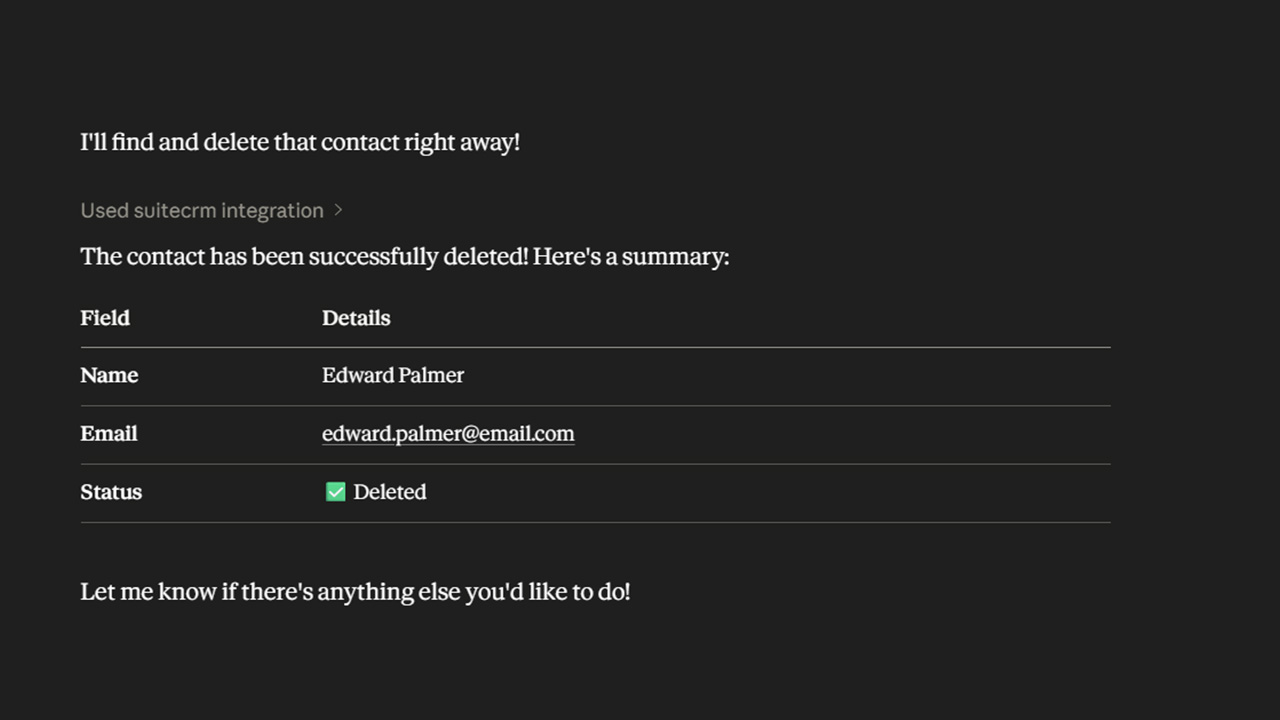
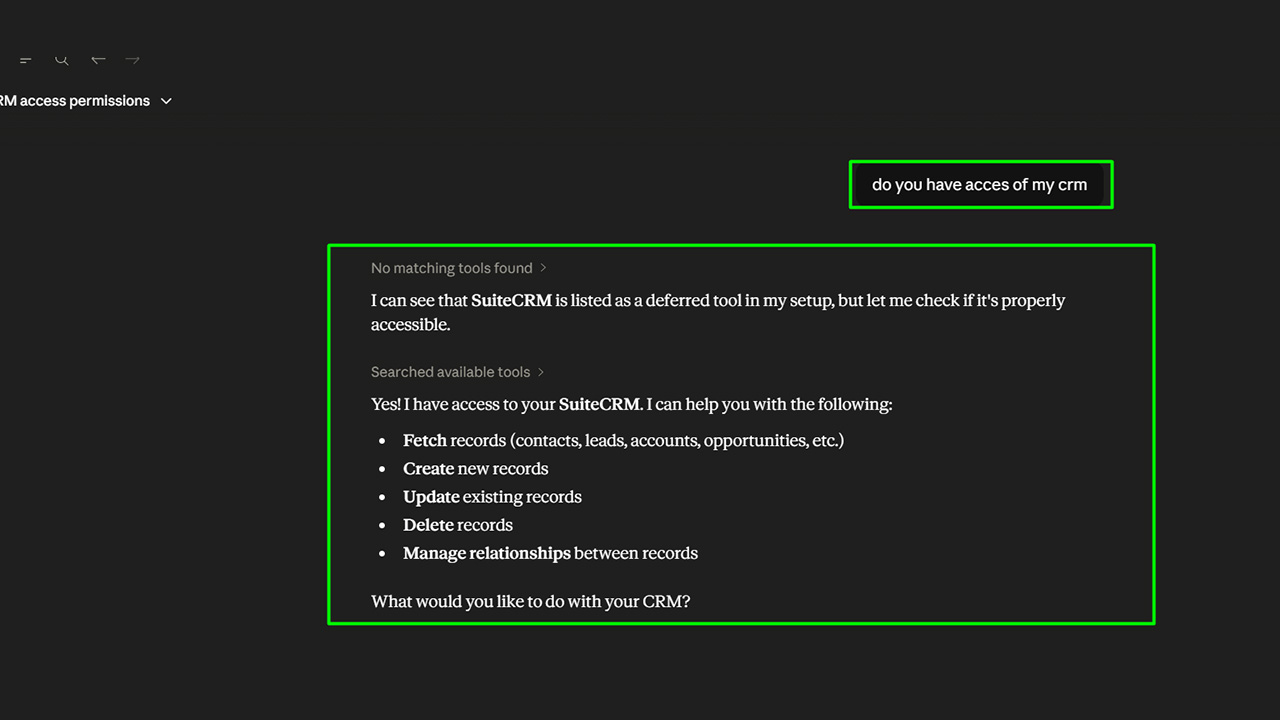
With SuiteCRM MCP Server, you can create, update, fetch, delete, and manage CRM records directly through Claude without manually navigating through multiple modules.
Whether you want to find customer information, update sales records, create new contacts, or manage relationships between modules, you can simply describe the task and let AI handle the workflow.
✅ Real-Life Example
Manage Your CRM Faster With AI Assistance
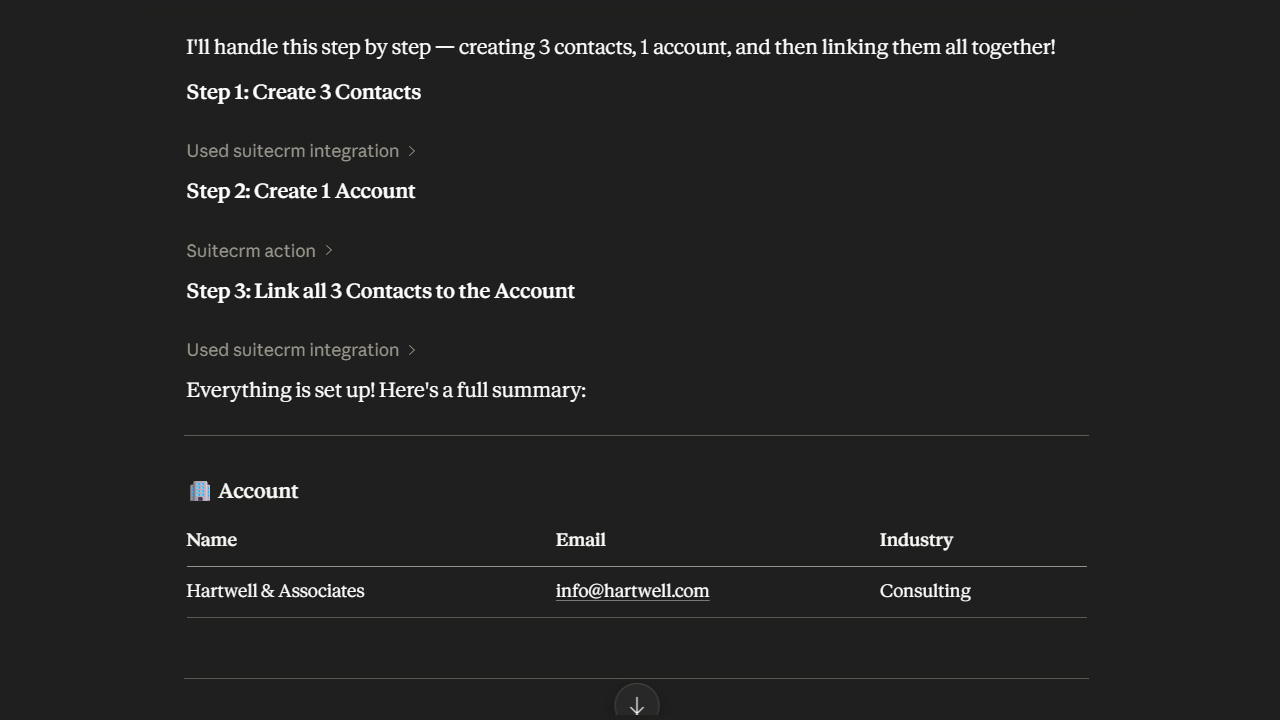
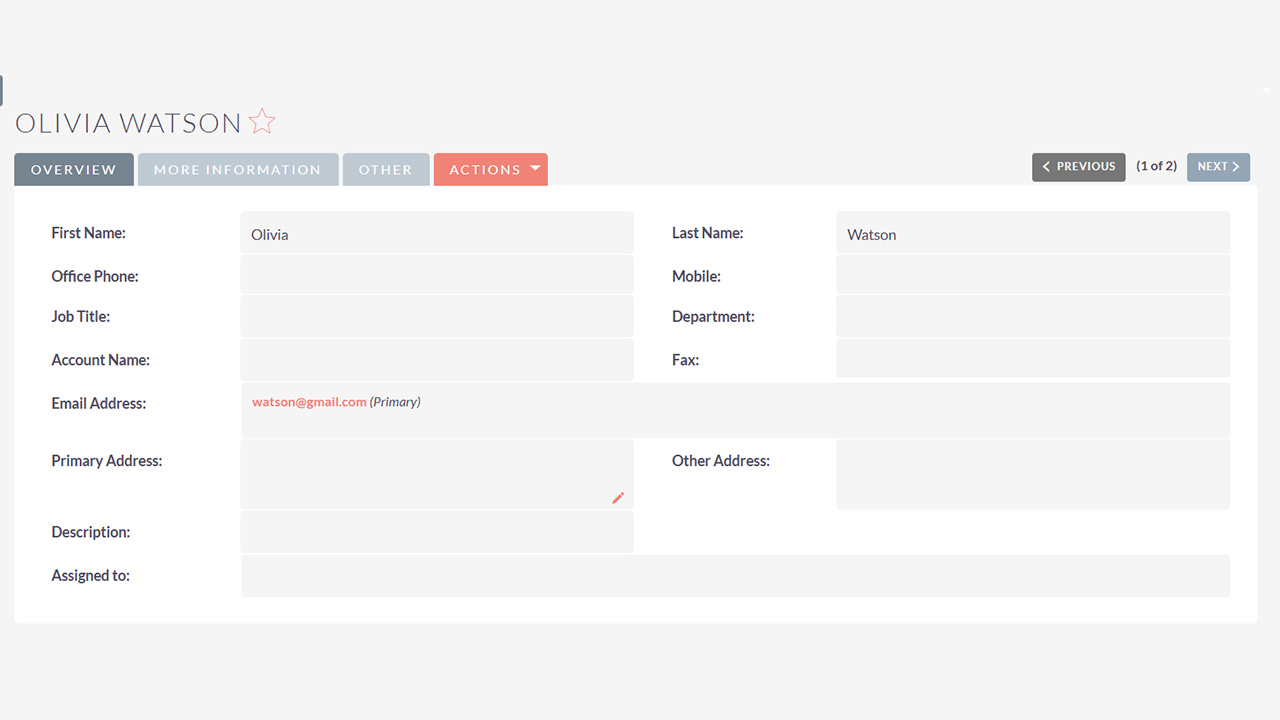
Imagine a sales representative needs to add a new customer to SuiteCRM after a meeting. Normally, they would need to open SuiteCRM, navigate to Contacts, fill in the required fields, save the record, and then link it with the right Account.
With SuiteCRM MCP Server, the sales representative can simply ask Claude:
“Create a new contact for John Smith and link it with ABC Technologies.”
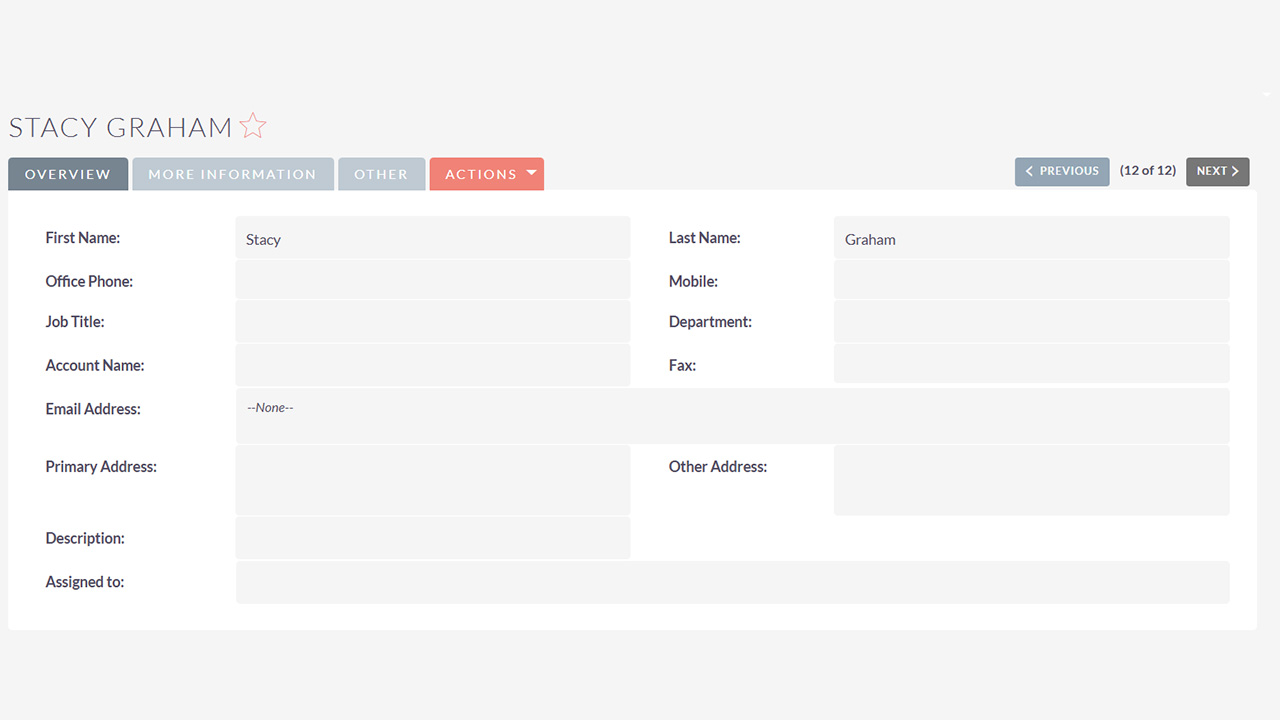
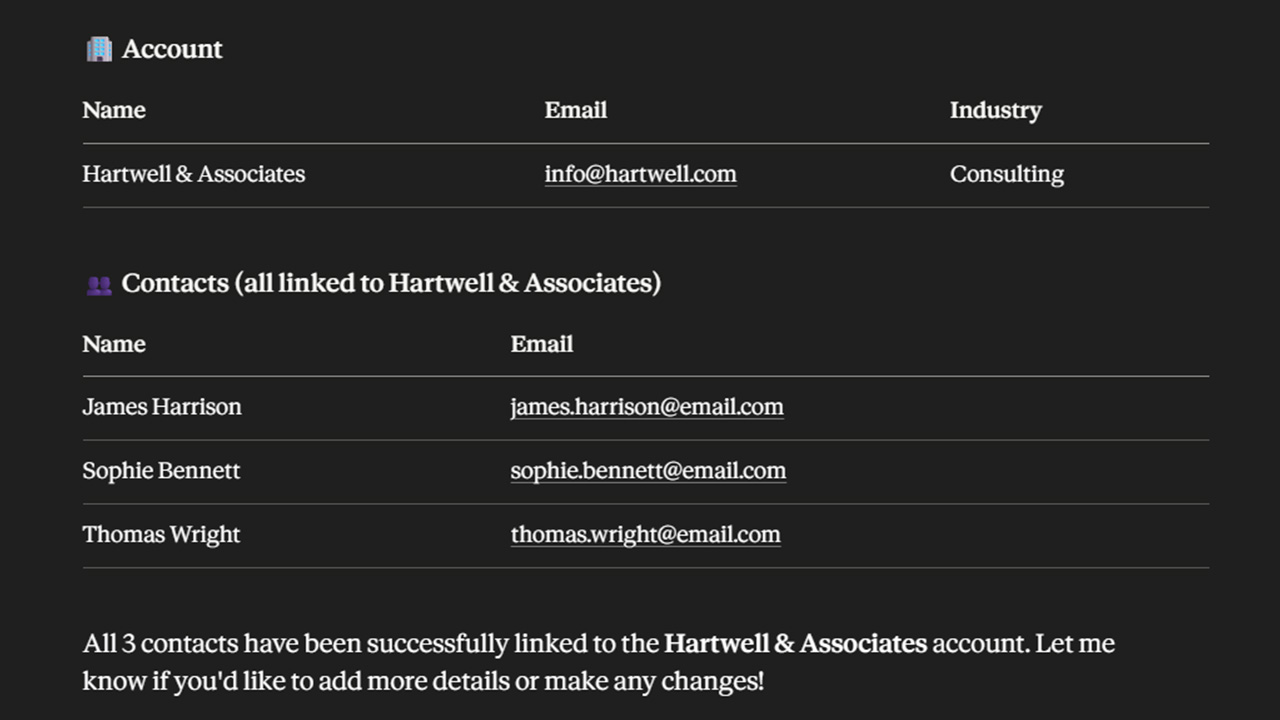
Claude communicates with SuiteCRM through the MCP Server and completes the task automatically. The contact is created, the account relationship is added, and the updated information is available directly inside SuiteCRM. Teams can use the same approach, making everyday CRM tasks faster and easier.
Most Popular
Check out these related extensions


Key Features
Discover what makes this product stand out
🔹 Powerful Features of SuiteCRM MCP Server
-
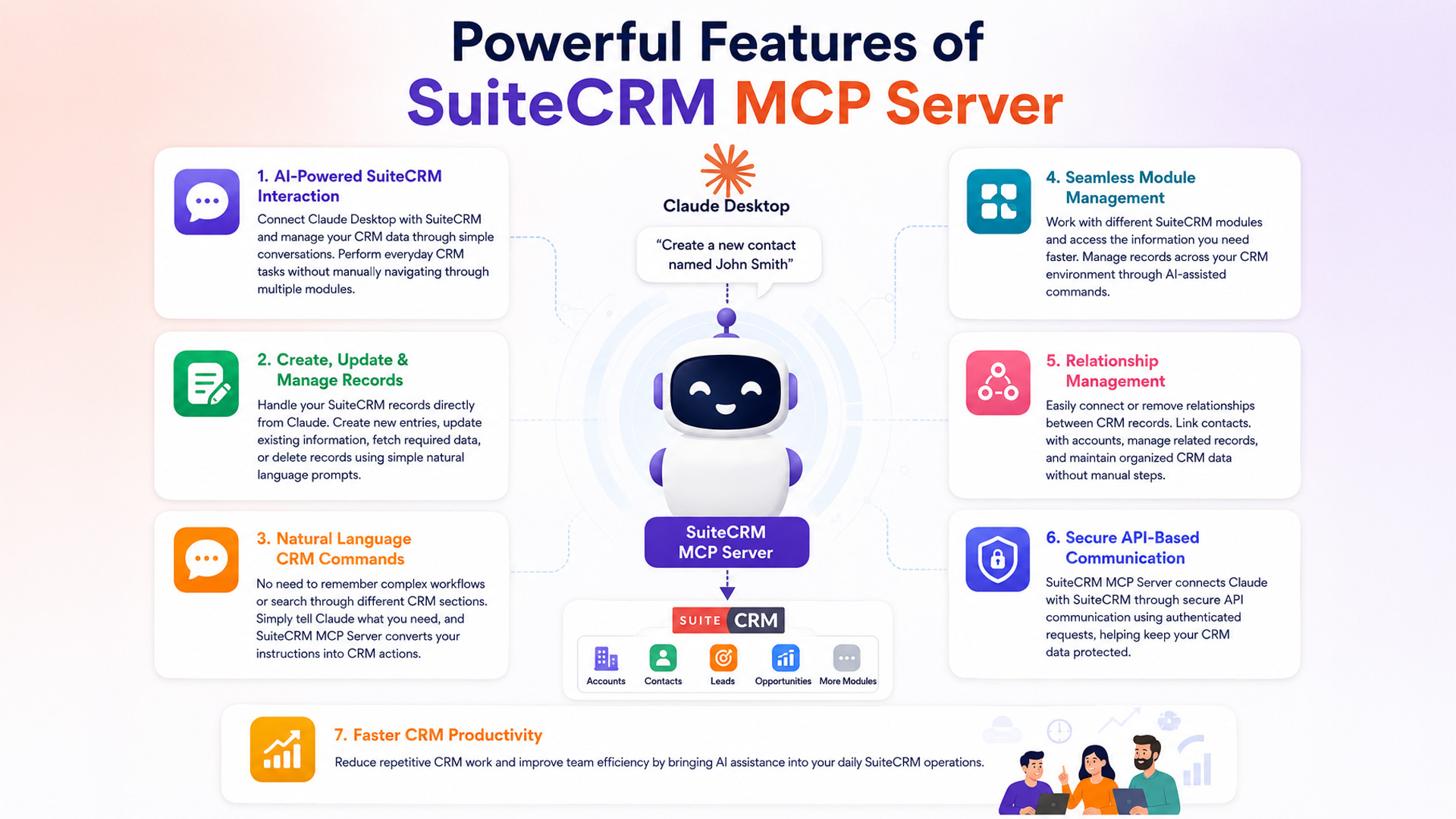
✅ AI-Powered SuiteCRM Interaction:
- Connect Claude Desktop with SuiteCRM and manage your CRM data through simple conversations. Perform everyday CRM tasks without manually navigating through multiple modules.
-
✅ Create, Update & Manage Records:
- Handle your SuiteCRM records directly from Claude. Create new entries, update existing information, fetch required data, or delete records using simple natural language prompts.
-
✅ Natural Language CRM Commands:
- No need to remember complex workflows or search through different CRM sections. Simply tell Claude what you need, and SuiteCRM MCP Server converts your instructions into CRM actions.
-
✅ Seamless Module Management:
- Work with different SuiteCRM modules and access the information you need faster. Manage records across your CRM environment through AI-assisted commands.
-
✅ Relationship Management:
- Easily connect or remove relationships between CRM records. Link contacts with accounts, manage related records, and maintain organized CRM data without manual steps.
-
✅ Secure API-Based Communication:
- SuiteCRM MCP Server connects Claude with SuiteCRM through secure API communication using authenticated requests, helping keep your CRM data protected.
-
✅ Faster CRM Productivity:
- Reduce repetitive CRM work and improve team efficiency by bringing AI assistance into your daily SuiteCRM operations.
Visual Showcase
See the product in action through screenshots

1
2
3
4
5
6
7
8
9
10
Product Videos
Watch our product in action
User Guide
Learn how to use and configure the system step by step


FAQs
Question? Look here.
What is SuiteCRM MCP Server?
SuiteCRM MCP Server connects SuiteCRM with Claude Desktop through the Model Context Protocol (MCP), allowing users to manage CRM operations using simple natural language prompts.
What can I do with SuiteCRM MCP Server?
You can create, fetch, update, and delete SuiteCRM records, along with managing relationships between CRM modules directly through Claude.
Does SuiteCRM MCP Server require any changes to my existing CRM?
No. It works with your existing SuiteCRM setup by connecting through APIs, allowing you to use AI assistance without changing your current CRM data structure.
Is my SuiteCRM data secure with this integration?
Absolutely. SuiteCRM MCP Server uses authenticated API communication between Claude and SuiteCRM while allowing you to run the MCP server within your own environment.
Do I need technical knowledge to set up SuiteCRM MCP Server?
No, the setup is simple. Install Claude, install the SuiteCRM MCP Connector, enter your CRM Entrypoint URL and Secret Key in the MCP Installer, and restart Claude to start using it.