




★
(0 Reviews)
Virtual Host Automation | vHost Builder
$150.00
Product Description
How many times have you searched on Google, “How to create a virtual host” and still not get the right and easy answer? I believe even if you got the answer from the internet, it will either be time-consuming, not straightforward, or incorrect whatsoever. The rate of this problem increases exponentially when the number of vhost (subdomain) reaches near hundred and more. To solve this problem, once and for all, we have developed a product called vhost Automation and its capabilities are boundless.
🔍 Real-Life Example
Imagine you’re a developer working on a CRM project where each client gets their own subdomain like client1.example.com, client2.example.com, and so on.
Without automation, you would:
-
Manually create config files for each subdomain.
-
Edit your system’s hosts file repeatedly.
-
Restart Apache or Nginx every time.
-
Risk typos or misconfigurations.
With Vhost Automation, you simply run a command or upload a config file and boom—100+ vhosts get set up in seconds. No errors. No wasted time.
✅ Key Benefits
-
Mass Vhost Creation
Generate 10, 100, or even 1000 virtual hosts automatically in one go. -
One-Click Sync
Sync your vhost settings across Apache/Nginx and your OS without lifting a finger. -
Time-Saving
Reduce hours of repetitive setup work to minutes—boost your productivity. -
Error-Free Configuration
Say goodbye to misconfigured vhosts or missing entries in your hosts file. -
Easy UI/CLI Options
Choose between a user-friendly interface or powerful CLI commands.
Most Popular
Check out these related extensions


Key Features
Discover what makes this product stand out
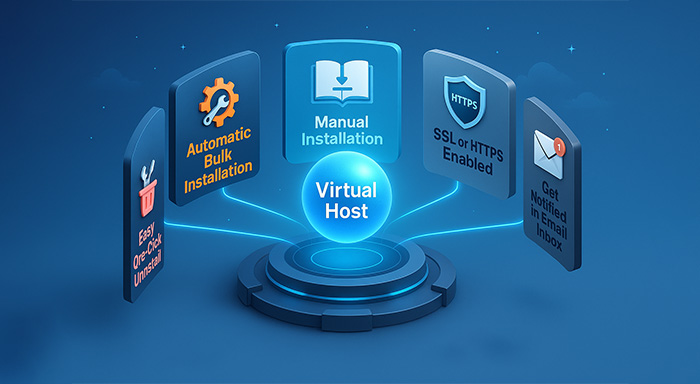
Features of vhost Automation
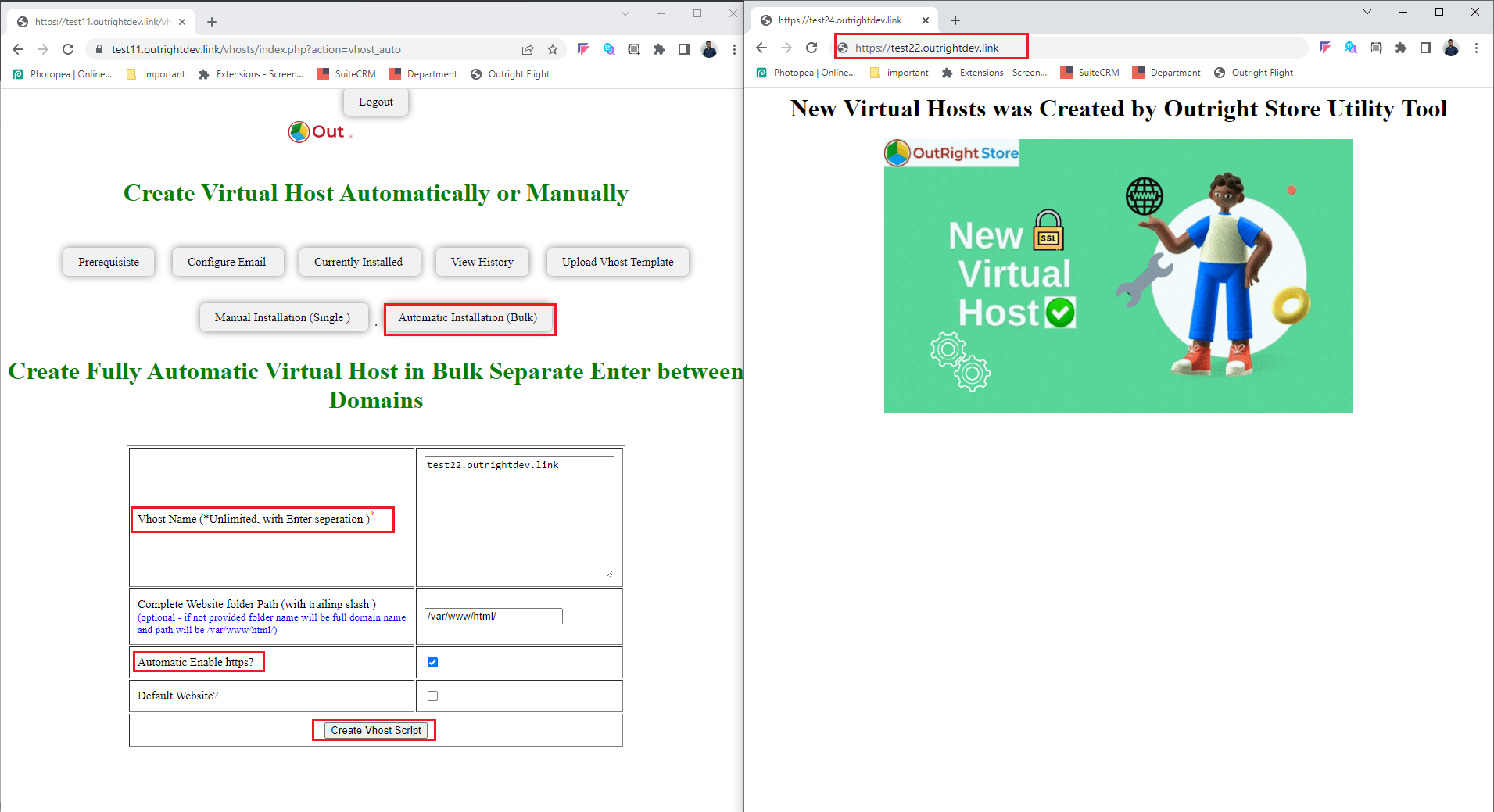
- Automatic Bulk Installation: This tool enables you to create multiple virtual hosts (domains) within minutes, without needing to run any commands. Just insert all domains and the rest is automated.
- Manual Installation: Offers a manual setup option in just 3 steps. Your domain can be up and running in under a minute.
- SSL or HTTPS Enabled: All created domains are SSL-certified or HTTPS-enabled with no extra steps or costs involved.
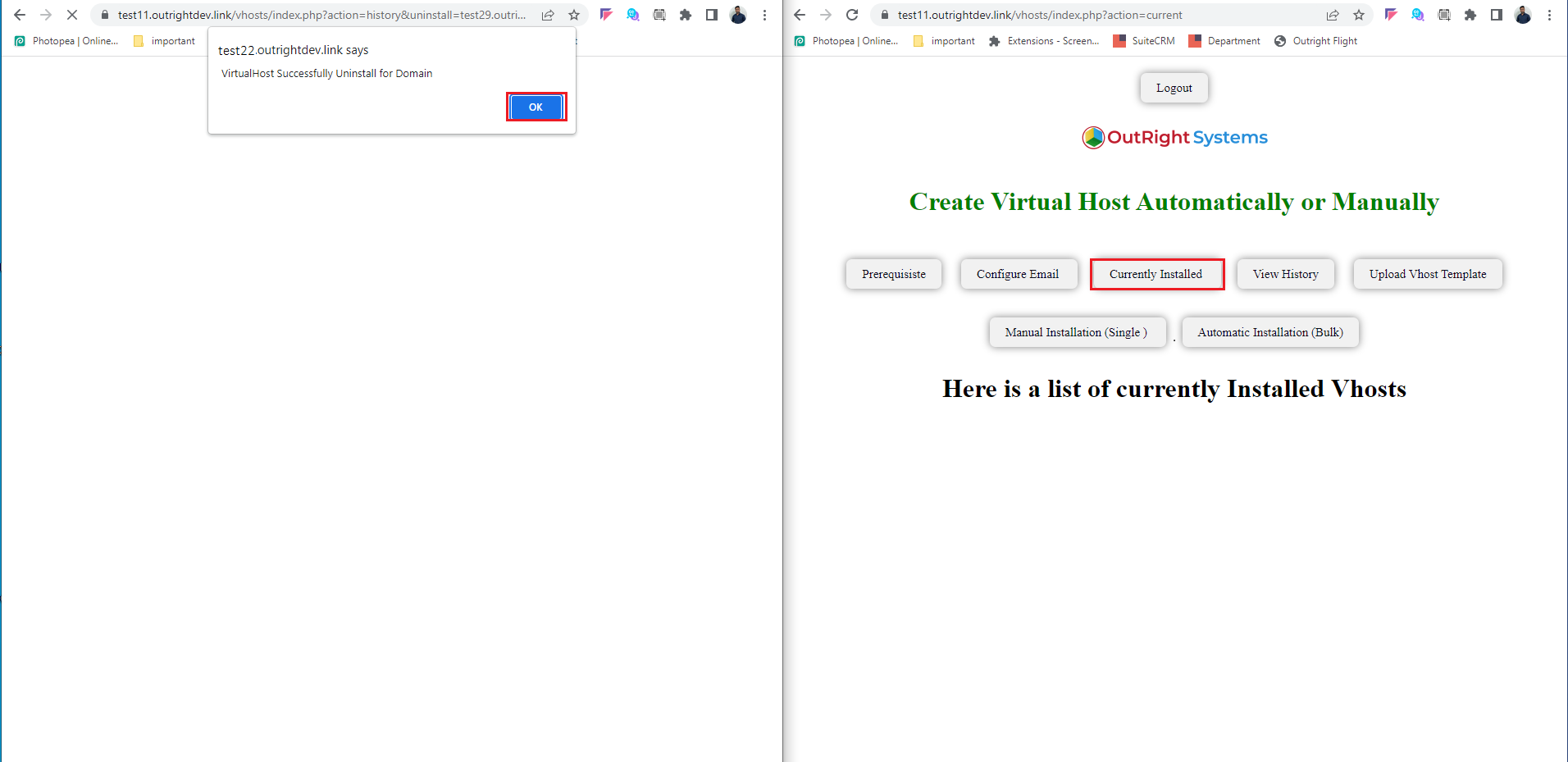
- Easy One-Click Uninstall: You can uninstall any domain with a single click.
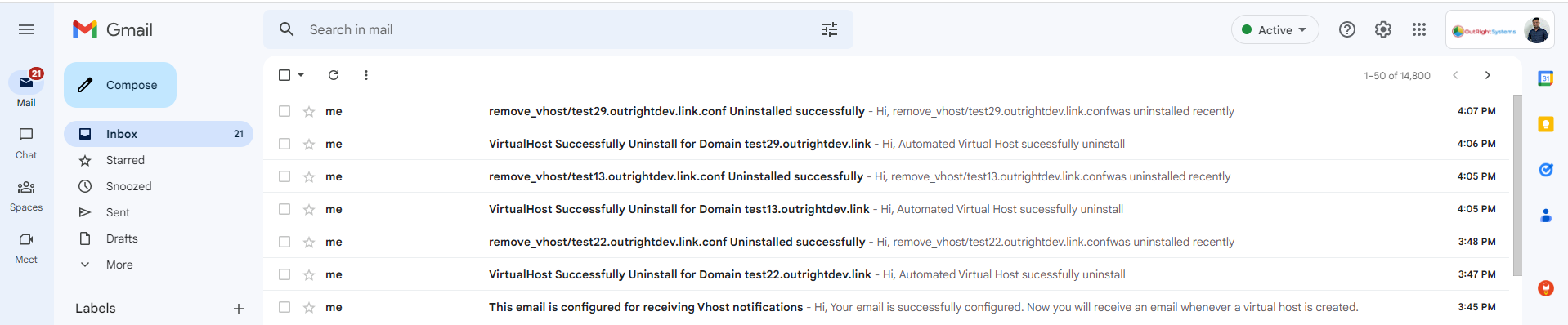
- Get Notified in Email Inbox: Receive an email notification whenever a virtual host is created or uninstalled.
- Auto-Detect & Skip Invalid and Duplicate Domains: Filters out invalid, duplicate, and DNS-unconnected domains before processing.
- Automatically Creates Website Folders: Creates folders for all domains using the website's name.
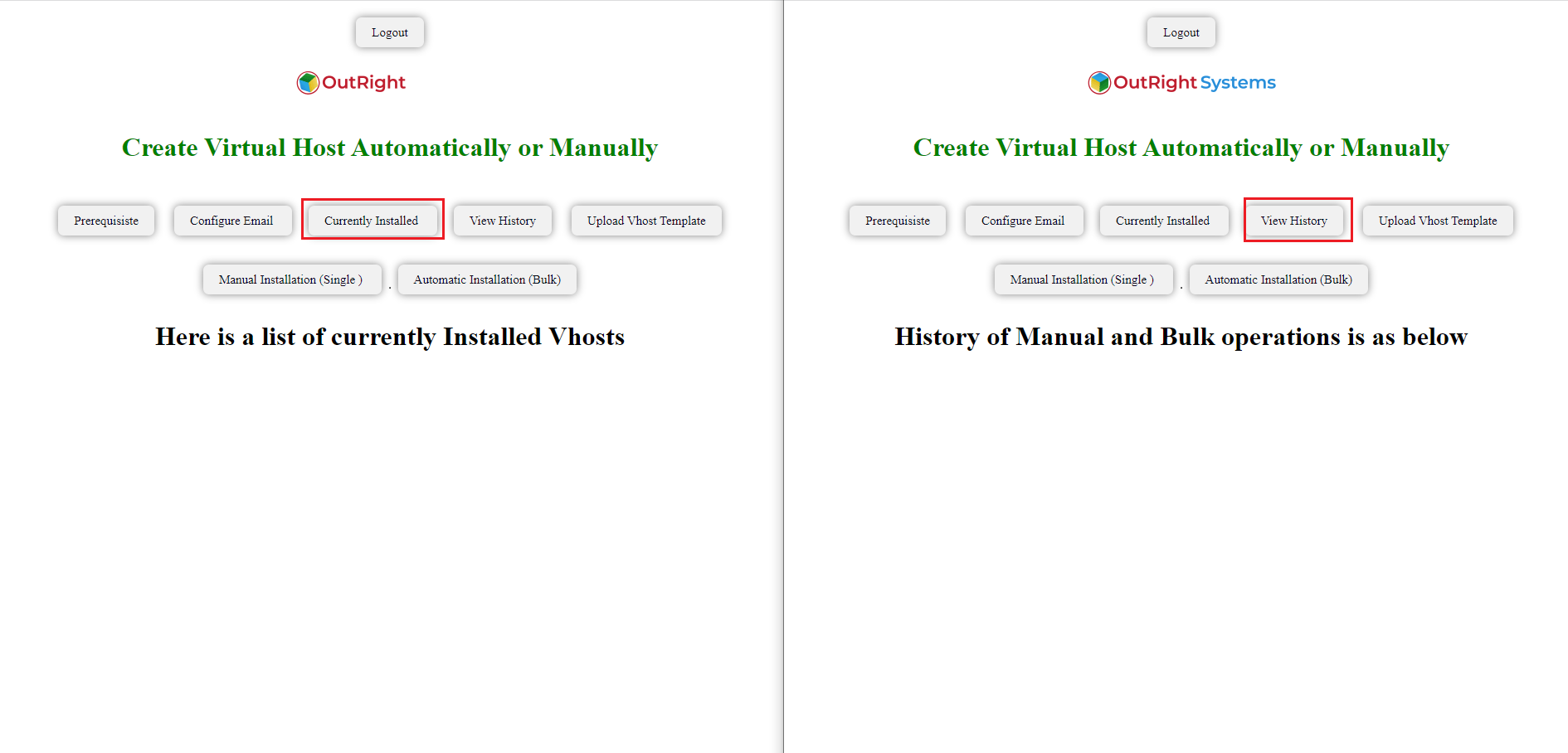
- Check Installed Domain History: Access the history section to see domain creation time, IP address, and uninstall link.
- Operation Without Load: Creates 4 vhosts per minute to avoid system overload.
- Apache Logs: View logs for any errors that might have occurred during the process.
- Default Web Root Directory: Uses default path (/var/www/Html) for vhost creation. This path can be customized as needed.


Visual Showcase
See the product in action through screenshots


1
2
3
4
5
6
7
8
Product Videos
Watch our product in action
User Guide
Learn how to use and configure the system step by step


FAQs
Question? Look here.
Can I use Vhost Automation with both Apache and Nginx?
Yes! Vhost Automation supports both Apache and Nginx. You can switch between them with ease.
Do I need technical knowledge to use this tool?
Not at all. Whether you’re a beginner or a pro, the tool is designed to be intuitive and easy to use.
What OS platforms are supported?
It currently supports Linux (Ubuntu, CentOS) and macOS. Windows support is on our roadmap.
Can I edit or delete vhosts after creation?
Absolutely. You can manage, update, or delete any virtual host at any time via the UI or CLI.
Is this tool safe for production environments?
Yes, it’s built with safety in mind and offers backup and rollback features to ensure your live setup stays intact.