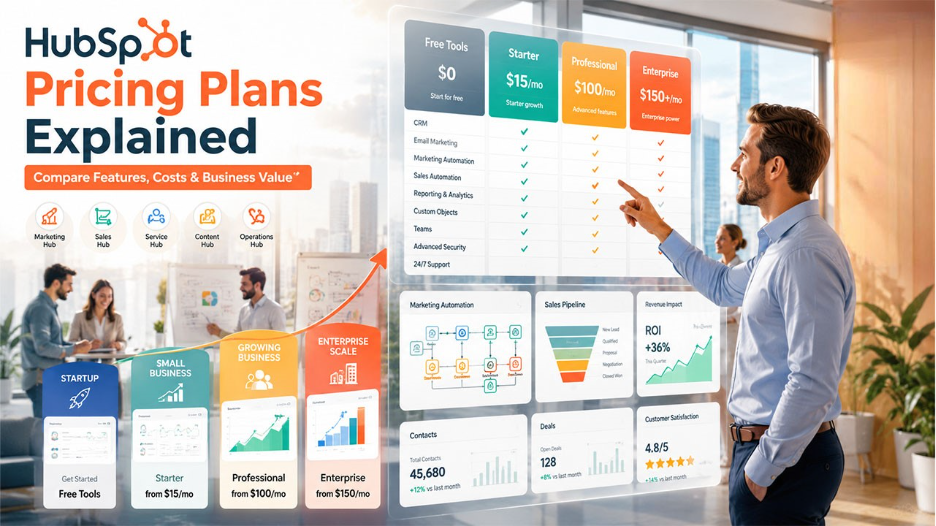






Looking for HubSpot pricing details? Discover the free, Starter, Professional, and Enterprise plans, along with their features, costs, and value for your business in 2026.
HubSpot is among the most popular and commonly used customer relationship management platforms for businesses. The platform offers a wide range of comprehensive suites, including marketing automation, sales management, customer service, and content management.
In HubSpot, each pricing layer is designed to serve different business needs. From startups exploring basic CRM tools to large enterprises requiring advanced automation and customization, HubSpot offers features and plans for each type.
Understanding HubSpot Pricing Structure
HubSpot offers a modular pricing structure, which means that, instead of offering a single subscription, the platform organizes its products into several hubs. With this, businesses can choose and pay only for the tools they need, instead of purchasing an all-in-one package.
HubSpot divides its pricing plans into several specialized products, which are known as "Hubs". Each hub is designed to support specific business functions, such as marketing, sales, customer service, and content management. To better understand pricing tiers, it’s important to explore key HubSpot features that vary across different plans.
Some of the key HubSpot products include:
- Marketing Hub: The Marketing Hub helps businesses attract visitors and lead generations. It can also automate campaigns and measure marketing performance.
- Sales Hub: The hub provides tools for efficiently managing pipelines, tracking deals, automate sale tasks, and improving team productivity.
- Service Hub: The Service Hub enables businesses to deliver customer support through knowledge bases, ticketing, customer feedback tools, and help desk automation.
- Content Hub: The hub key tools like content management, blogging, SEO tools, and content creation features.
- Operations Hub: The hub focuses on data synchronization, workflow automation, and maintaining accurate customer data across systems.
- Smart CRM: It serves as the foundation that connects all the HubSpot tools, customer information, and interactions in one centralized database.
Each of these Hubs is further divided into multiple pricing tiers, which include:
- Free: These are the basic tools for individuals and small businesses.
- Starter: It features all the essential features for growing businesses.
- Professional: Features advanced automation, reports, and customization capabilities.
- Enterprise: Includes comprehensive features, which are especially designed for larger organizations with complex operational requirements.
Key difference between each plan are as follows
| Feature | Free | Starter | Professional | Enterprise |
| Cost | $0 | $15/month | $100-890/month | $150-3,600/month |
| Ideal For | Startups, Freelancers, Small Businesses | Small Businesses | Growing and Mid-Size Businesses | Large Enterprises and Organizations |
| CRM Features | Basic | Enhanced | Advanced | Advanced + Enterprise controls |
| Email Marketing | Basic | Enhanced | Advanced automation | Enterprise-level capabilities |
| Marketing Automation | Not Available | Basic | Advanced workflow | Complex multi-step automation |
| Reporting and Analytics | Basic | Standard | Custom reports | Advanced reporting and analytics |
HubSpot Pricing Comparison: Free Tools vs Starter
The Free Tools and Starter HubSpot pricing plans offer limited capabilities, like contact management, deal tracking, and meeting scheduling. These plans are designed to offer basic features at no or lower cost to businesses.
Although both plans offer access to the core capabilities of HubSpot, the Starter plan features additional features that can help businesses scale efficiently.
HubSpot Free Tools
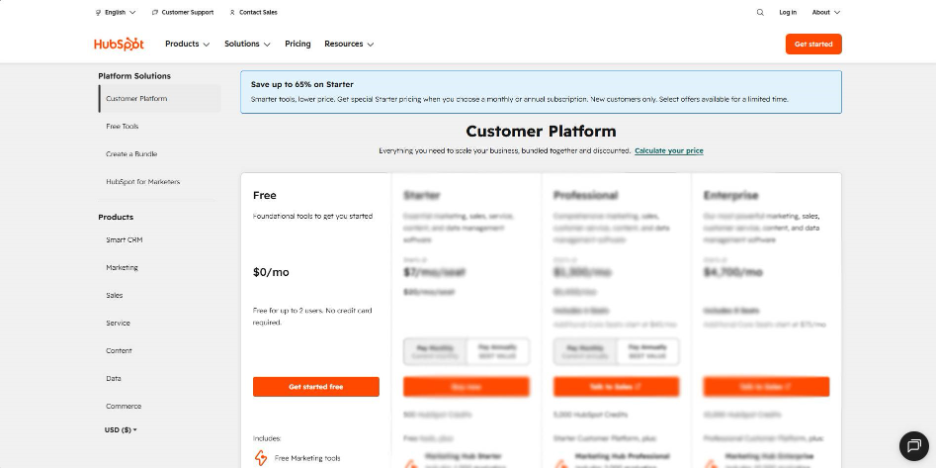
The Free Tools plan of HubSpot is considered ideal for startups, small businesses, freelancers, and small teams. The plan provides access to all the essential CRM functionality, without requiring any upfront investment for businesses.
Key Benefits:
- Contact and company management
- Deal tracking and pipeline management
- Meeting scheduling
- Basic email marketing
- Forms and live chat
- Basic reporting dashboards
HubSpot Starter
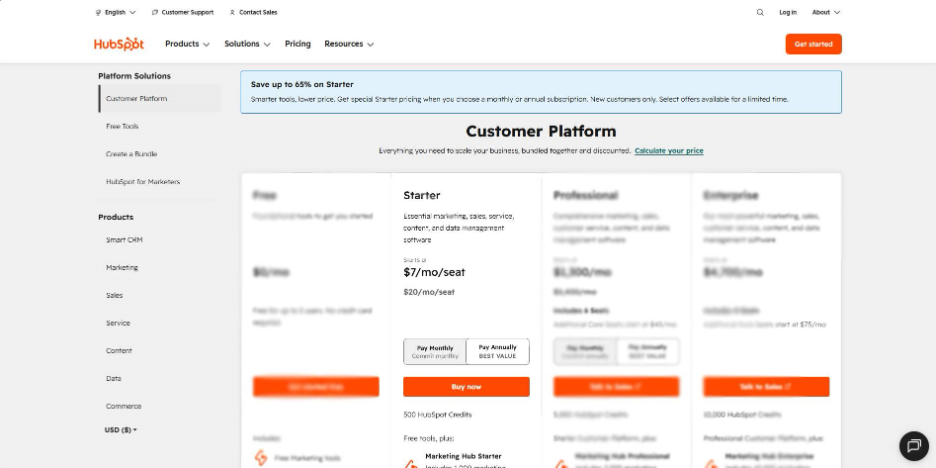
The Starter plan offers various key HubSpot features, which are essential for growing businesses. The plan helps businesses generate more leads, expanding its customer base, and hiring additional team members.
Key Benefits:
- Increased marketing email limits
- Simple automation capabilities
- Enhanced reporting features
- Additional customization options
- Enhanced scalability for growing teams
Key differences between the two HubSpot plans are as follows:
| Feature | Free Tools | Starter Plan |
| Email Marketing | Basic | Enhanced with higher limits |
| Marketing Automation | Limited | Basic automation available |
| Reporting & Analytics | Basic | More advanced insights |
| Customization Options | Limited | Expanded Customization |
| Customer Support | Standard | Enhanced support options |
HubSpot Pricing Comparison: Professional vs Enterprise
With the growth of businesses, the tools and capability requirements become more complex. To efficiently manage such complexity, HubSpot offers Professional and Enterprise plans. The HubSpot Professional plan offers advanced automation, reporting, and customization tools for scaling companies. While the Enterprise plan is especially designed for the organization, which requires more greater control, security, and flexibility across multiple teams and departments.
HubSpot Professional
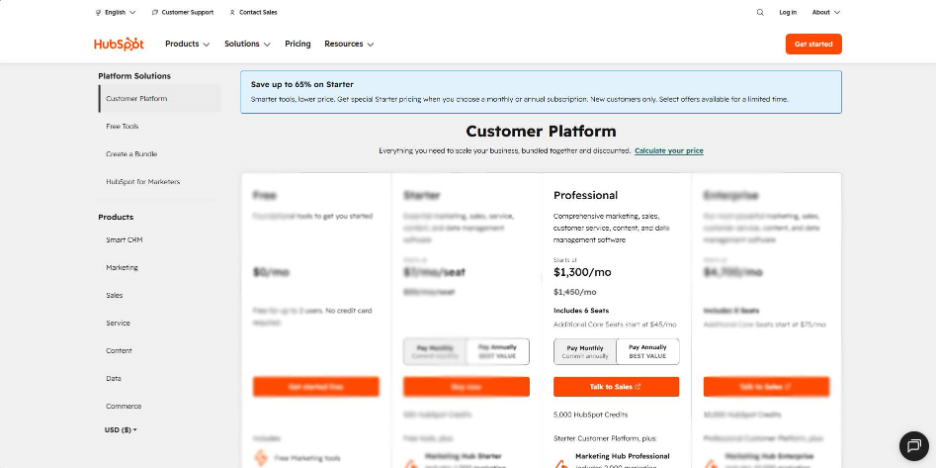
The Professional HubSpot pricing plan is considered ideal for companies that require more than just the basic CRM functionality. The plan offers various sophisticated tools, which are aimed at supporting marketing, sales, and customer service operations.
Key Benefits
- Advanced automation workflows
- Custom reporting dashboards
- Lead scoring capabilities
- Campaign management tools
- Sales forecasting
HubSpot Enterprise
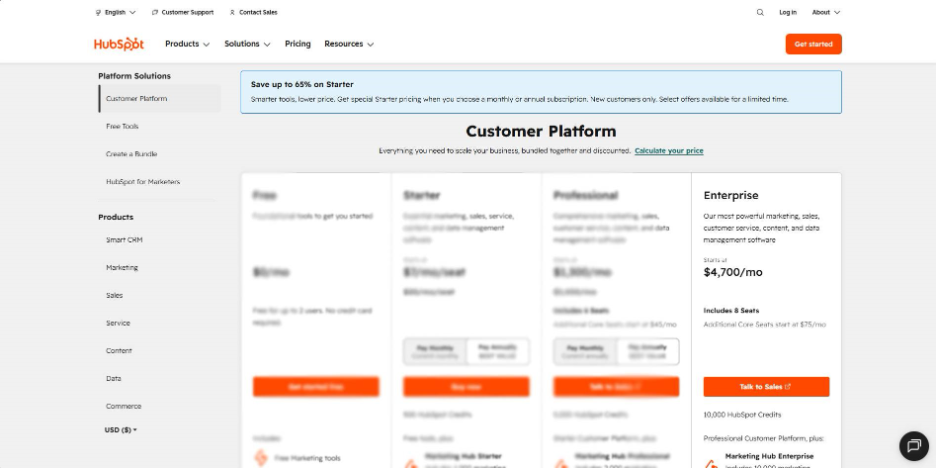
The Enterprise HubSpot CRM pricing plan is designed for organizations managing large teams, multiple business units, or complex customer journeys. The plan includes every feature and capability of the platform, while also adding advanced controls and customizations.
Key Benefits
- Predictive lead scoring
- Advanced team permissions
- Field-level security controls
- Single Sign-On
Key difference between the two HubSpot plans is as follows:
| Feature | Professional | Enterprise |
| CRM Features | Advanced | Advanced + Enterprise Controls |
| Marketing Automation | Advanced workflows | Advanced workflows with greater scalability |
| Custom Objects | Limited or Hub-dependent | Full Support |
| Sandbox Environment | No | Yes |
| Security Features | Standard | Enterprise-grade |
| Multi-Team Management | Limited | Extensive |
HubSpot Pricing Compared to Competitors
While HubSpot is considered a user-friendly and best CRM software that offers an all-in-one ecosystem, it is also considered more expensive compared to its competitors. However, businesses and organizations often find the extensive capabilities and seamless integration justifiable of its price.
Some platforms offer lower prices, while others provide enterprise-grade functionality at a comparable or higher price compared to HubSpot.
The pricing and feature comparison of HubSpot with some of its key competitors are as follows:
| Platform | Pricing | Ease of Use | Scalability |
| HubSpot | Free plan available | Excellent | High |
| Salesforce | Higher than most CRM platforms | Moderate | Very High |
| Zoho CRM | Affordable | Good | Moderate to High |
| Pipedrive | Affordable | Excellent | Moderate |
| Freshsales | Competitive | Very Good | Moderate |
| Microsoft Dynamics 365 | Mid to high pricing | Moderate | Very High |
Many enterprises compare HubSpot vs Salesforce when choosing a CRM due to differences in pricing, customization, and scalability. Another common comparison is HubSpot vs Monday, especially for businesses evaluating CRM vs project management tools.
Which Plan is Right for Your Business
Selecting the right HubSpot pricing plan often depends on the basic needs and future goals of businesses. Apart from these, factors like team size, budget, business stage, and advancement level of sales, marketing, and customer service also play a crucial role in choosing the right HubSpot pricing plan.
To select the best plan for your business, it is useful to match the plan that meets the actual operational needs, rather than just comparing prices. Here are some main factors that businesses or individuals should consider before choosing the right HubSpot pricing plan:
- Identify the Business Stage: The current business stage plays a critical role in selecting the right plan. Early-stage businesses or startups can go for the free or starter pack, while growing or large organizations can select professional or enterprise packs.
- Define Core Application: The choice of HubSpot depends on the actual application, as HubSpot is made up of different "Hubs". For instance, marketing-focused teams can go for email campaign tools, lead generation, and automation, while sales-driven teams can select the hub that offers pipeline tracking, deal management, and forecasting.
- Automation Requirement: Automation is among the differences between HubSpot pricing plans. The free plan offers no automation, while the Starter plan offers basic automation. The Professional plan features advanced workflows, while the Enterprise plan offers multilayer and highly customizable automation.
Conclusion
HubSpot pricing structure is especially designed to offer flexibility and scalability for businesses at every stage of growth. HubSpot allows businesses, from large organizations to startups, to choose what they need.
When evaluating HubSpot pricing, businesses need to focus on the value gained rather than just focusing on subscription cost. By selecting the right Hub and plan, businesses can maximize their ROI, while also avoiding unnecessary expenses. To select the ideal HubSpot pricing plan, businesses should compare their current requirements, projected growth, and desired features to ensure that the plan aligns with the business goals.
Also Read
13 Best HubSpot Alternatives (Compared by Pricing & Features)
Frequently Asked Questions : HubSpot Pricing
Yes, HubSpot offers a basic CRM, along with tools like contact management, deal tracking, and email tracing, with its Free Tools plan.
Yes, the Starter plan is usually considered ideal for small businesses that need basic automation and professional marketing tools.
The Professional plan offers various key features and capabilities, like advanced administration, enhanced collaboration, and granular control, among others.
Yes, HubSpot allows businesses to start with a Free or Starter plan and upgrade to advanced plans later.