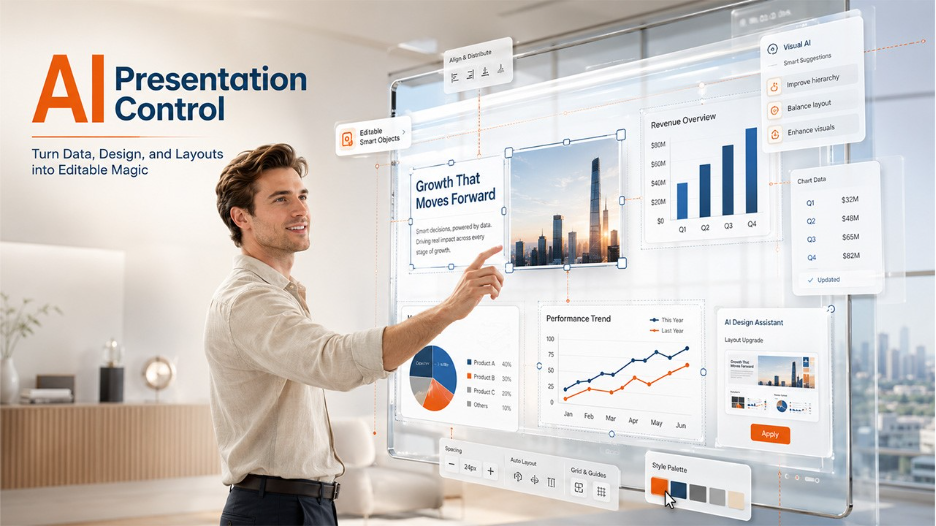






Making presentations is not the hard part anymore; editing presentations is. Most people find that making any kind of modifications or tweaks to their space within the slide, making it smaller, or refitting the slide design into a style they are comfortable with, is a challenge when using AI tools to create their slides. This is where element-level presentation editing changes the experience, giving users precise control over individual slide components without disrupting the entire layout.
But the real issue is that traditional presentation tools enable editing a slide in its entirety, not precise control of individual elements. When space is limited, the entire layout has to be rescaled again if a slight tweak is made to the text, images, or charts. Even with the latest AI tools, the process of creating a presentation is still slow, rigid, and frustrating.
This is where HIX AI introduces a new approach. It introduces intelligent, element-based editing and visual AI in one system, in an approach that treats slides as movable containers. This enables users to easily and directly control particular parts of a presentation, bringing quicker, wiser and much more flexible editing than traditional tools.
Why Element-Level Presentation Editing Is Needed More Than Ever
Although the tools to present have evolved over time, editing the slides is still one of the most tedious components of the process. While a simple structure should be easy to come up with, creating something that's clean, professional, and visually balanced is a lot harder.
The problem is that most tools are not developed around precise control, but around full slide editing. This is because when you change one piece of content, such as a title, an image or a chart, you impact the whole layout. This means that users must space, realign and rework all design elements, and do so repeatedly, simply to make things appear right.
Due to that limitation, even little adjustments can perhaps become a lengthy editing procedure. Users waste time on managing layout and visuals instead of enhancing ideas or storytelling! It is for this reason that presentation editing has continually been a massive hurdle, particularly in the current AI-powered workflows.
Inside HIX AI’s Element-Level Presentation Editing System

AI slides generator is a new presentation editing method offered by HIX AI that emphasises detailing elements over a single block per slide. This enables users to interact directly with particular elements of a slide, for instance, text, photos, or charts, without having to redesign the entire slide layout. This more precisely, quickly and immensely eases the editing of things. HIX AI introduces an element-level presentation editing system that focuses on individual slide components rather than treating the entire slide as a single editable block.
The system employs intelligent context awareness rather than any manual spacing or rearranging of the content after each small change. If the user edits one element, HIX AI understands the impact of the change on the rest of the slide and makes the necessary adaptations. This facilitates keeping the design clean and balanced without requiring extra effort from the user.
The editing process is also in conversation. Users can easily state what they want, whether it's summarizing content, altering structure, or converting a part to a visual format, and the AI updates only that particular section. This makes presentation editing a more natural and flexible process: Users control changes rather than rebuild slides.
How HIX AI Turns Data into Smart, Editable Charts
What's truly remarkable about HIX AI's AI Slides is its ability to work with data within slides. It can take numbers and transform them to smart, editable charts, all tied to the underlying data. This means that the users can interact with charts directly within the slide instead of using separate tools. One of the advantages of element-level presentation editing is the ability to update charts independently without affecting the rest of the slide design.
If the data is coming from reports, spreadsheets, or other sources, it will be converted to the most appropriate data chart type automatically. The information can be displayed as a bar chart, line graph, or pie chart, depending on what the AI determines is the most effective visual representation. This eliminates the need to manually design and choose the chart and format it.
The best part of it is that these charts are not set images. Values can be updated right in the slide, the chart will immediately update, but retaining the slide layout. This makes presentations always access true data that can be edited and always look accurate.
If the data is coming from reports, spreadsheets, or other sources, it will be converted to the most appropriate chart type automatically. Similar to modern tools focused on AI-powered data visualization, HIX AI helps users transform raw data into meaningful visual insights directly within presentations.
How AI Understands and Enhances Visual Design
Rather than just editing, HIX AI's AI slideshow maker understands how elements are visually organised in a slide. Rather than design using blocks, it examines how elements relate to each other in terms of spacing, alignment, and structure to ensure each element flows seamlessly within the context of the page.
People can click anywhere on a slide – including text boxes, images, or parts of a slide – and make changes directly. The system takes into account the rest of the world, and tunes the design accordingly, avoiding change-point scenarios. This allows for flexible, less-technical editing.
The AI also automatically works on making the appearance better. It can add spacing, distribute content evenly on the slide, and increase readability – even if you are not a slide designer yourself. This means a more polished presentation, even when edits are made in a rush and are constant.
Rather than simply moving content blocks around, HIX AI understands spacing, hierarchy, and visual relationships. These capabilities reflect many established UX and UI design principles that help create presentations that are both visually appealing and easy to understand.
Why This Changes Presentation Design Forever
HIX AI presentation maker is changing the game when it comes to refining presentations. Rather than thinking of presentations as "set-up-and-forget," it transforms them into systems that are flexible, intelligent and change automatically in response to user changes. This takes away a lot of the hassle that was always involved with the conventional slide design.
For some older tools, even a minor change might result in misalignment, spacing, or structure issues, which require additional time from the user to correct the design. Those issues are minimized through element-level control in AI, which means that the system knows the impact of each adjustment made and acts accordingly on the overall slide.
This transformation creates much more than a presentation design task; it introduces a system that is intelligent and can support real-time changes to the presentation design.
Final Thoughts
Now is a new era in presentation design that makes editing a thing of the past. Users no longer have to deal with layouts, and they don't have to mess around with spacing or formatting either; intelligent systems handle everything now and update it automatically.
HIX AI’s AI Slides demonstrates how element-level presentation editing can simplify presentation creation. By combining smart charts, visual AI, and precise editing controls, it enables users to refine ideas faster without sacrificing design quality.
The future of presentation creation will be more about prompting the AI than about creating presentations from the ground up. The emphasis will shift from design effort towards expression of ideas, which will enable quicker, clearer, and more efficient communication than ever before.