






Moving customer information from an existing CRM system to a new platform can be a challenging process, especially when a business manages thousands of customer records, sales opportunities, communication histories, and other important information. A poorly planned migration can result in missing records, duplicate entries, broken relationships, and unnecessary business disruptions.
This is where SuiteCRM data migration becomes an important part of CRM implementation. It allows businesses to transfer their existing customer information into SuiteCRM while maintaining data accuracy, accessibility, and consistency.
Whether a company is switching from another CRM, replacing spreadsheets, or moving from an older SuiteCRM installation, following a structured migration process can make the transition smoother.
In this guide, we will explore the essential steps involved in transferring business information, common migration challenges, and practical ways to maintain data integrity throughout the process.
What Is SuiteCRM Data Migration?
SuiteCRM data migration refers to transferring business information from an existing system, database, spreadsheet, or CRM platform into SuiteCRM. The process may include customer details, company records, sales opportunities, contact information, activities, documents, and communication histories.
Businesses generally consider migration when their existing CRM becomes outdated, difficult to maintain, expensive, or unsuitable for their growing operational requirements.
A successful migration involves more than simply transferring records. It requires organizing information, identifying relevant fields, maintaining relationships between records, and checking whether the transferred information works correctly in the new environment.
For example, when a company moves customer records into SuiteCRM, the associated contact details, account information, and sales activities should remain connected.
Why Is Proper CRM Data Migration Important?
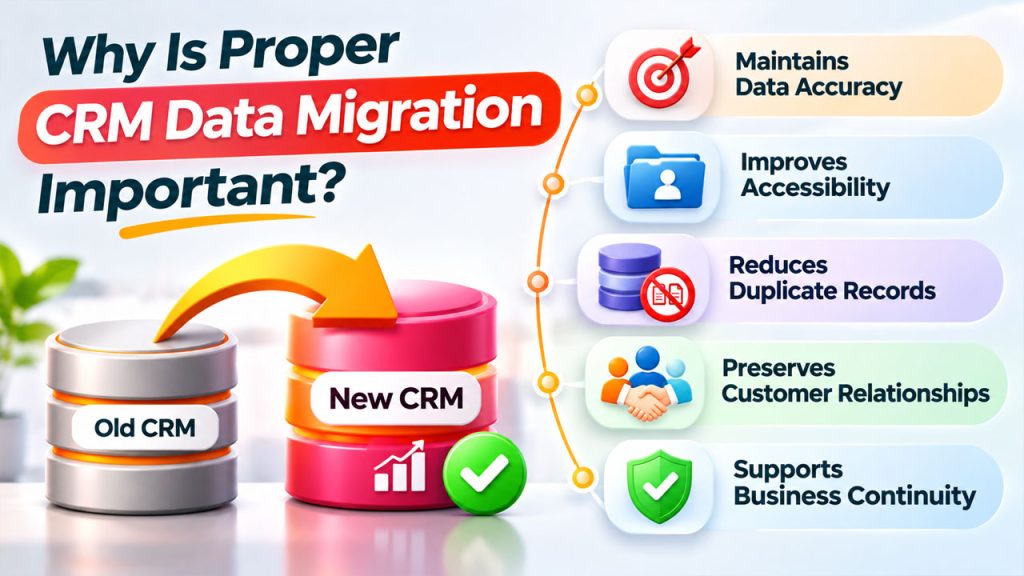
A CRM system contains valuable information that supports sales, marketing, customer service, and business decision-making. Losing access to this information during migration can affect everyday operations.
Here are some important reasons to approach migration carefully:
- Maintains data accuracy: Proper planning helps prevent missing, incomplete, or incorrectly transferred information.
- Improves accessibility: Employees can access customer records through a centralized CRM platform.
- Reduces duplicate records: Cleaning existing information helps maintain a more organized database.
- Preserves customer relationships: Maintaining connections between accounts, contacts, and opportunities helps employees understand customer history.
- Supports business continuity: A planned migration reduces disruption to ongoing sales and customer support activities.
When businesses follow reliable CRM data migration procedures, they can maintain operational consistency while moving toward a more flexible CRM environment.
Step-by-Step Guide to SuiteCRM Data Migration
A successful migration requires preparation, execution, and validation. The following steps provide a practical approach for businesses planning to move their information into SuiteCRM.
Step 1: Evaluate Your Existing CRM Data
Before starting the migration, review the information stored in your current CRM or database.
Identify which records need to be transferred and which information can be archived or removed. This assessment helps businesses avoid moving unnecessary or outdated information into the new platform.
Start by reviewing:
- Customer and contact records
- Company and account information
- Sales opportunities and leads
- Customer communication history
- Meetings, calls, and tasks
- Documents and attachments
- Custom fields and modules
It is also useful to record the total number of entries in each category. These figures will help you compare the source database with the destination system after migration.
Step 2: Clean and Organize Your Data
Data quality has a direct impact on the success of any migration project. If the existing database contains duplicate contacts, incomplete information, or inconsistent formats, those problems may continue in SuiteCRM.
Before transferring information, review the database and remove unnecessary records.
For example, a business might have multiple entries for the same customer because employees entered slightly different email addresses or company names. Identifying and resolving these duplicates beforehand can prevent confusion later.
Consider these activities:
- Remove duplicate customer records.
- Standardize phone numbers and email formats.
- Correct spelling errors in names and addresses.
- Identify outdated or inactive records.
- Review incomplete customer profiles.
- Standardize dropdown and category values.
These CRM data import practices help create a cleaner database and reduce the possibility of errors during the transfer.
Step 3: Create a Field Mapping Plan
Different CRM platforms may use different field names and database structures. Therefore, businesses need to identify how existing fields will correspond to their SuiteCRM equivalents.
For example, your previous CRM might use the field name "Company Name," while SuiteCRM uses "Account Name" for the corresponding information.
Create a mapping document that identifies the source field, destination field, data type, and any required transformations.
A basic example:
| Existing CRM Field | SuiteCRM Field |
| Company Name | Account Name |
| Customer First Name | First Name |
| Customer Email | Email Address |
| Mobile Number | Phone Number |
| Sales Status | Lead Status |
Review custom fields carefully because they may not have direct equivalents in the destination system.
A well-prepared mapping plan helps ensure that important information reaches the correct location when you migrate data to SuiteCRM.
Step 4: Prepare the SuiteCRM Environment
Before importing information, make sure the destination SuiteCRM installation is properly configured.
Check the following elements:
- SuiteCRM installation and database configuration
- User accounts and access permissions
- Required modules and custom fields
- Date, currency, and regional settings
- Available storage and upload limits
- Existing integrations and customizations
If your business uses custom modules, configure them before transferring the associated records.
It is also important to create a separate testing environment. This allows administrators to identify configuration problems without affecting the live CRM database.
Step 5: Export Data From the Existing System
Once the source database has been reviewed and cleaned, export the required information.
Many CRM platforms support CSV or Excel exports. CSV files are commonly used because they can be prepared for SuiteCRM's Import Wizard.
During the export process, make sure that:
- All required fields are included.
- The correct character encoding is maintained.
- Date and number formats are consistent.
- Important record identifiers are preserved.
- Related records can be identified correctly.
Keep a secure copy of the original exported files. These files provide a reference if you need to investigate missing information or repeat part of the migration.
Step 6: Import Records Into SuiteCRM
SuiteCRM provides an Import Wizard that allows administrators to upload CSV files and map their columns to the appropriate CRM fields.
The general import process involves:
- Open the required module, such as Accounts or Contacts.
- Select the Import option.
- Download the sample import template if needed.
- Upload the prepared CSV file.
- Confirm the file properties and delimiters.
- Map source columns to destination fields.
- Review duplicate detection settings.
- Complete the import and check the results.
SuiteCRM also provides an error review process, allowing administrators to identify records that require correction.
For related records, follow the appropriate import sequence. For example, import Accounts before Contacts so that customer relationships can be established correctly.
Step 7: Test and Validate the Migrated Data
Completing an import does not necessarily mean the migration is successful. Businesses must verify that the information has been transferred accurately.
Compare the source database with the destination SuiteCRM records.
Check important details such as:
- Total record counts
- Customer names and email addresses
- Account and contact relationships
- Sales opportunity information
- Custom field values
- Assigned users and record ownership
- Documents and historical activities
Also, ask a few employees to review the migrated records from their respective departments.
Testing helps identify problems before the system becomes part of everyday business operations.
Step 8: Plan the Final Migration and Go-Live
After testing and validation, prepare the final migration.
Choose a suitable migration window when business activity is relatively low. Inform employees about the transition and explain when they should begin using SuiteCRM.
If the old CRM remains active during preparation, define a clear process for capturing new or updated records before the final transfer. This prevents recent customer information from being overlooked.
Keep a verified backup of the source database and establish a rollback plan before making the new CRM environment operational.
Once the migration is complete, monitor the system closely and resolve any remaining issues.
Common Challenges During CRM Migration
Even with careful preparation, businesses may encounter migration-related challenges.
1. Duplicate Records: Multiple entries for the same customer can affect reporting and employee productivity. Deduplication rules should be established before importing records.
2. Incorrect Field Mapping: Differences between CRM structures can cause information to appear in the wrong fields. Reviewing mapping documents and performing test imports helps prevent this issue.
3. Broken Relationships: Contacts, accounts, and sales opportunities may lose their connections if records are imported in the wrong sequence.
4. Missing Attachments: Documents and communication histories may require separate handling. Businesses should include them in the migration scope rather than assuming that CSV imports will transfer everything.
Integration Issues: External applications, APIs, and automated workflows may need configuration or testing after migration. A professional CRM migration service can help verify these integrations and ensure that connected systems function correctly after the transition.
Addressing these challenges early makes the migration process more predictable and manageable.
Best Practices for Successful SuiteCRM Data Migration
Following consistent practices can help businesses protect their information throughout the migration process.
- Always create a complete backup before making changes.
- Document the source and destination database structures.
- Clean duplicate and outdated information before importing.
- Preserve original record identifiers where appropriate.
- Import parent records before their related records.
- Perform test imports using representative datasets.
- Review permissions and ownership assignments.
- Validate records after every major import batch.
- Maintain migration logs and document errors.
- Monitor system performance after implementation.
These practices help businesses establish a reliable CRM environment and maintain better control over their customer information.
Conclusion
Migrating business information into a new CRM platform requires careful planning, proper data preparation, and detailed validation. From reviewing the existing database to configuring SuiteCRM, mapping fields, importing records, and checking relationships, every stage contributes to a successful transition.
A structured SuiteCRM data migration process helps businesses protect valuable customer information, reduce operational disruptions, and improve the accessibility of their CRM database.
By following the steps and practices discussed in this guide, organizations can make their migration process more manageable and build a reliable foundation for future business growth.